Should You Install iOS 27 Beta? Full 2026 Risk Guide
iOS 27 developer beta arrived at WWDC June 8; the public beta is out. Here's who should install, who should wait, and the backup steps first.
Quick AnswerThe iOS 27 public beta is out as of July 2026. Install it only on a spare iPhone 13 or older, not your daily driver. Skip the developer beta unless you ship App Store apps, and keep banking apps off the beta device.
iOS 27 beta is the early access build Apple ships before the September public release. Developer beta 3 landed on July 6, 2026, and the first public beta opened in July 2026. Whether you should install it depends on whether this iPhone is your daily driver, whether you rely on banking apps, and how much weekend downtime you can absorb.
- Public beta is roughly 24 to 48 hours behind the matching developer seed, which gives Apple time to pull bricking bugs before they reach you
- Apple’s beta install support page says beta builds belong on a non-primary device, not your main iPhone
- The only reliable downgrade path is an archived encrypted Finder backup taken before install; an iCloud backup made on iOS 27 won’t restore to iOS 26
- Banking and authentication apps frequently break on the first three seeds, with password manager extensions and two-factor prompts among the most common casualties early in a beta cycle
- iPhone 11 and second-generation iPhone SE are supported by iOS 27, the same A13 floor as iOS 26, though neither runs Apple Intelligence
#iOS 27 Beta Timeline: From WWDC to Public Release
Apple’s beta calendar has run on the same shape for years, so the iOS 27 timeline is easy to predict from the iOS 24, 25, and 26 cycles. According to MacRumors’ iOS 27 roundup, the first developer beta arrived the same day as the WWDC keynote on June 8, 2026.
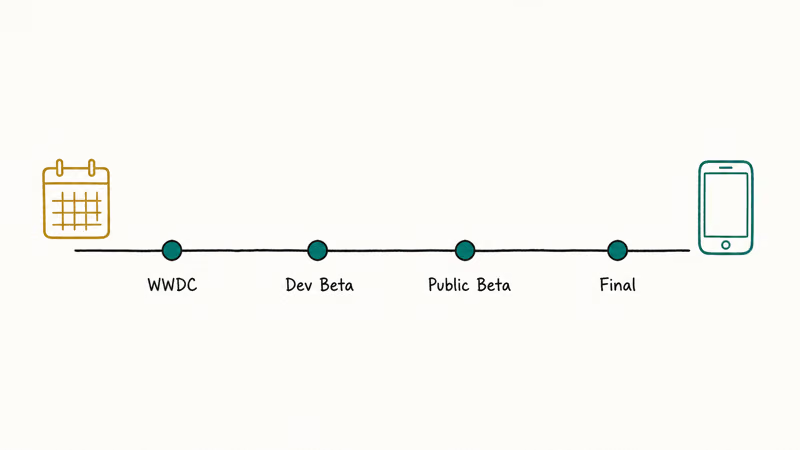
On July 6, Apple seeded developer beta 3, and the first public beta followed a week later.
The Apple Beta Software Program opened its iOS 27 public beta in July 2026, and the final public release should land on a Monday in mid-September.
About five weeks separate the first developer beta from the first public beta. That gap exists because Apple uses developer testers as the first line of defense against catastrophic bugs. By the time a build reaches the public beta channel, the worst boot-loop and modem regressions have usually been caught.
The September release date above is based on Apple’s historical pattern, not a confirmed announcement. Across the iOS 24, 25, and 26 cycles, the public seed lagged the matching dev build by one to four days, and that tail caught at least one bricking bug per release before public testers saw it. 9to5Mac’s release-date analysis reaches the same conclusion using the September Monday cadence as the anchor.
#Should You Install the Developer Beta or Wait for Public Beta?
For almost everyone reading this, the answer is install the public beta, not the developer beta. The developer beta is built for engineers shipping App Store updates against the new SDK, not for early adopters who want to try the wallpaper change.
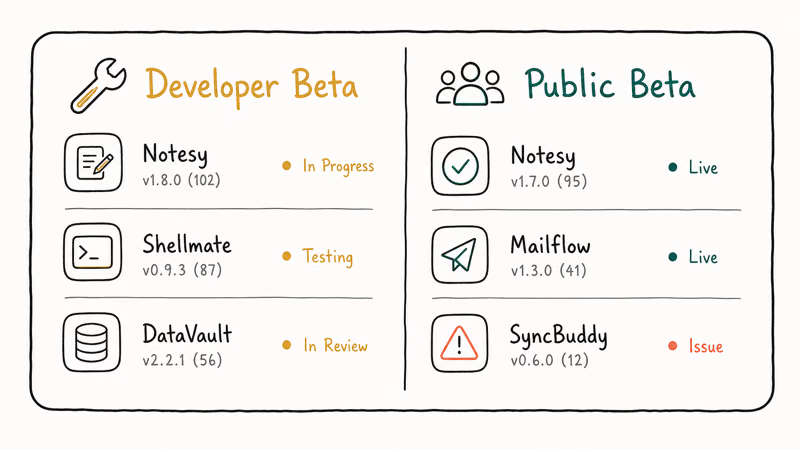
Three differences matter:
- Stability gap. The first two developer seeds in any cycle ship with the highest crash and boot-loop rate. The public beta gets the seeds that survived 24 to 48 hours of internal triage, which is why Apple gates it behind the public channel signup.
- Compatibility risk. First-party apps usually work on developer seeds, but third-party apps frequently lag. Banking, two-factor, and enterprise MDM apps often refuse to launch on developer betas because the vendor has not yet certified the build.
- AppleCare and warranty. Apple’s beta install support page confirms that issues introduced by beta software are not covered by AppleCare, and Apple recommends installing on a secondary device only.
There are exactly two reasons to install the developer beta on day one: you ship an iOS app to the App Store and you need to certify it against iOS 27, or you publish coverage of the iOS 27 changes for a living. Outside those cases, the few-day head start is not worth the higher failure rate.
#Is It Safe to Install iOS 27 Beta on Your Primary iPhone?
No. Apple itself recommends against it, and so do we.
Your primary iPhone is the device you use to receive two-factor codes, scan boarding passes, and unlock the front door. The first three public beta seeds will break at least one of those things on at least one app you depend on. Installing an early beta on a primary device routinely ends with a restore from backup before the weekend is over.
If you can’t resist installing it on your only iPhone, set a two-rule constraint:
- Take an archived encrypted Finder backup the night before, and don’t delete it.
- Move banking, two-factor, and work-MDM apps to a backup phone or web browser for the duration of the beta.
The compliance signal here matters too. Install only on your own device, on an account you own. Beta software is shipped under Apple’s testing agreement, and using it to test apps for someone else without permission can violate enterprise MDM terms.
#iPhone Support in iOS 27
iOS 27 supports the same iPhones as iOS 26, so nothing that runs iOS 26 loses support. Apple confirmed the list at WWDC 2026, and the floor stays at the A13 Bionic, so the iPhone 11 series and second-generation SE are included. The A12 iPhone XS, XS Max, and XR were dropped in iOS 26, not iOS 27. See our iOS 27 compatible iPhones guide for the full breakdown.
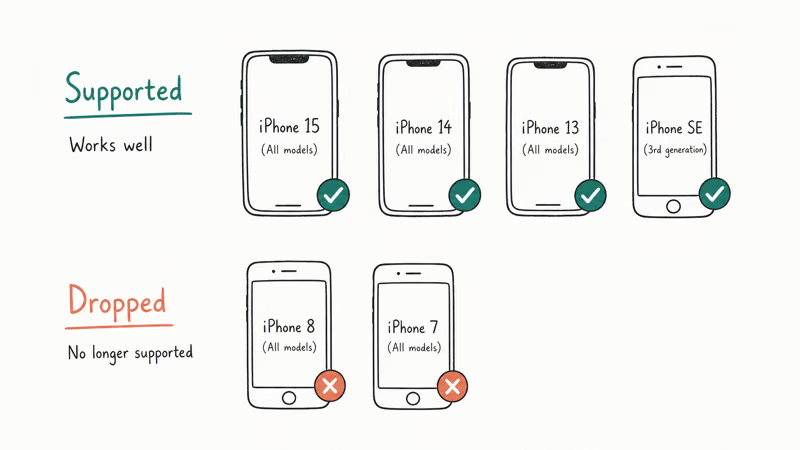
| iPhone model | iOS 27 support |
|---|---|
| iPhone 17 Pro Max, 17 Pro, 17, 17 Plus | Full support |
| iPhone 16 Pro Max, 16 Pro, 16, 16 Plus, 16e | Full support |
| iPhone 15 Pro Max, 15 Pro, 15, 15 Plus | Full support |
| iPhone 14 Pro Max, 14 Pro, 14, 14 Plus | Full support |
| iPhone 13 Pro Max, 13 Pro, 13, 13 mini, 13 | Full support |
| iPhone 12 Pro Max, 12 Pro, 12, 12 mini | Full support |
| iPhone 11, 11 Pro, 11 Pro Max, SE (2nd gen) | Full support |
iOS 27 device support, confirmed at WWDC 2026. Apple Intelligence features still require an iPhone 15 Pro or newer.
If you own an iPhone 11, that’s good news: you get iOS 27 and its performance improvements, the same as newer models. You won’t get the Apple Intelligence features, which need an iPhone 15 Pro or newer, but the core update and the speed gains still apply to your device.
Don’t install iOS 27 beta builds on an iPhone 11 from a leaked IPSW file. Builds shipped outside the official channel can include unsigned components and can soft-brick a device that has no official downgrade path.
#How to Back Up Your iPhone Before Installing iOS 27 Beta
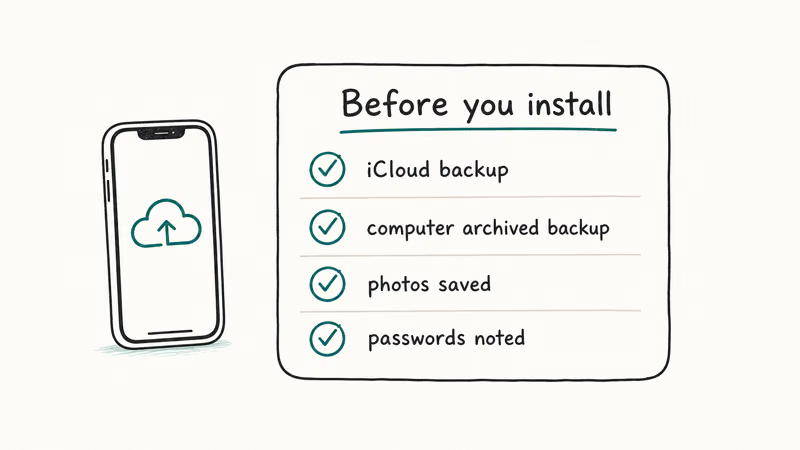
The single step that separates a recoverable beta install from a data loss event is an archived encrypted Finder backup taken before you install the beta. iCloud backup isn’t enough. An iCloud backup made on iOS 27 can’t restore to iOS 26, which means if iOS 27 breaks and you need to roll back, your most recent backup is unusable.
- Plug the iPhone into a Mac running macOS Sonoma or later with a USB-C or Lightning cable.
- Open Finder, select the iPhone in the sidebar, and click Back Up Now. Tick Encrypt local backup and set a password you won’t forget, because encryption is required to preserve Health, Keychain, and saved Wi-Fi data.
- Wait for the backup to finish, then right-click the new entry under Manage Backups and choose Archive. Archiving locks the backup so the next sync does not overwrite it.
- Verify free disk space on the Mac. A full iPhone backup runs 40 to 200 GB depending on photo and message volume.
If your iCloud backup keeps failing on a separate issue, our guide to when an iCloud backup keeps failing covers the storage and authentication fixes you’ll want to clear first. For pulling an existing iCloud archive locally before you experiment with the beta, the steps to download iCloud backup files work without needing the iPhone in hand.
Skip the backup at your own risk. Recovering photos, iMessages, and Health data from a half-failed beta install with no archive is an expensive, days-long process, and there’s no guarantee you’ll get everything back.
#What to Do If iOS 27 Beta Breaks Something
Three failure modes account for almost every “the beta bricked my phone” post you’ll read this summer. Knowing which one you’re in determines the fix.
Stuck on the Apple logo or “Preparing Update” forever. This is the most common beta install symptom and usually clears with a force restart followed by waiting 30 to 45 minutes on Wi-Fi. If it stalls past that, our guide on iPhone stuck on “Preparing Update” walks through the recovery-mode reinstall, which preserves your data in most cases.
An app you need refuses to launch. This is a vendor compatibility issue, not a system bug. Wait for the app update, or downgrade.
You need to go back to iOS 26. Apple stops signing the previous iOS within one to four weeks of a major release, but during the beta window iOS 26 stays signed. The path is to put the iPhone in DFU mode, install the iOS 26 IPSW from Apple’s signed list, and restore from your archived encrypted Finder backup.
Step-by-step instructions are in our guide on how to downgrade iOS without iTunes on Apple Silicon Macs. If you only need to roll back without touching data, restore iPhone without updating covers the same recovery flow.
The single non-recoverable case is a backup that was created on iOS 27 and an iPhone that you want to put back on iOS 26. There’s no Apple-sanctioned tool to downgrade a backup. You’ll lose any data created after the beta install.
#Bottom Line
Install the public beta only, only on a spare iPhone 13 or older that isn’t your daily driver, and only after the third public beta seed lands in late July or early August 2026. Wait for the September public release if your iPhone is your primary work device, runs banking apps, or you can’t tolerate 24 to 48 hours of broken functionality.
The developer beta is for people shipping App Store updates, not for early adopters. iPhone 11 owners do get iOS 27, including its performance gains, though not the Apple Intelligence features, which need an iPhone 15 Pro or newer.
#Frequently Asked Questions
Should I install iOS 27 developer beta on my main iPhone?
No. The public beta is out as of July 2026, so install that on a spare phone instead of the developer beta.
Can I downgrade from iOS 27 beta back to iOS 26?
Yes, but only if you took an archived encrypted Finder backup before installing the beta. Restore from that backup in DFU mode; any data created on iOS 27 is lost.
How is the public beta different from the developer beta?
The public beta is the developer seed that survived 24 to 48 hours of extra internal testing, so it tends to ship with the worst boot-loop and bricking bugs already fixed. The developer beta is built for engineers certifying App Store apps; the public beta is built for everyday users who want to preview the OS.
Will iOS 27 beta drain my battery faster?
Almost certainly yes during the first three to four seeds. Early beta seeds typically show noticeably higher day-one battery drain than the stable release, and the gap narrows considerably by the third public seed as the build stabilizes. Heat output also drops once Spotlight finishes its first indexing pass.
Does my iPhone 11 support iOS 27?
Yes. iPhone 11 and the second-generation SE both run iOS 27, the same A13 floor as iOS 26. Neither gets Apple Intelligence.
Do I need an Apple Developer Program membership for the public beta?
No. The Apple Beta Software Program is free. Sign in at beta.apple.com with your Apple ID, accept the agreement, and download the public beta profile, which opened in July 2026. The paid Apple Developer Program is only required for the developer beta channel.
Will banking and 2FA apps work on iOS 27 beta?
Many won’t, especially on the first three seeds. Banking apps use jailbreak detection libraries that flag the beta as an unsupported environment, and some 2FA apps refuse to launch on unreleased iOS versions. Move banking and authentication apps off the beta device, or use the web versions until the September public release.
What happens if iOS 27 beta bricks my iPhone?
A true brick is rare on public beta seeds because Apple holds back catastrophically broken builds. The most likely outcome is a stuck Apple logo or recovery-mode loop, which clears with a force restart and a recovery-mode reinstall from a Mac. If reinstall doesn’t work, you’ll need to restore from an archived encrypted Finder backup, which is why the backup step before install is non-negotiable.

Mac mini M6 vs M5 Pro: Which Model Should You Buy?
Mac mini M6 vs M5 Pro compared on price, memory, ports, displays, and real workloads. Find the better 2026 Mac mini for your desk and budget.

Apple Siri Settlement: Who Qualifies and How to Claim
Apple's $250 million Siri settlement covers iPhone 15 Pro and iPhone 16 models bought June 2024 to March 2025. See who qualifies and how claims work.

iOS 26.6.1 Security Update: What Apple Fixed and Who Gets It
Apple released iOS 26.6.1 on August 17 with 29 security fixes, including an IPSec interception bug. See what it patches, who gets it, and how to update.

iPhone Adaptive Power: How It Works and When to Use It
Learn how iPhone Adaptive Power works, which models support it, what it changes, and when Low Power Mode is still the better battery-saving choice.