AirPods Connection Failed: 6 Ways to Fix It (2026)
Fix AirPods connection failed on iPhone with 6 practical steps. Covers Bluetooth toggle, charging, AirPods reset, iOS update, and network reset.
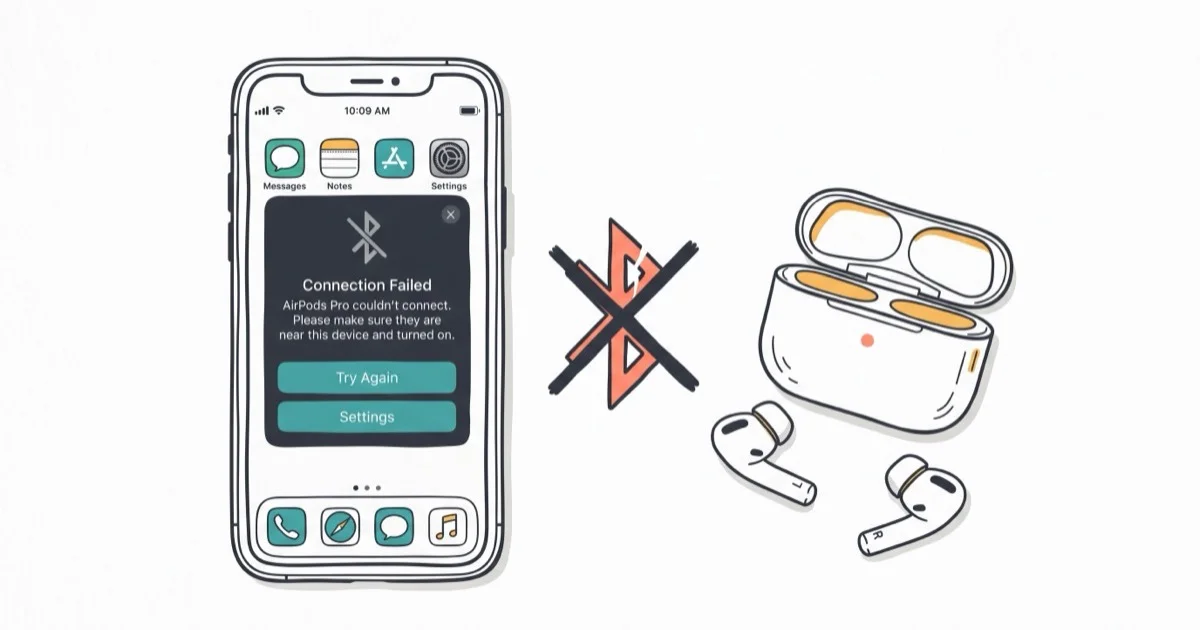
Quick AnswerGo to Settings > Bluetooth, toggle Bluetooth off, wait 5 seconds, then turn it back on. Open your AirPods case near your iPhone and wait for the pairing animation. If that fails, reset your AirPods by holding the setup button on the case for 15 seconds until the light flashes amber then white.
Your AirPods won’t connect because of a stale Bluetooth cache, low battery, or a firmware mismatch between your AirPods and iOS. The fixes below cover common Bluetooth, battery, firmware, and reset causes on iPhone and iPad.
- Toggle Bluetooth off in Settings for 5 seconds to clear the connection cache
- AirPods need 10% battery to pair; a dead case blocks the handshake
- A factory reset (hold setup button 15 seconds) fixes repeated failures
- iOS updates patch Bluetooth bugs, especially after new AirPods firmware
- Reset Network Settings clears deep Bluetooth corruption other fixes miss
#Toggle Bluetooth Off and On in Settings
This takes about 5 seconds. Open Settings > Bluetooth and tap the green toggle off. Wait 5 seconds, then flip it back on.
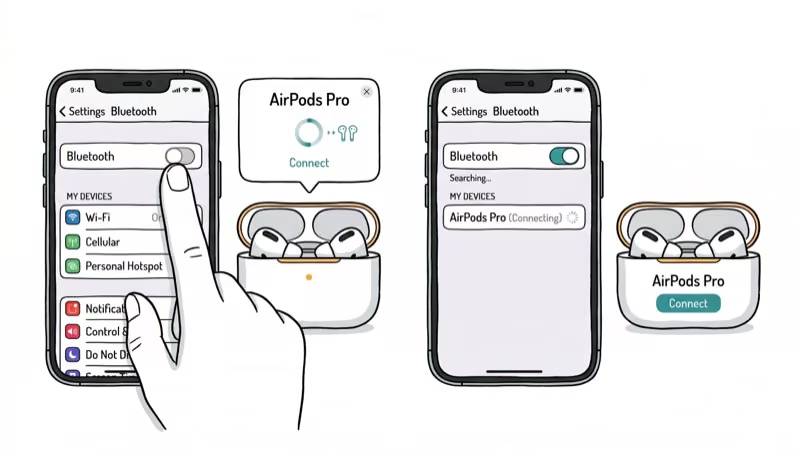
Don’t use Control Center. Tapping the Bluetooth icon in Control Center only disconnects active accessories without actually killing the Bluetooth radio. The connection cache stays intact, which means the same stale data keeps blocking your AirPods.
After turning Bluetooth back on, open your AirPods case near your iPhone. The setup animation should appear shortly after the Bluetooth radio restarts. According to Apple’s AirPods troubleshooting page, toggling Bluetooth off for 5 seconds clears stale connection data on all iPhone models.
#Check Your AirPods and Case Battery
Low battery causes connection failures that look identical to software bugs. AirPods won’t pair below 10%.
Open the AirPods case next to your unlocked iPhone. A popup shows charge levels for each earbud and the case separately. If anything reads below 10%, charge for at least 15 minutes before retrying. A dead case can’t relay the initial Bluetooth handshake at all, even if the earbuds themselves still have some charge left.
The case holds roughly 24 hours of extra charge. If you haven’t plugged it in for several days, the case may have died even though the earbuds still had power. Charge the case before retrying so it can relay the pairing handshake.
If your AirPods case isn’t charging at all, check the USB-C or Lightning port for lint buildup.
#How Do You Reset AirPods to Factory Settings?
A full reset wipes all pairing data and returns your AirPods to factory state. This is the single most effective fix when “Connection Failed” keeps coming back.
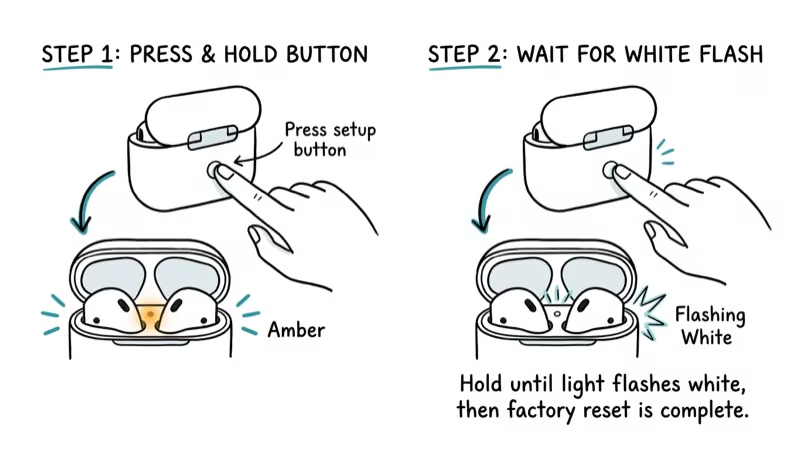
- Put both AirPods in the case and close the lid for 30 seconds
- Open the lid and hold the setup button on the back for 15 seconds
- Release when the light flashes amber, then white
Hold the open case near your iPhone and follow the on-screen setup animation. You’ll lose custom settings like the AirPods name, press-and-hold actions, and ear tip fit test results. According to Apple’s reset instructions, this is the official fix for persistent connection problems.
If the light doesn’t flash at all, charge the case for 15 minutes first. AirPods that won’t flash white even after charging may need a case replacement through Apple.
#Does Updating iOS Fix AirPods Connection Failures?
Yes. iOS updates regularly patch Bluetooth bugs that directly affect AirPods pairing. An outdated iOS version is one of the most common causes of sudden connection failures, especially after Apple pushes new AirPods firmware in the background.
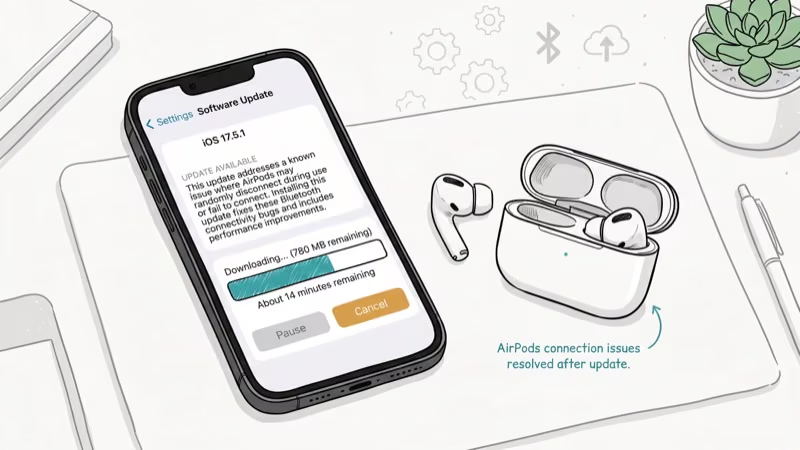
Go to Settings > General > Software Update and install any available update.
| AirPods Model | Minimum iOS Required |
|---|---|
| 1st/2nd gen | iOS 10 |
| 3rd gen | iOS 15.1 |
| Pro (1st gen) | iOS 13.2 |
| Pro 2 (Lightning) | iOS 16 |
| Pro 2 (USB-C) | iOS 16.6 |
| AirPods 4 | iOS 18 |
According to Apple’s compatibility requirements, AirPods firmware updates sometimes require a newer iOS than the original minimum. If you’re running an older iOS version and your AirPods sound muffled or keep dropping, the firmware mismatch is likely the cause.
#Reset Network Settings on Your iPhone
This erases all saved Wi-Fi passwords, Bluetooth pairings, VPN configs, and cellular settings. Only use this after trying everything above.
Go to Settings > General > Transfer or Reset iPhone > Reset > Reset Network Settings and enter your passcode. Your iPhone restarts automatically.
After the restart, reconnect to your Wi-Fi network and pair your AirPods fresh by opening the case nearby. This works because it clears corrupted Bluetooth profiles that survive a normal toggle. According to Apple’s network settings reset guide, this removes all saved Bluetooth pairings along with Wi-Fi data.
#Fixing One AirPod That Won’t Connect
When one AirPod works but the other stays silent, the problem is almost always physical rather than software-related.
Clean both AirPods and the case. Earwax, lint, and pocket dust block the charging contacts. Wipe the stems and charging wells with a dry, lint-free cloth.
Compare battery levels. Open the case near your iPhone and check the popup. If one AirPod shows significantly lower charge than the other, its contact may be dirty or the earbud isn’t sitting flush in the well. Press each one down until you feel a click to make sure they’re seated properly in the charging well and making full contact with the pins.
Reset and re-pair. A factory reset forces both earbuds to update firmware simultaneously.
A speck of lint on the charging contact can prevent a full charge and make one earbud drop out. Clean the contact with a dry cotton swab, then reseat the earbud. If your AirPods are connected but sound comes from the phone instead, that’s a different audio routing issue with a separate set of fixes.
#Bottom Line
Bluetooth toggle first. Five seconds, no downsides.
If that doesn’t fix it, make sure your AirPods and case are both charged above 10%, then try a factory reset. Network settings reset is the nuclear option since it wipes your Wi-Fi passwords too. Still failing after all six methods? Apple replaces defective AirPods free within the 1-year warranty, and AppleCare+ extends coverage to 2 years.
#Frequently Asked Questions
Why do my AirPods say “Connection Failed” only sometimes?
Bluetooth interference from nearby wireless devices, battery that intermittently dips below the pairing threshold, or too many paired accessories on your iPhone. Unpair old Bluetooth devices you don’t use anymore in Settings > Bluetooth.
Can I connect AirPods to an Android phone?
Yes. Open the case, hold the setup button until the light flashes white, then pair through your Android phone’s Bluetooth settings. The process takes about 15 seconds. You’ll lose Apple-specific features like automatic ear detection, Siri, and automatic device switching, but audio playback and calls work fine on any phone with Bluetooth 4.0 or newer.
Do AirPods firmware updates install automatically?
They do. Updates install when your AirPods are in the case, connected to an iPhone, and near a Wi-Fi network. You can’t trigger or delay updates manually. Check your current firmware version at Settings > Bluetooth > tap the info button next to your AirPods > Version.
How far can AirPods be from my iPhone before they disconnect?
About 30-40 feet (10-12 meters) in open space. Walls and furniture cut that range to about 2-3 rooms in a typical house.
Will resetting AirPods remove them from Find My?
Yes, and re-pairing adds them back automatically.
Why did my AirPods stop connecting after an iOS update?
Apple occasionally introduces Bluetooth regressions in new iOS releases that get patched in the next point update within 2-4 weeks. Update to the latest iOS version first, then reset your AirPods if the connection issue persists after the update.
Can a cracked AirPods case cause connection problems?
Yes. Cracks near the hinge can prevent the lid from closing fully, which stops the AirPods from entering pairing mode. The lid needs to be fully closed for the 30-second wait step during a reset. Apple charges $29-$99 for case replacement depending on your model and warranty status.
My AirPods connect to my Mac but not my iPhone. What should I do?
Your AirPods may be locked to your Mac’s Bluetooth profile. Disconnect them from your Mac by going to System Settings > Bluetooth and clicking “Disconnect” next to your AirPods, then try connecting from your iPhone. If that still fails, forget the AirPods on both devices, do a factory reset, and pair with your iPhone first. Our guide on AirPods not connecting to Mac has Mac-specific steps.

Mac mini M6 vs M5 Pro: Which Model Should You Buy?
Mac mini M6 vs M5 Pro compared on price, memory, ports, displays, and real workloads. Find the better 2026 Mac mini for your desk and budget.

Apple Siri Settlement: Who Qualifies and How to Claim
Apple's $250 million Siri settlement covers iPhone 15 Pro and iPhone 16 models bought June 2024 to March 2025. See who qualifies and how claims work.

iOS 26.6.1 Security Update: What Apple Fixed and Who Gets It
Apple released iOS 26.6.1 on August 17 with 29 security fixes, including an IPSec interception bug. See what it patches, who gets it, and how to update.

iPhone Adaptive Power: How It Works and When to Use It
Learn how iPhone Adaptive Power works, which models support it, what it changes, and when Low Power Mode is still the better battery-saving choice.