Best AI Translation Earbuds: Proven for Travel and Work
Best AI translation earbuds for travel and work. Compare Timekettle, Pixel Buds, and Galaxy Buds by languages, offline modes, and two-way talk.
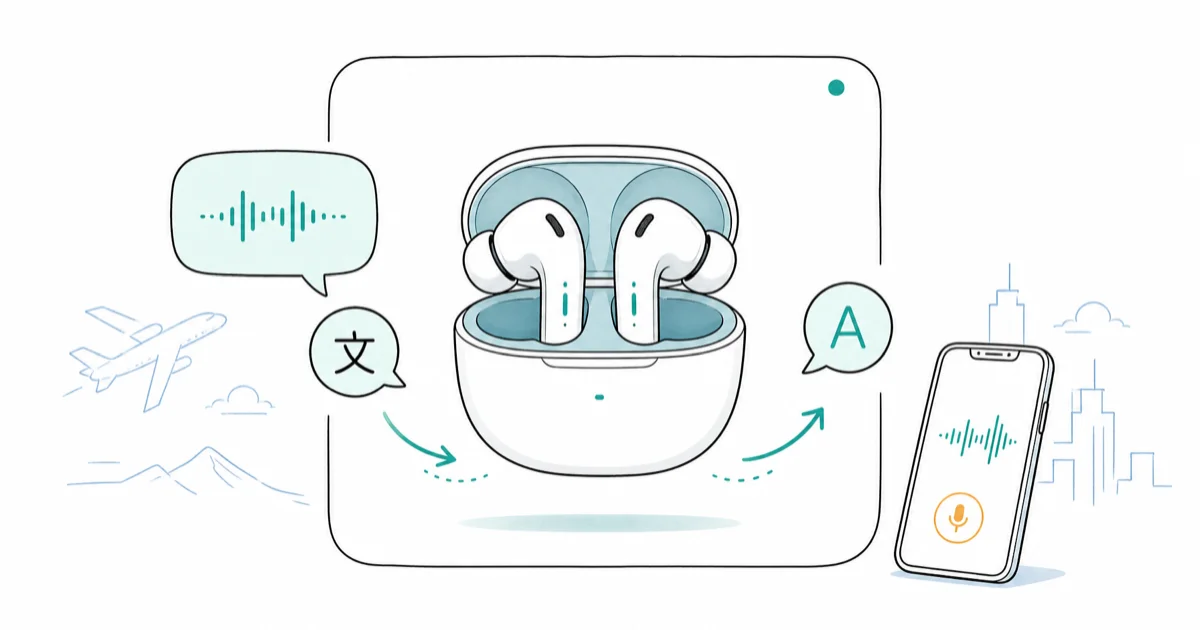
Quick AnswerThe Timekettle WT2 Edge is the best dedicated translation earbud for two-way talk, with 40 languages online and 8 offline. For everyday earbuds that also translate, Google Pixel Buds handle about 40 languages through your phone.
The best AI translation earbuds split into two camps: dedicated translators built for conversation, and everyday earbuds that translate on the side. We compared the main options on supported languages, offline mode, and whether each handles real two-way talk. Your pick comes down to whether you travel where signal drops.
- The Timekettle WT2 Edge translates 40 languages and 93 accents online, plus 8 languages offline with no signal
- Google Pixel Buds run conversation translation through the Google Translate app in about 40 languages, but need your phone and internet
- Samsung Galaxy Buds3 use Galaxy AI Interpreter with two modes, supporting Chinese, French, German, Japanese, Korean, Spanish, Thai, and more
- Dedicated translators share one earbud per speaker for natural dual-ear conversation; phone-based earbuds usually don’t
- Offline language sets are small, typically 8 to 13 core languages, so download packs before you fly
#Which Translation Earbuds Work Without Internet?
This is the question that separates a travel tool from a gimmick. Most translation earbuds lean on cloud servers, so they only work with a signal.
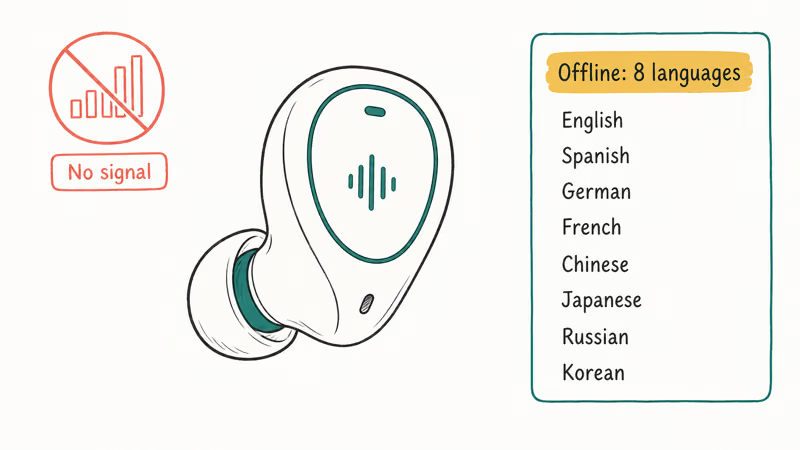
The Timekettle WT2 Edge is the exception worth buying. According to Timekettle’s product page, the earbuds translate 40 languages and 93 accents online, and drop to 8 languages offline: English, Spanish, German, French, Chinese, Japanese, Russian, and Korean. That offline set covers the high-traffic pairs most travelers actually need on a plane or in a rural village.
Google Pixel Buds can also work offline, but only after prep. Google’s support documentation confirms translation needs downloaded language packs first.
Apple takes a different route. Apple’s AirPods Pro 3 newsroom announcement states that Live Translation runs with on-device processing, which keeps conversations private. The catch is language coverage, which started small and is still expanding.
If offline use is the deciding factor, see whether AI translation earbuds work offline for language packs and the real trade-offs.
Check the Timekettle WT2 Edge on Amazon
#How Many Languages Do AI Translation Earbuds Actually Support?
Marketing loves big numbers. The real question is how many language pairs a device translates well, not how many it lists.
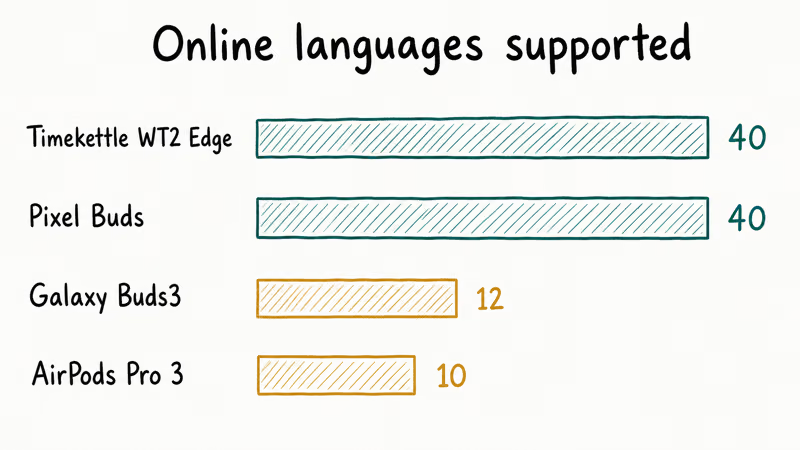
Dedicated translators lead on raw count. The Timekettle WT2 Edge and the newer W4 Pro both cover 40 languages and 93 accents online, according to Timekettle. Timekettle also cites latency around half a second per sentence, which is the key spec to check if you want conversation to keep moving.
Phone-based earbuds sit a notch lower. For Pixel Buds, Google’s Pixel Buds help page covers conversation translation across roughly 40 languages through the Google Translate app. Transcribe mode, which speaks a continuous translation into your ear, is narrower and runs English to French, German, Italian, or Spanish.
According to Samsung’s Galaxy Buds3 support article, Galaxy AI Interpreter supports over a dozen languages, with English and Spanish preloaded.
Here is how the spoken-language counts stack up.
| Earbud | Online languages | Offline languages | Two-way mode |
|---|---|---|---|
| Timekettle WT2 Edge | 40 (93 accents) | 8 | Dual-ear simultaneous |
| Pixel Buds (via Translate) | ~40 | Downloaded packs only | Phone-mediated |
| Galaxy Buds3 | 12+ | Pack download required | Conversation mode |
| AirPods Pro 3 | ~10 (expanding) | On-device | Both need AirPods Pro 3 |
Only need Spanish or French on a quick trip? Any of these will do. But Vietnamese, Thai, or Hindi are a different story, and the gap between languages is wide enough that you should check your exact pair against the maker’s own list before you spend a cent, because smaller languages routinely lag the headline count.
#Where AirPods Fit In
Apple came late to translation, and it shows in the language list. The AirPods Pro 3 added Live Translation as a headline feature, powered by Apple Intelligence rather than a dedicated translation engine. You trigger it by pressing both stems or telling Siri to start.
The strongest version needs two people both wearing AirPods Pro 3, so each hears the other’s language. Apple’s announcement notes noise cancellation lowers the other speaker’s volume so the translation stands out.
It’s clean on Apple hardware. But the launch language set was small and still expanding, so a dedicated translator wins on raw coverage. Weighing the audio side too? Our AirPods Pro 3 vs Sony WF-1000XM6 comparison breaks down sound and noise cancellation in detail.
#How These Earbuds Compare
Focus on one spec that matters for travel: does it translate, in the languages you need, when the signal drops?
Use each maker’s official documentation for language lists and mode details rather than trusting retailer copy, which tends to inflate counts. For broader picks beyond translation, our roundup of Bluetooth headphones under $100 covers everyday audio value, and gamers can check our wireless gaming headset guide for low-latency options.
#Dedicated Translators vs. Everyday Earbuds
Here is the core trade-off. A dedicated translator does one job extremely well. An everyday earbud translates as a bonus and plays your music too.
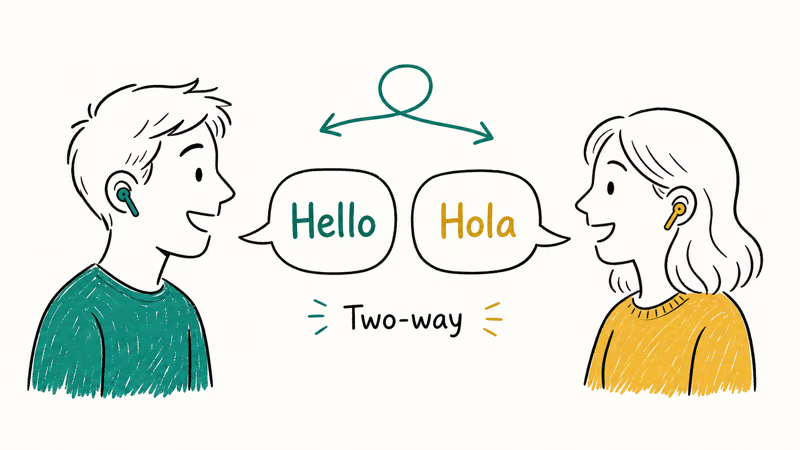
Timekettle builds for conversation first. The WT2 Edge uses a shared design where each person wears one earbud, so both sides hear translations at once. Timekettle’s product listing describes this two-way simultaneous interpretation with automatic speaker recognition, meaning you don’t tap a button for every turn. The newer W4 Pro adds an open-ear design and three modes, including a Listen and Play mode and media translation, but its battery runs about 4 hours of translation use.
Phone-based earbuds bundle translation into normal earbuds, so you carry one device. The catch is your phone does the heavy lifting, and most can’t split a single pair between two people the way a dedicated translator hands one earbud to each speaker for a true back-and-forth.
See the Timekettle W4 Pro on Amazon
SoundGuys reported that the Galaxy Buds3 Pro can’t split audio between two people in Conversation mode, so one person listens through the phone speaker.
For business travel where you negotiate or take notes, a dedicated translator earns its keep. For a casual trip? Your existing earbuds plus a free translate app cover most situations, and you save the cost of a single-purpose gadget you’d carry only twice a year.
#The Phone-Based Picks: Pixel Buds and Galaxy Buds
These are the choices if you want translation without buying a single-purpose gadget.
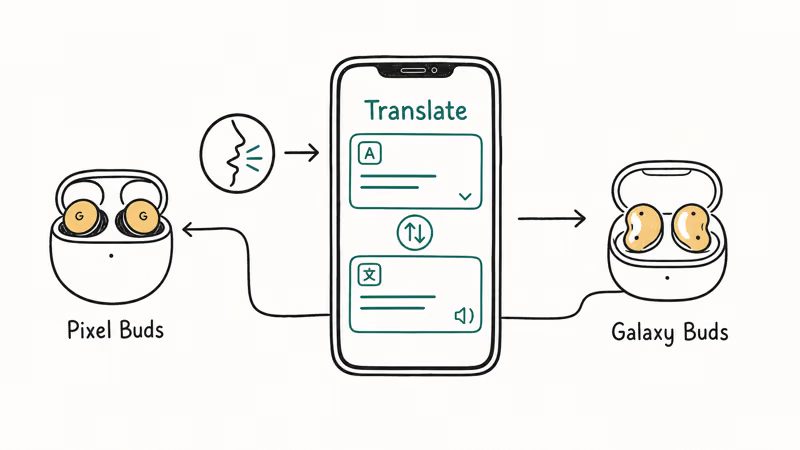
The Google Pixel Buds A-Series is the budget entry into Google’s translation setup. It pairs with the Google Translate app and Google Assistant, and it taps the same conversation-mode engine as pricier Pixel Buds. You hold the touch panel, say “help me speak Spanish,” and the app opens conversation mode.
Want richer AI on top of translation? The Pixel Buds Pro 2 add hands-free Gemini Live.
Check the Google Pixel Buds A-Series on Amazon
Samsung’s Galaxy Buds3 work best inside a Samsung phone setup. The Galaxy AI Interpreter runs two modes: Listening mode for one-way audio like a lecture or tour, and Conversation mode for back-and-forth. Samsung also extends Galaxy AI to live phone-call translation, which the Galaxy Buds line can route to your ears. If you already carry a recent Galaxy phone, this is the lowest-friction option.
See the Samsung Galaxy Buds3 on Amazon
Both share the same ceiling: they’re only as good as your data connection and how well your phone hears the other speaker in a loud room. Face the speaker and keep sentences short for cleaner translation.
If your AI needs go beyond translation, our guides on Claude and ChatGPT versus Claude versus Gemini cover the assistants these earbuds increasingly tap into.
#Bottom Line
Match the device to your trip, not the spec sheet.
Pick the Timekettle WT2 Edge if translation is the point of the purchase. The dual-ear sharing, 40-language online range, and 8-language offline set make it the most capable for real conversation where signal drops. Pick the Pixel Buds A-Series if you want everyday earbuds that translate through your phone without overspending. And if you live in a Samsung phone, the Galaxy Buds3 slot into Galaxy AI cleanly for both in-person and call translation.
One rule beats all of them: download your offline language packs before you fly. A dead connection is the one failure no earbud fixes.
As an Amazon Associate, fone.tips earns from qualifying purchases. Prices and availability are accurate as of the date above and subject to change.
#Frequently Asked Questions
Do AI translation earbuds work without a phone?
Most don’t. Pixel Buds, Galaxy Buds, and AirPods all rely on a paired phone to do the translating, and even dedicated translators like the Timekettle WT2 Edge use a phone app for setup. Only a few niche standalone units run fully without one.
How accurate is earbud translation?
For major language pairs like English to Spanish or Chinese, modern neural translation is solid enough for travel and casual conversation, handling everyday phrases reliably. Accuracy drops with slang, idioms, heavy accents, or several people talking over each other, which is where even the best earbuds stumble. For cleaner results, face the speaker in a quiet space, keep each sentence short, and pause for the translation to catch up.
Can two people share one pair of translation earbuds?
Dedicated translators are built for this. The Timekettle WT2 Edge gives each person one earbud so both hear translations at once, while SoundGuys reported the Galaxy Buds3 Pro forces one person onto the phone speaker in Conversation mode.
Which translation earbuds are best for offline travel?
The Timekettle WT2 Edge leads here. It stores 8 languages offline, including English, Spanish, German, French, Chinese, Japanese, Russian, and Korean, which covers the high-traffic pairs most travelers reach for on a plane or in a remote town. Pixel Buds can also work offline, but only for language packs you download in advance over Wi-Fi, so confirm your destination language is covered before you leave a signal behind.
Do AirPods translate languages?
Yes, the AirPods Pro 3 added Live Translation powered by Apple Intelligence. You start it by pressing both stems or asking Siri. Apple’s announcement notes it processes on-device for privacy, but the feature launched in beta with a limited language set that is still expanding, so check current coverage for your pair.
Are dedicated translators worth more than regular earbuds?
It depends on use. Translate often for work or negotiation, and the dual-ear sharing plus broader offline support justify the cost. Otherwise, your existing earbuds and a free app handle most trips.
Do translation earbuds handle real-time conversation or just phrases?
The better ones handle flowing conversation. Timekettle’s WT2 Edge does two-way simultaneous interpretation with automatic speaker detection, so you skip tapping for each turn, while phone-based earbuds usually make you take turns and sometimes tap a microphone button.

Pixel 11 vs Pixel 10: What Changed and Who Should Upgrade
Pixel 11 vs Pixel 10: same screen and camera resolution, new Tensor G6, 25W wireless, and Gemini Intelligence. Here is who should actually upgrade.

Best Power Bank for iPad in 2026: Pro, Air, and Mini
Best power bank for iPad in 2026. Compare mAh tiers and USB-C PD wattage for iPad Pro, Air, and mini, plus airline Wh math, cables, and travel tips.

Best Power Bank With Built-In Cable: Top 2026 Picks
Best power bank with built-in cable picks for 2026. Compare single USB-C, multi-connector, and retractable laptop banks, plus airline Wh math.
Best Apple Watch Band for Working Out: Proven Picks
The best Apple Watch band for working out handles sweat and stays put on your wrist. Compare silicone, nylon, and titanium picks for runs and lifts.