How to Locate a Lost Cell Phone That Is Turned Off
Find a lost phone that's turned off using last known location, IMEI, and offline tracking. Works on iPhone and Android with step-by-step instructions.
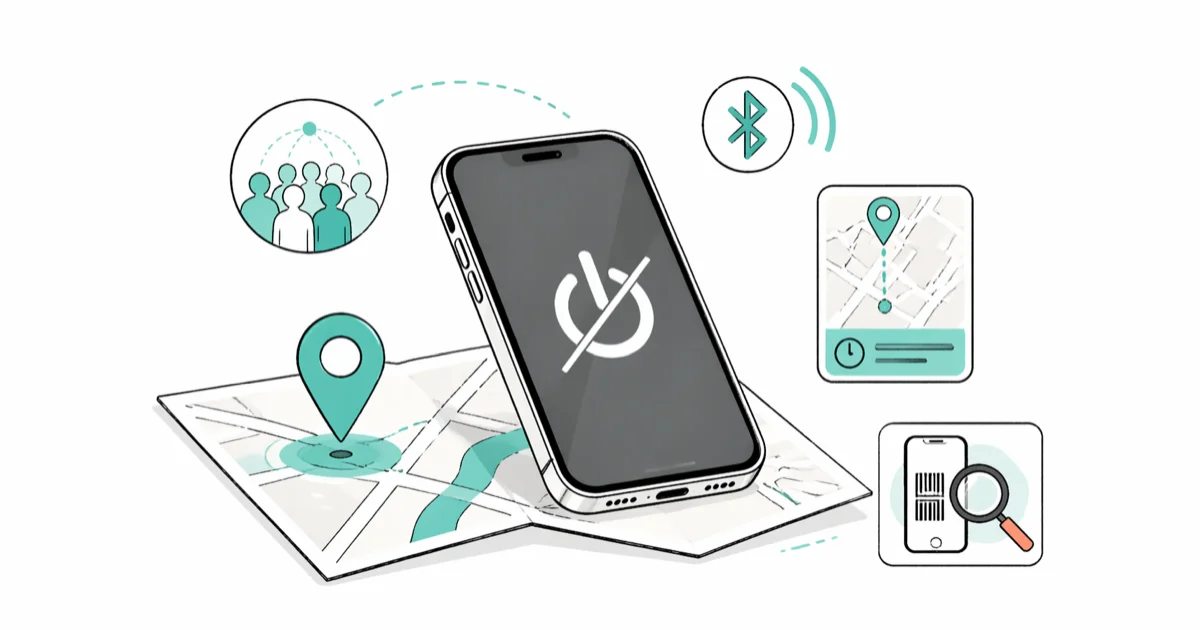
Quick AnswerYou can find a lost phone that is turned off by checking its last known location through Find My (iPhone) or Find Hub (Android). Newer phones like the Pixel 8+ and iPhone 15+ can be located for hours after the battery dies using Bluetooth-based crowdsourced networks.
Your phone is dead and missing. That’s the worst combination because most tracking tools need an active internet connection to work. The good news: both Apple and Google now store your phone’s last known location for up to 7 days, and newer devices can even be found hours after the battery runs out.
Before changing these settings, use the steps only on your own device, computer, or account, or with explicit permission from the owner. Unauthorized access can violate law, privacy rights, and platform terms, so don’t use this guide to bypass someone else’s controls. When available, start with the official support option, built-in settings menu, or vendor documentation before trying manual fixes, especially if the device or account belongs to work, school, or another person.
The methods below cover both Android and iPhone, and they focus on what actually works when the screen is black and the battery is at zero.
- Apple’s Find My network keeps your iPhone’s last location for up to 7 days after it powers off
- Google’s Find Hub locates Pixel 8+ phones for hours after the battery dies
- Samsung SmartThings Find works offline via a crowdsourced Galaxy device network
- Your carrier can blacklist a stolen phone’s IMEI to block it on all networks
- Enable “Send Last Location” (iPhone) or “Offline finding” (Android) before you lose your phone
#Can You Actually Track a Phone That Is Turned Off?
Yes, but with limits. A phone that’s completely powered down can’t broadcast its GPS coordinates in real time. What you get instead is the last known location recorded before the battery died.
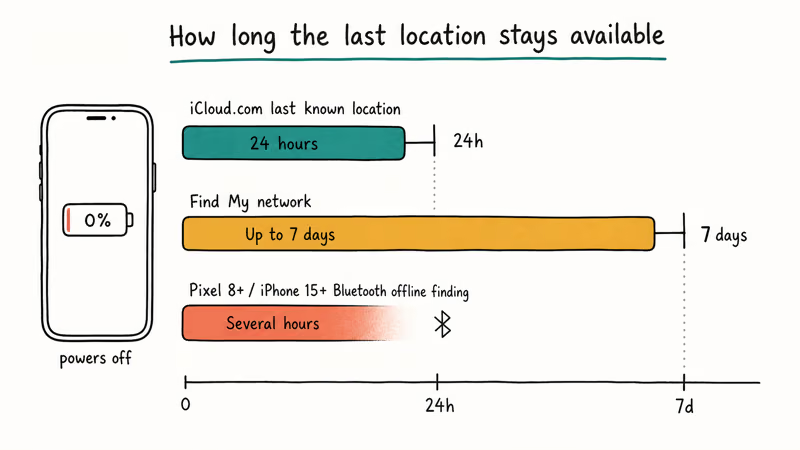
According to Apple’s support documentation, the Find My network stores your device’s last location for up to 7 days using an encrypted, anonymous network of over a billion Apple devices. iCloud.com shows the last known position for up to 24 hours even without the Find My network enabled.
Google’s updated Find Hub (formerly Find My Device) goes further for certain hardware. Based on Google’s Android documentation, Pixel 8, Pixel 9, and Pixel 10 series phones can be located for several hours after the battery runs out using Bluetooth-based offline finding.
For older phones without these features, you’re limited to checking the last recorded position. That location won’t update until someone powers the phone back on.
#How to Find a Lost iPhone That Is Turned Off
#Use Find My on Another Apple Device
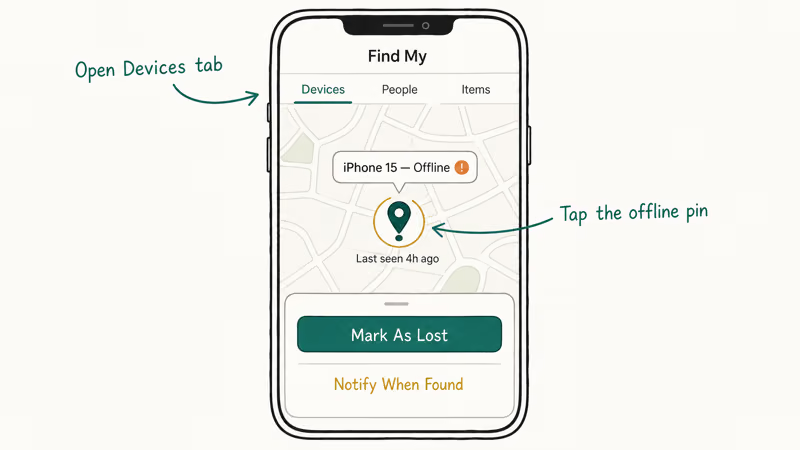
- Open the Find My app on an iPad, Mac, or a friend’s iPhone
- Tap Devices, then select your missing iPhone
- Tap Mark As Lost to lock it and display a recovery message
The map shows “Offline” with the last known location pinned. You can also tap Notify When Found to get an alert when the phone reconnects.
#Use iCloud.com From Any Browser
- Go to iCloud.com/find and sign in
- Select your iPhone from the device list
- The map shows the last known location
A recent iPhone will typically show its last known location on the Find My map for several days after it powers off, pinned to roughly where it was left. The Find My network relies on nearby Apple devices sending encrypted location pings, so accuracy depends on how many iPhones and iPads are in the area around your lost phone.
One thing to know: if Stolen Device Protection is enabled and you change your Apple Account password from an unfamiliar location, your devices might not appear on iCloud.com/find. Apple added this restriction to prevent thieves from erasing your phone remotely. If your iPhone is completely dead and Find My shows no location, you might also try pinging your phone once it reconnects to a network.
#How to Find a Lost Android Phone That Is Turned Off
#Use Google Find Hub
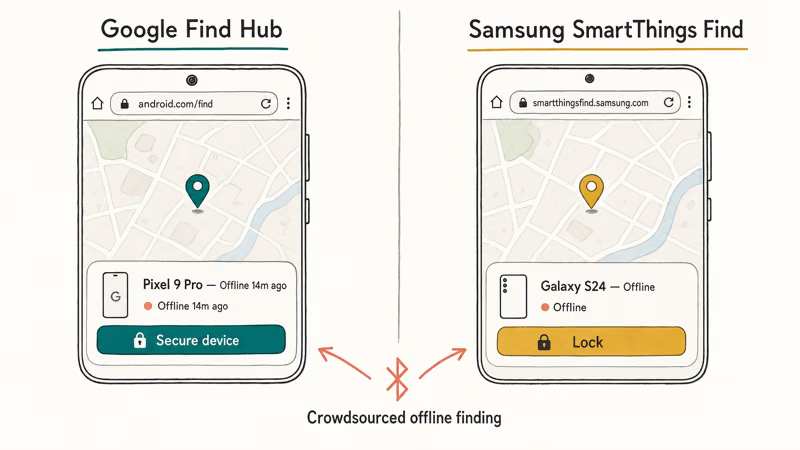
- Go to android.com/find and sign in
- Select your missing phone from the list
- Choose Secure device to lock it with a PIN
For Pixel 8 and newer phones, the Find Hub network uses Bluetooth signals from nearby Android devices to locate your phone even after it powers off. On these models, the phone can remain findable for a while after a complete shutdown.
#Use Samsung SmartThings Find
Samsung Galaxy owners get a bonus layer of protection. According to Samsung’s support page, SmartThings Find uses a crowdsourced network of hundreds of millions of Galaxy devices worldwide to locate your phone offline, even without an active internet connection.
- Go to smartthingsfind.samsung.com and sign in
- Select your Galaxy device from the list
- Use Lock to prevent unauthorized access
The “Send last location” feature on Galaxy devices automatically transmits position data when the battery drops critically low.
#Does IMEI Tracking Work on a Dead Phone?
Your IMEI (International Mobile Equipment Identity) is a unique 15-digit number permanently tied to your phone’s hardware. You can find it printed on the original box, listed in your carrier account online, or by dialing *#06# on any phone.
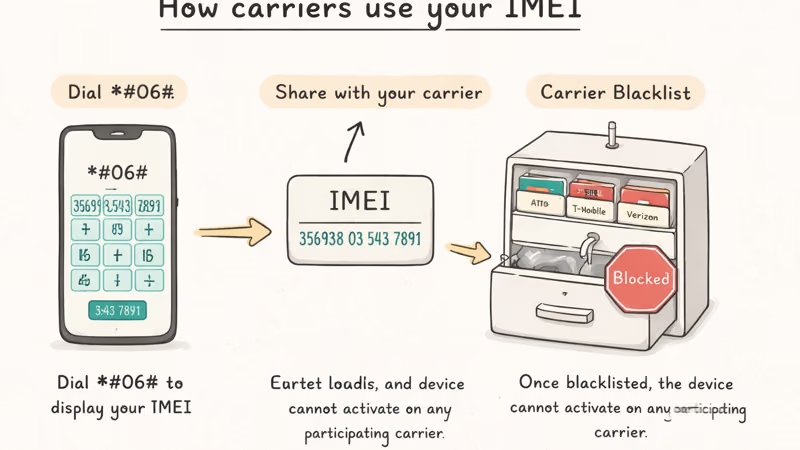
Here’s the reality: your carrier can’t actively track a dead phone using the IMEI. What the IMEI does is identify your specific device on the network. If someone powers it back on with a new SIM card, the carrier can flag it.
What to do with your IMEI:
- Find the IMEI on your phone’s box, receipt, or carrier account
- Call your carrier and report the phone lost or stolen
- Ask them to blacklist the IMEI (shared across AT&T, T-Mobile, Verizon, and others)
Filing a police report with the IMEI number included strengthens your case if the phone surfaces later.
The FCC recommends recording your IMEI number before you ever lose your phone. Once a device is blacklisted, it can’t be activated on any participating carrier’s network, which makes it far less valuable to a thief.
#Steps to Take Right After Losing Your Phone
Act fast. The first 30 minutes matter most because the battery might still have charge.
- Call your phone from another number right away
- Open Find My or Find Hub to check the last known location
- Lock the device remotely and call your carrier to suspend service
If those steps don’t resolve things within an hour, check Google Timeline for Android location history from the day you lost the phone. Google Timeline records everywhere your phone traveled with timestamps, which can narrow down exactly when and where you were separated from it. Also retrace your steps physically, starting from the last pinned location on the map.
If you suspect theft rather than a simple loss, skip straight to contacting your carrier and filing a police report. Don’t try to retrieve it yourself from an unfamiliar location.
#How to Prepare Your Phone Before You Lose It
Prevention takes about 3 minutes and makes recovery dramatically easier.
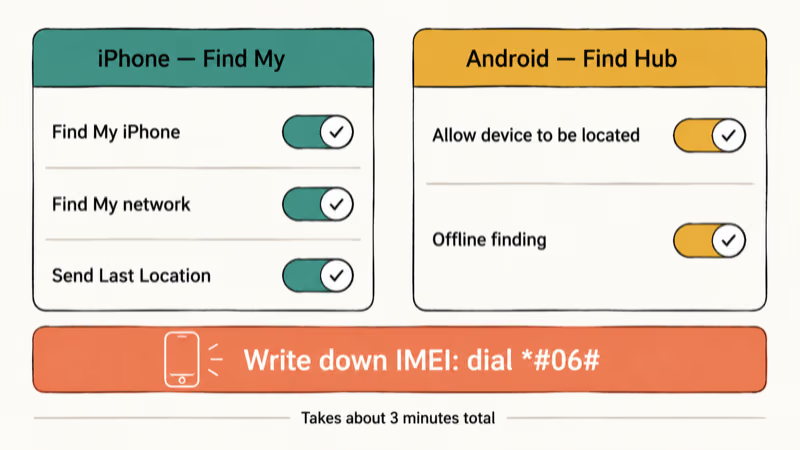
iPhone setup:
- Go to Settings > [Your Name] >
Find My>Find MyiPhone - Turn on Find My iPhone, Find My network, and Send Last Location
Android setup:
- Go to
Settings>Security>Find Hub(or Find Hub on older versions) - Turn on Allow device to be located and Offline finding
Samsung extra step:
- Go to
Settings>Security andprivacy > Lost device protection - Enable Allow this phone to be found, Send last location, and Offline finding
For everyone:
- Write down your phone’s IMEI number (dial
*#06#to display it) and store it somewhere safe - Enable cloud backups so your data survives even if the phone doesn’t come back
- Set up a strong lock screen PIN or biometric authentication
The single biggest difference between people who recover lost phones and people who don’t is whether they enabled tracking before the phone went missing.
#Bottom Line
Start with Find My (iPhone) or Find Hub (Android) to check the last known location. If you own a Pixel 8+ or iPhone 15+, your phone can be found for hours after the battery dies thanks to Bluetooth-based offline networks. Report the IMEI to your carrier to blacklist the device, and file a police report if you suspect theft. For future protection, enable offline finding and “Send Last Location” right now while you still have your phone in hand.
#Frequently Asked Questions
Can I find my phone if I never turned on Find Hub?
Without prior setup, tracking is very difficult. Your best bet is calling your carrier with the IMEI number to get the device blacklisted.
How long does the last known location stay available?
Apple shows the last known location for up to 24 hours on iCloud.com, or up to 7 days if the Find My network was enabled. Google’s Find Hub stores the last known position until you remove the device from your account, though accuracy decreases after 24 hours.
Will a factory reset remove tracking from a stolen phone?
On iPhones, Activation Lock means a factory reset won’t remove Find My without the original Apple Account password. Android has a similar guard called Factory Reset Protection. Both make stolen phones nearly worthless to thieves.
Can police track a phone using the IMEI number?
Police don’t actively track individual phones by IMEI. They can request carriers to blacklist the device, which prevents it from working on any major U.S. network.
Does airplane mode prevent tracking?
Airplane mode kills Wi-Fi and cellular connections, so real-time GPS tracking stops working. But here is the catch: Bluetooth-based offline finding on newer iPhones and Pixel phones runs independently of airplane mode. As long as the phone has battery power and Bluetooth hardware is active, the Find My network and Find Hub network can still pick up the device through nearby phones in the crowdsourced network.
What if someone removes the SIM card from my lost phone?
Removing the SIM card disconnects cellular service but does not affect Find My or Find Hub. These tracking services use Wi-Fi and Bluetooth independently. Your IMEI is tied to the phone hardware, not the SIM, so blacklisting still works no matter which SIM card someone inserts. Even if a thief swaps the SIM, the phone remains flagged on every major carrier network in the country through the shared GSMA blacklist database.
Should I erase my phone remotely if I can’t find it?
Wait at least 48 hours before erasing. Remote erasure permanently removes your ability to track the phone if it powers back on. Lock the device first instead.
Is there an app that can track a phone even when it’s turned off?
No third-party app can track a phone that’s completely powered off. The built-in services from Apple, Google, and Samsung offer the best offline tracking through their crowdsourced device networks. Apps that claim to track a powered-off phone are not being truthful about their capabilities.

Is This Bank App Real? Spot a Fake App on Your Home Screen
A bank app can land on your home screen from a web page with no install warning. Learn the checks that tell a real banking app from a phishing web app.

Passkeys Not Syncing Between iPhone and Windows? Read This
Passkeys not syncing between iPhone and Windows is by design, not a bug. Here is why iCloud passkeys skip Windows Hello and the three ways to fix it.

VPN Not Working on Snapdragon X? Why It Fails, How to Fix
Your VPN won't install or connect on a Snapdragon X Copilot Plus PC because Windows on ARM can't emulate the network driver. Here are the fixes that work.

How to Check If a Link Is Safe Before You Click It
Learn how to check if a link is safe with official-first steps: read the real domain, use the app instead, and treat scanners as a second opinion only.