How to Ping Your Phone: Locate It Fast (iPhone & Android)
Learn how to ping your phone to find it on iPhone or Android using Find My, Find Hub, and carrier tools. Covers the limits and the legal lines.
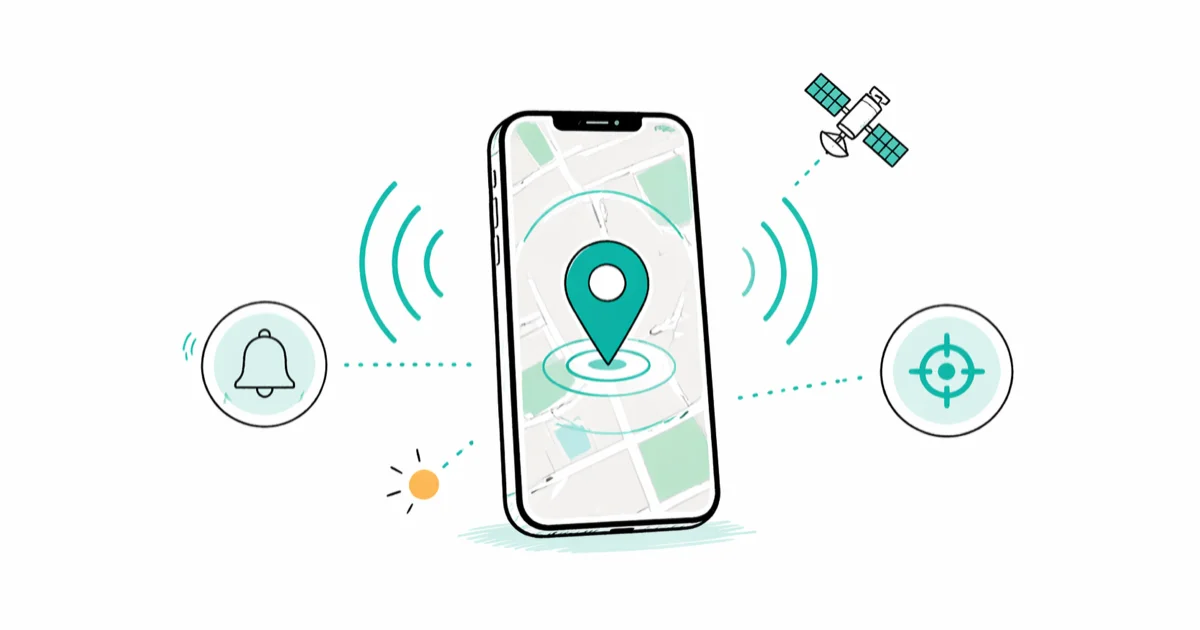
Quick AnswerYou ping your own phone by signing in to Find My on iCloud.com (iPhone) or android.com/find (Android), selecting the device, and tapping Play Sound. The phone rings at full volume and shows its current or last-known location on a map.
If you want to ping a phone, the safest path is to ping your own. Apple and Google both build a locator service into every modern handset, and you can trigger it from a laptop in under a minute. The steps below work the same on iPhone and Android, whether the phone is wedged between couch cushions or sitting at a friend’s place.
- Pinging your own phone uses Apple’s Find My or Google’s Find Hub, not network operator pings
- The “Play Sound” button rings the phone at full volume even if it’s on silent
- Find My stores an iPhone’s last known location for up to 7 days after the battery dies
- Pinging someone else’s phone without consent is illegal in most US states
- Carriers can locate a phone via tower data, but only with a police report or court order
#What Pinging a Phone Actually Means
Pinging a phone is casual shorthand for asking a handset to report back where it’s sitting. On iPhone and Android, “ping” maps to the Find My or Find Hub action that pulls a fresh GPS fix and plays an audible alert. It’s not the same as a network operator ping, which uses cell tower triangulation and is reserved for law enforcement and emergency services.
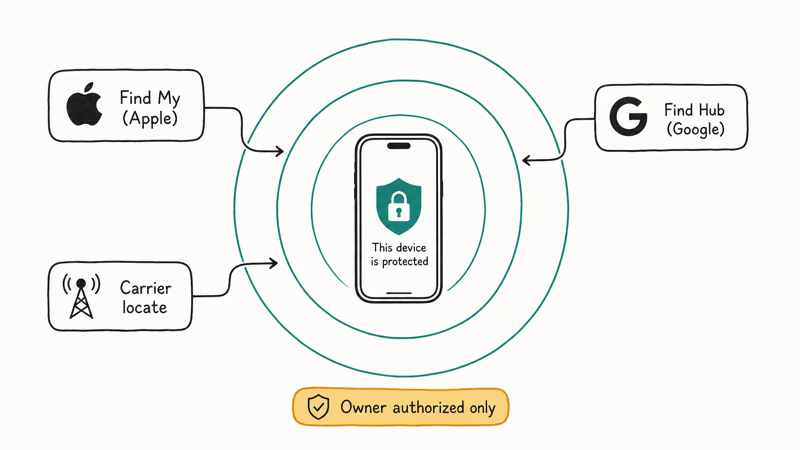
The everyday version runs over the internet. Your phone listens for a request tied to your Apple Account or Google Account, then replies with its coordinates and rings the speaker.
According to Apple’s Find My support page, an online iPhone responds within seconds, and an offline iPhone can still report its last-known location through the encrypted Find My network. Google’s Find Hub help article confirms that Android phones running Android 5.0 or later are ready to be located out of the box, as long as the account is signed in and location is on.
A real-world ping helps in three situations: you misplaced your phone at home, you left it at a restaurant or a friend’s house, or you handed it to a child who walked off with it. For anything else, including a phone that’s been stolen, you should layer in the carrier and police steps we cover later.
#How Do You Ping Your Own iPhone?
The fastest way to ping an iPhone you own is to use Find My from a browser. The whole flow is quick when the iPhone is online.

- Open a web browser and go to iCloud.com/find.
- Sign in with the Apple Account that is signed in on the missing iPhone.
- Select the device name from the All Devices list at the top.
- Click Play Sound. The iPhone rings at full volume for two minutes, even if it’s on silent or in a Focus mode.
- To see its location, look at the pin on the map. If the iPhone is offline, the map shows its last-known location.
If you can grab another iPhone, open the Find My app, tap Devices, pick the device, then tap Play Sound. The flow is identical and works with shared family devices. Apple’s Family Sharing setup guide states that members of a Family Sharing group can locate each other’s devices once Share My Location is turned on, which is the only legitimate way to ping a family member’s iPhone.
Worried Find My was never enabled? You can confirm it from your Apple Account dashboard using our quick walkthrough on how to check if Find My iPhone is on. And for a deeper walkthrough on a dead handset, our guide on how to find your iPhone when it’s dead covers the Find My network’s offline behavior in detail.
#Ping Your Own Android Phone with Find Hub
Android’s equivalent service was rebranded as Find Hub in early 2025, but the URL and the steps stayed the same. It works the same way across Pixel and Galaxy phones.
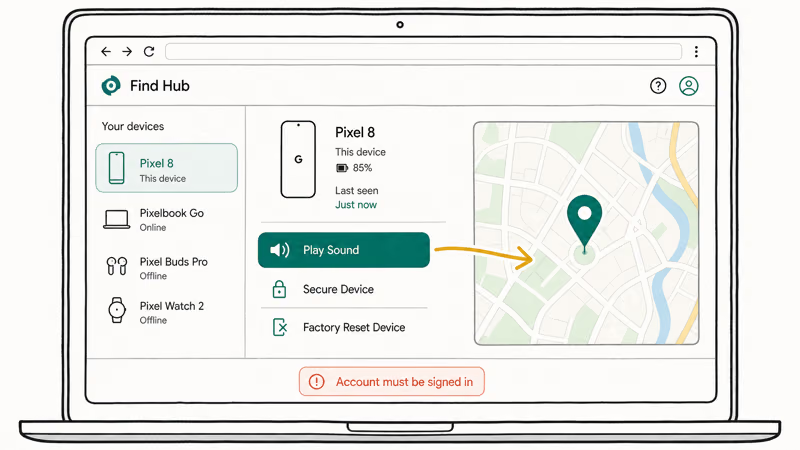
- Open a web browser and go to android.com/find or google.com/android/find.
- Sign in with the Google Account that is signed in on the phone.
- Pick the phone from the device list on the left.
- Click Play Sound. The phone rings for five minutes at full volume, even when silent.
- To check the location, view the pin on the map. Recent Pixels can keep reporting position for hours after the battery dies.
You can also install the Find Hub app on a second Android device. Google recommends keeping the app installed on at least one trusted device per household so you don’t have to log in from a browser during a stressful moment.
If you share devices in a family group, set up the Family Link controls. A parent who set up a child’s phone through Family Link can locate that phone from the Family Link app, and the child sees a clear notice that location sharing is active. There is no covert mode.
#How to Ping a Phone Using Your Carrier
The legitimate carrier path is narrow and slow, but useful when Find My and Find Hub turn up nothing. Carriers can identify a handset by its IMEI (a 15-digit hardware ID) and by the cell towers it’s registered with. They won’t share a tower ping with you on demand. You’ll need to file a police report first, and the police hand the request to the carrier.
You can still use your carrier today in two ways:
- Family location plans. Verizon’s Smart Family, T-Mobile’s FamilyMode, and AT&T’s Secure Family let an account owner see the location of phones on the same family plan, with the lines configured up front and the people on those lines notified. These plans are subscription add-ons and route through GPS, not tower pings.
- IMEI blacklisting. If the phone is stolen, the carrier can flag the IMEI as blocked across US networks. The FCC’s stolen and lost wireless devices guide states that the major US carriers share a stolen-device database, which makes a flagged phone useless on AT&T, T-Mobile, and Verizon networks.
For a stolen phone specifically, the FTC’s advice on what to do if your phone is lost or stolen recommends filing a police report, contacting the carrier within 24 hours, and changing the passwords for any account that auto-signed-in on the device.
#When Pinging a Phone Fails: Backup Plans
Sometimes the ping comes back empty. The phone might be off, in airplane mode, out of cell range, or wiped. Here’s what to try when Find My or Find Hub draws a blank.
- Check the last-known location. Both Apple and Google cache the last position for several days. If the phone went silent in a known spot, that location is the best lead.
- Mark As Lost / Lock the device. This locks the screen, displays a message and callback number, and disables Apple Pay or Google Wallet. The phone is then safe to recover even from a stranger who finds it.
- Use a second tracking method. A Bluetooth tag like AirTag in the phone case helps when the phone itself is dead. The tag keeps reporting its location through the Find My network even after the phone’s own battery runs out.
- Try a separate guide if iCloud is the blocker. If you’re locked out of iCloud, our walkthrough on how to track an iPhone without iCloud covers carrier options and trusted-contact recovery.
- Make sure airplane mode isn’t masking GPS. We explain how airplane mode affects GPS in a separate article, because the answer isn’t what most people assume.
For a broader recovery playbook covering everything from carrier escalations to a wiped Android, see our full guide on how to track a lost phone.
#Is It Legal to Ping Someone Else’s Phone?
In the US, locating a phone you don’t own and have no shared-account access to is generally illegal. The Electronic Communications Privacy Act and state-level stalking statutes both apply, and many states (California, Texas, and New York among them) have explicit anti-electronic-tracking laws. The safer rule is simple: if you can’t show consent or shared account ownership, don’t try.
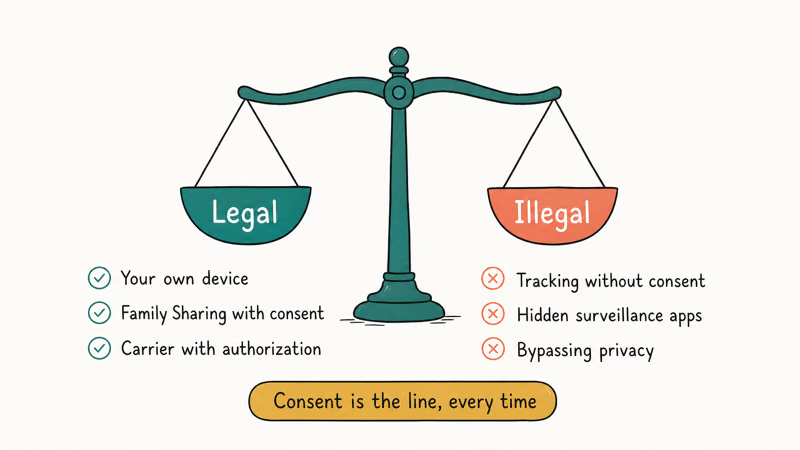
Three patterns are clearly legal:
- Your own device signed in to your Apple Account or Google Account.
- A device in your family group that has Share My Location turned on, or that was configured through Family Sharing or Family Link with both parties aware.
- A device assigned to a minor by a parent or legal guardian through Family Link or Screen Time, where the child can see that location sharing is on.
Anything outside those boundaries, including pinging a partner’s phone without their knowledge, is a privacy violation and very likely a crime. The FTC’s guidance on stalkerware reported that covert tracking apps have been the subject of multiple federal enforcement actions. If you suspect a phone you carry is being pinged without your consent, that same FTC page walks through how to find and remove the tracking software.
#Bottom Line
To find your own phone, start with Find My on iCloud.com or Find Hub on android.com/find and tap Play Sound. That handles the couch-cushion case in seconds and the offline case using the last-known location Apple or Google has cached.
If the phone is truly lost or stolen, lock it through the same interface, call your carrier to blacklist the IMEI, and file a police report so a tower-ping request can move through legal channels. Skip third-party “ping” apps that promise covert location lookup; the legitimate ones do nothing more than your phone’s built-in tools, and the rest are scams or worse.
#Frequently Asked Questions
Is pinging a phone legal?
Pinging your own phone is fully legal. Pinging anyone else’s phone without consent isn’t.
Can you ping a phone that is turned off?
You can’t reach a powered-off phone in real time. Find My can show an iPhone’s last-known location for up to 7 days after shutdown, and recent Pixel phones can still report position for several hours after the battery dies through Bluetooth-based offline finding. Older Android phones go dark immediately.
How accurate is a phone ping?
With a clear GPS view of the sky, Find Hub is typically accurate to within a short distance. Move the phone indoors, into a basement, or into a parking garage and the accuracy drops off considerably, since the phone is leaning on Wi-Fi and cellular triangulation.
Apple’s Find My behaves similarly on iPhone. Both services draw an accuracy circle around the pin so you can tell whether the location is a precise dot or a rough neighborhood.
Does pinging a phone use up the battery?
A single Play Sound or location request adds a tiny amount of battery use, on the order of seconds of radio activity. Persistent location sharing has a larger impact, but the figures shown in Settings under Battery on both iOS and Android usually put Find My and Find Hub in the low single-digit percentages.
Can my carrier ping my phone for me?
The big US carriers won’t run a tower ping at your request. They will if a police report is filed, and most also offer paid family-locator plans where the account holder can see opted-in devices on the same plan. For a stolen handset they can blacklist the IMEI within hours of your call.
Why does my phone ring on silent when I ping it?
Both services override silent mode on purpose. iOS plays the alert for two minutes; Android plays it for five.
What is the difference between Find My and Find Hub?
Find My is Apple’s locator service for iPhone, iPad, Mac, AirPods, and AirTag. Find Hub is Google’s locator service, formerly called Find My Device, and covers Android phones, Wear OS watches, and supported Bluetooth tags. The two are not interoperable, so you’ll use Find My for any Apple device and Find Hub for any Android device.

Mac mini M6 vs M5 Pro: Which Model Should You Buy?
Mac mini M6 vs M5 Pro compared on price, memory, ports, displays, and real workloads. Find the better 2026 Mac mini for your desk and budget.

Apple Siri Settlement: Who Qualifies and How to Claim
Apple's $250 million Siri settlement covers iPhone 15 Pro and iPhone 16 models bought June 2024 to March 2025. See who qualifies and how claims work.

iOS 26.6.1 Security Update: What Apple Fixed and Who Gets It
Apple released iOS 26.6.1 on August 17 with 29 security fixes, including an IPSec interception bug. See what it patches, who gets it, and how to update.

iPhone Adaptive Power: How It Works and When to Use It
Learn how iPhone Adaptive Power works, which models support it, what it changes, and when Low Power Mode is still the better battery-saving choice.