Mac mini M6 vs M5 Pro: Which Model Should You Buy?
Mac mini M6 vs M5 Pro compared on price, memory, ports, displays, and real workloads. Find the better 2026 Mac mini for your desk and budget.
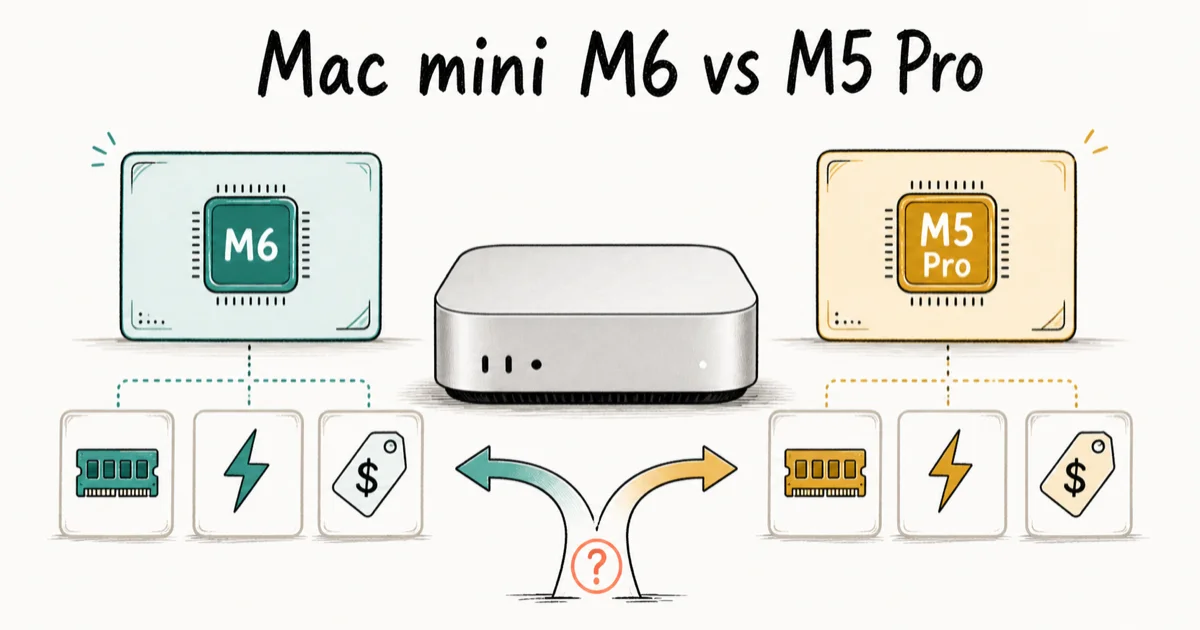
Quick AnswerThe $899 Mac mini M6 is the better buy for most people; choose M5 Pro only for more than 32GB of memory, Thunderbolt 5, heavier GPU work, or storage beyond 2TB. Preorders opened August 25; units ship September 22.
Apple’s smallest desktop just became a harder buying decision. The 2026 Mac mini pairs M6 with a $899 starting price, while M5 Pro begins at $1,699 and adds the memory, ports, and graphics headroom demanding workflows need.
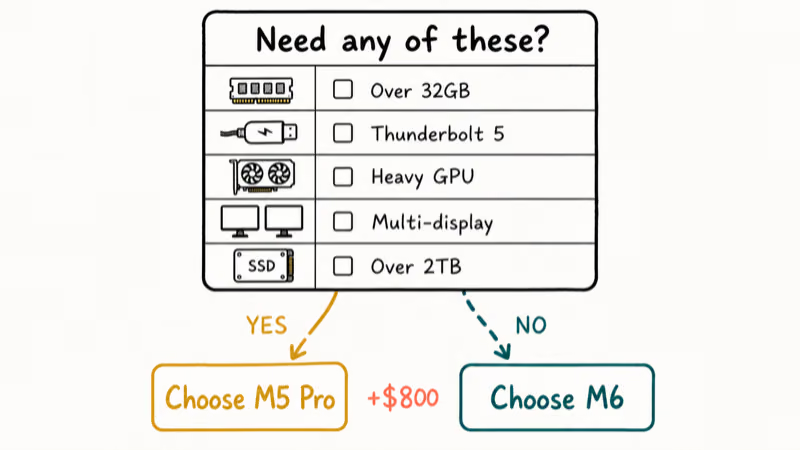
For most home, school, office, and development setups, the regular M6 is the sensible choice. M5 Pro isn’t an automatic upgrade; it’s an $800 workflow decision.
- Mac mini M6 starts at $899, while Mac mini with M5 Pro starts at $1,699
- Preorders opened August 25, 2026, and units begin shipping September 22, 2026
- M6 tops out at 32GB of unified memory and 2TB of storage; M5 Pro reaches 64GB and 8TB
- M6 has three Thunderbolt 4 ports, while M5 Pro upgrades the three rear USB-C ports to Thunderbolt 5
- Buy M5 Pro for sustained professional workloads, not routine browsing, office work, coding, or photo management
#New Prices and Release Dates
Apple opened preorders for both Mac mini models on August 25, 2026. Availability begins September 22, 2026, in Apple Stores and through authorized resellers. That date split matters: you can place an order from August 25, but the new hardware does not start shipping until September 22.
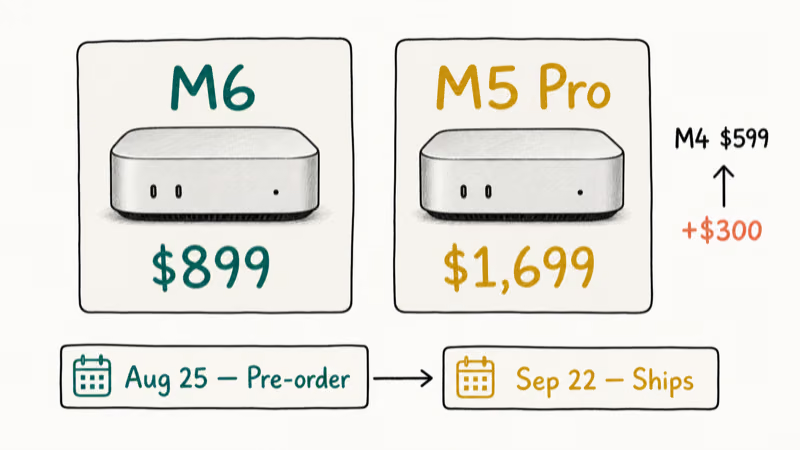
According to Apple’s launch announcement, U.S. pricing starts at $899 for M6 and $1,699 for M5 Pro. Education pricing is $799 and $1,599, respectively.
Pricing also moved sharply. Apple announced the 2024 M4 Mac mini at $599, so M6 launches $300 higher than its direct M4 predecessor. That’s a launch-price comparison, not one against clearance, refurbished, or customized machines.
Physically, both models measure 5 by 5 by 2 inches. M6 weighs 1.5 pounds; M5 Pro, 1.6.
#M6 vs M5 Pro Spec Comparison
Chip names are only the start of the split. The regular M6 has a 12-core CPU, 12-core GPU, and Dual 16-core Neural Engine. M5 Pro starts with a 15-core CPU and 16-core GPU, and it can be configured with an 18-core CPU and 20-core GPU.
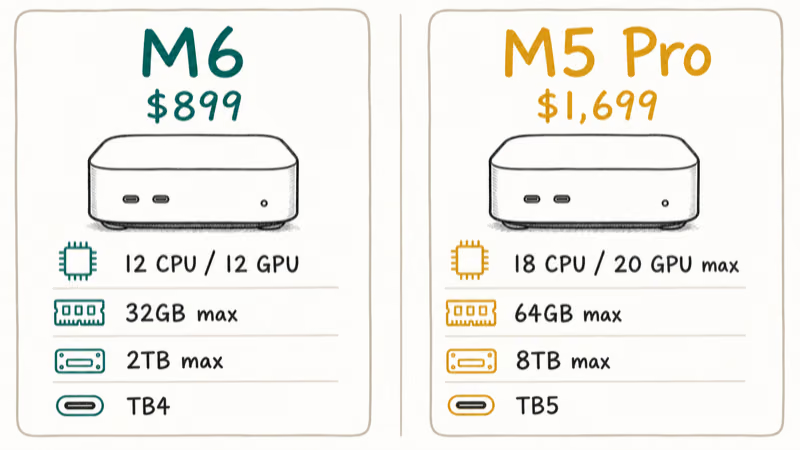
According to Apple’s Mac mini technical specifications, the practical hardware differences are:
| Specification | Mac mini M6 | Mac mini M5 Pro |
|---|---|---|
| Starting price | $899 | $1,699 |
| CPU / GPU | 12-core / 12-core | 15-core / 16-core; up to 18-core / 20-core |
| Neural Engine | Dual 16-core | 16-core |
| Unified memory | 16GB; up to 32GB | 24GB; up to 64GB |
| Memory bandwidth | Up to 170GB/s | 307GB/s |
| SSD storage | 256GB; up to 2TB | 512GB; up to 8TB |
| Rear USB-C ports | Three Thunderbolt 4 | Three Thunderbolt 5 |
| Display support | Up to three displays | Up to three displays |
| Ethernet | 2.5Gb standard; 10Gb optional | 2.5Gb standard; 10Gb optional |
| Wireless | Wi-Fi 7, Bluetooth 6, Thread | Wi-Fi 7, Bluetooth 6, Thread |
Both models also have two front USB-C ports, a front headphone jack, HDMI, and Ethernet on the back. The front ports run at USB 3 speeds; the meaningful I/O difference is Thunderbolt 4 versus Thunderbolt 5 on the rear.
Apple reports gains of up to 40 percent CPU, 2× graphics, and 4× AI versus M4. They’re controlled test results, not universal gains.
#Who Should Buy M6?
Buy Mac mini M6 if you want a compact desktop for everyday work, study, web development, Xcode projects, music production at modest track counts, Lightroom libraries, or regular 4K video editing. Its 16GB starting memory is usable, and the 12-core CPU/GPU combination is already beyond what most desk setups keep busy.
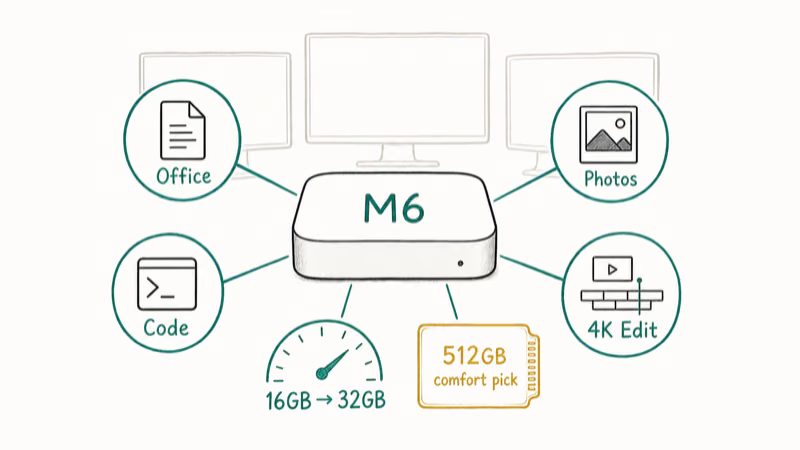
M6 is also the cleaner choice for a family desktop or a laptop replacement that stays attached to one monitor. It supports up to three displays, includes the same Wi-Fi 7 and Bluetooth 6 radios as M5 Pro, and has the same front-access ports. Pair it with a comfortable keyboard and one of our wireless mouse picks for Mac and the computer itself nearly disappears from the desk.
#Memory and Storage Configuration Advice
The 256GB base drive is tight. macOS, apps, local photos, caches, and Xcode files can crowd it quickly.
Choose 512GB internally if you can. External storage can hold media libraries; our cleanup guide won’t replace enough built-in capacity.
Consider 24GB or 32GB of memory if you regularly run several development tools, virtual machines, large photo catalogs, or multiple creative apps together. If you already know you need more than the 32GB ceiling, stop configuring M6 and move to M5 Pro.
#When M5 Pro Earns Its $800 Premium
M5 Pro makes sense when one of its exclusive ceilings maps directly to paid work. The clearest triggers are 64GB memory, Thunderbolt 5 storage or capture hardware, sustained GPU work, internal storage above 2TB, or a display setup that needs three 6K-at-60Hz panels. M5 Pro can also drive up to three displays from one Thunderbolt port; M6 is limited to two from one port.
Video editors are the easiest example. More memory and bandwidth help with multicam timelines, effects, large frame sizes, and keeping other applications open while an export runs. Thunderbolt 5 also matters when a fast RAID, capture device, or dock can actually use the extra link bandwidth. Our broader Mac versus PC video editing guide explains where Apple Silicon’s media engines help and where a discrete PC GPU still wins per dollar.
The M5 Pro model also starts with 24GB of memory and 512GB of storage, so the $800 difference isn’t solely a chip surcharge. Still, don’t buy it for the label. Email, office apps, browser-based work, most coding projects, and casual photo editing rarely justify the higher ceiling.
If your work pays for render time, compile time, or fewer proxy files, price the hours saved. If you can’t name the bottleneck M5 Pro removes, M6 is probably the better purchase.
#Should M4 Owners Upgrade?
Most M4 Mac mini owners should keep what they have. M6 adds Wi-Fi 7, Bluetooth 6, faster standard Ethernet, newer AI hardware, and more performance, but M4 remains a capable Apple Silicon desktop with the same compact chassis. Routine tasks won’t make a one-generation replacement feel proportional to the cost.
Upgrade from M4 to M6 only if you can point to a repeated constraint that M6 actually removes: exports are too slow, your network can use 2.5Gb or 10Gb Ethernet, or its newer wireless and display capabilities matter to your setup. If 32GB is insufficient, M6 can’t solve that constraint; choose M5 Pro instead. The same advice applies to M4 Pro owners considering M5 Pro: benchmark the actual job first.
Apple’s main Mac mini purchase page lists only M6 and M5 Pro. M4 is outside the current main lineup, but its direct-sales status remains unverified; check any previous-generation offer by seller and inventory.
For software planning, see our macOS 27 compatibility list and Apple Intelligence requirements.
#Bottom Line
Mac mini M6 is the default recommendation. It gives most buyers the same compact design, modern wireless stack, three-display support, and front-access ports for $800 less than M5 Pro. Budget for enough memory and storage before adding accessories.
Choose M5 Pro when your workflow requires more than 32GB of memory, Thunderbolt 5, heavier graphics, or more than 2TB of internal storage. Those are concrete capabilities. Buying it merely to make the machine feel more future-proof is an expensive substitute for knowing your workload.
Preorders opened August 25, 2026. Units begin shipping September 22, 2026.
#Frequently Asked Questions
When does the 2026 Mac mini ship?
Preorders opened August 25, 2026. Apple says availability begins September 22, 2026, so orders don’t start shipping until that date.
How much does Mac mini M6 cost?
Mac mini M6 starts at $899 in the U.S., or $799 with education pricing. Memory, storage, and 10Gb Ethernet upgrades increase the price.
How much does Mac mini with M5 Pro cost?
Mac mini with M5 Pro starts at $1,699 in the U.S., or $1,599 with education pricing. Its base configuration includes 24GB of unified memory and a 512GB SSD.
Does Mac mini M6 support three displays?
Yes. M6 supports up to three displays. The exact resolution and refresh-rate combinations depend on how many displays you connect, so check Apple’s technical specifications before buying high-refresh or 6K panels.
Is Thunderbolt 5 worth choosing M5 Pro?
Only if you own or plan to buy equipment that benefits from it, such as a very fast external storage array, high-bandwidth dock, or professional capture setup. Normal USB-C drives, displays, and accessories work well on M6’s Thunderbolt 4 ports.
Can I upgrade Mac mini memory or storage later?
No. Unified memory and internal storage are configured at purchase and are not user-upgradeable. External storage is easy to add; memory is not.
Is the M6 Mac mini worth upgrading from M4?
Not for most M4 owners. Upgrade only when a specific M4 limit is costing you time or blocking equipment you need. Otherwise, keep the M4 and skip a generation.

macOS 27 Compatible Macs: Every Supported Model (2026)
macOS 27 Golden Gate runs only on Apple Silicon Macs. Here is the full list of supported M-series models and the four Intel Macs that lose support.

macOS 27 Golden Gate: Every Major New Feature Confirmed
macOS 27 Golden Gate goes Apple Silicon only, adds a Gemini-powered Siri, refines Liquid Glass, and rebuilds Spotlight. Here is every confirmed change.
macOS 27 Liquid Glass: Every Readability Fix Explained
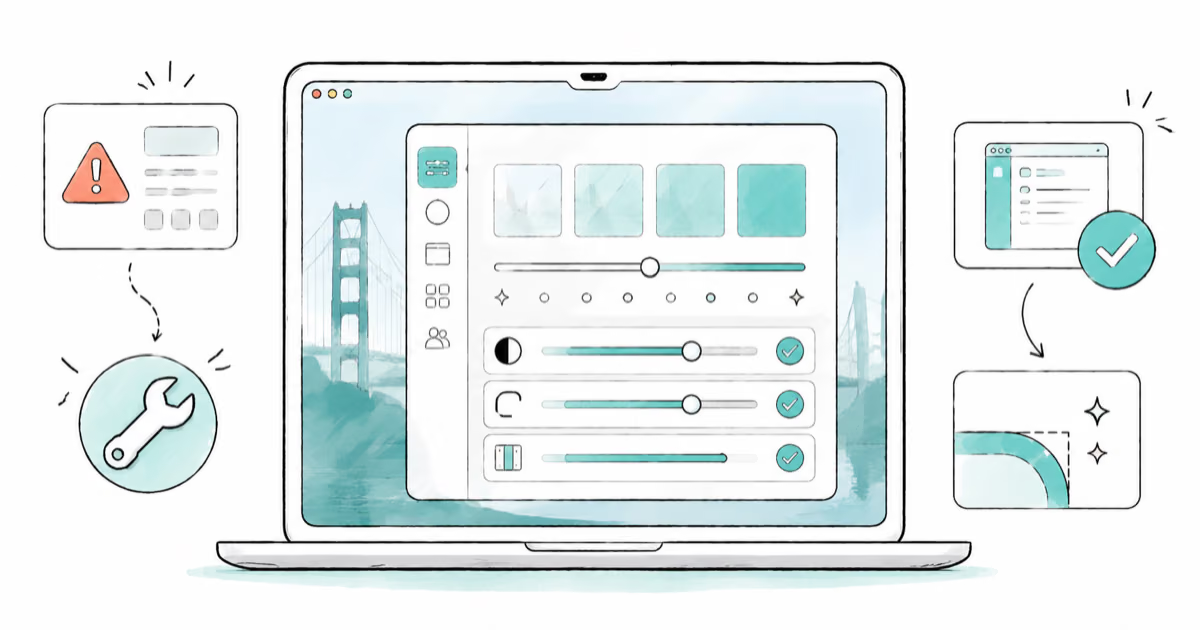
macOS 27 Golden Gate refines Liquid Glass with an intensity slider, better contrast, cleaner window corners, and edge-to-edge sidebars to fix readability.

macOS 27 Performance: What Golden Gate Makes Faster
macOS 27 Golden Gate speeds up AirDrop, network file browsing, Safari, and Spotlight, with core system improvements on the Apple Silicon-only release.