How to Track a Cell Phone Location Online for Free
Track a cell phone location online for free with Apple Find My or Google Find Hub. Step-by-step setup for iPhone and Android, with consent reminders.
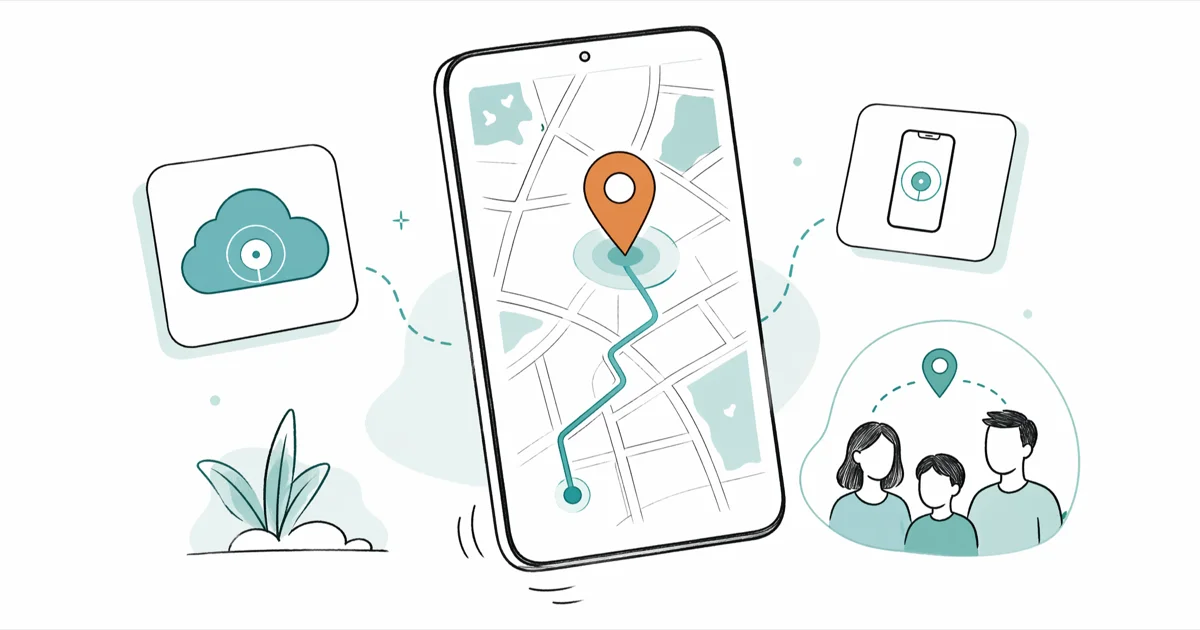
Quick AnswerYou can track a cell phone location online for free using built-in tools like Apple Find My (icloud.com/find) or Google Find Hub (google.com/android/find). Both work from any browser and show real-time GPS location on a map. For family tracking, Google Maps location sharing and Life360 are solid free options.
Your phone is missing, or you need to check on a family member’s location. Both Apple and Google offer free built-in tools that work from any browser, and they’re more accurate than any third-party website claiming to track someone’s location via text.
Six methods work on both Android and iPhone, but the built-in options are the most reliable.
- Apple’s Find My network uses over 1 billion Apple devices worldwide to relay Bluetooth signals and report an approximate location even when a device is offline.
- Google rebranded its service as “Find Hub” in late 2025, building a crowd-sourced mesh network across billions of Android devices that can locate phones without Wi-Fi or cellular data.
- Life360 has over 50 million users and offers real-time location sharing for up to 5 family members on its free tier, with no subscription required for basic tracking.
- Google Maps location sharing adds only minimal extra battery drain per day, making it a low-impact option for ongoing family tracking with everyone’s consent.
- At least 26 US states and the District of Columbia have addressed privacy concerns around tracking people without their knowledge. California classifies a violation of its electronic-tracking law as a misdemeanor.
#How Do You Track a Phone Location Online for Free?
It depends on the phone. Apple’s Find My and Google’s Find Hub both work from a web browser with nothing to install.
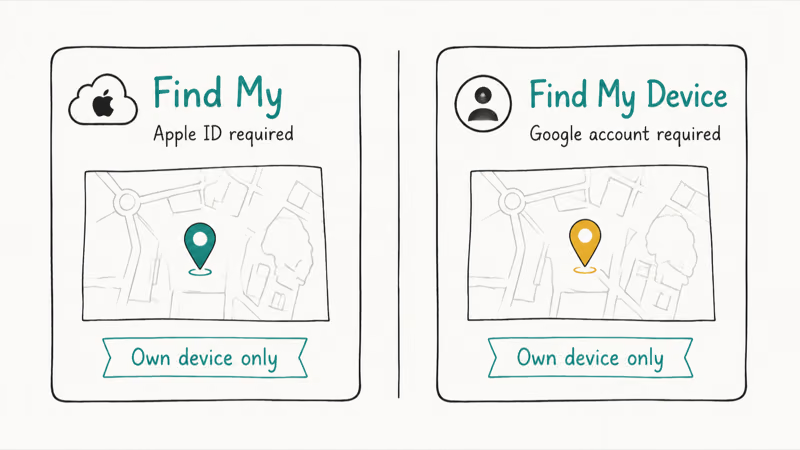
#Apple Find My (iPhone, iPad, Mac)
Go to icloud.com/find from any browser and sign in with the Apple ID linked to the missing device. Your devices appear on a map within seconds.
According to Apple’s support page, Find My can locate devices even when they’re offline or powered down. Apple’s Find My network uses over a billion Apple devices worldwide to relay Bluetooth signals from your missing phone, so your iPhone doesn’t even need Wi-Fi or cellular data to be found.
Here’s what you can do from the web interface:
- Play Sound: rings your phone at full volume, even if it’s on silent
- Mark as Lost: locks the device and displays a contact message on screen
- Erase Device: wipes everything remotely if you think it’s stolen
Important: Find My must be enabled before the phone goes missing. We cover the full setup in the prerequisites section below.
#Google Find Hub (Android)
Go to google.com/android/find and sign in with the Google account on the missing phone. Based on Google’s Android documentation, the device needs location services enabled and an internet connection for real-time tracking.
Google rebranded this service as “Find Hub” in late 2025, adding a crowd-sourced Bluetooth tracking network similar to Apple’s. According to Android’s Find Hub page, billions of Android devices now form a mesh network that can locate phones and Bluetooth trackers even without Wi-Fi or cellular data.
Google Find Hub pinpoints a registered device’s location, and its “Secure Device” option locks the screen and disconnects Google Pay.
Available actions from the web dashboard:
- Play Sound: rings for 5 minutes straight
- Secure Device: locks with a PIN and shows a custom message
- Erase Device: factory resets the phone remotely
#Tracking a Family Member’s Phone With Their Permission
Built-in tools work great for your own devices. For ongoing family location sharing with consent, try these two methods instead.
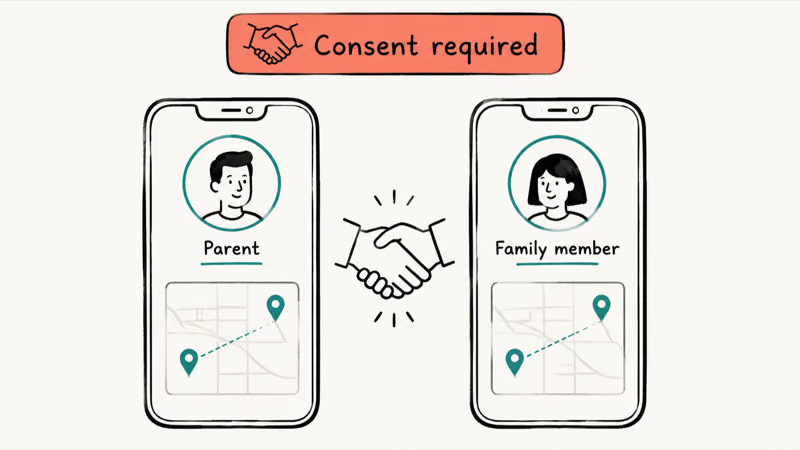
#Google Maps Location Sharing
Open Google Maps on the phone you want to track. Tap the profile picture, then “Location sharing,” and pick how long to share. The other person sees real-time movement on their Google Maps app, using GPS, Wi-Fi, and cell tower data together for indoor accuracy too.
Battery impact? Only a modest amount of extra drain per day for continuous location sharing.
One catch: if you’re trying to track a lost phone that you didn’t set up location sharing on beforehand, this method won’t help. You’ll need Find Hub instead, which works as long as the phone is signed into your Google account.
#Apple Family Sharing
Apple’s Family Sharing lets every member share their location through the Find My app. Set it up in Settings > [Your Name] > Family Sharing > Location Sharing.
Once enabled, every family member appears on a shared map in Find My across all connected devices. Parents can set up arrival and departure alerts for places like school or home, and pair it with Screen Time restrictions to manage how their kids use their iPhone battery without it dying mid-day.
#The Truth About Phone Number Tracker Websites
No. The old version of this article listed sites like GeoLoc, GPS Cell Phone Locator, and Free Phone Tracer. We revisited all five.
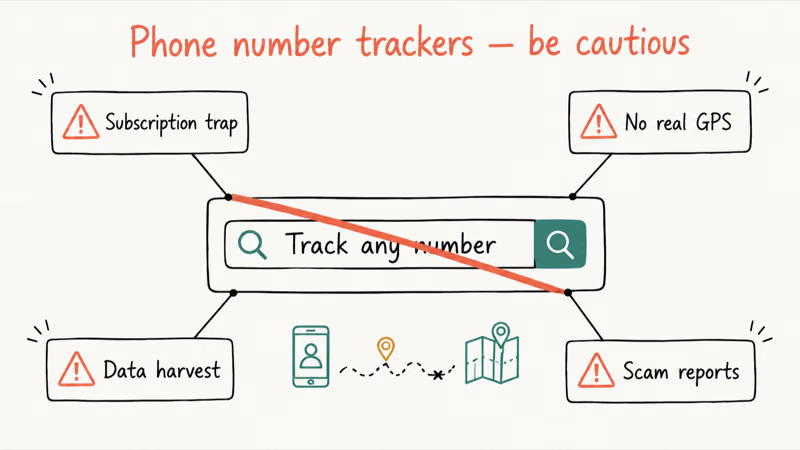
Three are completely gone. The two that remain collect your phone number, redirect to paid services, and track nothing.
You can’t pinpoint a phone’s GPS coordinates using only a phone number from some random website. Your phone sends location data to Apple or Google servers through encrypted channels. Third-party sites don’t have access to that data, period. Any website claiming otherwise is running a scam or harvesting your information for resale.
According to NCSL’s database of state tracking laws, at least 26 states and the District of Columbia have addressed privacy concerns around tracking people’s movements without their knowledge. The laws vary in scope and exceptions. California Penal Code 637.7, for example, prohibits certain uses of electronic tracking devices and classifies a violation as a misdemeanor.
#Third-Party Tracking Apps Worth Considering
If the built-in tools don’t cover your needs, a few legitimate third-party apps exist. But “legitimate” is the key word here.
#Life360
Life360 has over 50 million users, making it the most popular family location app. The free tier shows real-time locations for up to 5 family members on a shared map with arrival and departure alerts for saved places like home, school, or work.
Paid plans add driving reports, crash detection, and extended location history. The free version covers basic location sharing well enough for most families looking for a family locator app, and most people don’t need the paid tier.
#Glympse
Glympse works differently. You set a timer and share your location temporarily. Done.
Pick 30 minutes, 2 hours, or whatever you need, and the recipient gets a link that opens in any browser without installing anything. Great for “I’m on my way” situations, but not built for ongoing family tracking.
#Does Airplane Mode Block Location Tracking?
Partially. Airplane Mode kills Wi-Fi and cellular data, which blocks real-time tracking through Find Hub or Find My. But GPS itself keeps working.
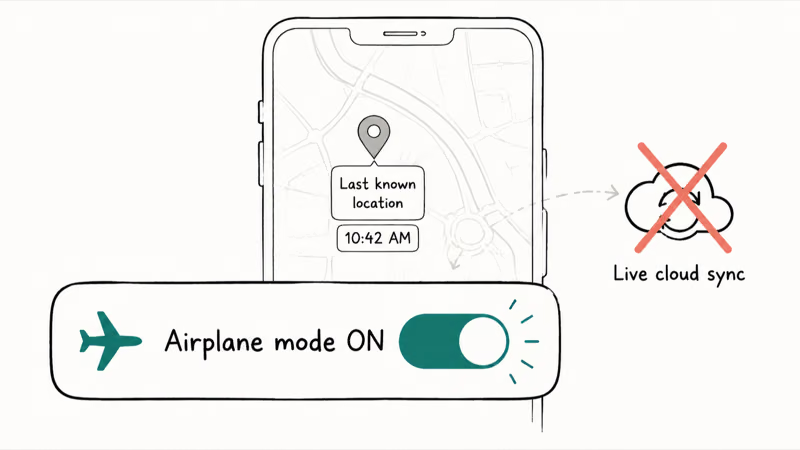
We covered this in detail in our article on whether Airplane Mode turns off GPS. The short version: Airplane Mode stops your phone from reporting its location to servers, but apps with offline GPS access (like downloaded maps) can still determine where you are locally. So it’s not a complete shield.
Apple’s “Send Last Location” feature is worth enabling. It makes the phone try to upload its location just before it needs to be charged, giving you one final location if the battery runs out. For more on tracking powered-down devices, check our guide on how to locate a lost cell phone that is turned off.
#Enable Tracking Before Your Phone Goes Missing
Every method above requires some setup before the phone disappears. Here’s a quick checklist:
iPhone: Go to Settings > [Your Name] > Find My > Find My iPhone. Turn on “Find My Network” and “Send Last Location.” Both are off by default on some carriers.
Android: Go to Settings > Security > Find Hub and toggle it on. Confirm that Location Services are active under Settings > Location. Menu names can vary by device and Android version.
Do this right now. Takes 30 seconds.
#Bottom Line
Start with Apple Find My or Google Find Hub. They’re free, accurate, and work from any browser.
For family tracking, Google Maps location sharing is the easiest setup. Life360 adds more features if you need alerts and history. Skip any website that claims to track a phone by its number alone. If you’re concerned about someone changing their iPhone location to fool these tools, know that spoofing GPS requires extra software and isn’t as common as people think.
#Frequently Asked Questions
Can you track a phone location for free without installing an app?
Yes. Apple Find My works at icloud.com/find and Google Find Hub works at google.com/android/find. Both run entirely in your browser. You just need the Apple ID or Google account credentials linked to the device.
Is it legal to track someone’s phone location?
Tracking your own devices is generally allowed. Tracking someone else’s movements without consent can violate state tracking or stalking laws, and the rules and exceptions differ by state. NCSL reports that at least 26 states and the District of Columbia have addressed these privacy concerns. Get legal advice for your situation rather than relying on a general guide.
Can you track a phone that is turned off?
Apple devices with “Send Last Location” enabled try to upload their location just before they need to be charged. The Find My network can also report an approximate location for supported offline Apple devices. Whether an Android device remains findable after shutdown depends on the device and its Find Hub settings.
How accurate is phone location tracking?
Google’s Find Hub documentation says its GPS estimate can be accurate to around 20 meters, while buildings and underground locations can reduce accuracy. The radius around the map pin shows the service’s confidence in that estimate.
Do phone tracking apps drain battery?
Battery use depends on how often an app requests location, signal conditions, and the phone itself. Continuous third-party tracking can use more power than occasional checks with built-in tools. If battery life matters, turn off ongoing location sharing when you don’t need it.
Can someone track your phone without you knowing?
On current phones, it’s difficult. Both iOS and Android provide location-use indicators and permission controls so you can review which apps have access.
If you suspect unauthorized tracking, check Settings > Privacy > Location Services (iPhone) or Settings > Location (Android) for unfamiliar apps. Our mobile tracker free guide explains what tracking apps can and can’t do.
What’s the difference between GPS tracking and cell tower tracking?
GPS uses satellites and is generally strongest outdoors. Cell-tower estimates are coarser. Modern tracking apps combine both with Wi-Fi, which is why your phone can still show a rough location indoors where GPS alone may struggle.
Do mock location apps fool phone trackers?
Yes, mock location apps can spoof your GPS coordinates and fool most tracking services including Find My and Google Maps. On Android, you enable Developer Options and set a mock location app. On iPhone, it requires third-party computer software. Both Apple and Google are adding detection for spoofed locations, but determined users can still bypass tracking.
Mac mini M6 vs M5 Pro: Which Model Should You Buy?
Mac mini M6 vs M5 Pro compared on price, memory, ports, displays, and real workloads. Find the better 2026 Mac mini for your desk and budget.
Apple Siri Settlement: Who Qualifies and How to Claim
Apple's $250 million Siri settlement covers iPhone 15 Pro and iPhone 16 models bought June 2024 to March 2025. See who qualifies and how claims work.
iOS 26.6.1 Security Update: What Apple Fixed and Who Gets It
Apple released iOS 26.6.1 on August 17 with 29 security fixes, including an IPSec interception bug. See what it patches, who gets it, and how to update.
iPhone Adaptive Power: How It Works and When to Use It
Learn how iPhone Adaptive Power works, which models support it, what it changes, and when Low Power Mode is still the better battery-saving choice.