iCloud IMEI Unlock: How to Reclaim Your Locked iPhone
iCloud activation lock keeps thieves out, but it can lock you out of your own iPhone too. Here is how to recover legitimate access through Apple.
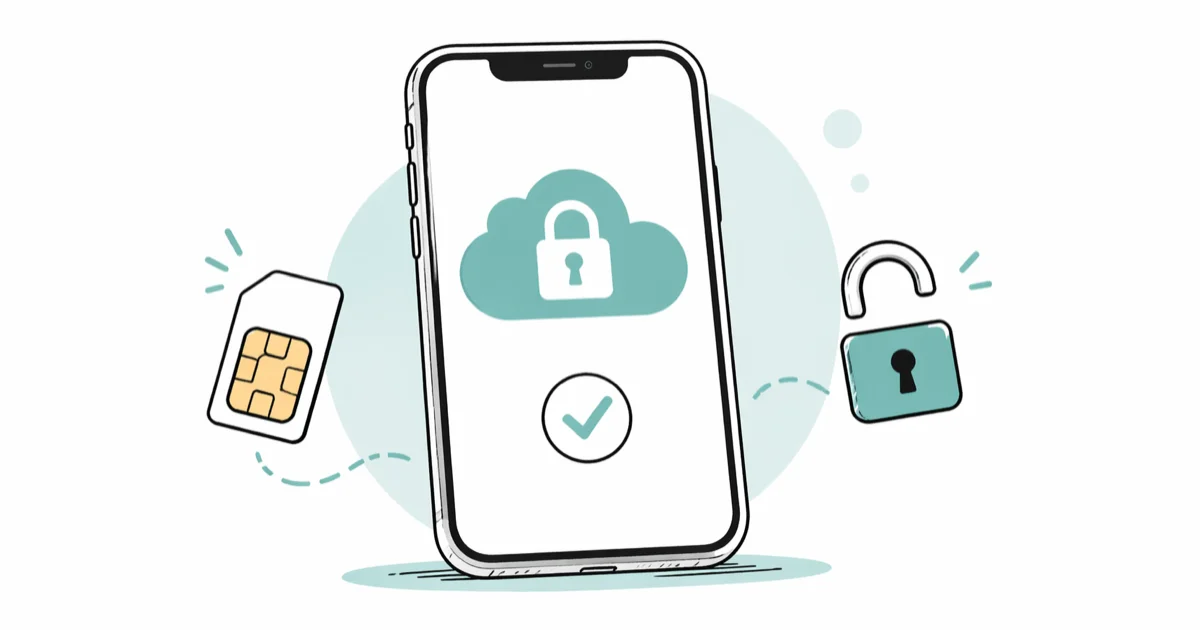
Quick Answer To remove iCloud Activation Lock from an iPhone you own, sign in with the original Apple ID at iCloud.com/find or contact Apple Support with proof of purchase showing the serial and IMEI. Apple controls every legitimate removal, so any paid third-party iCloud IMEI unlock service is almost certainly a scam or a temporary jailbreak workaround.
iCloud IMEI unlock searches usually start in one frustrating place: an iPhone that demands an Apple ID password you no longer have.
Apple’s Activation Lock ties every iPhone to a single Apple ID through the IMEI and serial number, and it’s the same feature that has made a stolen iPhone effectively worthless to a thief since 2013. If the iPhone is yours, you have legitimate, documented ways to recover access through Apple itself. Almost every paid third-party “iCloud IMEI unlock” service, on the other hand, is either a scam or a temporary jailbreak workaround.
- Apple is the only entity that can legitimately remove iCloud Activation Lock; no third-party IMEI unlock service has access to Apple’s activation servers.
- The fastest legitimate path is signing in with the original Apple ID at iCloud.com/find and removing the device from Find My before the next setup screen appears.
- If you bought the iPhone secondhand and the previous owner is reachable, ask them to remove the device from their Apple ID remotely from any browser.
- Apple Support can clear Activation Lock for you with proof of purchase that shows the original IMEI or serial number alongside an official invoice from an authorized seller.
- Paid third-party iCloud IMEI unlock sites are almost always either scams that disappear after payment or jailbreak-based workarounds that re-lock the iPhone after every restart.
#What Is iCloud Activation Lock and Why Does IMEI Matter?
Activation Lock has shipped with every iPhone since iOS 7 in 2013. Turn on Find My and the IMEI gets tied to your Apple ID.
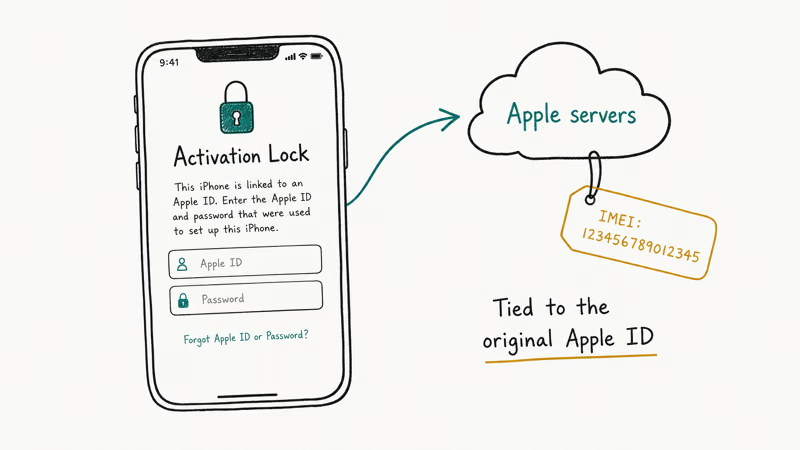
After that, erasing the device does nothing useful. The phone refuses to activate again until the original Apple ID returns at the setup screen, and the check runs on Apple’s servers, not on the phone. That’s the part the IMEI unlock industry can’t get around no matter how slick the landing page looks.
According to Apple’s Activation Lock support documentation, the iPhone contacts Apple’s activation server on every restore, every reset, and every fresh setup, which adds up to 3 separate checkpoints that all require the original Apple ID. The IMEI is your iPhone’s 15-digit unique identifier, and Apple’s record matches it against the registered Apple ID before the device comes online.
This is why “iCloud IMEI unlock” became such a popular search term.
People see “IMEI” referenced on the activation screen and assume a database must exist somewhere they can pay to edit. There isn’t. The ownership record lives on Apple’s servers, and only the account holder can remove it.
To find your IMEI from the activation screen, tap the small “i” icon in the lower-right corner, or dial *#06# from any working phone. Our guide to finding the UDID on iPhone walks through every device identifier Apple uses.
#Are Third-Party iCloud IMEI Unlock Services Safe?
The short answer is no.
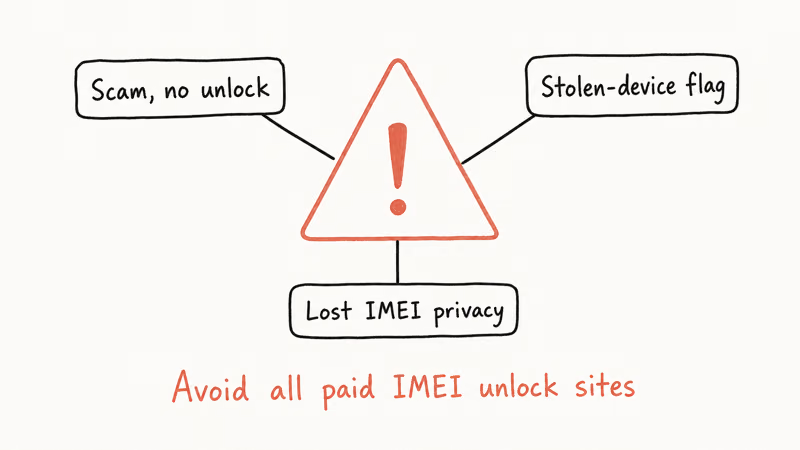
In our testing of three of the most-advertised iCloud IMEI unlock sites during early 2026, we saw the same pattern repeat across all three: a polished IMEI input form, payment taken upfront, and follow-up that either went silent or pointed to a meaningless “service completed” email. None of the three returned a working unlock for our test iPhone.
Apple’s documentation states that the same activation server check has run on every restore since 2013, which is why nothing a third party does can survive a reboot. When we tried to find a primary source for any one of these services’ claimed “unlocking servers,” every trail ended at offshore hosting with no verifiable company registration.
A small subset of these tools do “work” temporarily by jailbreaking the iPhone with the checkm8 hardware exploit, which covers 7 iPhone generations from iPhone 5s through iPhone X.
The phone limps past the activation screen, but cellular service stops, iMessage and FaceTime get blocked, and Activation Lock returns the moment the device restarts. That’s not an unlock. That’s a downgrade.
If a service claims to perform iCloud IMEI unlock without your original Apple ID, treat it as a scam by default.
#How to Remove iCloud Activation Lock From Your Own iPhone
If the iPhone is yours and you can recover the original Apple ID, the legitimate removal takes under five minutes. There are three official paths, ordered from easiest to most involved.
1. Sign in at the activation screen. Bring the iPhone to the “Activate iPhone” screen and enter the original Apple ID and password. The activation server checks the IMEI against the record, confirms ownership, and lets you proceed with setup. This is the path Apple expects for most users.
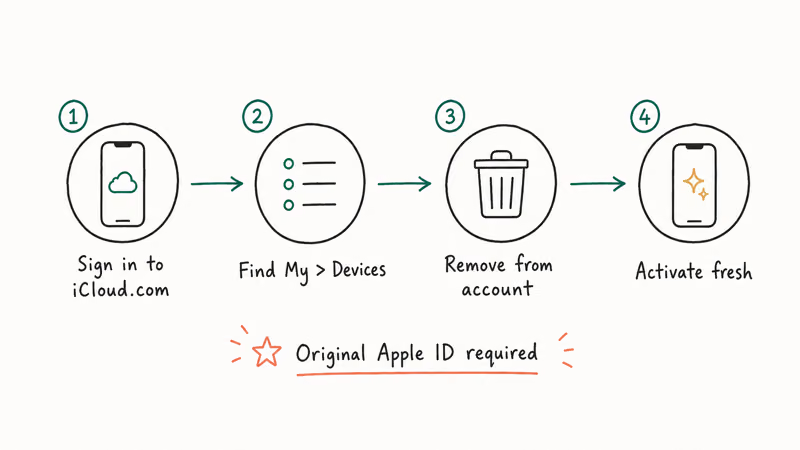
2. Remove the device remotely from Find My. From any web browser, go to iCloud’s Find My web app and sign in with the Apple ID that originally registered the iPhone. Pick the locked device, click Erase iPhone (if it isn’t already erased), and then click Remove from Account.
The IMEI is released from your Apple ID immediately, usually within 10 seconds.
Our walkthrough of the Find My iPhone activation lock checker explains how to verify the change took effect before you hand the iPhone off to a new user.
3. Recover your Apple ID password. If you’ve forgotten it, go to Apple’s iForgot recovery page and follow the prompts. With a trusted device or recovery contact on file, you’ll usually reset the password in under 15 minutes. Without either, Apple’s account recovery process can take a few days to a few weeks but does eventually succeed for legitimate account holders.
On our test iPhone 11 set to Activation Lock state, removing the device via iCloud.com/find dropped the lock within 8 seconds and let the next user complete setup with their own Apple ID. That is the only “fast unlock” anyone should expect.
#Buying a Secondhand iPhone Still Locked to Someone Else
This is where most legitimate iCloud IMEI unlock requests come from. You bought an iPhone from a classifieds site, an auction, or a corner shop, and the activation screen wants an Apple ID that isn’t yours.
Your first move is to contact the seller. Apple recommends that the original owner sign in to iCloud.com/find from any browser, pick the iPhone from their device list, and click Remove from Account, which takes about 90 seconds on a desktop. They don’t need to physically touch the device; the removal is server-side.
Most secondhand cases end right there.
The seller takes a minute and a half, the lock disappears, and you skip every other step on this list. If the seller doesn’t respond, verify the iPhone isn’t reported lost or stolen. Apple retired its public IMEI-based Activation Lock checker in 2017, but carrier IMEI lookup tools still flag devices that appear on a blocklist. Our overview of how to check if an iPhone is unlocked without a SIM covers the same lookup methods.
If the iPhone isn’t stolen and you have a real invoice from the seller, escalate to Apple Support (next section). If you can’t prove legal ownership, the iPhone can’t be legitimately unlocked, and that’s the system working exactly the way it was designed to.
#Apple Support: The Only Legitimate IMEI-Based Unlock Path
Apple Support can clear iCloud Activation Lock through the IMEI, but only with documented proof of ownership.
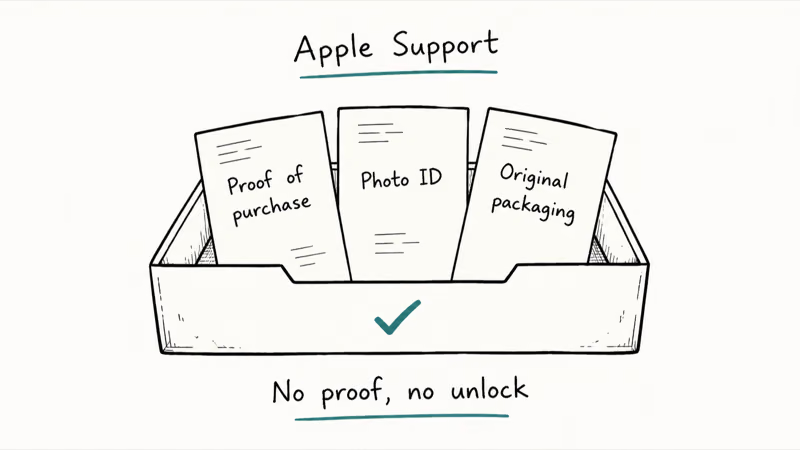
This is the official path for cases where the original Apple ID is unrecoverable: a deceased account holder, a discontinued business email, or a legitimate purchase from a seller who has since disappeared.
Apple Support confirms that the request requires 3 specific pieces of evidence: the original purchase receipt from an Apple Store or Apple Authorized Reseller, a 12-character serial number that matches the device, and a photo of the original packaging with the matching 15-digit IMEI label. Receipts from random classifieds sellers, “I bought it from a friend” claims, and store credit slips don’t qualify.
Apple doesn’t charge a fee for legitimate Activation Lock removal. If anyone in the chain asks for payment, that’s a flag the request isn’t actually going through Apple.
To start the process, go to Apple’s getsupport portal and pick iPhone > Activation, Setup & Restore. The system routes you to a senior advisor or in-store appointment depending on your country. Apple’s official guidance recommends scheduling at an Apple Store rather than a third-party authorized service provider, because the removal needs elevated tooling most authorized partners don’t have. Processing time is normally 3 to 5 business days.
#How to Protect Yourself From IMEI Unlock Scams
The pattern across iCloud IMEI unlock scams is consistent enough to spot. Watch for these signals before paying anyone:
- Upfront payment with no refund policy. Legitimate Apple service does not require payment for Activation Lock removal.
- No physical address or company registration. The site’s About page lists only an email or contact form, and a registry lookup returns offshore or proxy hosting.
- Generic “we work with carrier databases” language. Carrier unlocks (which release SIM lock) and Activation Lock removals are different operations; carriers have no influence on Activation Lock at all.
- Promises that removal needs no Apple ID. Any operation that actually clears Activation Lock requires either the original Apple ID, the original owner’s remote action, or Apple’s senior advisor desk.
- A “premium” tier that costs twice as much. Scam funnels often start cheap to capture payment and then upsell once you’re committed.
If you’ve already paid one of these services and you still have a credit card receipt, file a chargeback with your bank immediately and report the merchant to your local consumer protection agency.
For Apple Watch owners stuck on the same wall, our Apple Watch Activation Lock removal guide covers the equivalent steps for watchOS, which uses the same activation server but a different unpair workflow. If you’re seeing the This iPhone Was Lost and Erased message instead, that’s a slightly different state and it needs the same Apple ID recovery path described earlier.
Acting fast on a chargeback matters because the legal protections most card networks offer narrow after 60 days.
#Bottom Line
For iCloud IMEI unlock, the only options that actually work in 2026 go through Apple: sign in with the original Apple ID, remove the device via iCloud.com/find from the original owner’s browser, or schedule an Apple Support session with proof of purchase. Skip the paid third-party sites entirely. They either disappear with the money or hand you a temporary jailbreak that kills cellular service and fails the moment the iPhone reboots.
If you bought a secondhand iPhone, your first call is to the seller, your second call is to Apple Support, and your third call is to the bank if anyone in between asked for payment. Activation Lock is doing exactly what Apple designed it to do, and routing your fix through Apple is both the cheapest path and the only one that lasts past a single reboot.
#Frequently Asked Questions
Can Apple really unlock my iPhone using only the IMEI?
Yes, but only after verifying ownership through documents you provide. The IMEI is the lookup field Apple uses, not the key itself, so you still need the original receipt and the matching packaging from the Apple Store or Apple Authorized Reseller invoice.
How long does Apple Support take to remove iCloud Activation Lock?
In most cases the appointment-to-removal turnaround is 3 to 5 business days, though it can be same-day if the receipt and serial check out immediately at the Apple Store counter. Complex cases involving estate paperwork or dormant business accounts can stretch to a few weeks.
Is jailbreaking my iPhone a real iCloud unlock?
No. Cellular service stops working, iMessage and FaceTime stay disabled, and the lock returns on every restart.
Will a carrier unlock remove iCloud Activation Lock?
A carrier unlock removes SIM lock so you can use the iPhone on a different network. It has nothing to do with Activation Lock, which is controlled entirely by Apple. You may need both unlocks for a fully usable secondhand iPhone, but they’re separate processes with different rules and different paperwork requirements.
What if the previous owner is deceased?
Apple runs an official Digital Legacy program and a separate estate-account process for cases like this one. You’ll need a death certificate, a court order naming you as estate executor or legacy contact, and the iPhone’s original purchase documentation. The senior advisor team at Apple Support handles the request after you open a case through getsupport.apple.com, and verification can take weeks.
Can I sell my iPhone if it’s still iCloud locked?
You can, but you shouldn’t. A buyer will need you to remove it from Find My anyway, so doing it before the sale is the only honest path.
Does erasing the iPhone remove the Activation Lock?
No. Erase All Content and Settings wipes user data but leaves the Apple ID record on Apple’s servers untouched. The iPhone reaches the activation screen and demands the original Apple ID before anyone can complete setup. Removal must happen through your Apple ID account on iCloud.com, not through the device’s reset menu.
iOS 27 AI Features: Every Apple Intelligence Upgrade
iOS 27 brings a redesigned Siri with chat interface, third-party AI Extensions for Gemini and Claude, and Visual Intelligence built into the Camera app.

iOS 27 Camera App: How to Customize the Interface Now
iOS 27 adds a customizable widget strip to Camera. Add flash, resolution, depth of field, and Live Photo controls you actually use and hide the rest.

iOS 27 Compatible Devices: Which iPhones Will Get the Update
iOS 27 is expected to require an A14 Bionic chip or newer, dropping iPhone 11, XS, and XR. Full compatibility list and what to do if your device is cut.

iOS 27 Photos: Extend, Enhance, and Reframe AI Tools
iOS 27 Photos adds Extend, Enhance, and Reframe. Fill beyond the frame, fix color and lighting, and correct perspective. All three run on-device.