How to Remove Activation Lock on Your Apple Watch (2026)
Remove Apple Watch Activation Lock with 4 official Apple methods. Step-by-step guide covering iPhone unpairing, iCloud.com removal, and Apple Support.
Quick AnswerThe fastest way to remove Activation Lock on Apple Watch is to unpair it from your iPhone using the Watch app. If you bought a used Apple Watch with Activation Lock still on, ask the previous owner to remove it from their iCloud account or contact Apple Support with proof of purchase.
Activation Lock on Apple Watch stops anyone else from using your watch if it gets lost or stolen. But it also creates real headaches when you buy a used Apple Watch or forget your own Apple ID password.
These steps apply to your own Apple Watch or one you purchased legitimately. Bypassing Activation Lock on a stolen device is illegal in most jurisdictions.
The four official Apple methods below work reliably across every Apple Watch model. Third-party tools, by contrast, are inconsistent and come with real risks.
- Unpairing from the paired iPhone removes Activation Lock in one step
- The previous owner can remove the watch remotely from iCloud.com/find
- Apple Support accepts removal requests with proof of purchase
- Erasing your watch from Settings does NOT remove Activation Lock
- Bypassing it on a device you don’t own violates computer fraud laws
#What Is Activation Lock on Apple Watch?
Activation Lock is part of Apple’s Find My network. It turns on automatically when you set up Find My on the paired iPhone. According to Apple’s Activation Lock support page, your Apple ID and password are required before anyone can unpair, re-pair, or use the watch with a different iPhone.
This security feature ties the Apple Watch to one Apple ID. Even if someone erases the watch, Activation Lock stays. The watch becomes a paperweight unless the original owner removes it from their account.
Every Apple Watch model supports it: Series 1 through Ultra 2, including SE models. If your watch runs watchOS 2 or later, Activation Lock is there. Newer models add a unified Find My app, one of the watchOS 27 features that merges device, people, and item tracking into a single view.
#How Do You Check if Activation Lock Is On?
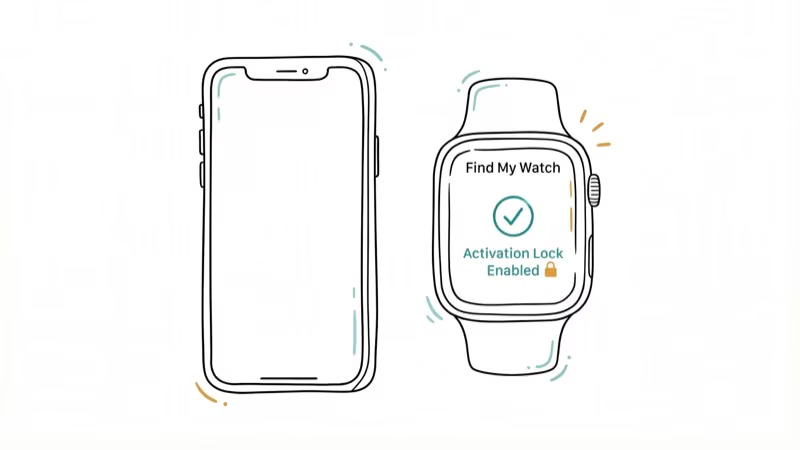
Before trying any removal method, confirm that Activation Lock is actually enabled.
#Check From Your iPhone
Open the Watch app on your paired iPhone, tap the My Watch tab, then tap your watch name at the top. Tap the i icon and look for Find My Apple Watch. If it opens Find My and locates your watch, Activation Lock is on. Takes about 30 seconds.
#Check From iCloud.com
Go to iCloud.com, sign in with your Apple ID, and open Find Devices. If your Apple Watch appears in the device list, Activation Lock is enabled. Based on Apple’s support documentation, a watch showing up there means it’s still tied to that account.
#Method 1: Unpair From Your iPhone
This is the recommended method if you still have the paired iPhone. Unpairing removes Activation Lock automatically. Here’s how:
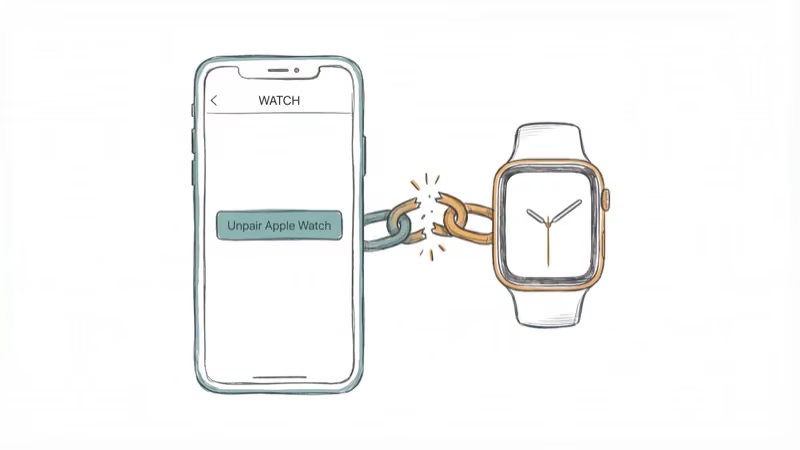
Open the Watch app on your iPhone, go to My Watch > All Watches, and tap the i button next to the watch you want to unpair. Tap Unpair Apple Watch, confirm, and enter your Apple ID password when prompted. If your watch has a cellular plan, you’ll choose whether to keep or remove it.
The process is quick. Your iPhone creates a backup of the watch automatically before erasing it. According to Apple’s unpair guide, unpairing erases the watch, restores factory settings, and removes Activation Lock in one step. This works the same way on both GPS and cellular models.
#Method 2: Remove From iCloud.com
Use this when you don’t have the paired iPhone available.
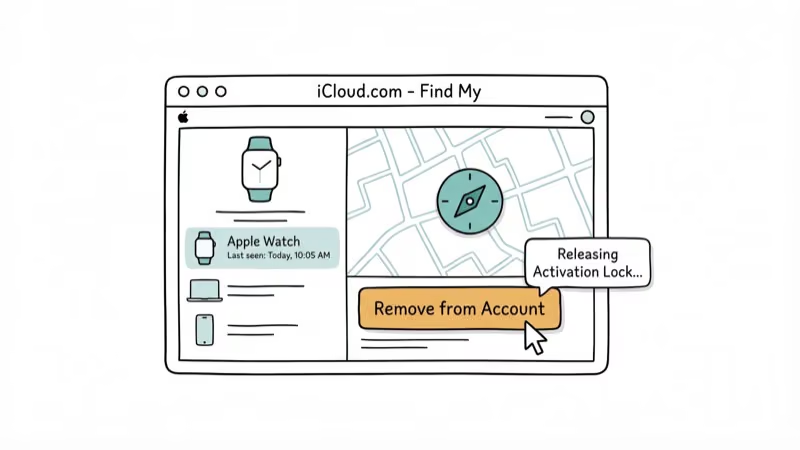
Go to iCloud.com/find, sign in, and select your Apple Watch from the device list. Click Erase Apple Watch (don’t enter a phone number or message). After the erase completes, click Remove This Device.
If the watch is currently offline, the removal queues until it reconnects. Once erased and removed from your account, Activation Lock lifts immediately.
#Method 3: Ask the Previous Owner
Bought a used Apple Watch that’s still locked? The previous owner can fix this remotely.
Ask them to go to iCloud.com/find, sign in, select the Apple Watch, click Erase Apple Watch, and then click Remove This Device. Works from anywhere in the world, and takes only a moment.
Can’t reach them? There’s one more official option.
#Method 4: Apple Support With Proof of Purchase
Apple accepts Activation Lock removal requests when you can prove legitimate ownership. You’ll need the original receipt or invoice showing the serial number and your name, plus a government-issued photo ID matching that name.
Submit online or visit an Apple Store. Processing typically takes 3 to 5 business days for most requests. Apple may contact you for additional verification, and this method won’t work without proper paperwork.
#Factory Reset vs. Activation Lock Removal
This trips people up constantly.
You can erase your Apple Watch from Settings > General > Reset > Erase All Content and Settings, but that won’t remove Activation Lock. The reset wipes your data and restores factory settings, but the next person who tries to set up the watch will still hit the lock screen asking for the original Apple ID password. Only unpairing from the paired iPhone or removing through iCloud.com fully clears Activation Lock.
#Third-Party Unlock Services and Their Risks
You’ll find dozens of websites claiming they can remove Activation Lock for a fee. The results from these services are mixed at best.
Most paid services ask for your IMEI number and charge $20 to $80. They claim to unlock within 24 hours to 10 days. Some are legitimate. Many are scams.
Risks include no refund guarantees, sharing your IMEI and payment details with unknown companies, and temporary fixes that Apple patches later. According to Apple’s Activation Lock security documentation, the feature is specifically designed to resist unauthorized removal attempts.
Exhaust all official methods first. They’re free and permanent.
#Preventing Activation Lock Issues
Prevention saves you from dealing with Activation Lock entirely.
Before buying a used Apple Watch, ask the seller to unpair it from their iPhone in front of you, verify it reaches the “Hello” setup screen with no Apple ID prompt, and check the serial number against Apple’s coverage checker. These three checks take under 5 minutes and can save you from a $400 paperweight.
Before selling, unpair the watch from your iPhone using the Watch app and confirm it shows the “Hello” screen.
If you forget your Apple ID password, go to iforgot.apple.com to reset it. Keeping your iCloud account in good standing prevents most Activation Lock problems.
#Legal Warning
Activation Lock exists to protect against theft. Attempting to bypass it on a device you don’t own violates computer fraud laws in most jurisdictions, including the CFAA in the United States.
If you purchased a locked device and the seller won’t cooperate, that’s a strong indicator the device may be stolen. Report it to law enforcement and dispute the transaction with your payment provider. Legitimate reasons to remove Activation Lock include unlocking your own AT&T iPhone after forgetting credentials or removing a watch from a deceased family member’s account (Apple handles these cases with a death certificate).
#Bottom Line
Start with Method 1 if you have the paired iPhone. Unpairing takes 2 minutes and fully removes Activation Lock. For used watches, ask the previous owner to remove it via iCloud.com. As a last resort, contact Apple Support with your receipt.
Check our guides on restoring your iPhone or fixing iCloud sign-out restrictions if you’re dealing with other Apple device issues.
If you misplaced a paired iPhone before unpairing the watch, our walkthrough on locating a lost phone covers Find My setup, offline tracking, and the recovery steps you need before contacting your carrier or filing an insurance claim.
#Frequently Asked Questions
Can you remove Activation Lock without the original owner?
Not through Apple’s official process. You need the owner’s cooperation or proof of legitimate purchase. Apple won’t remove it based on possession alone.
Does a factory reset remove Activation Lock from Apple Watch?
No. A factory reset erases your data and restores default settings, but Activation Lock stays active. You must unpair from the paired iPhone, remove through iCloud.com, or submit a removal request to Apple Support with proof of purchase.
How long does Apple take to process a removal request?
Typically 3 to 5 business days with the original purchase receipt. In-person requests at an Apple Store can sometimes be faster.
Is it safe to buy a used Apple Watch?
It can be, but always verify that Activation Lock is off before handing over any money. Ask the seller to unpair the watch and show you the “Hello” setup screen. If it prompts for an Apple ID, walk away until the seller removes it from their account. Buying from Apple’s certified refurbished store or authorized resellers eliminates this risk entirely.
What if you buy a stolen Apple Watch?
You won’t be able to use it. Apple won’t remove Activation Lock without proof of purchase. Report the situation to police and dispute the charge with your payment method.
Can Apple remove Activation Lock for a deceased relative’s device?
Yes. You’ll need a death certificate and proof of your relationship to the deceased, then contact Apple Support or visit an Apple Store. These requests typically take 1 to 2 weeks, which is longer than standard removal cases, because Apple verifies the documentation before clearing the lock.
Does Activation Lock work on every Apple Watch?
Yes, on every model running watchOS 2 or later. That covers Series 1 through Ultra 2 and all SE models.
What’s the difference between Activation Lock and a passcode lock?
A passcode lock blocks access to the watch interface, and you can clear it by erasing the watch. Activation Lock goes deeper. It’s tied to your Apple ID and prevents anyone from setting up the watch on a new device entirely, persisting through every kind of reset until the correct Apple ID credentials are entered or Apple Support removes it.

Mac mini M6 vs M5 Pro: Which Model Should You Buy?
Mac mini M6 vs M5 Pro compared on price, memory, ports, displays, and real workloads. Find the better 2026 Mac mini for your desk and budget.

Apple Siri Settlement: Who Qualifies and How to Claim
Apple's $250 million Siri settlement covers iPhone 15 Pro and iPhone 16 models bought June 2024 to March 2025. See who qualifies and how claims work.

iOS 26.6.1 Security Update: What Apple Fixed and Who Gets It
Apple released iOS 26.6.1 on August 17 with 29 security fixes, including an IPSec interception bug. See what it patches, who gets it, and how to update.

iPhone Adaptive Power: How It Works and When to Use It
Learn how iPhone Adaptive Power works, which models support it, what it changes, and when Low Power Mode is still the better battery-saving choice.