Can You Downgrade iOS 26 to iOS 25? The 2026 Answer
Want to return from iOS 26 to iOS 25? Apple does not support that rollback. Learn what Restore installs, how beta removal differs, and what to do.
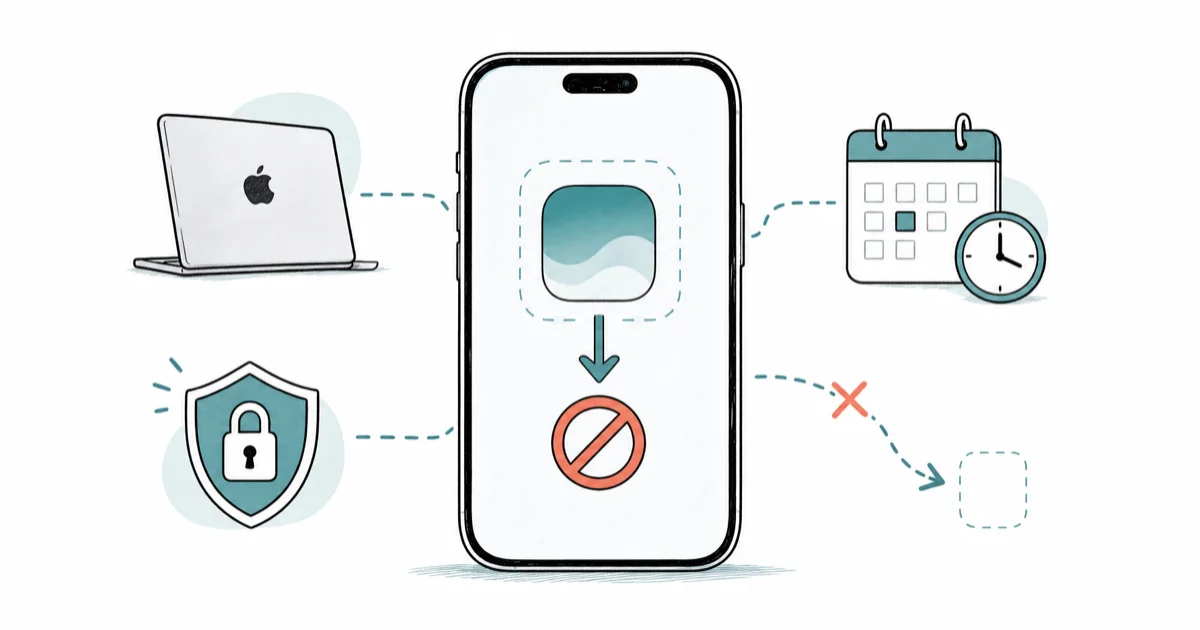
Quick AnswerApple says an installed iOS update can't be downgraded to the previous version. Its factory Restore also erases the iPhone and installs latest iOS.
If iOS 26 is already installed and you want iOS 25 back, Apple’s current answer is direct: an installed iOS update can’t be downgraded to the previous version. A normal computer Restore doesn’t change that rule because it installs the latest iOS software.
This guide applies only to your own phone or a device you administer with permission.
- Apple states that an installed iOS update can’t be downgraded to the previous version
- Factory Restore erases the iPhone and installs the latest iOS software
- Deleting a downloaded update before installation isn’t the same as rolling back an installed update
- Apple’s beta-removal process returns to the current public release, not an arbitrary older major version
- Back up and sync data before any erase, recovery, or service step
#Does Apple Support an iOS 26 Rollback?
Apple currently provides no supported stable-release rollback. Its security releases page states that an installed iOS update can’t be downgraded.
That sentence replaces the old signing-window story on this page. The former article cited Apple support ID 111900 as release notes and error documentation, but ID 111900 is actually a Mac Studio technical-specifications page.
The old page also assigned a fixed signing-window deadline to Apple, described saved SHSH blobs as an official route, and claimed that an installed update could be removed from iPhone Storage to reboot into iOS 25. Those claims had no matching Apple source.
Removing a downloaded update file can prevent a pending update from installing. It doesn’t uninstall iOS 26 after the operating system is already running.
#Why Signing-Window Advice Misleads
Third-party firmware indexes may label builds signed or unsigned, but that status isn’t the same as an Apple support procedure. A downloadable IPSW also isn’t proof that Finder or Apple Devices will offer an authorized rollback for your iPhone.
Apple doesn’t publish the fixed signing-window policy claimed here. Historical release timing isn’t an Apple guarantee.
The safe conclusion comes from the current Apple wording: installed iOS updates don’t roll back to the previous version. Don’t buy software or erase the phone because a third-party page shows a green icon without also proving the exact supported Apple workflow.
#What Factory Restore Actually Installs
Factory Restore is useful for erasing an iPhone and reinstalling its current software, but it isn’t Apple’s published route to iOS 25.
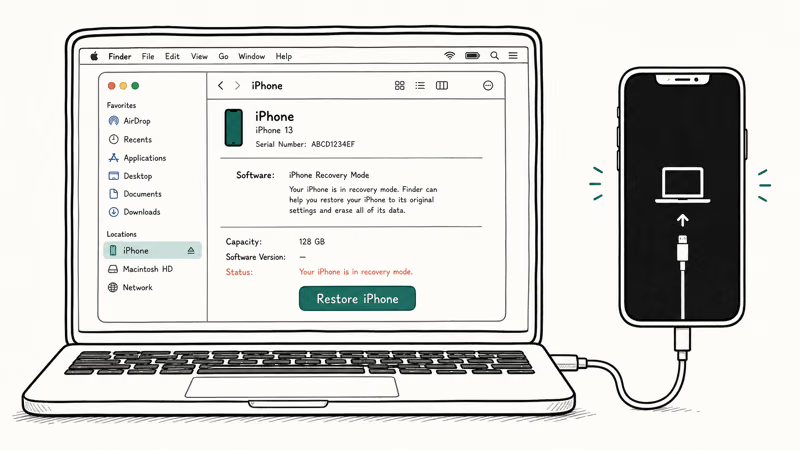
Apple’s factory-restore guide confirms that Finder on Mac or Apple Devices on PC erases the device and installs the latest iOS software. The device restarts at the Hello screen when that process finishes.
That means Restore can return a damaged installation to a clean state, but it doesn’t select iOS 25. If a failed update presents both Update and Restore, try the non-erasing Update path first. The restore-without-updating guide explains why you should read the exact computer prompt before clicking.
For a plain-language comparison of restart, update, reset, and restore, see what Restore means on an iPhone.
#How Is Beta Removal Different?
Apple maintains a separate process for leaving beta software. That procedure returns the device to the current publicly released iOS version, which is different from selecting an older stable major version after an update.
According to Apple’s beta-removal instructions, returning from a beta requires recovery mode and Restore. The process erases the device, and a backup made on beta software might not work with the earlier public release.
This distinction matters. While iOS 27 is beta and iOS 26 is public, the beta-removal route can return an iOS 27 beta device to iOS 26. It doesn’t create a route from stable iOS 26 to iOS 25. The supported steps are in the iOS beta removal guide.
#Protecting Data Before an Erase
Don’t erase the iPhone as an experiment. First confirm which data has synced, which backup is compatible with the software Apple will install, and which app-specific exports you need.
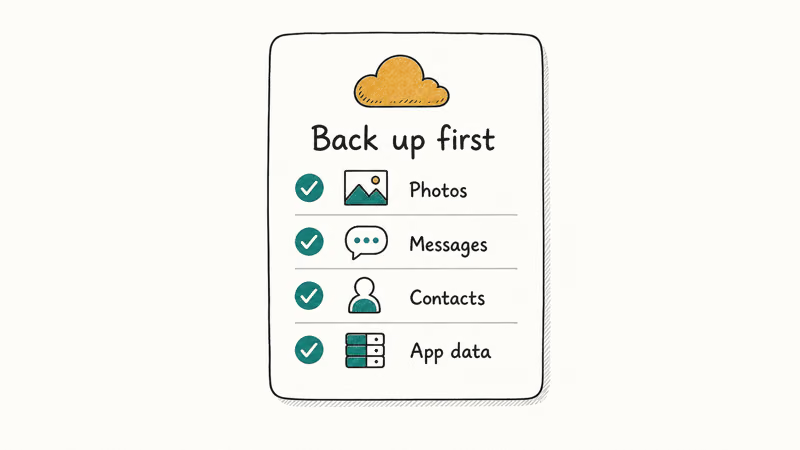
- Check iCloud sync. Wait for Photos, Contacts, Messages, Notes, and other needed categories to finish uploading.
- Make an encrypted computer backup. Archive it so a later sync doesn’t overwrite the only useful copy.
- Export app data. Save Health data, chats, authenticator recovery codes, and anything that doesn’t sync.
- Confirm the Apple Account password. Setup or Activation Lock can require it after an erase.
- Record the current software and backup dates. Don’t assume the newest backup works with older software.
Apple’s computer-backup transfer guide states that Health and Activity data won’t transfer from an unencrypted backup. It recommends leaving the device on Wi-Fi and power after setup while synced content downloads.
If the backup fails, stop. An erase is not a backup repair step.
Fix iPhone backup failures before restoring.
#Third-Party Tool Claims
Utilities may advertise downgrade, repair, one-click, or data-preserving modes. Those are vendor claims whose coverage can change with the device, software pair, mode, and license.
The old article said ReiBoot, AnyFix, Fixppo, and other tools all wrapped an official Apple IPSW/DFU downgrade path. It also supplied annual prices, fixed file sizes, worldwide SHSH-user counts, completion times, and guaranteed data-preservation outcomes without current evidence for those exact claims.
No vendor page can turn the Mac Studio specification sheet at 111900 into iPhone signing documentation. If a tool can’t show current support for your exact iPhone and source/target versions, mark the outcome undetermined and don’t pay on the promise of a guaranteed rollback.
#Reading Update and Restore Errors
Use the exact error, because Error 14, a general USB failure, and an ineligible software message don’t mean the same thing.
Apple’s Error 14 article states that low storage during an update can be involved and tells users in recovery mode to try Update again to keep personal data. It doesn’t call cable or port faults the leading cause of Error 14.
For a general restore error, Apple recommends updating the computer, connecting directly, checking the cable, restarting both devices, reviewing security software, and trying another computer. Those are broad checks, not proof that an iOS 25 downgrade is available.
For a loop, use the recovery-mode guide. For Error 14, use the code-specific guide.
#Practical Options on iOS 26
If the goal is to fix battery drain, app trouble, or a feature regression, update to the latest iOS 26 release offered for the device and retest. Apple says keeping software current is one of the most important steps for product security.
Install only the version Apple currently offers in Software Update.
For a persistent fault, isolate the app or setting, preserve a backup, and contact Apple Support with the exact version and symptoms. A clean Restore to current iOS remains an erase-and-reinstall option after reversible checks are exhausted.
#Bottom Line
Apple’s sources state that installed updates don’t roll back and factory Restore installs latest iOS.
Those two sources don’t support an official iOS 26-to-iOS 25 DFU/IPSW route, a fixed signing deadline, an in-place rollback after installation, or guaranteed third-party bypasses. Preserve data, try current supported fixes, and treat beta removal as the separate return-to-current-public-release case that Apple actually documents.
iOS 26
#Frequently Asked Questions
Can I officially downgrade iOS 26 to iOS 25?
Apple says an installed iOS update can’t be downgraded to the previous version. Its normal factory Restore installs latest iOS rather than offering iOS 25 selection.
Can I remove iOS 26 from iPhone Storage?
You can sometimes delete an update file that has downloaded but not installed. Once iOS 26 is installed and running, deleting a pending file doesn’t roll the operating system back.
Does an IPSW download prove iOS 25 can be installed?
No. A downloadable file or third-party signing label isn’t the same as an Apple-supported installation path for your exact iPhone.
Will factory Restore erase the iPhone?
Yes. Apple’s published factory Restore removes information and settings, installs latest iOS, and returns the device to the Hello screen.
Why can a beta return to iOS 26?
Apple’s beta-removal process installs the current public release. While iOS 27 is beta and iOS 26 is public, that route returns to iOS 26; it doesn’t enable stable iOS 26 to iOS 25 rollback.
Can a paid utility guarantee the downgrade?
Don’t treat a universal guarantee as verified. Require current support for the exact iPhone, installed version, target version, and selected mode, and preserve an independent backup.
What should I do if iOS 26 is causing problems?
Install the latest update Apple offers for the device, isolate the specific app or setting, preserve a backup, and use Apple Support or a current-software Restore after reversible checks fail.

iOS 26.6.1 Security Update: What Apple Fixed and Who Gets It
Apple released iOS 26.6.1 on August 17 with 29 security fixes, including an IPSec interception bug. See what it patches, who gets it, and how to update.
iPhone 17 Cellular Data Not Working on iOS 26? 9 Fixes
iPhone 17 cellular data still dropping on iOS 26? Apple fixed the launch bug in iOS 26.0.1, but recovery failures persist. Here's the fix ladder.

iOS 26 System Data Storage Full: How to Fix It Now
iOS 26 made System Data storage balloon past 50GB for some iPhones. Here is what is safe to clear, what is normal, and the iOS 26.1 storage fix.
How to Disable Liquid Glass in iOS 26: 2026 Settings
iOS 26 will not let you fully turn off Liquid Glass, but five settings reduce the transparency, motion, and brightness so the iPhone feels flat again.