ChatGPT vs Claude vs Gemini: Which AI to Use in 2026
ChatGPT vs Claude vs Gemini compared side-by-side for writing, coding, research, and everyday tasks. Find out which AI to use and when in 2026.
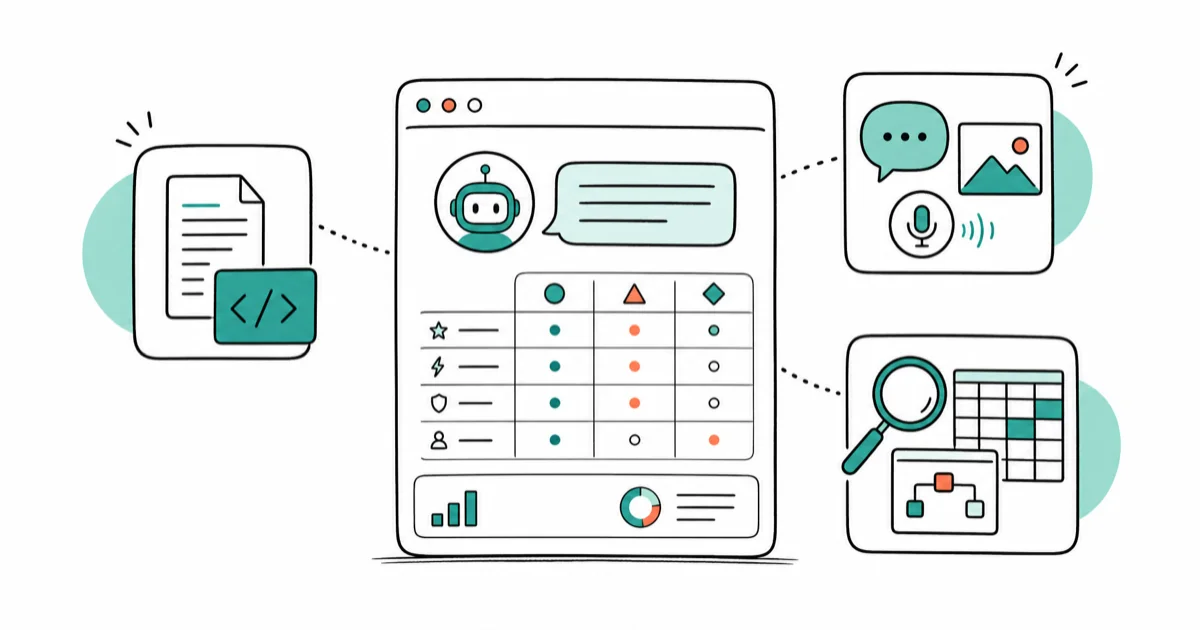
Quick AnswerFor writing and coding, Claude is the strongest. For versatile, all-in-one tasks including image generation and voice, ChatGPT wins. For research with Google Workspace integration, use Gemini. No single AI wins every category in 2026.
This guide compares ChatGPT, Claude, and Gemini across writing, coding, research, and everyday asks. The strengths split along clear lines, and no single tool wins everything.
- Claude produces the most natural prose and follows long, detailed instructions better than the other two
- ChatGPT is the only one of the three with built-in image generation (DALL-E), making it the all-in-one pick
- Gemini’s Deep Research feature is the fastest tool for synthesizing multi-source reports, taking roughly 5–10 minutes per topic
- For coding, Claude leads ChatGPT on complex debugging tasks and multi-file edits
- All three free tiers are usable; paid plans for each run around $20–25/month for the standard tier
#What Makes Each AI Different?
Before comparing by use case, it helps to understand what each platform actually is. ChatGPT, made by OpenAI, is the broadest ecosystem: it has voice mode, DALL-E image generation, web search, and a sprawling library of third-party integrations. Claude, from Anthropic, is built around safety and careful reasoning. Gemini, from Google, is tightly woven into Google Workspace and has the strongest long-context window of the three.
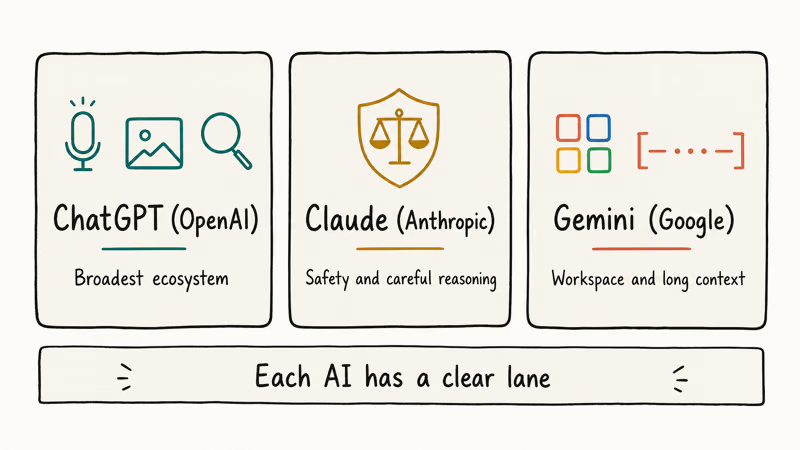
These differences show up in every category. Each AI has a clear lane.
#Writing: Claude Leads, ChatGPT Has One Big Advantage
Claude is the standout for writing in 2026. On the same creative brief, Claude’s output needs the least editing. It matches a requested tone more accurately, avoids the overuse of bullet lists that ChatGPT defaults to, and sustains argument structure across long drafts.
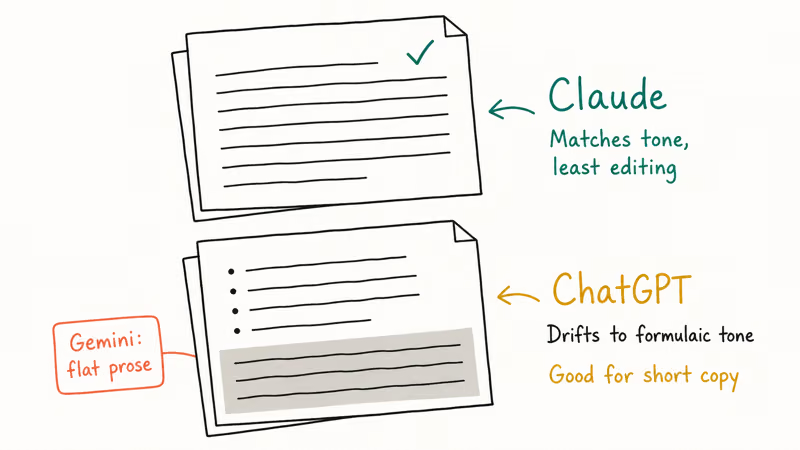
Give Claude a sample of your existing writing (a paragraph or two) and it adapts to your rhythm within a few sentences. ChatGPT can do this too, but it drifts back to a slightly corporate, formulaic tone after a few hundred words. Gemini is the weakest writer of the three for open-ended creative tasks; it tends to produce competent but flat prose.
For marketing copy, ChatGPT still works well. It’s faster to prompt and handles punchy, short-form content without needing much coaching.
Claude can’t generate images at all. If your writing workflow involves visuals, ChatGPT with DALL-E is the better home base.
According to Zapier’s 2026 Claude vs. ChatGPT comparison, Claude is the pick for “sophisticated creative work,” while ChatGPT’s strength is breadth across every modality: voice, images, web search, and code in one interface.
Bottom line for writing: Use Claude for long-form content, voice matching, and detailed editorial work. Use ChatGPT for short-form copy or when you need images and text in the same session. Gemini is the weakest of the three for most writing tasks; use it for research-backed drafts where its web access matters.
#Coding: Claude Wins on Accuracy, ChatGPT on Flexibility
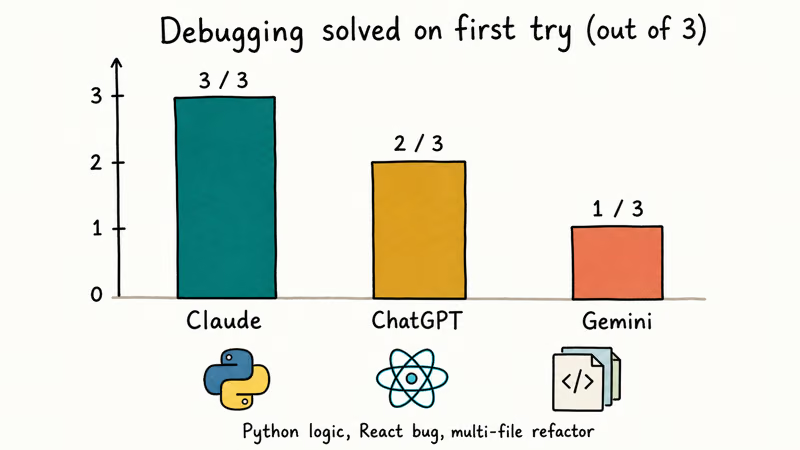
Claude leads here too, but the gap matters for specific tasks. On hard debugging challenges, like a Python script with a logic error, a React component with a rendering bug, or a multi-file TypeScript refactor, Claude is the most likely to resolve the problem correctly on the first attempt, with ChatGPT close behind and Gemini trailing.
Claude Code goes further than chat-based code generation. According to Anthropic’s product page, you describe what you want and Claude plans and executes across multiple files, not just a single code block to copy-paste.
That’s a different tool than what most people think of as “using AI for coding.”
ChatGPT’s Code Interpreter is excellent for data analysis. It runs code interactively in the same window, which Claude can’t do in its standard chat interface.
For simpler tasks like “write a Python function to clean this CSV,” all three work fine.
Bottom line for coding: Claude for debugging and agentic work. ChatGPT for interactive data analysis. For a detailed breakdown by language, see our best AI tools for coding guide.
#Research: Gemini’s Deep Research Is the Clear Winner
This is Gemini’s strongest category. Gemini’s Deep Research feature stands apart from anything ChatGPT or Claude offer. You submit a research question, Gemini generates a plan of research steps, then autonomously browses multiple sources and produces a cited report. Google’s Deep Research support page states that the process typically takes 5–10 minutes.
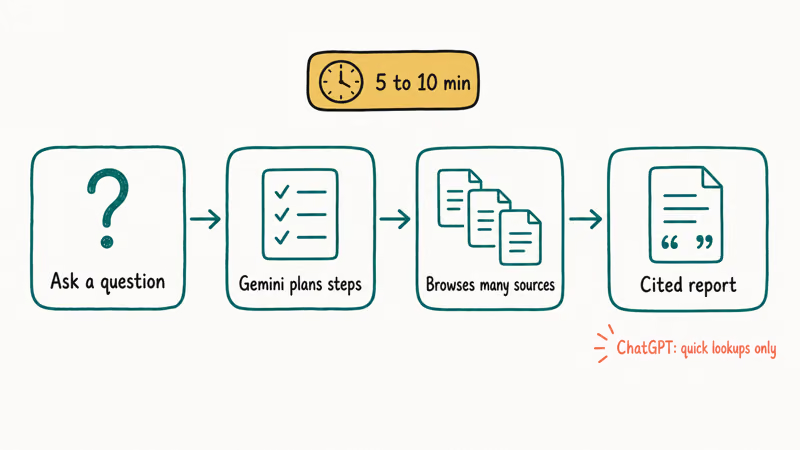
On a complex research question like “What are the main tradeoffs between edge AI inference and cloud AI inference for mobile apps?” Gemini’s output is structured, cited, and saves significant manual reading. ChatGPT’s response is accurate but unsourced. Claude produces a thoughtful analysis but acknowledges it can’t browse in real time.
Google’s Deep Research documentation confirms that the latest version adds MCP support and native chart generation.
ChatGPT does have web search capability, and it handles quick factual lookups well. But it doesn’t produce multi-source research reports at Gemini’s depth.
Bottom line for research: Gemini for deep, multi-source reports. ChatGPT for quick web lookups. Claude for analysis of documents you provide directly.
#Everyday Tasks: Voice, Search, and Email Summaries
This is where personal preference matters most. Three everyday scenarios stand out:
Summarizing emails and documents: All three handle this well. Claude’s summaries felt the most precise; it rarely added filler or missed key details. ChatGPT’s summaries were accurate. Gemini, when connected to Gmail, can pull in real emails, which the other two can’t do without workarounds.
Answering factual questions: ChatGPT’s web search is faster for short lookups. Gemini pulls from Google Search natively. Claude doesn’t have live search in its default interface.
Voice conversation: ChatGPT’s Voice Mode is the clear winner. It sounds natural, responds quickly, and handles back-and-forth well. Gemini’s voice mode works but feels stilted. Claude doesn’t have a dedicated voice interface at the time of writing.
If you’re already deep in Google’s ecosystem (Gmail, Drive, Docs), Gemini is worth trying. It integrates in ways the other two can’t match.
#Pricing: All Three Are Close at Standard Tiers
All three offer free tiers that actually work well enough for casual use. Paid tiers run close to each other.
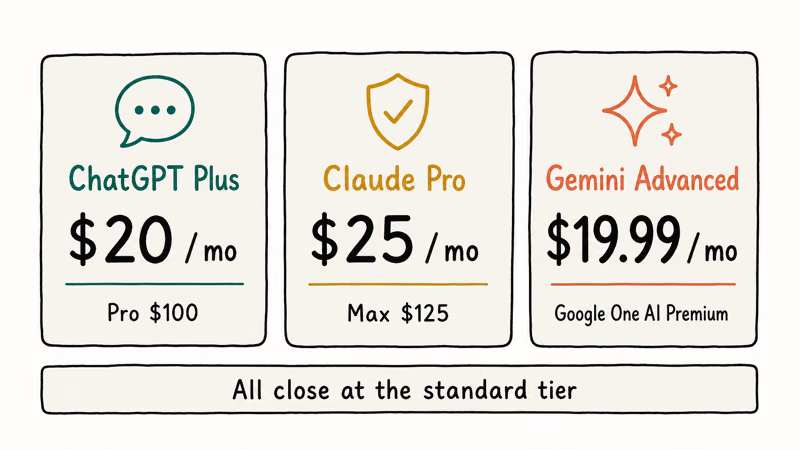
ChatGPT Plus is $20/month; ChatGPT Pro is $100/month. See OpenAI’s pricing page for the current plan breakdown. Claude’s Pro plan is $25/month billed monthly; the Max plan with higher limits runs $125/month. Gemini Advanced is bundled into Google One AI Premium at $19.99/month.
For most users, the standard paid tier is enough. If you hit usage limits frequently on coding or long-form writing, Claude’s Max plan is worth the jump.
#Is Using All Three a Good Strategy?
Yes, and that’s a practical answer, not a cop-out. The natural split is to default to Claude for anything that needs sustained quality writing or complex code, switch to ChatGPT when you need an image or a quick voice interaction, and open Gemini for research reports or Google Docs work.
Free tiers let you keep all three without paying. On paid tiers, most people pick one primary tool plus one free secondary. For a deeper look at getting the most out of each, start with our guides on how to use ChatGPT Canvas and how to use Claude AI.
If Gemini is on your list, our guide on how to use Gemini Gems covers the feature most people miss.
#Bottom Line
For most people, the honest answer in 2026 is: Claude for writing and coding, Gemini for research, ChatGPT for everything else. None of these AI tools wins every category. Forcing a single winner ignores what makes each useful.
One tool only? Claude for writers and coders. ChatGPT for breadth. Gemini for Google Workspace users.
AI Tools Guide
#Frequently Asked Questions
Is Claude better than ChatGPT for writing?
Claude consistently produces more natural, instruction-following prose. It handles long-form content and tone matching better than ChatGPT, which tends to default to bullet-heavy, formulaic output. For short marketing copy, the gap is smaller and either works.
Which AI is free and still useful?
All three have free tiers worth using. ChatGPT’s free tier uses GPT-5.2 Instant, Claude’s free tier includes Claude Sonnet 4.6 with a daily usage limit, and Gemini’s free tier includes web search and basic Deep Research. For casual use, you don’t need to pay for any of them.
Can ChatGPT generate images but Claude can’t?
Yes. ChatGPT includes DALL-E on paid plans and limited free access. Claude has no image generation at all. Gemini uses Google’s Imagen model on paid tiers.
Which AI is best for coding beginners?
ChatGPT is the most approachable for beginners: its explanations are clear, it handles vague prompts gracefully, and the interface is forgiving. Claude is better for experienced developers who write detailed prompts and need the AI to understand larger projects without losing context.
Does Gemini work better if you use Google products?
Significantly so. Gemini reads your Gmail, searches Google Drive, and pulls from Google Search natively — none of which ChatGPT or Claude can do out of the box. If you spend most of your day in Google Workspace, this integration alone is a strong reason to use Gemini as your primary AI. The other two require third-party workarounds to match even basic Gmail access.
Is the $20/month paid tier worth it?
It depends on how often you hit limits. Free tiers are enough for occasional use, like a few prompts a day. If you’re using AI as part of a daily work routine, the paid tier’s higher message limits and access to better models pays off quickly. The standard Claude Pro and ChatGPT Plus tiers are the best value for most users.
How often do these AI models update?
All three update on roughly quarterly release cycles, with smaller patches in between. The gap between them is smaller than it was a year ago — each major update narrows the lead the others had built.
Which AI is best at detecting AI-written content?
None of the three reliably detect their own output. Use a dedicated tool instead. See our roundup of the best AI detectors.
ChatGPT Conversation History Missing? How to Get It Back
ChatGPT conversation history missing? Fix it fast with these proven steps: check archived chats, re-enable data controls, verify your account, and more.
ChatGPT Voice Mode Not Working? 7 Fixes That Actually Work
Fix ChatGPT Voice Mode fast. Covers mic permissions, app updates, network fixes, account tier checks, and reinstall steps for iOS and Android.

Claude vs ChatGPT for Writing: Which AI Is Better?
Claude wins on tone and long-form coherence. ChatGPT is faster for brainstorming and short copy. A side-by-side comparison for writers in 2026.
How to Use NotebookLM: Guide to Sources and Audio Overviews
Learn to use NotebookLM: upload sources, ask citation-backed questions, and generate Audio Overviews. Practical guide for students and researchers.