Can You Change Your Kik Username? What to Do Instead
Kik usernames can't be changed after account creation. Learn how to update your Kik display name and what to do if you need a fresh username on Kik.
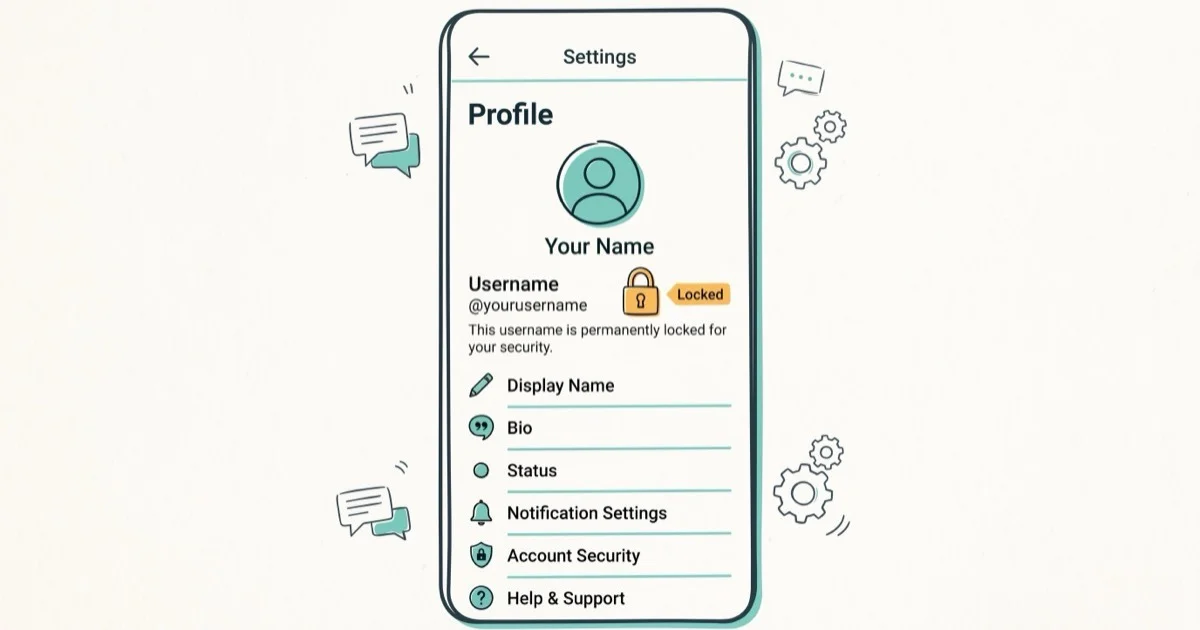
Quick AnswerKik does not allow you to change your username once it is set. Your only options are to change your display name (which is visible to friends but not your actual login username) or create a brand new Kik account with a different username and email address.
Kik locks your username from the moment you create your account. Kik’s support documentation treats the username as permanent after account creation. Here’s what you can actually do instead.
Change Kik profile details only on your own account or an account you are authorized to manage. Usernames, display names, chats, and contacts can identify real people, so keep changes within legal privacy boundaries, avoid impersonation, and get permission before editing a child, team, or shared community account.
- Kik usernames are permanent and can’t be changed through any in-app setting
- You can change your display name at any time without creating a new account
- Creating a new account with a different username requires a different email address
- Your new Kik account starts fresh with zero contacts and zero chat history
- Display names can be set to anything, while usernames must be unique across all Kik users
#Why Can’t You Change a Kik Username?
Kik uses your username as a permanent unique identifier across its entire network. Kik’s Help Center confirms that usernames require between 2 and 15 characters and can’t be modified after initial account setup. You can verify this at Kik’s official support site. This is different from your display name, which is just a label your contacts see.
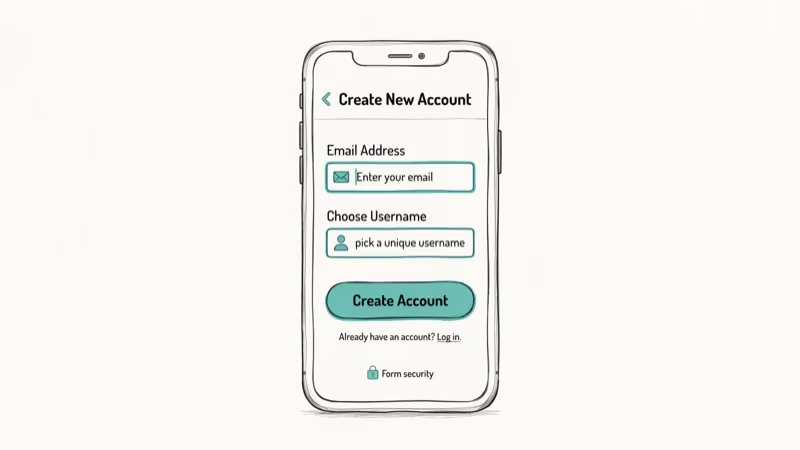
The design choice is common among messaging platforms. Kik doesn’t provide a “Change Username” option in the settings menus. The field is grayed out and uneditable.
Why does Kik do this? Allowing username changes would break existing chat links, group memberships, and friend connections tied to that identifier. Platforms that lock usernames usually do it to maintain network integrity and prevent impersonation.
#How Do You Change Your Kik Display Name?
While you can’t change your Kik username, the display name is fully editable and what most of your contacts actually see in conversations. Changing it takes under a minute.
Steps to change your Kik display name:
- Open the Kik app and tap the gear icon (Settings) in the top right
- Tap Your Account
- Tap Name
- Enter your new display name in the popup
- Tap OK to confirm
The change applies instantly. Your contacts see the new name in chats, but your actual Kik username remains the same. This is the fastest way to refresh your Kik identity without losing your contacts or chat history.
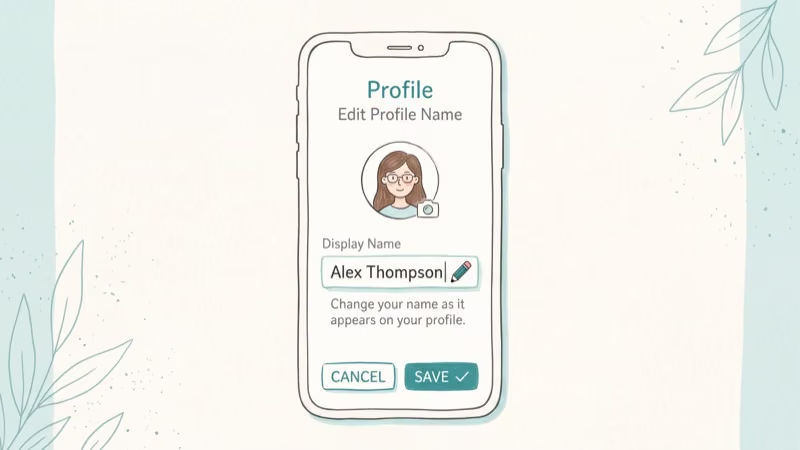
Note that your display name doesn’t need to be unique. Multiple Kik users can share the same display name. Only usernames must be unique across the entire Kik network. If you’re having trouble accessing the settings, check our guide on Kik not working on iPhone.
#Creating a New Kik Account for a Fresh Username
If changing your display name isn’t enough and you want a completely fresh username, creating a new Kik account is your only option. The process takes about 2 minutes.
Requirements for a new account:
- A different email address than your current Kik account
- A new unique username not already taken on Kik
- The Kik app on any iOS or Android device
What you lose by creating a new account:
- All existing chat history
- All group memberships
- Your entire contact list
Account-deletion timing depends on Kik’s current policy. Learn how to delete a Kik account if you want to remove your old one before starting fresh.
#Tips for Choosing a Lasting Kik Username
Since you can’t change your username later, choosing wisely the first time matters. A rushed username choice can become annoying after a few weeks.
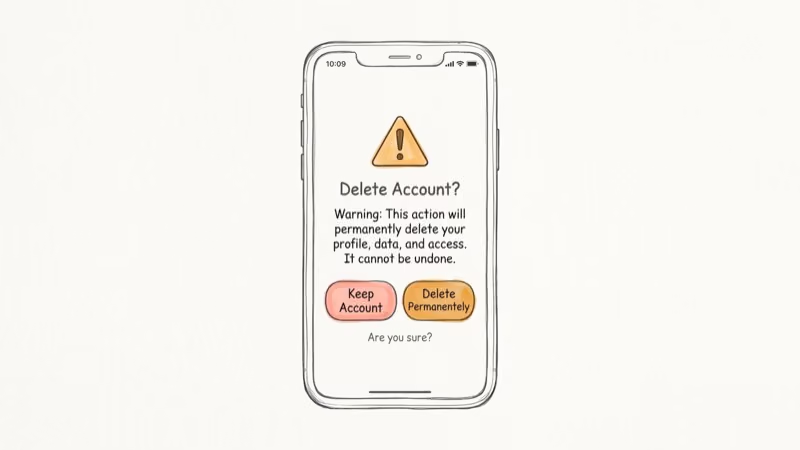
What makes a good Kik username:
- Keep it short: Shorter usernames (6-12 characters) are easier to share verbally and type correctly
- Avoid numbers: Strings like “cooluser2847” are hard to remember and look dated within months
- Skip personal info: Don’t include your full name, birth year, or location for privacy
- Make it searchable: Friends can search by username, so something recognizable to your circle helps
According to PCMag’s messaging app guide, 3 of the top 5 messaging apps lock username identity at account creation, making Kik’s policy more common than users expect. Picking a username you can commit to long-term saves the hassle of migrating contacts.
If you’re exploring alternatives, Kik vs WhatsApp breaks down the differences in features, privacy, and audience.
#Kik Username Policy Compared to Other Messaging Apps
Most major messaging apps treat usernames differently. Snapchat allows 1 username change per account, ever. WhatsApp uses your phone number as your identifier (no username at all). Telegram allows unlimited username changes. Signal doesn’t use usernames publicly by default. The instant messaging overview is the durable background source; Kik sits among the most restrictive on username changes.
Kik’s zero-change policy is on the stricter end. The benefit is consistency for users who’ve linked up over time. The downside is inflexibility if your initial choice was poor.
If you need a completely fresh start on Kik, you can also look into Kik for PC to manage your new account from a desktop browser alongside your phone. Users interested in messaging privacy often also look at Kik scams to understand common risks on the platform.
#Kik Password and Account Recovery Options
While you can’t change your Kik username, you can update other account details. Your password can be changed anytime in Settings > Your Account > Password. Your email address is also changeable there. These changes don’t affect your username or friends list.
If you’ve forgotten your Kik login, use the Kik reset password flow to regain access. You’ll need access to the email address associated with the account. Kik sends a reset link to that email, and you’re back in under 5 minutes.
#Bottom Line
You can’t change a Kik username. That’s a hard platform limitation, not a bug or missing setting. Your best move is to change your display name (settings are in under a minute) for a cosmetic refresh without losing contacts. If you need an entirely new username, you’ll need a new email and a new account. Plan your Kik username carefully at signup to avoid this situation.
#Frequently Asked Questions
Can I reuse my old Kik username after deleting my account?
No. Once a Kik account is deleted, the username is permanently retired and can’t be claimed again by anyone. Kik states this in their account deletion policy. If you delete your account and try to register the same username later, you’ll get an error.
Does changing my display name change how people find me on Kik?
No. People search for you by username on Kik, not by display name. Changing your display name only affects how your name appears in conversation threads and group chats. Your username stays the same for discovery purposes.
How many characters can a Kik username have?
Kik usernames must be between 2 and 15 characters, using letters, numbers, and underscores. No spaces or special characters are allowed. They’re also case-insensitive, so “CoolUser” and “cooluser” are treated as the same username.
Can I change my Kik display name as many times as I want?
Yes. Kik places no limit on how many times you can change your display name. You could technically change it every day if you wanted. Only the username is fixed after creation.
What if someone else has the Kik username I want?
You can’t claim a username that’s already taken. Kik usernames are unique and first-come, first-served. If the username you want is taken, try a variation. You can check availability during the account creation flow by typing the username and seeing if it’s accepted.
Is there a way to merge two Kik accounts?
No. Kik doesn’t support account merging. If you create a new account, it starts completely empty. The only way to bring over contacts is to manually re-add them from your new username.
Can I change my Kik email address?
Yes. Unlike the username, your email address can be updated in Settings > Your Account > Email. This doesn’t affect your username or display name.
What’s the difference between Kik username and display name?
Your username is your unique login ID that others search for and that Kik uses to identify your account. Your display name is the label shown in chats and contact lists. The username is permanent; the display name is fully editable anytime.

Google Messages Error 3100: Why RCS Is Broken on Galaxy
Google Messages RCS error 3100 hits Galaxy owners after phone or carrier switches. Google told 9to5Google a fix is coming. Here's what actually helps.

Is This Bank App Real? Spot a Fake App on Your Home Screen
A bank app can land on your home screen from a web page with no install warning. Learn the checks that tell a real banking app from a phishing web app.

Apps Crashing After iOS 27 Update? Fix Order (2026)
Apps crashing after the iOS 27 update? Update the app in the App Store first, then offload and reinstall to clear stale cache, then restart. The fix order.

Do AI Translation Earbuds Work Offline? What to Know
Do AI translation earbuds work offline? A few do with downloaded language packs, but most need the cloud. Here's what works offline and what you give up.