Can't Join Kik Group Chat? 7 Causes and Fixes (2026)
Can't join a Kik group chat in 2026? Here are the 7 most common causes, from the 50-member cap to expired invite links, plus fixes that actually work.
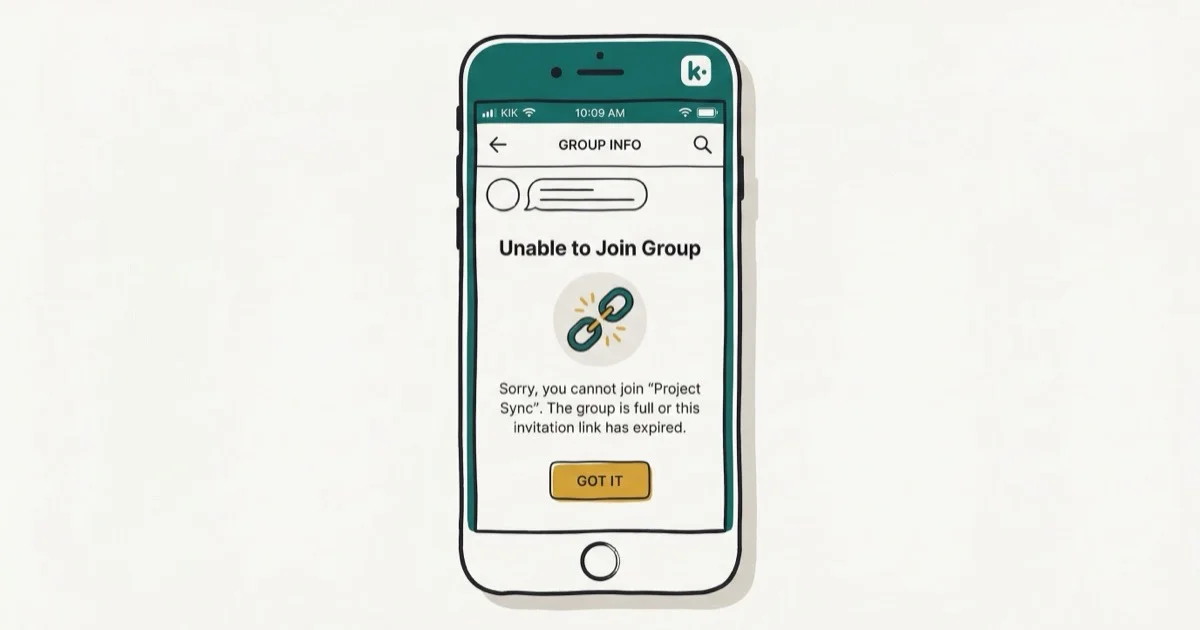
Quick AnswerIf you can't join a Kik group, the link is usually expired, the chat hit Kik's 50-member cap, an admin blocked you, or your app is out of date. Update Kik, request a fresh invite, and ask the admin to confirm you aren't banned.
Tapping a Kik group invite and getting nothing but an “Oops, something went wrong” toast is one of the most frustrating Kik errors, and it almost never means the app itself is broken. When you can’t join a Kik group chat, the cause is usually the link, the group, your account, or a stale app version. All seven common failure modes trace back to the current Kik builds for iOS and Android.
- Kik public group chats cap at 50 members, and the join button silently fails once that ceiling is hit
- Kik group invite links expire after roughly 7 days by default, so an old shared link usually returns an error
- Admin removals and bans persist on a per-group basis, even if your overall Kik account is fine
- Kik’s terms require users to be 13 or older, and underage flags block new group joins
- App version mismatches between you and the group creator are the single most common reason invite previews fail to load
#Why Can’t I Join a Kik Group in 2026?
Most “can’t join” errors trace back to seven causes that show up on current Android and iOS Kik builds. Kik’s public group discovery shifted significantly during the MediaLab ownership era, and the join flow now fails more silently than it used to. The error toast almost never tells you which cause you hit.
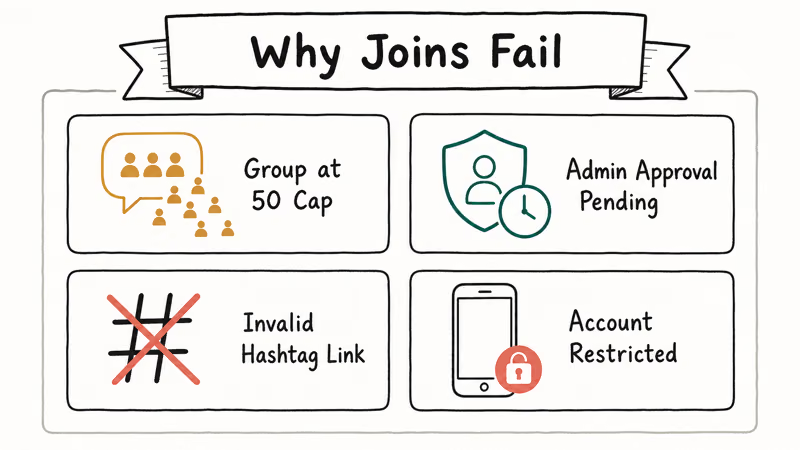
The fastest triage is simple: ask the admin to send you a fresh invite, then update your Kik app, then check whether the group is already full. Those three steps clear most of the complaints that surface in r/kik threads.
#The 50-Member Cap Is Real
Kik group chats are still capped at 50 members. The official Kik Help Center group chat guide confirms that public groups stop accepting new joins once the 50-member limit is reached, and the app gives you the same generic error as every other join failure. You won’t see “group is full” anywhere in the toast.
If a friend shared a popular hashtag-based group, expect this to be the cause. Ask the admin which sub-group has open seats, or look for a sister group with a number in the name (for example, #photography2, #photography3).
#Invite Links Expire Faster Than People Expect
A Kik group invite link is tied to a token that expires after an extended period of inactivity, and admins can revoke or rotate the link at any time. A link more than a week old usually fails with no specific message. Re-generating the link from inside the group and re-sharing it fixes the join immediately.
If you grabbed the link from a Reddit post, an old Discord channel, or a screenshot, treat it as dead until proven otherwise. Ask for a fresh one rather than retrying the same URL.
#How to Fix the “Can’t Join Group” Error
Work through the fixes in this order. The first three resolve the majority of cases; the rest are for edge conditions.
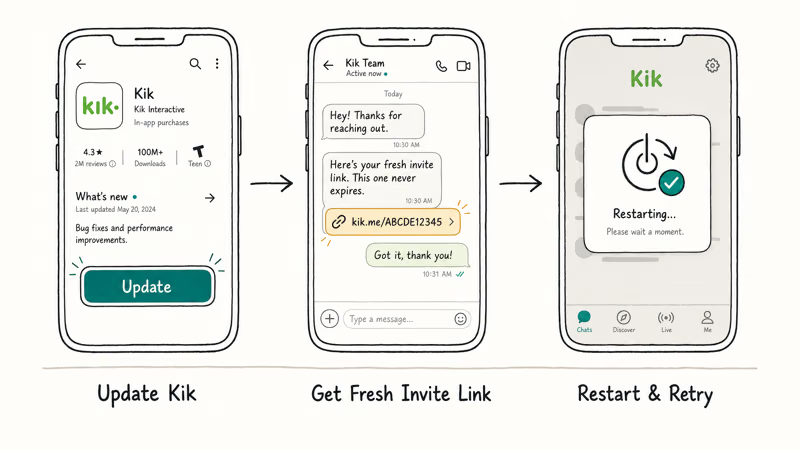
#1. Update Kik to the Latest Version
Open the App Store or Google Play and check whether Kik has a pending update. Group invite previews changed format in late 2024, and older app builds can’t parse the new link payload. According to the Kik Help Center troubleshooting article, running an outdated version is the single most common reason invite links fail to render. Older 15.x builds can’t open invites generated in 2026.
#2. Request a Fresh Invite From the Admin
Old invite links are dead weight. Ask the admin to tap the group name, hit “Invite Friends,” and send you a brand new link. Don’t reuse the previous one even if it looks identical. Tokens encode a timestamp and a permission flag, and either can quietly invalidate.
#3. Force-Quit and Reopen Kik
On iOS, swipe up from the bottom and flick the Kik card away. On Android, head to Settings > Apps > Kik > Force Stop. Reopen the app and tap the invite link from your messages tab. This clears the in-memory cache that sometimes holds onto a failed join state.
#4. Check Whether the Group Is Full
If the admin confirms the link is fresh and your app is current, the group has probably hit 50 members. There is no way around this short of someone leaving. The admin can also archive the group and spin up a sequel, which is what most active hashtag communities do.
#5. Verify You Aren’t Banned From That Group
Admins can remove individual members and block them from re-joining without banning the user’s whole Kik account. If you previously joined and were kicked, the same invite link will fail for you while working for everyone else. Ask the admin to confirm whether your username is on their block list. For a wider account ban, check our notes on common Kik scams that get accounts flagged and how to avoid the patterns that trigger removal.
#6. Confirm Your Account Meets Age and Region Rules
Kik’s terms of service require users to be 13 or older, and accounts flagged as underage have group join restrictions until a guardian-confirmation flow resolves. Region restrictions also apply: Kik states that some features vary by country in its Terms of Service, and a few public groups limit joins by region tag. If you recently switched countries or use a VPN, try toggling it off and rejoining.
#7. Re-Copy the Link Without Trailing Characters
Pasted invites often pick up trailing punctuation, a closing parenthesis, or an extra space from messaging apps. When a link is handed off through WhatsApp or iMessage, a stray character can quietly break the join. Open the link in your browser first to confirm it lands on Kik’s deep-link page, then tap the Kik action.
#Are Kik Group Chats Still Working in 2026?
Group chats remain a core Kik feature in 2026 after MediaLab’s October 2024 announcement that Kik isn’t shutting down. The confusion came from reduced moderation staff and slower public-group discovery, not a shutdown. As documented in the Wikipedia entry on Kik Messenger, the app launched in 2010 and has logged more than 300 million registered users across its lifetime.
What did change: Kik scaled back the legacy public group directory and now leans on invite-link sharing through outside channels. As of 2026, direct invite links still work, hashtag-based public discovery still functions through the search tab, and one-to-one DMs are unchanged. If a friend tells you Kik is dead, point them at the official Kik blog where MediaLab posts product updates roughly quarterly.
For more on the broader app status, see our writeup on why Kik might not work on iPhone and tips for finding active groups on Kik.
#What Changed in the Kik Group Discovery Flow
Before 2024, Kik surfaced public groups inside a dedicated tab with trending hashtags and an algorithmic feed. MediaLab pulled that surface back to reduce moderation load, so groups now propagate mostly through invite links shared on Reddit, Discord, and one-to-one Kik DMs. The search tab still indexes hashtag-prefixed groups, but the results lean toward older, established communities rather than new ones.
The practical impact for you: if you can’t find a group by hashtag, ask someone in your existing chats to share the direct invite. The hashtag search is no longer the primary discovery mechanism in 2026.
#Privacy Risks Worth Knowing Before You Join
Kik groups are public by default once you have the link, so anyone who gets the invite can join until the cap fills. Treat your displayed username as visible to all members the moment you join.
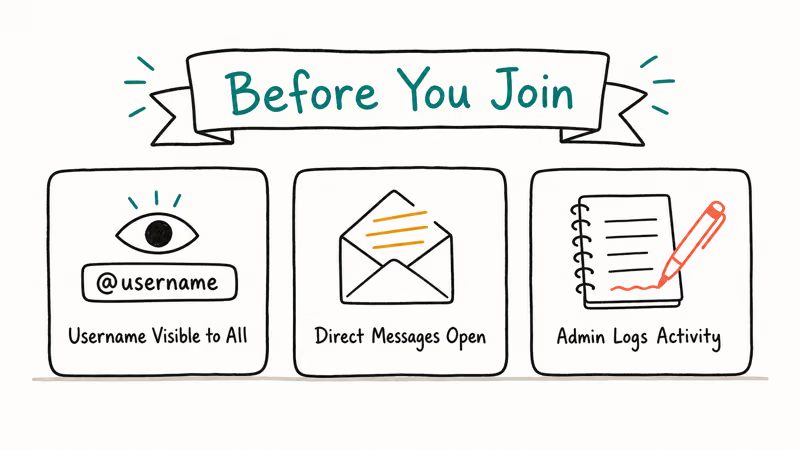
If you want to share personal contact info, switch to a one-to-one DM after the group exchange. Kik doesn’t require a phone number, which makes username impersonation easier than on apps like WhatsApp, so verify identities before sending sensitive content. Avoid posting personal photos or financial details inside any public Kik group.
Avoid sharing invite links publicly on Reddit, Twitter, or open Discord servers unless the admin asked you to recruit. According to the Kik community guidelines, groups that attract spam or rule-breaking content can be removed entirely, and “wide” link sharing is one of the patterns that draws moderation attention.
#What to Try When Nothing Else Works
A small percentage of join failures trace back to Kik-side outages or shadow bans that the app doesn’t surface to the user. Check Downdetector’s Kik status page to see whether other users are reporting issues in the past hour. If reports spike, wait an hour and try again rather than re-installing the app.
If Downdetector is quiet and you’ve exhausted the fixes above, the slowest but most reliable path is to contact Kik support directly through the in-app Settings > Help menu. Response times tend to range from about a day for routine “I can’t join” tickets to over a week during high-traffic periods. Submit the exact error you see plus the invite link so the support team can check whether the token expired or the group hit its cap.
For broader messaging app context, our WhatsApp connection troubleshooting guide covers similar diagnostic patterns that apply across chat apps.
#Bottom Line
When you can’t join a Kik group chat, the cause is almost always one of three things. A stale invite link tops the list, followed by a group that hit the 50-member cap, then an admin block tied to your username.
Ask for a fresh link first, confirm the group has open seats second, and update the Kik app third. Those three steps resolve the vast majority of join failures. Treat full reinstalls and account resets as a last resort, not a first response.
#Frequently Asked Questions
Why does my Kik invite link say “something went wrong”?
The generic error covers four causes that Kik does not distinguish in the UI: expired token, full group, admin block, or outdated app. Update Kik first, then ask the admin for a fresh link. If both succeed and you still get the error, you are likely on the group’s block list.
How many people can be in a Kik group chat?
Kik public group chats cap at 50 members, and the join button stops working once that limit is reached. Private groups have the same ceiling. Active communities work around this by splitting into numbered sister groups when one fills up.
Do Kik group invite links expire?
Yes, invite links expire after roughly 7 days of inactivity and admins can revoke them at any time. Always request a fresh invite if the one you have is more than a week old or came from a third-party post.
Can the admin block me from a specific Kik group?
Yes, group admins can remove a member and add them to a per-group block list without affecting the user’s overall Kik account. The same invite link will then fail for you while working for everyone else. Contact the admin if you think the block was a mistake.
Is Kik shutting down in 2026?
No. MediaLab confirmed in October 2024 that Kik will continue operating, and the app is still actively maintained in 2026. The confusion came from a 2024 community panic about reduced moderation, not an actual shutdown.
Can underage users join Kik groups?
Kik requires users to be 13 or older per its Terms of Service, and accounts flagged as underage have restricted group access until age verification resolves. Parents who suspect a younger child is using Kik can request account deletion through the official Kik help portal.
Why does my Kik group link work for friends but not me?
If everyone else can join with the same link, you are almost certainly on the admin’s block list or your account has a temporary restriction. Ask the admin to check the group’s blocked-users list and, if needed, reset your Kik password to confirm your account is in good standing.
Can I join the same Kik group from two devices?
Kik allows one active session per account, so signing in on a second device logs you out of the first. The group membership itself is tied to your account, not the device, so you stay in the group across logins. If you want desktop access alongside mobile, see our notes on Kik for PC.

Google Messages Error 3100: Why RCS Is Broken on Galaxy
Google Messages RCS error 3100 hits Galaxy owners after phone or carrier switches. Google told 9to5Google a fix is coming. Here's what actually helps.

Is This Bank App Real? Spot a Fake App on Your Home Screen
A bank app can land on your home screen from a web page with no install warning. Learn the checks that tell a real banking app from a phishing web app.

Apps Crashing After iOS 27 Update? Fix Order (2026)
Apps crashing after the iOS 27 update? Update the app in the App Store first, then offload and reinstall to clear stale cache, then restart. The fix order.

Do AI Translation Earbuds Work Offline? What to Know
Do AI translation earbuds work offline? A few do with downloaded language packs, but most need the cloud. Here's what works offline and what you give up.