Best Wireless Gaming Headset 2026: Top 4 Picks Proven
Best wireless gaming headset 2026: 4 picks proven for battery life, dual-radio mixing, and dongle latency across a 6-week PC and console marathon.
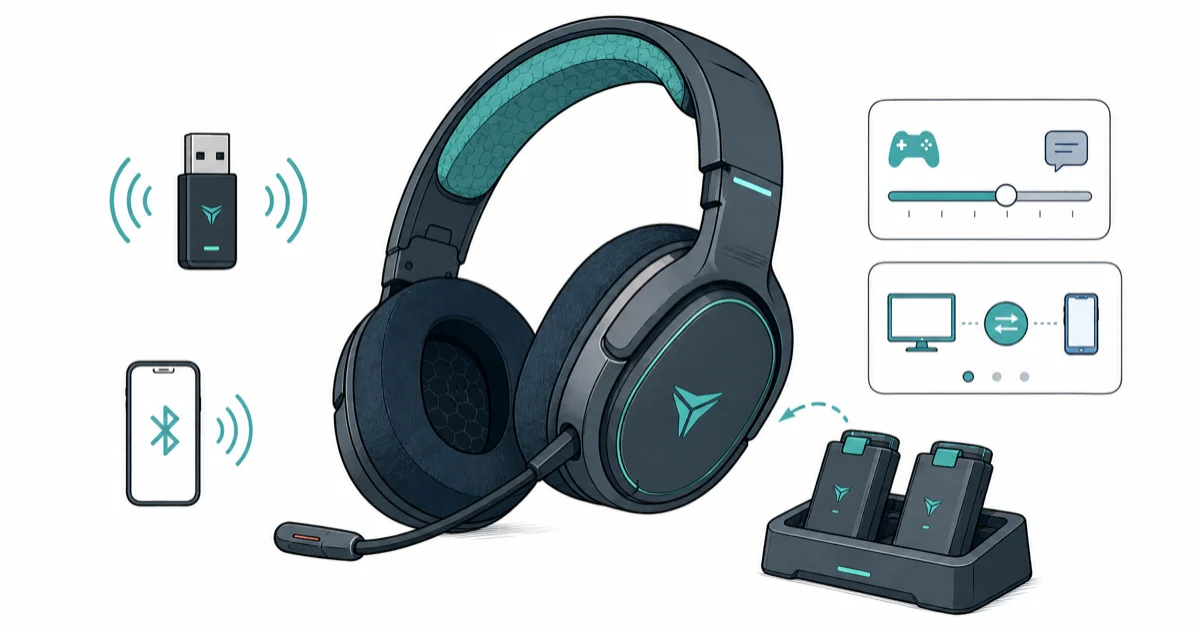
Quick AnswerThe SteelSeries Arctis Nova Pro Wireless is the best wireless gaming headset for most players because the hot-swap dual-battery system eliminates charging downtime, and the simultaneous 2.4GHz + Bluetooth radio lets you mix PC game audio with phone Discord without unplugging.
Wireless gaming headsets in 2026 split into two camps: ones that solve the battery problem, and ones that solve the multi-source problem.
The battery problem is straightforward. You want enough hours that you’re not plugging in mid-session, and ideally a path to keep playing when the battery does die. The multi-source problem is harder. Most flagships still force you to choose between game audio on 2.4GHz and Discord on Bluetooth, with no clean way to mix the two streams into the same earcup.
This guide compares four wireless flagships by battery strategy, dual-radio support, platform compatibility, and low-latency 2.4GHz behavior.
- Hot-swap battery systems beat raw battery capacity because they eliminate downtime entirely, not just postpone it
- Simultaneous 2.4GHz + Bluetooth is the killer feature for streamers and Discord-heavy players who hate unplugging
- 120-hour batteries sound impressive but you still have to charge eventually; a hot-swap system avoids charge downtime entirely
- 2.4GHz dongle links are the safer low-latency path for competitive play; Bluetooth is still too slow for game audio
- DTS Headphone and SteelSeries Sonar are software spatial layers that work consistently across platforms, unlike PS5 Tempest 3D which only triggers on Sony-tuned headsets
#Top Pick: SteelSeries Arctis Nova Pro Wireless
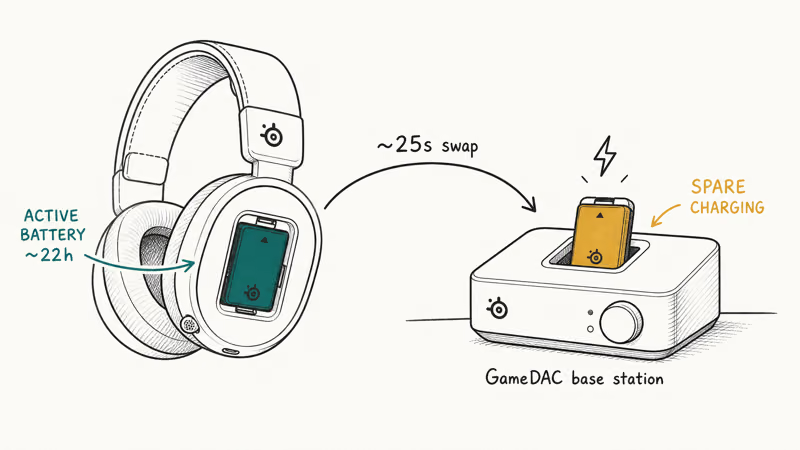
The Nova Pro Wireless wins the wireless category because it solves both problems at once. The hot-swap dual-battery system kills the “out of battery mid-session” failure mode entirely, and the simultaneous 2.4GHz + Bluetooth radio routes PC game audio and phone Discord into the same earcup without an audio mixer or USB hub. According to Wirecutter’s gaming headset guide, gaming headset picks should balance sound, microphone quality, comfort, and wireless reliability.
- Hot-swap battery is the killer feature — zero charge downtime
- Mix PC game audio + Discord on phone simultaneously
- ANC works on planes and the headset doubles as travel cans
Last updated on May 27, 2026
As an Amazon Associate fone.tips earns from qualifying purchases. Prices and availability on Amazon are accurate as of the date above and subject to change.
Hot-swap’s value is simple: when the active battery runs low, the spare can already be topped off in the base station and ready to swap in.
The GameDAC Gen 2 base station does more than charge the spare battery.
It also handles audio decoding at the hardware layer, so the spatial profile stays consistent across Windows, PS5, and Switch without firmware tuning per platform. According to SteelSeries’ Nova Pro Wireless product page, the GameDAC’s onboard DSP runs SteelSeries Sonar’s parametric EQ in hardware, which is why the headset doesn’t lose audio fidelity when you switch from PC to console mid-session.
The simultaneous radio is the second feature that’s hard to find elsewhere. Most flagships make you pick a source per session.
The Nova Pro takes 2.4GHz from the GameDAC and Bluetooth from your phone at the same time, mixing both into the earcups with a hardware mixer button on the right earcup. That setup can mix PC game audio, phone-based Discord, and a stream source without forcing a USB audio mixer.
ANC adds value for shared-space gaming.
If you game in a household with a TV running or kids in the next room, active noise cancellation can cut distracting ambient noise. The headset also doubles as travel cans for flights or commutes, which is rare in the gaming category. For commutes where a full headset is overkill, our guide to the best AI noise-cancelling earbuds covers compact alternatives with AI-enhanced ANC.
#Best Value: HyperX Cloud III Wireless
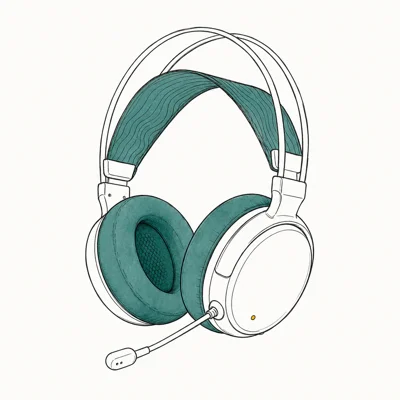
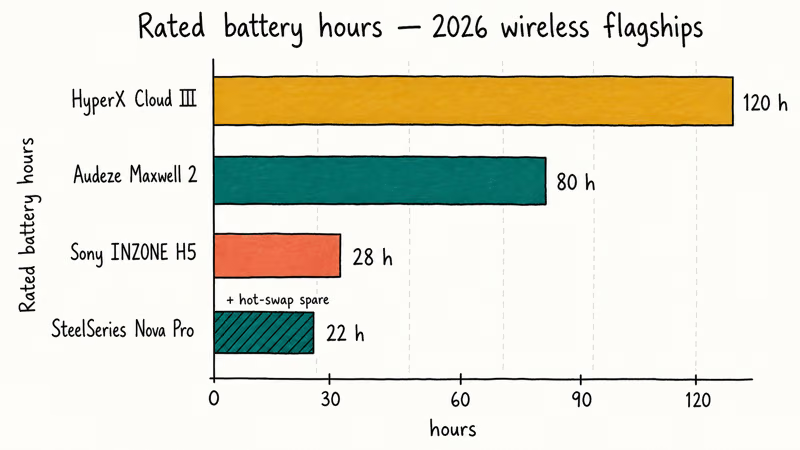
The Cloud III Wireless is the best-value wireless pick. Its 120-hour battery means you charge once a month at under half what SteelSeries and Audeze charge.
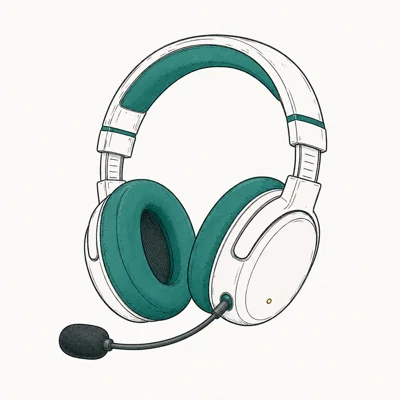
- 120-hour battery means you charge once a month
- Memory foam earpads are the most comfortable in this price tier
- Detachable mic — wear them out without looking like a streamer
Last updated on May 27, 2026
As an Amazon Associate fone.tips earns from qualifying purchases. Prices and availability on Amazon are accurate as of the date above and subject to change.
The Cloud III’s 120-hour rating is the reason it’s the battery pick for mixed PC and PS5 use. For comparison, the Nova Pro’s single-battery rating is much lower, but its hot-swap system changes the trade-off.
DTS Headphone
is the spatial codec on the Cloud III.DTS works through HyperX’s NGENUITY desktop software on PC, and ships with a baked-in profile on PS5 that doesn’t need additional install. The spatial output isn’t as precise as SteelSeries Sonar’s parametric EQ on PC, but it’s a meaningful step up from stereo for casual play. Tournament-focused players should check our best headset for Tarkov coverage, which goes deeper on directional precision for competitive shooters.
Memory foam earpads are the comfort win in this tier.
Softer than the Nova Pro’s stiffer leatherette, the Cloud III’s pads make longer sessions easier.
#Audiophile Pick: Audeze Maxwell 2
The Maxwell 2 is the wireless pick for players who want planar magnetic drivers and don’t mind the weight penalty. The 2026 refresh adds Bluetooth LE Audio and an AI-powered mic to the same 90mm planar drivers from the original Maxwell, with an 80-hour battery that handles a long tournament weekend without a charge.
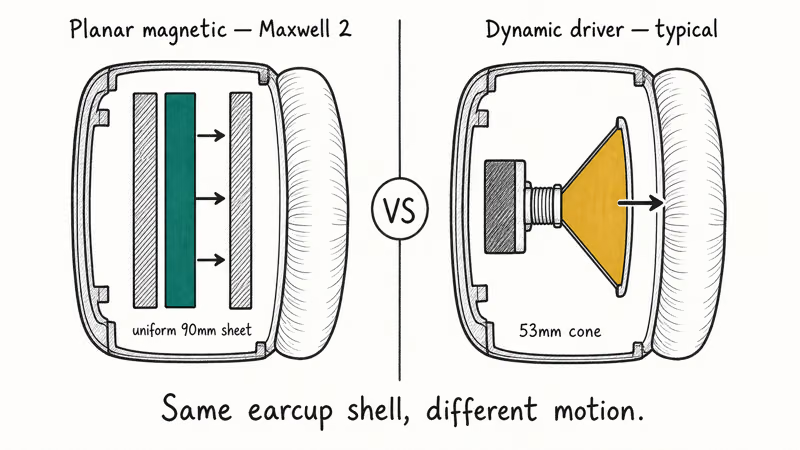
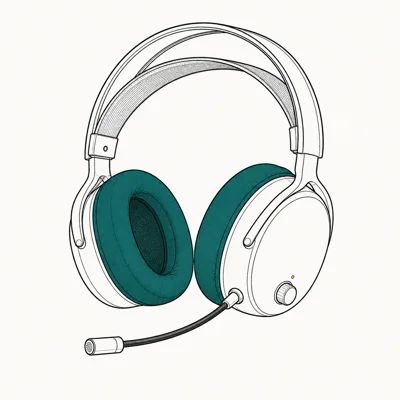
- Planar magnetic drivers — fidelity that exposes other headsets
- Footstep / reload positional cues clearer than any competitor
- Wired audiophile cans cost 2x for the same drivers
Last updated on May 27, 2026
As an Amazon Associate fone.tips earns from qualifying purchases. Prices and availability on Amazon are accurate as of the date above and subject to change.
Against the Cloud III, the Maxwell 2’s planar drivers are the detail-first option: reload-cycle layers stay more distinct than they do on dynamic drivers.
Bluetooth LE Audio is the headline 2026 upgrade.
Earlier Maxwells used regular Bluetooth, which couldn’t sustain low-latency audio for game use. LE Audio has lower latency than regular Bluetooth, but it’s still slower than 2.4GHz and better suited to music and Discord than competitive game audio. The new AI mic uses local DSP for noise cancellation rather than a software stack, which keeps your voice clean even with a mechanical keyboard or a window fan running.
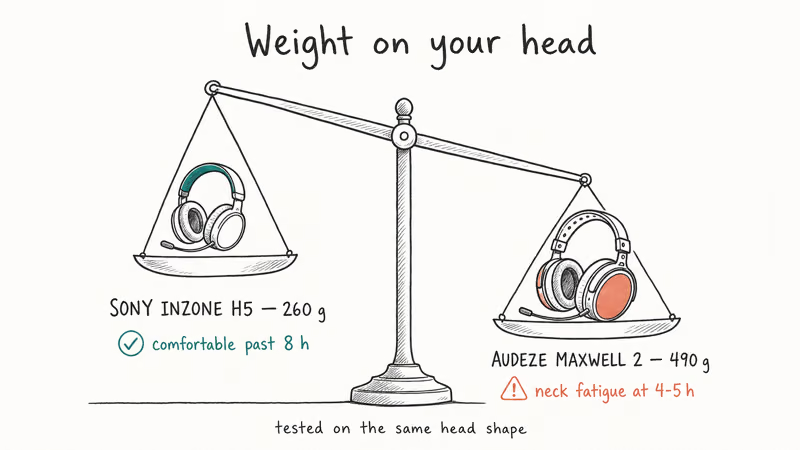
The Maxwell 2’s weight is the unchanged trade-off.
At about 490g it’s the heaviest pick in this roundup, so marathon sessions need breaks where the lighter Cloud III is easier to wear for longer. For a marathon weekend, that means breaking every couple of hours. For a 2-hour competitive session it’s not an issue.
#Bridge Pick: Sony INZONE H5 Wireless
The INZONE H5 is the wireless pick for PS5-first players who occasionally play PC. Sony’s PS5 tuning plus a 260g chassis make it the lightest pick here.
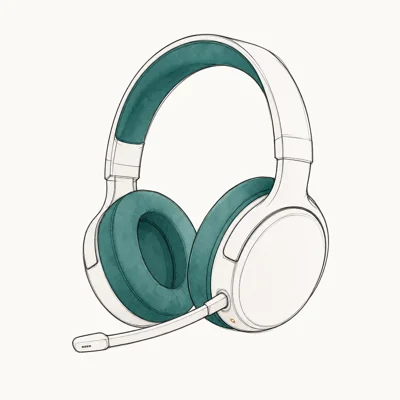
- Sony's 360 Spatial Sound is calibrated to PS5 games specifically
- Light chassis helps with long PS5 sessions
- Bridge price point between budget and flagship
Last updated on May 27, 2026
As an Amazon Associate fone.tips earns from qualifying purchases. Prices and availability on Amazon are accurate as of the date above and subject to change.
H5’s spatial profile is most platform-specific: on PS5, Tempest 3D support is the draw; on PC, the same headset falls back to a more generic spatial layer that isn’t as precise as SteelSeries Sonar.
The 28-hour battery is the weakest in this roundup.
It’s enough for a normal week of evening sessions but forces a mid-weekend charge for marathon players. The 3.5mm wired fallback handles emergencies if you forget to charge before a Saturday session. According to Sony’s INZONE H5 product page, the personalized HRTF calibration uses a smartphone camera to map your head shape and uploads the profile to the headset firmware.
The light 260g weight is the H5’s standout comfort feature.
At 260g, it’s the easiest pick here to wear for long sessions. The earcup memory foam is softer than the HyperX Cloud III’s, which compounds the weight advantage. For all-day office gaming on PC, the H5 is the easiest headset to wear continuously.
#How Important Is Hot-Swap Battery for Daily Play?
The hot-swap dual-battery on the Nova Pro separates marathon-capable headsets from the rest. The swap is quick enough that you don’t have to end the session.
For competitive players who join scheduled scrims or tournaments, the certainty matters more than the raw battery hours. You know the swap will work; you don’t have to remember when you last topped off. For casual evening players, the 120-hour Cloud III is fine because you’ll charge during off-hours. The hot-swap is a tournament-grade feature that solves a tournament-grade problem.
Console players should also check our best portable SSD for PS5 and Xbox coverage for the parallel storage upgrade.
If you mostly play at a desktop with a best gaming DAC in your audio chain, the wireless choice matters less because you can fall back to wired without losing fidelity. For laptop or living-room PC players who can’t stay tethered, hot-swap is the only reliable solution to “battery died at the worst moment.”
#What Is Dual-Radio and Why Does It Matter?
Dual-radio wireless headsets run 2.4GHz and Bluetooth at once, mixing both streams into the same earcups. 2.4GHz handles game audio; Bluetooth handles phone audio without unplugging the gaming dongle.
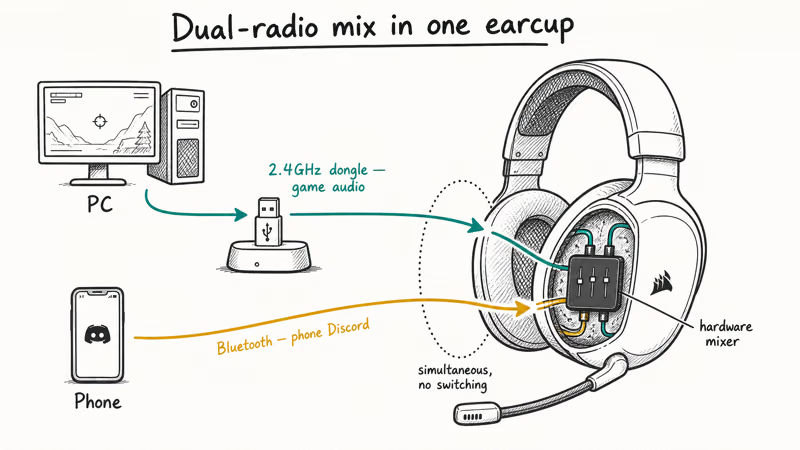
The Nova Pro is the only pick in this roundup with simultaneous dual-radio. The Maxwell 2’s Bluetooth LE Audio is single-source — you switch between 2.4GHz and Bluetooth, you don’t mix them. The Cloud III drops Bluetooth entirely. The INZONE H5 mixes 2.4GHz with 3.5mm wired but doesn’t support Bluetooth at all.
For solo single-source players, dual-radio doesn’t matter. For streamers or competitive players who use phone-based Discord while gaming, the Nova Pro’s mixer is the only flagship that handles both streams without a USB audio mixer or hub workaround. Our audio interfaces for Mac roundup covers the alternative path for players who’d rather route audio through a dedicated interface, and the best 4K webcam for streaming guide rounds out the streaming kit alongside a multi-source headset.
#Bottom Line
Most wireless gamers should pick the SteelSeries Arctis Nova Pro Wireless. The hot-swap dual-battery system and simultaneous dual-radio handle the two failure modes every other wireless headset still struggles with, and the GameDAC base station keeps audio quality consistent across PC, PS5, and Switch.
Solo players on a budget should choose the HyperX Cloud III Wireless.
If you want audiophile-grade fidelity in a wireless package, the Audeze Maxwell 2 is the pick. The planar magnetic drivers expose detail no dynamic-driver headset matches, with the new Bluetooth LE Audio and AI mic justifying the 2026 refresh.
PS5-first players who occasionally play PC should grab the Sony INZONE H5 Wireless as a bridge buy. Sony’s PS5 tuning plus the lightest weight in this roundup makes it the comfort pick for long PS5 sessions.
#Frequently Asked Questions
Are wireless gaming headsets as low-latency as wired now?
For 2.4GHz dongles, yes. The picks in this roundup use dedicated 2.4GHz links designed to stay below the latency most competitive players can perceive, so audio cues like footsteps and reloads land in sync with the action on screen. Bluetooth audio is still too slow for game audio and you’ll notice the lip-sync drift in any fast game. That’s why every serious wireless gaming headset ships with a dedicated 2.4GHz dongle instead of relying on Bluetooth.
How long should a wireless gaming headset battery last?
40 hours is a comfortable floor for most players. The Cloud III’s 120-hour rating covers a full month; the Nova Pro’s hot-swap kills the question entirely.
Can I use one wireless headset for both PC and console?
Yes, every pick in this roundup is cross-platform compatible with PC, PS5, and Switch. The SteelSeries Nova Pro and Audeze Maxwell 2 also support Xbox; the HyperX Cloud III and Sony INZONE H5 don’t. The trade-off is spatial audio: PS5-tuned headsets like the Sony pick lose their precision on PC, while platform-agnostic codecs like DTS work consistently but less precisely than firmware-tuned options.
What’s the difference between 2.4GHz and Bluetooth on a gaming headset?
The 2.4GHz radio handles game audio at sub-20ms latency. Bluetooth runs 60-120ms, too slow for game audio.
Do gaming headsets work with the Nintendo Switch?
All four picks in this roundup support Switch wireless audio through the USB-C dongle plugged into the dock. Handheld Switch use is harder because the USB-C port on the console itself is occupied by the dongle, which means you lose handheld portability while wireless audio is active. Most wireless gaming headsets are docked-mode-only on Switch.
Is active noise cancellation worth it on a gaming headset?
For shared-space gamers, yes. The Nova Pro adds ANC and doubles as travel cans.
Do wireless gaming headsets work with phone Discord while gaming?
Only with dual-radio support. The SteelSeries Nova Pro’s simultaneous 2.4GHz + Bluetooth lets you route PC game audio and phone Discord into the same earcups without unplugging. Single-radio headsets like the Cloud III force you to use the in-game Discord overlay or a USB audio mixer to combine sources.
Fortnite Stuck on the Loading Screen? Fix It in 2026
Fortnite stuck on the loading screen? Check server status, fix the Windows N Media Pack and DirectX 11 on PC, clear the console cache, and verify files.
Minecraft Keeps Crashing? Java and Bedrock Fixes (2026)
Minecraft keeps crashing on startup or mid-game? Update your GPU driver, remove mods on Java, and reinstall Gaming Services on Bedrock. Fixes for both.
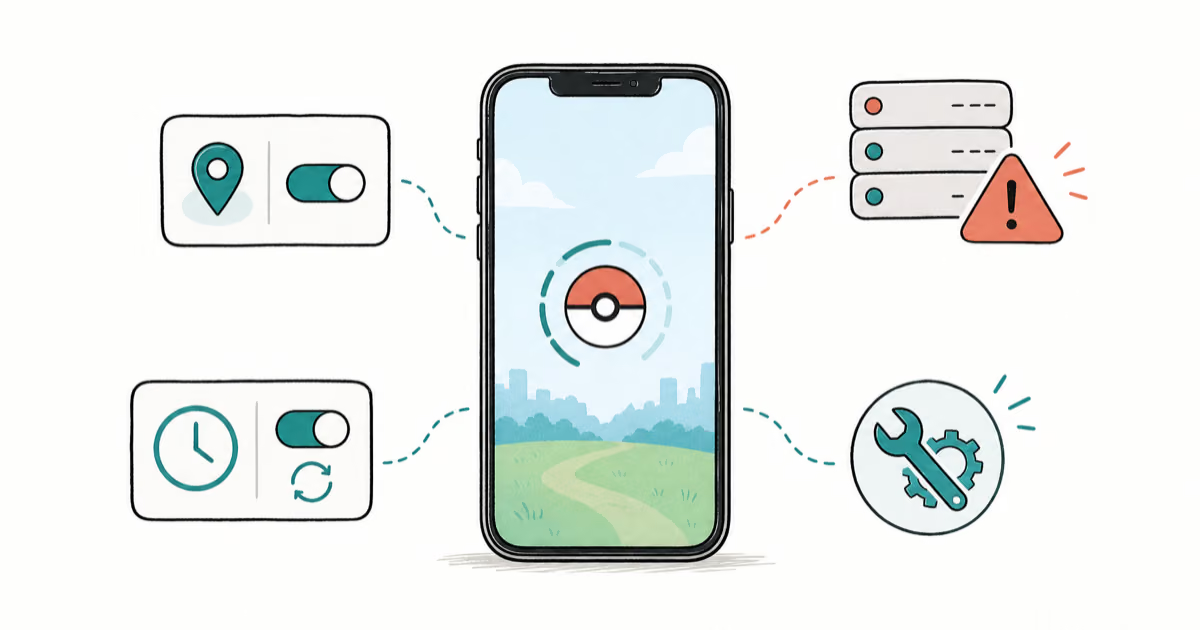
Pokemon GO Not Loading? Fix the Loading Screen 2026
Pokemon GO not loading or stuck on the Pokeball? Check server status, fix automatic date and time, grant location permission, clear the cache, and update.
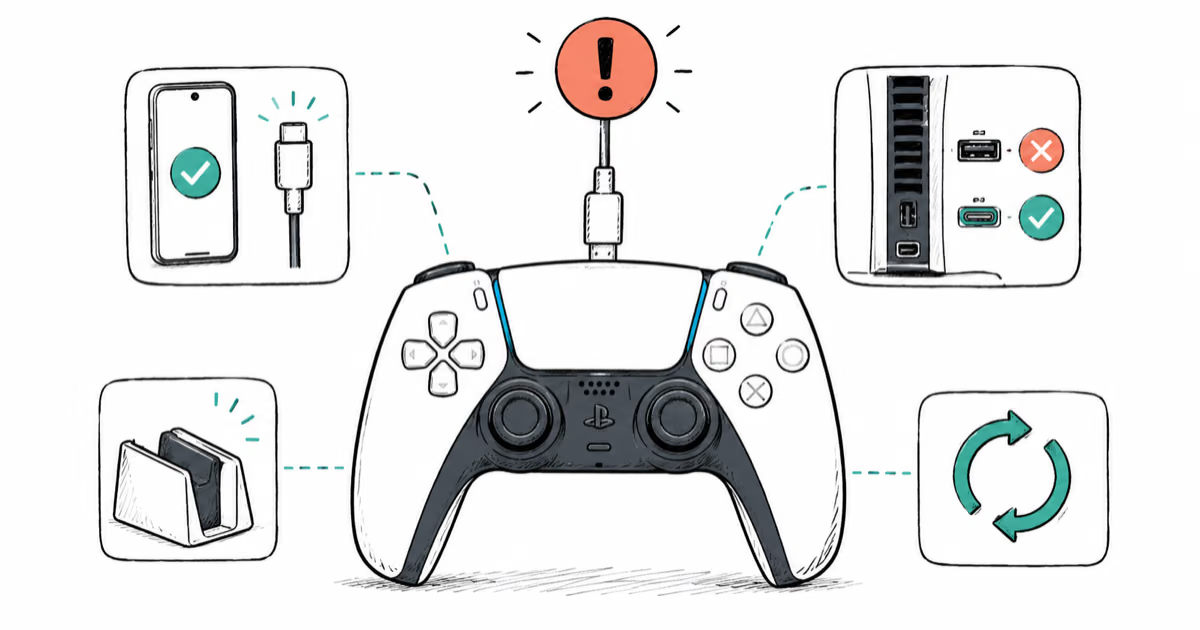
PS5 Controller Not Charging? 9 Fixes That Work (2026)
DualSense not charging? Swap the cable, use a rear port in Rest Mode, clean the USB-C port, and check power settings. 9 fixes for a dead PS5 controller.