Best 4K Webcam for Streaming 2026: OBS and Twitch Picks
Best 4K webcam for streaming in 2026: compare specs, OBS compatibility, tracking, USB-C bandwidth, and Twitch or YouTube streaming workflows.
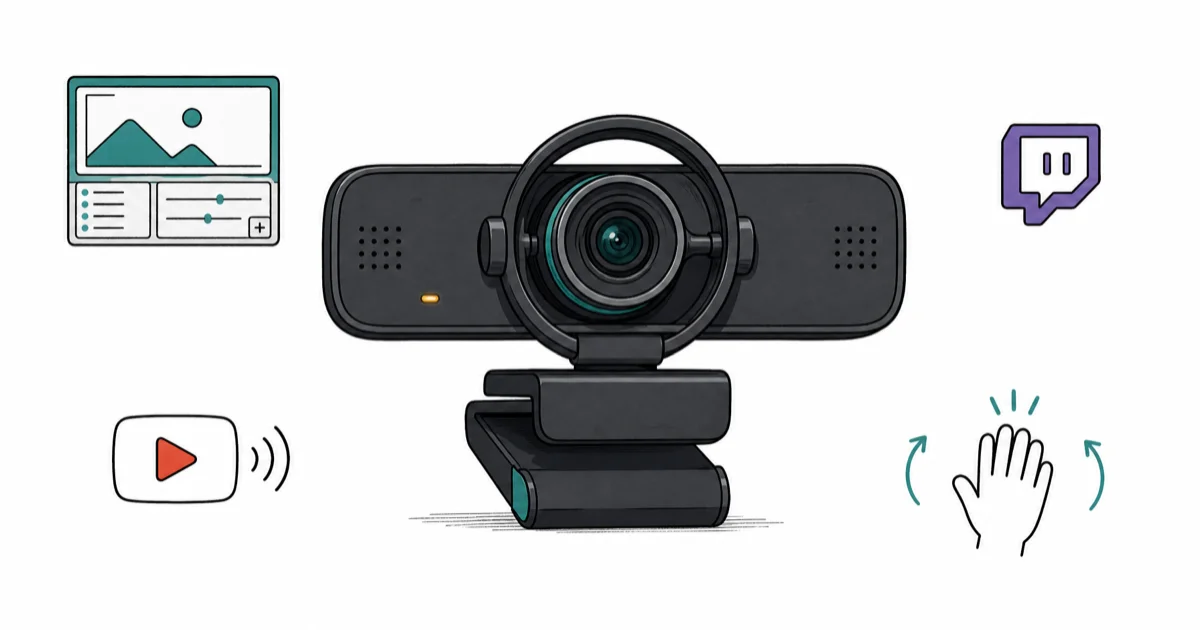
Quick AnswerFor most streamers, the Insta360 Link 2 is the best 4K webcam: real mechanical gimbal tracking, true 4K to OBS, and gesture controls that beat any electronic crop.
Most 4K webcams cheat.
They run a 4K sensor, crop a region, and call it AI tracking. A real streaming 4K webcam pushes full 4K into OBS, follows you with a mechanical gimbal that physically moves rather than crops, and is built for sustained streams without heat-related resolution drops.
- True 4K to OBS is rare; most “4K” webcams cap their OBS stream to 1080p and only feed 4K to local recording software
- A mechanical gimbal beats AI electronic crop tracking for fast movement because the sensor physically follows you instead of cropping a smaller region
- Twitch caps ingest at 1080p60 for most partners, so 4K capture pays off in clean downscaled 1080p and post-stream YouTube uploads, not raw stream resolution
- USB-C native cameras avoid the dropped-frame chaos that USB-A cameras hit on long sessions when the bus shares bandwidth with capture cards
- Gesture control and DeskView mode can replace a second camera for show-and-tell streams
#Why 4K Capture Matters for Streamers
Streaming services downscale your feed. According to Twitch’s broadcast guidelines, partner ingest caps at 6000 kbps and 1080p60, so a 4K source still arrives at viewers as 1080p. So why pay for 4K hardware? According to Wirecutter’s webcam guide, webcam recommendations should account for real image quality and calling setup, not advertised resolution alone.
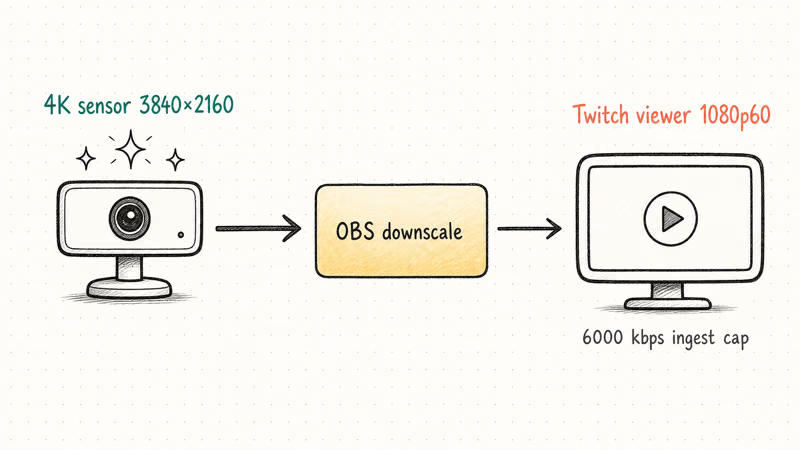
Three reasons matter here.
Oversampled downscale looks cleaner than a native 1080p sensor. Local recording for YouTube reposts keeps a full-resolution master file. AI crop and tracking modes need pixel headroom to zoom into a region without quality loss.
A 4K camera with a 1/2-inch sensor and decent optics produces a sharper 1080p stream than a 1080p webcam at the same price point, every time. The pixel-binning happens in hardware, the noise floor drops, and the dynamic range against a backlit window goes up.
Oversampling is the unsung win here.
For YouTube-side reposting of your stream highlights, a 4K master file makes the difference between 720p clip-quality uploads and crisp 4K content that gets recommended. Stream live, edit local, post in 4K.
#Best 4K Streaming Webcam: Insta360 Link 2
The Insta360 Link 2 is the streaming pick. It pushes real 4K into OBS, tracks you on a 2-axis mechanical gimbal that physically follows your motion instead of cropping a region, and adds gesture control that starts tracking without touching your scene.
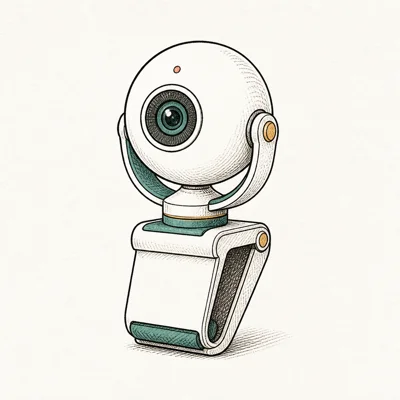
- Mechanical gimbal physically follows you — no electronic crop
- DeskView + Whiteboard modes replace a second camera
- Gesture control starts tracking without touching software
Last updated on May 27, 2026
As an Amazon Associate fone.tips earns from qualifying purchases. Prices and availability on Amazon are accurate as of the date above and subject to change.
The Link 2’s 2-axis mechanical gimbal can keep a subject centered through chair swivels and standing-up moments more reliably than electronic-crop tracking.
Electronic tracking on competitor cameras zooms into the sensor center, then crops a region around your face. The moment you move beyond the sensor edge, tracking fails. The gimbal sidesteps that entire failure mode.
Gesture control is the surprise feature. A two-finger gesture starts tracking, an L gesture toggles whiteboard mode, no hotkey or scene change needed. For a solo streamer mid-game, it’s a real workflow win.
DeskView mode tilts the gimbal down 90 degrees for a top-down view of the desk surface, useful for craft streams, tutorial demos, or showing a controller during retro game sessions. Whiteboard mode auto-corrects for off-axis whiteboards behind you, the streaming equivalent of Apple’s Studio Light feature on phones.
The trade-off is mechanical noise.
The gimbal motors are nearly silent but not silent. If your stream mic sits within 6 inches of the camera, you’ll occasionally hear the smallest servo whine during a fast pan. Most streamers run a boom-arm mic far enough away that this never registers.
#Best Value 4K Pick: Logitech MX Brio
If you don’t need mechanical tracking and want a true 4K sensor that holds its own through long streams, the Logitech MX Brio is the value alternative. It costs less than the Insta360 Link 2, pushes clean 4K to OBS local recording, and uses the same Sony Starvis sensor family that other premium cameras charge much more to ship.
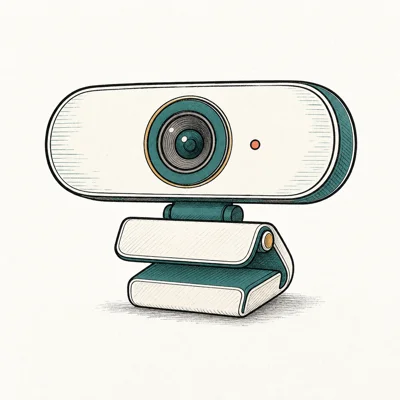
- Aluminum build feels at home next to a MacBook
- Show Mode tilts to a desk view without a second camera
- 8.5MP sensor outclasses Brio 500's older silicon
Last updated on May 27, 2026
As an Amazon Associate fone.tips earns from qualifying purchases. Prices and availability on Amazon are accurate as of the date above and subject to change.
The MX Brio captures 4K30 over USB-C and uses an 8.5MP Sony Starvis sensor, which oversamples nicely when OBS encodes the stream down to 1080p60 for Twitch.
Show Mode swings the camera body to point at the desk for a downward view. It’s not as elegant as the Link 2’s full gimbal tilt, but it works for showing hardware, books, or printed cards during a stream.
Where the MX Brio loses ground is tracking.
There’s no AI tracking, no electronic crop following, no gimbal at all. If you stand up or scoot your chair sideways, you’re out of frame until you scoot back. That’s fine for chair-bound streamers; not fine for active hosts.
On an older CPU, NVENC offload helps; a dedicated capture card helps more.
#Reliable 1080p Pick: Logitech Brio 500
Most streamers don’t need 4K capture. They need a clean, predictable 1080p feed that survives long sessions and looks good in backlit settings. The Brio 500 is that pick: USB-C, RightLight 4 exposure, and three FOV presets at a fraction of the Insta360 Link 2’s price.
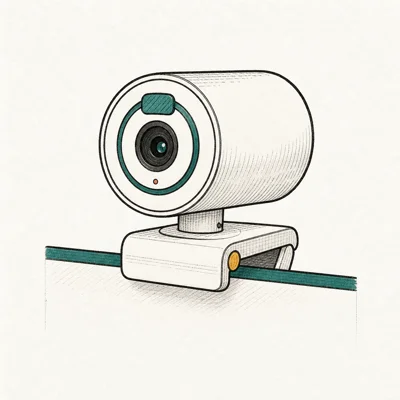
- RightLight 4 nails exposure in a backlit window without tweaking
- USB-C plus a real privacy shutter at $130
- Three FOV presets cover headshot through whiteboard
Last updated on May 27, 2026
As an Amazon Associate fone.tips earns from qualifying purchases. Prices and availability on Amazon are accurate as of the date above and subject to change.
Exposure is where the Brio 500 stands out.
At 1080p60, the Brio 500 can look close to the MX Brio after both feeds are downscaled before reaching the encoder. The Brio 500 lacks the 4K sensor headroom for clean local recording, but for streamers who don’t repost in 4K, that gap matters less.
RightLight 4 reads the scene before exposure shifts kick in, holding skin tones against a bright window without manual tweaking. Three FOV presets at 65, 78, and 90 degrees let you switch from solo headshot to two-person guest scene without changing cameras.
USB-C plus a real privacy shutter at $130 is the headline for this tier.
#Best Budget Streaming Webcam: Anker PowerConf C200
For new streamers building out a first stream setup on a tight budget, the PowerConf C200 is the honest entry. 2K resolution beats 1080p competitors at the same price, USB-C avoids the adapter dance, and the 9000+ Amazon review count means failure modes are well documented.
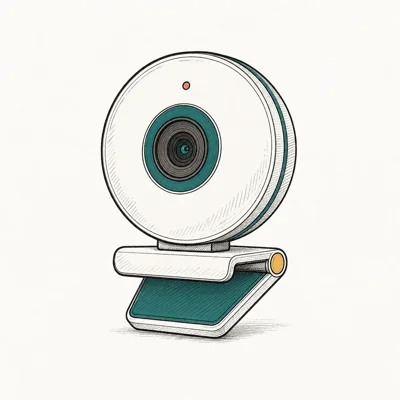
- 2K resolution at the price of competitor 1080p cams
- Three FOV presets without opening sketchy software
- Real sliding privacy cover, not a sticker
Last updated on May 27, 2026
As an Amazon Associate fone.tips earns from qualifying purchases. Prices and availability on Amazon are accurate as of the date above and subject to change.
The C200’s 2K30 capture can be downscaled to 1080p60 for Twitch ingest, giving it more pixel headroom than native-1080p competitors in the same price bracket. The 9067 Amazon reviews mean any failure mode is searchable.
The catch is build and tracking. Plastic body, no AI tracking, no gimbal. For a starter streaming setup that needs to land under $80 total, that’s an honest trade.
#How Do You Get True 4K Into OBS?
OBS Studio doesn’t always recognize 4K from a camera that advertises it. The fix is two settings deep and worth knowing before you blame the hardware.
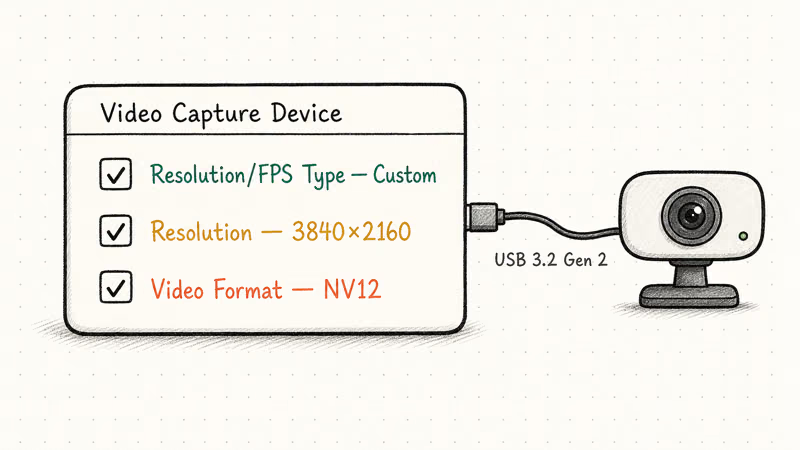
According to OBS Studio’s Video Capture Device docs, the device’s Resolution/FPS Type must be set to Custom, the Resolution to 3840x2160, and the Video Format to NV12 or MJPEG (depending on the camera). Default settings push the camera to 1080p regardless of capability.
Check Device Manager (Windows) or System Information (macOS) to confirm the webcam negotiates USB 3.x. A USB 2.0 bus caps webcam bandwidth at roughly 1080p30 regardless of the camera’s spec sheet, because the bus itself can’t carry uncompressed 4K frames at usable framerates. USB-C cameras on a modern motherboard almost always train at USB 3.2 Gen 2; the problem usually hides on older front-panel ports.
If OBS shows a black screen instead of camera feed after these settings, our fix OBS black screen guide covers the device-permissions and source-collision fixes that aren’t visible in OBS itself.
#Does AI Tracking Replace a Camera Operator?
For solo streamers, yes, mostly. AI tracking handles the work a second camera operator would do on a TV broadcast.
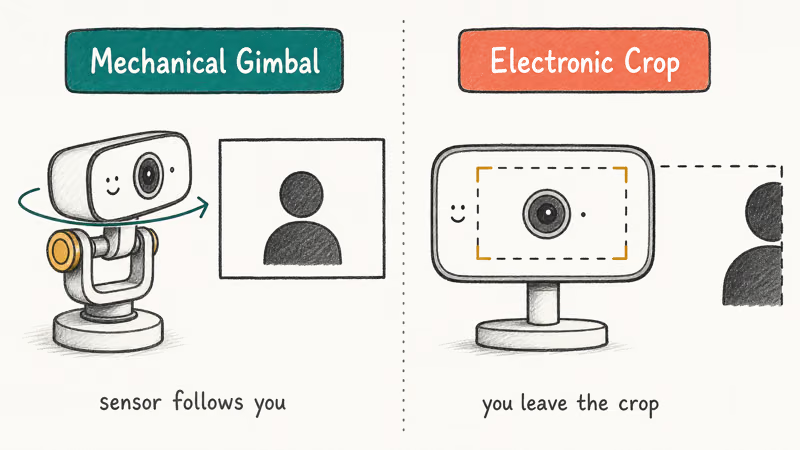
The Insta360 Link 2’s mechanical gimbal tracking is the clearest example. Stand up to grab something off the shelf, sit back down, lean over to a controller; the gimbal pans and tilts to keep you centered. Electronic crop tracking on competitor cameras does the same job within the sensor area, but loses you the moment you move past the original crop region.
For streams where you’re stationary 99 percent of the time (chair-bound gaming, podcast format, just-chatting at a desk), tracking is a luxury and the MX Brio’s fixed framing wins on price. For active streams (cooking, fitness, room walkthroughs), the gimbal is the difference between a stream that follows you and a stream that loses you.
If audio sync breaks during a Discord-piped stream, the camera usually isn’t at fault. Our Discord stream no sound guide covers the audio routing fixes between OBS and Discord that catch most new streamers off guard.
For MacBook-based streamers who don’t need a Windows-PC OBS setup, our best webcam for MacBook roundup focuses on macOS-native picks with Continuity Camera comparison. For a cross-platform roundup covering all use cases beyond streaming, our best webcams of 2026 guide covers the full field.
#Bottom Line
Active streamers want the Insta360 Link 2.
Mechanical gimbal tracking, real 4K to OBS, and gesture control make it the closest thing to having a camera operator on staff. Long streams can hold focus without heat-related resolution drops, and DeskView mode replaces a second camera for craft and tutorial work.
YouTube reposters want the Logitech MX Brio.
True 4K capture for clean local recording, below Insta360 pricing, and good enough oversampled 1080p for any chair-bound stream where mechanical tracking is a luxury.
Most beginner streamers get more from a clean Logitech Brio 500 at $130 than from a 4K camera they’ll never push above 1080p. RightLight 4 exposure and a real privacy shutter cover the day-to-day fundamentals.
Builders running OBS on an entry stream PC can land the Anker PowerConf C200 at $60 and bank the savings for a better capture card or microphone, which usually move the needle further than camera resolution at this tier. Compare with our best streaming PC for the rest of the build, and our Fraps vs OBS breakdown for capture software choices.
#Frequently Asked Questions
Can OBS actually capture 4K from a 4K webcam?
Yes, with the right settings. OBS Video Capture Device must use Custom resolution at 3840x2160, NV12 or MJPEG format, and a USB 3.x port on the motherboard. Default OBS settings cap most webcams at 1080p regardless of the camera’s true capability.
Will Twitch viewers see 4K from a 4K webcam?
No. Twitch ingest caps participant streams at 1080p60 for partners. The 4K source still produces a cleaner 1080p arrival through oversampling.
Is a webcam with mechanical gimbal tracking worth it?
For active streamers, yes, the difference is night-and-day. The Insta360 Link 2’s 2-axis gimbal physically pans and tilts to follow you, so leaving the original frame doesn’t end tracking. Electronic crop tracking on cheaper cameras loses you the moment you move past the digital crop region. The gimbal handles standing up, leaning to a controller, and chair-scoot moments that defeat any cropped-tracking camera.
What’s the best 4K webcam for YouTube uploads?
The MX Brio is the value pick. The Insta360 Link 2 is the premium pick. Both keep clean local 4K masters.
Do I need USB-C for a 4K webcam?
You need USB 3.0 or higher, period. USB-C is the common modern connector, but USB-A 3.0 ports work fine. USB 2.0 ports silently negotiate any 4K-rated camera down to 1080p30 with no error message, so check whether you’re plugged into a front-panel USB 2.0 jack before blaming the camera itself for low resolution.
Will a 4K webcam work with Discord screen share?
Yes. Discord caps video at 1080p60 (Nitro) or 720p (free), so the 4K camera improves source quality through oversampling but viewers see Discord’s tier limit.
How long can a 4K webcam stream before overheating?
Quality 4K webcams are built for sustained streams. The Insta360 Link 2 is the safer pick here because modern cooling and USB-C bandwidth matter more than a spec-sheet 4K badge. Cheaper 4K cameras using older silicon can drop frames when the body heats up against a closed laptop lid, which is why we don’t recommend those at this price.

Pixel 11 vs Pixel 10: What Changed and Who Should Upgrade
Pixel 11 vs Pixel 10: same screen and camera resolution, new Tensor G6, 25W wireless, and Gemini Intelligence. Here is who should actually upgrade.

Best Power Bank for iPad in 2026: Pro, Air, and Mini
Best power bank for iPad in 2026. Compare mAh tiers and USB-C PD wattage for iPad Pro, Air, and mini, plus airline Wh math, cables, and travel tips.

Best Power Bank With Built-In Cable: Top 2026 Picks
Best power bank with built-in cable picks for 2026. Compare single USB-C, multi-connector, and retractable laptop banks, plus airline Wh math.

Best Apple Watch Band for Working Out: Proven Picks
The best Apple Watch band for working out handles sweat and stays put on your wrist. Compare silicone, nylon, and titanium picks for runs and lifts.