Best Laptop Under $500 in 2026: What You Can Actually Get
The best laptop under $500 in 2026, plus what to expect and where to compromise. Picks for browsing, office work, and students on a tight budget.

Quick AnswerThe best laptop under $500 in 2026 is the Acer Aspire Go 15, a full Windows machine with DDR5 RAM and an SSD for around $299. Chromebooks last longer on battery.
The best laptop under $500 in 2026 is no longer a sad compromise. Budget machines now ship with DDR5 memory, real SSDs, and battery life that clears a workday. The trick is knowing where the corners get cut before you buy.
- The Acer Aspire Go 15 is the consensus value pick at around $299, with an Intel Core 3 N355, 8GB DDR5 RAM, and 10-plus hours of tested battery.
- 8GB of RAM is the practical floor for smooth multitasking in 2026; 4GB Chromebooks struggle once you open several tabs.
- Chromebooks beat budget Windows laptops on battery, with some clearing 12 hours versus under 9 for most sub-$500 PCs.
- Expect a plastic build, a 720p webcam, and tight 128GB storage at this price; plan to add a microSD card or external drive.
- A 2026 RAM-price spike has squeezed budget specs, so lock in a good config when you find one rather than waiting for a deeper sale.
#What Can You Realistically Expect Under $500?
A sub-$500 laptop in 2026 is a capable everyday machine, not a workhorse. It handles web browsing, Google Docs or Microsoft Office, email, video calls, and streaming without complaint. According to Tom’s Guide’s budget laptop testing, the Acer Aspire Go 15 starts around $299 yet still clears 10 hours of battery, which would have been unthinkable at this price two years ago.
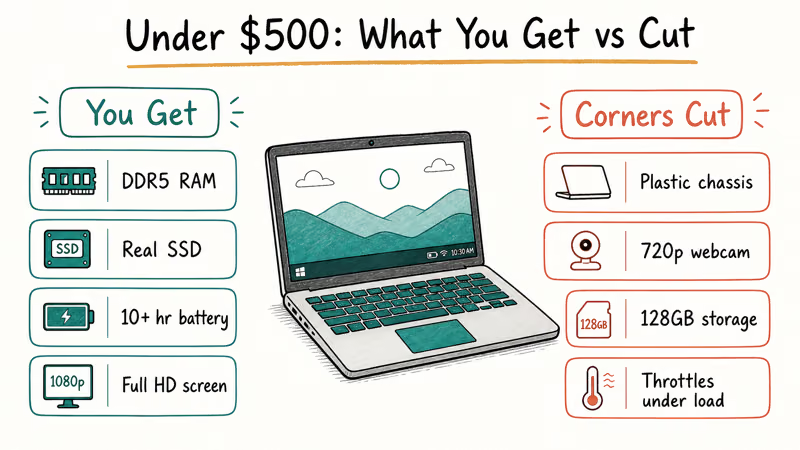
The compromises are predictable: a plastic chassis that flexes, a 720p webcam, and storage that fills up fast. Many start at just 128GB.
Performance has a ceiling. These machines throttle under sustained load, so photo editing, video encoding, and heavy 3D work cause heat and slowdowns within minutes. If that’s your workload, you need to spend more, and for a budget gaming option specifically, our gaming laptop under $600 guide is the better starting point.
One 2026 wrinkle is worth knowing. Memory prices spiked this year, which has quietly pushed budget configurations down or prices up. When you find a laptop with 8GB or 16GB at a fair price, that’s the moment to buy rather than gamble on a future discount that may never arrive in this market.
#The Best Overall Pick: Acer Aspire Go 15
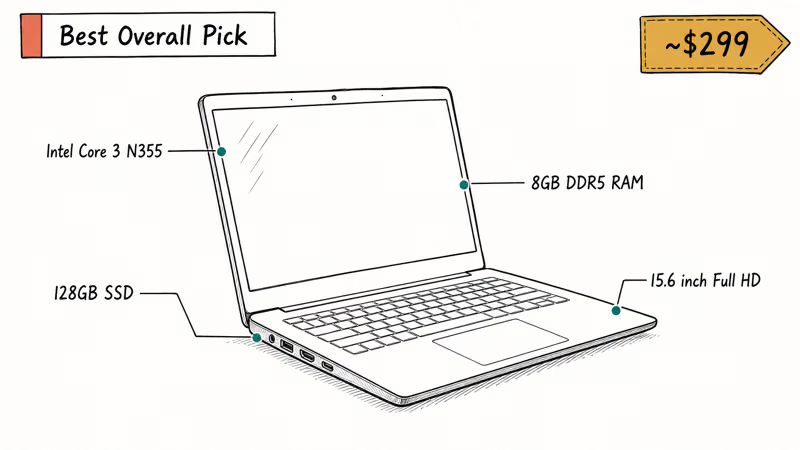
The Acer Aspire Go 15 is the most-recommended budget laptop of 2026, and for good reason. According to Tom’s Guide, the base model sells for around $299 with an Intel Core 3 N355, 8GB of DDR5 RAM, 128GB of storage, and a 15.6-inch Full HD screen, a config detailed in its budget laptop testing. For the money, you get a complete Windows 11 laptop with plenty of ports and a comfortable keyboard.
As an Amazon Associate, fone.tips earns from qualifying purchases. Some links on this page are affiliate links.
A similarly specced Aspire is best for browser tabs, documents, email, and calls, not heavy photo or video editing. The 128GB storage is the real pinch point, so budget for a microSD card or an external SSD if you keep a lot of files local.
There’s a step-up config worth eyeing. A Core i5 version with 16GB of RAM and a 512GB SSD lands near $449, and if your budget stretches that far, it’s the smarter long-term buy.
#Are Chromebooks a Better Budget Buy?
For web-based work, often yes. Chromebooks run a lightweight operating system that does more with less hardware, which is why they routinely outlast Windows laptops at the same price. According to CNET’s Chromebook buying advice, the platform’s efficiency is its biggest edge over cheap Windows machines.
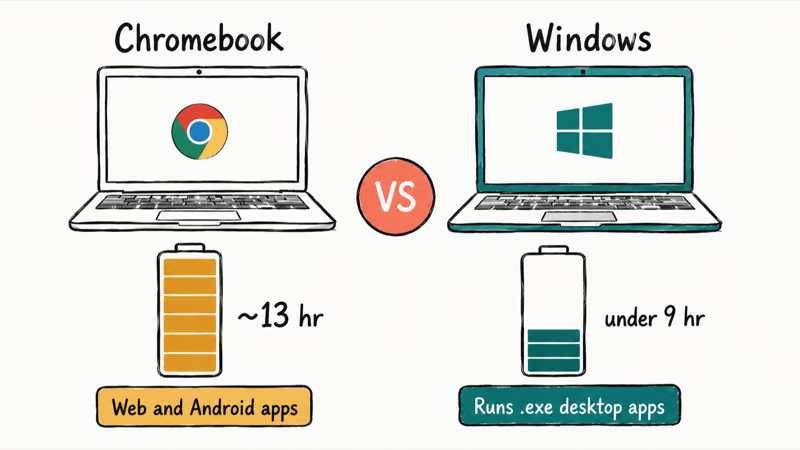
The catch is software. ChromeOS runs web apps and Android apps, not full Windows programs, so if your school or job needs a specific .exe, a Chromebook simply won’t run it. For students, a Chromebook is excellent for Google Classroom, research, essays, and video calls, which is why our best laptops for teachers guide rates them highly for classroom use where everything already lives in the browser.
Pick a Chromebook if you live in a browser and want the best battery for the money. Pick Windows if you need desktop software. When unsure, Windows is the safer choice.
#Matching a Budget Laptop to Your Use
Match the machine to how you actually use it. The right sub-$500 pick looks different for a student, a home user, and someone who just needs a backup.
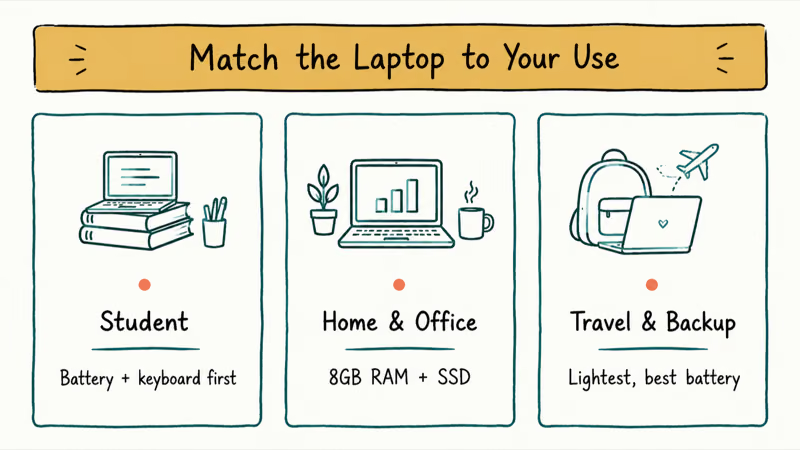
For students on a tight budget, prioritize battery and a comfortable keyboard over raw speed, since you’ll be typing notes and reading PDFs far more than you’ll be crunching numbers. A Chromebook covers most coursework, an Aspire Go handles the Windows-only classes, and a cheap microSD card on day one keeps storage from ever becoming the bottleneck you fight with all semester long.
For home and office use, a Windows laptop with 8GB of RAM and an SSD runs Office, email, and a wall of tabs fine. For a tablet-laptop hybrid, our best detachable laptop picks include budget options.
For a secondary or travel machine, almost anything sub-$400 works fine. Buy the lightest model with the best battery. A Core i5 config like those in our best i5 laptops guide is overkill for an occasional backup, but it becomes a smart pick the moment this machine starts seeing real daily use instead of sitting in a drawer.
#How to Avoid Wasting $500
The most common budget mistake is buying on screen size or brand instead of specs. Three numbers decide whether a cheap laptop feels usable or frustrating: RAM, storage, and display resolution. Get those right and the rest sorts itself out.
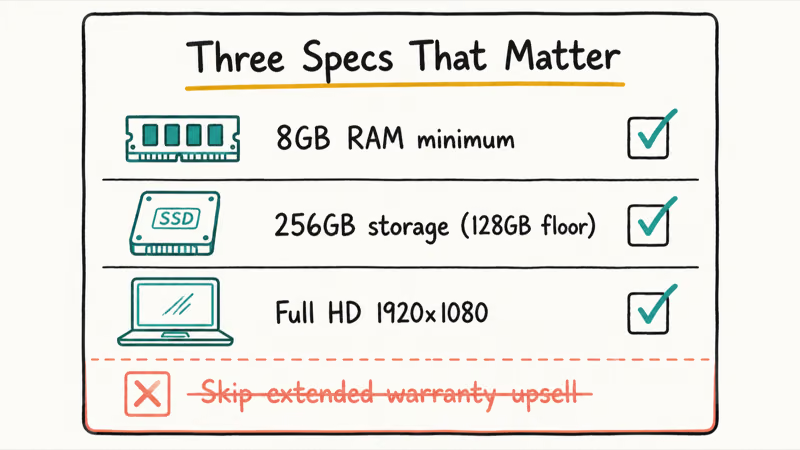
Get 8GB of RAM minimum. 4GB models exist and cost less, but they choke the moment you open several tabs, and you can’t upgrade soldered memory later. According to PCWorld’s budget laptop guide, 8GB is the practical floor for smooth multitasking in 2026.
Storage should be 256GB if you can find it, 128GB at the floor. Insist on a Full HD (1920x1080) screen.
Skip the extended warranty upsell unless it covers accidental damage. A standard warranty only handles defects, not the spills and drops that actually kill budget laptops. If your budget can stretch past $500 for a machine that lasts longer, our laptops under $2,000 guide shows what the extra money buys.
#New vs. Refurbished at This Price
Refurbished hardware is the budget shopper’s secret weapon. A refurbished business laptop often gives you a metal build, a far better keyboard, and a faster processor than a new $400 machine, because last year’s $1,200 ThinkPad or Latitude now sells for a fraction of its launch price. The trade-offs are a shorter warranty and an older battery that may already have a few hundred charge cycles on it.
Buy refurbished from a seller that grades battery health and offers a return window. Stick with new if you want the longest warranty and a fresh battery, especially for a machine that has to last all four years of school.
#Bottom Line
Buy the Acer Aspire Go 15 if you want a do-everything Windows laptop for around $299, and stretch to the Core i5 or 16GB config near $449 if this will be your main machine for a few years. Choose a Chromebook like the Acer Chromebook Plus 514 instead if your work lives in a browser and you want the longest battery for the money.
Whatever you pick, insist on 8GB of RAM and a Full HD screen, and add cheap storage on day one. That combination gets you a laptop that feels fast without crossing $500.
#Frequently Asked Questions
Is a $500 laptop good enough for everyday use?
Yes. A sub-$500 laptop in 2026 handles browsing, office work, video calls, and streaming smoothly as long as it has 8GB of RAM and an SSD. It’s not built for video editing or gaming, so demanding users should spend more.
How much RAM should a budget laptop have?
8GB, full stop. Most budget laptops solder the RAM, so you can’t upgrade later. Avoid 4GB models.
Are Chromebooks better than Windows laptops under $500?
It depends on your software. Chromebooks win on battery life and simplicity for web-based work like Google Docs, email, and research. Windows wins if you need desktop programs that don’t have a web version. Students doing coursework in a browser are usually happier on a Chromebook, while anyone unsure of their software needs should pick Windows for flexibility.
Why are budget laptops more expensive in 2026?
A memory-price spike pushed up the cost of RAM across the industry this year. That has either raised prices or trimmed the specs you get at a given price point. When you find a laptop with 8GB or 16GB at a fair price, it’s worth buying rather than waiting for a sale that may not come.
How long will a cheap laptop last?
Plan for three to four years with reasonable care. Buying enough RAM and storage upfront is the biggest factor in how long it stays pleasant to use.
Should I buy refurbished instead of new under $500?
Often, yes. A refurbished business laptop frequently gives you a metal build, a better keyboard, and a faster processor than a new budget machine at the same price. The trade-offs are a shorter warranty and an older battery, so buy from a seller that grades the battery health and offers a return window.
Do budget laptops come with Microsoft Office?
No. They ship with Windows 11 but not a paid Office license; you get a trial or the free web versions of Word and Excel. Many students and home users get by on the free web apps or Google’s free suite, so factor an Office subscription into your budget only if you specifically need the desktop apps.
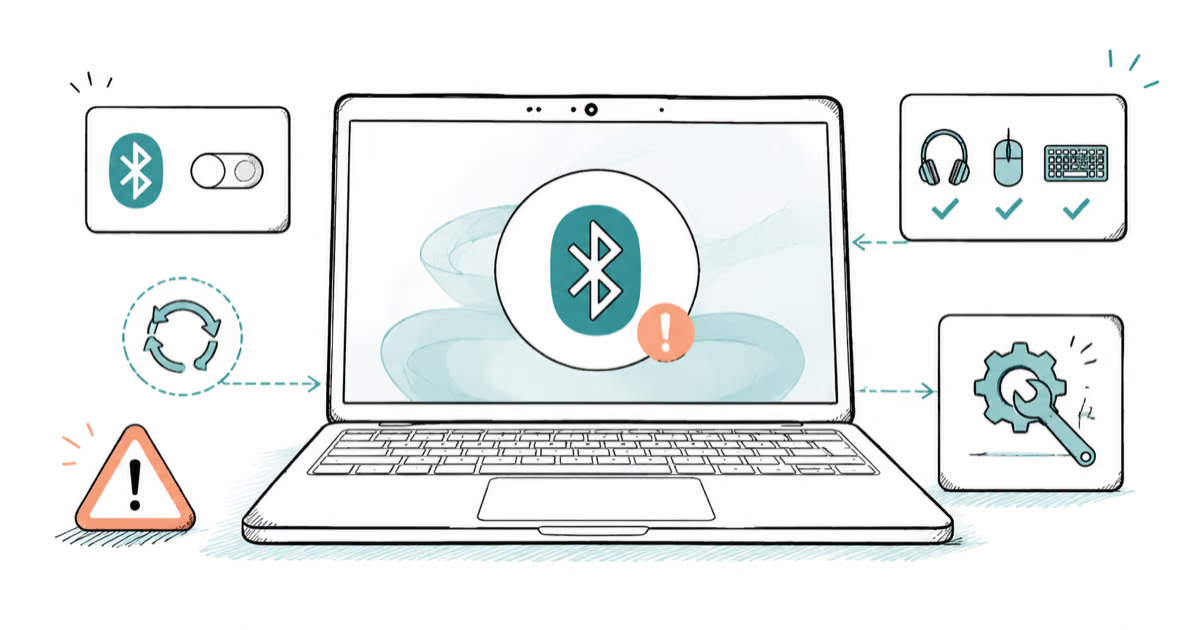
Bluetooth Not Working on Snapdragon X? Fixes for 2026
Bluetooth not working on your Snapdragon X Copilot+ PC? Generic audio, mice, and keyboards work, but vendor apps often lack an ARM build. Fixes inside.
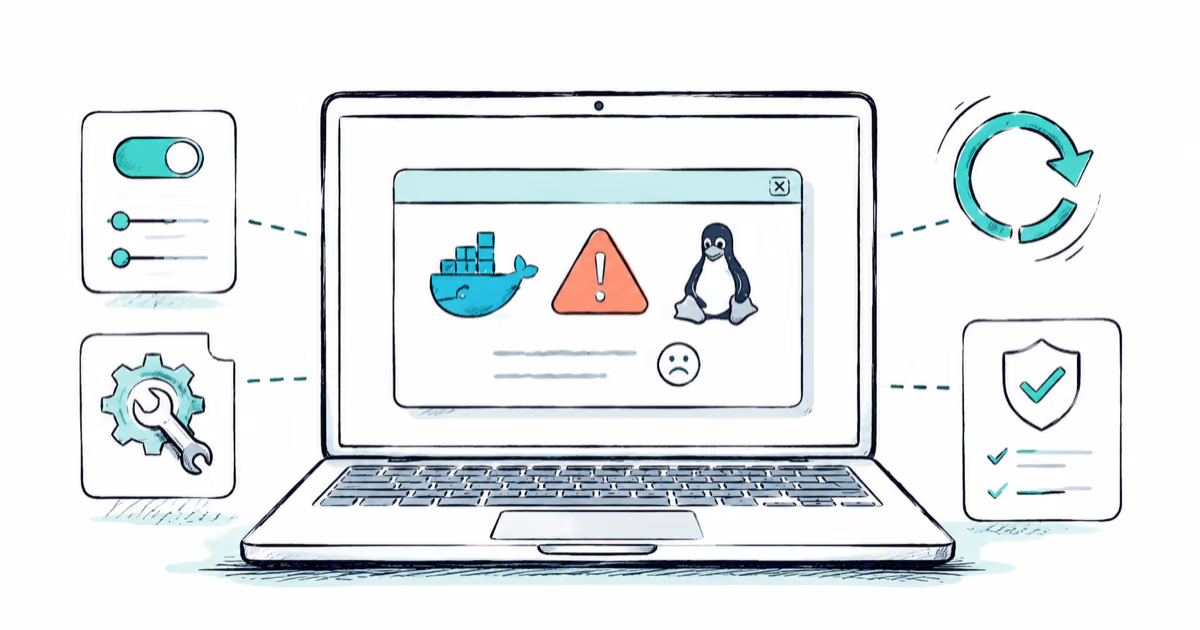
Docker Desktop and WSL2 Not Working on Snapdragon X? Fix It
WSL2 runs fine on Snapdragon X, but Docker Desktop ARM is Early Access and throws WSL errors. Use WSL2 plus native ARM64 Ubuntu and Docker Engine.
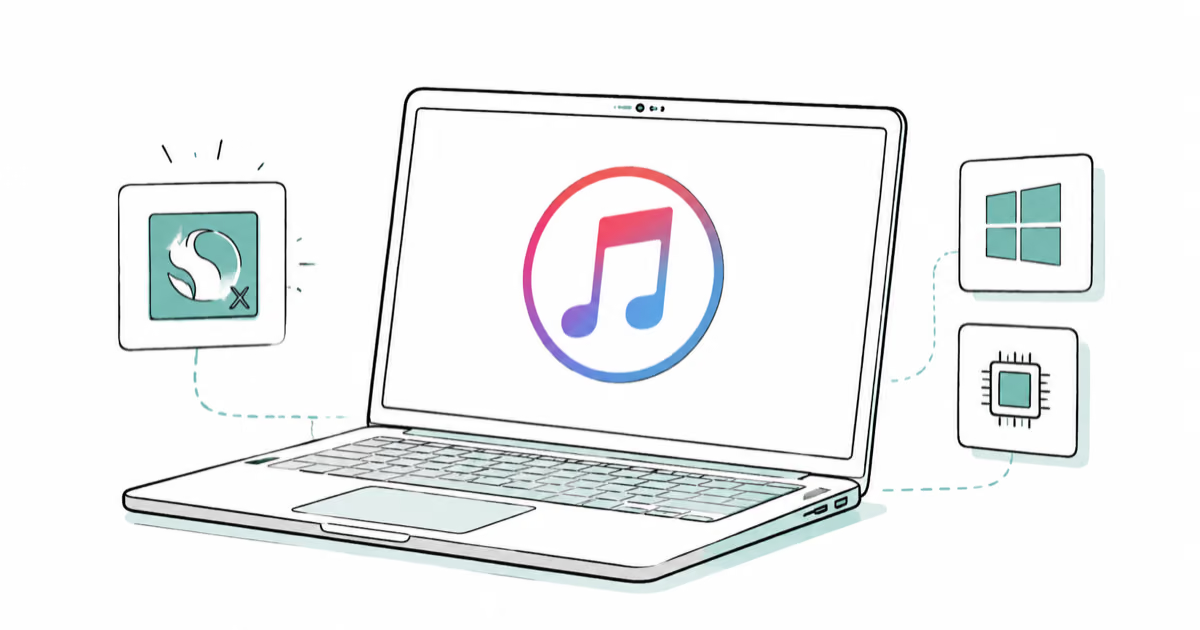
Does iTunes Work on Snapdragon X? ARM Windows 11 Guide
Yes, iTunes runs on Snapdragon X laptops through Prism emulation, but the Apple Devices app is the smoother route. Here is what to install on ARM.
Does OBS Studio Work on Snapdragon X? ARM64 Build Guide
Yes, OBS Studio has an experimental ARM64 build since version 31.1, but x64 plugins won't load and hardware encoding is missing. Here is what works.