Best HDMI 2.1 Monitors for 4K Gaming and Consoles in 2026
Compare the best HDMI 2.1 monitors for gaming and 4K, including the Alienware AW3225QF, Gigabyte M32U, and Samsung Odyssey Neo G8 picks for console setups.
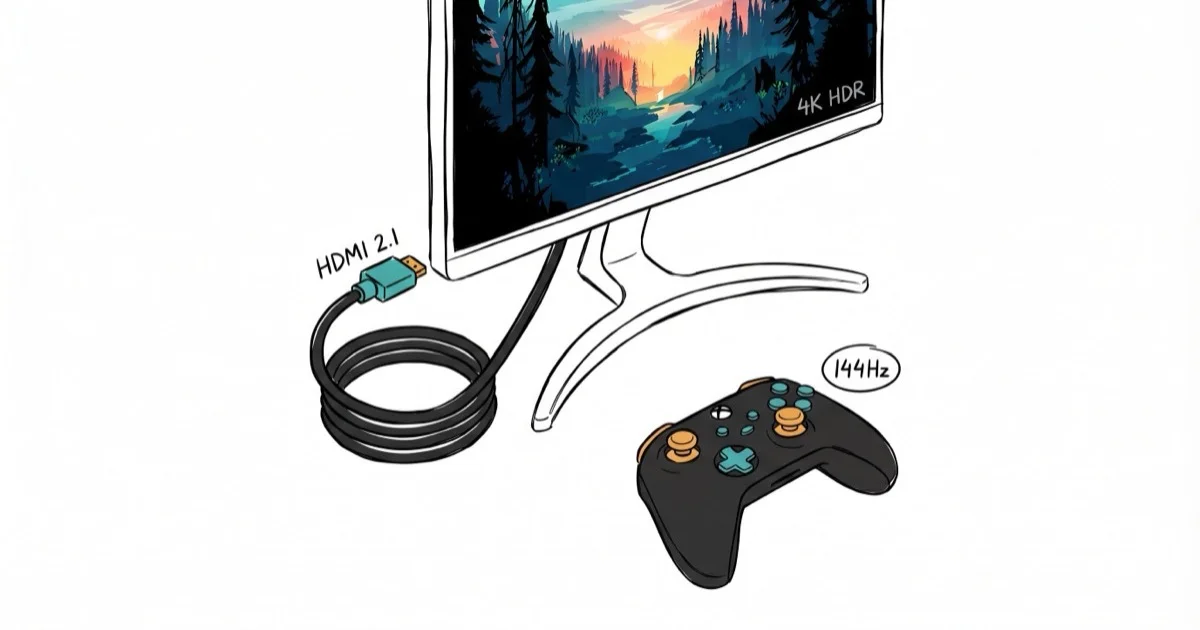
Quick AnswerThe Dell Alienware AW3225QF is the best HDMI 2.1 monitor with its 32-inch QD-OLED panel, 240Hz refresh rate, and Dolby Vision support for under $1,000.
HDMI 2.1 monitors deliver 4K at 120Hz or higher, making them the go-to choice for PS5, Xbox Series X, and high-end PC gaming. This guide compares standout HDMI 2.1 monitors by gaming features, panel specs, connectivity, and value.
- The Dell Alienware AW3225QF tops our list with a 32-inch QD-OLED panel running at 4K 240Hz with Dolby Vision HDR support.
- HDMI 2.1 provides up to 48Gbps bandwidth, enabling 4K at 120Hz with VRR and ALLM for tear-free gaming on consoles and PCs.
- QD-OLED panels offer the best picture quality with perfect blacks, but IPS panels like the Gigabyte M32U provide better value at the mid-range price point.
- The Samsung Odyssey Neo G8 uses mini-LED backlighting with over 1,000 dimming zones for HDR performance that rivals OLED at a lower cost.
- Budget buyers should target the HP OMEN 27u or Acer Nitro XV282K KV for HDMI 2.1 features under $500.
#Introduction
#What is HDMI 2.1?
HDMI 2.1 is the latest iteration of the High-Definition Multimedia Interface standard. It offers significant improvements over its predecessor, HDMI 2.0, including:
-
Higher bandwidth (up to 48Gbps)
-
Support for higher resolutions and refresh rates (up to 10K at 120Hz)
-
Enhanced gaming features like Variable Refresh Rate (VRR) and Auto Low Latency Mode (ALLM)
#Benefits of HDMI 2.1 for Gaming and Multimedia
-
Smoother gameplay with higher frame rates
-
Reduced screen tearing and stuttering
-
Improved HDR performance
-
Better audio quality with eARC support
#Top HDMI 2.1 Monitors for 2026
Here are the best HDMI 2.1 monitors currently available:
#Dell Alienware AW3225QF
-
Size: 32″
-
Resolution: 3840 x 2160 (4K)
-
Panel Type: QD-OLED
-
Refresh Rate: 240Hz
-
VRR Technology: Supports all common VRR formats
-
HDR: Yes, Dolby Vision
-
Price Range: High-end
According to the linked Dell product page, the Alienware AW3225QF pairs a 32-inch 4K QD-OLED panel with a 240Hz refresh rate and Dolby Vision support. That makes it the strongest overall HDMI 2.1 pick here for fast-paced shooters and HDR streaming.
#Gigabyte M32U
-
Size: 32″
-
Resolution: 3840 x 2160 (4K)
-
Panel Type: IPS
-
Refresh Rate: 144Hz
-
VRR Technology: FreeSync Premium
-
HDR: VESA HDR400
-
Price Range: Mid-range
As an Amazon Associate, fone.tips earns from qualifying purchases. Some links on this page are affiliate links.
The Gigabyte M32U offers excellent value for its price. It has great color accuracy and comprehensive connectivity options, including USB-C. While its HDR performance isn’t as strong as some high-end models, it’s a solid choice for gamers and content creators alike.
#Samsung Odyssey Neo G8 S32BG85
-
Size: 32″
-
Resolution: 3840 x 2160 (4K)
-
Panel Type: VA
-
Refresh Rate: 240Hz
-
VRR Technology: FreeSync Premium Pro
-
HDR: Mini LED local dimming, HDR1000
-
Price Range: Upper mid-range
Samsung’s Odyssey Neo G8 stands out with its impressive 240Hz refresh rate at 4K resolution. The VA panel with mini-LED backlighting delivers excellent contrast and HDR performance, making it ideal for both gaming and HDR content consumption.
#HP OMEN 27u
-
Size: 27″
-
Resolution: 3840 x 2160 (4K)
-
Panel Type: IPS
-
Refresh Rate: 144Hz (DP), 120Hz (HDMI)
-
VRR Technology: AMD FreeSync Premium Pro
-
HDR: DisplayHDR 400
-
Price Range: Entry-level
The HP OMEN 27u is an excellent entry-level HDMI 2.1 monitor. It offers high refresh rates for both DisplayPort and HDMI connections, along with vivid color reproduction. While its HDR performance is modest, it’s a great option for gamers on a budget.
#Sony INZONE M9
-
Size: 27″
-
Resolution: 3840 x 2160 (4K)
-
Panel Type: IPS
-
Refresh Rate: 144Hz
-
VRR Technology: G-Sync Support
-
HDR: HDR10, HLG
-
Price Range: Mid-range to high-end
Sony’s INZONE M9 is particularly appealing for PlayStation 5 owners, thanks to its PS5-centric features like Auto HDR Tone Mapping and Auto Genre Picture Mode. It offers excellent gaming performance and good HDR capabilities, making it a versatile choice for both console and PC gaming.
#LG UltraFine OLED Pro 32EP950-B
-
Size: 32″
-
Resolution: 3840 x 2160 (4K)
-
Panel Type: OLED
-
Refresh Rate: 60Hz
-
VRR Technology: N/A
-
HDR: HDR10
-
Price Range: High-end
While not specifically designed for gaming, the LG UltraFine OLED Pro offers exceptional picture quality for content creators and professionals. Its OLED panel provides perfect blacks and excellent color accuracy.
#ASUS ROG Swift PG32UQX
-
Size: 32″
-
Resolution: 3840 x 2160 (4K)
-
Panel Type: IPS
-
Refresh Rate: 144Hz
-
VRR Technology: G-Sync Ultimate
-
HDR: Mini LED, HDR1400
-
Price Range: High-end
The ASUS ROG Swift PG32UQX features a mini-LED backlight with 1,152 local dimming zones, offering exceptional HDR performance and contrast. It’s an excellent choice for gamers who demand the best visual quality.
#Acer Nitro XV282K KV
-
Size: 28″
-
Resolution: 3840 x 2160 (4K)
-
Panel Type: IPS
-
Refresh Rate: 144Hz
-
VRR Technology: FreeSync Premium
-
HDR: HDR400
-
Price Range: Mid-range
The Acer Nitro XV282K KV offers a good balance of features and performance at a reasonable price point. It’s a solid choice for gamers looking to take advantage of HDMI 2.1 without breaking the bank.
#ViewSonic Elite XG320U
-
Size: 32″
-
Resolution: 3840 x 2160 (4K)
-
Panel Type: IPS
-
Refresh Rate: 144Hz
-
VRR Technology: FreeSync Premium Pro
-
HDR: HDR600
-
Price Range: Mid-range to high-end
The ViewSonic Elite XG320U offers a large screen size and good HDR performance, making it suitable for both gaming and content consumption. Its 144Hz refresh rate ensures smooth gameplay in fast-paced titles.
#What Features Matter Most in HDMI 2.1 Monitors?
When shopping for an HDMI 2.1 monitor, understanding these features helps you pick the right model.
#Resolution and Refresh Rates
HDMI 2.1 supports higher resolutions and refresh rates than ever before. While 4K at 120Hz is currently the sweet spot for many gamers, some monitors now offer 4K at 144Hz or even 240Hz. Higher refresh rates result in smoother motion and reduced input lag, which can be crucial for competitive gaming.
#Panel Types: IPS, VA, OLED
-
IPS (In-Plane Switching): Offers good color accuracy and wide viewing angles, but typically has lower contrast ratios.
-
VA (Vertical Alignment): Provides better contrast ratios but may have slower response times and narrower viewing angles.
-
OLED (Organic Light-Emitting Diode): Delivers the best picture quality with perfect blacks and wide color gamut, but can be susceptible to burn-in.
#Variable Refresh Rate (VRR) Technologies
VRR technologies like AMD FreeSync and NVIDIA G-Sync help eliminate screen tearing and stuttering by synchronizing the monitor’s refresh rate with the graphics card’s frame rate. The HDMI Forum confirms that VRR is a core feature of the 2.1 specification, so any certified panel will accept variable refresh signals from a PS5 or Xbox Series X. Compatibility with specific FreeSync or G-Sync branding can still vary between monitors, so check the spec sheet for the exact certification your GPU expects.
#High Dynamic Range (HDR)
HDR enhances contrast and color range for more lifelike visuals. CNET found that monitors with 600+ nits peak brightness and local dimming deliver the most noticeable HDR improvement. Budget HDR400 monitors offer minimal real-world benefit compared to HDR1000 models.
#How Do You Choose the Right HDMI 2.1 Monitor?
#Factors to Consider
-
Intended use: Gaming, content creation, or general multimedia consumption?
-
Budget: HDMI 2.1 monitors range from entry-level to high-end prices.
-
Size and resolution: Larger sizes and higher resolutions may require more powerful hardware.
-
Panel type: Consider the trade-offs between IPS, VA, and OLED.
-
Additional features: USB hubs, speakers, and ergonomic stands can add value.
#Budget Options
For those on a tighter budget, consider monitors like the HP OMEN 27u or the Acer Nitro XV282K KV. These offer HDMI 2.1 functionality and good gaming performance at more accessible price points.
#Mid-range Options
The Gigabyte M32U and Sony INZONE M9 represent excellent mid-range choices, balancing performance and features with reasonable pricing.
#High-end Options
For the ultimate HDMI 2.1 experience, the Dell Alienware AW3225QF, Samsung Odyssey Neo G8, and ASUS ROG Swift PG32UQX offer top-tier performance and top-tier features.
#Setting Up Your HDMI 2.1 Monitor
#Required Cables and Accessories
According to the HDMI 2.1 spec, a certified Ultra High Speed HDMI cable is the right cable class for the full feature set. These cables support the full 48Gbps bandwidth required for 4K120 and beyond.
If you’re experiencing issues with your HDMI port, check out our guide on troubleshooting HDMI port problems.
#Optimizing Settings for Gaming and Multimedia
-
Enable VRR in your graphics card settings
-
Adjust HDR settings in your operating system and games
-
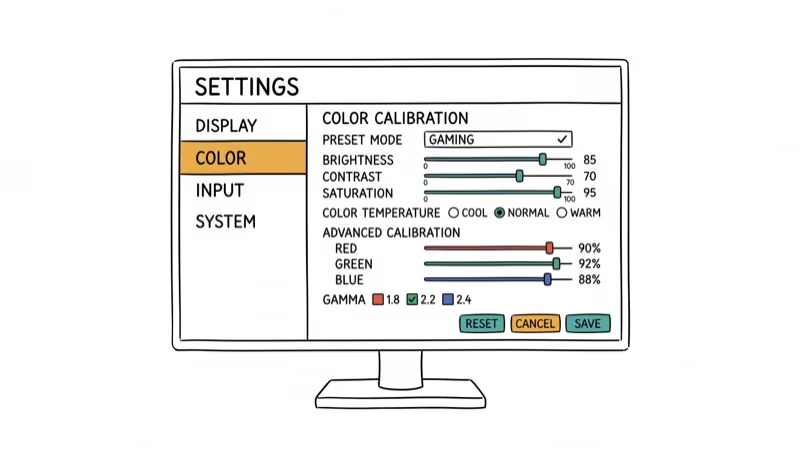
Calibrate your monitor’s color settings for the best visual experience
-
Consider using monitor profiles for different use cases (e.g., gaming vs. content creation)
For those interested in a multi-monitor setup, our guide on setting up a 6-monitor configuration can help you maximize your workspace.
#Future of HDMI 2.1 Monitors
As technology continues to advance, we can expect to see:
-
More affordable HDMI 2.1 monitors
-
Increased adoption of OLED and mini-LED technologies
-
Higher refresh rates at 4K and even 8K resolutions
-
Enhanced HDR capabilities with higher peak brightness and more precise local dimming
For those looking to extend HDMI signals over long distances, consider HDMI over Ethernet solutions.
#Conclusion
#Bottom Line
For the best overall HDMI 2.1 experience, get the Dell Alienware AW3225QF if your budget allows it. The QD-OLED panel and 240Hz refresh rate are unmatched. On a mid-range budget, the Gigabyte M32U delivers 4K 144Hz with solid color accuracy for around $500. Budget buyers should grab the HP OMEN 27u for a reliable entry into HDMI 2.1 gaming.
To complement your monitor, consider a one-hand gaming keyboard or a top GPU for 1080p 144Hz to maximize frame rates.
For the full build, check out the best motherboards for RTX 3080 or optimal CPUs for RTX 3070.
#Frequently Asked Questions
Do I need an HDMI 2.1 graphics card for an HDMI 2.1 monitor?
Not strictly. HDMI 2.1 monitors are backward compatible with HDMI 2.0 devices. But you’ll be limited to 4K at 60Hz instead of 120Hz+. For the full benefit, you need an RTX 3080 or newer GPU, or a PS5/Xbox Series X.
Can HDMI 2.1 actually improve gaming performance?
Yes. HDMI 2.1 enables higher refresh rates (120Hz+ at 4K), reduces input lag with ALLM, and supports VRR to eliminate screen tearing. Compared with 60Hz, 120Hz and higher refresh rates can make fast-paced shooters look sharper and feel more responsive. The same monitor running over HDMI 2.0 may be capped at 60Hz, so the cable and port combination both matter as much as the panel itself.
Is HDMI 2.1 required for 4K gaming?
Not required, but strongly recommended. HDMI 2.0 caps out at 4K 60Hz. HDMI 2.1 pushes that to 4K 120Hz or higher, which makes a real difference in competitive games and action titles.
Do all HDMI 2.1 monitors support every HDMI 2.1 feature?
No. HDMI 2.1 features are optional, so check each spec on the monitor’s official datasheet.
Can I connect a PS5 to any HDMI 2.1 monitor?
Yes. The PS5 outputs HDMI 2.1 natively. The Sony INZONE M9 has PS5-specific features like Auto HDR Tone Mapping, but any HDMI 2.1 monitor accepts the signal and delivers 4K 120Hz gameplay.
What cable do I need for HDMI 2.1?
A certified Ultra High Speed HDMI cable rated for 48Gbps. Standard HDMI cables can’t deliver the bandwidth for 4K 120Hz. Quality cables cost $10-15 and are clearly labeled on the packaging.

Fortnite Stuck on the Loading Screen? Fix It in 2026
Fortnite stuck on the loading screen? Check server status, fix the Windows N Media Pack and DirectX 11 on PC, clear the console cache, and verify files.

Minecraft Keeps Crashing? Java and Bedrock Fixes (2026)
Minecraft keeps crashing on startup or mid-game? Update your GPU driver, remove mods on Java, and reinstall Gaming Services on Bedrock. Fixes for both.

Pokemon GO Not Loading? Fix the Loading Screen 2026
Pokemon GO not loading or stuck on the Pokeball? Check server status, fix automatic date and time, grant location permission, clear the cache, and update.

PS5 Controller Not Charging? 9 Fixes That Work (2026)
DualSense not charging? Swap the cable, use a rear port in Rest Mode, clean the USB-C port, and check power settings. 9 fixes for a dead PS5 controller.