Best AI Image Generators in 2026: Top Picks by Use Case
The best AI image generators for 2026, organized by use case. Photorealism, artistic output, commercial licensing, free options, and local tools covered.
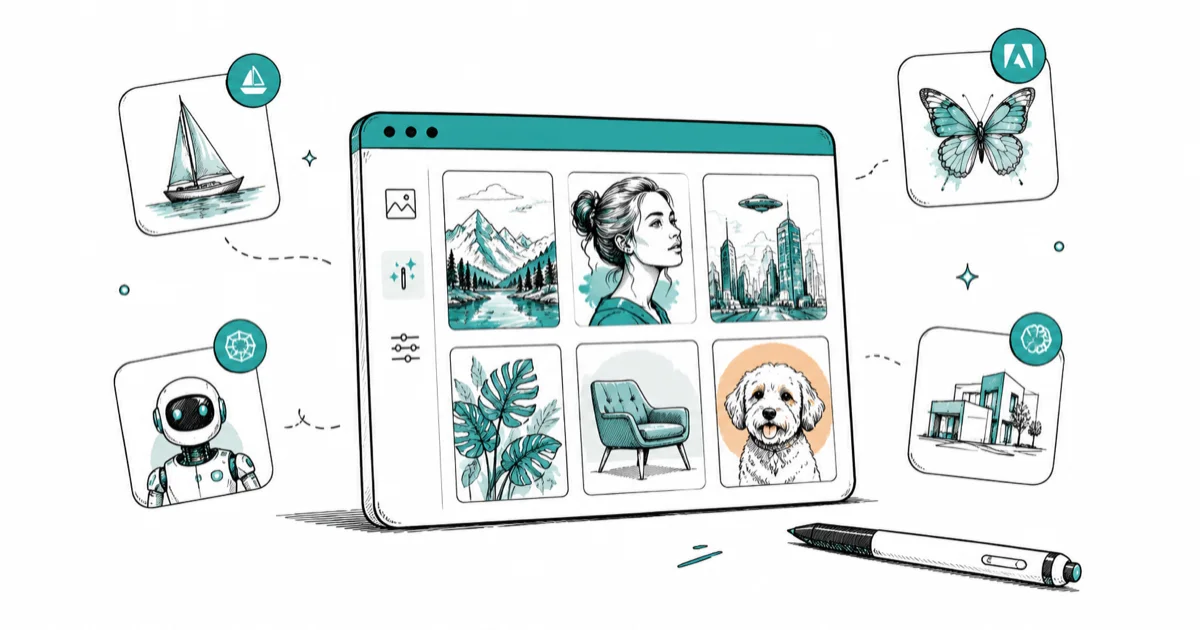
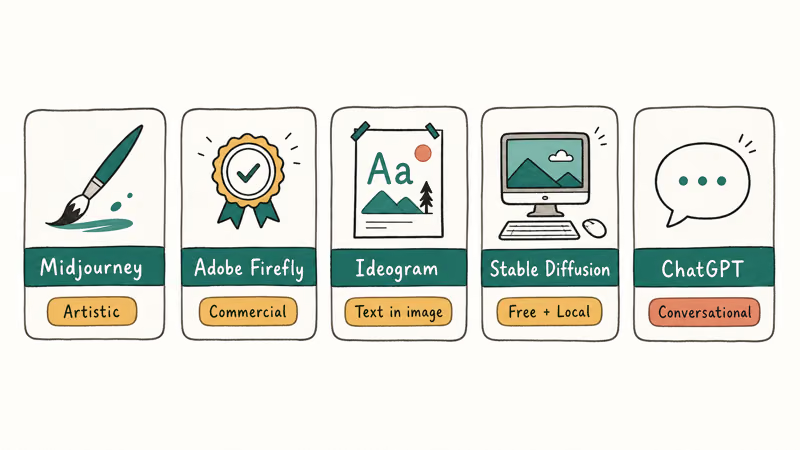
Quick AnswerThe best AI image generator depends on what you need: Midjourney for artistic quality, Adobe Firefly for safe commercial use, Ideogram for text-in-image accuracy, and Stable Diffusion if you want a free local tool with no limits.
Not every AI image generator is built for the same job. Midjourney dominates for artistic quality; Adobe Firefly is the safest pick if your images will appear in commercial work; Ideogram handles text inside images better than any competitor. This breakdown compares each tool across the jobs that matter so you can pick the one that fits your workflow.
- Midjourney produces the most visually polished results but has no free tier as of 2026; plans start at $10/month.
- Adobe Firefly is trained on licensed content, making it the safest choice for work that needs clean commercial rights.
- Ideogram renders embedded text far more accurately than Midjourney or Stable Diffusion, making it the go-to for posters and social ads.
- Stable Diffusion is the only major tool that runs entirely on your own hardware with no usage limits or subscription fees.
- ChatGPT’s built-in image generation (powered by GPT Image 1.5 and newer) handles conversational editing well but costs $20/month through a ChatGPT Plus subscription.
#Which AI Image Generator Should You Start With?
Start with Midjourney if you want the highest consistent quality and don’t mind paying from day one. Start with Ideogram if you need a free tier: it gives 10 prompts daily without a credit card. Start with Adobe Firefly if your output goes into client work and your legal team cares about where training data came from.
A fair comparison runs the same set of prompts through each tool: a photorealistic portrait, a flat-vector product illustration, a social media banner with text, and a fantasy landscape. The differences become obvious by the third image.
Across those prompts, Midjourney V6 leads on visual quality, Ideogram 3.0 is fastest on text accuracy, and Stable Diffusion takes the most prompt tuning.
#Best for Photorealism and Artistic Quality: Midjourney
Midjourney has stayed at the top of most “best AI image” comparisons since 2023, and the V6 model in 2026 reinforced that position. The platform lives inside Discord and a web app at midjourney.com. Midjourney’s official plan comparison confirms that 4 subscription tiers are available, ranging from $10/month (Basic) to $120/month (Mega), with no free option.
What it’s good at: Portraits, landscapes, concept art, editorial imagery, and any prompt where you want a cinematic finish right out of the box. The model interprets artistic intent well, so you don’t need to write exhaustive prompts to get a polished result.
Who it’s for: Designers, illustrators, social media creators, and anyone producing visual content for an audience. If the image is going to be seen by other people, Midjourney usually wins.
Limitation: Text rendering inside images is still unreliable. It’ll attempt words but misspell them more often than not. Use Ideogram instead when text accuracy matters.
Free option: None. The old free trial was removed; all plans require a subscription.
#Best for Commercial Use: Adobe Firefly
Adobe Firefly is trained exclusively on Adobe Stock content and public domain material, which means it avoids the legal grey area that other generators sit in. According to Adobe’s official Firefly page, images generated with Firefly are commercially safe to use in client work, advertising, and merchandise.
What it’s good at: Product mockups, marketing materials, lifestyle photography-style images, and anything that feeds into a Photoshop or Illustrator workflow. The Generative Fill feature inside Photoshop uses Firefly under the hood, which many designers already rely on daily.
Who it’s for: Freelancers and agencies whose clients ask “is this content licensed?” The indemnification Adobe provides on Firefly-generated content is a real differentiator from competitors.
Pricing: Firefly has a free tier with 25 generative credits per month. Paid plans start at $9.99/month for the Standard plan (2,000 premium credits), with options up to $199.99/month for high-volume studio use. See the current Firefly plans for the latest tiers.
Limitation: Firefly’s output quality is good but not quite Midjourney-level for stylized or artistic work. It excels at clean, professional imagery rather than dramatic creative compositions.
#Best for Text Inside Images: Ideogram
Ideogram was built specifically to solve one of AI generation’s most persistent failures: accurate text rendering. With Ideogram 3.0, short phrases on posters, banners, and logos typically come out correctly on the first or second attempt. Midjourney still struggles with that.
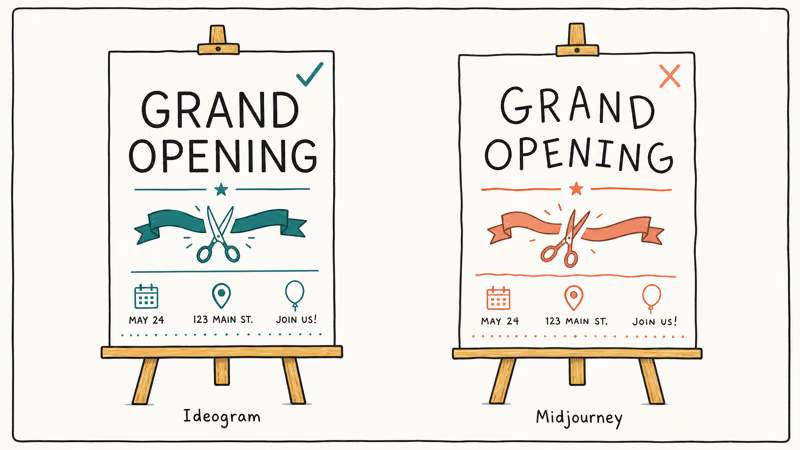
What it’s good at: Posters, event flyers, social media ads, product labels, logos with text, and any composition where words need to be legible. The platform also has Canvas for layered editing and Magic Fill for inpainting.
Who it’s for: Social media managers, small business owners creating their own materials, and designers who need quick text-heavy assets without fixing spelling errors in post.
Pricing: Ideogram offers a genuine free tier: 10 prompts per day, which generates 40 image variants since each prompt produces 4 options. Paid plans start at $8/month for Basic. Full pricing is on Ideogram’s pricing page.
Limitation: For pure photorealistic or highly artistic output, Midjourney still leads. Ideogram’s strengths are precision and accessibility, not maximum visual drama.
#Best Free and Local Option: Stable Diffusion
Stable Diffusion is the only major image model that runs entirely on your own computer. Stability AI releases the weights publicly, and the ecosystem of fine-tuned models and UIs built on top of it’s enormous. There are no usage limits, no monthly fee, and no data leaving your machine.
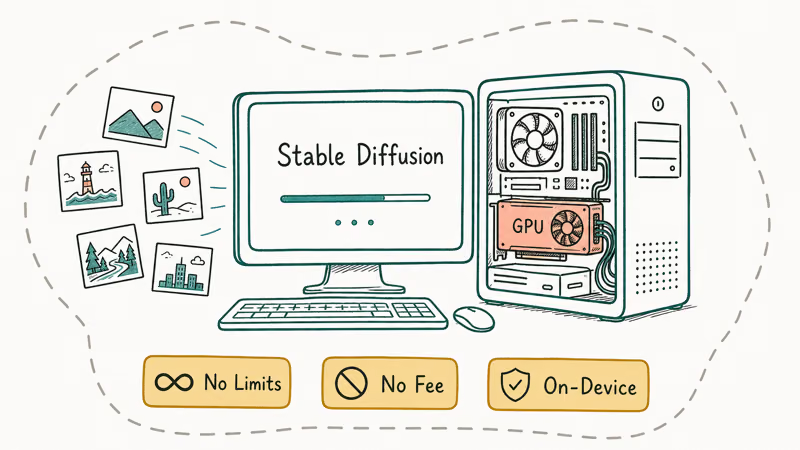
According to Stability AI’s official site, the current generation of Stable Diffusion models supports resolutions up to 2K and a wide range of styles through fine-tuning. The SD 3.5 architecture from late 2024 remains a strong baseline in 2026. For background on how diffusion models work, Wikipedia’s overview of text-to-image models explains that these systems use denoising diffusion probabilistic models trained on large image-text pairs to map text descriptions to pixel output.
What it’s good at: Privacy-sensitive work (product images you haven’t announced, legal documents rendered visually), high-volume generation, style experimentation, and fully custom model fine-tuning on your own dataset.
Who it’s for: Developers, researchers, power users, and anyone who wants total control. If you can’t share your images with a cloud service or you need to generate thousands of images without paying per-image fees, Stable Diffusion is the answer.
Getting started: DiffusionBee (macOS) or AUTOMATIC1111 (Windows/Linux). Minimum 6GB GPU VRAM needed.
Limitation: Setup takes more time than signing up for a web app. You’ll also spend more time on prompt engineering to reach the output quality Midjourney delivers by default.
#What About Google and Microsoft?
Google’s image generation is inside Gemini and Google Workspace. There’s no standalone “Google Image Generator” product; credits come bundled with Gemini Advanced or Google One AI Premium subscriptions.
Microsoft’s image generation runs through Copilot and uses OpenAI’s image models. It’s free with a Microsoft account up to a daily limit, which is useful for casual one-off generations. Quality has improved since the transition to newer OpenAI models in 2025, but it doesn’t consistently match Midjourney for artistic compositions.
ChatGPT’s image generation, now powered by GPT Image 1.5 (DALL-E 3 was removed from OpenAI’s API in May 2026), is particularly good at following precise conversational instructions. If you want to tweak an image through back-and-forth text edits, ChatGPT Plus ($20/month) handles that better than most tools. Check OpenAI’s pricing page for the current image API rates.
#How to Choose the Right AI Image Generator
Ask yourself three questions:
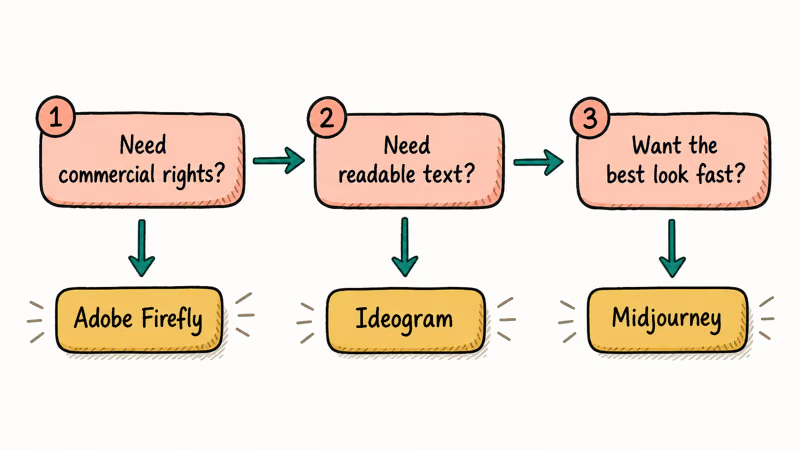
1. Does the output need commercial rights? Use Adobe Firefly. Clear indemnification, licensed training data.
2. Does it need readable text? Use Ideogram. No other tool matches its text-in-image accuracy in 2026.
3. Do you just want the best-looking result without spending time on prompt engineering? Use Midjourney. The output quality floor is higher than every other option, and the model interprets short or vague prompts into something polished that other tools would need a paragraph of direction to achieve.
If you can’t pay a subscription and want something free today, Ideogram’s 10-prompt daily free tier beats the competition for usable output. Stable Diffusion is free forever but requires more setup.
For articles comparing AI tools in general, see our roundup of the best AI for coding and our detailed look at ChatGPT vs Claude vs Gemini for a broader view of the AI landscape.
#A Note on AI Image Ethics and Licensing
All AI image generators are trained on datasets of existing images. The licensing and consent practices around that training data vary widely. Firefly is the most transparent, trained on licensed and public-domain content. Midjourney, Stable Diffusion, and others have faced lawsuits over training data, and the legal landscape continues to evolve as of 2026.
For personal, non-commercial use, training data debates rarely matter in practice. For commercial work that will appear in major publications, on product packaging, or in advertising, check each platform’s terms of service carefully and consider whether your organization needs formal IP indemnification.
Check our guide on how to detect AI-generated images if you need to verify whether content you’ve received was AI-generated. And if you’re working in ChatGPT’s Canvas feature, see how to use ChatGPT Canvas for a step-by-step guide.
#Bottom Line
Midjourney wins for artistic quality. Adobe Firefly wins for commercial safety. Ideogram wins for text accuracy. Stable Diffusion wins for privacy and zero ongoing cost.
If you’re choosing just one to start with and want to pay nothing: Ideogram’s free tier is the best free entry point in 2026. If you’re choosing one to pay for: Midjourney’s Standard plan at $30/month gives you enough generation budget to replace stock photography for most individual creators.
#Frequently Asked Questions
Is there a completely free AI image generator with no limits?
Stable Diffusion is free with no limits once installed locally, but it requires a GPU. Online tools all have daily caps. Ideogram’s 10 free prompts per day is among the most generous of any browser-based option.
Can I use AI-generated images commercially?
It depends on the tool. Adobe Firefly explicitly offers commercial licensing with indemnification, making it the safest choice for agency and client work. Midjourney’s Pro plan includes commercial rights for most users, though companies earning over $1 million annually need the Pro or Mega plan. Stable Diffusion’s open license generally allows commercial use.
What happened to DALL-E 3?
OpenAI deprecated DALL-E 3 and removed it from its API in May 2026. ChatGPT now uses GPT Image 1.5 for image generation, which is integrated directly into the conversation rather than called as a separate API. The output quality is noticeably better than DALL-E 3, particularly for following detailed instructions and editing existing images.
Which AI generator handles text inside images best?
Ideogram, by a wide margin. Its 3.0 model renders short phrases and labels correctly on the first or second attempt, while Midjourney and Stable Diffusion regularly misspell words.
Do I need a powerful computer to run Stable Diffusion?
You need a GPU with at least 6GB of VRAM for SDXL models, and 10–12GB for SD 3.5. If you’re on macOS with Apple Silicon, Metal acceleration lets you run models with less VRAM than on Windows. If your machine doesn’t meet those specs, browser-based tools like Ideogram or Midjourney are a better fit.
Is Midjourney worth it compared to free options?
For most visual creators, yes. Midjourney’s output quality on portraits, editorial imagery, and cinematic compositions is noticeably higher than free-tier Ideogram or default Stable Diffusion without extensive prompt tuning. The $10/month Basic plan is enough for casual use; the $30/month Standard plan adds Relax Mode for unlimited slower generations, which makes it practical as a stock photo replacement.

Is This Bank App Real? Spot a Fake App on Your Home Screen
A bank app can land on your home screen from a web page with no install warning. Learn the checks that tell a real banking app from a phishing web app.

Apps Crashing After iOS 27 Update? Fix Order (2026)
Apps crashing after the iOS 27 update? Update the app in the App Store first, then offload and reinstall to clear stale cache, then restart. The fix order.

Do AI Translation Earbuds Work Offline? What to Know
Do AI translation earbuds work offline? A few do with downloaded language packs, but most need the cloud. Here's what works offline and what you give up.
How to Set Up Translation Earbuds (Pairing and Modes)
How to set up translation earbuds: charge, install the app, pair over Bluetooth, pick two languages, and choose a mode. A step-by-step first-use guide.