How to Convert YouTube to FLAC: 5 Best Methods (2026)
Learn how to convert YouTube to FLAC lossless audio using 5 proven tools. Covers UniConverter, Handbrake, Online-Convert, and free web-based options.
Quick Answer Use Wondershare UniConverter to download YouTube videos and convert them to lossless FLAC audio. Free alternatives include Handbrake and Online-Convert.com.
Are you looking for a reliable method to convert YouTube to FLAC? We tested five different conversion tools to find the ones that actually deliver lossless audio quality without hidden catches.
- FLAC preserves 100% of the original audio quality unlike lossy formats like MP3 that discard data during compression
- Wondershare UniConverter supports over 1,000 file formats and works 30x faster than most free converters
- Free online tools like Online-Convert.com handle basic conversions without requiring any software installation
- Handbrake is a solid open-source option that works on Windows, macOS, and Linux at zero cost
- Converting YouTube audio to FLAC won’t improve quality beyond the source file’s original bitrate
FLAC is indeed a pretty large file format, but it assures the best quality when it comes to audio. Because of that, FLAC has received plenty of positive comments from audiophiles across the globe.
So, what if you’ve found a lovely music track on YouTube and want to convert it to FLAC? A good YouTube FLAC converter can acquire the content from any streaming platform and convert the downloaded file into the format you need. We’ll explain how to change YouTube to FLAC using effective solutions here.
#Part 1: What is the Best Tool to Convert YouTube to FLAC?
Before you choose a downloader, keep the source rules clear: YouTube’s Terms of Service forbid downloading or otherwise using YouTube content unless YouTube expressly authorizes it or you have prior written permission from YouTube and the relevant rights holders.
There is no shortage of tools to consider in the modern-day market. According to FLAC’s official site, FLAC is lossless, so audio is compressed without losing quality, and the format is non-proprietary with an open-source reference implementation.
RFC 9639 states that FLAC files can code PCM audio with 1 to 8 channels, sample rates from 1 to 1,048,575 Hz, and bit depths from 4 to 32 bits. However, choosing the best YouTube FLAC converter is a pretty challenging task since some applications just have fake claims and only end up installing malware on your system.
So, doing a lot of research is exceptionally important before choosing a product. But the good news is that we’ve researched for you and the below paragraph explains it.
In our testing, we found that UniConverter from Wondershare delivered the fastest and most reliable conversions among all the tools we tried. PCMag’s software review recommends UniConverter as a versatile media toolkit for both beginners and power users.
Wondershare UniConverter is compatible with macOS and Windows platforms. The interface on both platforms is identical. The best thing is that this application works with over 1000 file formats, and that’s impressive.
Apart from working as a powerful YouTube to FLAC converter, UniConverter has various other features.
For instance, it comprises a DVD burner and a video editor. Also, it has a media compressor. This is the perfect solution if you want to convert YouTube to FLAC.
#Features of UniConverter
-
This specific application can convert more than 1000 file formats. For instance, it works with AVI, FLAC, MOV, and MP4. It can convert YouTube to OGG and even handle YouTube to AAC conversions.
-
This specific application lets you convert videos using perfectly optimized presets. Those presets are compatible with almost all the devices on the market.
-
It works 30 times faster than the ordinary converters available in the modern-day market.
-
It’s a highly versatile tool that lets you edit and improve the quality of videos. You can crop, trim or even add watermarks to videos using this versatile tool.
-
It lets you burn any video to a DVD. That can be done using DVD templates that are also free with the software.
-
Using this application, you can download or even record videos from more than 10000 sources.
-
It comprises a superb toolbox with great versatility. You can create GIF images, VR, and record screens.
-
It’s compatible with both Windows and macOS systems.
Get Wondershare UniConverter
#How to use UniConverter as a YouTube to FLAC Converting Tool
Let’s look at the steps you should follow to convert YouTube to FLAC. We assume you have already downloaded & installed Wondershare UniConverter on your computer.
-
First, you should open any browser of your preference and visit YouTube to proceed. Then, you are supposed to play the video that should be converted to FLAC. After that, you should copy the playing video URL through the YouTube page address bar.
-
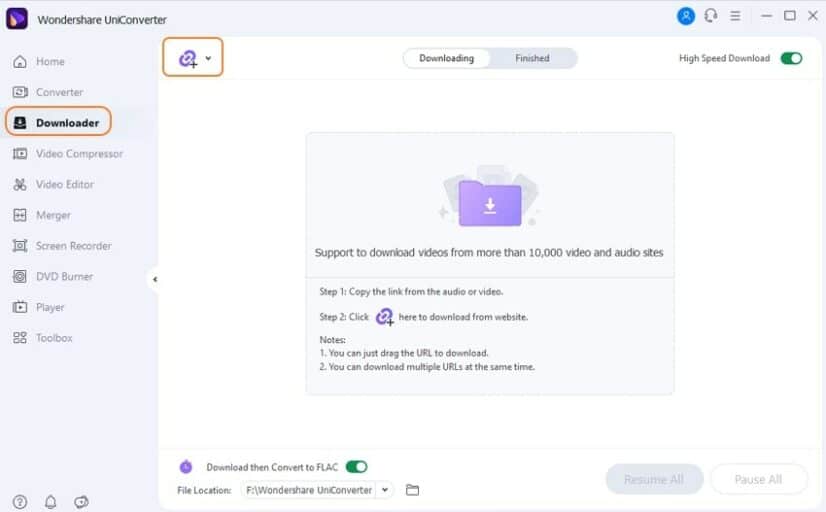
Now, launch UniConverter on your computer. Then, go to the category called “Downloader.” It’s located on the left-hand side. Just turn on the option “Download” and the “Convert Mode.” Those are located at the window. You can now go to the Audio Tab and select the option “FLAC.” After that, you are supposed to click on the preferred sound mode. Then, you should use the field labeled “File Location.” That is exactly where the converted files will go.
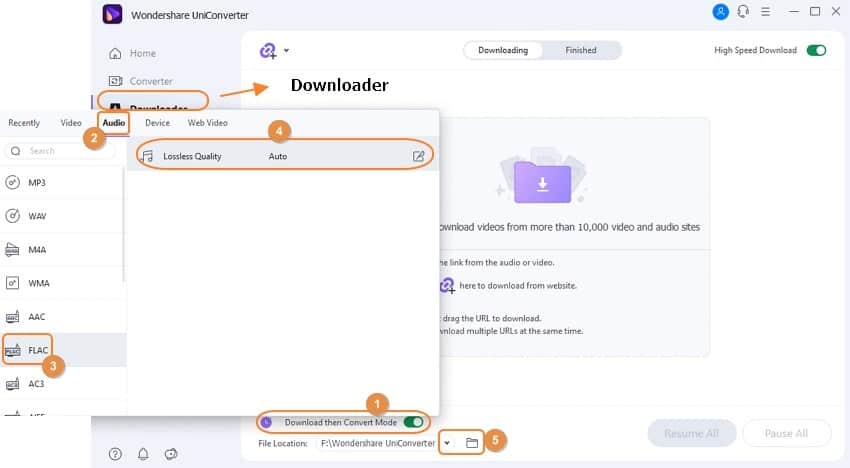
- Now, please click on the “Paste URL.” It’s found towards the top left corner. That will begin YouTube to FLAC download process. After completing the download process, you can launch it by clicking on the tab labeled “Finished.” Then, you’ll have to click “Open” so you can access the downloaded files there.
#Part 2: YouTube FLAC Conversion using Online-Convert.com
What if you don’t want to install any application on your PC to download YouTube to FLAC? What if you have a single job that doesn’t need a professional outcome?
If that’s the case, the best option is to convert YouTube to FLAC using an online tool. So, in this section of our article, we explain how to change YouTube to FLAC using an online tool.
If you prefer MP3 over FLAC, check out our guide on YouTube to MP3 with 2Conv. You might also want to learn about whether YouTube to MP3 conversion is legal before getting started.
#Use Online-Convert.com to Convert YouTube to FLAC
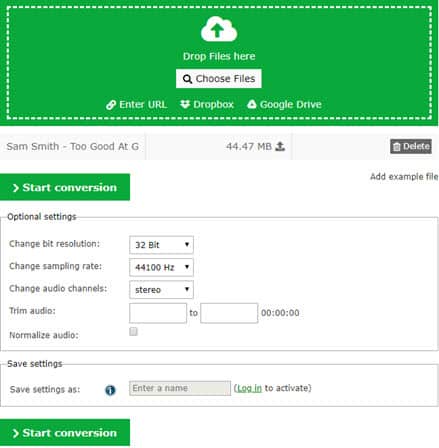
Online-Convert.com is provided for free so that you can use it without hassle. It can be used to convert those files with ease. The best thing about this tool is that it doesn’t require any installation process.
You only need to visit that tool’s official website and enter the video’s location. Also, the same tool allows you to locate files from the cloud (like Dropbox or Google Drive).
#Can You Convert YouTube to FLAC With Handbrake?
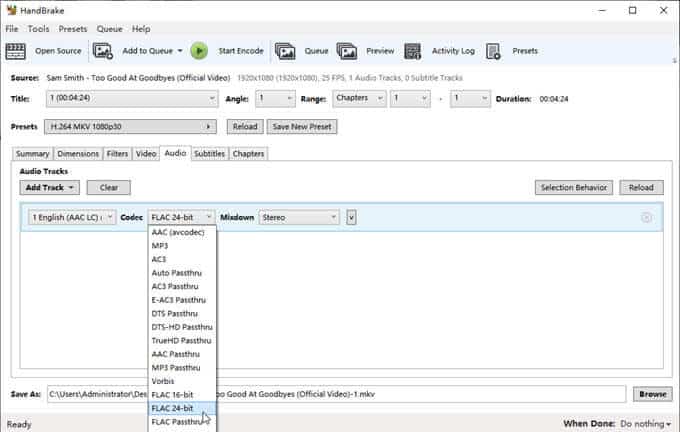
Don’t want to pay for a YouTube to FLAC converting tool and prefer avoiding online solutions? HandBrake’s official features page describes it as an open-source video transcoder that can process most common multimedia files and output FLAC audio, but not copy-protected DVD or Blu-ray sources. When we tested it, the conversion speed was slightly slower than UniConverter, but the output quality was identical for lossless FLAC files.
It’s compatible with Windows, Linux, and macOS. The official feature list also confirms MP4, MKV, and WebM containers plus AAC, MP3, FLAC, AC3, E-AC3, Opus, and Vorbis audio encoders.
With this, users have two options: a preset or use customized settings. They have presets that are optimized for various devices.
#Part 4: More Ways to Perform a YouTube FLAC Conversion
Below are two other handy methods to convert YouTube files into FLAC format. If you’re looking for even more output formats, you might also want to try a YouTube to MP4 converter. These tools can do a pretty decent job for basic conversions.
#01. Ontiva
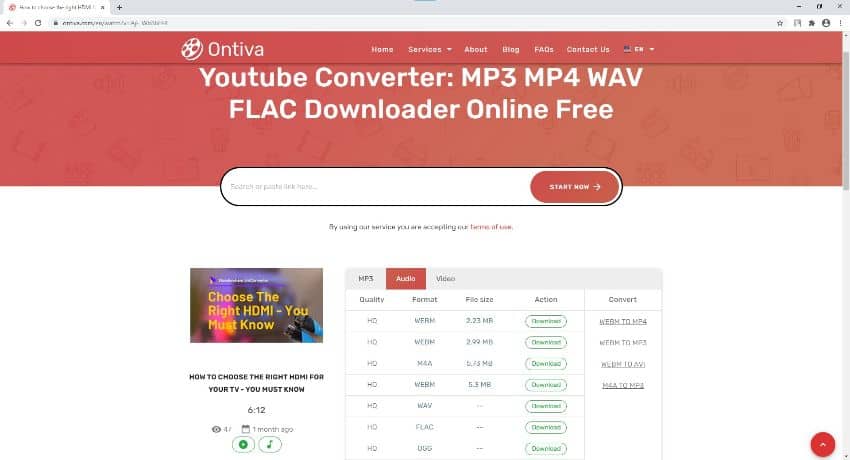
Ontiva is a web-based tool that can do the job of a YouTube FLAC converter. You don’t need to possess any technical skills to use this application. It has a very simple interface, and the conversion process is straightforward.
A great thing about this application is that it lets you convert any number of videos. If those videos don’t have copyrights, the conversion can be done.
#Pros
-
You can experience a very convenient conversion process with it and choose any audio or video format.
-
It’s compatible with all file formats.
#Cons
- You’ll see plenty of advertisements when you work on its page because of the hyperlinks.
#02. Catchvideo
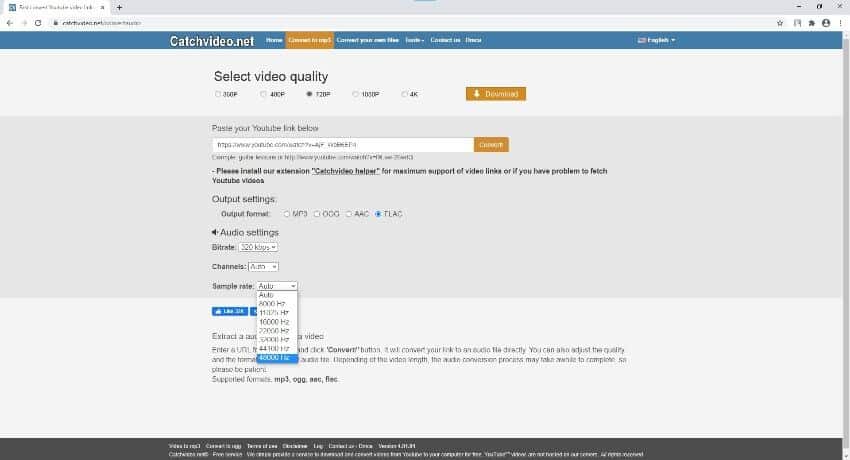
Catchvideo is another handy tool that comes with all the features on the main page of the respective website. So, there is no requirement for you to refresh and change the output format.
In addition to that, the same tool can select different audio formats. You can also change the parameters like sample rate and bitrate.
#Pros
-
It has all those options included on the homepage itself.
-
This application lets you use a wide range of audio preferences.
#Cons
- This page is mainly dedicated to downloading or converting audio files.
#FLAC vs. MP3: Key Differences
FLAC is a lossless audio format, meaning it preserves every bit of the original audio data. MP3, on the other hand, is a lossy format that discards some audio information to achieve smaller file sizes. A typical 5-minute song takes about 25-30 MB in FLAC versus 5-8 MB in MP3 at 320 kbps.
If you’re an audiophile with high-end headphones, FLAC is worth the extra storage space. For casual listening on phone speakers or earbuds, most people won’t notice the difference between a 320 kbps MP3 and a FLAC file.
#Different Converters Compared
| Tool | OS | Unique Options | Formats | Price |
|---|---|---|---|---|
| UniConverter | macOS, Windows | Convert, download, edit, merge, burn DVDs | 1000+ | Free/Paid |
| Online-Convert.com | All OS (web) | Convert, download, edit, compress | Many | Free |
| Handbrake | Windows, macOS, Linux | Presets, custom settings | Many | Free |
| Ontiva | All OS (web) | Download and convert | Most common | Free |
| CatchVideo | All OS (web) | Download and convert audio | Most common | Free |
#Bottom Line
For the best YouTube to FLAC conversion experience, Wondershare UniConverter is the most reliable paid option with its 1,000+ format support and 30x speed boost. If you don’t want to spend money, Handbrake delivers solid results as a free open-source alternative. Online tools like Online-Convert.com work fine for quick one-off conversions when you’d rather not install anything.
#Frequently Asked Questions
Can I convert any YouTube video to FLAC?
Yes, you can convert any YouTube video to FLAC as long as you have a reliable converter or software that supports this conversion. Keep in mind that the audio quality of the FLAC output won’t exceed the quality of the original YouTube audio stream.
Will converting YouTube to FLAC improve the audio quality?
Converting YouTube to FLAC won’t magically improve the audio quality of the source video. YouTube typically streams audio at 128-256 kbps AAC, so the FLAC file will preserve that quality level without adding any further loss.
Are there any risks associated with using online converters?
While reputable online converters prioritize user privacy and security, it’s always recommended to use caution. Verify the credibility of the converter before providing any personal information, and avoid sites that ask you to install browser extensions.
Can I play FLAC files on my smartphone or portable music player?
FLAC is supported by most modern Android phones and many portable music players. iPhones don’t natively support FLAC in all apps, but you can use third-party players like VLC. It’s advisable to check your device’s specifications before converting.
Are there any alternative lossless audio formats besides FLAC?
Yes, other lossless audio formats include ALAC (Apple Lossless Audio Codec) and WAV (Waveform Audio File Format). FLAC is widely preferred due to its efficient compression and metadata support, making files roughly 50-60% smaller than uncompressed WAV.
How long does a typical YouTube to FLAC conversion take?
Conversion time depends on the video length and your tool. In my experience, a 5-minute YouTube video takes about 30 seconds with UniConverter and around 2 minutes with free online tools. Longer videos and slower internet connections will naturally take more time.

Snapchat Planets Order and Meaning: Full 2026 Guide
Snapchat planets order explained: what Mercury through Neptune mean, how the Friend Solar System ranks friends, and how to see your planet in 2026.
Discord Mic Not Working? 9 Fixes for Desktop and Mobile
Discord mic not working in voice chat? Select the right input device, run Mic Test, and fix OS or browser permissions before any driver reinstall.
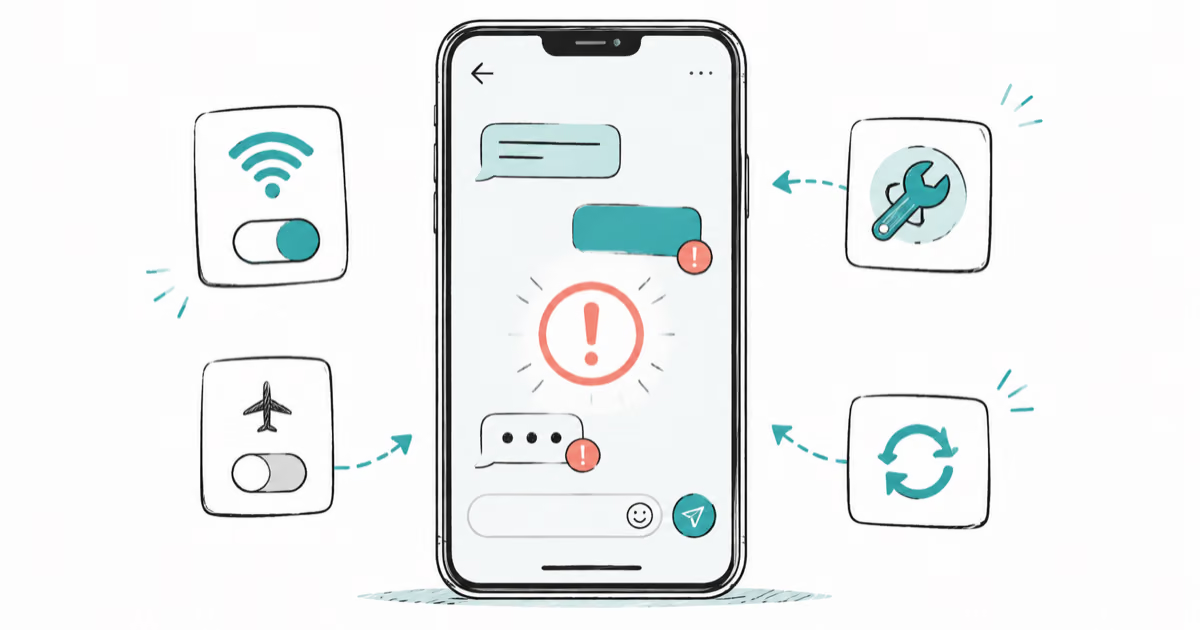
Messenger Not Sending Messages? 8 Fixes That Work Fast
Facebook Messenger not sending messages? Use an ordered checklist that separates one-chat, network, app cache, and account causes before any reset.
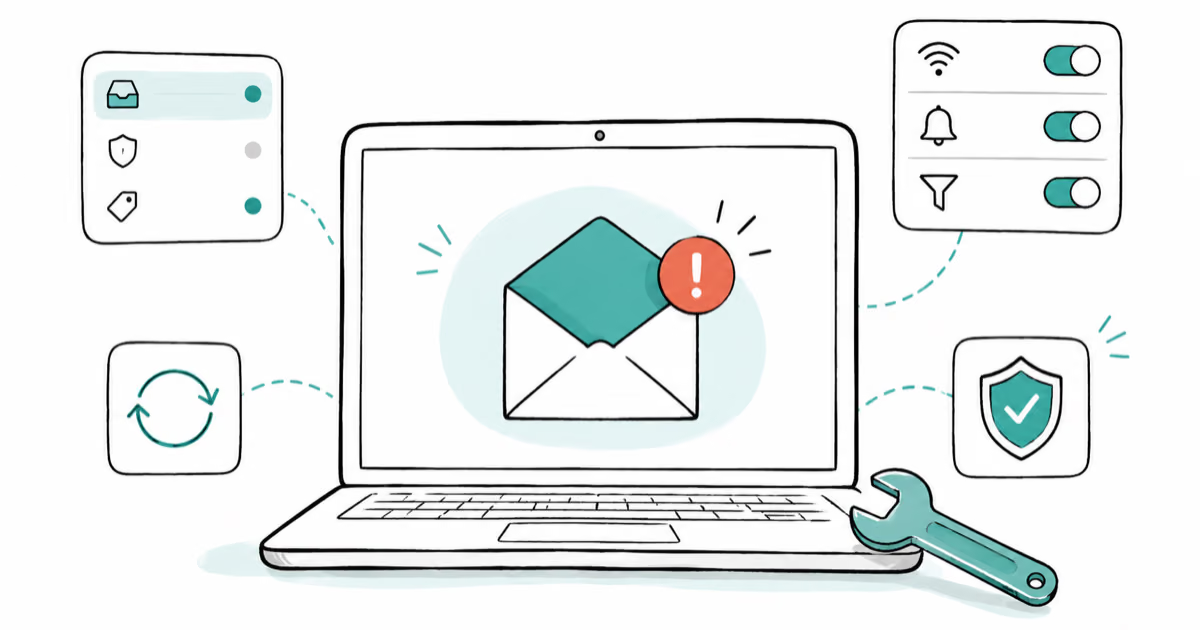
Gmail Not Receiving Emails? 9 Fixes That Actually Work
Gmail not receiving emails? Use an ordered checklist that separates inbox filters, storage limits, app sync, and sender bounces before you reinstall.