What to Do With Your Old SIM Cards: Disposal and Recycling
Destroy or recycle old SIM cards safely. Learn what data they hold, how to avoid SIM-swap fraud, and when it's worth keeping one as a travel backup.
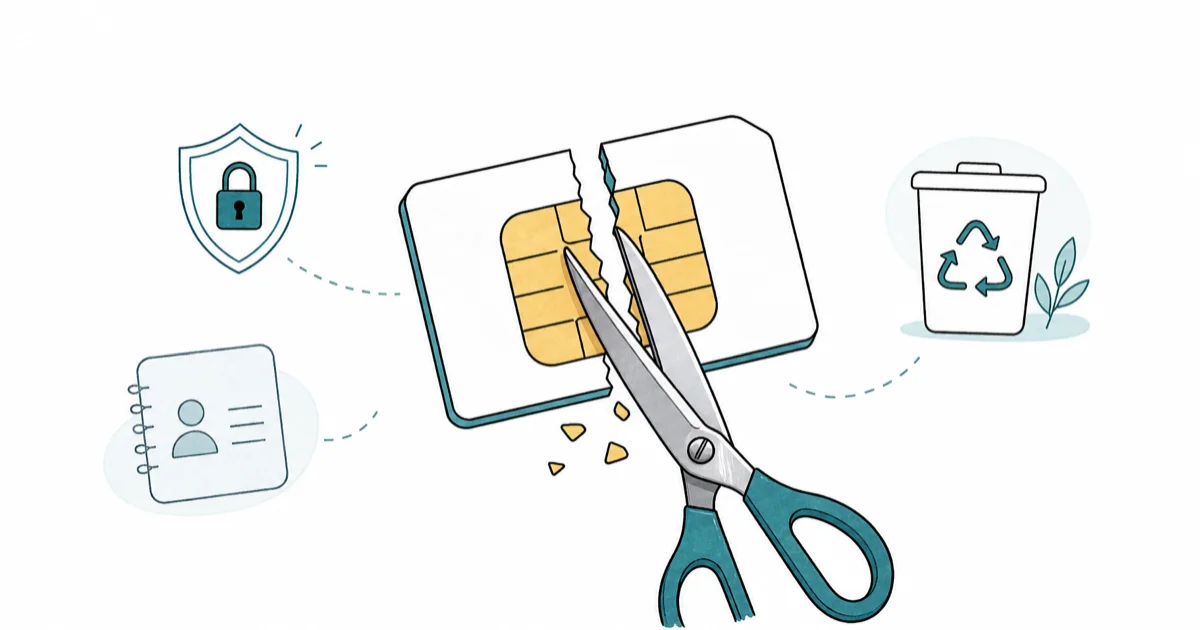
Quick AnswerCut your old SIM card through the gold chip with scissors, then drop the pieces into two separate trash bags. The card stores contacts, your ICCID, and sometimes SMS, so destroying it before disposal prevents SIM-swap fraud or identity theft.
Your old SIM cards aren’t quite as harmless as they look. The chip still carries your ICCID, leftover contacts, and sometimes saved SMS, and a tossed-but-intact SIM is a small but real lever for SIM-swap fraud. This guide covers what’s actually on the card, how to destroy it properly, when carriers will recycle it for you, and the narrow cases where keeping one makes sense.
A quick scope note. Everything below applies to SIM cards from phone lines you own (your own account, your own retired devices). Don’t dispose of, cut up, or recycle a SIM that belongs to someone else’s active line, even a family member’s. Destroying an active SIM doesn’t kill the line on the carrier side, but it does strand the person until they get a replacement, and tampering with an account that isn’t yours can violate carrier terms of service.
- Cut through the gold chip with scissors, then dispose of the pieces in two separate trash bags so the chip and body can’t be reassembled.
- Old SIMs can hold contacts, your ICCID, IMSI, and saved SMS, and the ICCID plus your phone number is enough for a social-engineered SIM-swap attempt.
- Major US carriers (Verizon, T-Mobile, AT&T) accept old SIMs in their device recycling programs and will destroy the card with the rest of the e-waste stream.
- Keep one old SIM only if the line is still active or if you travel internationally and use the SIM as a regional fallback in an unlocked phone.
- Never throw an unaltered, still-active SIM in household trash, since the ICCID printed on the card can help an attacker target your account.
#What Data Is Actually Stored on an Old SIM Card?
A SIM card is a small smart card with its own microcontroller and a few kilobytes of EEPROM. That storage holds more than people assume.
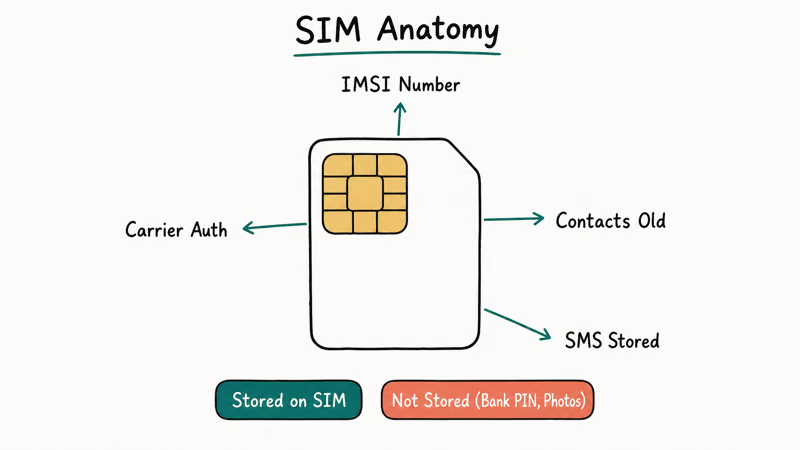
Read a retired SIM back with a USB SIM reader and the ICCID and IMSI are usually still legible. Cards from older phones can also hold a handful of legacy contacts, and SIMs that once stored messages may keep SMS fragments from when the line was active.
The card holds, at minimum:
- The ICCID, the 18-22 digit serial number that identifies the SIM globally.
- The IMSI, your subscription identifier on the carrier network.
- The authentication key (Ki), which never leaves the card but anchors every SIM-network handshake.
Older phones (pre-iOS 7, pre-Android 4) commonly wrote contacts and SMS to the SIM itself. Modern phones default to storing both on the device or in the cloud, but if you ever tapped “Copy contacts to SIM” or used a feature phone in between smartphone upgrades, that data is still on the card today.
According to the international ITU-T E118 standard, every issued ICCID is 19 digits plus a 1-digit Luhn checksum, which is why printed ICCIDs always fall in the 18-22 digit range.
The ITU-T E.118 recommendation is the registry that governs which carriers get which issuer prefixes. The deep-dive on the ICCID number and what it identifies explains the structure in more detail.
For more on inactive SIMs, the guide on whether you can track a SIM card covers what carriers see once a SIM is deactivated.
#The Real Risk From a Discarded SIM
The realistic risk isn’t that someone slots your old SIM into a phone and starts calling people. Once a carrier deactivates a line, the SIM stops authenticating and won’t get service. The real risk is that the ICCID printed on the back of the card, combined with your phone number, is enough material for a social-engineered SIM swap.
According to the FCC’s consumer alert on SIM swapping, attackers use personal details collected from phishing, data breaches, or discarded paperwork to convince a carrier representative they’re the account holder requesting a replacement SIM. Once the swap goes through, calls and SMS, including bank two-factor codes, route to the attacker’s phone. The FTC’s identity theft guide on SIM swap and port-out fraud recommends placing a fraud alert and changing account PINs the moment service unexpectedly drops.
A stray SIM in the trash isn’t the whole attack. It’s one more puzzle piece. The printed ICCID confirms the line existed, narrows the carrier, and gives the attacker a number to read back over the phone. Destroying the card removes that piece.
#Safe Destruction Methods That Actually Work
Scissors are faster than every other method, and a chip cut across the contact pad is unreadable in a USB SIM reader. The whole process takes only a moment per card.
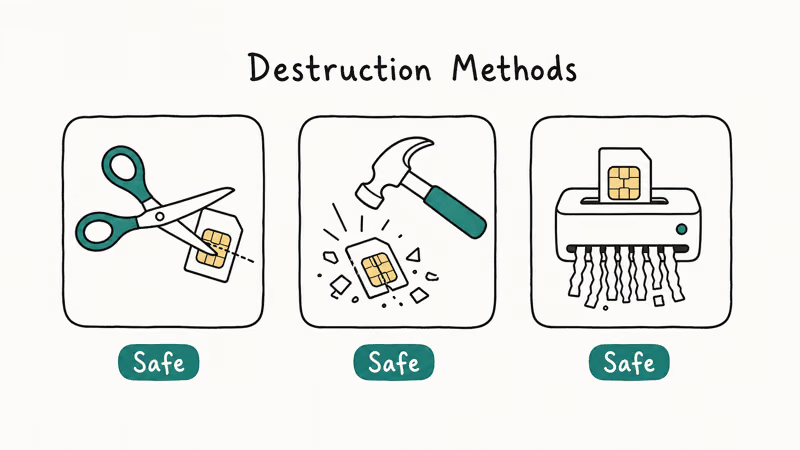
Pick one of these methods and you’re done:
- Cut through the gold chip with scissors. Make at least two cuts across the contact pad itself, then cut the plastic body into 3-4 more pieces. The chip is what stores data, so cuts that miss the metal contact aren’t enough.
- Run it through a cross-cut shredder rated for credit cards. Office shredders labeled “CD/credit card” handle SIM cards. Strip-cut paper shredders won’t.
- Snap it after scoring. Score the chip with a sharp blade, then bend the card back and forth until the chip cracks. Slower than scissors but works with no tools.
After destruction, split the pieces between two trash bags or trash days. Reassembling cut pieces from separate bags is impractical, and the principle is the same one the FTC recommends for credit cards: make reassembly more work than it’s worth.
Skip “soak it in salt water” and magnet tricks. Salt-water corrosion takes weeks and won’t reliably damage the chip in any reasonable timeframe. Magnets do nothing to SIM EEPROM at all, which is solid-state, not magnetic media.
#Carrier Recycling and E-Waste Drop-Offs
Most US carriers fold SIM-card recycling into their broader device take-back programs. The destruction happens at the recycling facility, but you still want to cut the card before mailing or dropping it off, since a label can slip off a package in transit.
Three programs to consider:
- Verizon Trade-In Program. Verizon’s trade-in and recycling program page accepts old SIMs alongside retired phones and tablets. Drop off at any Verizon store or mail in using a prepaid label.
- T-Mobile Device Recycling. T-Mobile’s device recycling program takes SIM cards along with phones; they note that materials get refurbished, donated, or responsibly recycled.
- AT&T Cell Phone Recycling. AT&T’s recycling page accepts SIM cards and offers prepaid shipping labels for mail-in returns.
If you don’t use a major carrier or want a local option, most municipal e-waste collection events accept SIMs along with batteries, phones, and small electronics. The EPA confirms that electronics recycling drop-off locations accept small chip-based devices, and many Best Buy stores still run a small-electronics drop-off bin near the front door.
Recycle only after the card is cut. The recycling stream is industrial, but a curbside bin and a shipping label aren’t, and you want the data destroyed before the card leaves your hands.
#When Is It Worth Keeping an Old SIM Card?
There are exactly three cases where keeping an old SIM beats destroying it, and most drawer SIMs don’t fit any of them.
Keep it if the line is still active. A SIM tied to an active number is a working backup if your current phone breaks or you want a second device on the same line. This includes spare lines on family plans that you might re-provision.
Keep it if you travel internationally and use it as a regional SIM. Unlocked GSM phones accept any SIM, and a prepaid SIM from a country you visit twice a year is cheaper than international roaming. A regional prepaid SIM can often be stored and reactivated across multiple trips. AT&T’s bring your own device support page explains how regional SIM compatibility works on unlocked GSM phones.
Keep it if the carrier explicitly requests the original SIM for a future warranty or account audit. This is rare but real on prepaid carriers that issue physical SIMs only at activation.
If your SIM is from a deactivated line you no longer use, destroy it. The “in case of emergency” reasoning falls apart because a deactivated SIM can’t make calls (even to 911 in most US carrier configurations as of 2024) without an active subscription.
#Wiping SIM Data Before Disposal
If destruction makes you nervous and you want to clear the card first, you can wipe stored contacts and SMS from the phone’s settings before pulling the SIM. The paths below work on both iPhone and Android.
On iPhone, Settings > Phone > SIM PIN lets you require a PIN to read the SIM. That helps while the card is active but doesn’t erase contacts. To clear SIM contacts specifically, use a free third-party reader app like SIM Manager during a brief insertion in an older phone that supports the import/export menu, then delete from there.
Apple’s guide to setting up the SIM PIN confirms that the PIN protects against unauthorized SIM use on another device but does not by itself wipe stored data, which is why physical destruction is the cleaner endpoint. If your SIM is failing entirely rather than just outdated, the SIM failure on iPhone guide walks through the diagnostic path before you give up on the card.
On Android, Contacts app > Menu > Settings > Import/Export shows SIM contacts and lets you delete them in bulk. Samsung’s path is Contacts > Manage contacts > Move/copy/SIM contacts, where you can wipe the SIM side after copying anything you want to save.
If your SIM is stuck because of a lock, the walkthrough on unlocking a SIM card covers the recovery path before disposal, and the carrier lock and SIM restriction guide covers what to do when a SIM card is still attached to a locked phone.
None of this matters if you cut the chip. Physical destruction beats software wipes for retired SIMs because you don’t need to verify it worked.
#eSIMs Change the Disposal Problem
There’s nothing to dispose of with an eSIM. The eSIM profile lives inside the phone’s embedded chip, and removing or deactivating a profile in Settings > Cellular (iPhone) or Settings > Network & Internet > SIMs (Android) clears the profile data on the device side. When you sell or recycle the phone itself, performing a factory reset wipes the profile along with everything else.
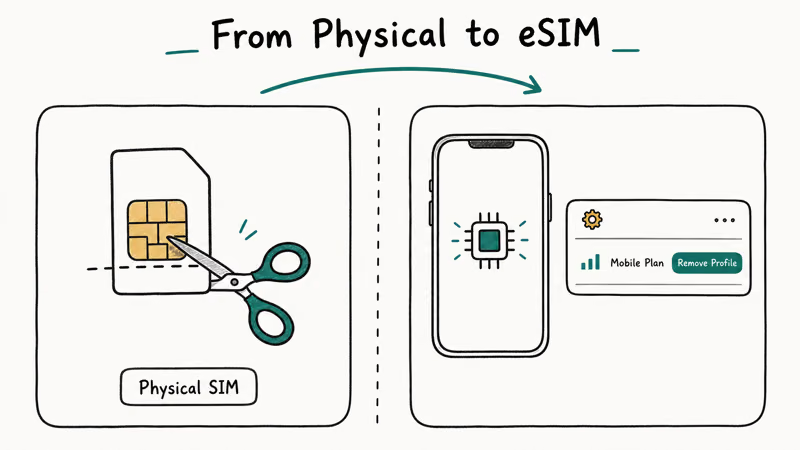
eSIMs change the disposal problem in two ways. First, there’s no physical card to leak. Second, the EID (the eSIM hardware ID) stays with the phone for life, so the phone becomes the artifact to dispose of carefully. If you sell or recycle an old phone with eSIMs, confirm the profile list is empty and the phone is factory-reset before it leaves your hands.
For physical SIMs you still own, the destruction guidance above doesn’t change in 2026: cut, separate, recycle the metal stream where possible.
#Bottom Line
Cut every retired SIM through the gold chip with scissors, split the pieces between two trash bags, and you’re done in under a minute. If you have more than a few cards, mail them in with your next carrier trade-in or drop them off at a Best Buy or municipal e-waste event; the carrier programs from Verizon, T-Mobile, and AT&T all accept SIMs alongside phones.
Keep an old SIM only if the line is still active or if it’s a regional travel SIM you’ll actually use. The “just in case” SIM in your junk drawer is doing nothing but storing your ICCID in a pile of other ICCIDs. Never put a SIM that’s still legible into the trash.
If you suspect your number was already SIM-swapped, call your carrier on a different phone and ask them to audit recent SIM-change requests on the account, then place a fraud alert with the credit bureaus per the FTC’s recovery guidance.
#Frequently Asked Questions
Can someone reactivate my old SIM after I throw it away?
No. Once the carrier deactivates the line, the ICCID is unbound from any active subscription and the card can’t authenticate on the network. The risk isn’t reactivation; it’s that the ICCID printed on the card helps an attacker socially engineer a new SIM under your number, which is the actual SIM-swap fraud pattern the FCC has warned consumers about for years.
Do I need to destroy a SIM from a phone I’m trading in?
Yes. Always destroy it first.
Trade-in programs evaluate the phone hardware; they don’t audit the SIM, and a SIM left in the tray ships with the phone to whoever buys it next. The same applies to eSIMs: factory-reset the phone first so no profile data goes with the device.
What if my old SIM is too small to cut safely?
Nano SIMs are the smallest at 12.3 by 8.8 millimeters, but household scissors still work. Sandwich it between two strips of duct tape, cut through tape and card together, then discard the tape strips. The added friction keeps your fingers clear and the chip still gets severed.
Are there any laws about SIM card disposal in the US?
No federal law requires specific SIM disposal methods. General data protection guidance from the FTC treats SIM cards the same as any other media holding personal information. Some states with electronics-recycling mandates (California, Washington, Connecticut, others) prohibit putting them in household trash, and require an e-waste stream instead.
Can I just keep all my old SIM cards in a drawer?
You can, but each one is a small risk multiplier.
A simple rule helps: at the end of each year, sort the drawer into “active number or travel SIM” (keep) and “deactivated junk” (destroy and recycle). That keeps the pile manageable and removes the ICCIDs you no longer need from the surface area an attacker could collect from a stolen junk drawer or a careless trash bag.
Does cutting the gold chip really destroy the data?
Yes for any practical attacker. The chip holds the microcontroller, EEPROM, and authentication key in a single tiny die under the contact pad. Cutting the pad physically severs the die. A nation-state lab with microsurgery tools could in theory recover fragments, which is not the threat model for consumer SIM disposal.
What’s the safest option if I’m worried about identity theft already?
Use your carrier’s recycling program rather than the trash. Cut the SIM first, then mail it in or drop it at a corporate store. The card enters an industrial e-waste stream that physically shreds and smelts components, which is more thorough than household trash even after scissor cuts.
Should I keep a SIM card from a deceased family member’s account?
Destroy it after closing the account.
Treat it the same as your own retired SIM: the ICCID on the card is associated with a real number that may now belong to a new subscriber. If executor responsibilities require keeping records, photograph the front and back, store the images securely, and destroy the physical card. Recycle the metal stream through a carrier program if possible.

Pixel 11 vs Pixel 10: What Changed and Who Should Upgrade
Pixel 11 vs Pixel 10: same screen and camera resolution, new Tensor G6, 25W wireless, and Gemini Intelligence. Here is who should actually upgrade.

Verizon Not Receiving Texts? How to Fix It in 9 Steps
Verizon not receiving texts? Fix it in 9 steps: check Message Blocking in My Verizon, reset network settings, deregister iMessage, and call support.

Pixel Battery Drain: What Google's July Fix Really Covers
Google marked the Pixel idle battery drain bug fixed in July, but only some phones got the patch. Here is who is covered, who is not, and what to try.

iPhone Stuck on EDGE? How to Get 5G or LTE Back (2026)
iPhone stuck on EDGE with crawling data? Here's why the E icon appears, which settings force 5G or LTE back, and when the problem is your carrier.