Carrier Lock No SIM Restrictions: What It Means (2026)
Carrier Lock No SIM Restrictions means your iPhone is unlocked. Learn how to check, what it means for switching carriers, and how to unlock a locked phone.
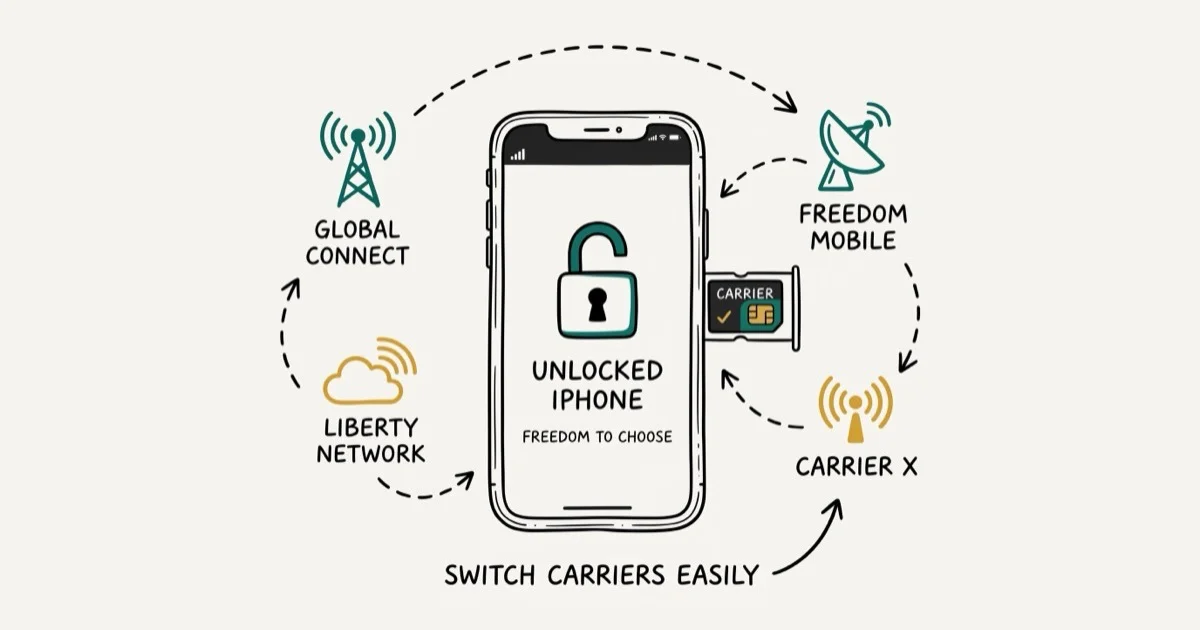
Quick AnswerCarrier Lock No SIM Restrictions means your iPhone or iPad is fully unlocked and can work with any carrier SIM card. You can check this under Settings > General > About > Carrier Lock.
Your iPhone says “No SIM Restrictions” under Carrier Lock, and you’re not sure if that’s good or bad. It’s good news. Your phone is unlocked, and you can use any carrier’s SIM card without limitations.
Here’s exactly what that status means and what it lets you do.
Check carrier lock status only on your own iPhone, your own account, or a phone you are evaluating with the seller’s permission. Unlocking and activation involve billing, ownership, and carrier policies, so stay within legal limits, keep purchase records, and avoid using identity details or account access that belongs to someone else.
- “No SIM Restrictions” means your iPhone is fully unlocked and works with any carrier worldwide
- Check carrier lock status in 10 seconds:
Settings>General>About>Carrier Lock. - Unlocked iPhones sell for $50-100 more on the secondhand market than locked models.
- T-Mobile unlocks after 40 days; AT&T requires 60 days plus a fully paid-off device.
- Once unlocked, the status is permanent; carriers can’t re-lock a device.
#The Meaning of Carrier Lock No SIM Restrictions
“No SIM Restrictions” means your iPhone or iPad isn’t tied to any specific carrier. You can pop in a SIM card from AT&T, T-Mobile, Verizon, or any other provider, and it’ll work. According to Apple’s support page on unlocking, if “No SIM restrictions” appears next to Carrier Lock in your settings, your device is unlocked and compatible with any carrier’s SIM worldwide.
According to Apple, the iPhone XS (released 2018) was the first model to support dual SIM, and all U.S. iPhone models since 2020 use eSIM exclusively for at least one SIM slot.
This is the status you want. An unlocked iPhone gives you three practical benefits:
- Switch carriers freely. Move from T-Mobile to AT&T without buying a new phone.
- Use local SIM cards while traveling. Pick up a prepaid SIM abroad instead of paying roaming fees.
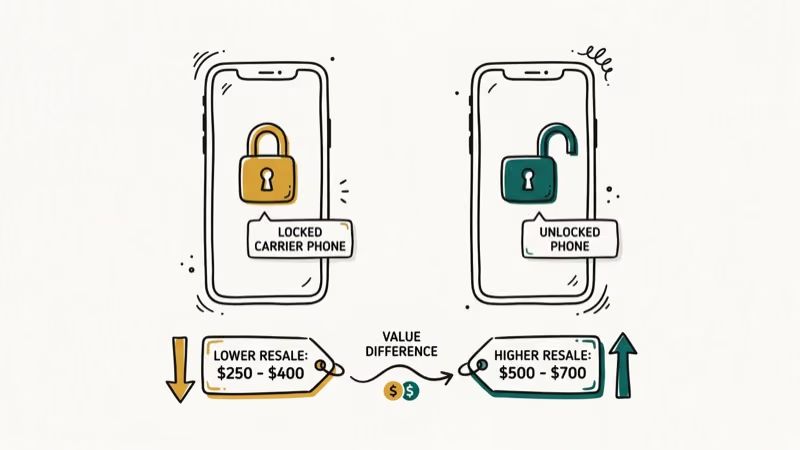
- Higher resale value. Unlocked iPhones sell for $50-$100 more than locked ones on the secondhand market.
If you’ve ever dealt with a SIM card not from Verizon error, you know how annoying carrier restrictions can be. “No SIM Restrictions” means you won’t run into that problem.
#Checking Your iPhone’s Carrier Lock Status
The check takes about 10 seconds:
Open Settings, tap General, tap About, and scroll down to Carrier Lock (older iOS versions label it Network Provider Lock).
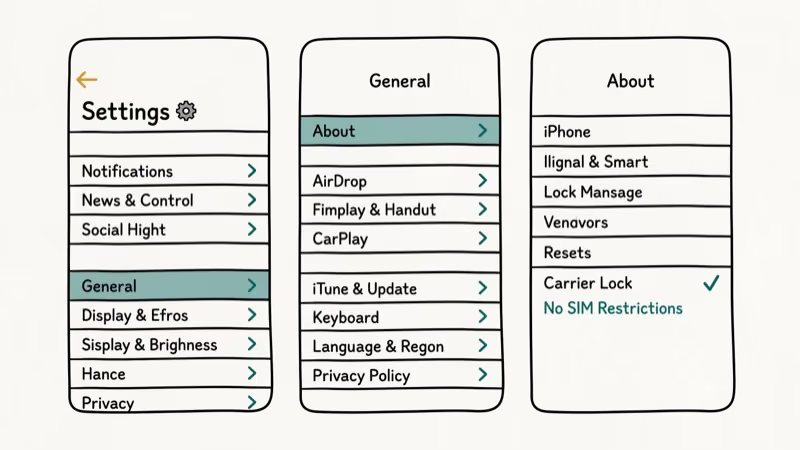
You’ll see one of two messages:
| Status | What It Means |
|---|---|
| No SIM Restrictions | Your device is unlocked. Any SIM card will work. |
| SIM Locked | Your device is locked to one carrier. Only that carrier’s SIM will function. |
On current iOS versions the field is labeled “Carrier Lock.” On iOS 14 and 15, Apple used the label “Network Provider Lock” instead. Same information, different name. If you don’t see either label, make sure your iOS is up to date, as very old iOS versions may not display the field at all.
#Why Is Your iPhone Locked or Unlocked?
Where you bought your iPhone determines its lock status. iPhones purchased directly from Apple at full price come unlocked out of the box by default. Refurbished Apple devices sold through Apple’s website are also unlocked.
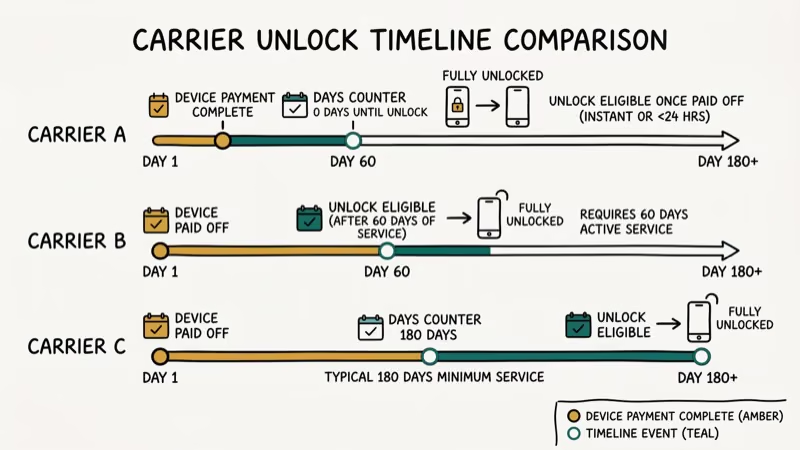
Bought through a carrier on a payment plan? It’s locked until you pay it off.
Carriers lock phones to protect their investment. Once you’ve paid off the device and met the service period requirement, you’re entitled to request an unlock.
Here’s how the major U.S. carriers handle it:
- T-Mobile locks phones for 40 days after activation on postpaid plans. T-Mobile’s device unlock support page confirms they automatically unlock eligible devices after this period, with no call required.
- AT&T needs 60 days of active service plus a paid-off device. See our AT&T iPhone unlock guide.
- Verizon used to unlock phones automatically after 60 days, but updated this policy in early 2026. Check Verizon’s website for current requirements before requesting an unlock, as the rules now differ by device type and plan.
The FCC’s consumer guide on cell phone unlocking confirms that all major U.S. carriers are required to unlock eligible devices upon request. The FCC’s voluntary commitments require carriers to notify customers of unlock eligibility and process requests without additional fees. Postpaid customers are generally eligible within 40-60 days, while prepaid customers face longer waiting periods that can exceed a year depending on the carrier. Knowing your carrier’s exact timeline before you need to switch saves hassle later.
Prepaid carriers have much longer lock periods. T-Mobile’s prepaid devices require 365 days of active service before qualifying. Check our guide on unlocking a Straight Talk iPhone if you’re on that network.
#Unlocking a Carrier-Locked iPhone
If your iPhone shows “SIM Locked,” contact your carrier to request an unlock. According to Apple’s unlock support page, only your current carrier can process the request. Apple can’t unlock it on your behalf.
Three requirements must be met first:
- The iPhone is fully paid off. No remaining balance on your installment plan.
- Your account is in good standing. No unpaid bills or contract violations.
- The phone isn’t reported lost or stolen. Carriers won’t unlock flagged devices.
Most carriers process unlock requests within 2-5 business days. You’ll get a confirmation email when it’s done.
After the carrier confirms the unlock, the Carrier Lock status changes to “No SIM Restrictions.” Apple’s official guidance recommends backing up the iPhone, erasing it, and restoring it to complete the process cleanly.
For a UICC unlock on a different device, the process is similar.
#What Happens if You Put a Different SIM in a Locked iPhone?
You can physically insert any SIM card into a locked iPhone. The tray doesn’t care. But the phone won’t connect to a different carrier’s network.
Put a T-Mobile SIM into a Verizon-locked iPhone and it displays a “SIM Not Supported” error. It won’t make calls, send texts, or use mobile data on the new carrier’s network. The phone still works on Wi-Fi, though.
Check Settings > General > About > Network to see the error.
Your only options are to reinsert the original carrier’s SIM or unlock the phone. There’s no workaround.
#No SIM Restrictions and eSIM Compatibility
Yes. The “No SIM Restrictions” status applies to both physical SIM cards and eSIM. If your iPhone shows this status, you can activate an eSIM from any carrier just as freely as you’d insert a physical SIM card.
This matters especially for newer iPhones. The iPhone 14 and later (U.S. models) don’t have a physical SIM tray at all. They rely entirely on eSIM. The FCC’s consumer guide on cell phone unlocking confirms that unlock rules apply regardless of SIM type.
If you’re switching from Android and want to move your SIM, check our guide on switching a SIM card from Android to iPhone.
#Bottom Line
“No SIM Restrictions” is the best status your iPhone can have. It means you’re free to use any carrier, any SIM card, anywhere in the world. If your phone shows “SIM Locked” instead, contact your carrier once you’ve paid off the device. The unlock process typically takes 2-5 business days. For TracFone devices specifically, we’ve got a dedicated guide on how to perform a TracFone unlock.
#Frequently Asked Questions
Can a carrier re-lock an iPhone after it’s been unlocked?
No. Once your iPhone shows “No SIM Restrictions,” it stays unlocked permanently. Carriers can’t reverse an unlock. This applies even if you switch carriers or cancel your account after the unlock goes through.
Is “No SIM Restrictions” the same as jailbroken?
Not at all. “No SIM Restrictions” simply means your carrier unlocked the device so it works with any network. Jailbreaking is a completely different process that removes Apple’s software restrictions. An unlocked iPhone still runs standard iOS with all of Apple’s security features intact.
Does an unlocked iPhone work with any carrier worldwide?
It works with any compatible carrier. The key word is compatible. Your iPhone supports specific network bands, and not every carrier worldwide uses the same ones. For U.S. carriers like AT&T, T-Mobile, and Verizon, an unlocked iPhone works with all three. For international carriers, check that they support the same LTE and 5G bands your iPhone model uses.
How long does it take to unlock an iPhone through a carrier?
T-Mobile often completes it within 24 hours. AT&T and Verizon may take the full 5 days. You’ll get an email when the unlock is done.
Can I check carrier lock status on a used iPhone before buying?
Yes, but only if you can access the phone. Go to Settings > General > About and look for the Carrier Lock field. If you’re buying online and can’t physically check, ask the seller for a screenshot of this screen. You can also check the IMEI number through your carrier’s website to verify unlock status.
Do prepaid iPhones come locked?
In most cases, yes. Prepaid iPhones from carriers like Straight Talk, Cricket, and Metro by T-Mobile come carrier-locked. The unlock eligibility period is usually longer than postpaid plans. For example, T-Mobile’s prepaid devices require 365 days of active service before they qualify for unlocking, compared to just 40 days for postpaid.
Will unlocking my iPhone void the warranty?
No. Carrier unlocking doesn’t affect your Apple warranty at all. Apple treats carrier lock status as a carrier-level decision, not a device modification. Your warranty coverage, AppleCare+, and access to Apple support remain exactly the same after unlocking.
What’s the difference between carrier lock and activation lock?
Carrier lock restricts which SIM cards work in your phone. Activation lock is an Apple security feature tied to your Apple ID that prevents anyone else from using your iPhone if it’s lost or stolen. They’re completely separate. You can have an iPhone that’s carrier-unlocked but still has activation lock enabled through Find My iPhone. If you’re dealing with activation lock issues, our guide on iPhones linked to an Apple ID covers that topic.

Mac mini M6 vs M5 Pro: Which Model Should You Buy?
Mac mini M6 vs M5 Pro compared on price, memory, ports, displays, and real workloads. Find the better 2026 Mac mini for your desk and budget.

Apple Siri Settlement: Who Qualifies and How to Claim
Apple's $250 million Siri settlement covers iPhone 15 Pro and iPhone 16 models bought June 2024 to March 2025. See who qualifies and how claims work.

iOS 26.6.1 Security Update: What Apple Fixed and Who Gets It
Apple released iOS 26.6.1 on August 17 with 29 security fixes, including an IPSec interception bug. See what it patches, who gets it, and how to update.

iPhone Adaptive Power: How It Works and When to Use It
Learn how iPhone Adaptive Power works, which models support it, what it changes, and when Low Power Mode is still the better battery-saving choice.