How to Change Your Tinder Location: 2026 Passport Guide
Change your Tinder location with Passport in three taps. Learn what VPNs actually do, why GPS spoofing risks bans, and how to avoid Tinder's review flag.
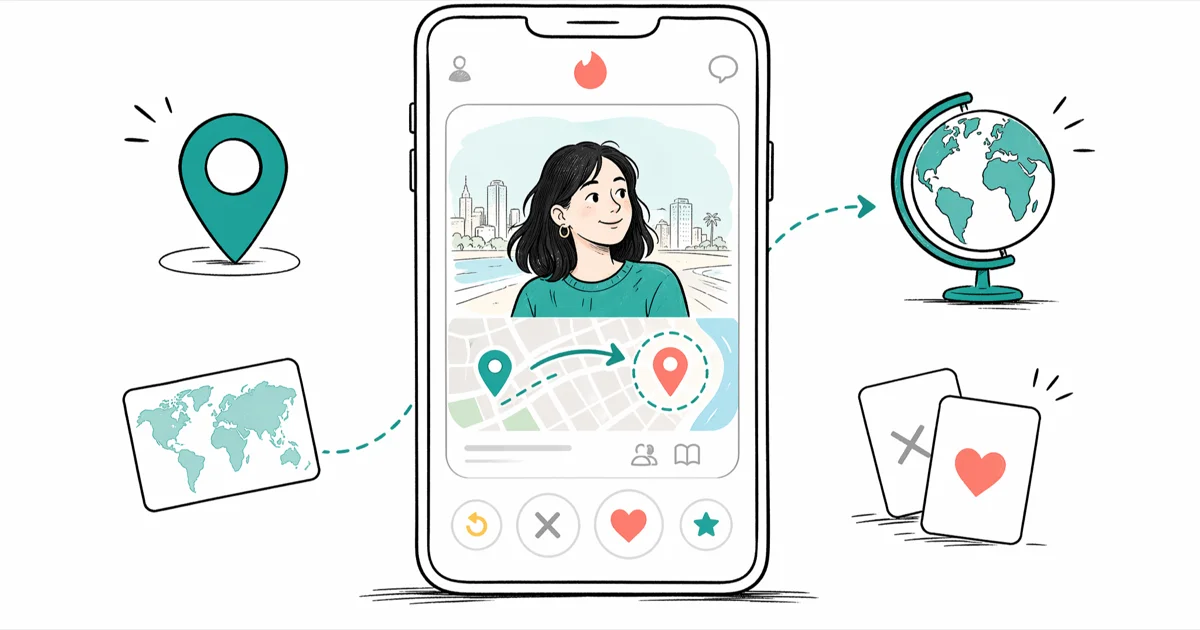
Quick AnswerTo change your Tinder location, open Settings, tap Swiping In on Android or Location on iOS, then choose Add a New Location and pick a city. That's the Passport feature, included with Tinder Plus, Gold, and Platinum.
Changing your Tinder location is straightforward if you use Passport, the app’s official feature for matching in another city. The complications start when people try to fake their location with a VPN or a GPS spoofing app, because Tinder reads your device’s actual GPS and flags accounts that look inconsistent. This guide covers the supported path, what the unofficial workarounds really do, and how to keep your account in good standing in 2026.
- Tinder Passport is the only Tinder-approved way to change your location and is included with Tinder Plus, Gold, and Platinum.
- A VPN alone doesn’t change your matches because Tinder uses your phone’s GPS, not your IP address.
- GPS spoofing apps can change matches temporarily, but they violate Tinder’s Community Guidelines and risk a permanent ban.
- Each new Passport city resets the proximity sort and gives a short “new in town” visibility window during the first swipe session.
- Your previous matches stay visible after you switch cities, and you can still chat with them from anywhere.
#What Tinder Passport Does and How It Works
Tinder Passport is the official feature that lets paid subscribers swipe in any city in the world. According to Tinder’s Passport help page, the feature is bundled across all 3 paid tiers: Plus, Gold, and Platinum. There’s no extra charge once you have one of those subscriptions, and the included city limit varies by tier.
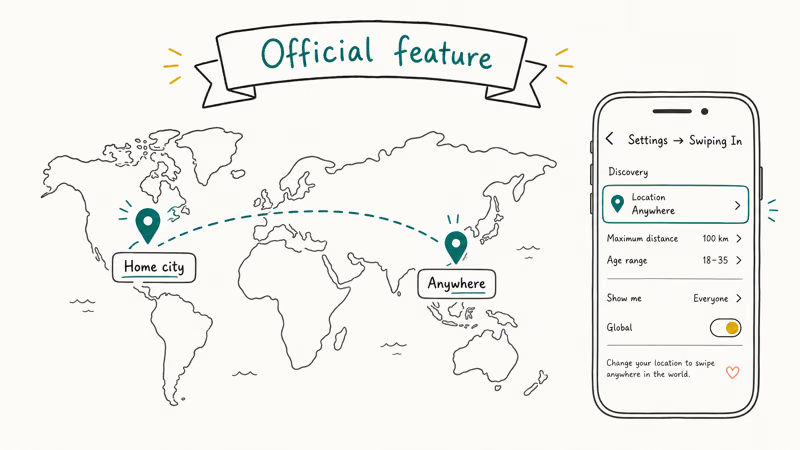
You set a city manually, and Tinder treats that city as your active swipe radius until you change it. Old matches don’t disappear.
The city change applies almost instantly on both iOS and Android, and the visible profile cards update on the next swipe session. Old matches stay in the inbox the whole time, so you can keep chatting with them while pinned to a different city.
Passport doesn’t hide that you’re using it. Profiles you swipe on in another city often display a distance value or a city name on your card, so the people you match with can usually tell you’re not local. Tinder’s own guidance recommends being upfront about your travel plans in your bio, and that lines up with what people in the r/Tinder community on Passport etiquette consistently say: locals respond better when the visit window is clearly stated.
#Tinder Plus, Gold, or Platinum: Which Tier Unlocks Passport
All three paid tiers include Passport, so the decision usually comes down to the other features bundled with each subscription. Tinder Plus is the cheapest tier that unlocks Passport, while Gold adds See Who Likes You, and Platinum stacks on Priority Likes and Message Before Match.
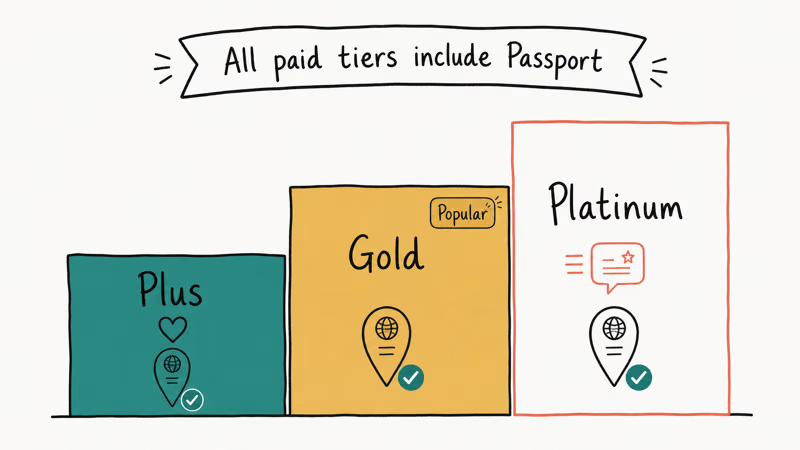
If Passport is the only reason you’re paying, Plus is enough.
Tinder Plus runs cheaper than Gold by roughly half on most regions and billing cycles, so if you only need the city switch for one trip, the cost-per-month math favors Plus on a short subscription window. If you already pay for Gold for the Likes inbox, Passport is a free add-on you already own and don’t need to upgrade further to use. We cover the full feature trade-off in Is Tinder Gold Worth It for anyone weighing the upgrade.
Passport itself behaves the same on every paid tier. The number of saved locations you can store at a time is the one feature difference worth knowing: Plus caps you at fewer saved pins than Gold and Platinum, which is annoying if you bounce between four or five cities a year.
#How to Use Tinder Passport Step by Step
The steps differ slightly between iOS and Android, and the menu labels also changed across recent app versions, so the wording in older guides may not match what you see today.
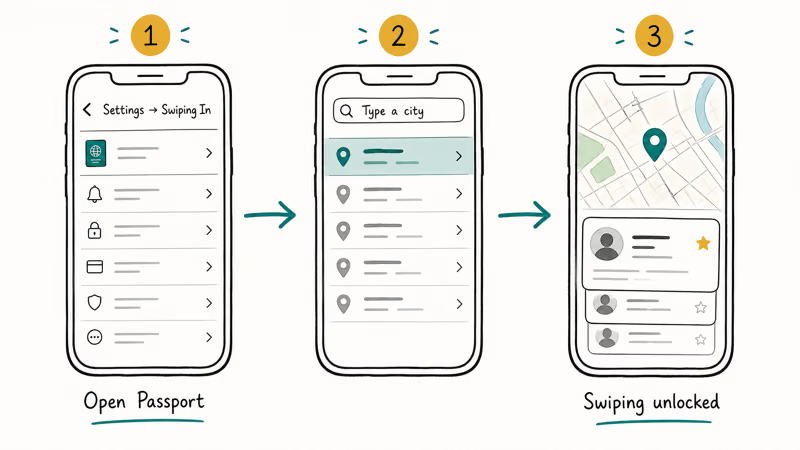
On iPhone:
- Open Tinder and tap your profile icon in the top-left corner.
- Tap Settings.
- Scroll to the Location section and tap Add a New Location.
- Search for a city or drop a pin on the map.
- Confirm the city, and Tinder will start showing profiles in that area.
On Android:
- Open Tinder and tap your profile icon.
- Tap Settings.
- Scroll to Swiping in and tap Add a new location.
- Type a city name or drop a pin.
- Save the new location.
The entire flow takes under a minute on both platforms once you have an active paid subscription. If you only see your current GPS city and no Add a New Location option, your account is on the free tier and Passport is gated behind a paywall.
If your map pin keeps snapping back to your real city after you set a new one, the issue is usually a device-level location override, not Passport itself. See Tinder Location Wrong for the iOS and Android settings that can pull the app back to your real GPS.
#Do VPNs Actually Change Your Tinder Location?
This is the most common misconception, and most older blog posts get it wrong.
A VPN routes your data traffic through a server in a different country, which changes the IP address websites see. Tinder doesn’t use your IP address to decide where you swipe. It reads the location service on your phone, which is fed by GPS, Wi-Fi positioning, and cell tower triangulation. Apple’s Location Services support article states that GPS has been the primary precise-location signal on iOS for 10+ years, and any app requesting precise location reads from that stack.
In practice this means installing NordVPN, ExpressVPN, or any other VPN and connecting to a Tokyo server changes nothing about who you see on Tinder. Your matches still come from wherever your phone’s GPS reports.
The one exception is account creation. A VPN can affect the IP geolocation tied to your sign-up record, and Tinder has been known to flag new accounts whose IP country and GPS country don’t match during the first login. If you’ve ever set up a fresh account from an airport lounge VPN, that’s the trigger.
A reputable VPN is still useful for privacy on public Wi-Fi. Just don’t expect it to move you on Tinder by itself.
#GPS Spoofing Apps and the Hidden Cost of Workarounds
GPS spoofing apps such as iAnyGo, Dr.Fone Virtual Location, and Fake GPS Free for Android override the location your phone reports to other apps. Tinder reads the spoofed coordinates and shows you profiles from the fake city. That’s the loophole people are usually asking about when they search for free ways to change Tinder location.
The trade-off is real.
Tinder’s Community Guidelines state that using third-party software to manipulate the service can lead to account suspension or removal, and that explicitly includes location spoofing. Accounts can go from active to “under review” within hours of a spoof, especially when the new city is on a different continent than the device’s previous GPS readings. If your account ends up flagged, How to Get Unbanned from Tinder covers the appeal path, though Tinder’s success rate on appeals is famously low.
There’s also a setup tax. iOS spoofers usually need a computer-paired developer certificate, and Android Mock Locations exposes a system flag that apps can read.
For a deeper breakdown of spoofers, detection patterns, and the specific risk profile per app, we’ve published a dedicated piece at Fake GPS for Tinder. The summary holds in 2026: spoofing works until it doesn’t, and the only path to recover a banned account is a new device, a new phone number, and a new email, all of which Tinder may still cross-reference.
#How Can I Stay Safe and Avoid a Ban?
The safest path is the boring one. Use Passport, be upfront in your bio, and avoid stacking workarounds. A few habits help your account look authentic to Tinder’s review system:
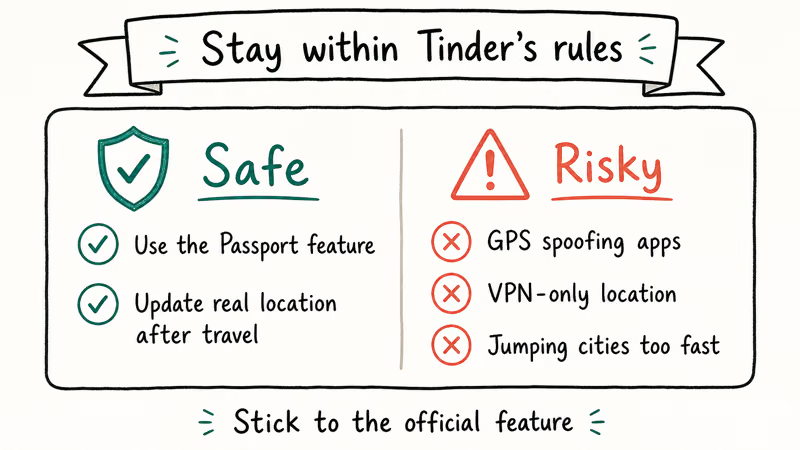
- Pick realistic cities. Hopping from Chicago to Bangkok to Berlin in one afternoon is a pattern Tinder’s anti-fraud team has been trained to spot. One destination at a time looks like real travel.
- Keep your real GPS on. Turning off Location Services entirely can push the app to a fallback IP geolocation, which then conflicts with your Passport city. Apple’s own privacy panel recommends leaving Location Services enabled and managing access per app instead.
- Don’t run Passport and a spoofer at the same time. That produces two conflicting locations the app can detect, and this combination can trigger the under-review screen faster than either method alone.
- Reset your match queue cleanly. If you stack up matches in a city you no longer plan to visit, use the unmatch flow described in How to Unmatch on Tinder rather than ghosting, which damages your ELO score.
- Plan a real visit if possible. Profiles that say “in town May 18 to 22” tend to get higher response rates than profiles with no context, because they answer the local user’s first question before it’s asked.
Bumble’s equivalent feature works on a similar paid model and is documented in Bumble Travel Mode if you swipe on both apps. The mental model is the same on either platform.
Pay for the supported feature, or accept the ban risk that comes with workarounds.
#Bottom Line
If you want to change your Tinder location and keep your account, pay for Tinder Plus or higher and use Passport. The feature is reliable, the city change applies in seconds, and you stay inside Tinder’s terms of service.
VPNs alone won’t move your matches because Tinder ignores your IP, so don’t pay for a VPN specifically for this purpose. GPS spoofing apps can technically work, but they violate Community Guidelines, and the long-term cost of a permanent ban almost always outweighs the short-term savings on a Plus subscription.
The one Passport tip worth repeating: set the city before you travel, mention the visit window in your bio, and unmatch cleanly once you leave.
#Frequently Asked Questions
How often can I change my location on Tinder?
With Tinder Passport you can change cities as often as you like. The app only displays one location at a time, and your previous Passport pin is replaced as soon as you save a new one.
Will my matches know I am using Passport?
Tinder doesn’t show a Passport badge, but the distance value or city label on your profile card often makes it obvious to anyone who notices a big number or a city name that doesn’t match yours. Being upfront in your bio reduces awkward conversations later.
Can I use Tinder Passport for free?
No. Passport requires Tinder Plus, Gold, or Platinum. There’s no free trial that includes Passport on a permanent basis, though Tinder occasionally runs short promotional periods that bundle it with Gold.
Is it safe to use GPS spoofing apps with Tinder?
It isn’t safe in the sense that Tinder can detect it and ban your account. The app itself usually works, but the spoofed coordinates clash with your real GPS history, and Tinder’s anti-fraud system is tuned to flag that pattern. Most spoofers also require risky setup steps such as developer certificates on iOS.
Will changing my location affect my existing matches?
Your previous matches stay in your inbox and can message you no matter where Passport is pinned. Only your incoming swipe feed updates to the active city.
Can I change my Tinder location without paying?
The only fully free method is moving your phone to the new city, which is to say going there in person. Spoofing apps and VPNs are technically free but bring the ban risks described earlier. If you only need the local pool to refresh occasionally, the cheapest legitimate option is a one-month Tinder Plus subscription rather than an annual plan.
Does Tinder show a different city if I am using a Facebook account from another country?
No. If you signed up with Facebook, Tinder pulls profile data from Facebook but reads location from your device, not from your Facebook city. Decoupling the two is covered in How to Use Tinder Without Facebook for anyone who would rather sign in with a phone number.

Google Messages Error 3100: Why RCS Is Broken on Galaxy
Google Messages RCS error 3100 hits Galaxy owners after phone or carrier switches. Google told 9to5Google a fix is coming. Here's what actually helps.

Is This Bank App Real? Spot a Fake App on Your Home Screen
A bank app can land on your home screen from a web page with no install warning. Learn the checks that tell a real banking app from a phishing web app.

Apps Crashing After iOS 27 Update? Fix Order (2026)
Apps crashing after the iOS 27 update? Update the app in the App Store first, then offload and reinstall to clear stale cache, then restart. The fix order.

Do AI Translation Earbuds Work Offline? What to Know
Do AI translation earbuds work offline? A few do with downloaded language packs, but most need the cloud. Here's what works offline and what you give up.