How to Unmatch on Tinder: 3-Tap Guide for iPhone and Android
Unmatch on Tinder in three taps. iOS shield icon or Android three-dot menu, then confirm. Includes what disappears, what stays, and recovery limits.
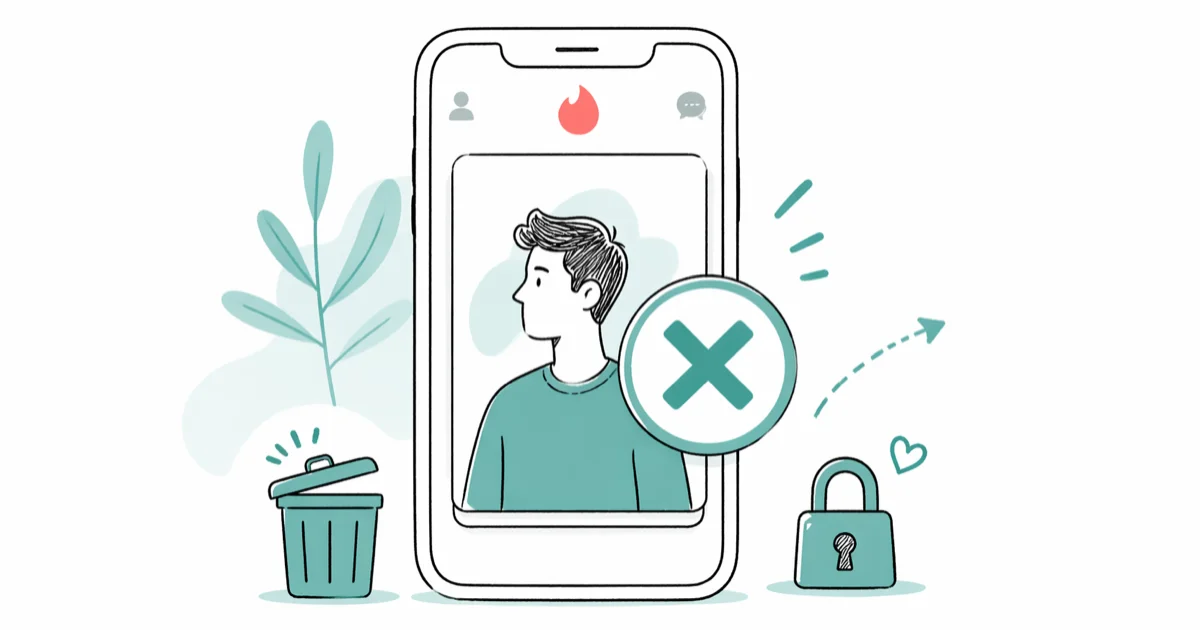
Quick AnswerOpen the chat with the person, tap the shield icon (iOS) or the three-dot menu (Android) in the top-right corner, choose Unmatch, then confirm. The conversation disappears from both sides and the other person isn't notified.
Unmatching on Tinder takes three taps inside the chat, and Tinder does not notify the other person.
- Unmatching takes three taps from inside the chat thread, with the same confirm step on both iOS and Android
- The other person is not notified, and your profile simply disappears from their match list with no system message
- All messages, photos, and audio notes between you are deleted from both accounts permanently and can’t be restored
- Unmatching is one-way with no undo button, and you can’t rematch unless one of you resets the entire profile
- If the person broke a community guideline, use Report instead of Unmatch so the safety team can review the account
#Three-Tap Unmatch on iOS and Android
This walkthrough is for your own Tinder account. The only legitimate path is through Tinder’s official safety tool inside the app, not third-party services that promise account access.
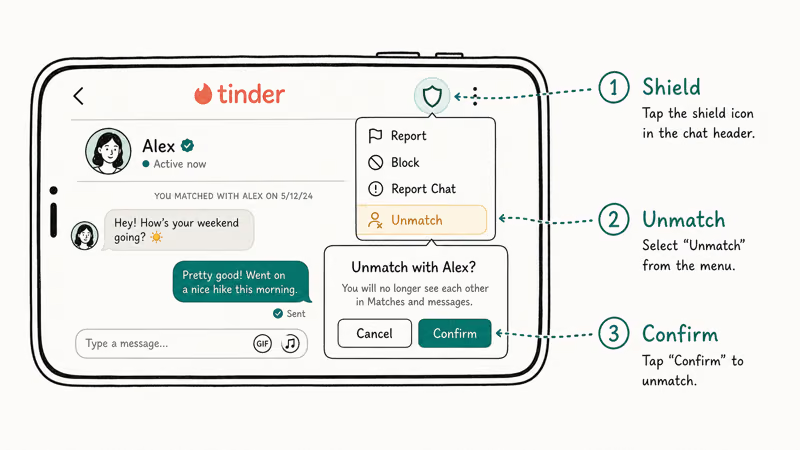
The unmatch button lives inside the chat thread, not the swipe deck. So the first move is to open the conversation with the person you want to remove.
On iOS, the icon in the top-right corner of the chat is a small shield. On Android, the same spot shows a three-dot vertical menu. Tinder’s Safety and reporting hub confirms the shield icon is the central entry point for both reporting and removing matches across iOS, Android, and the web app.
Tap the icon, scroll down, and you’ll see Unmatch listed below Report. Pick Unmatch, then tap the red confirmation button on the popup.
Here’s the per-platform breakdown so you don’t second-guess the icon.
| Platform | Top-right icon | Confirmation step |
|---|---|---|
| iPhone (iOS 17+) | Shield outline | Tap red Unmatch on popup |
| Android (8.0+) | Three vertical dots | Tap red Unmatch on popup |
| Tinder Web (tinder.com) | Shield outline beside chat header | Click Unmatch, then Confirm |
| iPad | Shield in chat header | Same two-tap confirm flow |
If the icon doesn’t appear, force-quit the app and reopen it. The menu can disappear after a botched in-app update, and a quick restart usually restores it.
Stuck on a deeper login or refresh problem? The Tinder not working guide has the full reset checklist.
#Why Should You Unmatch Someone on Tinder?
The honest answer is that any reason works, since matching is a two-way agreement and either side can leave. Tinder’s Community Guidelines state that respectful disengagement is part of the platform’s intended use, alongside reporting for actual rule violations.
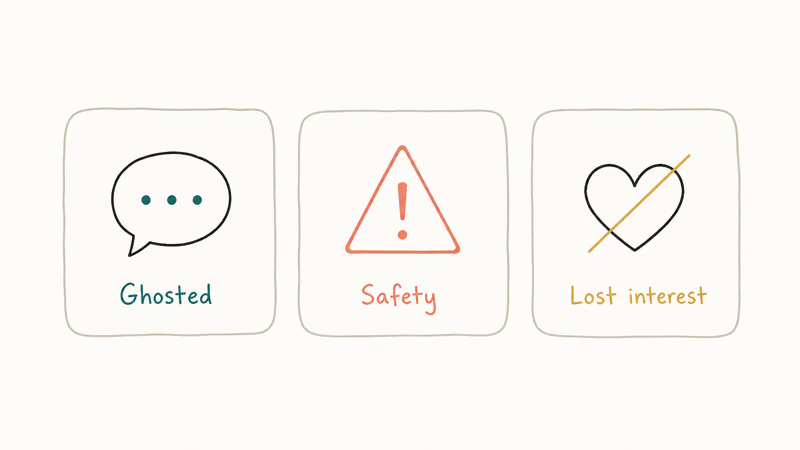
Certain patterns come up often enough to mention.
If the person sends sexual messages right away or pushes for off-app contact in the first reply, that’s a profile worth dropping. The same applies if they steer the conversation toward investment “opportunities,” crypto wallets, or requests to verify your identity through a sketchy third-party link.
The FTC’s data spotlight on romance scams reported that romance-fraud victims lost $1.3 billion in 2022, and the Tinder-to-WhatsApp pivot is one of the most common opening moves.
A second pattern is the conversation that just stalls. That does not mean slow texters deserve punishment, but if a match has gone three weeks with two-word replies and no proposed plan, unmatching makes room for someone else without any drama.
A third reason is the catfish or impersonator profile. If their photos look stock-perfect or their bio reads like default chatbot output, run the photo through a reverse-image search before continuing. The track down someone who scammed you guide covers the search workflow if money is already involved.
Plenty of people unmatch profiles they swiped on by accident. That’s fine. The button doesn’t owe anyone an explanation.
#What Happens After You Tap Unmatch?
The conversation disappears from both sides instantly. According to the Tinder Help Center, once you confirm an unmatch the chat thread, photos, and audio notes are removed permanently and can’t be recovered by either user. There is no recycle bin, no archive, and no support ticket that brings it back.
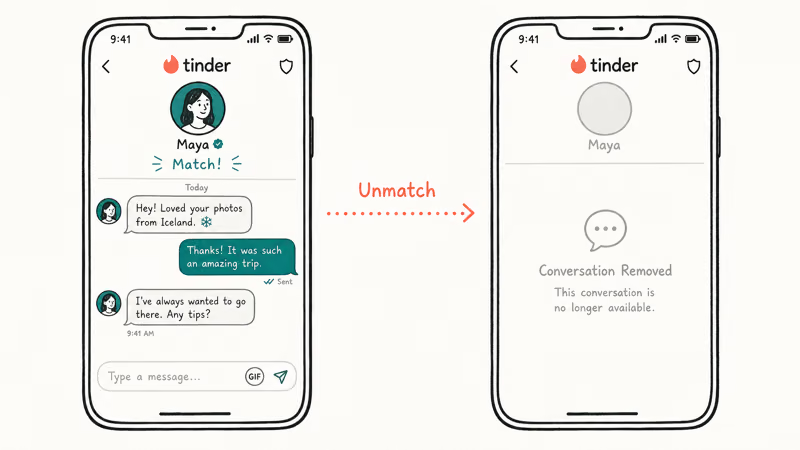
Your profile leaves their match list, and theirs leaves yours.
Neither phone shows a system notification or a “your match removed you” banner. The other person sees an empty space where your conversation used to be, and most don’t notice for days unless they were mid-thread with you. Wikipedia’s Tinder entry confirms that as of 2025 the app reports more than 75 million monthly active users, which means the average match list churns constantly and a quiet exit rarely registers.
The unmatch is one-way as a permission, but bilateral as an outcome. You took the action; the result is that neither person can contact the other through Tinder anymore.
The only path back to a conversation is if one of you fully deletes the account and rebuilds from scratch. Tinder’s account reset documentation confirms a full delete wipes swipe history along with all metadata.
#Unmatch vs Report: When to Use Each
Pick Report when the person broke a Tinder community rule. Pick Unmatch when you simply don’t want to talk anymore.
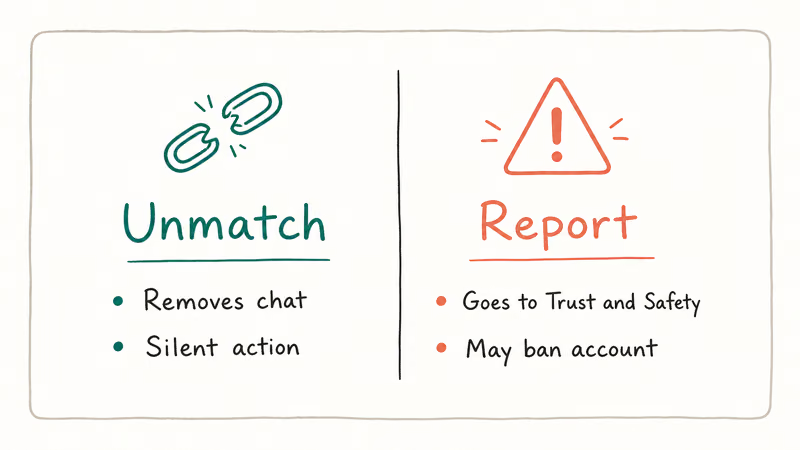
Reporting routes the profile to Tinder’s Trust and Safety team for review. The platform announced that it expanded its Are You Sure? and Does This Bother You? prompts globally to detect and intervene on harmful messages before they get sent or read.
Reports feed the same machine-learning system that flags repeat offenders. An unmatch alone does none of that, since the platform interprets it as routine personal preference.
The report flow lives in the same shield-icon menu, one step above Unmatch. Tap Report, pick the closest reason (harassment, hate speech, scam, underage user, off-platform behavior), add a short note if you want, and submit. Tinder automatically unmatches the person on your behalf, so you don’t need to do both manually.
Use the report path for:
- Sexual messages or photos you didn’t ask for
- Threats, slurs, or harassment that crosses into menace
- Anyone who claims or appears to be under 18
- Profiles selling services, escorting, or pushing crypto pitches
- Suspected fake or stolen-photo accounts where catfishing is obvious
For a deeper read on what triggers Tinder’s safety system, the does Tinder notify screenshots guide covers the parallel question of in-app privacy expectations.
#Saving the Conversation Before Unmatching
Screenshot first, unmatch second. Once you tap confirm, the chat is gone from your phone the same way deleted texts vanish from a wiped iMessage thread.
On iPhone, open the chat and use the long-screenshot trick: take a regular screenshot with the side button plus volume up, then tap the thumbnail in the bottom-left and choose Full Page in the preview screen. That captures the entire scrollable conversation as a multi-page PDF you can save to Files. On Android, most Pixel and Samsung phones show a Capture More button under a regular screenshot for the same effect.
On supported Android phones, Capture More can stitch multiple chat screens into one long image while keeping message timestamps visible.
If you want a courier-quality record of harassment, also screen-record. Open Control Center on iOS or pull down Quick Settings on Android, tap Screen Record, return to the chat, and scroll slowly through the messages so the video captures timestamps and message order.
Save the video to your camera roll before unmatching.
For a third backup, share the screenshots to your own email or a private cloud folder. Tinder doesn’t support data export of individual chats, and the Tinder messages disappear explainer breaks down why even the official data download doesn’t get unmatched threads back.
#Recovering Matches After You’ve Unmatched
You can’t undo a single unmatch. But there are two narrow paths back into the dating pool with the same person, and both require effort from at least one side.
The first path is a full account delete and rebuild. Delete your Tinder account from the app’s account-management screen, wait at least three months (Tinder’s policy guidance recommends a cooling period to avoid being flagged as a duplicate), then sign up fresh with the same number or a new one. Your old swipe and unmatch history goes with the deleted account, so the algorithm treats both of you as new users.
The second path is purely a coincidence. If the other person also deletes and rebuilds their profile, both new accounts can match again on a re-swipe. There’s no way to make this happen on demand.
Either way, the original chat history is gone for good. Account resets wipe the message archive on both sides, so any conversation you wanted to keep had to be screenshot before unmatching.
#Bottom Line
Open the chat, tap the shield (iOS) or three-dot menu (Android), pick Unmatch, confirm. That’s it.
If the person did something that broke Tinder’s rules, tap Report instead of Unmatch. The platform handles the unmatch automatically while flagging the account for review. If you might want to keep evidence, screenshot the conversation in full-page mode before confirming, because the messages disappear from both phones the second the unmatch goes through.
#Frequently Asked Questions
Can the other person tell when I unmatch them?
No. Tinder doesn’t send a notification or in-app alert when someone unmatches you. The match simply vanishes from their list, and most people only notice when they go looking for an old conversation that’s no longer there.
Can I undo an unmatch on Tinder?
No. The button is final.
There is no undo, no archive, and no support request that brings the match or the messages back. The only workaround is for one of you to delete the account, wait, and rebuild a new profile, but you’ll be at the mercy of the algorithm to surface the other person again.
Does unmatching cancel my Tinder Gold or Plus subscription?
No. Subscriptions live at the account level and are completely separate from individual matches. You can unmatch every person you’ve ever talked to and your Gold or Plus benefits stay active until the next billing cycle. The is Tinder Gold worth it breakdown explains what each tier actually does, so you can decide whether to keep paying.
Will my swipe history reset if I unmatch a lot of people?
No, swipe history and the unmatch action are tracked separately. To rematch with someone you previously rejected without paying for Tinder Plus rewinds, you would need to fully reset the account.
Is unmatching the same as blocking on Tinder?
Not exactly. Unmatching breaks the connection inside the app and removes the chat. Blocking, which Tinder also supports through the contact-block feature, prevents anyone with a specific phone number from ever seeing your profile, even on a future account. Use block when you want a permanent contact-level cut, and use unmatch when you just want this specific match gone.
What if I unmatched someone by accident?
You can’t recover that match. Tinder treats every unmatch tap as deliberate after the confirmation popup.
Should I unmatch a scammer or just report them?
Always report a scammer. Tinder’s safety team needs the report to investigate the account and remove it from circulation, which protects future users. Reporting also auto-unmatches the person, so you get the same clean break without losing the chance to flag the profile. If money already changed hands, file with the FBI’s IC3 portal too and gather your transaction records as part of the evidence chain.

Google Messages Error 3100: Why RCS Is Broken on Galaxy
Google Messages RCS error 3100 hits Galaxy owners after phone or carrier switches. Google told 9to5Google a fix is coming. Here's what actually helps.

Is This Bank App Real? Spot a Fake App on Your Home Screen
A bank app can land on your home screen from a web page with no install warning. Learn the checks that tell a real banking app from a phishing web app.

Apps Crashing After iOS 27 Update? Fix Order (2026)
Apps crashing after the iOS 27 update? Update the app in the App Store first, then offload and reinstall to clear stale cache, then restart. The fix order.

Do AI Translation Earbuds Work Offline? What to Know
Do AI translation earbuds work offline? A few do with downloaded language packs, but most need the cloud. Here's what works offline and what you give up.