This Person Is Unavailable on Messenger: Causes & Fixes
Seeing 'this person is unavailable on Messenger'? It usually means a block, deactivation, or app glitch. Here's how to tell which and what fixes work.
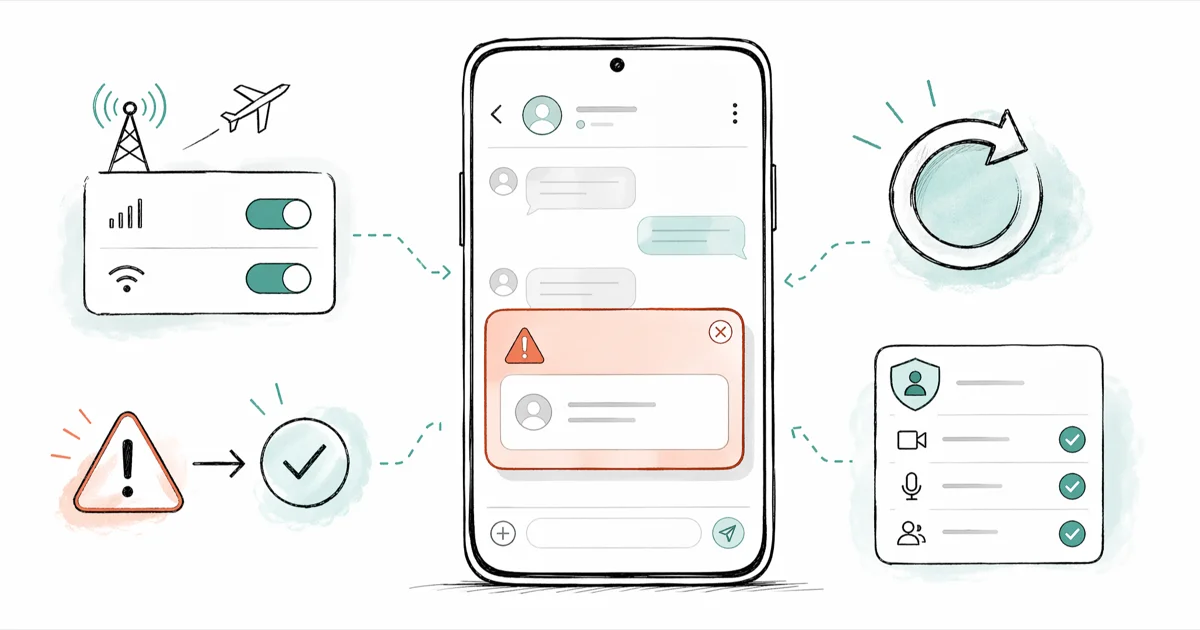
Quick AnswerThe 'this person is unavailable on Messenger' notice means Messenger cannot reach that account right now. Five triggers cause it: a block, a deactivated profile, a Meta suspension, an app glitch, or a recipient who never installed Messenger.
Seeing “this person is unavailable on Messenger” rarely has one cause. Messenger uses the exact same notice for blocks, deactivations, suspensions, and a few app-side bugs, so the same warning can mean very different things. This guide walks through how to read the signal, how to rule out the harmless causes, and which fixes actually do something on your end.
- The notice is intentionally vague: Messenger uses the same string for blocks, deactivations, Meta suspensions, and app-side errors.
- Check your own block list first; it’s the one cause you can fix in under 30 seconds inside
Settings>Privacy>Blocking. - A deactivation produces the exact same notice as a block, so don’t assume you were blocked until you cross-check on the Web Messenger and a friend’s account.
- Account suspensions follow Meta’s Community Standards and can last 24 hours to 30 days for first offenses, with longer holds for repeats.
- App-side glitches clear after updating Messenger, signing out and back in, or switching to messenger.com in a desktop browser.
#What Does “This Person Is Unavailable on Messenger” Actually Mean?
The notice means Messenger can’t deliver to that specific recipient on that specific account. It doesn’t, by itself, prove that the person blocked you. Meta uses one generic string so that block status stays private from both sides, and that single design choice is exactly what makes the message confusing.
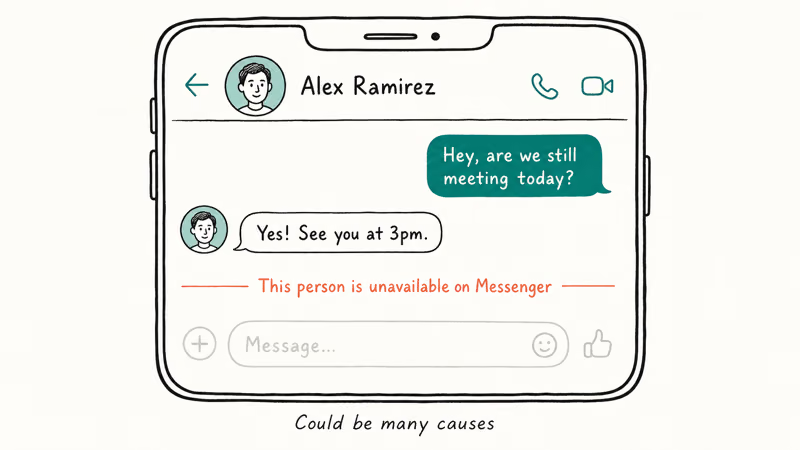
In practice, the notice fires in five situations:
- The recipient blocked you on Facebook or Messenger.
- The recipient deactivated their Facebook profile.
- Meta suspended the account for a Community Standards issue.
- The Messenger app or your network connection glitched on your side.
- The recipient never installed Messenger and is using SMS-only chat heads.
Until you rule out each path, treat the message as “Meta won’t let me reach this account right now,” not “this person hates me.”
#Why Does Messenger Show This Message?
The five triggers are roughly in this order of frequency, based on the patterns common to Facebook Messenger not working reports and Reddit threads.
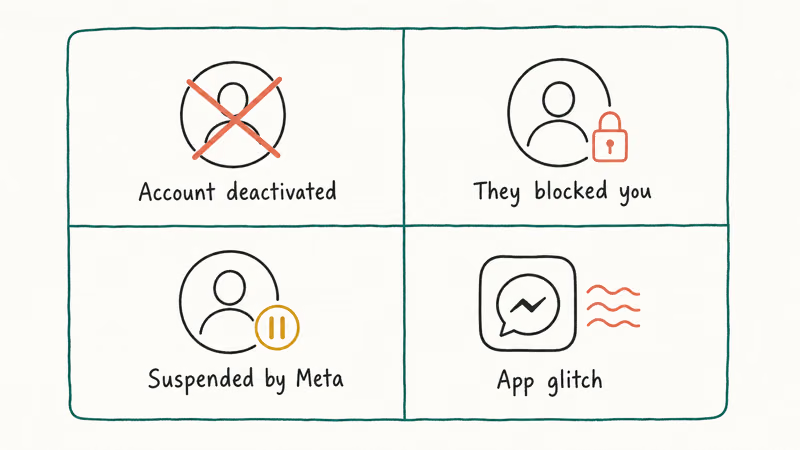
1. The person blocked you. A block on Facebook automatically blocks you on Messenger too. According to Facebook’s Help Center on blocking, blocked accounts can’t send messages, start calls, or invite each other to group chats. Past threads stay in your inbox but you can’t tap the person’s name to start a new chat.
2. They deactivated their Facebook profile. Deactivation pulls the profile from search and freezes Messenger access. According to Facebook’s deactivation help page, reactivation happens automatically the next time the person logs back into Facebook or Messenger, so this state is often temporary.
3. Meta suspended the account. Meta’s Community Standards enforcement framework states that violations lead to feature limits, time-bound restrictions, or permanent disabling, with first offenses typically lasting 24 hours, 7 days, or 30 days. Meta doesn’t notify the user’s contacts when a hold lands, so the unavailable notice often arrives without warning, and the same notice covers both shadow-style restrictions and full account holds. If you’re seeing this notice for a prolific poster, a suspension is the likely cause.
4. App glitch or network drop. Messenger occasionally hits sync errors after a botched update, a corrupted cache, or a flaky connection. The fix here is on your side, not theirs. The Wikipedia entry on Facebook Messenger confirms that the service has shipped over a hundred major releases since 2011, and a lagging install on your phone is a common culprit.
5. They never installed Messenger. If you only have a phone number for someone (not a Facebook friendship), and you reached them through SMS chat heads in the past, Meta sometimes shows the unavailable notice when the SMS bridge breaks.
#How to Check if You Blocked Them by Mistake
This is the only cause you can fully verify without a second account. It also takes the least time, so do it first.
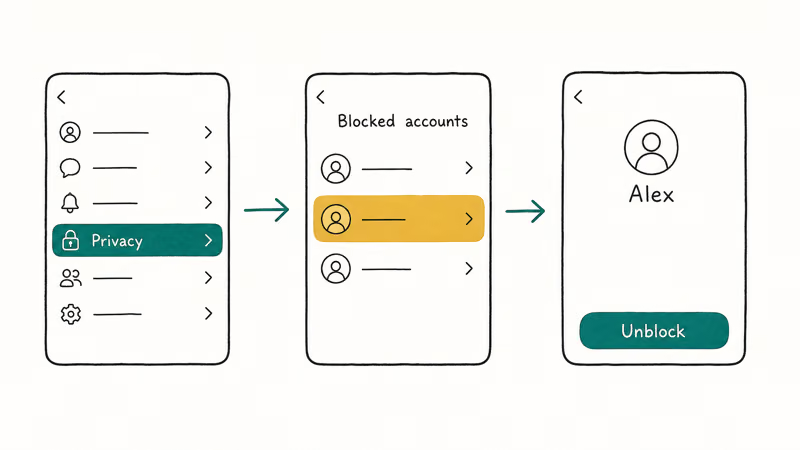
On a desktop browser:
- Click the down arrow in the top-right of Facebook.
- Choose Settings & Privacy, then Settings.
- Open the Blocking tab from the left rail.
- Scroll the “Block users” list. If the person is there, click Unblock.
On the Messenger mobile app (iOS or Android):
- Tap your profile picture in the top-left.
- Open Privacy & safety.
- Tap Blocked accounts.
- Find the person and tap Unblock.
After unblocking, Facebook applies a 48-hour cooldown before you can re-add the person as a friend. The Messenger thread itself becomes available immediately, which is what matters for clearing the notice.
If you discover the block was your doing, just unblock and refresh. No app update needed.
#How to Tell if They Blocked You
You can’t get a direct confirmation from Messenger that a specific person blocked you, because Meta deliberately keeps block status private from both sides to prevent retaliation. What you can do is read five indirect signals, and when they line up together they point reliably to a block rather than a deactivation or a glitch. When someone blocks you, these signals tend to appear together almost immediately, since the block takes effect on Meta’s servers the moment it’s applied.
- Their profile photo disappears from the chat header and shows a generic gray silhouette.
- Old messages from them stay visible, but their name no longer links to a profile.
- You can’t add them to a new group chat, since Messenger silently drops the invite.
- Searching their exact name returns no result, even if you used to be friends.
- A mutual friend can still see and message the profile, which rules out a deactivation.
If only signal 5 fails (mutual friends also can’t find the profile), you’re looking at a deactivation or a Meta suspension, not a block. The article on how to text someone who blocked you covers your alternative-channel options if you need to reach the person.
#How Long Account Suspensions Typically Last
Meta’s Community Standards enforcement page states that consequences scale with severity and history. The publicly documented bands are:
- Short feature limit, typically 24 to 72 hours, often triggered by spam-like posting or first-strike violations.
- 30-day restriction, applied to repeat offenders or moderate violations like harassment reports that hold up under review.
- Permanent disabling, reserved for severe or repeated infractions.
A Facebook Jail restriction works the same way: a 7-day hold on a personal profile produces this exact “unavailable” notice for everyone trying to message that account. The notice clears the moment the restriction lifts, with no app reinstall or fresh friend request needed on either side.
If you suspect a suspension, give it a week before assuming the account is gone for good. Most first-time restrictions resolve in that window.
#How to Fix Messenger Glitches That Cause This Error
Rule out the on-your-side causes in this order. Each step takes under five minutes.
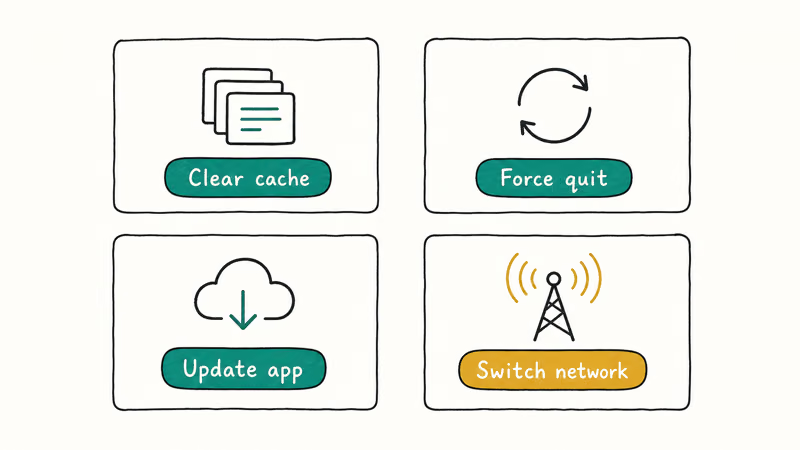
Update Messenger. Open the App Store or Google Play, search for Messenger, and tap Update if available. Stale builds are a known source of phantom “unavailable” warnings, especially right after Meta pushes a server-side change.
Sign out and sign back in. In the mobile app, tap your profile picture, scroll to the bottom, and choose Log out. Then sign in again. This forces Messenger to re-fetch your contact map from Meta’s servers.
Clear the Messenger cache (Android). Go to Settings > Apps > Messenger > Storage, then tap Clear cache. This is safe, since chat history lives on Meta’s servers, and our clear Facebook cache walkthrough has the full path with screenshots. iOS users don’t get a Clear Cache button; delete and reinstall Messenger from the App Store to trigger the same reset.
Try the Web Messenger. Open messenger.com in a desktop browser and search for the person. If the chat opens normally on the web, you have an app-side issue, not an account-side block.
Restart and switch networks. Reboot your device and try once on Wi-Fi and once on cellular. If the notice clears on one network but not the other, you were chasing a connectivity problem the whole time.
The cache-clear fix often resolves an “unavailable” notice that has stuck for a day or two, clearing after a single Clear cache and relaunch cycle. In those cases the person hasn’t blocked you. Messenger caches the contact’s status locally to avoid re-querying Meta’s servers, and if it captured a “deactivated” state during a brief outage on their end, that stale flag can linger after the account is back to normal. Wiping the cache forces a fresh pull.
If you also see Facebook Messenger sent but not delivered or com.facebook.orca errors at the same time, you’re dealing with a broader app-state problem, and a full uninstall plus reinstall is the cleanest reset.
#When to Wait It Out vs When to Escalate
Patience is usually the right call. Deactivations reverse the moment the user logs back in, and suspensions clear on Meta’s schedule. App glitches resolve after a normal update cycle. Most “unavailable” notices clear within 7 days without any action on your end.
Escalate when:
- The notice has held for more than 30 days for a single contact.
- A mutual friend confirms the account is fully gone (no profile, no posts, no search hit).
- You need urgent contact and have no alternative channel.
In those cases, send Meta a note through the in-app Help section, or use Facebook’s general support contact form. Don’t expect individual replies for routine block or deactivation cases. Meta’s support is built for policy disputes, not relationship triage.
#Bottom Line
Check your own block list first. That single 30-second check rules out the only cause you control. If your list is clean and the notice persists across the Web Messenger and the mobile app, treat it as a block, a deactivation, or a Meta suspension on their side, and wait at least 7 days before assuming the account is gone for good. Reach out through a mutual friend or another platform if confirmation matters more than the wait.
#Frequently Asked Questions
Does “this person is unavailable on Messenger” always mean I am blocked?
No. The same notice fires for deactivations, Meta suspensions, app glitches, and SMS-bridge failures. A block is one of five common causes, not the default reading.
Can I still see old messages if someone blocks me on Messenger?
Yes. Past chat history stays in your inbox after a block. You just can’t start a new message, place a call, or tap the person’s name to open their profile. If you delete the thread on your side, however, you can’t recover it through the chat header anymore.
Will the notice go away on its own?
Often, yes. Deactivations reverse when the person logs back in, and most Meta suspensions lift within 24 hours to 30 days. App glitches usually clear after a Messenger update. Blocks are the exception, since those require the other person to unblock you.
How do I tell a deactivation apart from a block?
Ask a mutual friend to search. If they find the profile but you can’t, you were blocked.
Does updating Messenger fix the unavailable error?
Sometimes. An update fixes the error when the cause is a stale build or a sync bug on your phone. It does nothing when the cause sits on the other person’s account, like a block or a deactivation. Update first because it’s fast, then move on if the notice persists.
Can Facebook Support tell me whether someone blocked me?
No. Meta doesn’t disclose block status to either party. Support handles bugs and policy disputes, not relationship triage.
What happens if the person I am trying to reach deleted their account permanently?
Their profile is removed from search, their messages stay in your inbox as gray text without an active link, and the unavailable notice becomes permanent for that account. According to Facebook’s deactivation help page, full deletion happens 30 days after the user submits the deletion request, and the account can’t be recovered after that window.
Is there a workaround to message someone who shows as unavailable?
Through Messenger itself, no. You can try a different channel, including SMS, email, an Instagram DM (if you’re connected there), or a mutual friend’s account, but you can’t bypass the block or the suspension from inside Messenger. Trying repeatedly won’t change the result and may itself trigger an anti-spam flag on your account.

Google Messages Error 3100: Why RCS Is Broken on Galaxy
Google Messages RCS error 3100 hits Galaxy owners after phone or carrier switches. Google told 9to5Google a fix is coming. Here's what actually helps.

Is This Bank App Real? Spot a Fake App on Your Home Screen
A bank app can land on your home screen from a web page with no install warning. Learn the checks that tell a real banking app from a phishing web app.

Apps Crashing After iOS 27 Update? Fix Order (2026)
Apps crashing after the iOS 27 update? Update the app in the App Store first, then offload and reinstall to clear stale cache, then restart. The fix order.

Do AI Translation Earbuds Work Offline? What to Know
Do AI translation earbuds work offline? A few do with downloaded language packs, but most need the cloud. Here's what works offline and what you give up.