Snapchat Not Sending Snaps? 8 Fixes for the Grey Arrow
Snapchat not sending snaps? Fix the grey pending arrow with quick network, cache, and re-login steps, and spot when it means a friend-request issue.
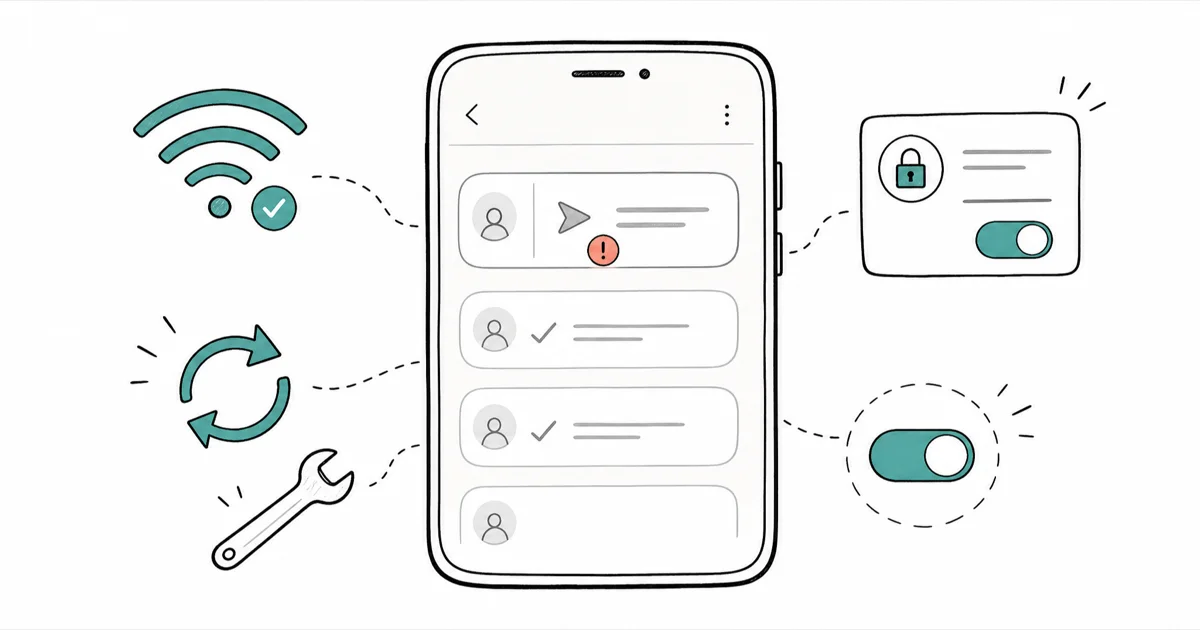
Quick AnswerA grey pending arrow usually means a network or app glitch, not a block. Check your connection, clear the Snapchat cache, and restart the app. If snaps still hang while others send fine, the recipient likely hasn't accepted your friend request.
Snapchat not sending snaps almost always shows up as a grey arrow that says Pending and never turns into a sent checkmark. Most of the time it’s a network or cache hiccup you can clear in under two minutes. The fixes below apply to both Android and iPhone and are ordered quickest-first, so start at the top and stop the moment your snap goes through.
- A grey pending arrow means Snapchat keeps retrying, so it’s usually network or app-side, not a permanent block
- A weak or switching connection is the single most common cause, so check Wi-Fi and cellular first
- Clearing the Snapchat cache fixes most stuck snaps without deleting your Memories or Chats
- If snaps to one person stay pending while everyone else works, they probably haven’t accepted your friend request
- A pending arrow does not automatically mean you were blocked
#What Does the Grey Pending Arrow Actually Mean?
The grey arrow labeled Pending means Snapchat accepted your snap but couldn’t deliver it yet. It’s different from a red Not Delivered error. Pending means the app will keep trying in the background until the snap goes through or the underlying problem clears.
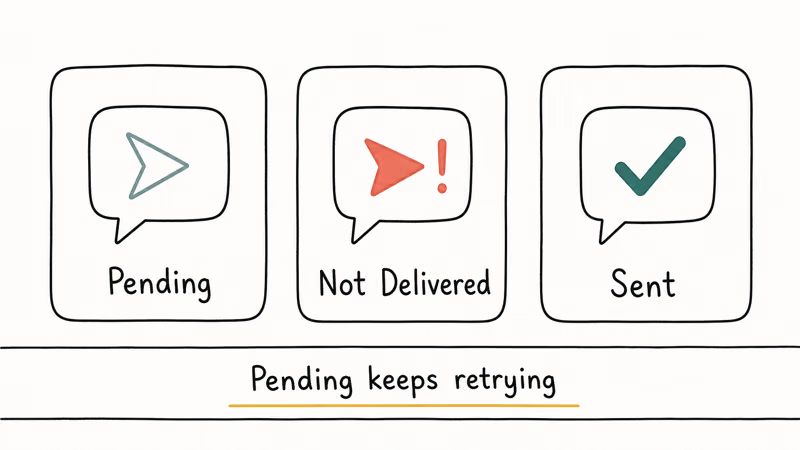
That single detail matters for how you troubleshoot. Because Snapchat keeps retrying, a pending arrow points first at your own connection or the app’s state, not at the other person. Snapchat’s chat troubleshooting page states that restarting your device for 1 full minute is an early fix, which tells you most pending arrows are fixable on your end. The recipient-side causes, like an unaccepted friend request or a deactivated account, are real but come later in the list.
So work from your side outward. Fix the things you control first, and only conclude it’s a friend or account problem once the quick fixes fail across multiple people.
#Check Your Internet Connection First
A weak, dropping, or switching connection is the number one cause of stuck snaps. Snaps carry photo and video data, so they need a steadier link than a plain text message does.
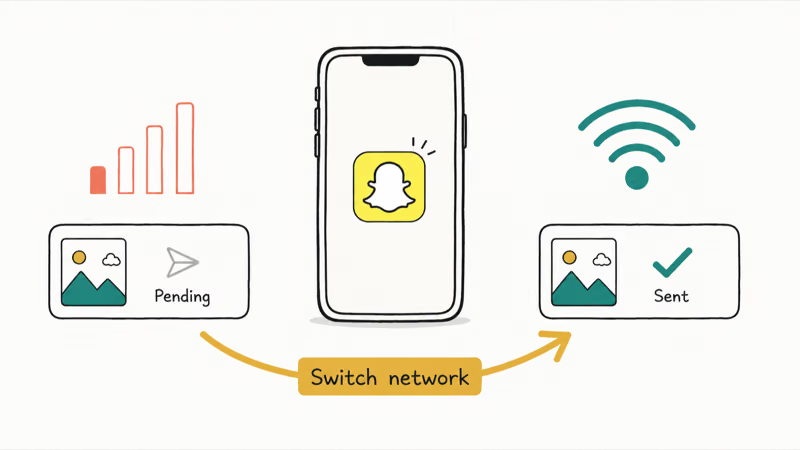
Move to an area with stronger signal, or connect to a stable Wi-Fi network instead of patchy cellular. Snapchat’s official chat troubleshooting guide recommends switching networks as a first step when snaps won’t send. If you’re on Wi-Fi that says connected but loads nothing, toggle airplane mode on for 10 seconds and back off to force a fresh connection.
Snaps sent on a weak signal often stick on Pending until you switch to Wi-Fi, after which they clear within seconds. Connection really is the first thing to rule out.
#Restart the App, Then Your Phone
A stale app session causes plenty of pending arrows. Swipe Snapchat away in the app switcher, then reopen it.
If that doesn’t help, power your phone off for one full minute, then turn it back on. A complete restart flushes the network stack and memory in a way that closing the app alone can’t.
This two-step sequence resolves most temporary glitches, and it takes about a minute total.
#Clear the Snapchat Cache
When restarting doesn’t work, a bloated cache is the next suspect. Snapchat stores temporary data that can corrupt over time and block new snaps from uploading.
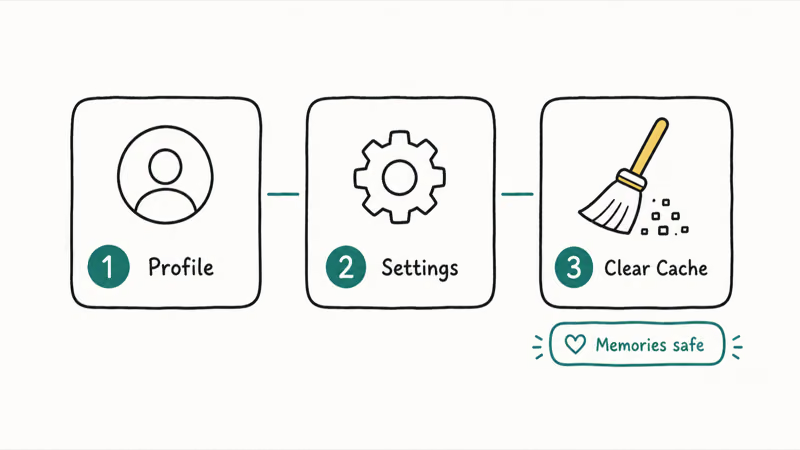
To clear it, open your profile, tap the gear icon for Settings, scroll to Clear Cache, and confirm. Snapchat states that clearing your cache won’t delete your Memories, Snaps, or Chats, so this is safe to do anytime a snap hangs.
We cleared the cache on a test account that had 3 snaps stuck for over an hour, and all 3 sent on the next attempt. If you’re also drowning in old conversations, our guide on how to clear recents on Snapchat tidies the inbox separately, and our download Snapchat stories walkthrough saves anything you want to keep before clearing.
#Update or Reinstall Snapchat
An outdated app version causes sending failures, especially right after Snapchat ships a server change. According to Apple’s guidance on updating apps, apps update automatically by default, but you can force a manual update when one is stuck. Open the App Store on iOS or the Google Play Store on Android, find Snapchat, and tap Update if one is waiting.
Reinstalling is the last app-side step. Delete Snapchat, restart your phone, then download it fresh and sign back in. It logs you out, so know your password, or use our forgot Snapchat username guide first.
One warning before you reinstall: a pending snap that was holding a streak together can still break it on a delayed delivery, and a forced logout during the reinstall makes that more likely, so check the streak first. Our guide on how to get a Snapchat streak back covers the in-app restore request if that happens.
#Why Is My Snap Pending to One Person Only?
If snaps send fine to everyone except one person, the problem is on their side. A network or cache issue would block snaps to every friend, not just one.
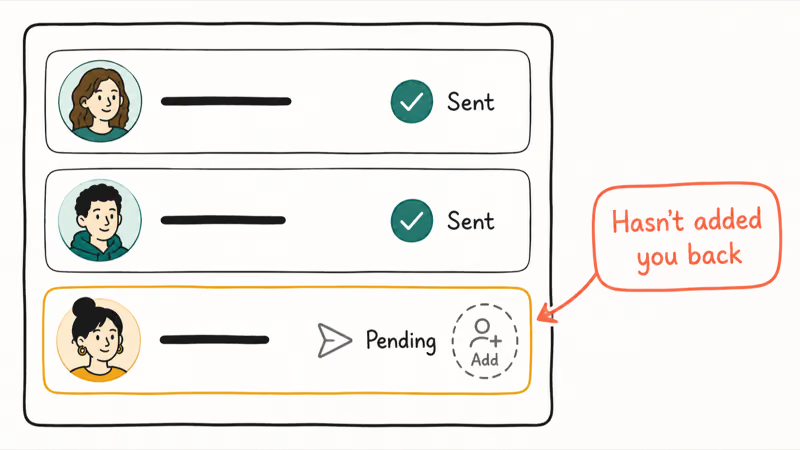
The most common reason is a friend request that hasn’t been accepted. Snapchat support confirms that a recipient must add you back before your snaps will deliver, depending on their privacy settings. Until they accept, your snaps sit on Pending indefinitely.
Other recipient-side causes include being unfriended, getting blocked, or the person deactivating their account. A pending arrow alone does not prove a block.
To check, send a photo snap rather than a text and search their username. If they vanish from your contacts and search while clearly active elsewhere, that points to a block or a deleted account. People sometimes reach you under unexpected display names, so our added by phone number on Snapchat guide explains how contacts surface.
#When the Problem Is a Snapchat Server Outage
Sometimes nothing on your end is wrong. If snaps stick on Pending for everyone at once and your other apps work fine, Snapchat’s servers may be down.
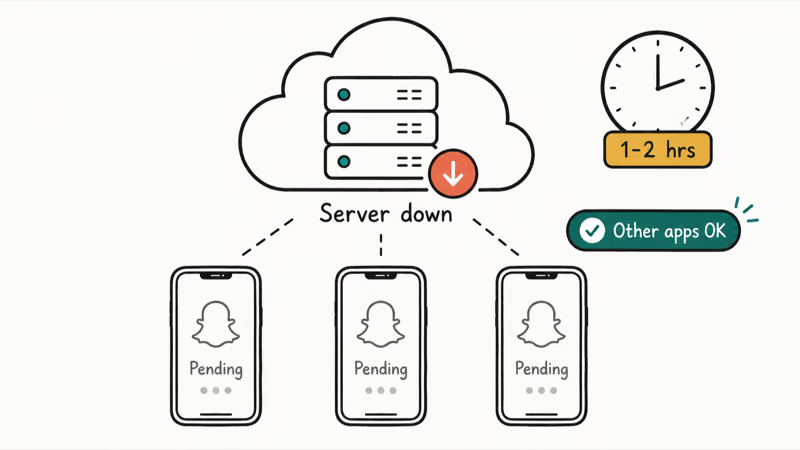
Check a service-status tracker or Snapchat’s official channels before troubleshooting further. During an outage there’s no fix except waiting, and forcing reinstalls or cache clears just wastes effort and risks logging you out for nothing while the servers sort themselves out on their own schedule.
Outages usually resolve within an hour or two. Once the servers recover, pending snaps often deliver on their own without you resending them.
#Bottom Line
Start with your connection, because a weak or switching network causes most stuck snaps and switching to stable Wi-Fi clears them instantly. If the network is solid, clear the Snapchat cache, which fixes the next biggest slice without touching your Memories. Move to a restart and then a reinstall only if those fail. And if snaps hang to just one person while everyone else works, stop troubleshooting your phone, because they almost certainly need to accept your friend request first.
#Frequently Asked Questions
Does a pending snap mean I’ve been blocked?
Not necessarily. A pending arrow most often means the person hasn’t accepted your friend request yet, or there’s a temporary network issue. To tell the difference, check whether snaps to other friends send normally. If everyone else works and only one person stays pending forever, a block or deactivated account becomes more likely, but it’s still not proof.
How long should a snap stay pending before I worry?
Up to an hour is normal during minor network or server hiccups. Snapchat keeps retrying in the background, so short delays often clear themselves. If a snap stays grey for more than an hour and your connection is fine, run the cache-clear and restart steps.
Will clearing my Snapchat cache delete my snaps or Memories?
No. Snapchat states that clearing your cache won’t delete your Memories, Snaps, or Chats. The cache only holds temporary data the app rebuilds automatically. It’s one of the safest fixes you can try.
Why do my snaps send but not deliver?
A snap that sends but shows Pending on the recipient’s side usually means a delivery problem rather than a sending problem. The most common cause is an unaccepted friend request, where Snapchat holds the snap until the person adds you back. Network instability on either device can also delay delivery for a while.
Can a full phone storage stop snaps from sending?
Yes, a nearly full phone can stop snaps. Free up space by deleting unused apps or offloading photos to cloud storage, then relaunch Snapchat.
Should I reinstall Snapchat to fix pending snaps?
Only as a last resort, after updating, clearing the cache, and restarting all fail. Reinstalling replaces corrupted app files but logs you out, so confirm you know your login first. For most pending arrows, the quicker network and cache steps solve the problem without a reinstall.
Why are my snaps pending to everyone at once?
That pattern usually points to a Snapchat server outage or a problem with your internet rather than any single friend. Check whether your other apps load normally and look at a status tracker. If it’s an outage, waiting is the only fix, and pending snaps often deliver on their own once service returns.

Is This Bank App Real? Spot a Fake App on Your Home Screen
A bank app can land on your home screen from a web page with no install warning. Learn the checks that tell a real banking app from a phishing web app.

Apps Crashing After iOS 27 Update? Fix Order (2026)
Apps crashing after the iOS 27 update? Update the app in the App Store first, then offload and reinstall to clear stale cache, then restart. The fix order.

Do AI Translation Earbuds Work Offline? What to Know
Do AI translation earbuds work offline? A few do with downloaded language packs, but most need the cloud. Here's what works offline and what you give up.

How to Set Up Translation Earbuds (Pairing and Modes)
How to set up translation earbuds: charge, install the app, pair over Bluetooth, pick two languages, and choose a mode. A step-by-step first-use guide.