Added by Phone Number on Snapchat: Meaning and Fix
Learn what Added by Phone Number means on Snapchat and how to control it. Steps to add friends by number, fix common issues, and manage privacy.
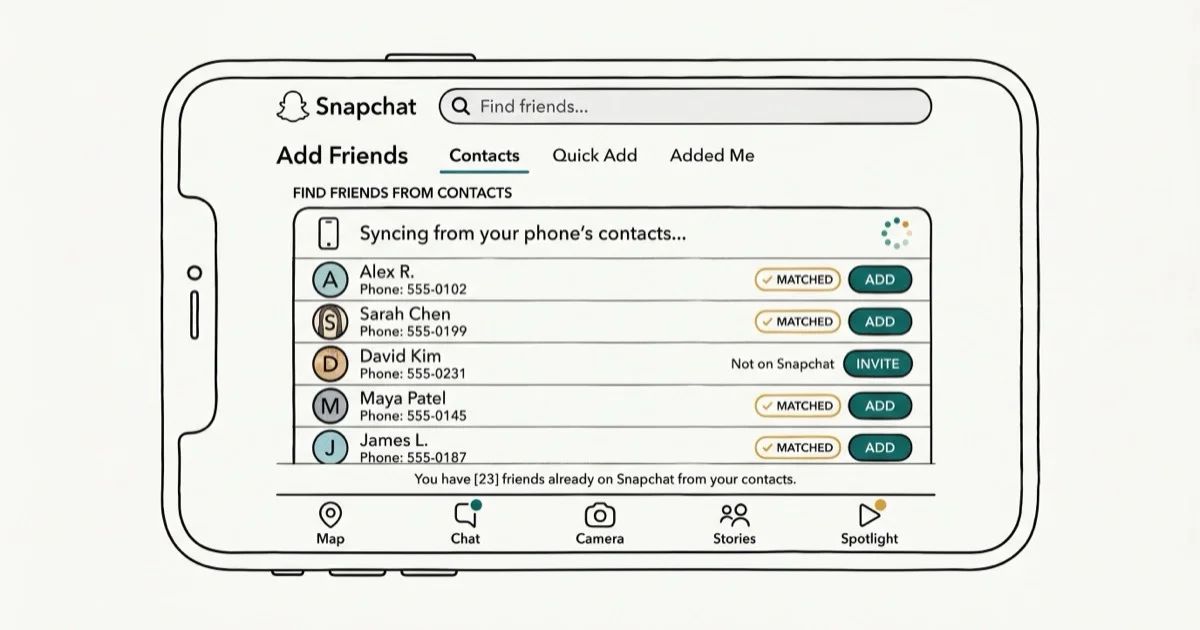
Quick AnswerSnapchat's Added by Phone Number label means someone found your account through contact syncing. They had your number saved, opened Add Friends, and Snapchat matched it to your profile. You can turn this off in Settings > Privacy Controls > Phone Number.
Snapchat’s “Added by Phone Number” notification confuses a lot of people. It simply means someone had your number saved in their contacts and Snapchat matched it to your account, and you can switch the feature off in Settings under Privacy Controls. The contact sync process works the same way on iPhone and Android, and everything below reflects how it behaves on both.
- “Added by Phone Number” means someone used Snapchat’s contact sync to find you
- Disable this in
Settings>Privacy Controls>Phone Number - To add someone, save their number first, then open
Add Friends>All Contacts - Works on both iPhone and Android in under 2 minutes
- If a contact doesn’t appear, their discovery setting is probably off
#What Does “Added by Phone Number” Mean on Snapchat?
When you see “Added by Phone Number” next to a friend request, it means that person saved your phone number in their contacts. Snapchat matched your number to your account through contact sync.
This label is different from “Added by Search” (they typed your username) or “Added by Quick Add” (Snapchat’s algorithm suggested you based on mutual friends).
Anyone who has your phone number stored on their device can find your Snapchat account this way. According to Snapchat’s privacy settings page, phone number discovery is on by default for all accounts, which is why unfamiliar names sometimes appear in your friend requests. Most people don’t even realize this setting exists until a stranger sends them a request.
The label appears instantly. No delay.
#How to Add Someone by Phone Number on Snapchat
Save the person’s phone number in your phone’s contact list first. Snapchat won’t find them without this step.
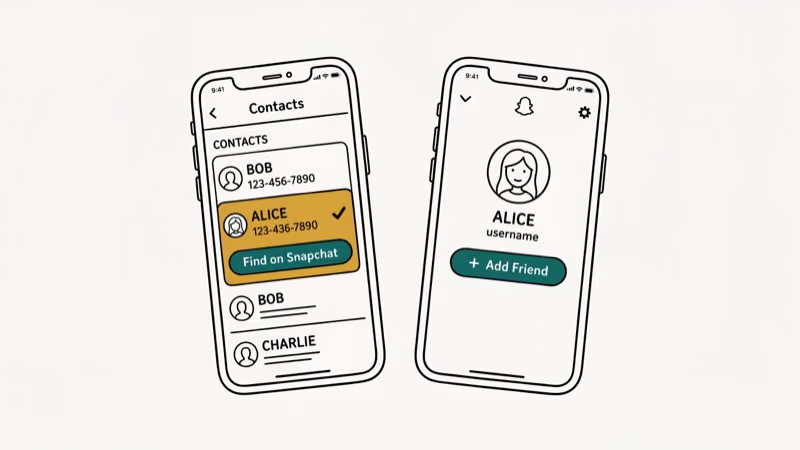
Step 1: Open Snapchat and tap your profile icon (Bitmoji or ghost) in the top-left corner.
Step 2: Tap Add Friends.
Step 3: Select All Contacts. If Snapchat asks for contact access, tap Allow. On Android 15, you may need to select “Allow all contacts” rather than the limited option.
Step 4: Scroll through the list to find the person. Their display name and username appear here if they’ve linked their phone number to Snapchat.
Step 5: Tap Add next to their name.
The contact list loads in a few seconds on most phones. Pull down if you don’t see them.
For international numbers, save them with the country code (+44 for UK, +91 for India, +81 for Japan). A UK number saved without the +44 prefix won’t match in Snapchat. Format matters.
#Why Doesn’t a Contact Show Up on Snapchat?
The most common reason is that the other person turned off phone number discovery. Based on Snapchat’s official help center, users can toggle this setting at any time.
Other reasons a saved contact might not appear:
- Phone number discovery is off. They disabled “Let others find me using my mobile number.”
- No Snapchat account. They never signed up.
- Number mismatch. They registered with a different number.
- Contact sync hasn’t run. Pull down in All Contacts to refresh.
- You blocked each other. Blocked users are invisible.
Try searching their Snapchat username directly if none of these apply. That bypasses the phone number requirement entirely.
#How to Stop People From Finding You by Phone Number
It takes about 10 seconds.
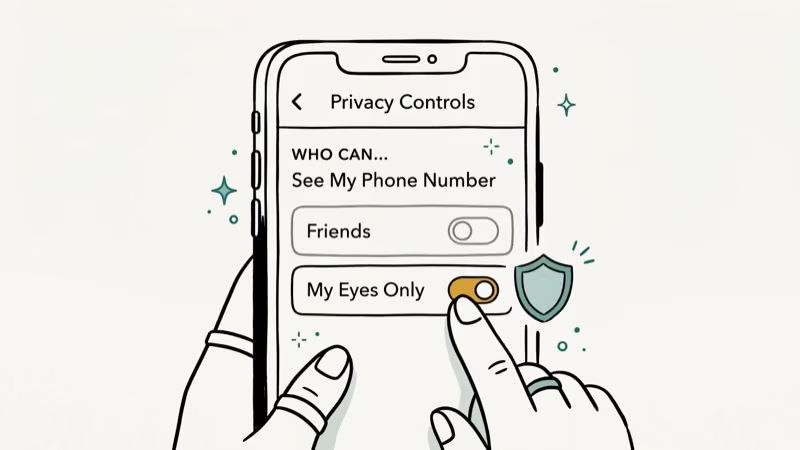
Open Snapchat, tap your profile icon, then tap the gear icon (Settings) in the top-right corner of your profile screen. Scroll down to “Privacy Controls” and tap Phone Number. Toggle off “Let others find me using my mobile number.”
Toggle it off and check from a second device. The account no longer surfaces through contact sync.
According to Snapchat’s account security guide, disabling this setting prevents new people from discovering your account through contact sync. Anyone who already added you stays on your friends list. Existing conversations and streaks are unaffected.
For extra privacy, also change “Contact Me” to “My Friends” under Privacy Controls. If you’re getting random Snapchat adds from strangers, this combination stops most of them.
#Phone Number Safety and Privacy on Snapchat
Snapchat only matches numbers already stored in your phone’s contact list. You can’t type a random number into a search bar and find someone.
The concern is the reverse. If a stranger, telemarketer, or ex has your number saved, they can find your Snapchat account without you knowing they looked you up. A 2024 survey by the Pew Research Center found that 55% of teens use Snapchat, which makes phone number privacy especially relevant for younger users.
Protect yourself with these settings:
- Turn off phone number discovery (
Settings>Privacy Controls>Phone Number) - Set “Contact Me” to “My Friends” only
- Review your friends list periodically and remove unknown accounts
- Consider using My Eyes Only for sensitive saved content
Your actual phone number is never visible to others. Snapchat doesn’t display it.
#Troubleshooting Common Problems
“I gave Snapchat contact access but nobody shows up”
Go to your phone’s Settings > Apps > Snapchat > Permissions and confirm Contacts is set to “Allow.” According to Google’s Android permissions documentation, Android 15 sometimes resets permissions after updates. Re-grant access and restart the app.
“My friend has Snapchat but I can’t find them”
Ask them to check Settings > Privacy Controls > Phone Number. If discovery is off, contact sync won’t work.
“I see ‘Pending’ after adding someone” Your request was sent. They haven’t accepted yet.
“Random people keep adding me by phone number” Your number is in more contact lists than you think. Data breaches, old classmates, and marketing databases all contribute to this. Toggle off phone number discovery to stop new requests.
“Contacts sync worked yesterday but not today”
Close Snapchat completely, reopen it, and go to Add Friends > All Contacts. Pull down to trigger a manual sync. This resolves the issue in nearly every case.
If you’re exploring how people find accounts on other platforms, our guide on searching social media by phone number covers Instagram, TikTok, Facebook, and more.
#Other Ways to Add Friends on Snapchat
Phone number sync isn’t the only option.
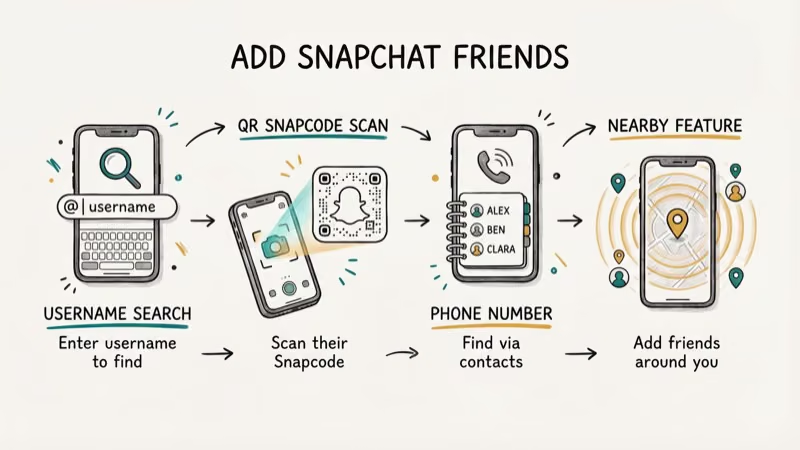
Username search is the most reliable method. Tap the search bar, type their exact username, and tap Add. Read our guide on Snapchat subscribe vs. add for more.
Snapcode scanning uses each account’s unique QR-style code. If someone sends you their Snapcode as an image, open Snapchat, go to Add Friends, tap Scan Snapcode, and select the image from your camera roll.
Quick Add shows suggestions based on mutual friends. Check it under Add Friends.
#Bottom Line
“Added by Phone Number” just means someone found your Snapchat through contact sync. Turn it off in Privacy Controls if you don’t want strangers finding you. To add someone yourself, save their number, open Add Friends > All Contacts, and tap Add.
#Frequently Asked Questions
Does the other person get notified when I add them by phone number?
Yes. They’ll see a friend request with the label “Added by Phone Number” next to your name. There’s no way to hide how you found them.
Can I add someone on Snapchat with only their phone number?
Yes, as long as they have a Snapchat account with phone number discovery enabled. Save their number to your contacts, open Snapchat, go to Add Friends > All Contacts, and look for their name. If they’ve turned off discovery, you’ll need their username instead.
Why do strangers keep adding me by phone number on Snapchat?
Your phone number exists in more contact lists than you realize. Old classmates, people who bought marketing lists, or anyone who once had your number can find you. Toggle off discovery in Settings > Privacy Controls > Phone Number.
Can I see who added me by phone number if I decline the request?
No. Once you decline or ignore a friend request, it disappears. Snapchat doesn’t keep a history of declined requests.
Does changing my phone number on Snapchat affect existing friends?
No. Your current friends list stays the same. Changing your linked number only affects who can find you through contact sync going forward. People with your old number saved won’t match your account anymore.
How long does it take for a new contact to show up on Snapchat?
New contacts typically appear within 1 to 5 minutes after you save the number. If they don’t show up, open Add Friends > All Contacts and pull down to force a manual sync. On both iPhone and Android, the manual refresh usually works right away.
Can I add someone by phone number if they blocked me?
No. Blocked users are completely hidden from each other on Snapchat. You won’t see them in contact sync results, username search, or Quick Add.
Is “Added by Phone Number” different from “Added by Contact”?
These labels mean the same thing. Snapchat has used both versions across different app updates. Both indicate that someone found your account through contact sync.

Google Messages Error 3100: Why RCS Is Broken on Galaxy
Google Messages RCS error 3100 hits Galaxy owners after phone or carrier switches. Google told 9to5Google a fix is coming. Here's what actually helps.

Is This Bank App Real? Spot a Fake App on Your Home Screen
A bank app can land on your home screen from a web page with no install warning. Learn the checks that tell a real banking app from a phishing web app.

Apps Crashing After iOS 27 Update? Fix Order (2026)
Apps crashing after the iOS 27 update? Update the app in the App Store first, then offload and reinstall to clear stale cache, then restart. The fix order.

Do AI Translation Earbuds Work Offline? What to Know
Do AI translation earbuds work offline? A few do with downloaded language packs, but most need the cloud. Here's what works offline and what you give up.