macOS 27 Golden Gate: Release Date and Compatible Macs
macOS 27 Golden Gate was announced at WWDC 2026. Here is the release date, the Apple Silicon-only compatible Mac list, and every confirmed new feature.
Quick AnswermacOS 27 is called Golden Gate. Apple announced it at WWDC 2026 on June 8 and reached developer beta 7 on August 24, 2026, with the public beta now available and the public release expected in September 2026. It runs only on Apple Silicon Macs.
macOS 27 is the next major Mac operating system, and Apple announced it at WWDC 2026 on June 8 under the name Golden Gate. According to Apple’s August 24 release entry, macOS 27.0 developer beta 7 is build 26A5421a; the public beta track is open, and the finished release is expected in September. This guide covers the timeline, the compatible Macs, and what’s new.
- macOS 27 is named Golden Gate, confirmed at the WWDC 2026 keynote on June 8
- It runs only on Apple Silicon Macs (M1 and later), making it the first macOS to fully drop Intel
- The developer beta is available now, with a public release expected in September 2026
- Headline features: a Gemini-powered Siri, a refined Liquid Glass interface, and a rebuilt Spotlight
- macOS 26 Tahoe is the last release for the four supported Intel Macs, which stay on Tahoe
#When Was macOS 27 Announced?
Apple revealed macOS 27 Golden Gate at WWDC 2026 on June 8. The company ran its usual playbook, unveiling the new macOS at the June keynote and shipping a developer beta that day. Apple confirms that the WWDC 2026 keynote headlined the redesigned Siri and the Apple Silicon-only cutoff. The public beta opened in July 2026, ahead of the fall release.
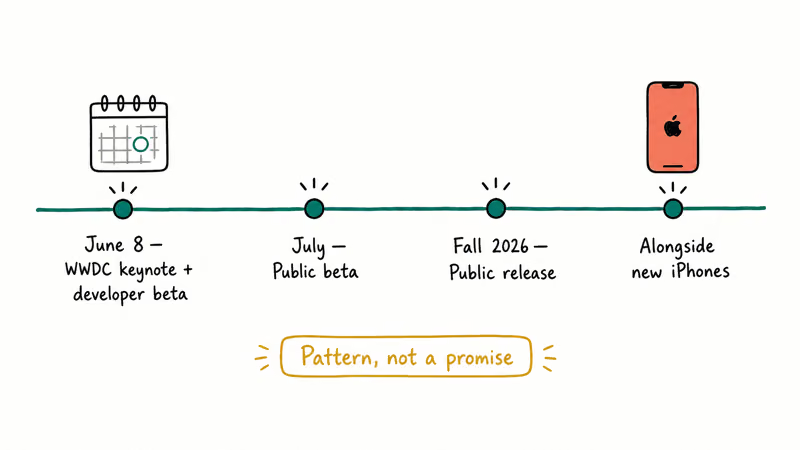
According to MacRumors’ macOS 27 roundup, the keynote landed on June 8, with developer betas the same day and the finished public launch expected in September 2026. Our macOS 27 Golden Gate features guide breaks down everything Apple showed on stage.
The release calendar is set.
Apple seeded the second developer beta on June 22, 2026, two weeks after the first, then kept the seeds coming through the summer. The newest is developer beta 7 (build 26A5421a), released August 24, 2026. The public beta track is open through the Apple Beta Software Program, with release candidates expected in late summer and a stable launch on a Monday in September, in line with how Apple has shipped macOS for over a decade.
#macOS 27 Compatible Macs
Apple confirmed the compatibility line at the keynote: macOS 27 is Apple Silicon only. Every Mac with an M-series chip is supported, and every Intel Mac is left behind.
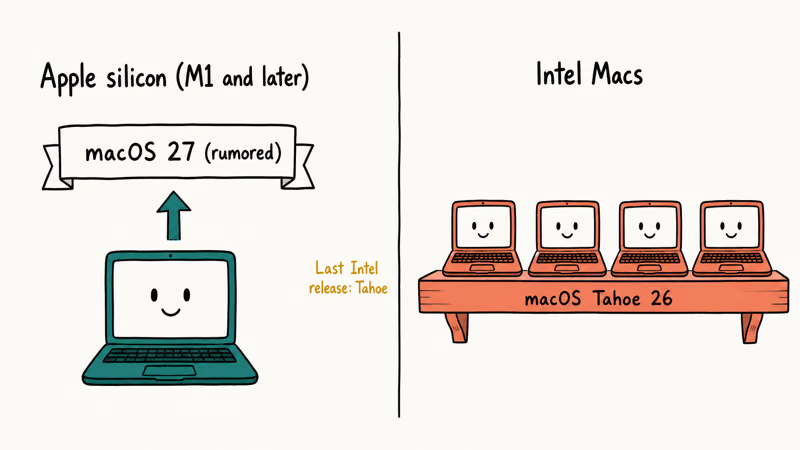
According to the MacRumors roundup, macOS 27 requires M1 chips and later, with no Intel support. macOS Tahoe 26 was the last release to support Intel, keeping just four 2019-2020 models on its final cut, so any M-series Mac released since late 2020 is in line for Golden Gate. For the complete model-by-model list, see our macOS 27 compatible Macs guide.
Older Intel models stay on Tahoe.
#How to Check If Your Mac Qualifies
You can settle this in ten seconds without waiting for anything. Click the Apple menu, choose About This Mac, and read the chip line: M1, M2, M3, M4, or newer means you’re covered for macOS 27.
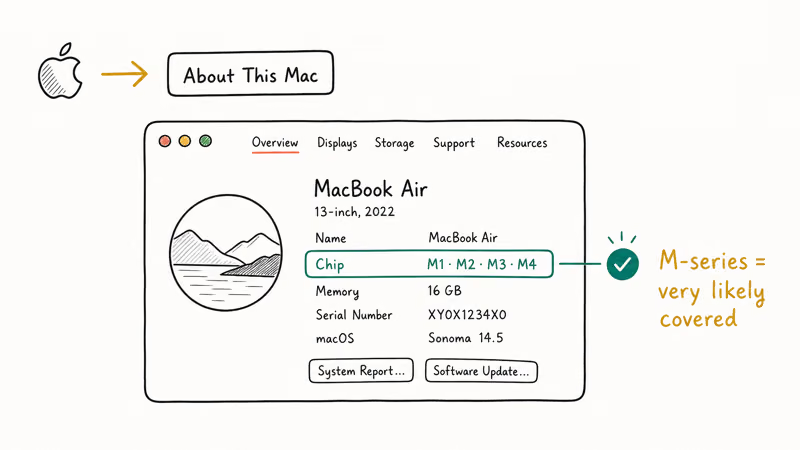
If the line names an Intel Core processor instead, your Mac stays on macOS 26 Tahoe, which keeps getting security updates for roughly two more years. Apple’s macOS version page shows how to check the installed version in About This Mac and lists the latest released versions plus their compatibility pages. One more thing worth knowing: your older Intel apps still run on Apple Silicon through macOS 27 via Rosetta 2, as our macOS 27 Rosetta 2 guide explains.
Start clean first. If your Mac keeps crashing on the version you run now, fix that before a new OS lands, because installing a major release on an unstable machine tends to surface the same faults all over again, often in ways that look like new bugs but trace straight back to the old install.
#What’s New in macOS 27?
Apple built Golden Gate around three confirmed pillars: a rebuilt Siri, a refined interface, and a faster system.
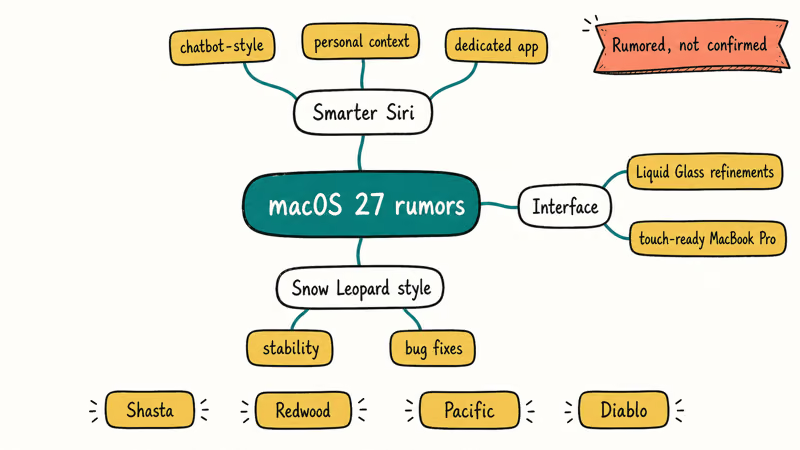
The redesigned Siri is the headline. It’s built on a Google Gemini model, with chatbot-style conversation, personal context awareness, on-screen awareness, deeper app integration, and the ability to write emails and complete multi-step tasks from a single request. Gemini also joins ChatGPT as a selectable provider for Apple Intelligence requests.
The interface is the second theme. Apple refined the Liquid Glass look from macOS 26, adding adjustable transparency to fix the readability complaints, tighter window-corner radii, and color back in the sidebar icons. Search is rebuilt too: Spotlight gains natural-language queries and sharper results in Photos and Mail, which helps if your Mac runs slow after a macOS update.
Parental controls round it out, with system-level app blocking and image filtering. Apple confirmed all of this on stage, so it’s a feature set, not a rumor list.
#Wait for macOS 27 or Upgrade Now
It depends on your hardware and your risk tolerance. If your Mac runs Tahoe well, there’s no rush before the September release.
Day-one installs carry the usual early-adopter trade-offs. Third-party apps may lag behind, and minor bugs surface in the first point releases. Across past macOS launches, the .1 and .2 updates routinely fix rough edges that the .0 release shipped with. For a work machine you depend on, waiting a few weeks past launch is the calmer path.
If you’re buying a new Mac this summer, the calculus flips. A Mac purchased after the keynote runs the macOS 27 era out of the box, and a fresh accessory setup pairs naturally with a new machine. Many readers grab a USB-C hub for their MacBook and a portable monitor for the MacBook Pro at the same time.
Whatever you decide, back up first.
#Three Steps to Get Ready Today
You can prepare for Golden Gate before it ships in September.
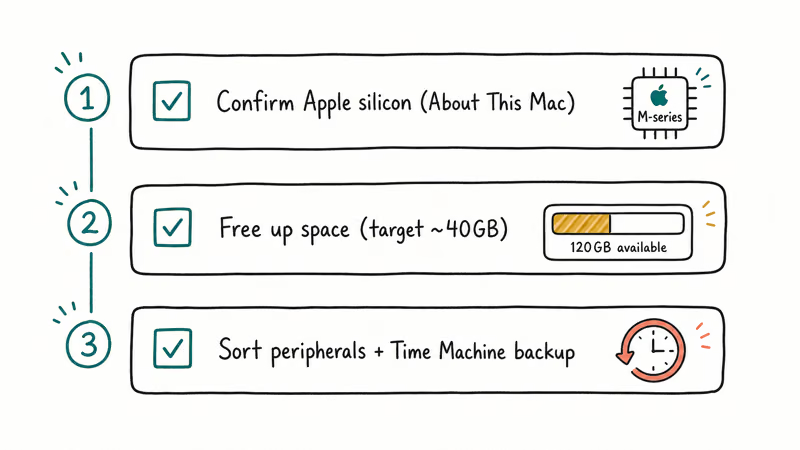
First, confirm your Mac is Apple Silicon using the About This Mac check above. An M-series chip means you’re eligible; an Intel chip means you stay on Tahoe.
Second, free up space. A major macOS upgrade needs room to stage the installer, and a near-full drive can stall the process. Aim for at least 40GB free before you start so the install completes cleanly.
Third, sort your peripherals and security routine. Keep the firmware on your wireless mouse for a MacBook current so it reconnects after the upgrade, and make sure you know how to lock your Mac screen quickly before you start testing a new release on a machine you carry around in public.
#Bottom Line
macOS 27 Golden Gate is confirmed, Apple Silicon only, and due in September. If your Mac has an M-series chip, you’re in line for it; if it’s an Intel Mac, macOS 26 Tahoe is your ceiling.
An Apple Silicon chip puts you first in line on launch day.
Confirm your chip, run a Time Machine backup, and keep your current macOS stable until the public release. The developer beta is out now, but wait for the September stable build before installing on a Mac you depend on.
Mac Tips & Tricks
#Frequently Asked Questions
Is macOS 27 out yet?
The developer beta is out now, seeded at WWDC 2026 on June 8 and updated to developer beta 7 on August 24, 2026, and the public beta track is open. The finished public release is expected in September 2026.
What is the macOS 27 release date?
Apple announced macOS 27 Golden Gate at the WWDC 2026 keynote on June 8, with a developer beta the same day, a public beta that opened in July 2026, and the public release expected in September 2026.
What is macOS 27 called?
macOS 27 is called Golden Gate. Apple confirmed the name at the WWDC 2026 keynote, ending the guessing over California-themed candidates.
Will macOS 27 work on Intel Macs?
No. macOS 27 is Apple Silicon only, the first macOS to fully drop Intel. The four 2019-2020 Intel Macs that ran macOS 26 Tahoe stay on Tahoe.
How do I know if my Mac will support macOS 27?
Open the Apple menu, choose About This Mac, and check the chip line. If it shows an M-series chip such as M1, M2, M3, or M4, your Mac supports macOS 27. An Intel processor means it doesn’t.
What are the new macOS 27 features?
The confirmed headliners are a Gemini-powered Siri with chatbot-style conversation and a standalone app, a refined Liquid Glass interface with adjustable transparency, a rebuilt Spotlight with natural-language search, and stronger parental controls. Apple announced all of these on stage, and the developer beta is already available to test them.
Should I install macOS 27 on day one?
For a machine you depend on, waiting a few weeks past the September release is safer. Early releases often have minor bugs and app compatibility gaps that later point updates fix.
What should I do to prepare for macOS 27 now?
Confirm your Mac uses an Apple Silicon chip, free up storage space, run a Time Machine backup, and keep your current macOS stable. These steps make upgrade day faster.
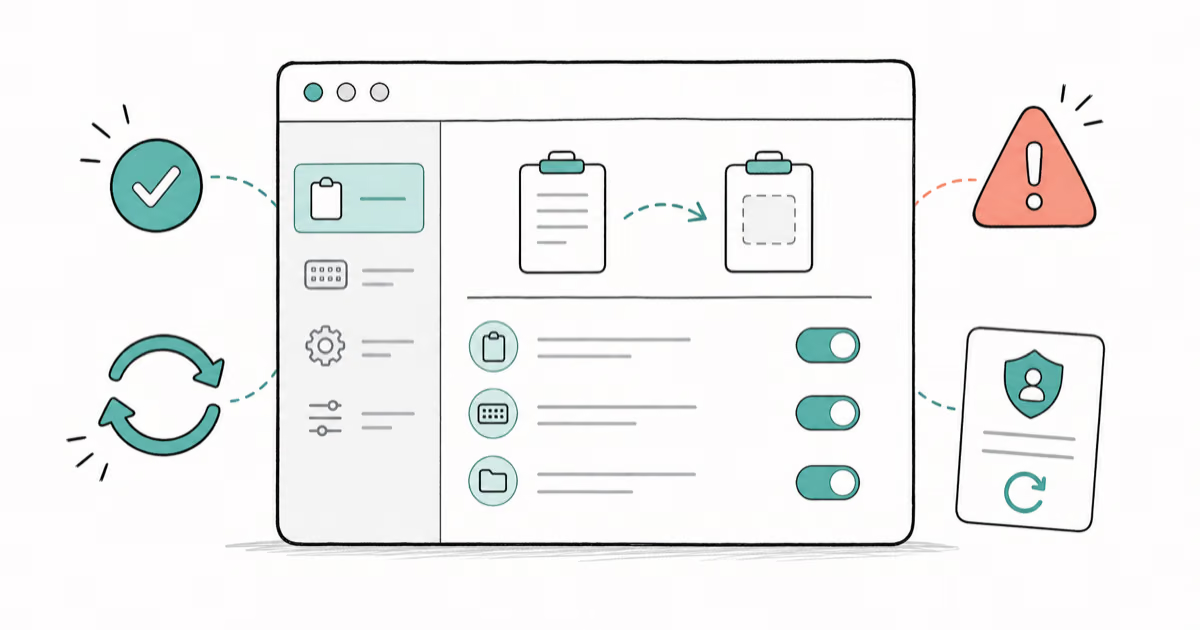
How to Copy and Paste on a Mac: Shortcuts and Fixes
Copy and paste on a Mac with Command-C and Command-V. Learn the cut shortcut, paste without formatting, Universal Clipboard, and fixes when it breaks.

How to Use the Phone App on Mac: macOS Tahoe Setup Guide
Set up the Phone app on macOS Tahoe to relay iPhone cellular calls. Covers requirements, FaceTime setup, Call Screening, and common firewall fixes.
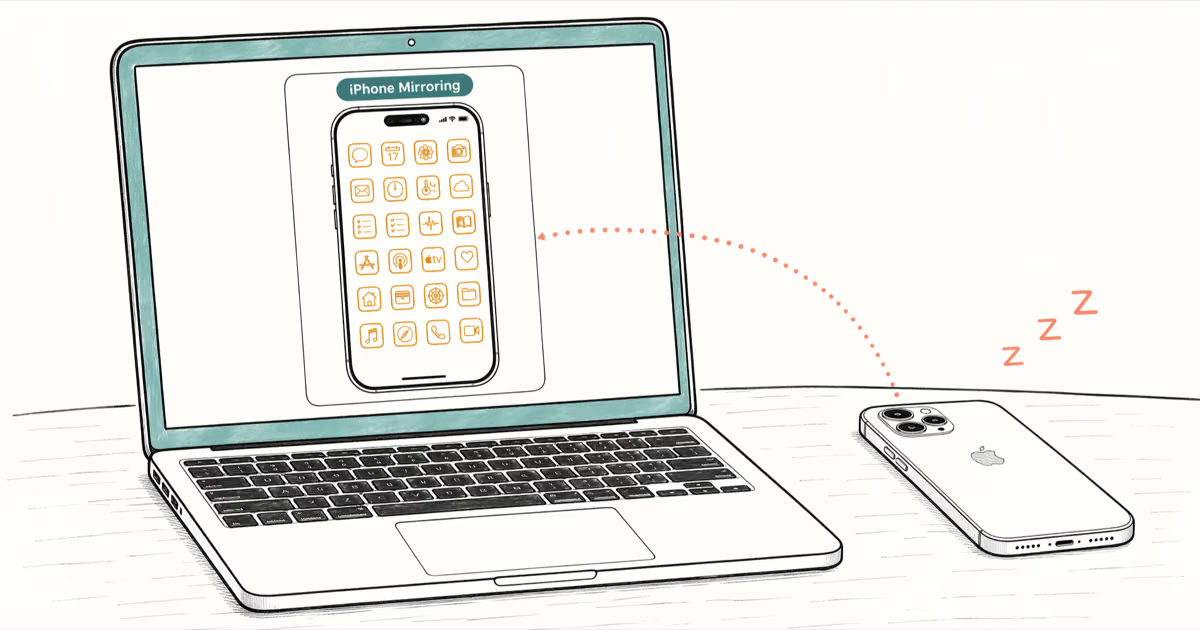
How to Use iPhone Mirroring on Mac: Full 2026 Setup Guide
Set up iPhone Mirroring on macOS Sequoia with iOS 18. Covers hardware requirements, the six common error messages, EU limits, and a shared-Mac privacy fix.
5 Best iPhone File Manager Apps for Windows and Mac
The 5 best iPhone Explorer alternatives for Windows and Mac in 2026. Compare iMazing, AnyTrans, iExplorer, iFunBox, and FileApp with current pricing.