macOS 27 and Rosetta 2: Will Your Intel Apps Work?
macOS 27 is the last version with full Rosetta 2, so older Intel apps still run on Apple Silicon. The real cutoff comes with macOS 28 in 2027.

Quick AnswerYes, your older Intel apps still work on macOS 27. It is the last macOS version with full Rosetta 2, so Intel-compiled apps keep running on Apple Silicon Macs through 2026. The real cutoff arrives with macOS 28 in fall 2027, when Rosetta 2 largely stops.
There’s a lot of confusion about Rosetta 2 and macOS 27, so here’s the clear version: your Intel apps still work. macOS 27 Golden Gate is the last macOS release with full Rosetta 2, which means Intel-compiled apps keep running on Apple Silicon Macs throughout 2026. The real deadline is a year out, with macOS 28.
The Intel-Mac cutoff and the Intel-app cutoff are two different things.
- macOS 27 Golden Gate is the last version with full Rosetta 2, so older Intel apps still run on Apple Silicon Macs
- Dropping Intel Macs is separate from dropping Intel apps; macOS 27 does the first, not the second
- The real Rosetta cutoff comes with macOS 28 in fall 2027, when most Intel-only apps stop working
- Apple plans to keep a narrow slice of Rosetta for older Intel-based games even after macOS 28
- macOS 26 Tahoe already warns you each time you open an Intel app, so you can spot them now
#Does Rosetta 2 Still Work in macOS 27?
Yes, fully. This is the part that gets mixed up most often, so it’s worth stating plainly: macOS 27 keeps Rosetta 2 working at full capability, and that remained the case as of developer beta 3 on July 6.
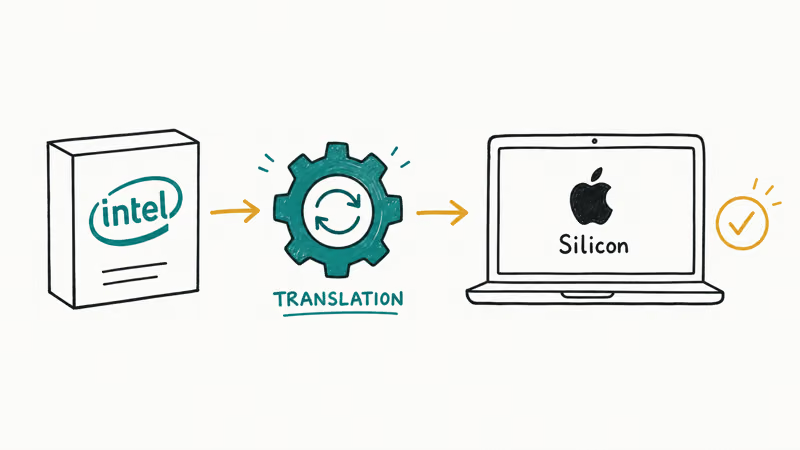
Your Intel apps launch and run as before.
Rosetta 2 is the translation layer that lets apps built for Intel chips run on Apple Silicon. It has nothing to do with whether your Mac is Intel, it’s about whether your apps are. According to TechRepublic, macOS 27 is the last version to ship with full Rosetta 2 functionality, so Intel-compiled software continues to run normally on M-series Macs through the macOS 27 cycle.
#Why People Confuse the Two Cutoffs
The mix-up is understandable. macOS 27 made two Intel-related announcements at once, and they sound similar but mean different things.
One is about hardware, the other about software.
The hardware change is that Intel Macs can’t install macOS 27 at all, which is covered in our macOS 27 Intel Mac guide and the compatible Macs list. The software side is Rosetta 2, which runs Intel apps on Apple Silicon Macs. macOS 27 ends the first and keeps the second. So an M1 or M2 Mac running macOS 27 still runs your old Intel apps just fine.
#When Does Rosetta 2 Actually Stop?
The real deadline is macOS 28, expected in fall 2027. That’s when Rosetta 2 largely goes away.
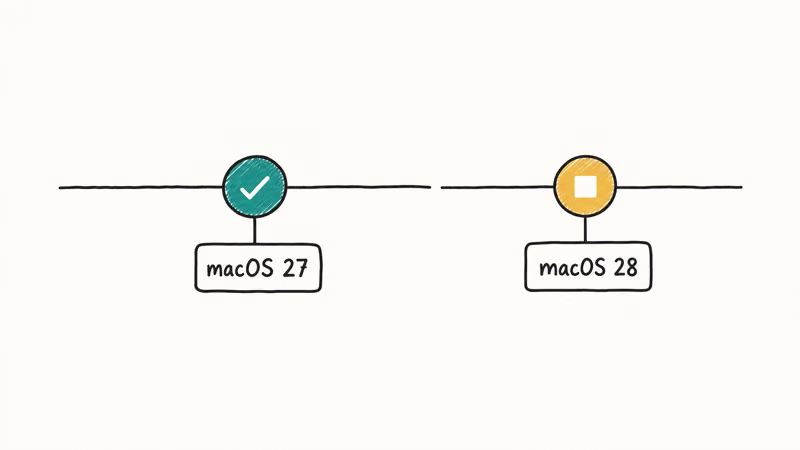
A year of runway remains.
TechTimes covers the cutoff in detail. It found that more than 18,000 Intel-only Mac apps stop working in macOS 28, the never-updated holdouts that no developer recompiled for Apple Silicon. If an app you depend on is Intel-only and never gets an update, macOS 28 is the version where it stops, not macOS 27. That gives you roughly a year on macOS 27 to find replacements or push developers for native builds.
#The Exception for Older Games
Apple carved out one exception, and it’s aimed squarely at gamers. Even after macOS 28 retires most of Rosetta 2, a narrow subset survives.
Old games get a reprieve.
Per Apple’s own platform guidance, a limited part of Rosetta stays available specifically for older, unmaintained gaming titles that rely on Intel-based frameworks. So a classic Intel-only Mac game has a better chance of surviving past 2027 than an abandoned Intel-only productivity tool. It’s a small carve-out, but it matters if your library leans on older titles that no developer is going to recompile.
#How to Find Your Intel Apps Now
You don’t have to wait to see which apps are affected. macOS already tells you.
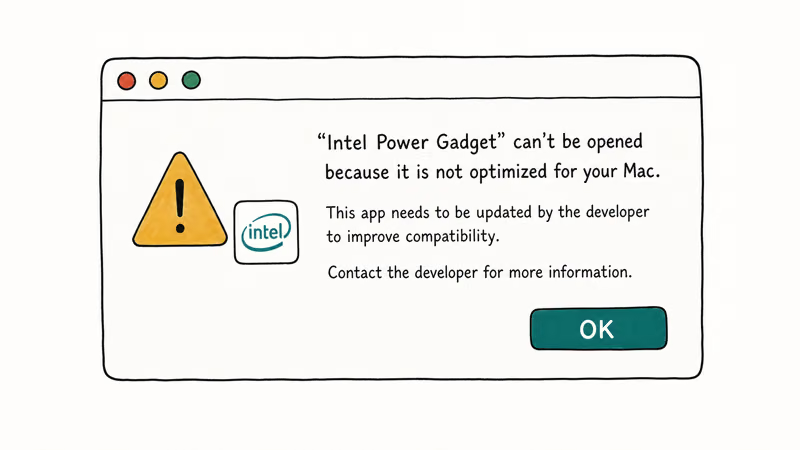
MacRumors confirms that macOS 26 Tahoe began showing a warning each time you open an app that won’t work once Rosetta 2 support ends. The prompt appears the first time you launch an affected Intel app, which makes the at-risk apps easy to spot well ahead of the deadline.
The smart move is to note which of your daily apps trigger the warning, then check whether a native Apple Silicon version exists. Most mainstream apps already ship as universal binaries, so in practice the warning usually flags older or niche software rather than anything you use constantly. For how the assistant and AI tools fit in, see our macOS 27 AI features guide.
#What This Means If You’re Upgrading
Put simply, Rosetta is not a reason to delay macOS 27. The translation layer you rely on today comes along for the ride.
Your upgrade decision shouldn’t hinge on it.
On Apple Silicon Macs, the overwhelming majority of Intel apps already run cleanly through Rosetta 2, and that doesn’t change in macOS 27. The honest planning horizon is macOS 28 in 2027, so treat the next year as lead time to replace any Intel-only holdouts, not as a reason to stay on macOS 26 now. The full release picture is in our macOS 27 Golden Gate features guide.
#Bottom Line
If you’re upgrading to macOS 27, your Intel apps keep working, so there’s no need to hold back over Rosetta. The compatibility you have today carries through the entire macOS 27 cycle.
The clock that matters is macOS 28 in 2027. Use the next year to identify your Intel-only apps with Tahoe’s built-in warnings, then line up native replacements before the real cutoff. Our macOS 27 release date timeline tracks the rollout.
macOS 27
#Frequently Asked Questions
Will my Intel apps work on macOS 27?
Yes. macOS 27 keeps full Rosetta 2, so Intel apps still run on Apple Silicon Macs through 2026.
Is Rosetta 2 removed in macOS 27?
No. macOS 27 keeps Rosetta 2 at full functionality. The major cutoff happens later, with macOS 28 in fall 2027, when Rosetta 2 largely stops working for most Intel-only apps.
What happens to Intel apps in macOS 28?
Starting with macOS 28 in fall 2027, Rosetta 2 mostly goes away, and more than 18,000 Intel-only Mac apps that were never updated to native versions stop working. Apps that already ship Apple Silicon or universal versions are completely unaffected, so the impact is concentrated on older, abandoned software. Apple keeps a small slice of Rosetta running for legacy Intel games even after that point.
Will older Mac games still work after Rosetta 2 ends?
Possibly. Apple plans to keep a narrow part of Rosetta 2 running past macOS 28 specifically for older, unmaintained games that rely on Intel frameworks. Other types of Intel-only apps don’t get that exception.
How do I know which of my apps are Intel-only?
macOS 26 Tahoe shows a warning each time you open an app that won’t survive the cutoff.
Does dropping Intel Macs mean my Intel apps stop working?
No, these are separate. macOS 27 dropping Intel Macs means Intel computers can’t install it. Rosetta 2 running Intel apps on Apple Silicon Macs is a different system, and it continues working through macOS 27.

macOS 27 Compatible Macs: Every Supported Model (2026)
macOS 27 Golden Gate runs only on Apple Silicon Macs. Here is the full list of supported M-series models and the four Intel Macs that lose support.

macOS 27 Golden Gate: Every Major New Feature Confirmed
macOS 27 Golden Gate goes Apple Silicon only, adds a Gemini-powered Siri, refines Liquid Glass, and rebuilds Spotlight. Here is every confirmed change.

macOS 27 Liquid Glass: Every Readability Fix Explained
macOS 27 Golden Gate refines Liquid Glass with an intensity slider, better contrast, cleaner window corners, and edge-to-edge sidebars to fix readability.

macOS 27 Performance: What Golden Gate Makes Faster
macOS 27 Golden Gate speeds up AirDrop, network file browsing, Safari, and Spotlight, with core system improvements on the Apple Silicon-only release.