macOS 27 Spotlight: Siri Search and Instant Indexing
macOS 27 Golden Gate rebuilds Spotlight with Siri built in, natural-language search, multi-file analysis, and a new index for near-instant results.

Quick AnswermacOS 27 Golden Gate rebuilds Spotlight around Siri. You can type natural-language questions, get AI answers, search across your files, messages, and emails, and the new index makes fresh content searchable almost instantly. Apple announced it at WWDC 2026.
Spotlight has been the fastest way to open an app or find a file on a Mac for years, and macOS 27 Golden Gate turns it into something bigger: a Siri-powered search bar that answers questions and reasons across your files. Apple announced the rebuild at WWDC 2026 on June 8, and it changes what you reach for Command-Space to do.
This is the biggest Spotlight change in a long time.
- macOS 27 builds Siri directly into Spotlight, so you can type a question and get an AI answer without opening another app
- A new index architecture makes newly saved files and messages searchable almost immediately after an update
- Siri can search across your files, messages, emails, notes, and photos using natural language
- It can analyze multiple documents at once, like comparing several PDFs and building a comparison table
- Search results in Photos and Mail get sharper from the same indexing work
#What’s New in macOS 27 Spotlight?
The short version: Spotlight stops being a keyword launcher and becomes a question box. You still open apps and find files with it, but now you can also ask it things in plain language and get real answers.
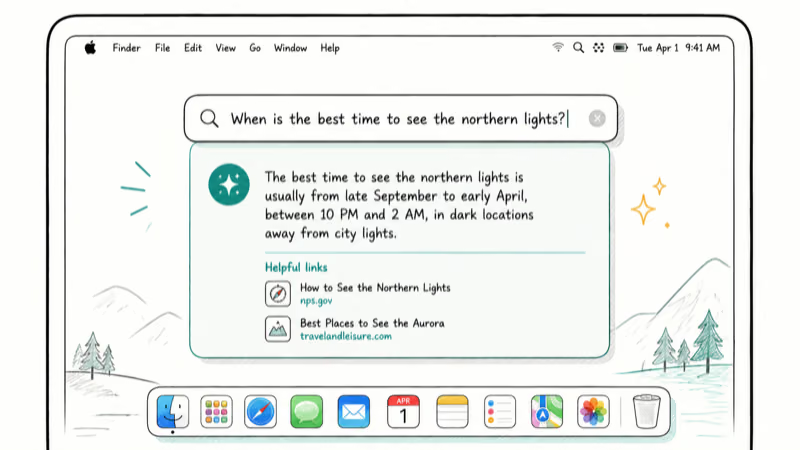
According to Macworld’s macOS 27 guide, “Siri AI will be built directly into Spotlight Search on macOS,” letting you “type questions into Spotlight, receive AI-generated answers, and launch Siri-powered searches” without switching to a browser or a separate app.
That’s a real shift in what the search bar is for.
The rebuilt Siri behind it draws on personal context, broad web knowledge, and on-screen awareness, so a question can pull from what you have saved as easily as from the wider web. It’s the same assistant covered in the macOS 27 AI features guide, surfaced right where you already search.
#Siri Comes to Spotlight
The integration is the headline. Instead of opening a Siri window, you press Command-Space and type.
Ask, don’t just launch.
You can pose a question, request a quick calculation or conversion, or tell Siri to find something specific, all from the same field you use to open apps. Because Siri understands your personal context, it can locate information stored across your messages, emails, notes, photos, and files, not just match a filename. That makes Spotlight useful for the times you remember what something was about but not what you called it.
#How Does Spotlight Search Across Your Files?
This is where the AI layer earns its place. Older Spotlight matched text and filenames; the new one understands content and can work with several items together.
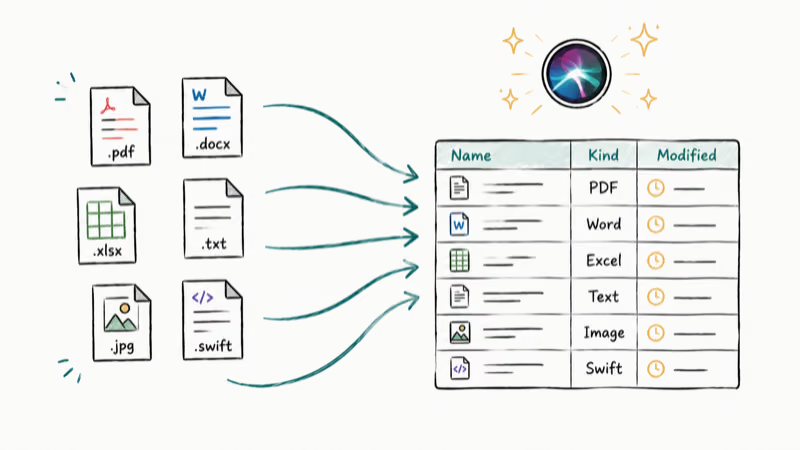
Apple demonstrated Siri comparing information across multiple PDF documents and automatically generating a comparison table from them. In practice, that means you can point Spotlight at a folder of documents and ask a question that spans all of them, rather than opening each file to hunt for the answer yourself.
Natural language is the unlock.
You describe what you’re after, and Siri draws on your indexed content to surface it. Apple’s macOS preview page states that Siri can locate specific information, find things you saved in the past, and pull relevant details from your own data, which is a different job from the keyword match Spotlight used to do.
#Instant Indexing
Search is only as good as the index behind it, and Golden Gate rebuilt that too. Apple confirms that a new index architecture processes new content almost immediately after an update is installed.
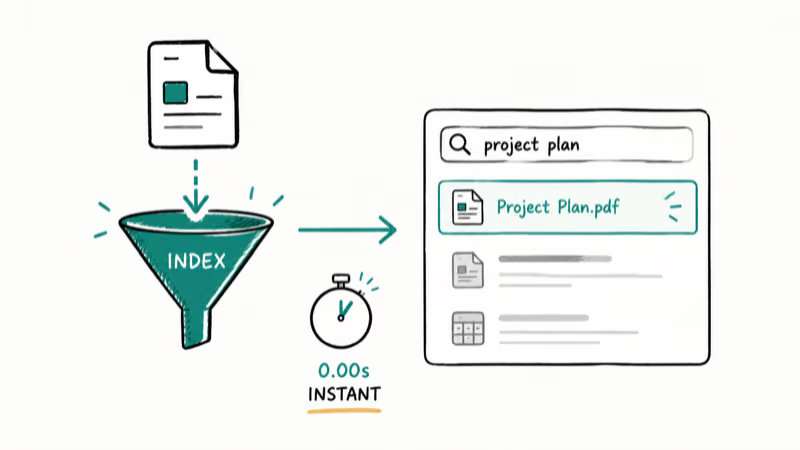
No more waiting for Spotlight to catch up.
The older Spotlight pain point was lag: a freshly saved file or new message could take time to appear while the index caught up. The new architecture targets that delay, so newly saved files and messages become searchable far faster than before. It’s an invisible change that you feel the first time a brand-new document appears in results right away.
#Spotlight in Photos and Mail
The indexing work doesn’t stop at Spotlight. The same engine sharpens search inside Photos and Mail.
Better search reaches the apps too.
In Photos, that means finding images by what’s in them or when they were taken lands more reliably; in Mail, it means a search for an old message turns up the right thread instead of a pile of near-misses. Both apps lean on the rebuilt index, so the improvement is consistent across the system rather than bolted onto one app. For the wider design and feature picture, see the macOS 27 Golden Gate features guide and the Liquid Glass redesign.
#The Macs That Get the New Spotlight
The new Spotlight is part of macOS 27, so it needs an Apple Silicon Mac. As 9to5Mac reported from the keynote, macOS 27 drops Intel entirely, which means an M1 chip or newer.
Check your chip first.
The AI-heavy parts of Spotlight lean on the same Apple Intelligence foundation as the rest of Golden Gate, so the Apple Silicon requirement here is hard, not a soft recommendation. The macOS 27 compatible Macs guide lists every supported model, and the macOS 27 release date timeline tracks when it ships.
#Bottom Line
If you live in Spotlight, Golden Gate is a meaningful upgrade. Siri answers, natural-language file search, and instant indexing turn a launcher into a genuine assistant you reach in one keystroke.
The instant indexing alone is worth it for anyone who’s watched a new file fail to appear in search. Add the Siri layer on top and Spotlight becomes the fastest way to both find things and ask about them when macOS 27 ships in September.
macOS 27
#Frequently Asked Questions
Does Spotlight use Siri in macOS 27?
Yes. macOS 27 builds Siri directly into Spotlight, so you can type a question and get an AI-generated answer without opening a separate app or a browser.
Can Spotlight search inside my files in macOS 27?
Yes. The rebuilt Spotlight uses Siri to search across your files, messages, emails, notes, and photos with natural language. It can even analyze several documents at once, like comparing multiple PDFs and building a comparison table, which the old keyword-based search couldn’t do.
Is Spotlight faster at finding new files in macOS 27?
Yes. A new index architecture makes freshly saved files and messages searchable almost immediately after an update, instead of waiting minutes for the index to catch up.
Does the new Spotlight improve Photos and Mail search?
Yes. The same rebuilt index that powers Spotlight also sharpens search inside Photos and Mail, so finding an image by what’s in it or an old email by a keyword turns up the right result more reliably than before. Because both apps draw on the same engine, the improvement is consistent rather than something Apple bolted onto one app and skipped in the other.
Do I need an Apple Silicon Mac for the new Spotlight?
Yes. macOS 27 is Apple Silicon only, so it needs an M1 Mac.
When does the new Spotlight arrive?
It ships with macOS 27 Golden Gate. The developer beta is out now and reached developer beta 3 on July 6, with the public beta now available (released July 13, 2026) and the full release expected in September 2026.

macOS 27 Compatible Macs: Every Supported Model (2026)
macOS 27 Golden Gate runs only on Apple Silicon Macs. Here is the full list of supported M-series models and the four Intel Macs that lose support.

macOS 27 Golden Gate: Every Major New Feature Confirmed
macOS 27 Golden Gate goes Apple Silicon only, adds a Gemini-powered Siri, refines Liquid Glass, and rebuilds Spotlight. Here is every confirmed change.

macOS 27 Liquid Glass: Every Readability Fix Explained
macOS 27 Golden Gate refines Liquid Glass with an intensity slider, better contrast, cleaner window corners, and edge-to-edge sidebars to fix readability.

macOS 27 Performance: What Golden Gate Makes Faster
macOS 27 Golden Gate speeds up AirDrop, network file browsing, Safari, and Spotlight, with core system improvements on the Apple Silicon-only release.