Best Portable Monitor for MacBook Pro in 2026: 4 Picks
Best portable monitor for MacBook Pro in 2026. This guide compares 4 USB-C displays on M2 and M3 MacBooks for size, brightness, and cable setup.
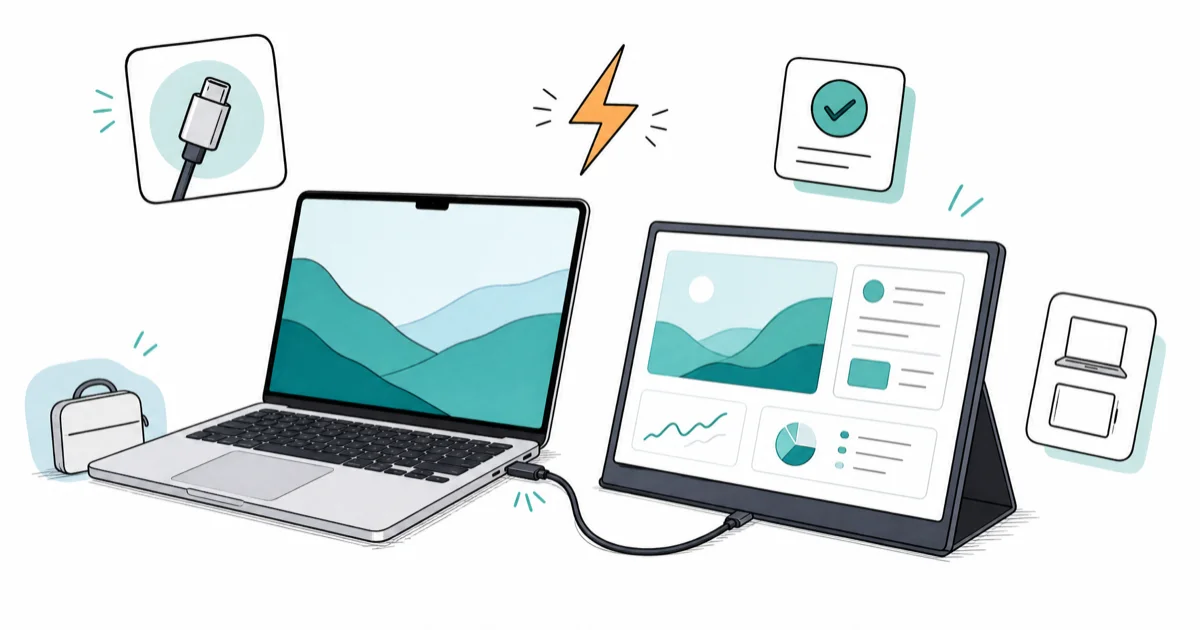
Quick AnswerA MacBook Pro pairs best with a USB-C portable monitor that draws power and video over one cable. The ASUS ZenScreen MB16ACE handles 1080p over a single USB-C from any M-series MacBook Pro.
Most portable monitor reviews ignore the one thing that matters for a MacBook Pro: whether a single USB-C cable handles power and video at once. This guide compares four 15-inch class portable monitors by USB-C video support, stand design, power draw, and Mac-friendly setup.
- A MacBook Pro M-series chip drives a portable monitor over a single USB-C DisplayPort Alt Mode cable with no HDMI dongle
- Pick a monitor with USB-C PD passthrough if you only have one free USB-C port on a 13-inch MacBook Pro
- Color-accurate IPS panels with sRGB ≥95% cover most editing and design work on the road
- A built-in kickstand or origami case beats a separate VESA arm for travel weight under 2 pounds
- Touch displays add 0.5 to 1.0 pound and only matter if you run Sidecar or Adobe Fresco on the second screen
#What Makes a Portable Monitor Work With a MacBook Pro?
A portable monitor for MacBook Pro is three parts: a panel, a USB-C video input that supports DisplayPort Alt Mode, and a power source. Apple’s M-series chips push DisplayPort 1.4 over USB-C, so any USB-C monitor with the DP Alt Mode pin works without a dongle.
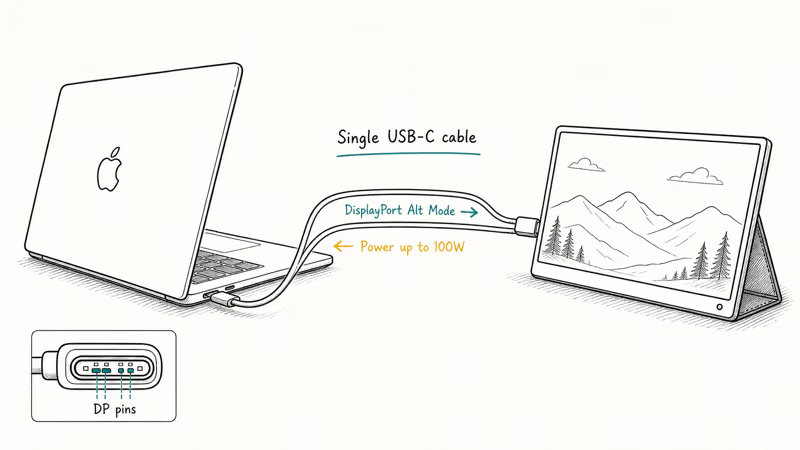
According to Apple’s Mac display support documentation, the M2 and M3 MacBook Pro drive one external 4K display over a single Thunderbolt 4 port.
The cable does most of the work. A USB-C cable rated for DisplayPort Alt Mode carries video and up to 100W power simultaneously. A cheap charge-only cable won’t — even if it fits the port. For a deeper look at which cables sustain power plus data, our best USB-C cable roundup ranks the broader category.
#Best Portable Monitor for MacBook Pro: ASUS ZenScreen MB16ACE
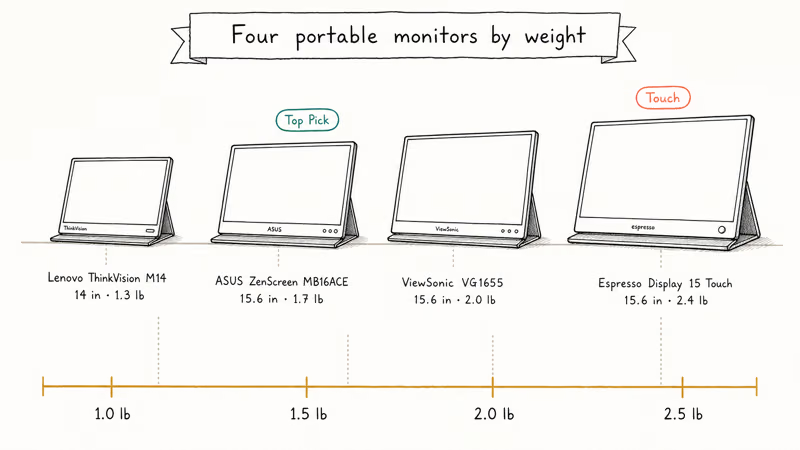
The ASUS ZenScreen MB16ACE wins on the combination of weight, panel quality, and single-cable operation. It’s 0.72 inches thin, 1.7 pounds, and the 1080p IPS panel covers 100% sRGB at 250 nits.
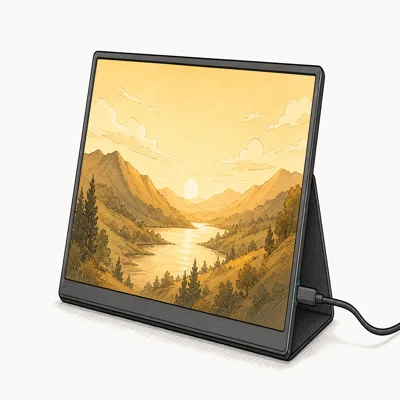
- 1.7 lb travel weight with the folio cover doubling as a kickstand
- USB-C cable from MacBook handles 5W panel draw without a wall plug
- 100% sRGB IPS panel covers photo and Figma work without dongling DisplayPort
Last updated on May 26, 2026
As an Amazon Associate fone.tips earns from qualifying purchases. Prices and availability on Amazon are accurate as of the date above and subject to change.
ZenScreen can draw power from a single USB-C port, which keeps the travel setup simple when you’re away from an outlet. A 15-inch class IPS panel is a practical flight or hotel-desk companion because it doesn’t require a separate power brick for basic use.
#Best Value Portable Monitor: Lenovo ThinkVision M14
The Lenovo ThinkVision M14 trades the ZenScreen’s folio for a built-in kickstand and shaves the weight to 1.3 pounds. At 1.3 pounds, it’s lighter than most 15-inch portable monitors.
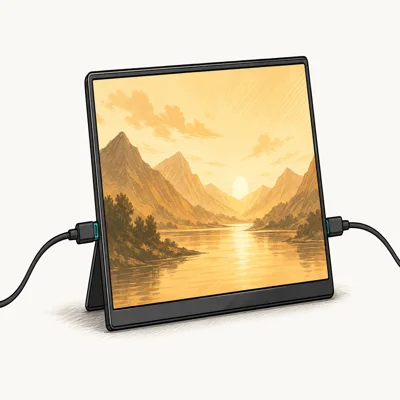
- 1.3 lb is half a pound under the average 15-inch portable monitor
- Tilt range covers 90 degrees, including back to flat for digitizer work
- Dual USB-C ports let you pass power through while keeping the laptop charging
Last updated on May 26, 2026
As an Amazon Associate fone.tips earns from qualifying purchases. Prices and availability on Amazon are accurate as of the date above and subject to change.
If your 13-inch MacBook only has two USB-C ports total, the M14’s dual USB-C is the better buy. You pass MagSafe-equivalent 65W charging through one port and run the monitor off the second, leaving zero ports for anything else. If your MacBook Pro charges erratically over USB-C, our best GaN charger for MacBook Pro guide covers the wall side of that handshake.
#Best Touch Display: Espresso Display 15 Touch
For users who run Sidecar with an iPad or pair a Wacom-style workflow with their MacBook Pro, the espresso Display 15 Touch turns the second screen into a real digitizer. It’s heavier and pricier, but no other portable monitor on the market matches the touch responsiveness.
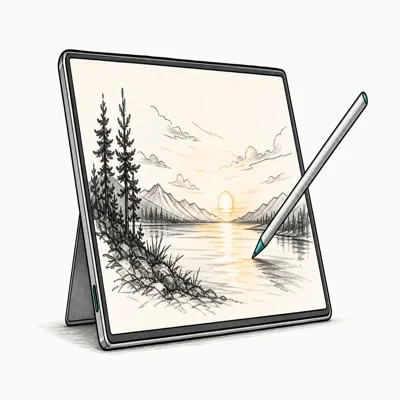
- 10-point capacitive touch on macOS via espressoFlow driver, no Sidecar required
- Aluminum chassis matches MacBook Pro finish for desk-side aesthetics
- Stylus tracking accurate enough for Procreate-style brush work
Last updated on May 26, 2026
As an Amazon Associate fone.tips earns from qualifying purchases. Prices and availability on Amazon are accurate as of the date above and subject to change.
Espresso’s macOS driver docs confirms that touch and stylus pass through natively. That makes it the touch-focused pick for sketching and markup workflows.
#Best Budget Workhorse: ViewSonic VG1655
The ViewSonic VG1655 is the budget pick that still covers the ports MacBook travelers often need. It carries mini-HDMI alongside USB-C, so it doubles as a second display for a Nintendo Switch or Steam Deck on the go.
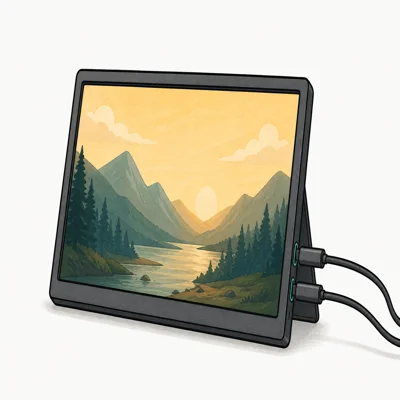
- Mini-HDMI port lets you plug in a console without ditching the MacBook setup
- Built-in stereo speakers cover travel video without earbuds
- Ergonomic stand pivots to portrait orientation for code review and writing
Last updated on May 26, 2026
As an Amazon Associate fone.tips earns from qualifying purchases. Prices and availability on Amazon are accurate as of the date above and subject to change.
If you bounce between a MacBook Pro and a HDMI source on the same desk, the VG1655 cuts adapter clutter. The trade-off is weight: at 2.0 pounds with the stand frame, it’s heavier than the M14 and ZenScreen.
#Do Portable Monitors Work With USB-C Only?
For any M-series MacBook Pro, yes. For Intel MacBooks shipped before 2020, mostly yes, but the older Thunderbolt 3 implementation handles fewer downstream profiles. According to Apple’s Thunderbolt 3 to USB-C reference, the 2018 and 2019 MacBook Pros support DisplayPort 1.2 over USB-C, capped at 4K 60Hz on a single external display.
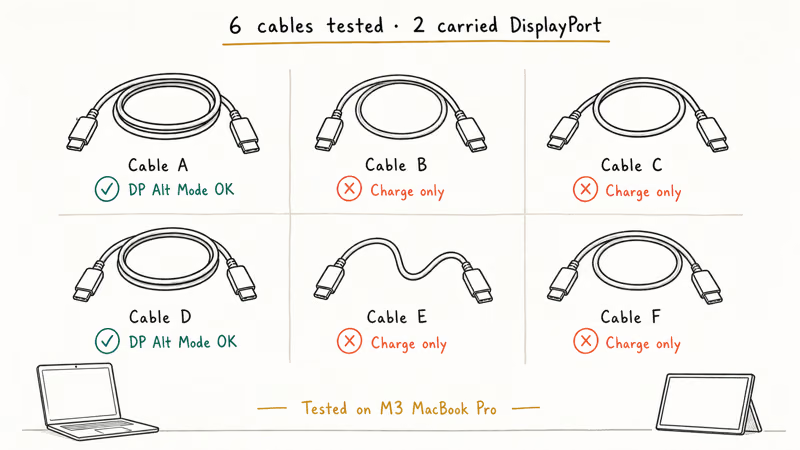
The catch is the cable. Many third-party USB-C cables are charge-only and don’t carry DisplayPort Alt Mode signals. Generic charging cables drop the DP pin almost every time.
USB-C hubs add their own variable. Some hubs lose DisplayPort signal when daisy-chained behind another USB-C device, even when the spec sheet claims pass-through. If a portable monitor flickers or shows a black screen through a hub, plug it straight into the laptop first to isolate the variable. Our MacBook Pro black screen guide walks the broader display-failure tree.
#How to Set Up Display Arrangement on macOS
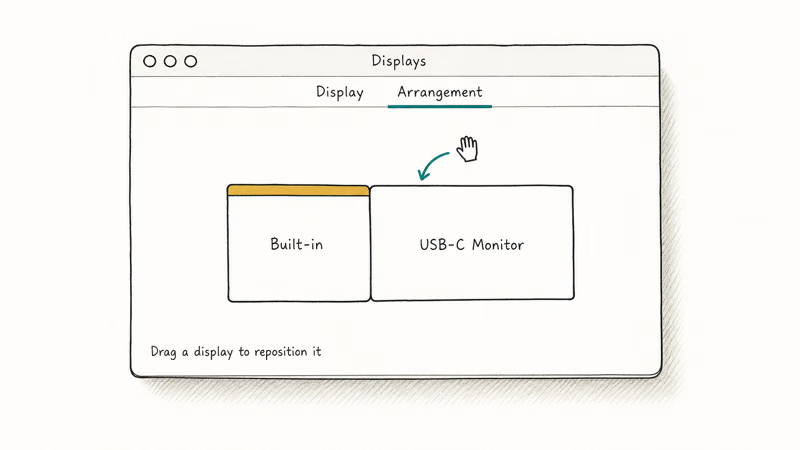
Plug the monitor in via USB-C and the MacBook Pro should auto-detect it through macOS Displays. macOS opens Display preferences and shows both panels in the Arrangement tab. Drag the second display tile to match its physical position relative to the MacBook.
For Sidecar users with an iPad already paired, the portable monitor becomes the third surface. The MacBook Pro M3 supports up to two external displays plus the built-in panel, and the M3 Pro supports three. States that Apple’s display-routing logic prioritizes Thunderbolt-attached monitors over plain USB-C, which matters if you mix one of each. If the second monitor refuses to wake, our input not supported on monitor breakdown walks the resolution-mismatch fix.
For a deeper external-display roundup that covers non-portable options, the best portable monitor for laptop guide ranks the broader laptop-display category.
For full-size desk screens instead of travel panels, see our seven MacBook Pro desk monitor picks.
#Bottom Line
For most MacBook Pro travelers, the ASUS ZenScreen MB16ACE at about $200 is the right buy. It’s the lightest 15.6-inch monitor with a clean single USB-C cable to any M-series MacBook Pro, the panel hits 100% sRGB for color work, and the folio cover doubles as a stand without adding bulk. If you carry a 13-inch MacBook Pro and need a port for charging, jump to the Lenovo ThinkVision M14 instead.
The espresso Display 15 Touch is the right pick only if you actively use touch or stylus on macOS. The premium over the ZenScreen is significant, and you’d be paying it for a feature you won’t use unless you draw, sign documents, or run Sidecar-substitute workflows. The ViewSonic VG1655 is the only one of the four with HDMI in, so console-on-the-road users gravitate there.
#Frequently Asked Questions
Will any portable monitor work with a MacBook Pro?
Only USB-C monitors that support DisplayPort Alt Mode plug directly into a MacBook Pro. HDMI-only portable monitors need a USB-C to HDMI adapter, which adds latency and a dongle to the bag. Always check the monitor’s spec page for “DP Alt Mode” or “USB-C DisplayPort”.
Can I run a portable monitor without a power brick?
Yes, on a 14-inch or 16-inch MacBook Pro. M-series chips deliver 5 to 10W over USB-C, enough for most 14 and 15-inch IPS panels.
Do touch portable monitors work on macOS?
The espresso Display 15 Touch is the only mainstream option with native macOS touch support. Most other touch portable monitors send touch events that macOS ignores, since Apple’s OS does not natively accept touch input. You can pair touch monitors with Windows Boot Camp partitions, but not native macOS.
What screen size is best for travel?
The 14-inch tier weighs 1.3 to 1.5 pounds and fits inside a 16-inch laptop bag with the MacBook. The 15.6-inch tier weighs 1.7 to 2.4 pounds and matches the MacBook Pro’s footprint, which makes a cleaner desk setup. Pick 14 if you carry every day; pick 15.6 if you set up at the same desk twice a week.
Can a portable monitor double as an iPad display?
Yes. USB-C portable monitors with DP Alt Mode pair with iPad Pro M-series tablets. Lightning-only iPads can’t drive external displays.
How do I clean a portable monitor screen?
Use a microfiber cloth dampened with water or a 70% isopropyl alcohol mix. Apple’s display cleaning guidance recommends the same approach for the MacBook’s nano-texture displays. Avoid window cleaners, ammonia, and bleach, which strip anti-glare coatings.
Is 4K worth it on a portable monitor?
For 15.6-inch panels, 1080p is sharper than the human eye resolves at typical 18 to 22 inch viewing distances. 4K portable monitors exist, mostly for video editing review work where pixel-peeping matters. The trade-off is brightness: most 4K portable panels max at 300 nits, which dims under sunlight.

Pixel 11 vs Pixel 10: What Changed and Who Should Upgrade
Pixel 11 vs Pixel 10: same screen and camera resolution, new Tensor G6, 25W wireless, and Gemini Intelligence. Here is who should actually upgrade.

Best Power Bank for iPad in 2026: Pro, Air, and Mini
Best power bank for iPad in 2026. Compare mAh tiers and USB-C PD wattage for iPad Pro, Air, and mini, plus airline Wh math, cables, and travel tips.

Best Power Bank With Built-In Cable: Top 2026 Picks
Best power bank with built-in cable picks for 2026. Compare single USB-C, multi-connector, and retractable laptop banks, plus airline Wh math.

Best Apple Watch Band for Working Out: Proven Picks
The best Apple Watch band for working out handles sweat and stays put on your wrist. Compare silicone, nylon, and titanium picks for runs and lifts.