macOS 27 Liquid Glass: Every Readability Fix Explained
macOS 27 Golden Gate refines Liquid Glass with an intensity slider, better contrast, cleaner window corners, and edge-to-edge sidebars to fix readability.

Quick AnswermacOS 27 Golden Gate refines Liquid Glass with a slider that adjusts the effect from ultra-clear to fully tinted, plus better contrast, more consistent rounded window corners, and edge-to-edge sidebars. Apple added these at WWDC 2026 to fix the readability complaints from macOS 26 Tahoe.
When Apple shipped Liquid Glass in macOS 26 Tahoe, the look drew praise and a steady stream of complaints: text over the translucent panels was often hard to read. macOS 27 Golden Gate answers that directly. Apple announced a set of Liquid Glass refinements at WWDC 2026 on June 8, led by a slider that lets you dial the effect from clear to tinted.
The fix is the headline, not a footnote.
- macOS 27 adds a slider that adjusts Liquid Glass from ultra-clear to fully tinted, so you control the transparency
- Contrast is improved across the interface, making text and controls easier to distinguish
- Window corners use a more consistent rounded radius across native and third-party apps
- Sidebars now run edge-to-edge instead of appearing to float, with a cleaner unified toolbar
- The changes are a direct response to the readability criticism that followed macOS 26 Tahoe
#What Changed in Liquid Glass for macOS 27?
The core idea is control. macOS 26 applied one fixed level of translucency everywhere, and if it was too strong on your wallpaper, you had no way to tone it down. macOS 27 hands that dial to you.
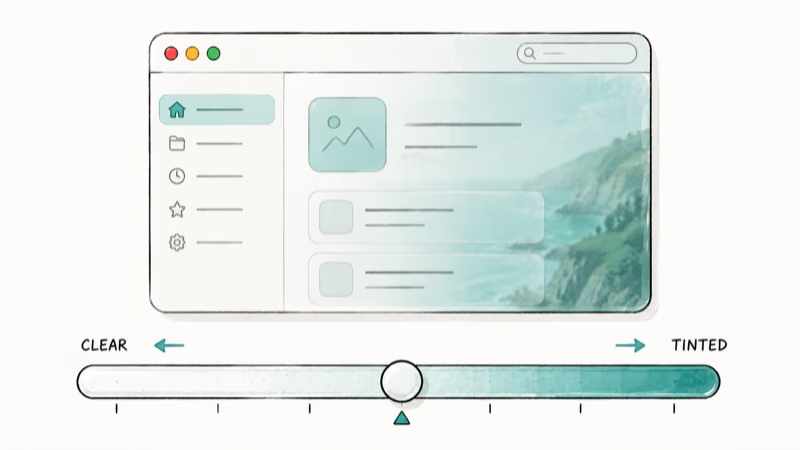
According to Macworld’s macOS 27 guide, Golden Gate adds a customizable Liquid Glass appearance, “allowing users to adjust the effect from ultra-clear to fully tinted.” That single slider is the most practical change, because it turns a fixed system choice into a personal preference.
Apple also reworked the effect. AppleInsider confirms that the refresh brings stronger contrast and cleaner refraction.
#Does macOS 27 Fix the Readability Problem?
Yes, and it’s the reason the update matters to anyone who found Tahoe hard to look at. Macworld states that Golden Gate delivers “better contrast to make interface elements easier to distinguish” and “improved readability with more refined Liquid Glass effects throughout macOS.”
The complaints were real, and Apple listened.
The toughest readability cases are sidebar labels and menu-bar items sitting over bright or busy wallpapers, where translucent UI can make text harder to read. A tunable effect plus higher baseline contrast targets exactly those cases. You can keep the glassy look where it works and pull it back where it doesn’t, which is what the system should have offered from the start.
#The Window and Sidebar Changes
Liquid Glass isn’t only about transparency. macOS 27 also tidies the shapes around it.
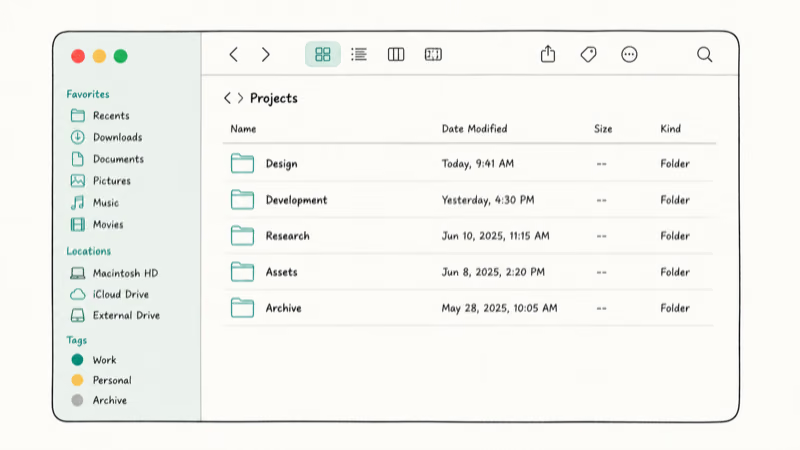
- Consistent window corners with a more uniform rounded radius across apps
- Edge-to-edge sidebars that extend fully to the window edge instead of floating
- A unified toolbar at the top for a cleaner, more cohesive layout
- Refined menu-bar icons that match the updated design language
Macworld describes “more consistent rounded window corners throughout the operating system” and “edge-to-edge sidebars that extend fully to the edge of windows rather than appearing to float.” The effect is subtle but real: apps look like they belong to the same system, even ones that haven’t been updated yet.
#Adjusting Liquid Glass in macOS 27
The new control lives in System Settings, the same place you’d manage other appearance options. You move the slider toward clear for maximum legibility or toward tinted for a softer, more opaque look.
It takes one drag to retune the whole system.
That flexibility is the difference between a design you tolerate and one you can make your own. On busy desktop wallpapers, fixed translucency is exactly the setting users need to adjust but couldn’t in macOS 26.
If your work involves a lot of text, dial it clear; if you prefer the frosted aesthetic, leave it tinted. Either way, the readability floor is higher than macOS 26, so even the tinted end stays legible. For the full release picture, see the macOS 27 Golden Gate features guide and the macOS 27 release date timeline.
#How Liquid Glass Fits the Rest of macOS 27
The interface work is one piece of a broad Golden Gate update. Apple paired the visual refresh with a Gemini-powered Siri and AI features, a rebuilt Spotlight, and the move to Apple Silicon only.
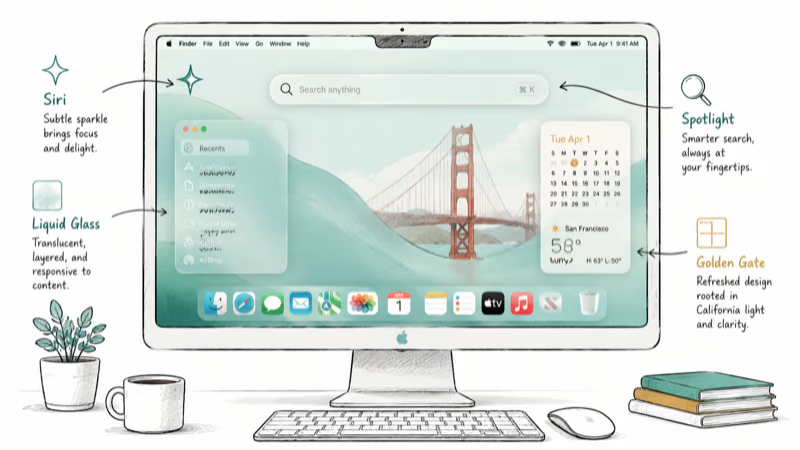
The design and the engine got attention together.
It’s worth remembering that macOS 27 drops Intel Macs entirely, so these refinements land only on Apple Silicon machines. If you’re checking whether your Mac qualifies, the macOS 27 compatible Macs guide has the full list, and Apple’s own macOS preview page confirms the Golden Gate details.
#What This Means for Older Apps
A nice side effect of the corner and toolbar work is consistency. Macworld notes the rounded corners apply even to apps that haven’t adopted the new system, so your whole desktop looks unified on day one.
Old apps still look at home.
That matters because many Mac apps update slowly. Even your legacy Intel apps on Rosetta 2 inherit the cleaner shapes for free.
#Bottom Line
If Liquid Glass put you off in macOS 26, Golden Gate is the update that addresses it. The intensity slider, higher contrast, and cleaner window shapes turn a polarizing design into one you can tune to your taste.
The change is small in scope but daily in impact. A readable, adjustable Liquid Glass is worth the upgrade.
macOS 27
#Frequently Asked Questions
Can you turn off Liquid Glass in macOS 27?
You can’t remove it entirely, but the new slider lets you dial it down to nearly clear. macOS 27 adjusts the effect from ultra-clear to fully tinted, so you can minimize the translucency if you prefer a flatter, more readable look.
Does macOS 27 fix the Liquid Glass readability issues?
Yes. Apple improved contrast and added an intensity slider, targeting the macOS 26 readability complaints.
What is the Liquid Glass slider in macOS 27?
It’s a control that adjusts the Liquid Glass appearance from ultra-clear to fully tinted. You drag it toward clear for maximum legibility or toward tinted for a softer, more opaque interface, and the change applies system-wide.
Did Apple change window corners in macOS 27?
Yes. Golden Gate uses a more consistent rounded corner radius across apps, including ones that haven’t been updated to the new system, plus edge-to-edge sidebars and a unified toolbar for a cleaner overall layout. The result is a desktop where native and third-party apps share the same window shapes, so nothing looks out of place even before developers ship updates of their own.
Does the new Liquid Glass work on Intel Macs?
No. macOS 27 is Apple Silicon only, so the new Liquid Glass needs an M1 Mac.
When can I get the new Liquid Glass design?
It arrives with macOS 27 Golden Gate. The developer beta is out now and reached developer beta 3 on July 6, where the Liquid Glass transparency slider remains in place, with the public beta now available (released July 13, 2026) and the full release expected in September 2026.

macOS 27 Compatible Macs: Every Supported Model (2026)
macOS 27 Golden Gate runs only on Apple Silicon Macs. Here is the full list of supported M-series models and the four Intel Macs that lose support.

macOS 27 Golden Gate: Every Major New Feature Confirmed
macOS 27 Golden Gate goes Apple Silicon only, adds a Gemini-powered Siri, refines Liquid Glass, and rebuilds Spotlight. Here is every confirmed change.
macOS 27 Performance: What Golden Gate Makes Faster
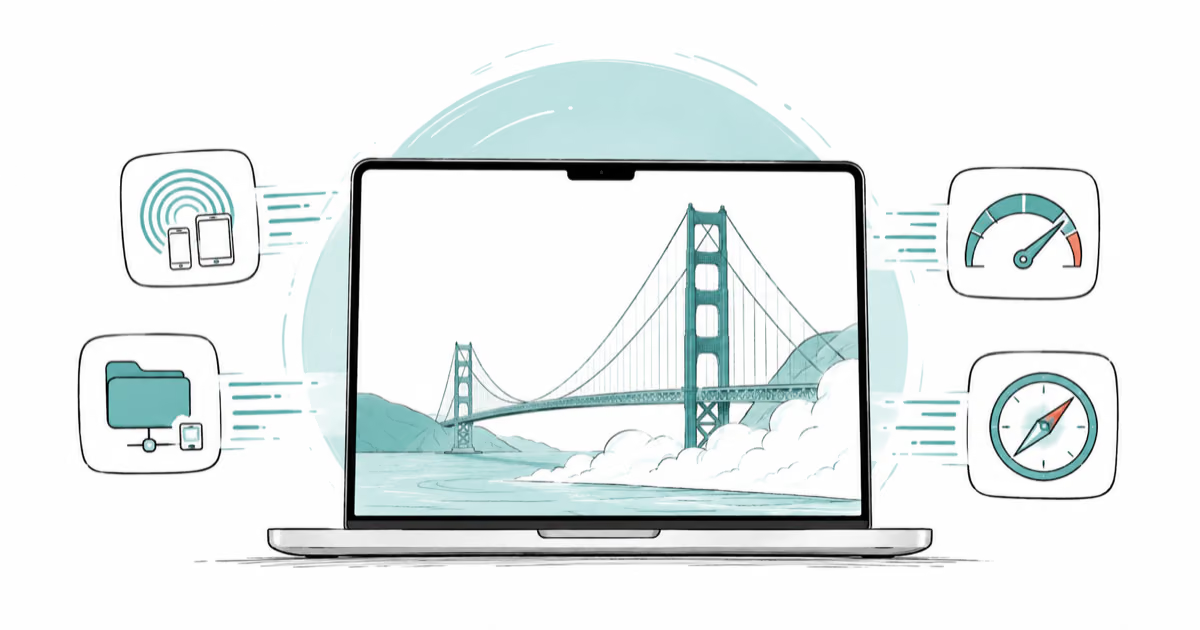
macOS 27 Golden Gate speeds up AirDrop, network file browsing, Safari, and Spotlight, with core system improvements on the Apple Silicon-only release.

macOS 27 and Rosetta 2: Will Your Intel Apps Work?
macOS 27 is the last version with full Rosetta 2, so older Intel apps still run on Apple Silicon. The real cutoff comes with macOS 28 in 2027.