KineMaster No Watermark: Premium Plan & Alternatives
Remove the KineMaster watermark legally with Premium ($3.99/mo) or switch to free apps like CapCut, iMovie, or DaVinci Resolve on phone or PC.
Quick AnswerThe only official way to remove the KineMaster watermark is to subscribe to KineMaster Premium for $3.99 per month or $44.99 per year. Free apps like CapCut, iMovie, and DaVinci Resolve export videos without any watermark by default.
That “Made with KineMaster” stamp in the bottom-right of every export is the free version doing its job. According to KineMaster’s official pricing, only one path makes it disappear: subscribe to Premium (the exact monthly price varies by region and platform). Every legitimate route comes down to the same choice on both Android and iOS. Either you pay, or you finish in a different editor.
- KineMaster Premium ($3.99/month or $44.99/year) is the only sanctioned way to strip the watermark from new and previously exported projects
- The free tier writes “Made with KineMaster” into every MP4 you export, regardless of resolution
- CapCut, iMovie, DaVinci Resolve, and VN Editor finish projects with zero branding overlay on their free tiers
- KineMaster runs on Android 8.0+ (3GB RAM minimum) and iOS 13+, with Premium exporting up to 4K at 60fps
- Cracked KineMaster MOD APKs break Google Play Protect, miss security patches, and can ship malware
#Why Does KineMaster Add a Watermark?
KineMaster runs on a freemium model.
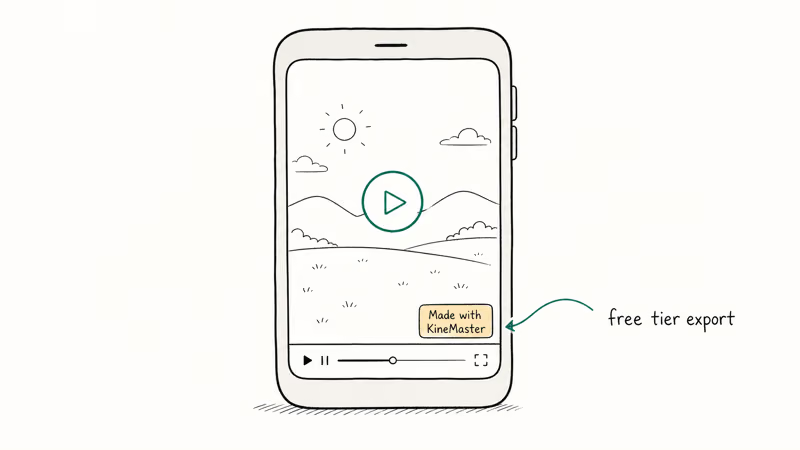
The editor itself is fully usable for free. Multi-layer timelines, export resolutions up to 4K, and the chroma-key panel are all available without paying a cent. The price the company extracts in return is brand exposure: every video you finish on the free tier carries a “Made with KineMaster” graphic in the lower-right corner once you hit Export.
The watermark only renders into the final MP4. While you’re editing, the preview window stays clean, which catches a lot of first-time users off guard. You finish a 90-second TikTok cut, hit Save, then notice the branding sitting on top of your final frame.
According to KineMaster’s official pricing page, Premium bundles watermark removal with the rest of the paid tier. You pay $3.99 a month and the export comes out clean. You can’t pay only to remove the watermark.
#How to Remove the Watermark Through KineMaster Premium
Premium is the cleanest path because it works retroactively. Once your account is paid, every project, including ones you exported a year ago, can be re-rendered without the overlay.
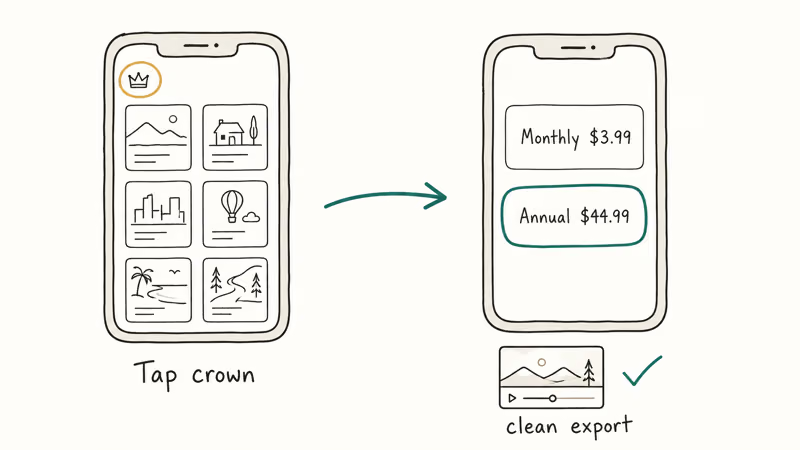
Open KineMaster, tap the crown icon in the top-left of the project selector, and pick a plan. The monthly tier is $3.99; the annual tier is $44.99 and works out to roughly $3.75 per month. Confirm payment through Google Play Store on Android or the App Store on iOS, then re-export your project. The watermark is gone on the next render.
The change applies almost immediately after payment confirmation, and a clip you originally exported on the free tier re-renders without the watermark on the very next pass.
Cancellation runs through your Google Play or Apple ID subscription menu. KineMaster’s billing FAQ states that the watermark returns 30 days after a subscription lapses, so paying for one month and then canceling won’t preserve the clean output on future renders. If you only need one clean export and never plan to render again, a single billing cycle technically works, though the more common pattern is keeping the annual plan active for ongoing project work.
#Free Editors That Don’t Add a Watermark
If $3.99 a month feels steep for occasional editing, switching apps is more economical than a one-off workaround. Several free editors export at 1080p or 4K with zero branding overlay, covering both mobile and desktop workflows. We’ve covered a full breakdown in our roundup of free video editors with no watermark.
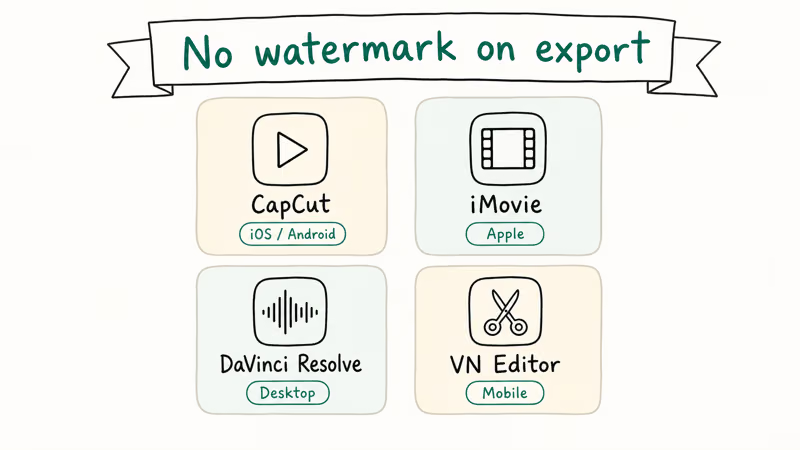
Here are four worth considering.
CapCut is free on iOS and Android with no watermark on exports unless you opt into a template that includes a creator credit. The TikTok-owned app has the closest feature parity to KineMaster on mobile: keyframes, speed ramps, chroma key on the Pro tier, and direct TikTok publishing. It also has a desktop build for Windows and macOS, covered in our CapCut for PC walkthrough.
iMovie is preinstalled on every Apple device.
It has no watermark, even on the free trailer templates, and the interface is simpler than KineMaster. You can’t run more than two video tracks. For cuts under 10 minutes, it’s faster to ship than KineMaster Free.
DaVinci Resolve is a desktop pro editor with a free tier that exports at 1080p with zero branding. It’s overkill for a TikTok cut and the learning curve is real, but if you want long-term skill investment it pays back tenfold. Our DaVinci Resolve vs Premiere Pro comparison covers when it makes sense to switch.
VN Editor is another free mobile option with no watermark, and Inshot Free lets you remove the small Inshot tag with a single tap before export. Neither matches KineMaster’s mobile depth.
Neither stamps your final frame either.
#Is KineMaster Premium Worth the Price?
For someone who edits one or two videos a year, no. The per-export cost of paying $3.99 monthly is too high relative to switching to CapCut or iMovie for the same job.
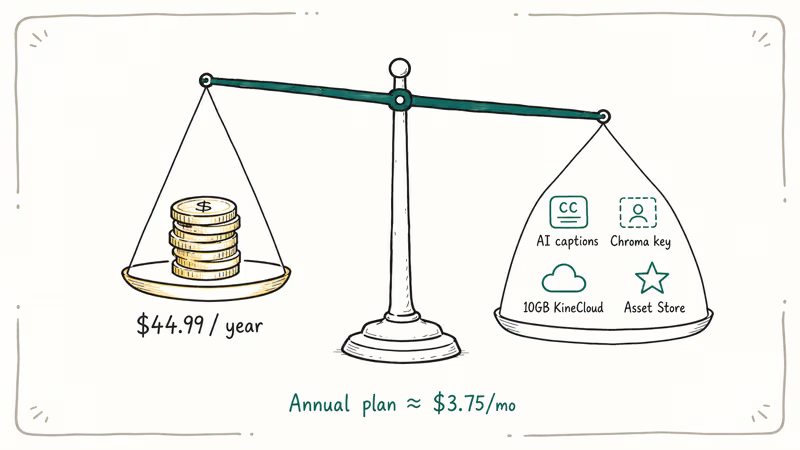
For creators who post weekly, the math flips. The annual plan is $44.99, which works out to roughly $3.75 a month, and bundles features that hold value beyond watermark removal. You get unrestricted access to KineMaster’s Asset Store, AI auto-captioning that saves a meaningful amount of time per project, chroma key for green-screen work, and 10GB of KineCloud space for project sync between devices.
According to KineMaster’s product page, Premium unlocks the full export ladder up to 4K at 60fps on devices that can handle it. The free tier caps at the same 4K resolution but leaves the watermark in place at every export setting. Our KineMaster review covers where the app outperforms CapCut.
#MOD APKs Are Not a Safe Shortcut
Search “KineMaster no watermark” and the first page of results is full of MOD APK download sites. These are repackaged versions of the app that claim to unlock Premium for free.
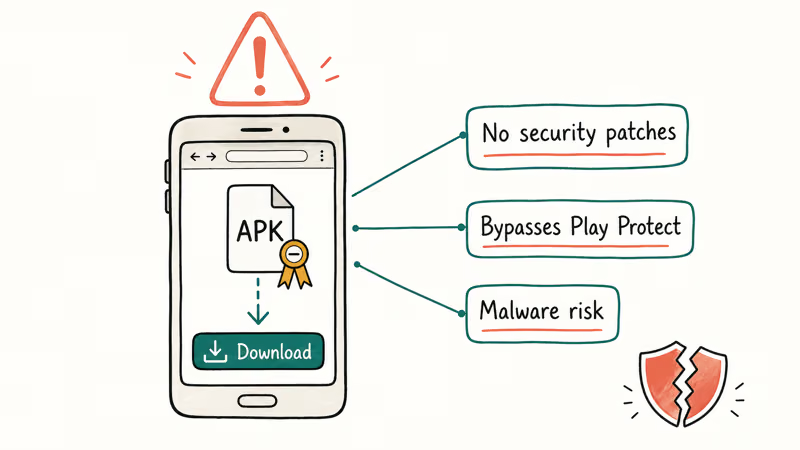
Don’t install them.
This guide assumes legitimate use on your own device or tablet. Removing a watermark from someone else’s footage you don’t have rights to edit is a copyright issue, and using cracked APKs to bypass payment violates KineMaster’s terms of service. The official method is subscribing through KineMaster’s in-app payment menu, which keeps you compliant with the app’s licensing.
A MOD APK is a third-party rebuild that bypasses Google Play’s signature checks. It can’t receive automatic updates, which means any security patch KineMaster ships through the official channel never reaches the modified copy. Google Play Protect can’t vet what it can’t verify, and your device’s antivirus can’t reliably distinguish a clean MOD from a poisoned one without the original signing key.
Avast’s analysis of modded apps confirms that pirated APK builds are a frequent vector for adware, banking trojans, and credential stealers.
There’s also the practical failure mode. KineMaster updates its server-side license check periodically; when the validation flow changes, MOD APKs break and you lose access to your in-progress projects. The $3.99 monthly fee buys stability, automatic security patches, and project portability across devices.
The “free” alternative buys malware risk and a fragile install.
#KineMaster Free vs Premium Features Compared
Free and Premium ship the same editor. Differences sit in the export pipeline and the asset library.
| Feature | Free | Premium |
|---|---|---|
| Watermark on exports | Yes | No |
| In-app ads | Yes | No |
| Asset Store access | Limited | Full |
| KineCloud storage | None | 10GB |
| Export resolution | Up to 4K | Up to 4K |
| Multi-layer editing | Yes | Yes |
| AI auto-captions | Limited | Full |
| Chroma key | Yes | Yes |
The wall is at export.
Both tiers support trimming, splitting, speed ramps, and color adjustments. The free tier is fully usable until you hit Export. That single rendering decision is the entire freemium pitch.
#Bottom Line
If you post videos regularly, buy the $44.99 annual plan and stop thinking about it. If you only edit a few clips a year, install CapCut on mobile or use iMovie if you’re on Apple hardware. Cropping the watermark out of your own footage works in a pinch but always changes the framing, and modded APKs aren’t worth the malware risk for $3.99 a month.
#Frequently Asked Questions
How do you remove the KineMaster watermark for free?
The legitimate free options are switching apps or cropping. Cropping the bottom-right corner removes the overlay but cuts off roughly 8 percent of your frame, which usually looks awkward. The cleaner free path is exporting your project elsewhere: CapCut, iMovie, or VN Editor will render the same footage with no watermark at all.
Does KineMaster Premium remove the watermark from old projects?
Yes. After you subscribe, any previously saved project re-exports cleanly without recreating it. Even a months-old project that was first exported on the free tier comes out unbranded on the very next export.
How much does KineMaster Premium cost?
Premium costs $3.99 monthly or $44.99 yearly. The annual plan saves about $3 per month and includes watermark removal, full Asset Store access, and 10GB of KineCloud storage.
Can you use KineMaster on a PC?
Not directly. KineMaster doesn’t ship a native Windows or Mac build. Some users run the Android version through BlueStacks, but multi-layer 4K projects tend to drop frames in the preview and KineCloud sync can behave inconsistently inside an emulator. For desktop editing, CapCut’s desktop app, iMovie on macOS, or DaVinci Resolve are stronger choices.
Is KineMaster safe to download?
The official KineMaster app from Google Play and the Apple App Store is safe. According to Google Play’s app listing, KineMaster has more than 100 million installs and requests camera, microphone, photos, and storage permissions, all of which are needed for video editing. Avoid any APK download outside the official stores; repackaged builds are unsigned, miss security patches, and are a known channel for credential-stealing malware.
What video formats does KineMaster support?
KineMaster imports MP4, MOV, and 3GP. Audio covers MP3, M4A, WAV, and AAC. Exports are MP4 only, up to 4K (2160p) at 60fps on supported chipsets.
Does the KineMaster watermark appear on screenshots?
No. The KineMaster watermark is composited into the exported MP4 only, never into the editor’s preview pane. Screenshots taken while editing are clean, but anything you actually export from the free tier will carry the overlay regardless of resolution or codec.
What Android and iOS versions does KineMaster require?
KineMaster needs Android 8.0 (Oreo) or later with at least 3GB of RAM on the Android side. On Apple devices, the app requires iOS 13 or later. Older hardware can install the app but tends to choke on multi-layer 4K projects, and several mid-2010s phones report frame drops in the timeline preview.

Google Messages Error 3100: Why RCS Is Broken on Galaxy
Google Messages RCS error 3100 hits Galaxy owners after phone or carrier switches. Google told 9to5Google a fix is coming. Here's what actually helps.

Is This Bank App Real? Spot a Fake App on Your Home Screen
A bank app can land on your home screen from a web page with no install warning. Learn the checks that tell a real banking app from a phishing web app.

Apps Crashing After iOS 27 Update? Fix Order (2026)
Apps crashing after the iOS 27 update? Update the app in the App Store first, then offload and reinstall to clear stale cache, then restart. The fix order.

Do AI Translation Earbuds Work Offline? What to Know
Do AI translation earbuds work offline? A few do with downloaded language packs, but most need the cloud. Here's what works offline and what you give up.