Is Discord Used for Cheating? A Parent and Teacher Guide
Discord can host academic cheating through DMs, screen share, and private servers. Here's how to spot misuse, prevent it, and use Discord's safety tools.
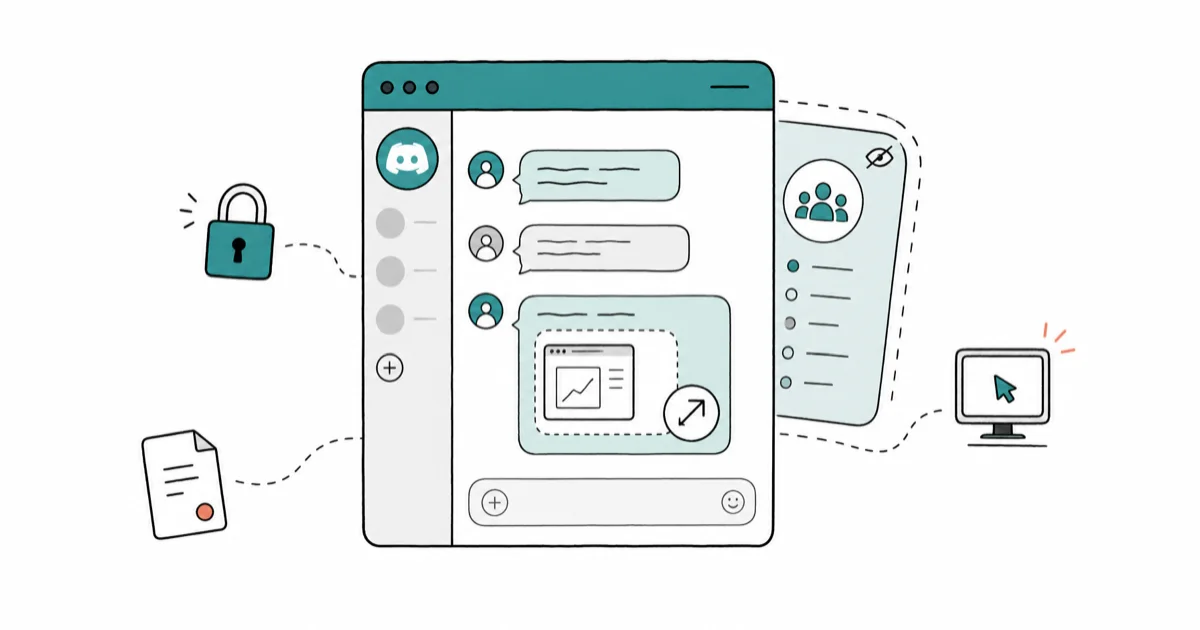
Quick AnswerYes, Discord can be used for academic cheating through private servers, direct messages, and screen sharing, though the app itself is built for community chat. Schools, parents, and Discord's own Trust and Safety tools can curb misuse without banning the platform.
Is Discord used for cheating? Sometimes, yes. The app wasn’t built as a cheating tool, but its private servers, DMs, screen share, and voice channels can be misused by students swapping exam answers. The same misuse patterns show up across reports from families, schools, and platform safety resources.
- Discord’s huge, school-aged user base is why the platform shows up in academic integrity conversations at all.
- The features most often misused for cheating are direct messages, private servers, screen share, and disappearing message edits, not the public servers students join for fandoms or games.
- Teachers can’t see student chats unless they’re invited into the server, so honor codes and proctoring still do most of the heavy lifting.
- Discord’s parental controls, two-factor authentication, and reporting tools are built in and free, but they only work if families and schools actually turn them on.
- Talking to a student before banning the app usually works better than confiscation, because Discord is also where many study groups and tutoring sessions happen.
#Why Discord Comes Up in Cheating Conversations
Discord has scaled into one of the largest chat platforms used by school-aged users. According to Discord’s 2024 newsroom post on safety, the company invests heavily in Trust and Safety because most growth came from study groups, gaming clans, and class servers, not cheating rings.
The flip side is simple math. When a platform reaches that many young users, a small fraction will try to misuse it.
These sections focus on the Discord features most often involved in academic-integrity misuse: private servers, DMs, screen share, voice channels, and built-in safety controls.
The other reason Discord keeps coming up: it doesn’t have a school-mode toggle. Unlike Google Classroom or a school-issued LMS, Discord servers belong to whoever created them. A teacher has no built-in way to audit a private server unless a student invites them in. That’s the structural piece that makes prevention a conversation, not a setting.
#Which Discord Features Get Misused for Cheating?
Five features come up over and over. Knowing what each one does in practice helps you spot misuse without surveilling a student’s whole online life.
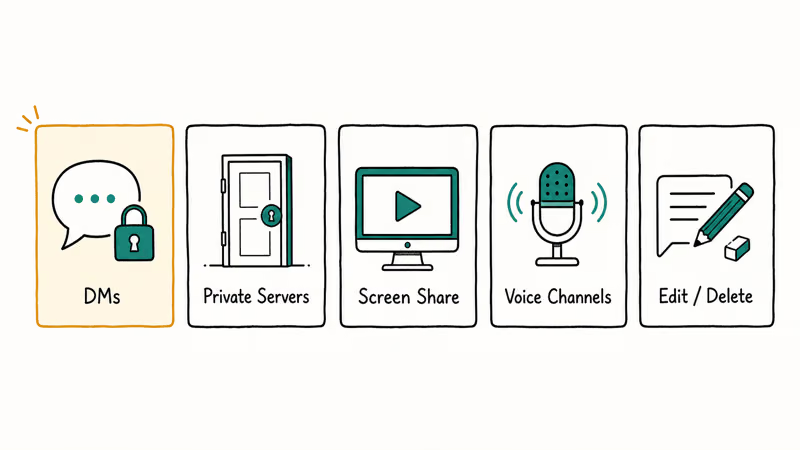
Direct messages (DMs) are the most common path. A student opens a DM with one or two classmates during an exam window and pastes questions or answers as plain text. Discord’s DMs are encrypted in transit but stored on Discord’s servers, which means a school’s network filter can’t read them.
Private servers are the second most common. A small group sets up an invite-only server, then deletes the invite code after everyone joins. Teachers and parents can’t search for them.
Screen sharing in voice channels is the one most teachers underestimate. Two students hop into a voice channel, one shares the exam window, the other reads questions. Discord confirms in its screen share help article that anyone with permission can broadcast at up to 1080p 60fps on Nitro, or 720p 30fps on the free tier.
Screen sharing can be fast enough to swap answers in real time.
Voice channels alone work without screen share. Students join a voice channel, mute their mic in front of a webcam, and listen as a classmate reads answers aloud. Most teachers won’t hear it.
Message editing and deletion lets a student send an answer, then delete or edit the message after the exam ends. Discord retains audit logs of edits inside servers (visible to admins with the Audit Log permission), but DM edits aren’t visible to anyone except the two people in the conversation. Some students go further and run scripts to clear Discord chat entirely after a test.
#Real Incidents That Made the News
Cheating networks on Discord aren’t hypothetical.
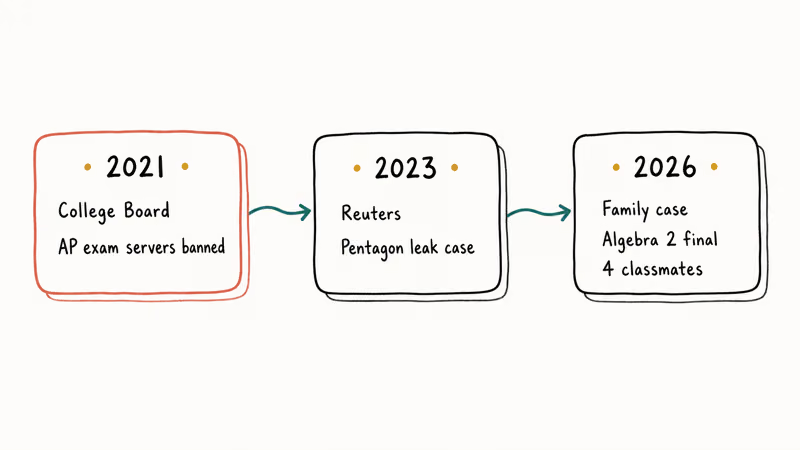
The College Board confirmed in a 2021 statement to The New York Times that it banned Discord servers from sharing AP exam questions during the pandemic-era at-home testing window, after Trust and Safety teams found servers organizing question swaps in real time. The College Board reported that it canceled scores from students caught participating.
Reuters reported in 2023 on a separate Discord investigation tied to leaked Pentagon documents. The case wasn’t about cheating, but it showed the same pattern: small private servers can host rule-breaking material for a long time before anyone outside notices.
A common school scenario looks less dramatic than a news headline: classmates use a private server or DM thread to share worked solutions before or during a test.
#What Schools and Teachers Can Actually Do
Schools have three practical lanes that can work.
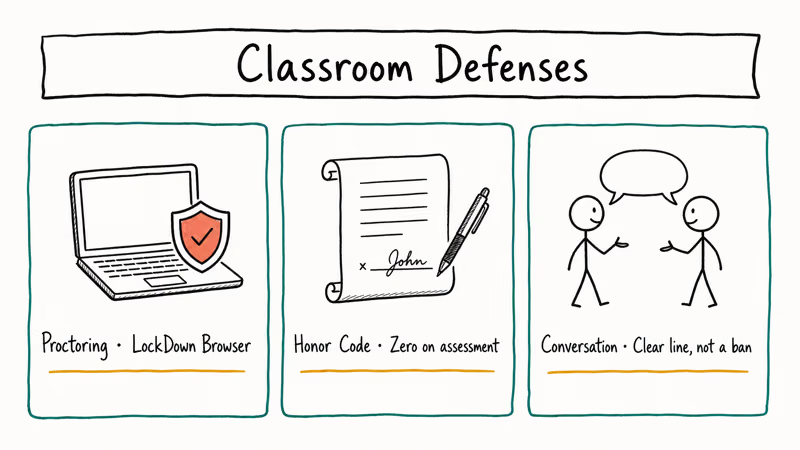
The first is proctoring software during exams. Tools like Respondus LockDown Browser block other apps including Discord during a test window. The University of Central Florida confirms in its testing center documentation that Discord and similar chat apps are blocked when LockDown Browser is active.
Caveat: this only works on the test machine. A student with a phone in their lap can still hit Discord on a second device.
Lane two is honor codes with consequences. Strong honor codes name Discord and similar chat platforms specifically and tie a violation to a clear penalty, usually a zero on the assessment plus a transcript notation for repeat offenses. Vague “academic integrity” language without examples gets ignored.
Lane three is conversation before policy. Effective teachers start the year by asking students which apps they use to study together. Discord usually comes up.
The teacher then draws a line: “Discord is fine for homework help. Discord is not fine during a test.” Students respect a clear line more than a blanket ban.
#How Can Parents Use Discord’s Safety Tools?
Parents have more tools than most realize, and the official ones from Discord are free, built into the app, and meant to open conversations rather than spy. Parents usually get better cooperation when these tools are framed as a discussion starter rather than surveillance.
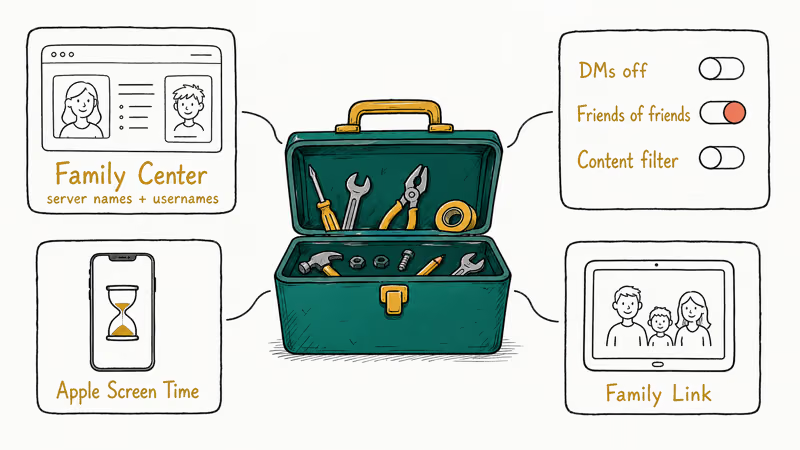
Start with Discord’s Family Center, which Discord launched in 2023 and updated through 2024. Family Center lets a linked parent account see who their teen is messaging and which servers they’re in. It shows usernames and server names, not message contents.
Setup runs through User Settings > Family Center. The teen opts in by scanning a QR code.
For younger kids, Discord’s safety guide for parents at discord.com/safety walks through privacy defaults: turn off DMs from server members, restrict friend requests to “friends of friends,” and enable the explicit content filter. These settings can be changed directly in Discord’s privacy and safety menus.
If your child uses an iPhone or iPad, layer Apple’s Screen Time on top. Apple recommends in its Screen Time support article setting app limits and downtime schedules, which both apply to Discord. Setting a daily limit during exam weeks works well. The iPhone Screen Time guide covers what to do if the passcode gets lost.
Android families should look at Google Family Link or Samsung’s parental controls depending on the device. Cross-platform households that want a router-level layer can compare options in the roundup of the best parental control routers.
Spot checks beat surveillance. Walking past during homework time and asking what the kid’s working on does more than a hidden monitoring app ever will.
#What Discord Itself Does About Cheating Servers
Discord’s Trust and Safety team takes action on servers reported for academic integrity violations under the same rules they apply to other Terms of Service breaches. Discord’s Community Guidelines state that servers organizing fraud or coordinated harm can be removed, and Discord publishes a Transparency Report twice a year.
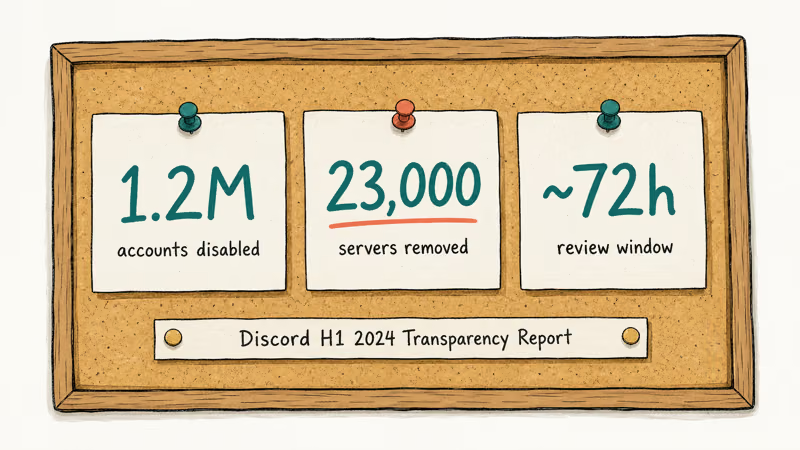
The numbers are big. According to Discord’s H1 2024 Transparency Report, the company disabled 1.2 million accounts and removed 23,000 servers in that six-month window. Cheating sits inside the broader “deceptive practices” bucket.
Reporting a server is a short in-app flow. Right-click the server name on desktop or web, choose “Report Server,” fill out the category, and submit. Discord’s Trust and Safety team reviews submitted reports and may remove servers that violate policy.
To report a specific person rather than a whole server, the walkthrough on how to report someone on Discord covers that per-user flow.
If you’re a teacher with evidence (screenshots, server invite link), you can also email Discord’s safety team through support.discord.com.
#Bottom Line
Treat Discord the way you’d treat group texting. It can host cheating, but banning it usually pushes students to a less-monitored alternative. Set up Discord’s Family Center, talk through the honor code with specifics, and use proctoring software during high-stakes tests. Start there before you take the phone away.
For students who already use Discord well (study groups, tutoring DMs, project servers), pulling the plug kills the legitimate use too. Spot checks plus a clear academic integrity policy are usually more durable than blanket bans. Don’t make Discord the villain. Make the cheating itself the villain, and let Discord be one tool among many that students learn to use responsibly.
#Frequently Asked Questions
Can teachers see what students are doing on Discord?
No. Teachers can’t see student DMs or private server activity unless a student specifically invites them into a server with read permissions. That’s why most schools rely on honor codes, proctoring software, and clear consequences rather than direct monitoring of Discord itself.
Should students use Discord for school projects?
Yes, in many cases. Discord works for study groups and tutoring. Just follow the teacher’s policy and stay off it during tests.
Can Discord be completely blocked during exams?
Yes on a school-controlled device, no on a personal phone. Proctoring tools like Respondus LockDown Browser block Discord on the test machine, and school Wi-Fi can block the discord.com domain. Personal phones with cellular data are the gap, which is why most schools require phones to be stowed during testing.
How can parents monitor their child’s Discord use without spying?
Use Discord’s Family Center. It shows server names and usernames the teen messages, never message contents.
What should I do if I find my child in a cheating server?
Talk first, then act. Ask how they ended up there, who runs it, and whether they participated. Report the server to Discord through the in-app flow if it’s clearly organizing cheating. Loop in the school’s academic integrity office if a specific incident already happened, because they typically have a defined process and the consequences are smaller when a student self-discloses.
Can schools legally block Discord on their networks?
Yes. Schools can block any non-essential platform on their network and on school-managed devices, and most do during testing windows. They can’t block Discord on a student’s personal cellular connection, which is why network blocks alone don’t solve the problem.
Does Discord notify users when their server gets reported?
No. The server owner only learns of a report if Discord’s Trust and Safety team takes action, like removing the server. This is intentional, to protect reporters.
Are Discord DMs really private?
Sort of. Discord DMs are encrypted in transit between your device and Discord’s servers, but they’re stored on those servers. They can be accessed by Discord’s Trust and Safety team in response to law enforcement requests or Terms of Service investigations. They aren’t end-to-end encrypted in the way Signal or iMessage are.

Google Messages Error 3100: Why RCS Is Broken on Galaxy
Google Messages RCS error 3100 hits Galaxy owners after phone or carrier switches. Google told 9to5Google a fix is coming. Here's what actually helps.

Is This Bank App Real? Spot a Fake App on Your Home Screen
A bank app can land on your home screen from a web page with no install warning. Learn the checks that tell a real banking app from a phishing web app.

Apps Crashing After iOS 27 Update? Fix Order (2026)
Apps crashing after the iOS 27 update? Update the app in the App Store first, then offload and reinstall to clear stale cache, then restart. The fix order.

Do AI Translation Earbuds Work Offline? What to Know
Do AI translation earbuds work offline? A few do with downloaded language packs, but most need the cloud. Here's what works offline and what you give up.