iPhone Battery Health 80%: What It Means, When to Act
iPhone Battery Health hit 80%? Apple's threshold means Service eligibility, not replace today. Decision guide for iPhone 14 vs iPhone 15 owners.
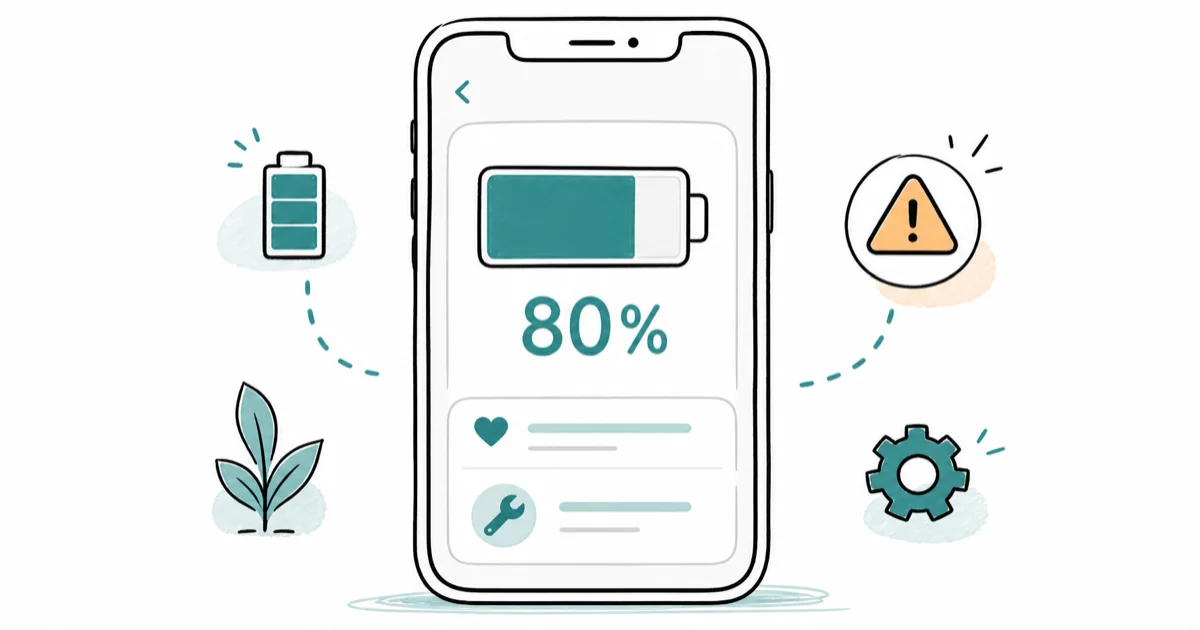
Quick AnsweriPhone Battery Health 80% is Apple's AppleCare+ replacement threshold and the level where the Service message appears, but the battery is not broken. Replace when daily runtime drops or shutdowns start, not the moment the number ticks over.
iPhone Battery Health hitting 80% feels like an alarm. Apple treats it as a checkpoint. The number means your battery retains 80% of its original capacity, which is the warranty floor and the trigger for the Service message in Settings. The same 80% reading can mean very different things depending on the model, because Apple changed its battery design targets between the iPhone 14 and iPhone 15.
- 80% Maximum Capacity is the AppleCare+ free-replacement trigger, not a “replace today” instruction
- iPhone 14 and earlier are designed to hold 80% at 500 cycles; iPhone 15 and later are designed to hold 80% at 1,000 cycles
- The Service message appears when Apple’s algorithm decides battery health is significantly degraded, not always at a fixed Maximum Capacity number
- Out-of-warranty Apple replacement runs roughly $89 for older iPhones and up to $119 for the iPhone 14, 15, and 16 family in 2026
- Replace if daily runtime dropped, shutdowns started, or you plan to keep the phone 12 more months; skip if the phone is 3+ years old and you were already upgrading within 6 months
#What Does iPhone Battery Health 80% Actually Mean?
Maximum Capacity is the percentage of original charge your iPhone battery still holds. A new iPhone reads 100%. At 80%, you lose roughly one hour of screen time per full charge.
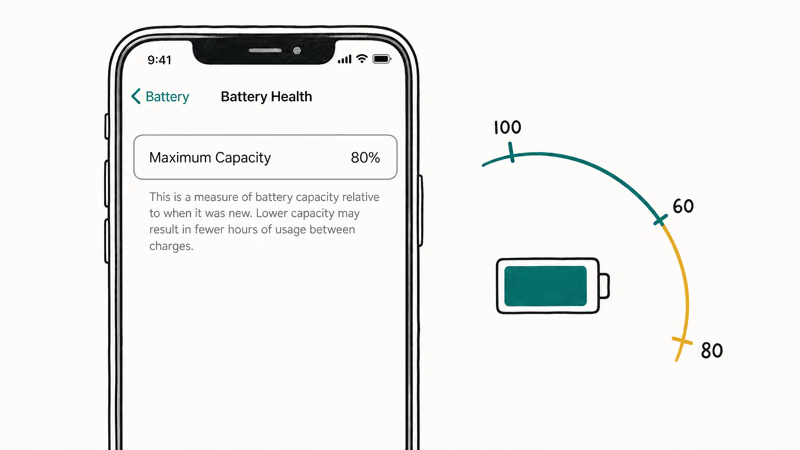
According to Apple’s iPhone battery and performance page, batteries of iPhone 14 models and earlier are designed to retain 80 percent of their original capacity at 500 complete charge cycles under ideal conditions. Apple chose 80% as the warranty floor because the engineering tradeoff between weight, cost, and usable runtime stops favoring the user past that point.
That’s an economics line, not a safety line: below 80%, a fresh cell of the same physical size would deliver noticeably more runtime.
80% is also a coverage trigger. With AppleCare+, Apple replaces the battery at no cost once Maximum Capacity drops below 80% during the coverage period. Without AppleCare+, the same threshold makes you eligible for paid out-of-warranty service through any Apple Authorized Service Provider battery replacement channel.
#iPhone 14 vs iPhone 15: Why 80% Means Different Things
Apple changed the spec in 2023. According to Apple’s iPhone 11 and later battery page, batteries of iPhone 15 models and later are designed to retain 80 percent of their original capacity at 1,000 complete charge cycles under ideal conditions, which is double the 500-cycle target for the iPhone 14 and every earlier model.
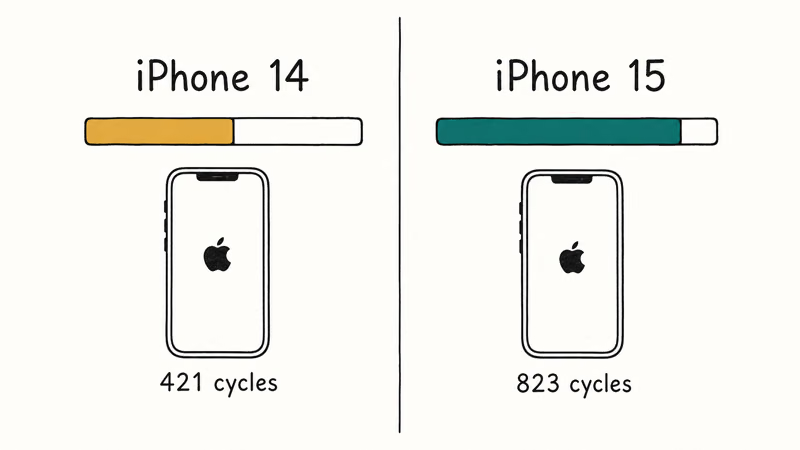
That doubling came from real chemistry improvements paired with updated testing methods, partly driven by EU Ecodesign rules requiring at least 800 cycles at 80% retention.
The practical effect: an iPhone 15 reading 80% Maximum Capacity has lived through roughly twice as much charging activity as an iPhone 14 at the same reading.
| iPhone model family | Cycle target for 80% retention | Typical years to reach 80% |
|---|---|---|
| iPhone X through iPhone 14 | 500 cycles | 2-3 years (heavy use) to 4-5 (light use) |
| iPhone 15 through iPhone 16 | 1,000 cycles | 4-5 years (heavy use) to 7+ (light use) |
Apple battery design targets per support.apple.com/en-us/101575 and support.apple.com/en-us/106348.
Macworld covered the change in detail. As Macworld’s iPhone 15 battery report confirms, Apple announced the 1,000-cycle rating after additional testing rather than a new hardware revision. For an iPhone 15 owner, hitting 80% at the two-year mark is unusual and probably worth investigating; for an iPhone 13 owner, the same number at the same age is on the curve Apple expected.
#When Does the iPhone Service Battery Message Appear?
The Service notice that shows up in Settings is the one Apple message that actually flags a real problem. The exact text reads: “Your battery’s health is significantly degraded. An Apple Authorized Service Provider can replace the battery to restore full performance and capacity.” That message means the algorithm has decided your battery is past the useful-performance line, not just past the warranty threshold.
You’ll see the Service line in Settings > Battery > Battery Health & Charging, below the Maximum Capacity number. Some iPhones hit it right at 80%. Others stay clean down into the high 70s and then trigger it suddenly after a cold-weather shutdown.
The trigger isn’t solely Maximum Capacity. It’s Apple’s blended judgment based on capacity, peak power delivery, and shutdown history. If the readout is hard to see in the first place, our guide on show battery percentage on iPhone walks through making the indicator visible in the status bar.
On an iPhone whose battery health crosses the 80% threshold after a couple of years of use, daily runtime often drops from comfortably lasting a full day to needing an afternoon top-up under heavy use. The Service message frequently holds off until Maximum Capacity falls further, around the point where the phone may also start shutting down unexpectedly on cold mornings.
#Replace at 80%, or Wait It Out
No. The number itself isn’t the deciding factor. How the phone behaves is.
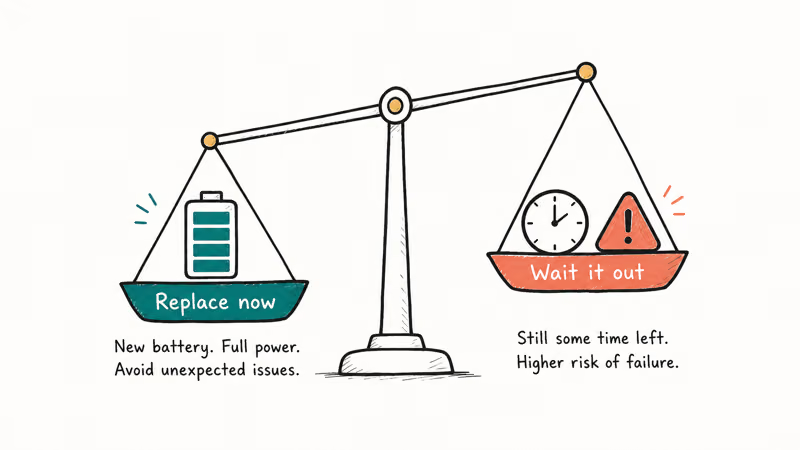
Apple’s telling you the battery has aged out of warranty performance, not that it’s unsafe or unusable. Many iPhones run fine for another six to twelve months below 80% with no real impact beyond shorter screen time.
Replace the battery now if any of the following is true:
- Daily runtime dropped below what you need (you used to make it to bedtime, now you can’t)
- Your iPhone has shut down unexpectedly in the cold, even briefly, in the past month
- Apps feel laggy and the iPhone keeps restarting at low charge percentages
- You plan to keep the phone another 12 or more months
- You have AppleCare+ and replacement is free
Skip the replacement and budget for a new iPhone if:
- Your phone is 3+ years old AND you were already considering an upgrade in the next six months
- Runtime is shorter but still acceptable for your day
- You can plug in midday without it disrupting your routine
A fresh battery often makes app launches noticeably snappier, since Performance Management eases once the cell can deliver full peak power again. That speed-up is real, but unexpected shutdowns are what truly change the calculus.
#iPhone Battery Replacement Cost in 2026
Apple charges different prices by model. Out-of-warranty pricing through Apple stores and Apple Authorized Service Providers in 2026 runs roughly:
| iPhone family | Apple out-of-warranty price | AppleCare+ price |
|---|---|---|
| iPhone SE, iPhone 11, iPhone 12, iPhone 13 | $89 | $0 |
| iPhone 14 family | $99 | $0 |
| iPhone 15, iPhone 16, iPhone 16 Pro family | $119 | $0 |
Approximate US pricing tiers; check Apple’s official battery replacement service page for your exact model.
If you have AppleCare+ and Maximum Capacity is below 80%, the replacement is free. Third-party repair shops charge $40 to $70 but use non-genuine cells, which removes the “Genuine Apple Battery” label from Battery Health and disables some of the health metrics for the new cell. The savings are real, the tradeoffs are documented, and the right answer depends on how long you plan to keep the phone.
#Settings That Slow Down Battery Health Decline
You can’t reverse Battery Health decline, but you can slow it. Two rules: avoid long stretches at 100%, and keep the phone out of heat.
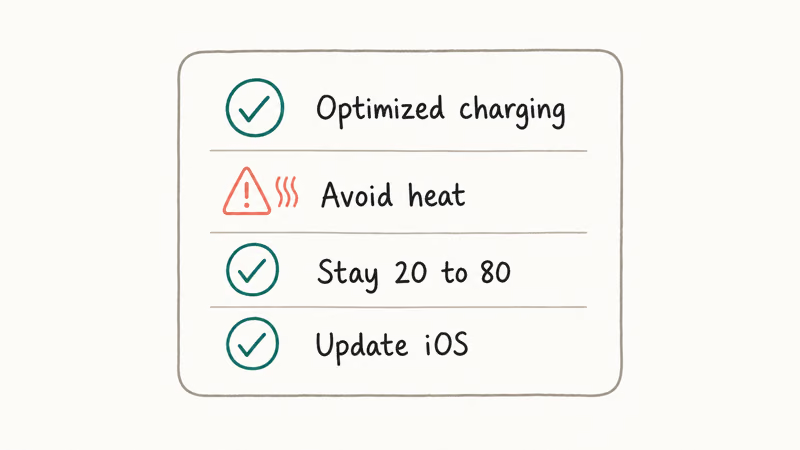
The single most effective setting is Charge Limit on iPhone 15 and later. Go to Settings > Battery > Charging and set the limit to 80%. The phone stops charging there. Maximum Capacity decline slows visibly over the following year.
iPhone 14 and earlier don’t have Charge Limit, but Optimized Battery Charging in the same menu does a milder version of the same job by learning your routine and delaying the last 20% until you actually need it.
Other habits that matter:
- Keep the phone out of direct sun and hot cars; Apple states the iPhone stops charging above 35 degrees C
- Charge in the 20% to 80% range when you can, full top-offs only when needed
- Use Optimized Battery Charging if Charge Limit isn’t available on your model
- Avoid wireless charging in heat-prone scenarios (it runs warmer than a Lightning or USB-C cable)
One quick note on Low Power Mode: it doesn’t slow Battery Health decline. We cover the nuances in does Low Power Mode help charging.
If your daily drain is the real issue, our iPhone battery dying fast guide covers 10 settings tweaks that recover runtime today. For the habits that meaningfully preserve capacity over months, see increase iPhone Battery Maximum Capacity.
Delaying replacement on a phone already in the high 70s tends to mean runtime keeps dropping until a cold snap triggers an unexpected shutdown. Charge Limit and Optimized Charging can’t save a battery that far gone, but for an iPhone 15 sitting at 92% today, those two settings can buy you an extra year before you ever see 80%.
#Bottom Line
Don’t panic. Check Battery Health monthly for two months and watch whether Maximum Capacity is sliding or holding.
Replace the battery if daily runtime stopped covering your day, if the phone shut down unexpectedly, if the Service message appeared, or if you plan to keep the iPhone another 12+ months and have AppleCare+ to make replacement free. Skip the replacement and put the money toward a new iPhone if your current phone is 3+ years old and you were already on an upgrade timeline.
iPhone 15 owners should treat 80% as a much later-life milestone than iPhone 14 owners because Apple designed the iPhone 15 battery to hit that number at 1,000 cycles rather than 500. Mac users seeing a similar warning on a laptop should jump to MacBook Pro Service battery warning instead, since the thresholds and replacement flow differ.
#Frequently Asked Questions
Is 80% battery health bad for an iPhone?
Not bad, but it’s the line Apple draws for warranty performance. Below 80%, AppleCare+ covers a free replacement. The phone is still safe to use, runtime is just shorter than day one.
How long will an iPhone last at 80% Battery Health?
Most iPhones run another 6 to 12 months past 80% before the runtime hit becomes painful enough that you want to replace. Plenty stay in daily use well into the low 70s, especially on lighter usage patterns.
Does iOS slow down my iPhone at 80% Battery Health?
No, 80% alone doesn’t trigger Performance Management. According to Apple, the throttling feature activates only after an unexpected shutdown on an aged battery, and it’s designed to prevent future shutdowns rather than punish low Maximum Capacity. You can check whether it’s active in Settings > Battery > Battery Health & Charging.
Why does my iPhone show 80% Battery Health after only one year?
Heavy charging activity, lots of fast charging, exposure to heat, or simply heavy daily use can push Maximum Capacity down faster than the curve Apple expects. If you are seeing 80% at one year on an iPhone 15, that is significantly below Apple’s design target and worth contacting Apple Support about, because the iPhone 15 is designed for roughly 1,000 cycles before hitting 80%.
Will Apple replace my iPhone battery for free at 80%?
Only if you have AppleCare+ active and Maximum Capacity is below 80%. Apple confirms that AppleCare+ covers battery service at no additional cost when capacity drops under the threshold during coverage. Without AppleCare+, replacement runs $89 to $119; for a full breakdown of Apple versus third-party battery service pricing, compare both paths before you book.
What is the difference between Maximum Capacity and Peak Performance Capability?
Maximum Capacity measures how much charge your battery holds versus when it was new. Peak Performance Capability tells you whether iOS has activated throttling because of a past unexpected shutdown. The first is a capacity number, the second is a yes-or-no on whether performance is being managed. Both live on the Battery Health screen.
Should I keep using my iPhone below 80% Battery Health?
Yes, if the runtime is still acceptable and no unexpected shutdowns have happened. 80% is a warranty marker, not a safety limit. Many people run iPhones at 70-78% for a full year before replacement.
Does the iPhone 15 hold 80% Battery Health longer than the iPhone 14?
Yes, by design. Apple states the iPhone 15 family is engineered to retain 80% of original capacity at 1,000 charge cycles, while the iPhone 14 and earlier are engineered for 500 cycles. In practice, that means iPhone 15 owners should see 80% appear roughly twice as far into the phone’s life as iPhone 14 owners under similar usage.

Mac mini M6 vs M5 Pro: Which Model Should You Buy?
Mac mini M6 vs M5 Pro compared on price, memory, ports, displays, and real workloads. Find the better 2026 Mac mini for your desk and budget.

Apple Siri Settlement: Who Qualifies and How to Claim
Apple's $250 million Siri settlement covers iPhone 15 Pro and iPhone 16 models bought June 2024 to March 2025. See who qualifies and how claims work.

iOS 26.6.1 Security Update: What Apple Fixed and Who Gets It
Apple released iOS 26.6.1 on August 17 with 29 security fixes, including an IPSec interception bug. See what it patches, who gets it, and how to update.

iPhone Adaptive Power: How It Works and When to Use It
Learn how iPhone Adaptive Power works, which models support it, what it changes, and when Low Power Mode is still the better battery-saving choice.