Fix "iPhone 12 Unable to Activate" Error: 6 Solutions
Fix an iPhone 12 activation error with Apple’s current server, Wi-Fi, computer, SIM, eSIM, recovery mode, and official Activation Lock steps.
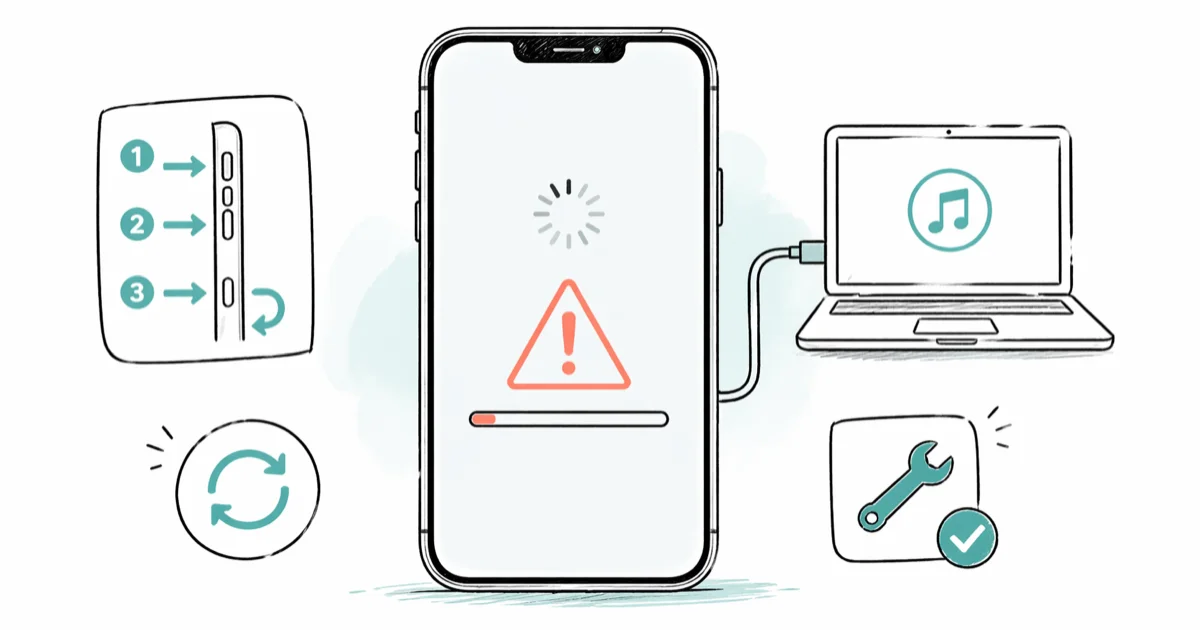
Quick AnswerCheck iOS Device Activation on Apple's System Status page, restart the iPhone, and retry on reliable Wi-Fi. If it still fails, use a current Mac or PC and follow the exact SIM, eSIM, or recovery message shown.
An iPhone 12 can fail activation because Apple’s activation service is unavailable, the network is unreliable, the SIM or eSIM is incompatible, or Activation Lock is enabled. Follow the message on your own device rather than guessing at a hardware failure.
- Check only the iOS Device Activation item on Apple’s System Status page
- Restart the iPhone and retry on a reliable Wi-Fi network
- A current Mac, Apple Devices app, or iTunes provides Apple’s official alternate activation path
- Contact the carrier when the computer reports an invalid or incompatible SIM or eSIM
- Recovery mode is for specific invalid-activation-information errors, not every activation failure
#Why Does iPhone 12 Say Unable to Activate?
According to Apple’s current activation troubleshooting page, activation is a server check during setup and after some restores. Its guidance covers an unavailable server, an unsupported SIM or eSIM, and invalid activation information.
Each message leads to a different fix.
A server outage calls for waiting; an incompatible cellular plan goes to the carrier; invalid activation information may require recovery mode. Activation Lock requires the linked owner.
If the iPhone is restarting before it can stay on the setup screen, use our iPhone boot-loop guide first.
#Fix 1: Check iOS Device Activation Status
Open Apple’s System Status page on another device and find iOS Device Activation. According to Apple’s activation article, you should try again later when that item isn’t green.
Other yellow or red Apple services don’t prove that activation is down.
The official article tells you to check iOS Device Activation.
Apple doesn’t publish a guaranteed outage duration. If the message says the server is temporarily unavailable, wait a few minutes and repeat the steps.
#Fix 2: Restart the iPhone 12
On iPhone 12, use this force-restart sequence:
- Press and quickly release Volume Up.
- Press and quickly release Volume Down.
- Hold the Side button until the Apple logo appears.
Release the button when the logo appears, then return to setup. The button sequence is the useful instruction; an exact reboot time is not guaranteed.
A persistent Apple logo is a different failure; use our dedicated guide.
#Fix 3: Retry on Reliable Wi-Fi
Apple recommends a reliable Wi-Fi network when activation over cellular data fails. Choose a private network you trust, not a captive portal that needs a browser sign-in.
Restart the router if other devices also can’t connect, or try another known-good network. A hotspot can help distinguish a router problem, but it doesn’t bypass Apple’s activation service.
If Wi-Fi itself won’t stay connected, work through our iPhone Wi-Fi troubleshooting before retrying activation.
#Fix 4: Activate With a Current Computer
If the iPhone still can’t activate, Apple’s activation guide provides a computer route:
- Update macOS, Apple Devices, or iTunes.
- Confirm that the computer is online.
- Connect the iPhone with a working cable.
- Locate the iPhone in Finder, Apple Devices, or iTunes and wait for detection.
According to that Apple guide, Set Up as New or Restore from Backup means the iPhone is activated. This route can avoid a phone-side network problem, but it doesn’t bypass carrier checks or Activation Lock.
If the computer can’t see the iPhone, try another port or cable and use our iTunes connection-error guide for the Windows device-service checks.
#Fix 5: Follow the SIM or eSIM Message
When the computer says the SIM or eSIM is incompatible or invalid, Apple directs you to contact the carrier. Don’t assume that borrowing a SIM or restoring the iPhone will satisfy the carrier’s activation rules.
Confirm these points with the carrier:
- The cellular plan is active and assigned to this iPhone.
- The physical SIM is compatible, or the eSIM was issued for the correct IMEI.
- A carrier lock is not blocking the destination network.
- The phone is not flagged as lost, stolen, or attached to another account.
For a device-side SIM warning, use our Invalid SIM checks. If the phone activates but later shows no network, continue with our iPhone No Service guide.
#Fix 6: Use Recovery Mode Only for the Stated Error
Apple reserves recovery mode for a specific computer message: “activation information was invalid” or “activation information could not be obtained from the device.”
Follow Apple’s recovery-mode instructions and choose the option shown by Finder, Apple Devices, or iTunes. A restore erases the iPhone and installs current software, so make sure the phone is yours or you have the owner’s permission before proceeding.
Don’t use old DFU timers as a general activation fix.
If recovery mode returns error 4013, address the connection or device error with our error 4013 guide instead of repeating restores indefinitely.
#What Should You Do About Activation Lock?
Activation Lock appears when the iPhone is still linked to another Apple Account. According to Apple’s current Activation Lock guide, the linked password is required to turn off Find My, erase, or reactivate the device.
For a secondhand iPhone, ask the previous owner to remove it from their account. Apple also advises buyers not to take ownership when the phone shows iPhone Locked to Owner. Its preowned iPhone checklist says a used iPhone is ready when setup reaches the Hello screen without requesting the previous owner’s account.
Don’t use third-party bypass tools or someone else’s credentials. Accessing another person’s device or account without permission can violate privacy law.
With legitimate proof of purchase, use our Activation Lock ownership guide to prepare for Apple’s support process.
#When Should You Contact the Carrier or Apple?
Contact the carrier for an invalid or unsupported SIM/eSIM, provisioning problem, or carrier lock. Contact Apple Support when the phone still fails after the server, Wi-Fi, computer, and message-specific steps.
Don’t assume a Genius Bar will fix a carrier provisioning error or an unspecified internal component. The current Apple activation page distinguishes carrier errors from recovery-mode errors and doesn’t make that promise.
If the iPhone also keeps restarting, report that separate symptom because it changes the diagnosis.
#Bottom Line
Start with the iOS Device Activation status, a restart, and reliable Wi-Fi. Then use a current computer and follow the exact message it returns.
Carrier errors go to the carrier; invalid activation information can go to recovery mode; Activation Lock goes to the linked owner or Apple’s documented ownership process. None of those checks is safely replaced by a blanket bypass.
#Frequently Asked Questions
How long should I wait when Apple’s activation server is unavailable?
Apple says to wait a few minutes and retry. It doesn’t publish a guaranteed outage window, so watch the iOS Device Activation status instead of relying on a fixed estimate.
Can an iPhone 12 activate without a physical SIM?
It may use eSIM, but Apple says some devices can require a SIM or eSIM during setup. Follow the prompt and carrier requirements for that phone.
Does a computer bypass activation?
No. It provides another official connection path to Apple’s activation service. Carrier locks and Activation Lock still apply.
Will recovery mode erase the iPhone?
A restore from recovery mode erases the device and installs current software. Use it only for the error Apple identifies and only on an authorized device.
What does an invalid SIM or eSIM message mean?
It means the cellular credential is incompatible or invalid for activation. Apple directs you to the carrier to correct it.
Can Apple remove a previous owner’s Activation Lock?
The previous owner should remove the device from their account. A legitimate purchaser can use Apple’s support process with valid ownership documentation, but approval is not guaranteed.
Will a force restart erase my iPhone?
No. A force restart reboots the iPhone without erasing its content. Recovery-mode Restore is the step that erases the device.

Mac mini M6 vs M5 Pro: Which Model Should You Buy?
Mac mini M6 vs M5 Pro compared on price, memory, ports, displays, and real workloads. Find the better 2026 Mac mini for your desk and budget.

Apple Siri Settlement: Who Qualifies and How to Claim
Apple's $250 million Siri settlement covers iPhone 15 Pro and iPhone 16 models bought June 2024 to March 2025. See who qualifies and how claims work.

iOS 26.6.1 Security Update: What Apple Fixed and Who Gets It
Apple released iOS 26.6.1 on August 17 with 29 security fixes, including an IPSec interception bug. See what it patches, who gets it, and how to update.

iPhone Adaptive Power: How It Works and When to Use It
Learn how iPhone Adaptive Power works, which models support it, what it changes, and when Low Power Mode is still the better battery-saving choice.