How to Use ChatGPT to Study: 7 Methods (2026 Guide)
Use ChatGPT to make flashcards, drill with the Feynman method, summarize PDFs, and generate practice questions. Plus the verify-everything rule.
Quick AnswerPaste your notes into ChatGPT and ask for flashcards, a Feynman explain-back, or practice questions. Then verify every answer against your textbook before you trust it for an exam.
Most students stop at “summarize this chapter.” That’s the weakest thing to ask. The real value comes from a full active-recall workflow built around flashcards, Feynman drills, and practice questions.
- Use ChatGPT for active recall work like flashcards, practice questions, and explain-back drills, not for passive re-reading of your notes
- Paste your notes or upload a PDF, then ask for 20 question-and-answer flashcards covering the key terms in one prompt
- The Feynman drill turns ChatGPT into a tutor: you explain a concept first, then it tells you what you missed or got wrong
- Cross-check every fact against your textbook, lecture, or a primary source because ChatGPT can confidently produce wrong answers
- Pair it with NotebookLM when your source is a single PDF you need answers grounded in, and follow your school’s academic-integrity policy
#Can ChatGPT Actually Help You Study?
Yes, but only if you use it for active work. According to research on active recall, testing yourself on material reliably beats re-reading the same pages over again. ChatGPT is good at the test-generation half of that loop, and that’s where the value is.
Treat it as a drill partner, not a reference book.
The fastest way to make every chat study-friendly is to set custom instructions once.
Tell it you’re a student, name the subject, and ask for short answers with explicit reasoning. After that, you don’t have to retype your role every session — the model carries the context across chats inside your account, and the responses get noticeably more useful for exam prep.
ChatGPT’s free plan handles every workflow in this guide. Plus raises your message cap and lets you upload more files, which matters for whole lecture PDFs.
According to Coursera’s overview for students, use cases run from brainstorming to outlining. The list is real, but the value isn’t equal across items. The biggest payoff comes from a small set of active-recall workflows.
#Turn Your Notes Into Flashcards in One Prompt
Open a new chat and paste your notes in plain text. For a PDF, upload it with the paperclip icon. Then run a prompt like this:
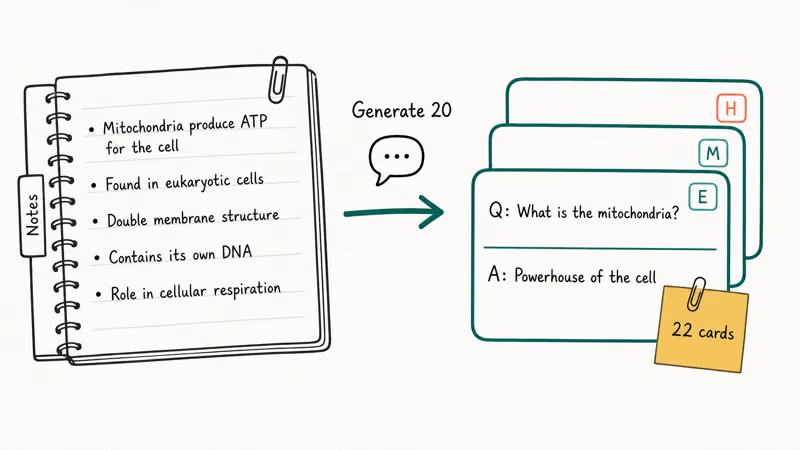
Generate 20 flashcards from the material above. Each flashcard should have a short question on one line and a short answer on the next, separated by a blank line. Cover the key terms, the main relationships, and one or two formulas.
ChatGPT generates a full set of flashcards in one pass from a chapter’s worth of notes. Expect a few rough edges: some cards combine two definitions into one and need splitting, and the occasional answer is off and worth correcting against the textbook. Cleanup is quick, and it’s far faster than writing the cards from scratch.
A few prompt tweaks that improved the output:
- Ask for cloze-deletion style (“The mitochondria are the ___ of the cell”) for terminology-heavy topics.
- Ask for answer-first reasoning (“Explain why first, then state the answer”) for conceptual cards.
- Ask for a mix of difficulty (“five easy, ten medium, five hard, mark each E, M, or H”) so you can sort by review priority.
Export the chat to plain text. The question-on-one-line, answer-on-the-next format imports cleanly into Anki or Quizlet.
#The Feynman Drill: Explain It Back to ChatGPT
The Feynman technique is named for the physicist Richard Feynman. You learn a concept by explaining it in plain language to someone who doesn’t know it. The gaps in your explanation tell you what you don’t understand. ChatGPT plays the listener role well.
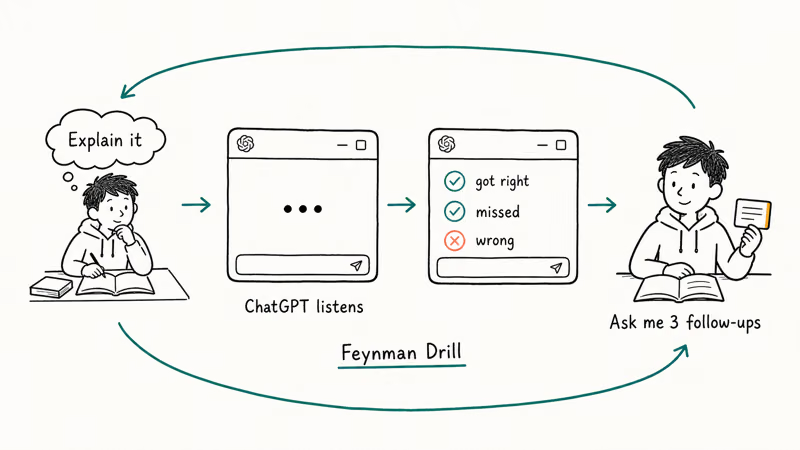
Run this prompt:
I’m going to explain photosynthesis in my own words. After I finish, tell me what I explained correctly, what I missed, and what I got wrong.
Then explain the topic out loud or in writing.
This reliably catches steps you’ve glossed over, like the distinction between light reactions and the Calvin cycle, and ChatGPT usually flags the gap on the first pass.
The trick is to explain before you read ChatGPT’s answer. If you read its summary first, you’re not testing yourself. The point of Feynman is to surface the gap in your own thinking before the model fills it.
A short follow-up that works well: “Now ask me three questions that probe what I got wrong.” That single line keeps the drill going across several rounds without you having to think about what to test next.
#How Do You Get ChatGPT to Make Practice Questions?
This is where ChatGPT outperforms a static textbook. Paste your notes or summarize the chapter, then ask:
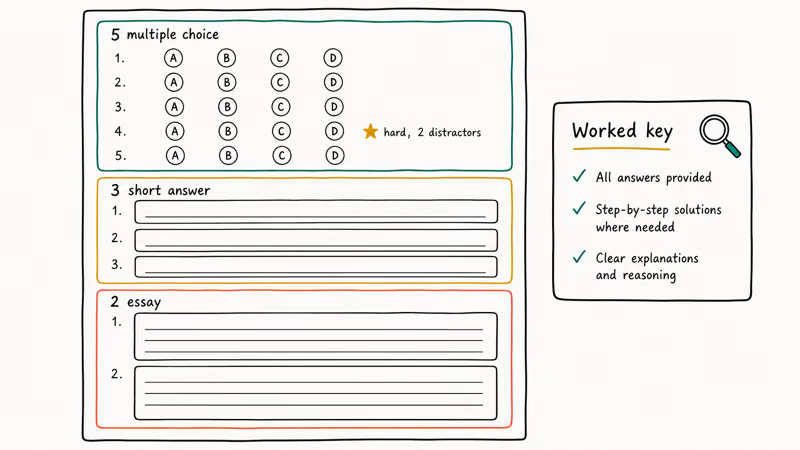
Write a 10-question practice exam: five multiple-choice, three short-answer, two essay. Provide a key with worked explanations.
Take the exam on paper without scrolling to the answer key. Then grade yourself against the explanations and mark any question you got wrong for a second-pass review.
Two things to watch:
- Question difficulty. ChatGPT skews medium-easy by default. Add “make at least three questions hard, with two plausible distractors” to push it up.
- Worked explanations beat answer-only keys. Ask for the why. That’s the half you can verify against your textbook.
For math, ask ChatGPT to show every step. If a step is wrong, it usually trips on algebra, not the concept, and the trail makes the error easy to find. Cross-check final numbers in Wolfram Alpha.
Run the same exam prompt twice in fresh chats and merge the results. Overlap is high-confidence; divergent questions show borderline material.
#Summarizing PDFs, Lecture Notes, and Slides
Upload the file with the paperclip icon, or paste short text directly. The Free plan limits files per conversation; Plus raises the ceiling. For a single PDF chapter, Free is enough.
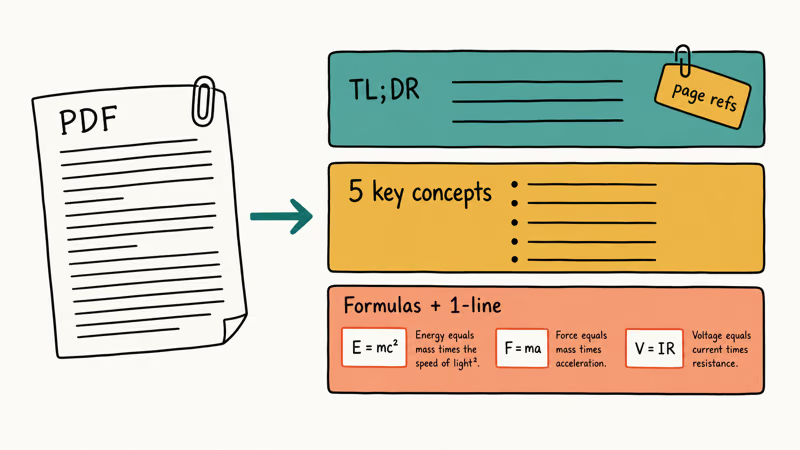
A good summary prompt is structured, not open-ended:
Summarize the attached PDF in three layers: a one-paragraph TL;DR, a bulleted list of five key concepts, and every formula with a one-line explanation. Cite page numbers.
The page-number request matters. ChatGPT often can’t resolve exact pages, but asking forces it to point you at sections. For Google Doc lecture notes, Gemini in Google Docs summarizes inside the document.
For PDFs over 50 pages, break them into chapters before summarizing. Attention thins across long documents, so ChatGPT can quietly skip whole sections in a single pass, and the gaps are easy to miss because the summary it returns still reads as complete and confident even when it left out an entire topic you needed.
NotebookLM, Google’s source-grounded note assistant, only answers from documents you upload. If your source is one PDF, NotebookLM is the better summary tool. ChatGPT is better for the drilling that follows.
#Building a Study Schedule That Sticks
A study schedule is a planning task, and ChatGPT is competent at planning when you give it constraints. Run a prompt like this:
Exam June 14, today May 26. 90 minutes weekdays, 3 hours Saturday. Chapters 4-9. Build a spaced-repetition table.
The output is a useful first draft, not a finished plan.
Edit it yourself. ChatGPT doesn’t know your other commitments, your work shifts, or the lab section that always runs over. According to research on spaced repetition, the technique is well-supported by learning science; the implementation is yours.
For multiple courses, turn each into a ChatGPT Projects workspace. Upload the syllabus, paste your schedule, and add a project instruction like “I’m studying for the X exam on Y date; default to short, exam-focused answers.”
#What ChatGPT Gets Wrong (and How to Catch It)
Most “use ChatGPT to study” guides skip this section. We aren’t.
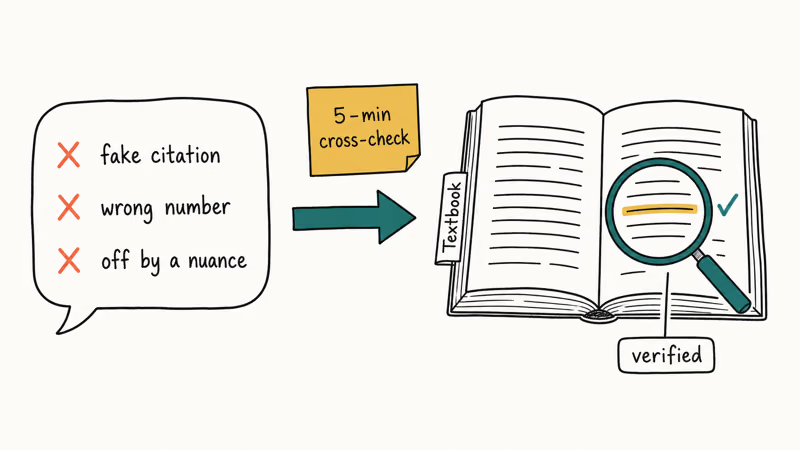
According to research on AI hallucination, large language models confidently produce plausible-sounding but factually wrong outputs. The wrongness looks correct, which is the dangerous part. A wrong flashcard answer teaches you the wrong thing.
Even one loosely phrased definition in a small batch is worth catching.
The three most common failure modes:
- Fabricated citations. ChatGPT will invent paper titles, authors, and journals that don’t exist. Search any citation before you reuse it.
- Wrong dates and numbers. Historical dates and physical constants drift. Cross-check anything numeric against your textbook.
- Definitions that miss a nuance. A definition 90% right and 10% subtly wrong is the worst kind, because it sounds correct.
The verification habit is simple: for every fact that matters on your exam, find the same fact in your textbook, lecture slides, or a primary source.
Five minutes of cross-checking saves you from learning a wrong definition that costs you on the test.
A useful sanity check: swap models. Run the same prompt in Claude or Gemini Gems and see if the answers agree. Disagreement means one is hallucinating; check your textbook. Agreement raises confidence but isn’t proof.
OpenAI offers an in-app study mode on some plans, documented on the OpenAI study mode help page, with Socratic-style guardrails. Turn it on if you have it. It doesn’t remove the verification step.
Follow your school’s academic-integrity policy. Drilling with ChatGPT-generated flashcards is studying. Submitting its writing as your own isn’t.
#Bottom Line
Use ChatGPT for the parts of studying that benefit from active recall: flashcards, practice questions, Feynman explain-backs. Use your textbook as the source of truth for every fact.
Skip it for unverified definitions, math proofs without a worked solution, and citations of papers you haven’t opened. Pair with NotebookLM when you need answers grounded in a PDF. Final pass before the exam: eyes on the original source. Non-negotiable.
AI Tools Guide
#Frequently Asked Questions
How can ChatGPT help me study?
It’s good at active-recall work: flashcards, practice questions, Feynman explain-backs. Use it for work that requires you to retrieve and explain, not work that requires you to look something up.
How do I make flashcards with ChatGPT?
Paste your notes and ask for 20 cards in question-on-one-line, answer-on-the-next format. Import into Anki or Quizlet.
Can ChatGPT make practice questions?
Yes — ask for a 10-question exam with worked explanations.
Is using ChatGPT to study cheating?
It depends on what you submit. Drilling yourself with flashcards, practice questions, or Feynman explain-backs is studying. Submitting ChatGPT’s writing as your own work usually isn’t allowed. Rules vary by institution.
Can ChatGPT summarize my notes or a PDF?
Yes. Upload the file or paste the text, then ask for a three-layer summary: a TL;DR paragraph, a five-item key-concepts list, and every formula with a one-line explanation. For documents over 50 pages, break them into chapters because attention thins across long inputs.
How accurate is ChatGPT for studying?
Accurate enough to be useful, wrong often enough that you can’t skip verification. The most common failures are fabricated citations, drifting numbers, and definitions that miss a nuance.
Does ChatGPT have a study mode?
OpenAI rolled out a Socratic-style study mode that walks you through problems instead of giving direct answers, documented on the OpenAI help center. Availability depends on your plan and region. Turn it on if you have it. It doesn’t remove the need to verify what it tells you.
ChatGPT Conversation History Missing? How to Get It Back
ChatGPT conversation history missing? Fix it fast with these proven steps: check archived chats, re-enable data controls, verify your account, and more.
ChatGPT Voice Mode Not Working? 7 Fixes That Actually Work
Fix ChatGPT Voice Mode fast. Covers mic permissions, app updates, network fixes, account tier checks, and reinstall steps for iOS and Android.
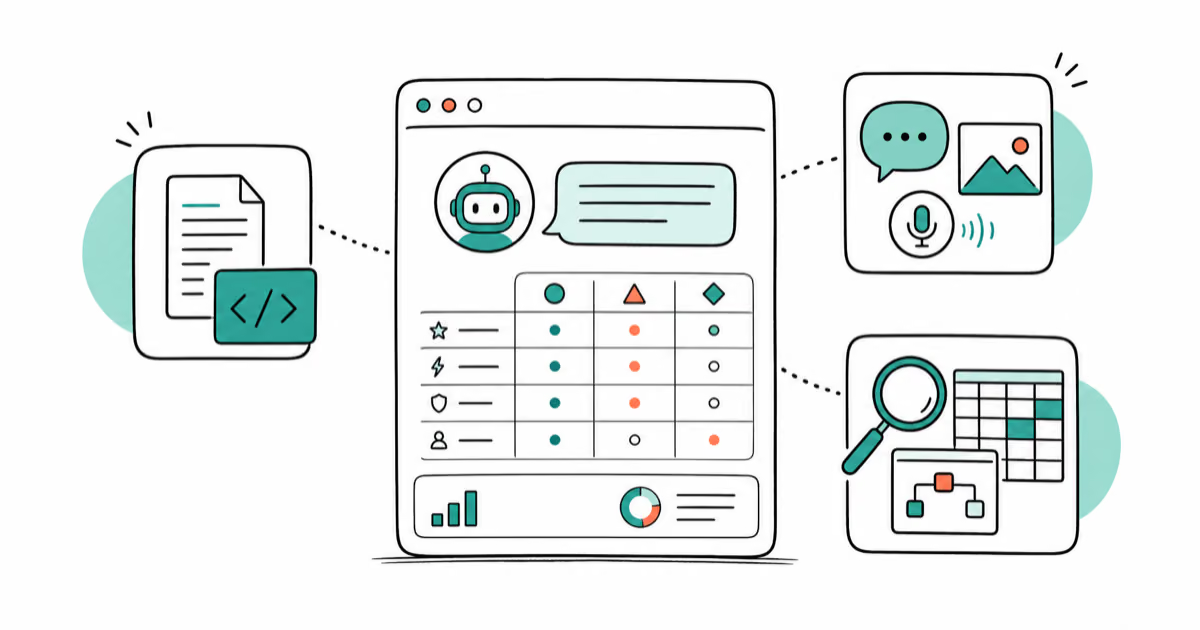
ChatGPT vs Claude vs Gemini: Which AI to Use in 2026
ChatGPT vs Claude vs Gemini compared side-by-side for writing, coding, research, and everyday tasks. Find out which AI to use and when in 2026.
Claude vs ChatGPT for Writing: Which AI Is Better?
Claude wins on tone and long-form coherence. ChatGPT is faster for brainstorming and short copy. A side-by-side comparison for writers in 2026.