Guerrilla Mail: How It Works and 5 Best Alternatives
Guerrilla Mail creates throwaway email addresses with no signup required. Learn how it works, when to use it safely, and 5 free alternatives.
Quick AnswerGuerrilla Mail is a free web service that generates a temporary email address you can use without registering. Use it for newsletter signups, free trials, and one-time forms where you do not want to expose your real inbox.
Guerrilla Mail gives you a working email address in about two seconds. No account, no password, no phone number. Open the page and the inbox loads a fresh @sharklasers.com address almost instantly. It’s one of the oldest disposable email tools on the web, and it’s still useful when you want a real-looking address for one-time forms without handing over your primary Gmail or iCloud account.
- A Guerrilla Mail inbox is public, so anyone who knows the address can read incoming mail; never use it for sensitive content like banking codes or password reset links.
- All messages received at the address are automatically deleted from the inbox after one hour, which is the documented retention window on guerrillamail.com.
- The service supports outbound mail and attachments, but sent items are not stored, so you can’t review what you sent later.
- Safe use cases are newsletter signups, free-trial activation, forum confirmation links, and short marketing tests; unsafe uses are bank accounts, medical portals, and any account you want to recover later.
- Authenticated aliases from Apple Hide My Email, Mozilla Firefox Relay, and Proton SimpleLogin solve the same spam problem with password-protected inboxes that forward to your real address.
#What Is Guerrilla Mail and How Does It Work?
Guerrilla Mail is a browser-based disposable email service at guerrillamail.com. Open the page, the site assigns you a random address on one of its rotating domains, and any mail sent to that address shows up in the public inbox panel below. There’s no sign-up step, no password, and no captcha for the inbox itself.
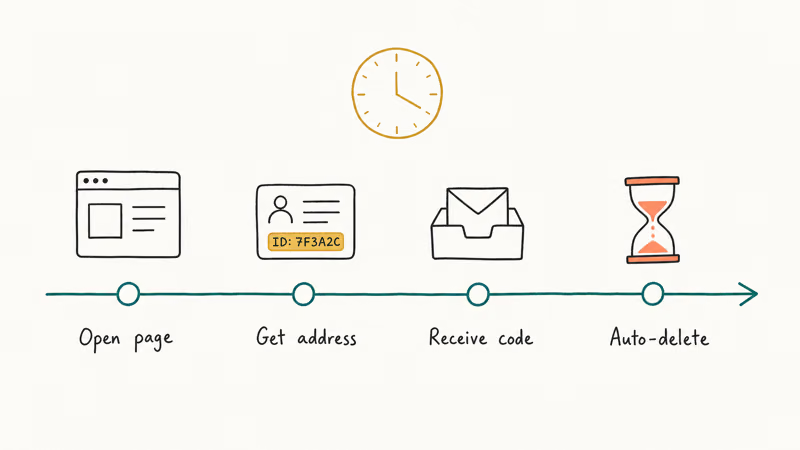
According to guerrillamail.com’s own FAQ, the service has been running since 2006. It was built as a “scratch space” for situations where giving out a real email address would create spam later.
Above the inbox, the address bar lets you do four things: copy the generated address, forget it and pick a new one, scramble the visible username into a hashed alias, or swap the domain across the rotation (sharklasers.com, guerrillamail.com, pokemail.net, and a few others).
The address itself never expires; only the inbox contents do. Mail from yesterday is gone. Mail from today still shows up.
The composer panel does allow outbound mail and attachments. But the sent folder stays empty after you hit send. This matches what the service documents publicly: there’s no record of what you sent, by design.
If you need a paper trail, a disposable email is the wrong tool. Use a real provider.
#When Should You Use a Disposable Email Address?
There’s a clean line between legitimate privacy use and abuse, and treating it casually is what gets accounts banned and, in some jurisdictions, prosecuted. Every scenario below assumes you’re protecting your own account and your own primary inbox, not creating one in someone else’s name. Disposable email is fine for:
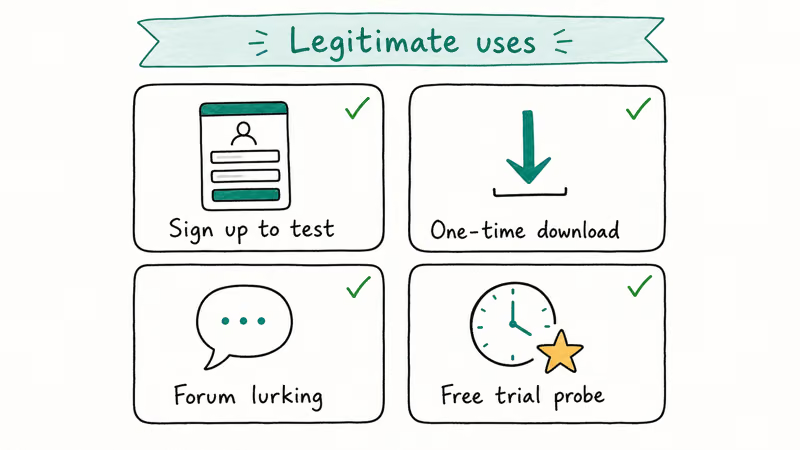
- Newsletter signups where you want to read one or two issues before committing your real address.
- Free-trial activations for software you may never use again, like a one-week SaaS demo.
- Forum confirmation links for niche communities you may visit once.
- Coupon and gated PDF downloads where the only purpose of the form is to harvest your address for marketing.
- Short-lived marketing tests where a brand sends a one-off promo code and you don’t want their list later.
It’s not fine, and may be illegal in your country, to use a disposable email for fraud, tax evasion, impersonating another person, evading a platform ban, hiding your identity in harassment or stalking, or applying for government benefits under a fake identity.
According to the U.S. Federal Trade Commission’s guidance on phishing, throwaway addresses are commonly used in account-takeover schemes. Banks, healthcare portals, and government services routinely block known disposable domains for that reason.
There’s also a practical line that has nothing to do with legality. Give a website a Guerrilla Mail address and then need to reset your password six months later, and you’re out of luck. The reset link will arrive at a public inbox you no longer remember the URL to. Even if you remembered, the inbox you can see today isn’t the one the email landed in an hour ago.
For anything you want to keep, use a real provider or an alias service that forwards to one. Our companion guide on whether email addresses are case sensitive covers a related gotcha when you switch back to a real address.
#How the Inbox, Address Rotation, and Scramble Feature Behave
The inbox refreshes on its own every ten seconds. That’s fast enough that most confirmation emails arrive before the original form’s success page even finishes loading.
Confirmation links from major newsletter platforms like Substack, ConvertKit, and Mailgun-backed senders typically land within a few seconds. Some links expire after fifteen minutes, but requesting a new one delivers another just as fast.
The scramble toggle is the feature most people miss. It hashes the visible username so a published address looks like 4f7d3a@sharklasers.com, not the friendly form.
Mail still routes to the same underlying inbox, but a casual reader can’t reverse-engineer which Guerrilla Mail account it points to. That helps if you’re dropping the address into a public-facing place and don’t want a search engine to associate the literal username with your other posts.
Domain rotation is more cosmetic than functional. Switching between sharklasers.com and pokemail.net doesn’t change how the service works (they all route to the same backend), but some signup forms blocklist specific disposable domains. Rotating gives you a chance to slip past a sloppy blocklist.
Sophisticated sites compare the domain’s MX records against published disposable-domain lists and reject all of them, so this trick has diminishing returns.
One note on sent attachments. The composer accepts files, but you’ve no way to confirm delivery from the Guerrilla Mail side because the sent folder doesn’t store anything. If the recipient says they didn’t get the attachment, you have to re-send from a different account. Outbound is best treated as a one-way fire-and-forget channel.
#Best Alternatives to Guerrilla Mail
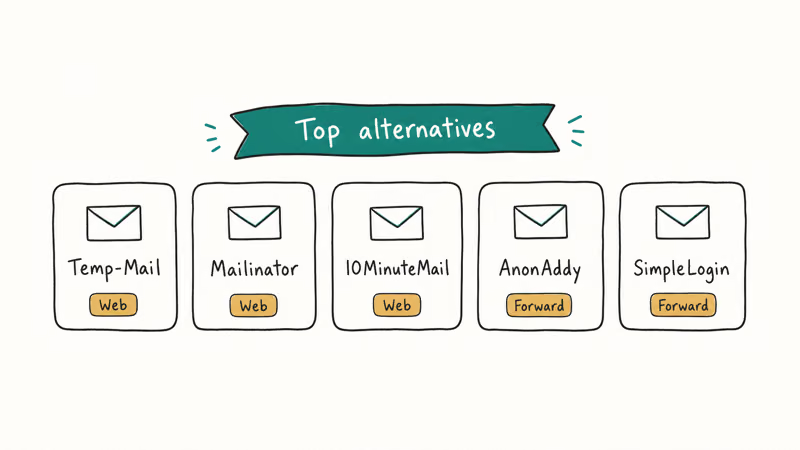
Five services solve roughly the same problem. The first three are also public disposable inboxes; the last two are authenticated alias services that forward to your real address and give you a kill switch.
#EmailOnDeck
EmailOnDeck is the closest public-inbox alternative. The captcha gate at the door blocks automated abuse, and addresses last 24 hours by default.
We covered the full feature set in our EmailOnDeck review, including how its Pro plan handles longer retention. The captcha step adds about ten seconds compared with Guerrilla Mail’s instant load, which is the only meaningful friction.
#Mailinator
Mailinator runs a “public inbox” model where any name you make up at @mailinator.com is already an inbox waiting to be checked. There’s no signup, but every other user on the internet can read your inbox if they guess the address, which makes it the least private of the alternatives.
Mailinator’s documentation confirms that the public service is shared, and they sell a private team plan for corporate QA testing. We cover the inbox model and corporate plan tradeoffs in our Mailinator guide.
#YOPmail
YOPmail keeps inbox content for eight days, which is the longest retention window of the public-inbox services in this list. The trade-off is that addresses are predictable, so anyone who knows your username can open your inbox without the password layer that authenticated services use.
Read our YOPmail walkthrough for the address format rules and the anti-bot rate limits the service enforces.
#Apple Hide My Email
Apple’s Hide My Email is bundled with iCloud+ paid plans starting at $0.99 per month in the United States. According to Apple’s iCloud+ documentation, each alias forwards to your real iCloud inbox.
You can disable any alias from the iCloud Settings panel without affecting the others. The address is unique per signup, password-protected through your Apple Account, and works with Sign in with Apple on third-party sites. This is the closest thing to a “permanent disposable email” for iPhone owners.
#Mozilla Firefox Relay
According to Mozilla, the free Firefox Relay tier provides 5 email aliases per Mozilla account, and the paid Relay Premium plan removes the cap and adds a custom subdomain (see Mozilla’s Relay documentation for the current tier limits). Mail forwards from each alias to your real address, and you can disable any alias if it starts attracting spam.
The free tier is enough for newsletter and trial-activation use. The paid tier is closer to a SimpleLogin or Apple Hide My Email replacement.
A sixth option that didn’t make the headline list but deserves a mention: Proton’s SimpleLogin offers unlimited aliases on the paid Proton plan, with a free tier of 10 aliases. It’s one of the most flexible alias services available.
#Why Guerrilla Mail Is Not Anonymous
A common assumption is that using a disposable email makes a signup “anonymous.” It doesn’t. Guerrilla Mail hides one thing: the address you give the website. Everything else about your session is still visible.
Your IP address is recorded by the receiving server. Your browser fingerprint (user agent, screen size, installed fonts) is also still visible. If the form asks for your name and you type one, that name is captured. Disposable email is one layer in a privacy stack, not the whole stack.
Use a VPN if you also want to mask your IP. Use a private browsing window if you want to drop session cookies. And use an authenticated alias rather than a public inbox if the signup is for something you might want to log back into later.
For anonymous messaging beyond email, our review of anonymous message platforms covers chat services with disappearing-message timers.
#Limits, Risks, and Red Lines
Guerrilla Mail’s biggest limitation is the same thing that makes it convenient: the inbox is public. There’s no password, no two-factor authentication, and no account binding. If a marketer attaches an account-recovery link to your throwaway address and someone else opens the inbox in the same hour, they can click through and take the account over.
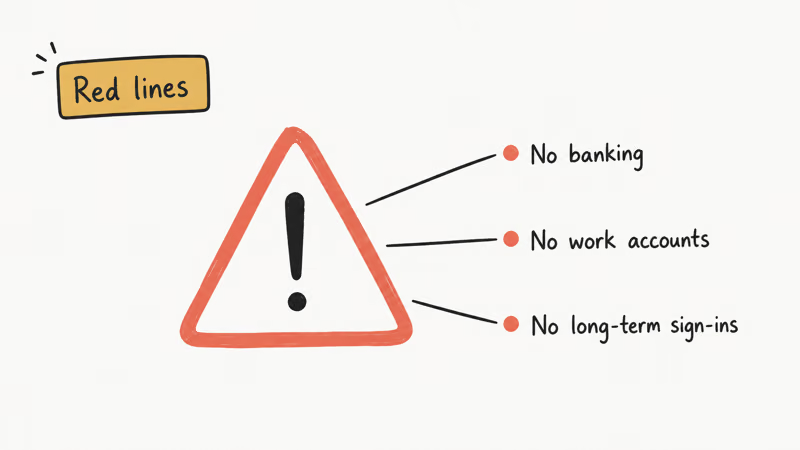
Account-recovery flows that ship a magic link to a public inbox are the single largest category of failure people run into when misusing Guerrilla Mail.
The one-hour retention window is the second constraint. If a confirmation email is delayed by more than an hour (which happens regularly with bulk-sender platforms during traffic spikes), it’ll arrive at the inbox but be deleted before you can reload the page.
Mailinator and YOPmail have longer windows, but their inboxes are also public. Only authenticated alias services like Apple Hide My Email and Firefox Relay combine long retention with a password gate.
Two specific red lines worth naming because they trip people up. First, don’t use any disposable email for crypto exchange KYC (“know your customer”) flows; the exchange’s compliance team will flag and freeze the account when the domain is identified, and you may lose access to funds you’ve already deposited.
Second, never use a disposable address as the recovery email on a Google, Apple, or Microsoft account, even temporarily. If you forget the primary password later, the recovery flow will send a code to a public inbox and your real account is unrecoverable.
The same precautions apply to messaging apps with chat history you want to keep. Our guide on how to recover a Gmail account covers what happens when the recovery chain breaks.
#Bottom Line
Use Guerrilla Mail when you need a one-shot inbox for a low-stakes signup and don’t care about retrieving messages later. Newsletter trials, gated downloads, and one-off promo codes are the sweet spot.
For anything you might need to log back into within a year, skip Guerrilla Mail entirely and set up a free Apple Hide My Email alias or one of Mozilla Firefox Relay’s free aliases. For corporate QA testing where the entire team needs to read the same inbox, Mailinator’s paid plan is purpose-built. And for keeping marketing lists from cross-pollinating with your real Gmail, a Firefox Relay alias per service gives you a kill switch the public inboxes can’t match.
#Frequently Asked Questions
Is Guerrilla Mail free?
Yes. The service has been free since 2006 with no premium tier, and the operators fund it through display advertising on the inbox page. There’s no signup, no captcha for the inbox view, and no rate limit on creating new addresses.
How long do Guerrilla Mail messages stay in the inbox?
Messages are deleted automatically after one hour, according to guerrillamail.com’s documentation. The address itself stays valid indefinitely, but anything you don’t capture within sixty minutes is gone.
Can someone else read my Guerrilla Mail inbox?
Yes, if they know the address. The inbox has no password and no account binding, so anyone who types the same address into guerrillamail.com sees the same incoming mail. This is the main reason the service should never receive sensitive content like password resets or banking codes.
Can I use Guerrilla Mail to sign up for Gmail or iCloud?
Technically the signup form will accept it, but you’ll lose the account the moment you need to reset the password, because the reset link will land in a public inbox you don’t control. Google and Apple also routinely block known disposable domains during signup, so the registration may fail outright. Use a real provider for any account you want to keep.
Does Guerrilla Mail have a mobile app?
No. The service is web-only and works through any mobile browser. The desktop layout adapts reasonably well to phone screens, but features like the scramble toggle are easier to reach on a tablet or laptop.
What’s the difference between Guerrilla Mail and an email alias?
A Guerrilla Mail address is a public, passwordless inbox that deletes mail after an hour. An alias from Apple Hide My Email, Mozilla Firefox Relay, or Proton SimpleLogin is a private forwarder routing mail to your real, password-protected inbox.
Is using Guerrilla Mail legal?
Using a disposable email for personal privacy, such as newsletter signups, free trials, and spam reduction, is legal in the United States and most other jurisdictions. Using it to commit fraud, evade taxes, impersonate someone else, hide your identity for harassment, or apply for benefits under a fake identity is illegal regardless of the email service involved. The tool’s neutral. Your specific use determines whether you’re in safe territory.
How do I stop spam after I’ve already used my real email?
You can’t fully retract an address once it’s on a marketing list, but you can reduce the inflow by unsubscribing from low-value senders one at a time and adding aggressive filters in your provider. Our guide on how to stop emails from Reddit walks through one common case, and the same unsubscribe-and-filter approach works for most senders. Going forward, use an alias service or Guerrilla Mail for any signup that doesn’t need a real address.

Google Messages Error 3100: Why RCS Is Broken on Galaxy
Google Messages RCS error 3100 hits Galaxy owners after phone or carrier switches. Google told 9to5Google a fix is coming. Here's what actually helps.

Is This Bank App Real? Spot a Fake App on Your Home Screen
A bank app can land on your home screen from a web page with no install warning. Learn the checks that tell a real banking app from a phishing web app.

Apps Crashing After iOS 27 Update? Fix Order (2026)
Apps crashing after the iOS 27 update? Update the app in the App Store first, then offload and reinstall to clear stale cache, then restart. The fix order.

Do AI Translation Earbuds Work Offline? What to Know
Do AI translation earbuds work offline? A few do with downloaded language packs, but most need the cloud. Here's what works offline and what you give up.