Are Email Addresses Case Sensitive? Here Is the Truth
Email addresses aren't case sensitive on Gmail, Outlook, or Yahoo. Learn what RFC 5321 says about case and how major providers handle capitalization.
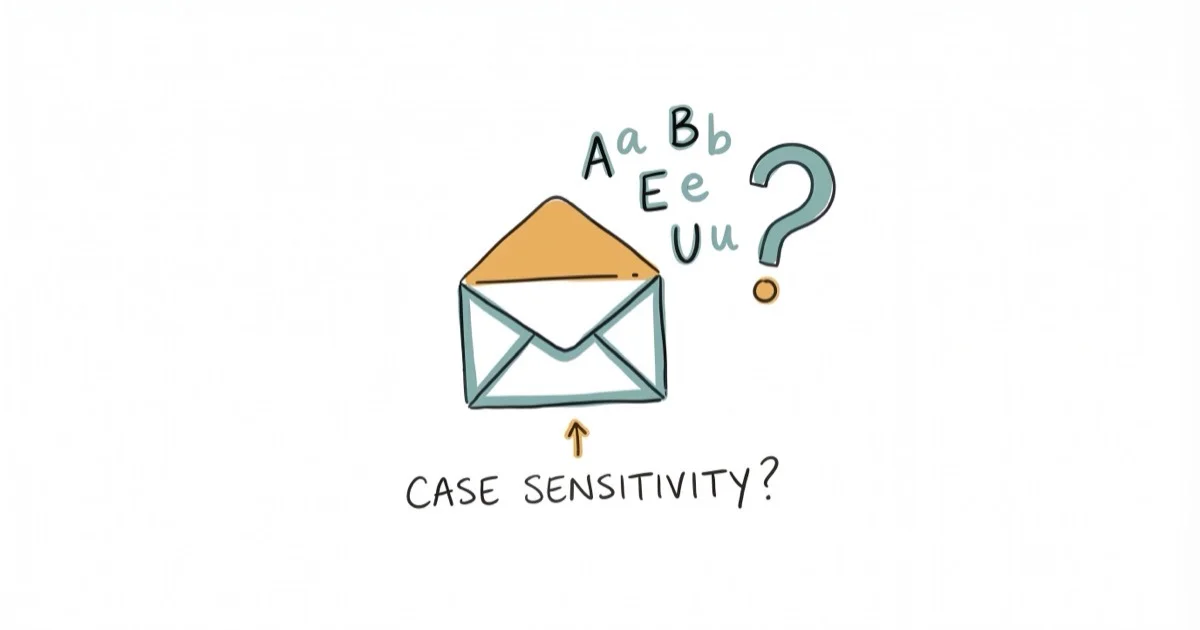
Quick AnswerEmail addresses are not case sensitive for most providers. Gmail, Outlook, and Yahoo deliver mail regardless of capitalization, and the domain after @ is always case insensitive.
For every major email provider, addresses are not case sensitive. JohnDoe@gmail.com and johndoe@gmail.com land in the same inbox on Gmail, Outlook, and Yahoo Mail.
That said, the technical standard behind email (RFC 5321) does allow the part before the @ symbol to be case sensitive. It’s a quirk that almost no provider actually enforces, but it’s worth knowing about if you run your own mail server or deal with unusual setups.
- RFC 5321 says the local part (before @) can be case sensitive, but the domain part (after @) never is
- Gmail, Outlook, and Yahoo Mail all ignore capitalization in email addresses
- Gmail also ignores dots, so john.doe@gmail.com and johndoe@gmail.com are identical
- Always type email addresses in lowercase to avoid edge-case delivery problems
- Custom or self-hosted mail servers may enforce case sensitivity, though this is rare
#The Two Parts of Every Email Address
Every email address has two parts separated by the @ symbol. The section before @ is your local part (username), and the section after @ is the domain.
Take alex.jones@gmail.com as an example. The local part is alex.jones, and the domain is gmail.com. According to RFC 5321, published by the Internet Engineering Task Force (IETF), these two parts follow different rules when it comes to capitalization.
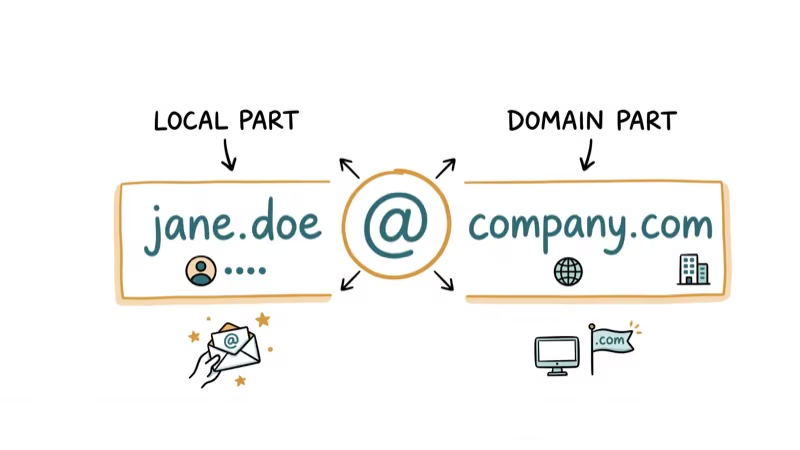
DNS lookups are case insensitive. That means gmail.com, GMAIL.COM, and Gmail.Com all point to the same mail server.
The local part is trickier. RFC 5321 states that the local part “MUST BE treated as case sensitive.” In theory, Alex and alex could be two different mailboxes on the same server. But the same document also says that exploiting this case sensitivity “impedes interoperability and is discouraged.” So the standard allows it, then immediately tells everyone not to rely on it.
#Does Gmail Ignore Capitalization in Email Addresses?
Yes, completely. Whether you send a message to MyName@gmail.com or myname@gmail.com, it reaches the same inbox.
According to Google’s support page on Gmail addresses, Gmail goes even further than just ignoring case. It also ignores dots in the local part. That means john.smith@gmail.com, johnsmith@gmail.com, and j.o.h.n.s.m.i.t.h@gmail.com all go to the same person.
This dot-insensitivity applies only to personal @gmail.com accounts. If you’re using Gmail through a workplace or school (Google Workspace), dots might matter depending on how your admin set things up.
#Outlook, Yahoo, and iCloud Providers
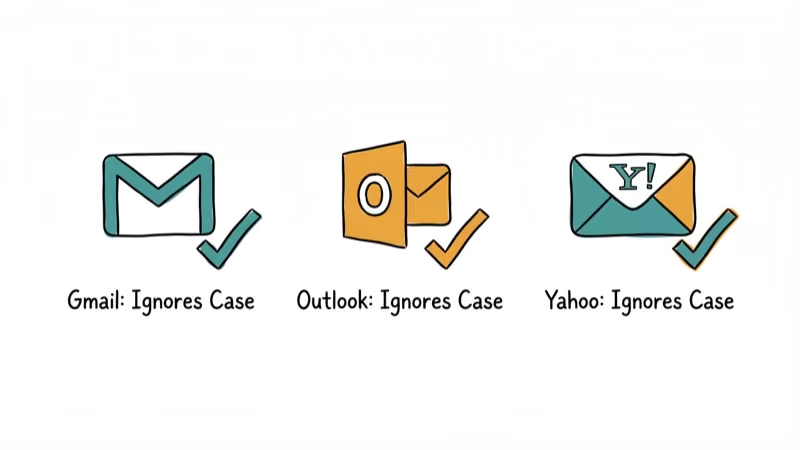
Microsoft’s Outlook.com (and the older Hotmail.com and Live.com domains) treats email addresses as case insensitive. USER@outlook.com and user@outlook.com both deliver to the same inbox.
Outlook does not ignore dots, though. Adding or removing a dot creates a different address entirely.
If you’re troubleshooting Outlook email delivery problems, double-check spelling and dots rather than worrying about uppercase letters. Yahoo Mail also treats the local part as case insensitive. Here’s how all the major providers handle it:
| Provider | Case Sensitive? | Dots Matter? |
|---|---|---|
| Gmail | No | No (personal) |
| Outlook/Hotmail | No | Yes |
| Yahoo Mail | No | Yes |
| iCloud Mail | No | Yes |
| ProtonMail | No | Yes |
Every mainstream provider ignores case. If you use iCloud email on Android, capitalization won’t cause delivery failures.
#Why Does RFC 5321 Allow Case Sensitivity?
The SMTP standard dates back to 1982 (originally RFC 821), when email systems were far more fragmented. Different Unix servers used case-sensitive file systems, and mailbox names sometimes mapped directly to system usernames. On those systems, Smith and smith were actually separate user accounts.
Based on the IETF’s RFC 5321 specification, the standard preserved case sensitivity to avoid breaking existing systems. But as email became a global communication tool used by billions, providers realized that case-sensitive addresses caused more confusion than they solved.
The shift happened fast. By the early 2000s, every major webmail service had standardized on case-insensitive handling.
#Edge Cases and Potential Pitfalls
There are a few scenarios where capitalization can cause trouble.
Self-hosted mail servers. If a company runs its own SMTP server with custom configuration, the admin could theoretically enforce case-sensitive addresses. Extremely rare, but technically possible.
Web forms and databases. Some websites store email addresses exactly as typed. If you sign up as MyEmail@gmail.com on one site and myemail@gmail.com on another, their database might treat these as different accounts even though Gmail sees them as the same. This can cause issues with account recovery or password resets on those sites.
Email marketing platforms. Tools that manage mailing lists sometimes do case-sensitive string matching when deduplicating contacts. A mailing list tool can treat Editor@outlook.com and editor@outlook.com as two separate subscribers, even though Outlook delivers both to the same inbox. If you manage a business email list, check your platform’s deduplication settings.
#Best Practices for Email Addresses
Stick to lowercase when sharing or storing addresses.
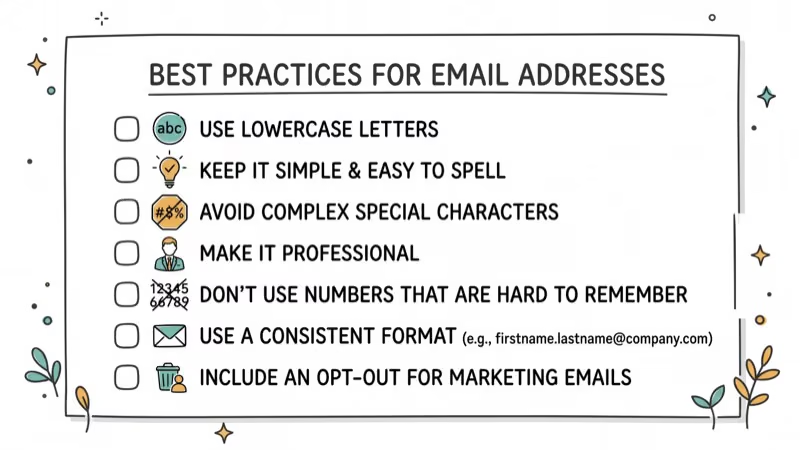
If you store email addresses in a spreadsheet or contact list, normalize them to lowercase before saving.
If you need to send a large file by email, the address formatting matters less than the attachment size, but the habit of using lowercase removes one variable from the equation entirely and keeps things consistent across every platform you use.
For accounts you care about, enable two-factor authentication. A strong password with 2FA protects your inbox far better than worrying about capitalization. If your Gmail isn’t sending emails, capitalization is almost never the cause.
#Bottom Line
Email addresses are not case sensitive on any provider that matters. Gmail, Outlook, Yahoo, iCloud, and ProtonMail all ignore capitalization completely. The technical standard (RFC 5321) does permit case-sensitive local parts, but the same standard discourages relying on it. Type your addresses in lowercase, and you’ll never run into a delivery problem caused by capitalization.
#Frequently Asked Questions
Is the domain part of an email ever case sensitive?
Never. DNS rules make the domain part case insensitive on every server worldwide.
Can I create two Gmail accounts that differ only in capitalization?
No. Gmail treats capitalization as identical, so you can’t register both JohnSmith@gmail.com and johnsmith@gmail.com as separate accounts. Google blocks this at signup. The same restriction applies to dot variations.
Do dots matter in email addresses?
It depends on the provider. Gmail personal accounts ignore dots entirely, meaning j.smith and jsmith are the same address. Outlook, Yahoo, iCloud, and most other providers treat dots as significant characters, so adding or removing a dot changes the address on those platforms.
Will my email bounce if I capitalize a letter wrong?
Not on any major provider. Gmail, Outlook, Yahoo, and iCloud all normalize capitalization before delivery.
What does RFC 5321 say about email case sensitivity?
RFC 5321 states that the local part of an email address (before the @) “MUST BE treated as case sensitive” by mail servers. However, the same document discourages exploiting case sensitivity because it hurts interoperability. In practice, nearly every provider ignores this rule and treats addresses as case insensitive. The disconnect between the technical standard and real-world behavior has existed for over two decades now, and there’s no sign that major providers will ever enforce case sensitivity.
Should I use uppercase letters in my email address?
No. Lowercase is the standard convention. Using uppercase can lead to confusion when someone types your address manually, and some web forms handle mixed-case addresses inconsistently.
Are email addresses on custom domains case sensitive?
Usually not. Most mail servers that handle custom domains (Google Workspace, Microsoft 365, Zoho) treat the local part as case insensitive by default. However, if an organization runs its own SMTP server, the administrator can configure case-sensitive mailboxes. When in doubt, type the address exactly as it was given to you.
Does capitalization affect email deliverability for marketing?
Not at the delivery level, since providers ignore case. But email marketing platforms sometimes use case-sensitive string matching when deduplicating contact lists, which can cause duplicate sends. Check your platform’s settings and verify your list before sending.

Google Messages Error 3100: Why RCS Is Broken on Galaxy
Google Messages RCS error 3100 hits Galaxy owners after phone or carrier switches. Google told 9to5Google a fix is coming. Here's what actually helps.

Is This Bank App Real? Spot a Fake App on Your Home Screen
A bank app can land on your home screen from a web page with no install warning. Learn the checks that tell a real banking app from a phishing web app.

Apps Crashing After iOS 27 Update? Fix Order (2026)
Apps crashing after the iOS 27 update? Update the app in the App Store first, then offload and reinstall to clear stale cache, then restart. The fix order.

Do AI Translation Earbuds Work Offline? What to Know
Do AI translation earbuds work offline? A few do with downloaded language packs, but most need the cloud. Here's what works offline and what you give up.