Does GPS Work Without Internet? What You Actually Need
GPS works without internet by talking directly to satellites. Learn what offline means for accuracy, maps, and navigation before your next trip.
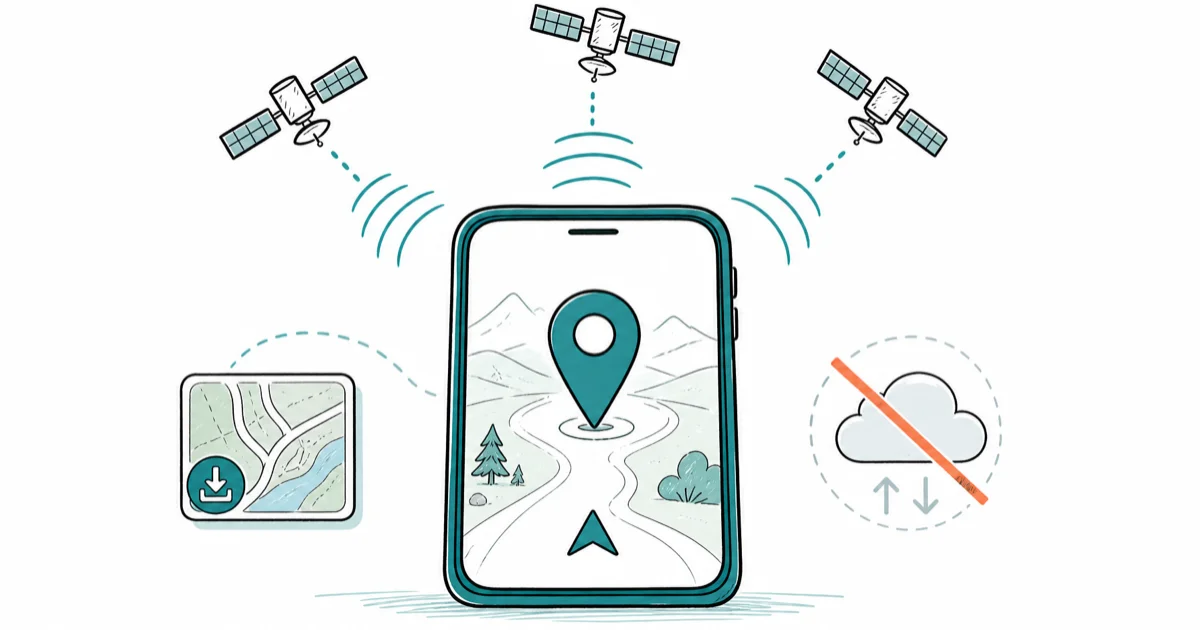
Quick AnswerYes, GPS works without internet. Your phone receives signals from satellites to determine your location with no data connection required. You do need internet to load live map tiles or traffic data, but offline maps downloaded in advance let you navigate fully without a signal.
GPS works without internet. Your phone talks to satellites, not servers — no cellular or Wi-Fi involved. Using these methods on devices or accounts you don’t own may violate applicable laws and platform terms.
- GPS works offline by receiving signals from at least 4 satellites with no data needed
- Map tiles and directions require a data connection or pre-downloaded offline maps
- GPS accuracy offline stays the same as online, within 5-10 meters, though first lock takes longer
- Offline navigation loses real-time traffic and rerouting, so plan your route before losing signal
- Dedicated GPS devices like Garmin store full maps onboard and run indefinitely without internet
#How GPS Works Without a Data Connection
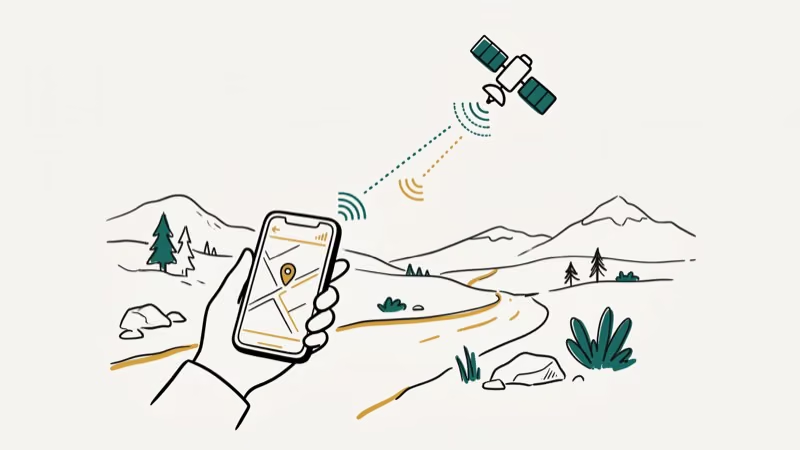
GPS is a network of 31 satellites. Your chip receives signals from at least 4 simultaneously and uses arrival time differences to calculate position — no subscription or data connection required.
GPS.gov states that the civilian GPS constellation serves over 4 billion receivers worldwide and has operated continuously since 1994 with no internet dependency.
A modern phone in airplane mode in a dead-zone area can still lock onto a position within about a minute. No data leaves your phone during this process; the satellites broadcast continuously and your chip only listens. According to Wikipedia’s GPS article, the system has provided free civilian positioning since 1983 with no internet dependency whatsoever.
A-GPS differs from GPS. It’s a speed optimization, not a requirement. A-GPS uses your data connection to download a satellite almanac telling your chip exactly where each satellite is in the sky right now. Without it, your chip scans all positions on its own — slower, but accurate once locked.
#GPS Accuracy Offline vs Online
With airplane mode on, a modern phone can lock at roughly the same accuracy it achieves with full LTE, because GPS accuracy is entirely satellite-dependent.
What changes offline is first fix time, not accuracy. With A-GPS cached, lock takes 5-15 seconds. Without internet to refresh the almanac, cold start lock takes 45-90 seconds.
Map display also changes: without downloaded tiles, you get a dot on a blank background.
Accuracy itself is determined by satellite geometry and signal quality, not your data connection.
#What Apps Work Offline for GPS Navigation?
Several apps support offline map downloads across iOS and Android.
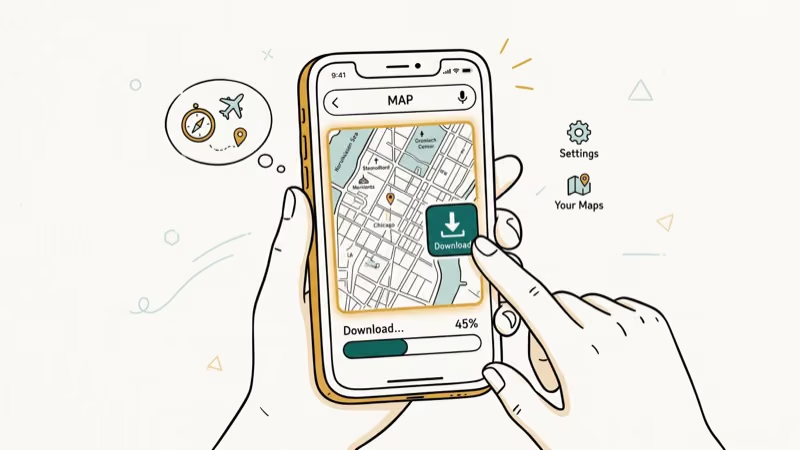
Google Maps lets you download specific areas. Open the app, search a region, tap the three dots, and select Download Offline Map. Google’s Maps support page confirms that offline maps expire after 30 days and require re-downloading if you don’t reconnect to auto-refresh. Large metro areas run 200-500 MB; full states or countries can reach 1-5 GB.
Apple Maps added offline maps in iOS 17. Go to Settings > Maps, download any region. It covers fewer detail layers than Google but handles road navigation well.
OsmAnd and Maps.me are built entirely for offline use. Both use OpenStreetMap data with full routing, search, and POI layers stored on device. OsmAnd is the most popular option for hikers, with regional packages typically running 200-800 MB.
Dedicated GPS units (Garmin, Magellan) store full topographic or road maps onboard with no subscription needed.
#Does GPS Work in Airplane Mode?
Yes. Airplane mode disables cellular, Wi-Fi, and Bluetooth, but it doesn’t disable the GPS hardware. Your chip still receives satellite signals.
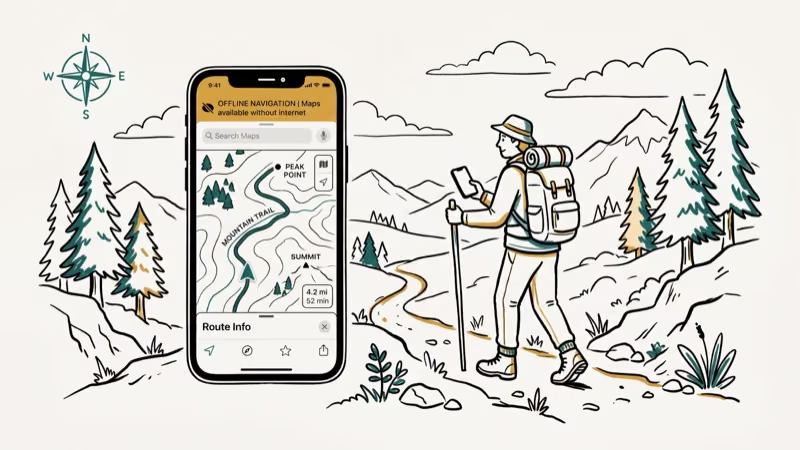
With airplane mode on and an offline Google Maps region already downloaded, turn-by-turn navigation still runs without data or cell service. The limitations are no live traffic and no rerouting if you miss a turn.
If you need to understand airplane mode’s full effect on location services, see our guide on does airplane mode turn off GPS.
#GPS Tracking Without Internet
GPS logging apps record position data offline and sync later. Strava, AllTrails, and Garmin Connect all support offline recording — they store a GPS track file on your device and upload it when connectivity returns.
For vehicle tracking, dedicated hardware units log position data onboard and transmit via cellular when in range. Without cellular, data doesn’t leave the device until it connects again.
Cellular triangulation is a separate system requiring active cell service. Cell tower triangulation is much less precise than GPS, with accuracy that degrades significantly in rural areas where towers are sparse — far short of GPS’s meter-level accuracy. If you’re curious how location tracking works beyond GPS, see our guide on whether you can track a SIM card.
#Location Privacy and GPS
Your GPS chip only receives — it never transmits.
No one can track you just because your GPS hardware is on. What creates exposure is apps reporting your coordinates to a server, which requires a data connection. With airplane mode on, your location stays entirely on your device. If you’re concerned about apps accessing your location, see our guide on how to hide your location on iPhone.
Location spoofing has also been exploited in apps — the Grindr fake GPS issue is one well-documented case of how location data gets falsified at the app level to mislead other users on location-dependent platforms.
For more on tracking phones without physical access, see our guide on how to track an iPhone with and without an app.
#Bottom Line
GPS works without internet because it communicates with satellites, not servers. Your phone can lock onto a position in airplane mode, in a dead zone, or on a plane. The limitation is maps: without pre-downloaded data, you know your coordinates but can’t see what’s around you.
Download offline maps in Google Maps or Apple Maps before any trip to a low-connectivity area. For backcountry use, OsmAnd or a dedicated Garmin is more reliable than a smartphone.
#Frequently Asked Questions
Does GPS work without Wi-Fi?
Yes. GPS uses satellite signals only. No Wi-Fi or cellular needed.
Can I use Google Maps offline?
Yes, but you need to download the maps first. Go to any location in Google Maps, tap the three-dot menu, and select Download Offline Map. Downloaded areas give you turn-by-turn directions with no data connection. Maps expire after 30 days; large city downloads run 100-300 MB.
How long does GPS take to lock without internet?
Without cached A-GPS almanac data, a cold start typically takes 45-90 seconds as the chip scans all possible satellite positions. With a recent almanac cached from a prior data connection, lock happens in 5-15 seconds even when you’re completely offline.
Does airplane mode turn off GPS?
No. Airplane mode disables cellular, Wi-Fi, and Bluetooth but leaves GPS hardware fully active. You can navigate with offline maps in airplane mode without any data.
Is GPS more accurate with internet?
No. Accuracy is the same — typically 5-10 meters. Internet only speeds up the first position lock via A-GPS.
What’s the difference between GPS and cellular location?
GPS uses satellite signals and is accurate to 5-10 meters on a clear sky. Cellular location uses tower triangulation and is accurate to only 100-500 meters. GPS requires dedicated hardware; cellular only needs cell service but is far less precise.
Do offline maps expire?
Google Maps offline areas expire after 30 days. Apple Maps and OsmAnd don’t have built-in expiration dates, but map data gets outdated as roads change. Update annually or before any major trip to unfamiliar areas.
Can I track a phone with GPS without internet?
GPS can log your phone’s location offline, but the data stays on the device until you reconnect. Remote tracking — viewing another device’s position from your own phone in real time — requires the tracked device to actively transmit its coordinates via cellular or Wi-Fi. Apps like Find My and Google Find My Device won’t update a device’s position until it gets back online.

Is This Bank App Real? Spot a Fake App on Your Home Screen
A bank app can land on your home screen from a web page with no install warning. Learn the checks that tell a real banking app from a phishing web app.

Passkeys Not Syncing Between iPhone and Windows? Read This
Passkeys not syncing between iPhone and Windows is by design, not a bug. Here is why iCloud passkeys skip Windows Hello and the three ways to fix it.

VPN Not Working on Snapdragon X? Why It Fails, How to Fix
Your VPN won't install or connect on a Snapdragon X Copilot Plus PC because Windows on ARM can't emulate the network driver. Here are the fixes that work.

How to Check If a Link Is Safe Before You Click It
Learn how to check if a link is safe with official-first steps: read the real domain, use the app instead, and treat scanners as a second opinion only.