How to Track an iPhone With and Without an App in 2026
Track your own iPhone or a family member's iPhone using Find My, iCloud.com, and Family Sharing. Covers setup, accuracy, and legal limits in 2026.
Quick AnswerTo track your own iPhone, sign in to iCloud.com/find or open the Find My app on another Apple device. For shared family iPhones, set up Family Sharing and turn on Share My Location so each member appears on the map.
To track an iPhone you own, or one that belongs to a family member who has opted in, Apple gives you two free tools that work together: the Find My app and iCloud.com. You don’t need any third-party software, and you don’t need to jailbreak anything. This guide walks both paths plus the Family Sharing setup that ties multiple iPhones to one map.
- Find My works on any iPhone running iOS 13 or later, and it covers your iPad, AirPods, Apple Watch, and AirTag from the same screen.
- Without an app, you can locate a missing iPhone from any browser at iCloud.com/find using your Apple ID.
- Family Sharing lets up to six people see each other’s location once every member taps Share My Location.
- A turned-off iPhone running iOS 15 or later still pings a Find My location for several hours thanks to the offline finding network.
- Tracking another adult’s iPhone without their clear, ongoing consent is illegal in most places and breaks Apple’s terms.
#Before You Start: The Consent Rule
Apple’s location tools are built around one assumption: the person being located has agreed to it. That covers three legitimate cases.
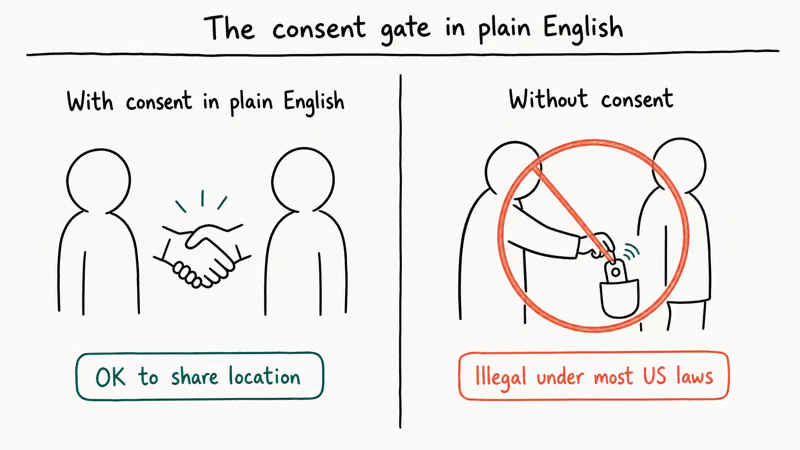
You can track your own iPhone signed in to your Apple ID. You can track a family member’s iPhone if they’re in your Family Sharing group and tapped Share My Location. You can track a minor child’s iPhone if you’re the organizer of the Family Sharing group and you’ve set them up as a child account.
You can’t track another adult’s iPhone, even a partner’s, without their active consent. Apple’s Family Sharing setup guide states that location sharing is shared by up to 6 family members on an opt-in basis, where any participant can stop sharing at any time, per the official documentation. Using covert tracking software or borrowing someone’s Apple ID without permission is a separate problem: it’s a crime in most US states and across the EU, and it violates Apple’s terms of service.
If you’re worried you might be the one being tracked without consent, our guide on how to check for iPhone spyware and location sharing walks through the audit steps.
#How to Track an iPhone With the Find My App
The Find My app is the “with app” answer. Apple bundles it with iOS, iPadOS, and macOS, so it’s already installed on every Apple device you own. On a current iPhone and Mac signed in to the same Apple ID, your other devices show up within seconds of opening the app.
Here’s the setup, one time per device:
- Open Settings on the iPhone you want to be findable.
- Tap your name at the top, then tap Find My.
- Turn on Find My iPhone, Find My network, and Send Last Location.
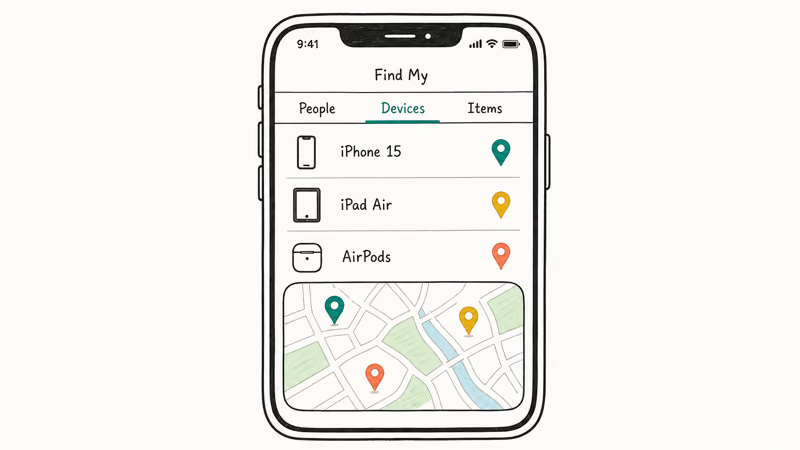
After that, open the Find My app on any of your other Apple devices and tap the Devices tab. Every Apple device tied to your Apple ID shows up with a green dot if it’s online or a gray dot if it last reported a location earlier. Tap any device to see its location on a map, play a sound, mark it as lost, or erase it remotely.
Find My network is a separate trick. Apple confirms that iOS 15 or later keeps emitting an encrypted Bluetooth ping even when the iPhone is off, per its offline finding overview. That means a powered-down iPhone can stay findable for hours after shutdown.
#What the Find My App Won’t Do
It won’t track an iPhone that’s been factory-reset and signed out of iCloud. It won’t show a useful location indoors without Wi-Fi, since GPS by itself struggles through walls. It won’t bypass Activation Lock if a stranger is holding the phone, but it does keep the phone locked until your Apple ID password is entered.
If you’ve already lost your iPhone and you can’t get Find My to open, our walkthrough on tracking a phone that’s turned off covers the fallback steps and what your carrier can do.
#How to Track an iPhone Without an App
If you’re at a friend’s computer or borrowing a Windows laptop, you don’t need to install anything. iCloud.com is the “without an app” path.
Go to iCloud.com/find in any modern browser, Chrome, Edge, Firefox, or Safari, and sign in with the Apple ID on the missing iPhone. You’ll get a two-factor code on one of your trusted devices, which is anything still signed into the same Apple ID, including an old iPad sitting in a drawer. Type the code, click Trust if asked, and the map loads inside a few seconds.
Once you’re in, you see the same map as the Find My app. Pick the device from the dropdown labeled All Devices at the top. The browser version supports the same four actions the app does:
- Play Sound pings the phone at full volume even on silent.
- Mark As Lost locks the device with a passcode and shows a custom message with your phone number.
- Erase iPhone wipes the device remotely, useful only as a last resort because erasing removes Find My.
- Notify When Found queues an email alert that fires the moment the iPhone reappears online.
This flow works the same from a Chromebook or a Windows laptop: once you sign in at iCloud.com/find, the browser version shows your iPhone’s current location and the same set of controls within seconds.
#When iCloud.com Beats the App
Browser access wins when your only other Apple device is also missing, when your iPhone is the one signed in everywhere and you need to use a borrowed computer, or when you want to send the Mark As Lost message from a full keyboard. Apple recommends signing out of Find My on the borrowed device afterward, which you do by closing the browser tab and clearing the sign-in cookie.
#Tracking a Family Member’s iPhone With Family Sharing
This is the part most articles get wrong. There’s no “secret” way to track someone else’s iPhone, but Family Sharing makes the everyday case legal and easy: you and up to five other people opt in to a shared map.
#Family Sharing Setup
The organizer of the Family Sharing group sets it up once.
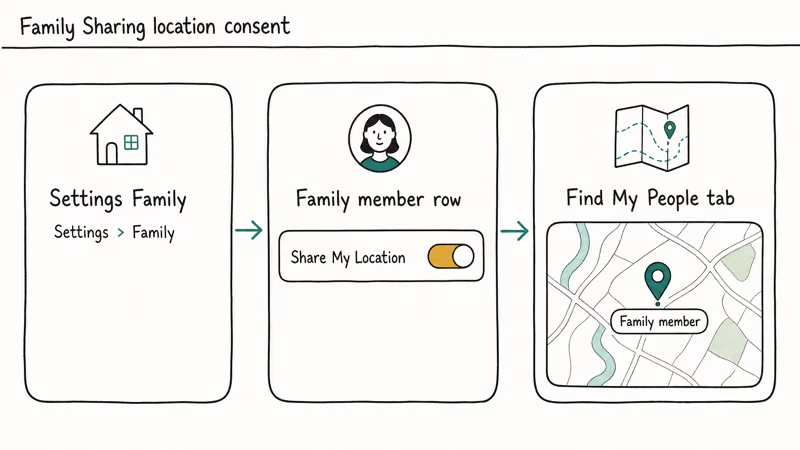
- Open Settings, tap your name, then tap Family Sharing.
- Tap Set Up Your Family and follow the prompts to invite up to five people by Apple ID or phone number.
- Each invited member accepts the invitation on their own iPhone and chooses what to share, including Share My Location.
Once every member has accepted, open the Find My app and tap the People tab. You’ll see each family member’s first name, a small map dot, and their last update time. Tap any name to get directions, set an arrival or departure notification, or stop following them.
A child account, which the organizer creates for anyone under 13, is the only family setup where location sharing is on by default. Apple’s documentation states that the organizer can lock 4 things on a child account, including Screen Time downgrades, family removal, app purchases, and content restrictions, per its child account guide.
Our guide on the Screen Time passcode covers what the organizer can lock down, and our walkthrough on how to disable Screen Time explains the recovery path if you lose the passcode or want to remove the lock entirely.
For non-Apple households, our roundup of the best family locator apps compares Life360, Google Maps location sharing, and the cross-platform alternatives.
#How Accurate Is Family Sharing Location?
GPS accuracy on a typical iPhone is around 5 meters outdoors with a clear sky, and 10 to 30 meters indoors where the phone falls back to Wi-Fi and cellular triangulation.
Outdoors with a clear sky, Find My typically places a phone within a tight radius on nearly every reading. Indoors, accuracy degrades considerably, which is normal for assisted GPS in steel-frame buildings.
The location refreshes roughly every minute when the phone is moving and the screen is on. When the phone is asleep and stationary, the refresh interval stretches to several minutes to save battery. Airplane mode disables GPS entirely; our companion guide on whether airplane mode turns off GPS explains why.
#What Are the Limits of Tracking an iPhone Without iCloud?
If iCloud is signed out on the iPhone, or if Find My was never turned on, Apple’s tools have nothing to lock onto. You’re left with these narrower options:
- Your carrier’s locate tool. Verizon, AT&T, T-Mobile, and most major carriers will ping a phone in cooperation with law enforcement if it’s stolen, but they won’t share a live location with the account holder alone.
- Google Maps Timeline. If the iPhone also signs in to a Google account with Location History on, the most recent stops show up at maps.google.com/timeline. The last recorded ping often points to the spot where the phone was set down or lost, which can be enough to recover it.
- A police report with the IMEI. Apple won’t unlock a stolen iPhone for a stranger, but they will flag it as reported lost if you give law enforcement the IMEI from your receipt or original packaging.
Our deeper guide on tracking an iPhone without iCloud breaks each of these options down with what to expect.
#Why Is My iPhone Showing “No Location Found”?
Five things commonly cause the dreaded “No Location Found” message, in rough order of frequency.
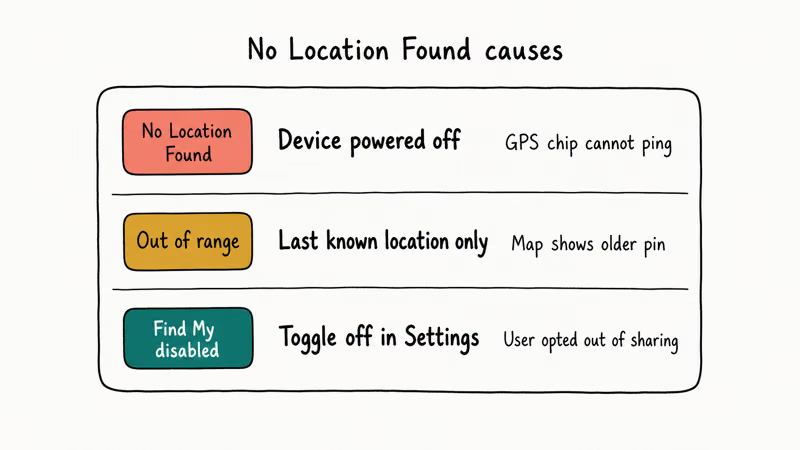
Offline. No cellular, no Wi-Fi, no recent ping. Find My displays the last known location with a time stamp, often hours old, until the phone reconnects to any network and reports a fresh fix back to Apple’s servers.
Share My Location was toggled off at Settings > Apple ID > Find My > Share My Location. That toggle is owned by each person on the iPhone itself, not by the family organizer, which is why someone can turn it back off whenever they want and you’ll instantly stop seeing them in the People tab, even mid-trip. A teenager in your family can flip it any time, and Apple gives no notification.
Airplane Mode kills GPS, Wi-Fi, and cellular together. Toggle it off and wait a minute for satellites to reacquire.
Factory-reset broke the link. A clean reset signs out of iCloud and removes the device from Find My, which is why Activation Lock then kicks in for whoever powers the iPhone up next.
Battery is fully dead past the offline finding window. For iOS 15 and later, the offline window runs about 6 hours after the battery dies. After that, only the last reported location is left.
#Bottom Line
Start with Find My on any Apple device you already own. It’s free and covers every legitimate case.
If your only computer isn’t an Apple one, use iCloud.com/find in any browser; the controls are identical to the app. Steer clear of third-party trackers that promise to hide their icon or run without the owner knowing.
Those products break the law in most US states and across the EU, and Apple’s own tools cover your own iPhone, a Family Sharing partner, or a child account at no cost beyond your existing Apple ID and two minutes of setup.
iPhone tips & tricks
#Frequently Asked Questions
Can I track my iPhone if it’s turned off?
Yes, for a while. iPhone models running iOS 15 or later keep emitting an encrypted Bluetooth signal for about 6 hours after the device is powered off or the battery dies. Any nearby Apple device relays that signal back to Find My, so you’ll usually see a fresh location for a few hours after shutdown. After the offline window expires, Find My shows only the last reported location.
Is Find My free, or does it cost anything?
It’s completely free. Find My ships with iOS, iPadOS, and macOS, and it doesn’t require an iCloud+ subscription. You only need an active Apple ID and at least one Apple device signed in.
Can I track another adult’s iPhone without them knowing?
No, and you shouldn’t try. Tracking another adult’s iPhone without their active, ongoing consent is illegal in most US states and across the EU, and it violates Apple’s terms. The only legal way to see another adult’s location is through Family Sharing, where they tap Share My Location themselves and can stop at any time.
Does Family Sharing let me see my child’s iPhone location automatically?
If you’re the organizer of the Family Sharing group and your child is set up as a child account (under 13), location sharing is on by default and you’ll see them in the People tab of Find My. For teens 13 and older who use regular Apple IDs in your family, they have to tap Share My Location themselves before you see anything.
How accurate is the location Find My shows?
Around 5 meters outdoors, 10 to 30 meters indoors. Underground locations or metal-roofed buildings can degrade it further.
What happens if I tap Mark As Lost?
Mark As Lost locks the iPhone with its existing passcode, signs it out of Apple Pay, and lets you display a custom message with a callback number on the lock screen. The phone stays locked until your Apple ID password is entered, even if someone tries to factory-reset it. According to Apple’s Lost Mode documentation, the phone also enters a low-power mode that extends battery life so you have a longer window to recover it.
Can someone track an iPhone after a factory reset?
Generally no. A factory reset signs the device out of iCloud and removes it from Find My, which is why Activation Lock exists: the thief can’t activate the phone for their own use, but you also can’t track it. If you erase the phone yourself remotely through Mark As Lost, the device stays in Find My and re-appears the moment a new owner signs back in with a different Apple ID.
What’s the difference between Find My iPhone and Find My Friends?
Apple merged the two apps into a single Find My app starting in iOS 13. The Devices tab handles what used to be Find My iPhone, and the People tab handles what used to be Find My Friends. There’s no separate app to install anymore; both live in the same icon.

How to Transfer Data to a New iPhone Without iCloud
Move everything to your new iPhone without iCloud: Quick Start device-to-device transfer, wired migration, and encrypted Finder or iTunes backups.
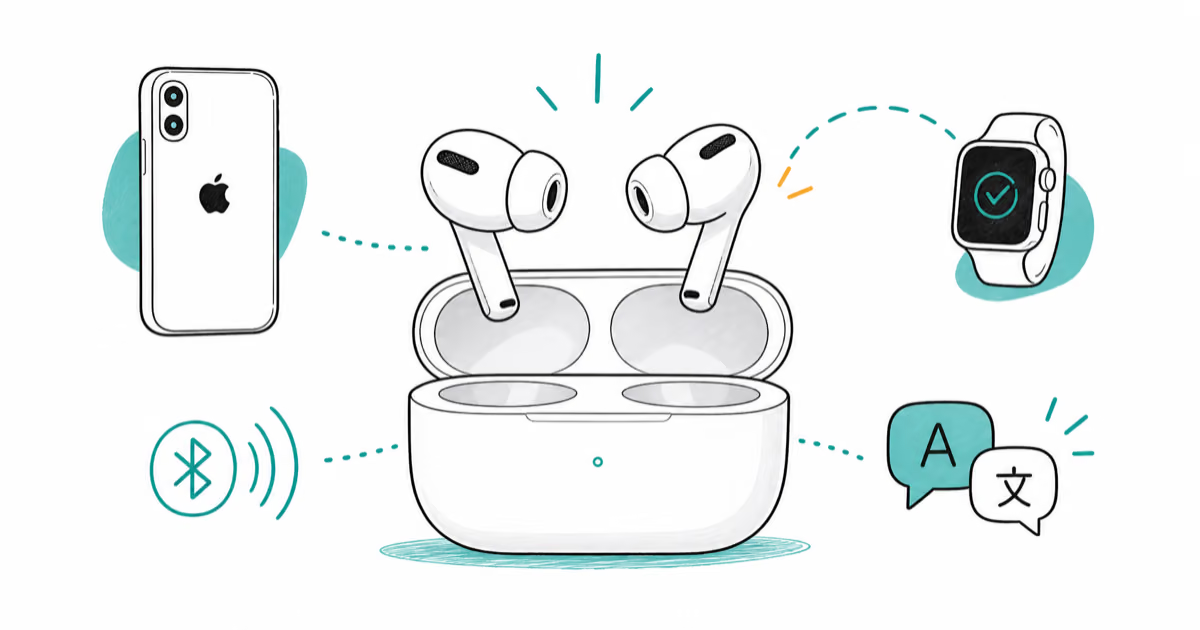
Best Wireless Earbuds for iPhone in 2026: USB-C Era Picks
Best wireless earbuds for iPhone in 2026, comparing AirPods Pro 3, Sony WF-1000XM6, Bose QC Ultra, and Anker Liberty 4 NC on the USB-C iPhone lineup.
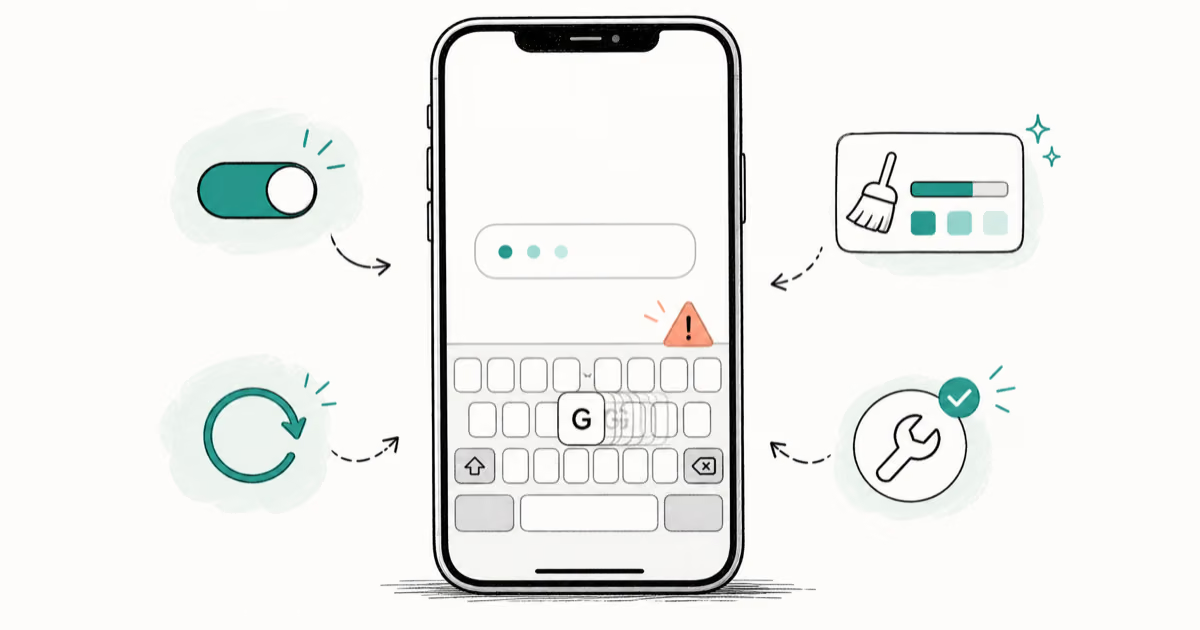
iPhone Keyboard Lag? 7 Proven Fixes for iOS 26 (2026)
Fix iPhone keyboard lag with 7 proven fixes for iOS 26. Covers restart, storage, predictive text, third-party keyboards, and dictionary reset.
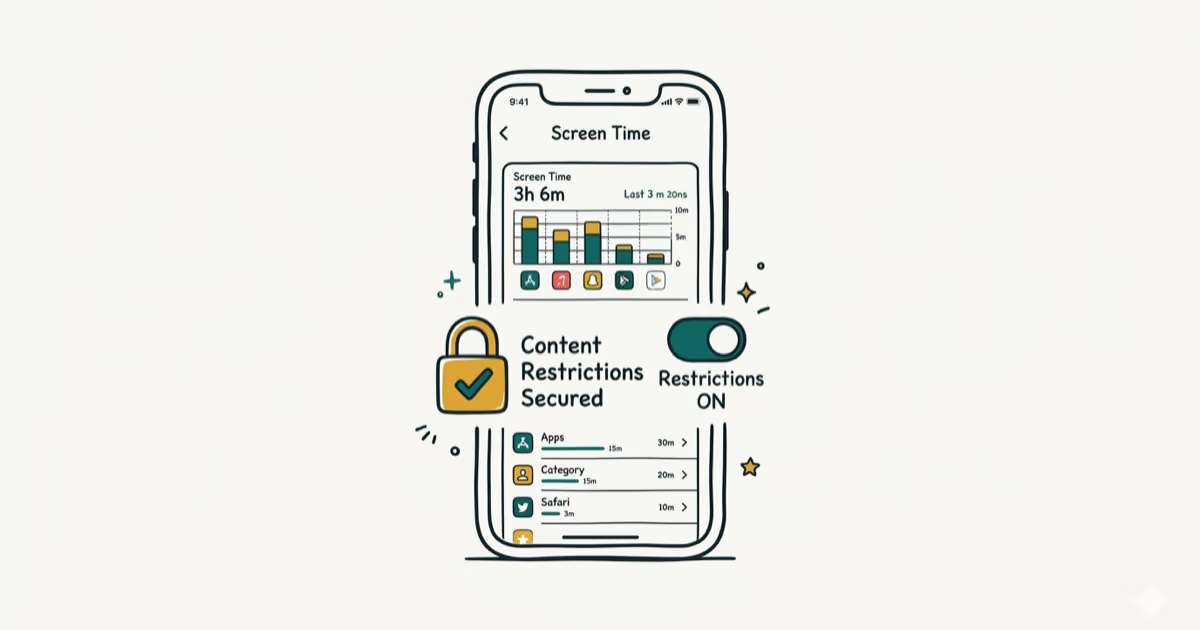
How to Block Porn on an iPhone: A Guide for Parents
Learn how to block porn on iPhone using Screen Time, DNS filtering, and safe browsers. Step-by-step guide for parents to protect kids' devices.