VPN Not Working on iPhone? 9 Fixes That Actually Work
VPN not working on iPhone? Try 9 provider-agnostic fixes, from iCloud Private Relay conflicts to the iOS 26 encryption change that breaks setups.
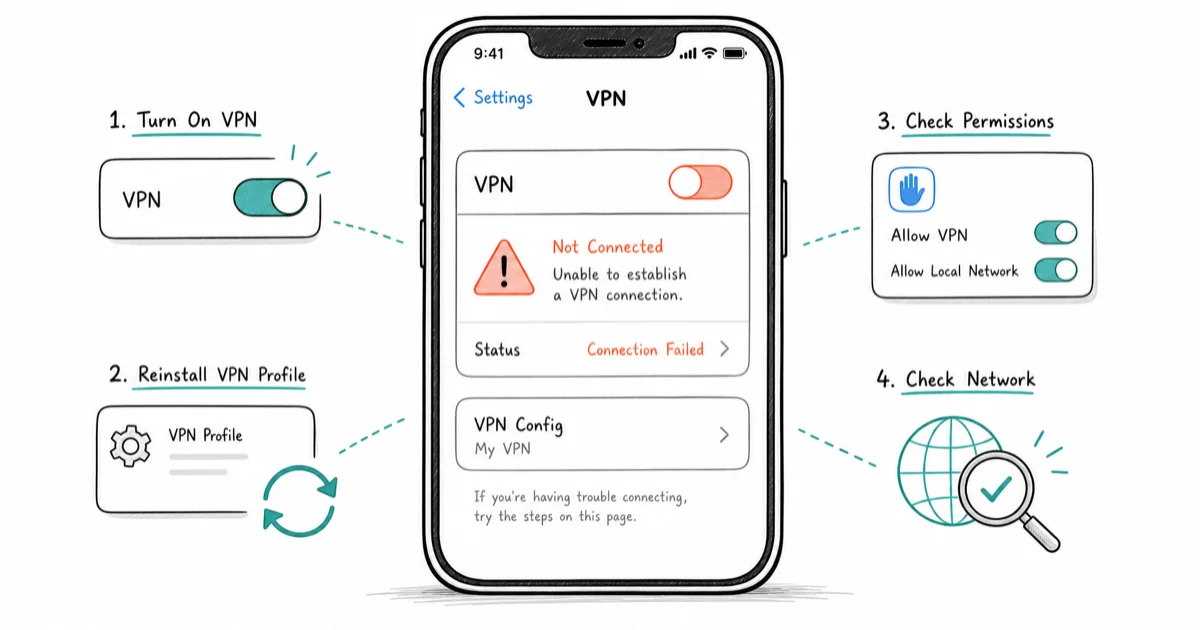
Quick AnswerMost iPhone VPN failures come from iCloud Private Relay, a stale profile, or iOS 26 dropping older encryption. Turn Relay off, reinstall the profile, and test another network.
A VPN not working on iPhone usually comes down to a few causes, and most clear up in under five minutes. The symptoms look the same: the app says connected, yet nothing loads. These steps assume your own iPhone and a VPN account you control.
- Most VPN failures here are radio or socket glitches, not a broken app.
- iCloud Private Relay competes with a third-party VPN for the one VPN slot iOS allows, so leaving it on can keep you connected yet unable to load a single page in Safari.
- iOS 26 dropped older encryption like DES, 3DES, SHA1, and weak Diffie-Hellman groups, so manual or business profiles built on them now fail outright.
- A VPN can’t fix a dead connection, so test a normal page with the VPN off first.
- iOS runs only one VPN tunnel at a time, so a second VPN app, a content blocker, or a leftover profile can silently knock yours offline.
#Start Here: The 2-Minute VPN Reset
Before changing any settings, run the reset that clears the most common cause of a dead tunnel: a stale network radio or a hung VPN socket. It takes about two minutes and revives a surprising share of dropped connections.
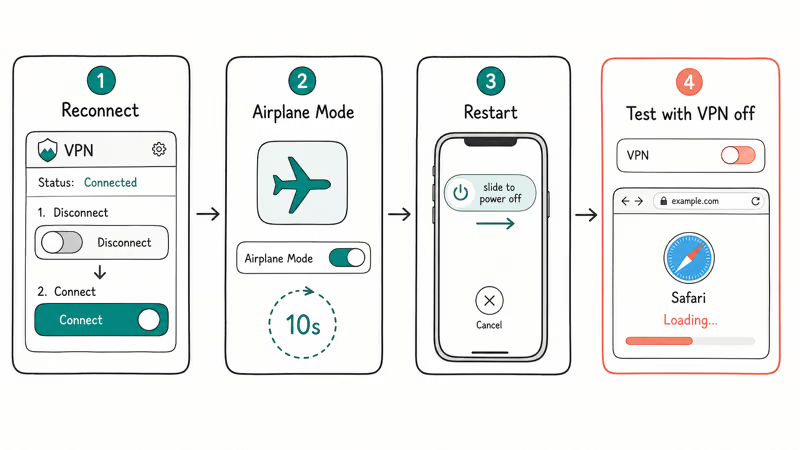
- Open the VPN app and tap Disconnect, wait five seconds, then tap Connect again. A fresh handshake often restores a tunnel that died quietly in the background.
- Turn on Airplane Mode from Control Center, leave it on for ten seconds, then turn it off. This forces the Wi-Fi and cellular radios to reconnect from scratch.
- Restart the iPhone. Hold the side button and a volume button together, slide to power off, then turn it back on after about thirty seconds.
- Turn the VPN off and load any normal page in Safari. If pages still fail with the VPN off, the problem is your base connection, not the VPN.
That fourth step is the real diagnostic.
A VPN can’t fix a dead connection. If plain browsing also fails, fix that first, whether iPhone Wi-Fi isn’t working or Safari won’t load pages.
Across iPhone models and recent iOS versions, toggling Airplane Mode tends to restore a dropped tunnel in under ten seconds, often faster than a full restart. A restart still helps, but it costs you a minute you usually don’t need to spend.
#Why Does My VPN Keep Disconnecting on iPhone?
Repeated disconnects usually trace to how iOS manages background connections rather than to a broken VPN. Once you understand how a VPN works on iPhone, the pattern makes sense: iOS suspends apps aggressively to save battery, and a VPN without an on-demand or always-on setting gets culled the moment the screen locks.
Network switching is the other trigger. Each Wi-Fi-to-cellular handoff forces the tunnel to rebuild, and if your cellular data isn’t working reliably, the VPN keeps flapping along with it.
Two settings fix most of this.
Turn on the app’s always-on or on-demand option so iOS keeps the tunnel alive in the background, and pick a server geographically close to you to shorten the handshake. A nearby endpoint reconnects far faster after every network change, which is what you feel as fewer drops.
One more culprit is the kill switch. A strict always-on or kill-switch setting cuts all traffic the instant the tunnel drops, which makes a brief VPN hiccup look like a total network outage rather than a momentary stall. If everything goes dark the second your signal dips, loosen that setting, switch the protocol to WireGuard, or move to a more stable server closer to you for a quicker reconnect.
A lingering VPN profile is also a common reason for apps that fail only on cellular while everything works on Wi-Fi.
#Should You Turn Off iCloud Private Relay When Using a VPN?
If your VPN shows connected but nothing loads, iCloud Private Relay is the first thing to rule out. It’s Apple’s built-in privacy feature that routes Safari traffic through two separate relays, and it quietly fights a third-party VPN for the single VPN slot iOS exposes.
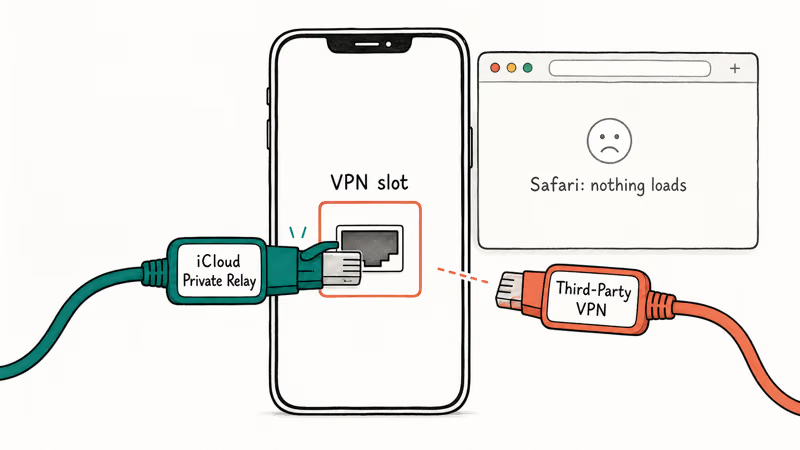
Apple’s Private Relay documentation states that a third-party VPN can install network settings that are incompatible with Private Relay, and it lists how to turn the feature off system-wide, per network, or per site. To switch it off everywhere, go to Settings > [your name] > iCloud > Private Relay and turn it off.
When a VPN reports connected but Safari hangs, turning Private Relay off often lets pages load instantly the moment it’s disabled, since the two features stop competing for the same VPN slot.
The conflict is invisible because neither feature throws an error, which is why so many people chase the wrong fix. If you only switch a VPN on now and then, our take on using a VPN on public Wi-Fi covers when each one actually earns its place.
#The iOS 26 Encryption Change That Breaks VPNs
If your VPN worked until you updated to iOS 26 and then died overnight, the update is the culprit. iOS 26 tightened which encryption the VPN client accepts.
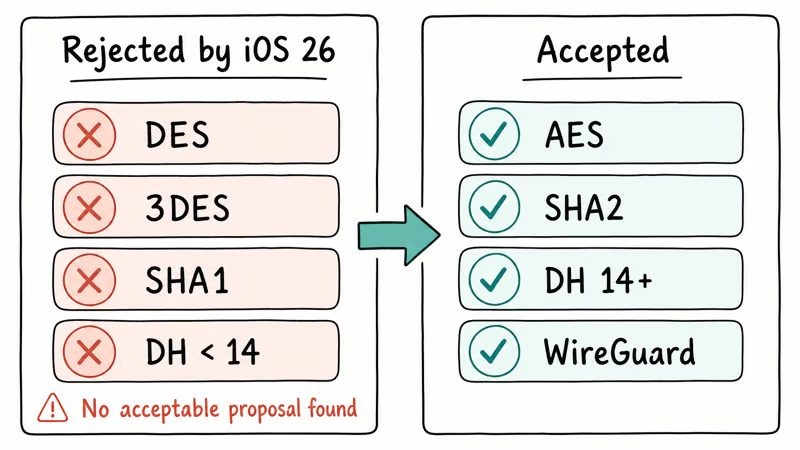
According to VPN Tracker’s iOS 26 report, iOS 26 removed support for older algorithms including DES, 3DES, SHA1, and Diffie-Hellman groups below 14, so any profile built on them now fails to negotiate. The tell-tale error is No acceptable proposal found, sometimes shown instead as the VPN server not responding.
An older IKEv2 profile on iOS 26 typically fails with that exact message until the server is switched to a WireGuard endpoint, which usually connects on the first try.
The fix is the same for almost everyone.
Update the VPN app to its current version, delete the old profile, and reinstall it so the app negotiates a modern cipher on your behalf. If you rely on a manual or business profile, ask whoever issued it for a configuration that uses AES with SHA2 and a Diffie-Hellman group of 14 or higher.
#Fixing a VPN That Refuses to Connect
When the VPN won’t connect at all, work the causes in order instead of reinstalling at random.
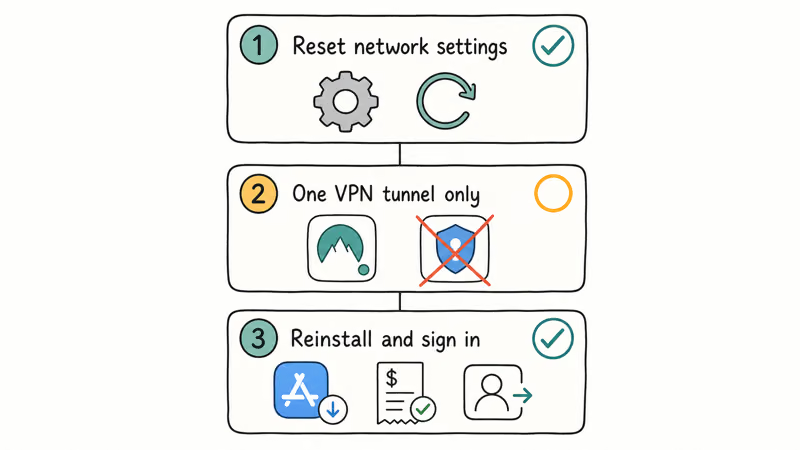
Start with what Apple recommends. According to Apple’s guidance on VPN software, VPN and third-party security apps can cause connectivity problems, and the recommended fix is to turn the app’s extra features off, restart the iPhone, then reset network settings under Settings > General > Transfer or Reset iPhone > Reset. You’ll need to rejoin your Wi-Fi networks afterward, so have the passwords handy.
Then confirm that only one VPN tunnel at a time is active. Cloudflare’s WARP iOS documentation recommends running a single VPN or switching to DNS-only mode, because iOS allows just one tunnel. Mullvad’s iOS help page states that its on-demand connection doubles as a kill switch, so activating another VPN-like app silently disconnects it.
Billing problems hide here too.
An expired plan or a wrong password reads as a connection failure, so delete the app, reinstall it from the App Store, and sign in again to pull a fresh profile. If the iPhone itself reports a network not available error, fix that first, since the tunnel has nothing to ride on.
#What to Do When a VPN Won’t Install
If the app can’t even install its profile, two settings are usually to blame. Screen Time can forbid VPN configuration changes outright, so open Settings > Screen Time > Content & Privacy Restrictions and make sure changes are allowed. A leftover or conflicting profile can also refuse a new one.
Clear the old profile, then retry.
To remove a stale profile, delete the existing VPN under Settings > General > VPN & Device Management, then reinstall the app. One exception matters: if the profile was installed by an employer or school, contact your IT department before deleting anything, because managed (MDM) profiles can be re-pushed and removing one may violate your employer’s acceptable-use terms. IT can also reissue a profile that meets the iOS 26 cipher rules.
#Bottom Line
Work the fixes in time order, not by guessing. Spend the first thirty seconds on the free reset, toggling Airplane Mode and reconnecting inside the app.
If that fails, spend five minutes turning off iCloud Private Relay and reinstalling the VPN profile, which clears the two iOS-specific conflicts behind most connected-but-dead reports. Only on iOS 26 with an older manual or business profile should you spend the full fifteen minutes switching to a modern cipher or contacting your provider, the one failure a reset can’t fix.
#Frequently Asked Questions
Why does my VPN say connected but nothing loads?
This is the classic iCloud Private Relay conflict. The VPN holds the tunnel open while Private Relay quietly routes Safari traffic elsewhere, so requests go nowhere visible. Turn off Private Relay under Settings > [your name] > iCloud, then reconnect the VPN. If pages still fail, confirm the base connection works with the VPN off.
Does iOS 26 really break older VPNs?
Yes, for profiles that rely on outdated encryption. iOS 26 removed algorithms like DES, 3DES, and SHA1, so configurations built on them fail until you update the app and reinstall a profile that negotiates a modern cipher.
Should I turn off iCloud Private Relay permanently?
Not necessarily. If you run a full VPN most of the time, leaving Private Relay off avoids the conflict and costs you little, since the VPN already hides your browsing from the network. If you only use the VPN occasionally, switch Private Relay back on whenever the VPN is off.
Why won’t my VPN install on my iPhone at all?
Usually Screen Time is the blocker. Check Settings > Screen Time > Content & Privacy Restrictions and allow VPN configuration changes, then try the install again.
Can I run two VPN apps on iPhone at the same time?
No. iOS allows only one active VPN tunnel at a time, so connecting a second app simply knocks the first one offline.
My work VPN stopped working after an update, what should I do?
Contact your IT department before deleting the profile yourself. Work VPNs often use managed (MDM) configurations that can be re-pushed, and removing one may breach your device policy. IT can issue an updated profile that meets the iOS 26 cipher requirements, which is the usual cause after an update.
Does Low Data Mode stop a VPN from connecting?
It can. Low Data Mode and background-refresh limits sometimes suspend the tunnel when the screen locks, which looks like random disconnects. Turn it off under Settings > Cellular or Settings > Wi-Fi for that network, then test again. If the connection still drops on Wi-Fi, the network itself may be the problem, similar to when an iPhone won’t connect to Wi-Fi.

Is This Bank App Real? Spot a Fake App on Your Home Screen
A bank app can land on your home screen from a web page with no install warning. Learn the checks that tell a real banking app from a phishing web app.
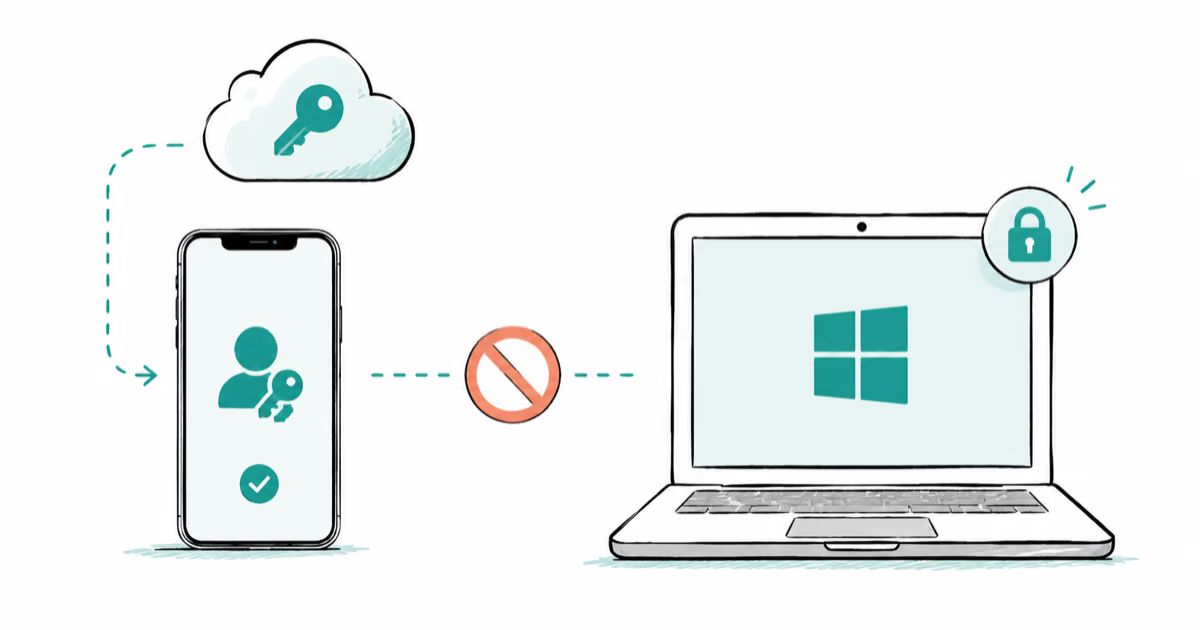
Passkeys Not Syncing Between iPhone and Windows? Read This
Passkeys not syncing between iPhone and Windows is by design, not a bug. Here is why iCloud passkeys skip Windows Hello and the three ways to fix it.
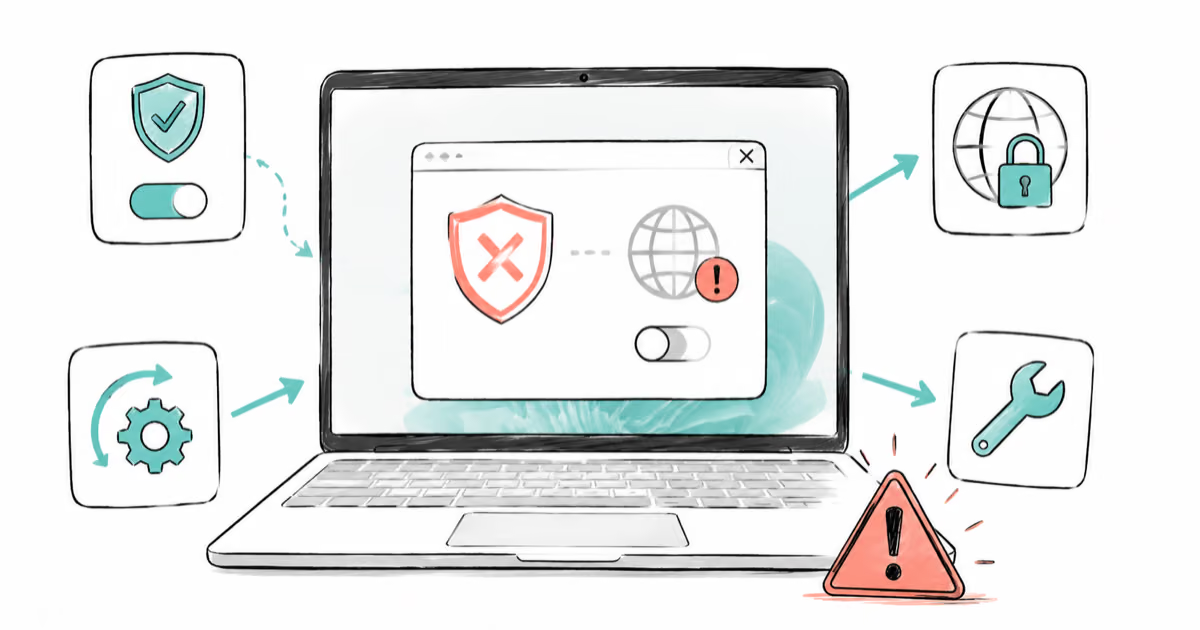
VPN Not Working on Snapdragon X? Why It Fails, How to Fix
Your VPN won't install or connect on a Snapdragon X Copilot Plus PC because Windows on ARM can't emulate the network driver. Here are the fixes that work.
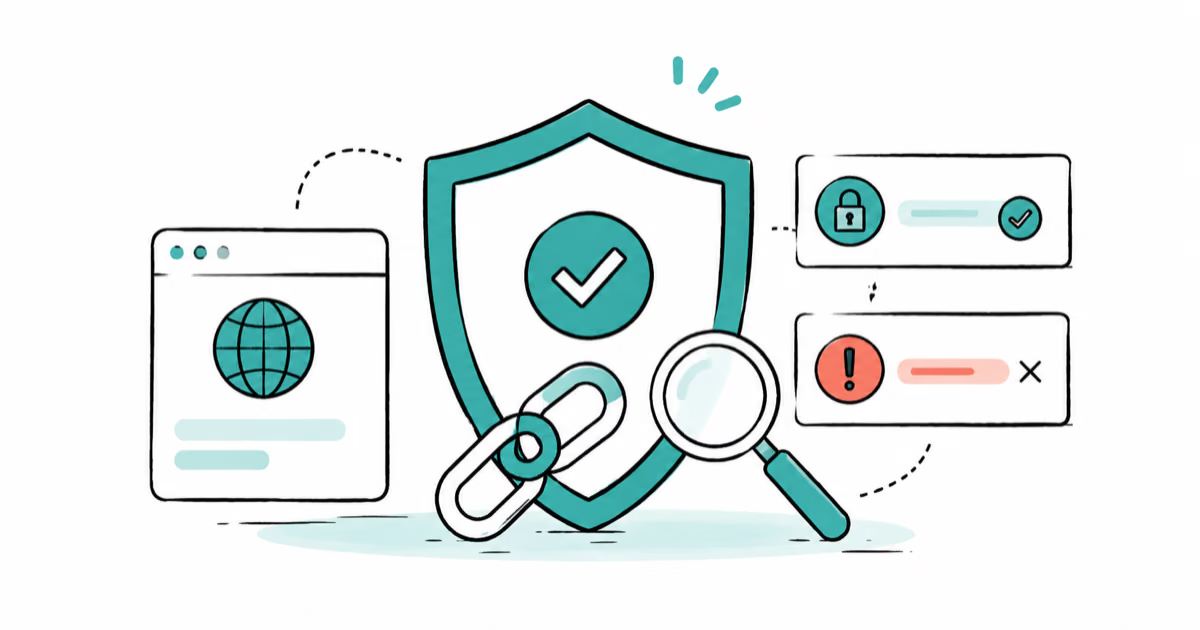
How to Check If a Link Is Safe Before You Click It
Learn how to check if a link is safe with official-first steps: read the real domain, use the app instead, and treat scanners as a second opinion only.