Best CapCut Alternatives for iPhone: 6 Free and Paid Picks
The best CapCut alternatives for iPhone in 2026, from free iMovie and VN to pro-grade LumaFusion. See which editor fits your workflow and budget.
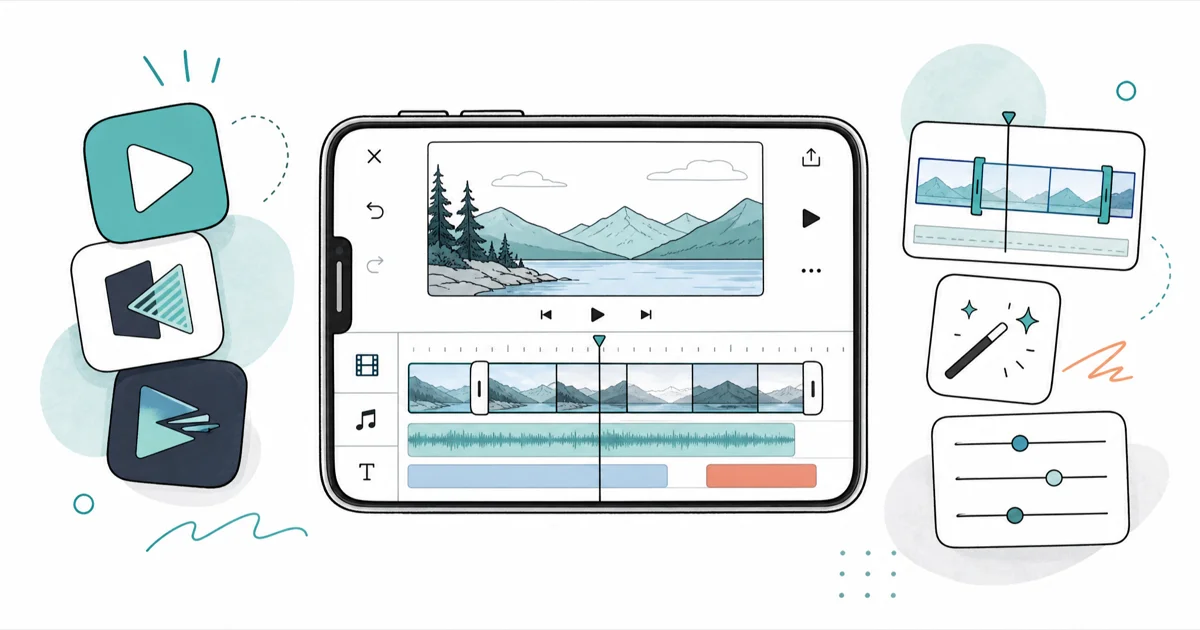
Quick AnswerFor most iPhone users, VN is the closest free CapCut replacement, with the same timeline workflow and watermark-free exports. Pick iMovie if you want something free and built in, or LumaFusion if you need pro-grade control and don't mind paying.
Looking for the best CapCut alternatives for iPhone usually comes down to two things: dodging CapCut’s growing paywall and finding an editor that fits how you actually shoot. Below, the picks focus on the familiar timeline feel, watermark-free exports, and whether the paid upgrades are worth it. There’s a clear pick for each kind of editor below.
- VN is the closest free CapCut replacement, with a near-identical timeline UI and watermark-free exports
- iMovie is the best truly free option for Apple users, since it’s built into iOS with no account needed
- LumaFusion is the strongest paid pick for pro-level multi-track editing on iPhone
- Splice and InShot suit fast social clips, while Instagram Edits exports without a watermark for Reels
- Pick one editor that matches your workflow rather than installing all of them at once
#Why Are People Leaving CapCut in 2026?
Two shifts pushed many iPhone editors to look elsewhere this year. The first is money. CapCut’s move toward a subscription model accelerated through 2026, and several signature features like auto-captions and background removal now sit behind a paid plan.
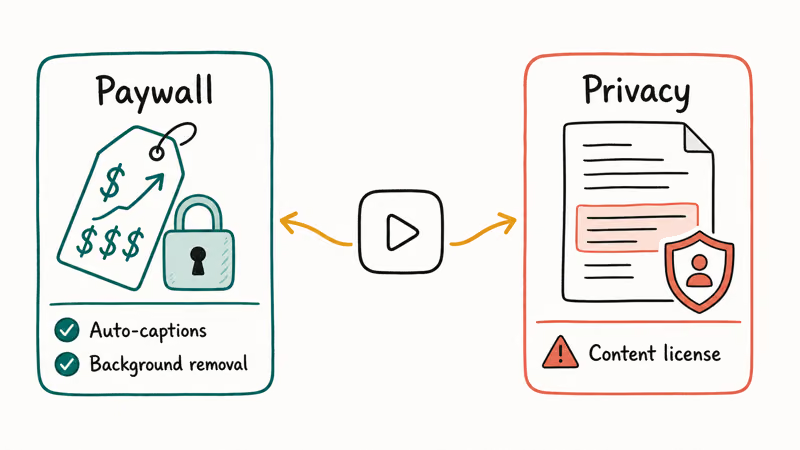
The second is privacy. A TechSmith roundup of CapCut alternatives found that CapCut’s mid-2025 terms of service granted its parent company a broad license to use content you upload. For creators who post personal footage, that’s a real concern, not a hypothetical one.
Neither change means CapCut stopped working. It means the free, no-strings version many people relied on has narrowed, so the alternatives below earn a fresh look.
#VN: The Best Free CapCut Alternative
VN is the standout free pick, and it’s the one we’d hand most people switching off CapCut. It mirrors CapCut’s layout so closely that the move feels like rearranging a familiar room rather than learning a new app. Exports come out watermark-free on the free tier, and auto-captions work without forcing an upgrade.
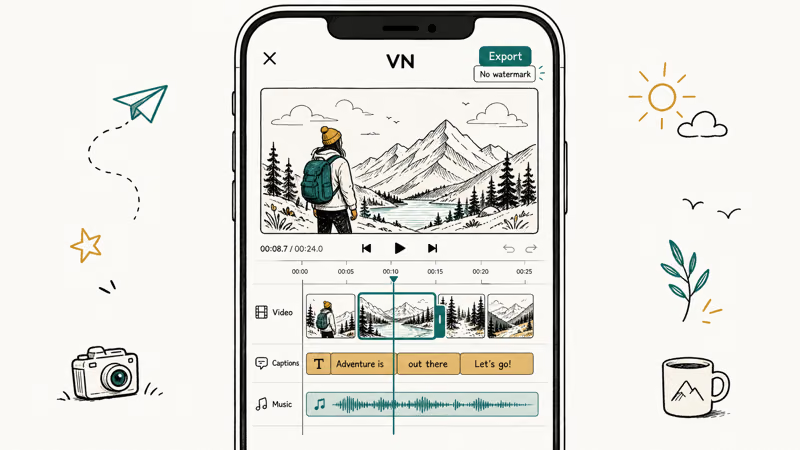
VN exports without a watermark and keeps the main CapCut controls where your fingers expect them.
VN does have a Pro tier for extra features, but most casual creators stay happy on free. If your goal is the closest possible CapCut feel without paying, start here.
#iMovie: The Best Built-In Free Option
iMovie is Apple’s own free editor, and it’s already on most iPhones or one tap away in the App Store. There’s no account to create and nothing to pay, which makes it the lowest-friction option on this list.
The interface is a clean drag-and-drop timeline with titles, transitions, and royalty-free music built in. According to Apple’s iMovie support page, the app supports 4K export and syncs projects across iPhone, iPad, and Mac through iCloud, so you can start a cut on your phone and finish it on a Mac.
The trade-off is depth. iMovie lacks keyframing and motion tracking, so it’s better for straightforward edits like home videos, school projects, and YouTube intros than for layered, effects-heavy social clips. iMovie is fine for simple travel recaps, but it runs out of room once you want animated text overlays. If you need to change a clip’s shape for different platforms, our guide on how to change aspect ratio in iMovie covers that exact step.
#LumaFusion: The Best Paid Pro Pick
LumaFusion is the pro pick. According to its App Store listing, it offers one-time pricing, desktop-class multi-track editing, and current pricing.
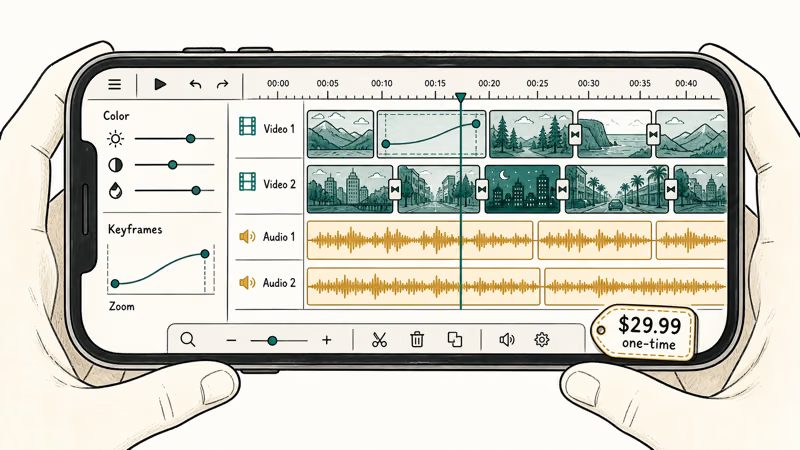
You get multiple video and audio tracks, keyframing, color correction, and precise timeline control that rivals laptop editors. For creators who already edit on a computer and want a serious mobile companion, it’s the obvious upgrade. It’s overkill for a quick Reel, so only buy it if you truly need the extra tracks and tools.
LumaFusion’s multi-track timeline, keyframing, and precise preview controls are built for layered work rather than quick trims.
#Splice, InShot, and Instagram Edits for Fast Social Clips
Not everyone needs a deep editor. For quick, social-first videos, three lighter apps cover most needs without a learning curve.
Splice focuses on simple timeline editing that feels close to a desktop editor while staying mobile-first, which makes it a solid iPhone default for trimming and arranging clips. InShot leans even lighter, with a minimalist design built for fast, polished clips aimed at Instagram and TikTok creators. Instagram’s own Edits app is free, exports without a watermark, and handles videos up to 10 minutes with captions and green-screen tools.
Across review roundups, a useful rule is simple: don’t install all of these at once. Pick the one editor that matches your real workflow, because juggling four apps slows you down more than any missing feature would. If you ever hit a watermark wall elsewhere, our roundup of free video editing software with no watermark compares options across platforms.
#How Do These iPhone Editors Compare?
The right pick depends entirely on what you edit and whether you’ll pay. The table below sorts the six by best use case so you can match an editor to your actual habit rather than chasing a single winner.
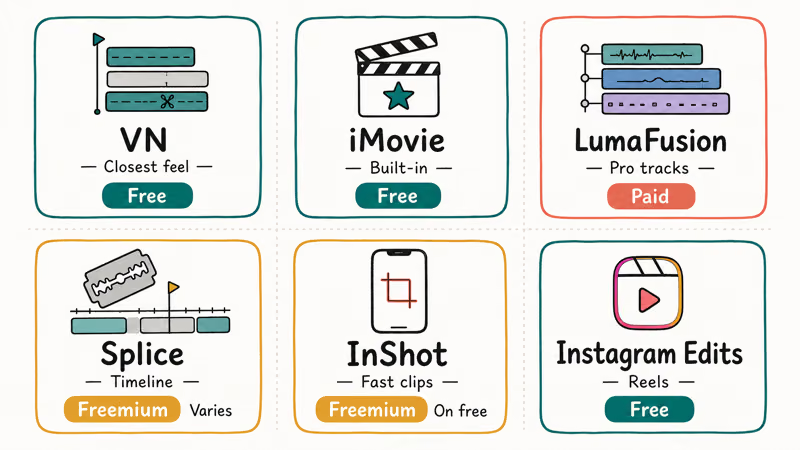
Comparison of the best CapCut alternatives for iPhone by use case, price, and watermark policy
| Editor | Best for | Price | Watermark |
|---|---|---|---|
| VN | Closest CapCut feel | Free (Pro optional) | None on free |
| iMovie | Built-in, no account | Free | None |
| LumaFusion | Pro multi-track work | Paid (one-time) | None |
| Splice | Timeline-style mobile edits | Free with paid tier | Varies by tier |
| InShot | Fast social clips | Free with paid tier | On free tier |
| Instagram Edits | Reels and short clips | Free | None |
If you also edit on a computer or want a desktop comparison, our guide to CapCut for PC covers the bigger-screen workflow, and creators chasing those viral layouts can grab ready-made looks from our CapCut templates walkthrough.
For serious mobile-plus-desktop editors weighing hardware, the best laptop for video editing under $1000 roundup pairs well with LumaFusion on iPhone.
#Bottom Line
If you’re switching off CapCut and want the least disruption, install VN, because it copies the workflow you already know and exports clean on the free tier. If you’d rather not download anything new, iMovie is already on your iPhone and handles straightforward edits for free with no account.
And if you edit seriously and want true multi-track control with keyframing, LumaFusion is the one paid app here worth buying. A quick Reel needs nothing heavier than InShot or Instagram Edits.
#Frequently Asked Questions
Is there a CapCut alternative for iPhone with no watermark?
Yes. VN, iMovie, and Instagram Edits all export without a watermark on their free versions, while Splice and InShot may add one, so check first.
Is iMovie good enough to replace CapCut?
For most everyday edits, yes. iMovie handles trimming, titles, transitions, and 4K export for free, which covers home videos, school projects, and simple social clips. Where it falls short is advanced work, since it has no keyframing or motion tracking. If you mostly do quick, layered effects, VN keeps more of CapCut’s feature set.
Is LumaFusion worth paying for on iPhone?
If you edit seriously, yes. LumaFusion brings multi-track timelines, keyframing, and color correction that no free iPhone app on this list matches. For casual creators making short clips, it’s overkill, and a free app like VN does the job. Buy it only when you really need the extra tracks and precision.
Which CapCut alternative is closest to CapCut itself?
VN, without much competition. It uses nearly the same interface layout, so tools sit where your fingers expect them, and the free tier exports without a watermark.
Can I edit on my iPhone and finish on a Mac?
Yes, if you use iMovie. It syncs projects across iPhone, iPad, and Mac through iCloud, so you can start a rough cut on your phone and finish on a bigger screen.
Are these CapCut alternatives really free, or do they push subscriptions?
It varies by app. iMovie and Instagram Edits are completely free with no upsell, while VN is free with an optional Pro tier most people skip. Splice and InShot are free to start but reserve some features and watermark removal for paid tiers. LumaFusion is paid from the start with a one-time price rather than a subscription, which is exactly why CapCut refugees tend to like it.
Do I need to worry about privacy with these alternatives?
Less than with CapCut’s 2025 terms, but always check. Apple’s iMovie keeps editing on-device and within iCloud rather than licensing your content. Instagram Edits ties into Meta’s ecosystem, so its data practices match Instagram’s. Reading any editor’s terms before uploading personal footage is the safest habit regardless of which one you choose.

Is This Bank App Real? Spot a Fake App on Your Home Screen
A bank app can land on your home screen from a web page with no install warning. Learn the checks that tell a real banking app from a phishing web app.

Apps Crashing After iOS 27 Update? Fix Order (2026)
Apps crashing after the iOS 27 update? Update the app in the App Store first, then offload and reinstall to clear stale cache, then restart. The fix order.

Do AI Translation Earbuds Work Offline? What to Know
Do AI translation earbuds work offline? A few do with downloaded language packs, but most need the cloud. Here's what works offline and what you give up.

How to Set Up Translation Earbuds (Pairing and Modes)
How to set up translation earbuds: charge, install the app, pair over Bluetooth, pick two languages, and choose a mode. A step-by-step first-use guide.