Best Gaming Monitor 2026: Top OLED Picks by GPU Tier
Best gaming monitor in 2026 by GPU tier. We pick top 1440p and 4K OLED panels and match refresh rate, response, and VRR to the card you actually own.
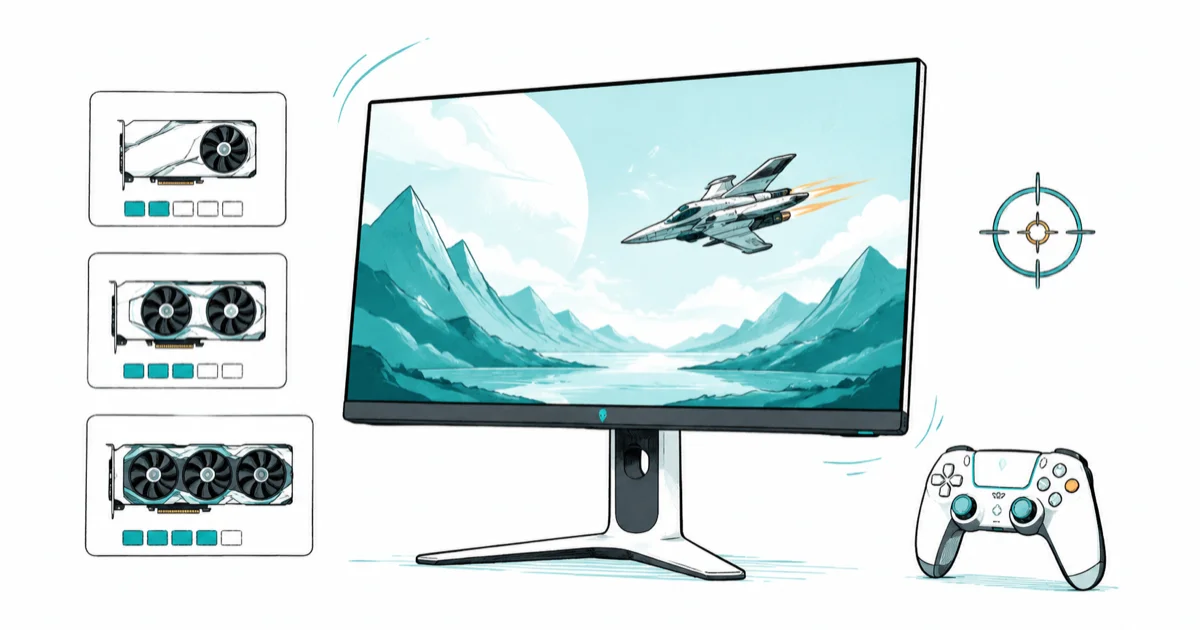
Quick AnswerThe best gaming monitor for most players in 2026 is the Alienware AW2725D, a 27-inch 1440p QD-OLED at 280Hz for under $500. Pair the refresh rate to your GPU tier, not the biggest number on the box.
The best gaming monitor in 2026 is the one your graphics card can actually feed, and for most players that’s a 27-inch 1440p QD-OLED like the Alienware AW2725D. A 480Hz panel is wasted if your GPU pushes 120 frames. Below we match the current OLED lineup to GPU tiers so you buy a screen your rig can drive, not a spec sheet.
- The Alienware AW2725D is the best all-round pick: a 27-inch 1440p QD-OLED at 280Hz, usually under $500.
- Match refresh to your GPU. The 240Hz tier pairs with an RTX 5070 or RX 9070 class card without leaning hard on upscaling.
- OLED motion clarity beats fast LCDs. Per-pixel response near 0.03ms removes the smearing that high-refresh IPS panels still show.
- For 4K gaming you need a flagship card. The Alienware AW2725Q runs 4K at 240Hz but demands top-tier silicon to fill it.
- Burn-in is largely solved. Modern OLED panels ship pixel shifting plus multi-year burn-in warranties, so the risk for mixed use is low.
#How Do You Match a Monitor to Your GPU?
The single biggest mistake gamers make is buying refresh rate they can’t use. A panel only helps if your card consistently produces frames near its ceiling.
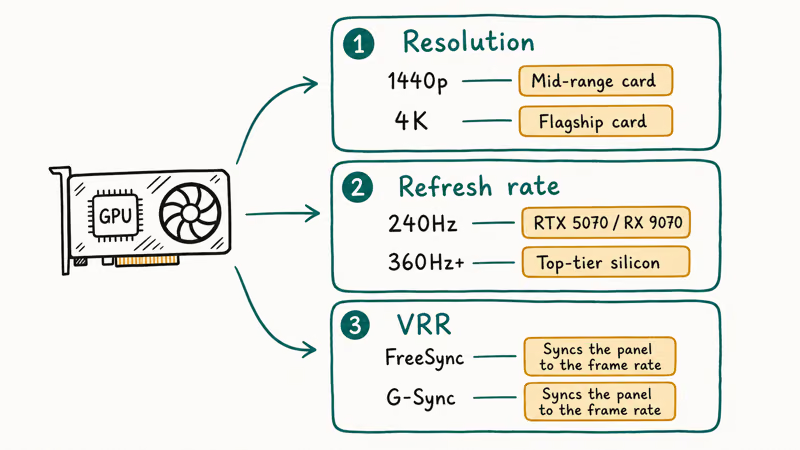
Resolution comes first because it sets the GPU workload. 1440p is the 2026 sweet spot: sharp, demanding enough to look modern, but light enough that a mid-range card holds high frame rates. 4K roughly doubles the pixels to push, so it needs flagship hardware or aggressive upscaling.
Refresh rate is second, and it should follow your card. A 240Hz panel suits an RTX 5070 or RX 9070 class GPU in most titles. A 360Hz or 480Hz panel only earns its price if you play competitive shooters on top-tier silicon. Our best GPU for 1440p gaming guide breaks down exactly which cards feed which refresh tier.
VRR is the third piece, and it’s non-negotiable. FreeSync and G-Sync sync the panel to your frame rate to kill tearing, and nearly every gaming monitor now supports one or both.
#Best Gaming Monitor Overall: Alienware AW2725D
If you want one screen that nails the price-to-performance balance, this is it. The Alienware AW2725D is a 27-inch 1440p QD-OLED, and it has become the default mid-range recommendation.
As an Amazon Associate fone.tips earns from qualifying purchases. Prices and availability on Amazon are accurate as of the date above and subject to change.
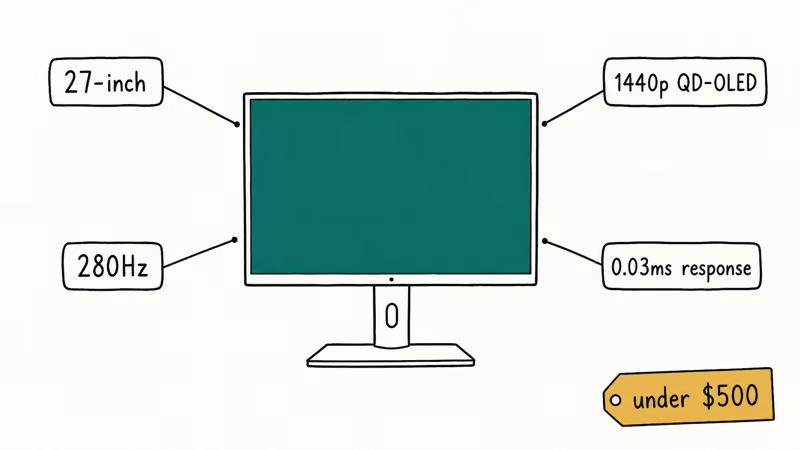
What earns it the top spot is value. According to Tom’s Guide’s Alienware AW2725D review, the panel runs a high 280Hz refresh with a fast 0.03ms response time for minimal blur and ghosting, and the reviewer rated it a peach of a mid-range monitor for under $500. The QD-OLED panel brings rich color, inky blacks, and high contrast.
It isn’t perfect. Tom’s Guide noted it lacks the dense port selection of pricier panels and has no built-in speakers. For a sub-$500 1440p OLED with this motion clarity, those are easy trade-offs.
This is the panel to buy if you run a current mid-to-upper GPU. It pairs naturally with an RTX 5070 Ti or RX 9070 XT, which can keep 1440p frame rates high enough to make the 280Hz refresh count.
#Best Premium 1440p Gaming Monitor: ASUS ROG Swift PG27AQWP
Want the fastest 1440p OLED money can buy? Step up to the flagship tier.
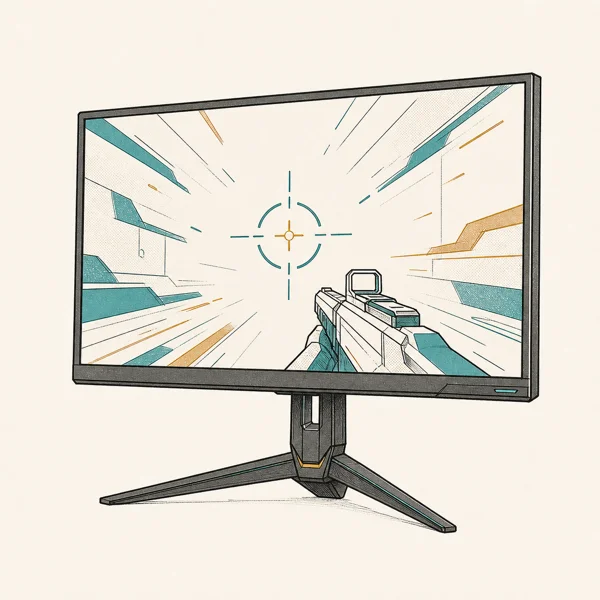
The ASUS ROG Swift PG27AQWP sits at the top of the 27-inch class.
As an Amazon Associate fone.tips earns from qualifying purchases. Prices and availability on Amazon are accurate as of the date above and subject to change.
Independent reviewers rank it as the best overall gaming OLED available, praising its very high refresh rate and a new subpixel structure that sharpens text. That text fix matters, because earlier OLED panels struggled with small fonts on the desktop. If you also do color work, our best monitor for color grading guide covers panels tuned for accuracy over raw speed.
This is an esports panel, so be honest about your hardware. A refresh rate this high only pays off in competitive titles where your card can push 300-plus frames. For everyone else, the cheaper AW2725D delivers most of the experience for far less.
If you mix serious work into your gaming, this panel doubles well. The improved subpixel layout means code and spreadsheets read cleanly, which older WOLED and first-gen QD-OLED screens did not manage as well.
#Best 4K Gaming Monitor: Alienware AW2725Q
Ready to game at 4K? You need both the right panel and a flagship graphics card.
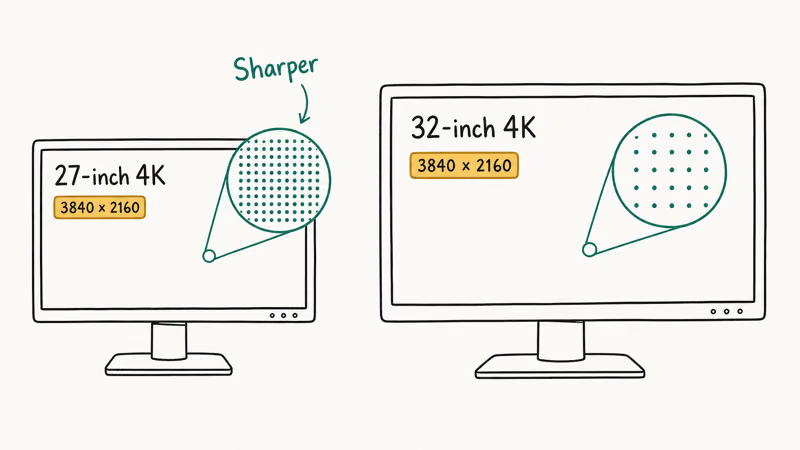
The Alienware AW2725Q is a 27-inch 4K 240Hz OLED, and at 27 inches the 4K pixel density is razor sharp.
As an Amazon Associate fone.tips earns from qualifying purchases. Prices and availability on Amazon are accurate as of the date above and subject to change.
Tom’s Guide’s Alienware AW2725Q review found that the 4K 240Hz OLED delivers gaming greatness, with per-pixel response that keeps fast motion crisp at high frame rates. At 27 inches that 4K pixel density is the sharpest you’ll find, packing far more detail per inch than any 32-inch 4K panel can manage.
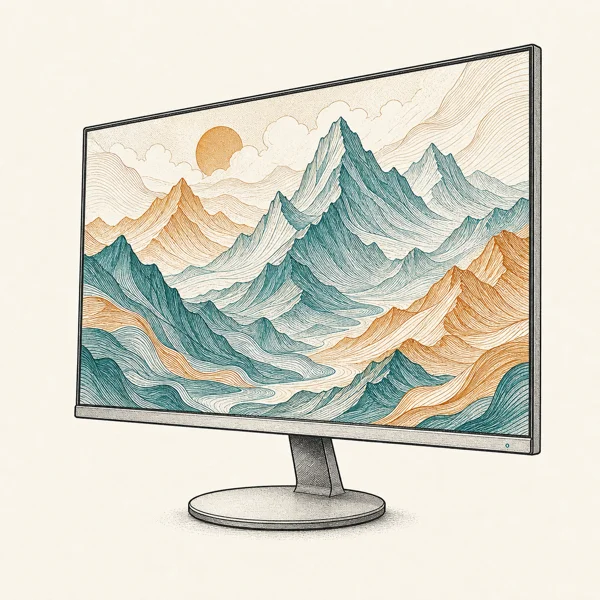
For a larger 4K canvas, the MSI MPG 321URX stretches the same idea to 32 inches.
According to Tom’s Guide’s MSI MPG 321URX review, the panel runs 240Hz with a 0.03ms response time and one of the best images they have tested. Driving 4K at 240Hz still takes serious hardware, so this panel only makes sense with a top-tier GPU.
Be realistic about the card. 4K at 240Hz needs a top-tier GPU plus upscaling like DLSS 4 or FSR 4 in demanding games. Our best HDMI 2.1 monitor guide covers the connection you need to drive 4K high-refresh from a PC or a console.
#Best Budget Gaming Monitor: Fast 1440p Value
Not ready for an OLED? A fast LCD panel still delivers excellent gaming on a tighter budget, and it carries zero burn-in risk for mixed work and play.
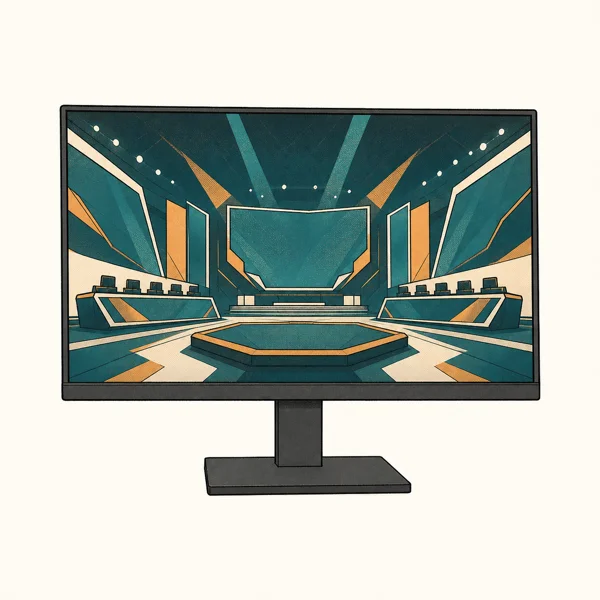
The AOC Q27G4XN runs 180Hz at 1440p with Adaptive-Sync for well under $300. The color and motion can’t match OLED, but for esports titles where frame rate matters more than contrast, it’s plenty. Panels like this also pair cleanly with cheaper cards covered in our best GPU for 1080p 144Hz guide.
As an Amazon Associate fone.tips earns from qualifying purchases. Prices and availability on Amazon are accurate as of the date above and subject to change.
One thing to watch is the input. If a budget panel ever throws an error when you push a high refresh, our fix for input not supported on monitor covers the cable and refresh mismatches behind it.
#Does OLED Really Beat Fast LCD for Gaming?
For motion clarity, yes, and it’s the clearest single reason OLED took over the high end of the gaming market. OLED switches each pixel on and off individually, so it has near-instant response with no separate backlight layer that has to catch up to the image you are moving across the screen.
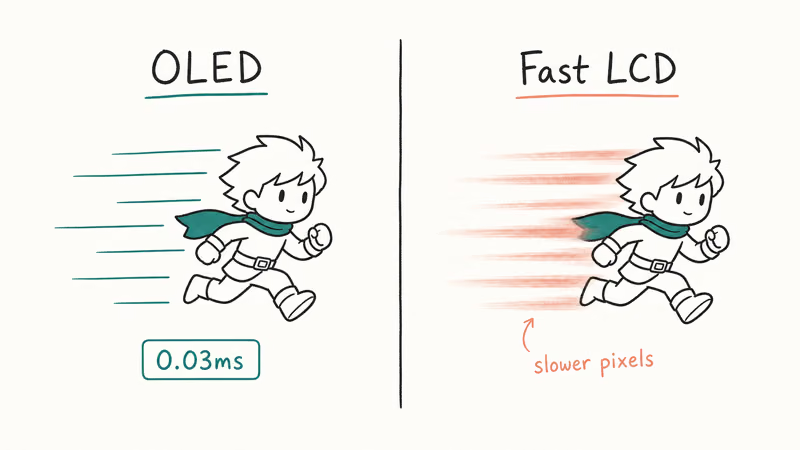
A fast IPS LCD can hit 240Hz, but its pixels change color more slowly, leaving faint smear trails. OLED’s roughly 0.03ms response removes that.
LCD still wins on two fronts. Mini-LED LCDs push far higher sustained brightness for HDR, and they carry zero burn-in risk for static desktop use. If you game in a bright room or leave the same HUD on screen for years, a mini-LED is the safer call.
For most gamers in a normal room, OLED wins on balance.
#Bottom Line
Buy the Alienware AW2725D. It’s the 1440p QD-OLED that hits the value sweet spot at under $500, and it pairs perfectly with a current mid-to-upper GPU.
Spend more only if your hardware justifies it. The ASUS ROG Swift PG27AQWP is the pick for competitive players with flagship cards, while the Alienware AW2725Q and MSI MPG 321URX deliver 4K for anyone running top-tier silicon. Match the panel to the card, and you won’t pay for refresh rate you can’t use.
#Frequently Asked Questions
What refresh rate do I actually need for gaming?
It depends on your GPU and the games you play. A 240Hz panel is plenty for most players and pairs well with an RTX 5070 or RX 9070 class card. Step up to 360Hz or higher only if you play competitive shooters and your hardware can consistently push 300-plus frames, because below that the extra refresh just sits there unused and you have paid a premium for headroom you never reach in practice.
Is 1440p or 4K better for gaming in 2026?
For most people, 1440p is the better balance. It looks sharp while staying light enough for a mid-range card to drive at high frame rates, whereas 4K doubles the GPU load.
Should I buy an OLED gaming monitor?
Yes, for most gamers. OLED delivers the best motion clarity and deepest blacks of any panel. Burn-in is the only real caveat, and modern panels manage it well.
Do OLED gaming monitors have burn-in?
The risk exists but is now small. Modern OLED panels run pixel shifting, logo dimming, and automatic refresh cycles in the background, and most ship with three-year burn-in warranties that cover the worst case. Vary what’s on screen and use a screensaver during idle time, and burn-in is unlikely to ever affect you across a normal ownership window.
What GPU do I need for a high-refresh gaming monitor?
Match the card to the resolution and refresh you want. A 1440p 240Hz panel pairs well with an RTX 5070 Ti or RX 9070 XT class card, while 4K at high refresh needs a flagship GPU plus upscaling. Our GPU guide breaks down which cards feed which refresh tier so you don’t bottleneck the monitor or overpay for a panel your card can’t fill.
Is FreeSync or G-Sync better?
For most players the difference is small. Both kill screen tearing by syncing the display to your frame rate. Pick a monitor that supports whichever GPU brand you own.
How many Hz can a console output?
A PS5 or Xbox Series X outputs up to 4K 120Hz over HDMI 2.1, so a console gaming monitor needs an HDMI 2.1 port to unlock that 120Hz mode. Many PC-focused OLED panels include HDMI 2.1, but check the spec sheet before you buy if console play is a priority for your setup.
Fortnite Stuck on the Loading Screen? Fix It in 2026
Fortnite stuck on the loading screen? Check server status, fix the Windows N Media Pack and DirectX 11 on PC, clear the console cache, and verify files.
Minecraft Keeps Crashing? Java and Bedrock Fixes (2026)
Minecraft keeps crashing on startup or mid-game? Update your GPU driver, remove mods on Java, and reinstall Gaming Services on Bedrock. Fixes for both.
Pokemon GO Not Loading? Fix the Loading Screen 2026
Pokemon GO not loading or stuck on the Pokeball? Check server status, fix automatic date and time, grant location permission, clear the cache, and update.
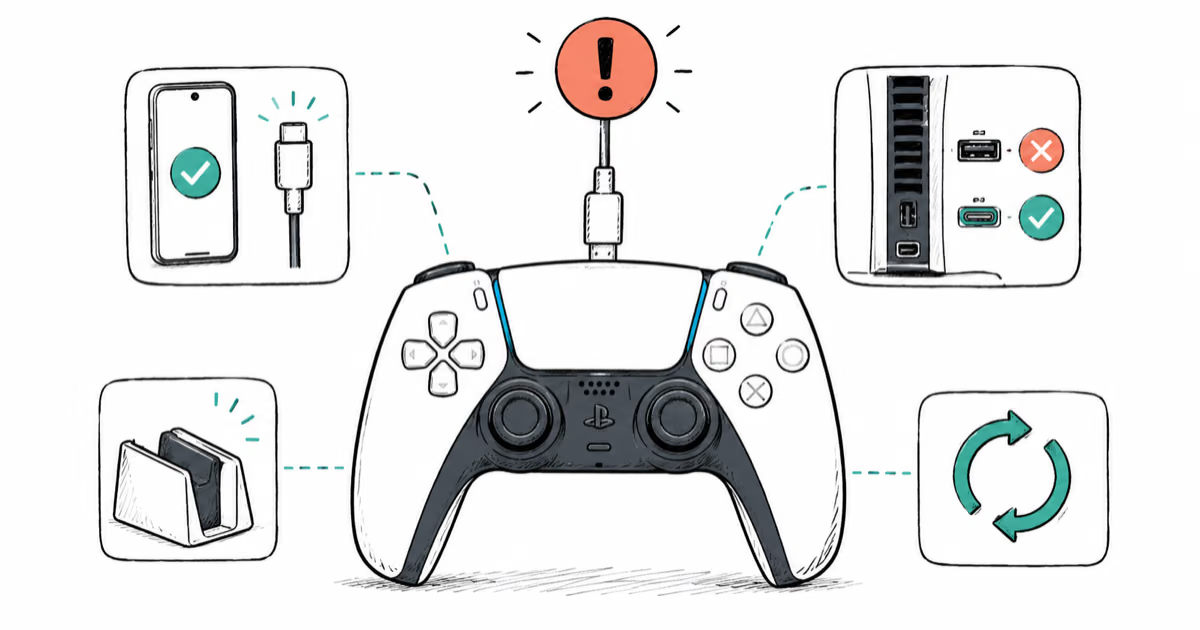
PS5 Controller Not Charging? 9 Fixes That Work (2026)
DualSense not charging? Swap the cable, use a rear port in Rest Mode, clean the USB-C port, and check power settings. 9 fixes for a dead PS5 controller.