Best GPU for 1440p Gaming: Top Picks by Budget for 2026
Best GPU for 1440p gaming in 2026. We rank RTX 50-series and RX 9000 cards by budget tier, with picks for raster value, ray tracing, and high-refresh play.
Quick AnswerThe best GPU for 1440p gaming in 2026 is the AMD RX 9070 XT for pure rasterized value, or the RTX 5070 Ti if you want the strongest ray tracing and DLSS 4. On a tighter budget, the RX 9060 XT 16GB is the value champion.
The best GPU for 1440p gaming in 2026 is the AMD RX 9070 XT for raw value, with the RTX 5070 Ti the pick if ray tracing matters most. We sorted the current RTX 50-series and RX 9000 lineup into budget tiers so you can match a card to your monitor and wallet without overpaying. One caveat up front: a memory shortage has pushed GPU prices around, so check live listings before you buy.
- The RX 9070 XT is the best raster value at 1440p, landing close to the pricier RTX 5070 Ti for less money.
- The RTX 5070 Ti is the strongest all-rounder, with the best ray tracing and DLSS 4 multi-frame generation, but pricing has been steep.
- For value, the RX 9060 XT 16GB and RTX 5060 Ti 16GB are the smart mid-range picks. Avoid the 8GB versions of either card at 1440p.
- 12GB of VRAM is enough for most games at 1440p, but 16GB gives you breathing room for heavy ray tracing and future titles.
- NVIDIA still leads on ray tracing and AI upscaling, while AMD’s RDNA 4 closed much of the raster and efficiency gap.
#What Class of GPU 1440p Really Needs
1440p sits in the sweet spot between 1080p and 4K, and it’s where most new gaming monitors land in 2026. You want a card that holds high frame rates at high or ultra settings without forcing you into aggressive upscaling.
For most people that means a current mid-to-upper card with at least 12GB of VRAM. According to Tom’s Hardware’s GPU benchmark hierarchy, 12GB covers the majority of games at 1440p, while heavy ray tracing or 4K pushes you toward 16GB. That single number is the easiest way to avoid a card that ages badly.
Skip the 8GB cards. In texture-heavy titles at 1440p, an 8GB card drops frames and stutters once VRAM fills, while its 16GB twin keeps a steady frame rate. If a card comes in 8GB and 16GB flavors, the 16GB version is the only one worth buying at this resolution.
#RX 9070 XT vs RTX 5070 Ti: Which Flagship Wins?
This is the matchup most 1440p buyers care about, and the answer depends on whether you turn ray tracing on.
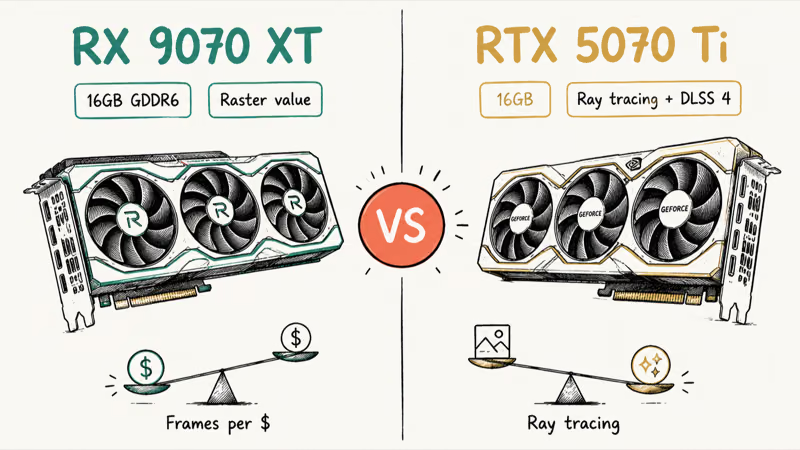
In rasterized games the two trade blows. The Tom’s Guide RX 9070 XT review found that the card reaches higher frame rates than the RTX 5070 Ti in some titles while costing meaningfully less. AMD’s RDNA 4 architecture closed two old gaps, ray tracing and AI acceleration, so the Radeon is no longer the obvious compromise it once was. For pure high-refresh raster at 1440p, it’s our value pick.
NVIDIA still has the edge where it counts for some players. Turn on path tracing in something like Cyberpunk 2077 and the RTX 5070 Ti pulls ahead, and DLSS 4 with multi-frame generation remains more reliable than FSR 4. If you toggle ray tracing on by default or care about AI and creator workloads, the 5070 Ti is the better all-rounder.
Price is the tiebreaker, and it’s been ugly. The broader market context, per the Tom’s Guide best graphics cards roundup, is that the RAM crisis pushed once-affordable cards into mid-range pricing. The 5070 Ti has often sold hundreds above an RX 9070 XT for raster performance that’s close. Buy the AMD card unless ray tracing or NVIDIA’s software stack is a must-have.
#Our Top GPU Picks for 1440p Gaming
Each pick below targets a different budget and priority. Match the card to how you actually play, not to the spec sheet alone.
#1. AMD RX 9070 XT (Best Overall Value)
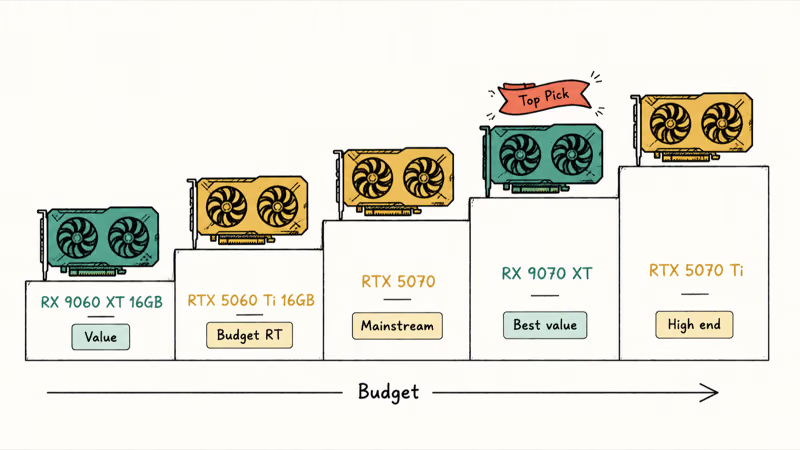
The AMD Radeon RX 9070 XT is our top pick for 1440p gamers. It has 16GB of GDDR6, handles current games at high to ultra settings, and gets within striking distance of the RTX 5070 Ti in raster for less cash.
As an Amazon Associate, fone.tips earns from qualifying purchases.
The trade-offs are honest ones. Ray tracing trails NVIDIA, and FSR 4 isn’t quite DLSS 4. If you live in rasterized competitive titles and want the most frames per dollar, none of that matters.
#2. NVIDIA RTX 5070 Ti (Best Performance and Ray Tracing)
Want the strongest 1440p experience with the lights on? The NVIDIA GeForce RTX 5070 Ti is the sweet spot of the RTX 50-series. It pairs excellent ray tracing with DLSS 4 multi-frame generation and enough headroom to dabble in 4K.
The catch is price. It’s the best card here when you find it near MSRP, but it’s been selling far above that during the shortage, which is the only reason it isn’t our outright pick.
#3. NVIDIA RTX 5070 (Mainstream 1440p)
A popular card that lands in an awkward spot. The NVIDIA GeForce RTX 5070 plays 1440p well, built on Blackwell with 12GB of GDDR7 and DLSS 4, but its buffer and price get squeezed when the RX 9070 outperforms it for less. Consider it mainly if you want NVIDIA’s software and catch it on a genuine sale.
#4. AMD RX 9060 XT 16GB (Best Value Mid-Range)
The AMD Radeon RX 9060 XT 16GB is the value champion. Tom’s Hardware’s review names it an Editor’s Choice and recommends it as the best value at 1440p, and it draws only around 150W while keeping a full 16GB buffer. For a tighter budget that still wants real 1440p, start here.
#5. NVIDIA RTX 5060 Ti 16GB (Budget Ray Tracing)
Want ray tracing on a budget? The NVIDIA GeForce RTX 5060 Ti 16GB is the pick. It trades blows with the RX 9060 XT in raster and pulls ahead with the lights on. Buy the 16GB version, never the 8GB, at 1440p.
#Does Ray Tracing Change the Pick at 1440p?
It can, and it’s the single question that flips our recommendation from AMD to NVIDIA.
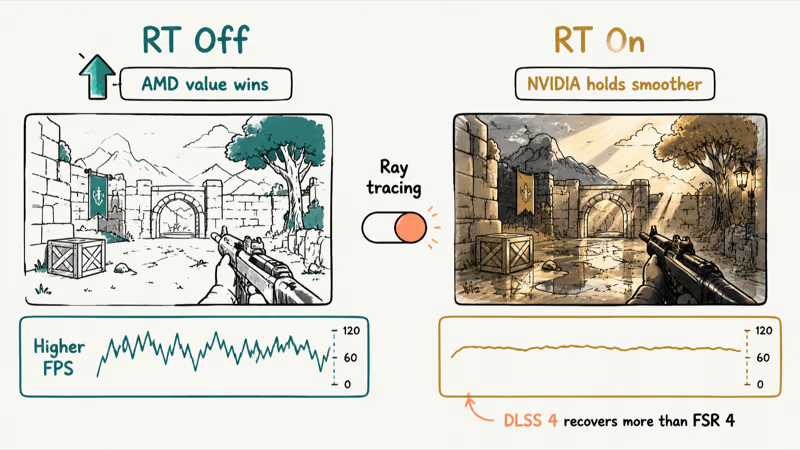
If you leave ray tracing off, the value math favors AMD almost every time. Turn it on in demanding titles and NVIDIA’s hardware advantage shows, especially with path tracing. In heavy ray-traced titles like Cyberpunk 2077 at 1440p, an RTX 50-series card holds a smoother frame rate than an RDNA 4 card at matched settings. DLSS 4 recovers more of that lost performance than FSR 4 does today.
That said, plenty of 1440p gamers rarely enable ray tracing. If that’s you, don’t pay the NVIDIA premium for a feature you’ll leave off.
#How Much VRAM and Power Each Tier Draws
VRAM is the spec that decides how long a 1440p card stays comfortable. 12GB clears most current games; 16GB is the safer long-term choice, especially with ray tracing or texture-heavy releases.
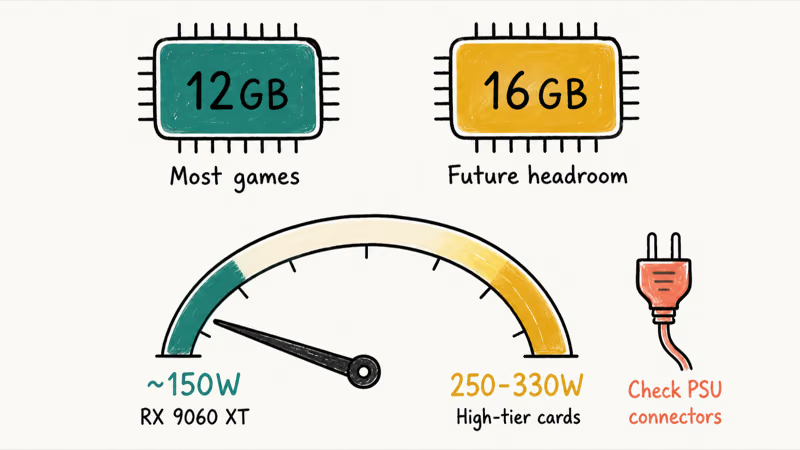
Power matters more than it used to. The RX 9060 XT sips around 150W, while the higher-tier cards draw 250W to 330W, so confirm your power supply has the headroom and the right connectors before you buy. A quality PSU is cheap insurance for an expensive GPU, and skimping there is a classic budget-build mistake.
| Card | VRAM | Best for | Tier |
|---|---|---|---|
| RX 9070 XT | 16GB | Raster value at 1440p | Upper mid |
| RTX 5070 Ti | 16GB | Ray tracing, 1440p+4K | High end |
| RTX 5070 | 12GB | Mainstream 1440p | Mid |
| RX 9060 XT 16GB | 16GB | Best value 1440p | Value |
| RTX 5060 Ti 16GB | 16GB | Budget ray tracing | Value |
Current GPU picks for 1440p gaming sorted by tier and VRAM
#Pairing Your GPU With the Right CPU
A great 1440p GPU still needs a CPU that can feed it, or you’ll leave frames on the table. The good news is that 1440p is GPU-bound more often than 1080p, so the CPU bar is lower than you might think.
Stepping up from a 1080p rig? Our guide to the best GPU for 1080p 144Hz shows where the older mid-range cards land, and the contrast with current 1440p hardware is stark.
Building around an older AMD chip is the other common scenario. The best GPU for the Ryzen 7 3700X and the best graphics card for the Ryzen 5 3600 guides cover sensible pairings so you don’t bottleneck a new card with an aging platform.
NVIDIA owners upgrading an older build should sanity-check the CPU side too. Our best CPU for the RTX 3070 guide explains how to avoid a mismatch, and the same logic carries over to the RTX 50-series. If you’d rather skip the parts hunt entirely, a prebuilt gaming PC under $500 is a reasonable on-ramp before you upgrade the GPU later.
#Bottom Line
Buy the RX 9070 XT if you want the most 1440p frames per dollar in rasterized games. Step up to the RTX 5070 Ti only if ray tracing, DLSS 4, or creator work is a priority and you find it near MSRP. On a tighter budget, the RX 9060 XT 16GB is the value pick, with the RTX 5060 Ti 16GB for budget ray tracing. Watch live pricing closely either way.
#Frequently Asked Questions
Is the RX 9070 XT good enough for 1440p?
Yes, it’s one of the best 1440p cards you can buy in 2026. With 16GB of VRAM it runs current games at high to ultra settings, and it lands close to the pricier RTX 5070 Ti in rasterized performance for less money.
Do I need 16GB of VRAM for 1440p gaming?
Not strictly. 12GB handles most games at 1440p comfortably, but 16GB gives you a safer margin for heavy ray tracing and future, texture-heavy releases. If two cards cost the same, take the one with more VRAM.
Should I buy NVIDIA or AMD for 1440p?
It comes down to ray tracing. AMD’s RX 9000 cards are excellent value in rasterized games, while NVIDIA’s RTX 50-series still leads on ray tracing and DLSS 4 upscaling. Pick AMD for raw frames per dollar, NVIDIA for the best lit-up visuals and AI features.
Is the RTX 5070 worth it at 1440p?
It’s capable but awkwardly placed. The 12GB RTX 5070 plays 1440p well, yet the RX 9070 often outperforms it for less, and the RTX 5070 Ti isn’t far above in price. Buy it mainly if you want NVIDIA’s software and catch it on a real sale.
Why are GPU prices so high in 2026?
A memory shortage has pushed prices up across both the RTX 50-series and RX 9000 lineup, and demand from AI buyers competes for the same silicon as gamers. Stock and pricing swing week to week, so it pays to track listings and pounce on a good deal.
Can these GPUs handle 4K too?
Some can, with help. The RTX 5070 Ti and RX 9070 XT manage 4K in many titles, especially with DLSS 4 or FSR 4 upscaling turned on. The mid-range cards are happiest at 1440p, where they don’t have to lean on upscaling as hard.
What refresh rate can I expect at 1440p?
It depends on the game and card. The flagship picks here push high-refresh play at 1440p in most titles, easily feeding a 144Hz or even a 240Hz panel in lighter games. The value cards target smooth 60-plus frame rates at high settings and rely on upscaling for the most demanding releases.
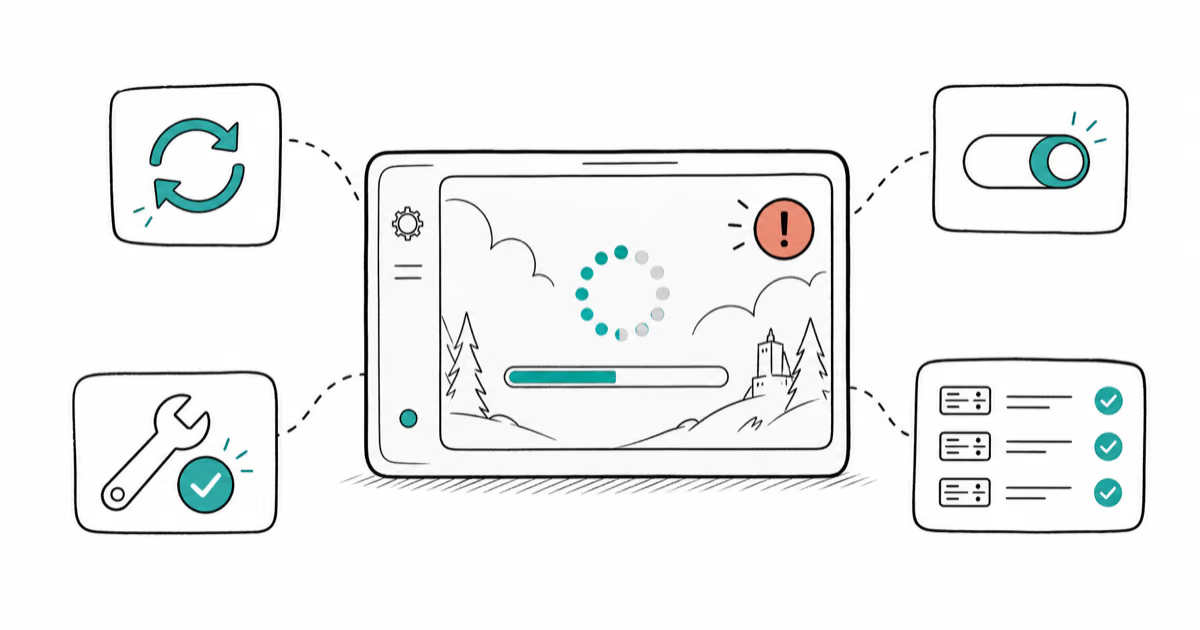
Fortnite Stuck on the Loading Screen? Fix It in 2026
Fortnite stuck on the loading screen? Check server status, fix the Windows N Media Pack and DirectX 11 on PC, clear the console cache, and verify files.

Minecraft Keeps Crashing? Java and Bedrock Fixes (2026)
Minecraft keeps crashing on startup or mid-game? Update your GPU driver, remove mods on Java, and reinstall Gaming Services on Bedrock. Fixes for both.

Pokemon GO Not Loading? Fix the Loading Screen 2026
Pokemon GO not loading or stuck on the Pokeball? Check server status, fix automatic date and time, grant location permission, clear the cache, and update.
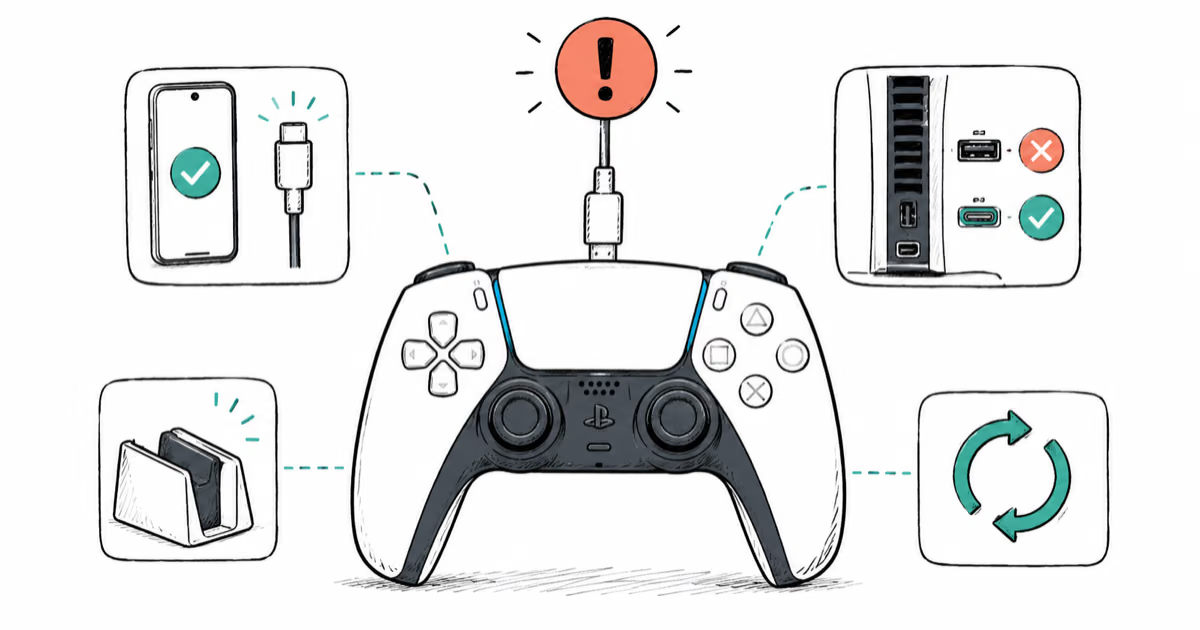
PS5 Controller Not Charging? 9 Fixes That Work (2026)
DualSense not charging? Swap the cable, use a rear port in Rest Mode, clean the USB-C port, and check power settings. 9 fixes for a dead PS5 controller.