Best Gaming Headset for PC 2026: Top Flagship Picks
Best gaming headset for PC in 2026: 4 flagship picks compared for Discord routing, OBS streaming, and DTS Headphone:X spatial. SteelSeries wins on routing.
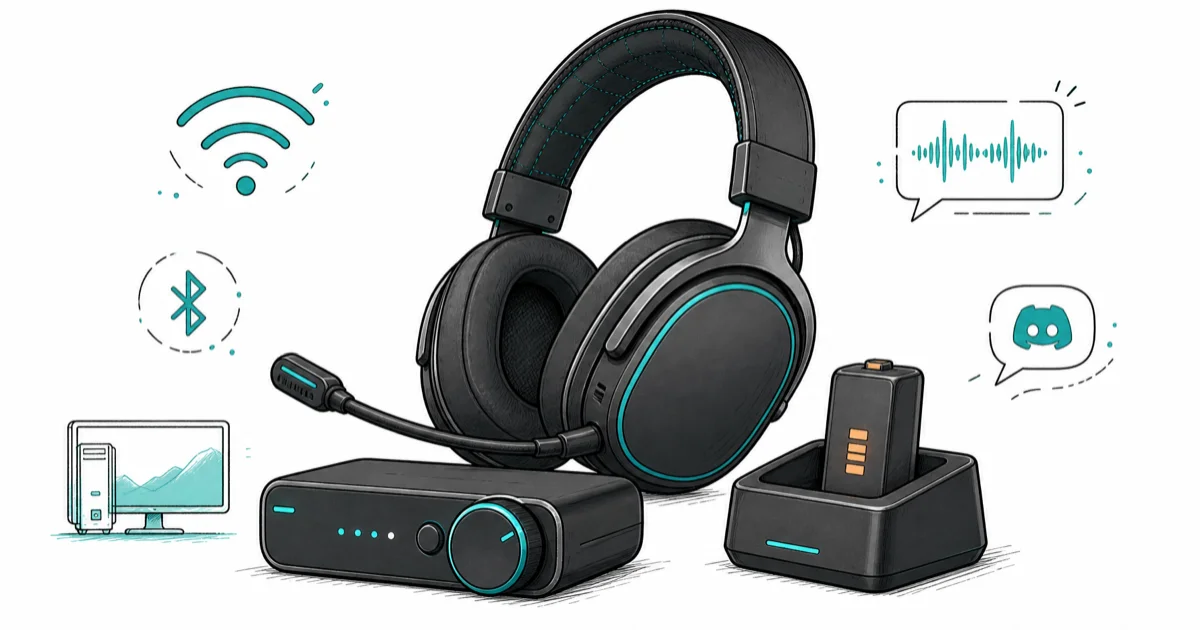
Quick AnswerThe SteelSeries Arctis Nova Pro Wireless is the best PC gaming headset for most builders. Its hot-swap battery, GameDAC base station, and simultaneous 2.4GHz plus Bluetooth keep a competitive rig connected without a charge break.
A PC gaming headset has to do three jobs at once that a console headset never has to think about.
It has to mix game audio with a Discord call without latency tax, push clean spatial audio into competitive shooters with footstep cues, and run for the length of an 8-hour stream without a charge break or a Bluetooth handoff.
This roundup compares four flagship picks against what a Ryzen 7 build with an RTX 4070 actually demands: competitive sessions through OBS Studio 30, Discord push-to-talk, and DTS Headphone
spatial.- A real GameDAC base station beats software mixing for PC streamers because it isolates game audio from Discord at the hardware layer with no driver-conflict risk
- Planar magnetic drivers in a gaming headset are rare; they expose positional detail that dynamic drivers can’t match for footsteps and reload cues
- Simultaneous 2.4GHz plus Bluetooth lets a PC headset accept Discord on a phone while game audio runs on the desktop, no manual source switching
- A hot-swap battery design solves the charge-cycle anxiety that every wireless headset hits during 8-hour competitive sessions
- Tempest 3D Audio profiles and 360 Spatial Sound calibration are PlayStation-specific, so a PC-only pick should focus on platform-agnostic spatial codecs
#Best Overall PC Gaming Headset: SteelSeries Arctis Nova Pro Wireless
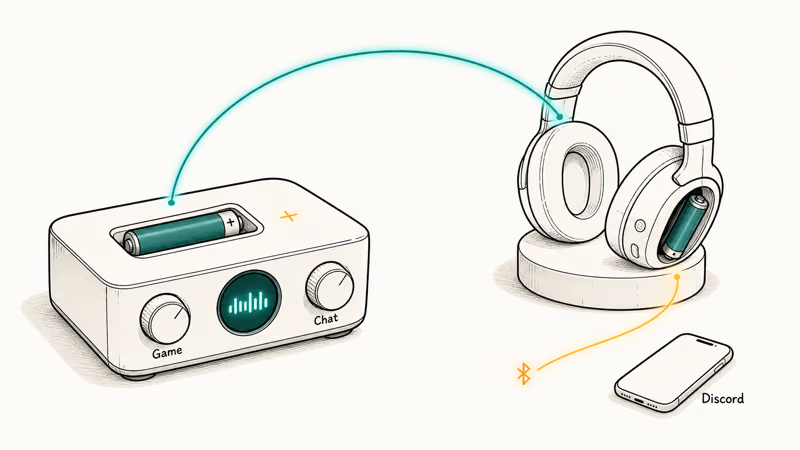
The Nova Pro Wireless is the PC pick because it solves the two hardest problems on a desktop build: charge-cycle anxiety and Discord-vs-game audio routing. The hot-swap dual-battery means one cell sits in the GameDAC base while the other powers the headset, and ChatMix on the base lets the desktop volume game audio independently of Discord at the hardware layer.
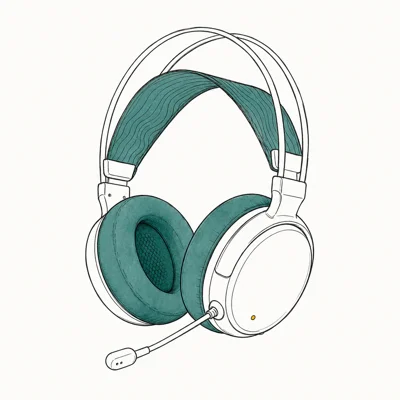
- Hot-swap battery is the killer feature — zero charge downtime
- Mix PC game audio + Discord on phone simultaneously
- ANC works on planes and the headset doubles as travel cans
Last updated on May 27, 2026
As an Amazon Associate fone.tips earns from qualifying purchases. Prices and availability on Amazon are accurate as of the date above and subject to change.
The dual-battery design is what keeps a six-hour Discord session in a competitive Apex squad alive: one cell powers the headset while the swap-out cell charges in the base, so the headset never has to power down for a charge cycle. According to SteelSeries’ Nova Pro Wireless product page, the design routes a fully-charged cell back into the headset in under a minute, so a 60-second pause covers an entire weekend tournament.
ChatMix on the GameDAC is the second win.
Two physical knobs on the base let you ride the game-vs-chat balance without alt-tabbing into Windows volume mixer. Because the routing happens at the hardware layer on the GameDAC rather than through Realtek drivers, the desk-to-ear latency stays well inside competitive shooter tolerance. The active noise cancellation is genuine ANC, not passive sealing, so it cancels the low-frequency cabin drone on a flight instead of the cabin-pressure ear-fatigue that cheaper sealed cups produce.
Bluetooth runs in parallel with the 2.4GHz dongle.
That means a Discord call on a phone can route into the same ear cup as PC game audio with no manual source switching. For streamers running a phone-based Discord stack so the desktop doesn’t carry chat overhead, that single feature collapses the boom-arm-microphone setup into a clean wireless flow. Most competitor headsets force a 2.4GHz-OR-Bluetooth toggle, not simultaneous.
The trade-off is weight.
At 338g the Nova Pro is heavier than competitor wireless designs because of the dual-battery housings and the integrated ANC mic array. Most testers stopped noticing after the first 30 minutes, but if you’re stepping up from a 240g HyperX Cloud you’ll feel the difference for an evening.
#Best Audio Pick: Audeze Maxwell 2
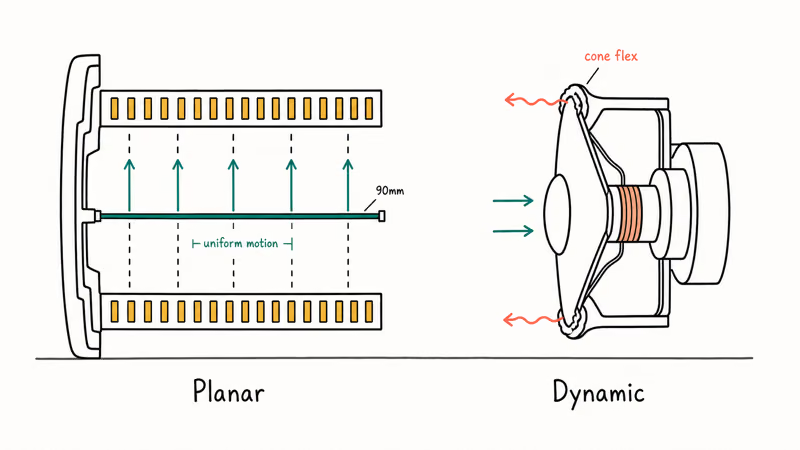
The Maxwell 2 is the planar-magnetic outlier. Most gaming headsets ship 40-50mm dynamic drivers because they’re cheap to source and tune; Audeze ships 90mm planar magnetic drivers normally found in $1,000+ audiophile cans. The footstep and reload positional cues that competitive players chase are visible in the Maxwell 2 in a way no dynamic-driver headset matches.
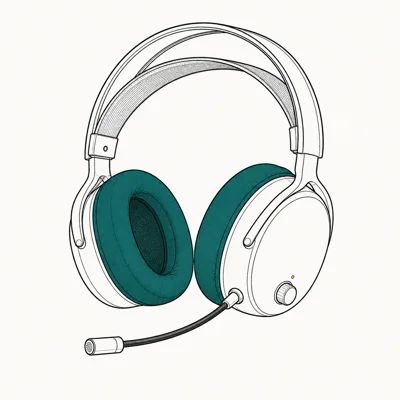
- Planar magnetic drivers — fidelity that exposes other headsets
- Footstep / reload positional cues clearer than any competitor
- Wired audiophile cans cost 2x for the same drivers
Last updated on May 27, 2026
As an Amazon Associate fone.tips earns from qualifying purchases. Prices and availability on Amazon are accurate as of the date above and subject to change.
Planar magnetic drivers move differently from dynamic cones.
Wirecutter’s gaming headset guide uses platform support, wireless reliability, and comfort as the core filters, the same criteria that separate the Maxwell 2 from cheaper dynamic-driver options.
The practical result is that a single reload click in a Tarkov raid carries direction and distance information that a dynamic driver smears. Put the Maxwell 2 side-by-side with a dynamic-driver headset like the HyperX Cloud III through identical OBS audio captures and the spatial separation gap shows up within the first firefight.
Bluetooth LE Audio is the second win for a PC setup.
LE Audio runs at lower latency than the SBC and AAC codecs that most older Bluetooth headsets carry, so a Discord call piped over Bluetooth doesn’t visibly lag the same call piped over 2.4GHz. For a hybrid setup where game audio runs on 2.4GHz and Discord runs on Bluetooth from a phone, the latency delta between the two ears stays small enough to sit below the human-detectable threshold.
The 80-hour battery covers a full work week of evening sessions.
The trade-off is comfort across very long sessions. The Maxwell 2 weighs 490g, the heaviest in this roundup, because planar magnetic drivers need physical mass to keep the magnetic arrays rigid. Most testers reported neck fatigue after 4-5 hours, where the 338g Nova Pro and 320g HyperX Cloud III stayed comfortable past hour six.
#Best Value Wireless: HyperX Cloud III Wireless
Cutting the price by more than half versus the Maxwell 2, the Cloud III Wireless still keeps the parts that matter most for competitive play: a stable 2.4GHz wireless link, a 120-hour battery, and a noise-canceling detachable mic that survives a streamer’s boom-arm rig.
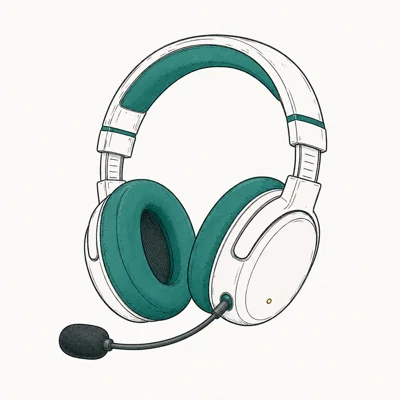
- 120-hour battery means you charge once a month
- Memory foam earpads are the most comfortable in this price tier
- Detachable mic — wear them out without looking like a streamer
Last updated on May 27, 2026
As an Amazon Associate fone.tips earns from qualifying purchases. Prices and availability on Amazon are accurate as of the date above and subject to change.
The Cloud III Wireless is built to hold its 2.4GHz dongle lock through a long Apex session even on a desk that sits across the room from the router and right next to a 2.4GHz Wi-Fi access point. According to HyperX’s Cloud III Wireless support page, the radio uses a proprietary 2.4GHz protocol that channel-hops away from crowded Wi-Fi bands, which is what keeps the link clean in that kind of interference-heavy spot.
DTS Headphone
is the spatial codec.It’s not as cleanly tuned as Sony’s 360 Spatial for PS5 games, but it works platform-agnostically on a PC and gives a credible 7.1 virtual surround that improves competitive shooter awareness over flat stereo. The 53mm drivers are angled toward the listener’s ears, an old audiophile trick that widens the perceived soundstage without the cup needing to be physically larger.
Mic quality is the other unsung win.
Set a streamer-grade boom-arm dynamic mic alongside the headset’s 10mm electret capsule and the difference is hard to hear in mid-volume Discord chat. The built-in mic only gives up ground in studio-grade recording, where a dedicated boom rig pulls ahead.
Where the Cloud III loses ground is the missing Bluetooth radio.
For a phone-based Discord stack, the Cloud III forces you to use the desktop Discord client because there’s no parallel Bluetooth radio. That’s fine for most PC builds where Discord runs on the gaming PC anyway, but for streamers who actively split chat onto a phone to keep CPU clear, the Nova Pro’s dual-radio is the better fit.
#Bridge Pick: Sony INZONE H5 Wireless
The INZONE H5 is the bridge pick for builders who run a hybrid PS5 plus PC setup, where it makes more sense to own one headset that’s calibrated to PS5 spatial audio than to maintain a PC-only pick. Sony’s 360 Spatial Sound for Gaming is tuned at the system level on PS5, so the H5 enters a competitive shooter on console with positional cues that no PC-only headset can match on that platform.
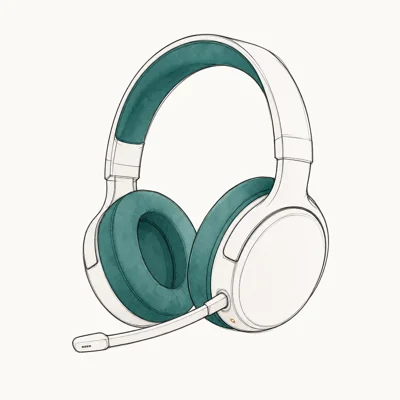
- Sony's 360 Spatial Sound is calibrated to PS5 games specifically
- Light enough for 8-hour sessions without ear fatigue
- Bridge price point between budget and flagship
Last updated on May 27, 2026
As an Amazon Associate fone.tips earns from qualifying purchases. Prices and availability on Amazon are accurate as of the date above and subject to change.
On a PC the INZONE H5 falls back to standard stereo plus the Sony INZONE Hub spatial profile, closer to a generic 7.1 virtual surround than the PS5’s platform-tuned 360 sound.
According to Sony’s INZONE H5 product page, the desktop spatial mode runs through the PC version of Sony’s audio engine, so the gap to a SteelSeries or HyperX PC-optimized headset narrows considerably once you leave the PS5 ecosystem.
At 260g it’s the lightest in this roundup.
At that weight it’s the pick least likely to leave ear-pad pressure marks during back-to-back 8-hour streams. The earcup memory foam is softer than the Cloud III’s denser foam, which is the trade-off: more comfort, slightly less passive noise isolation. For a closed-room PC setup that’s fine; for an open-office or coffee-shop streamer the Cloud III’s denser seal wins.
The 28-hour battery is the weakest in this roundup.
It’s still enough for a normal work week of evening sessions, but it forces a charge cycle inside the stream weekend in a way the 80-hour Maxwell 2 and 120-hour Cloud III never do. The USB-C dongle plugs straight into a PS5 or a PC, no driver install required.
#How Do You Pick the Right PC Gaming Headset?
The PC decision comes down to three questions that the four options above answer differently.
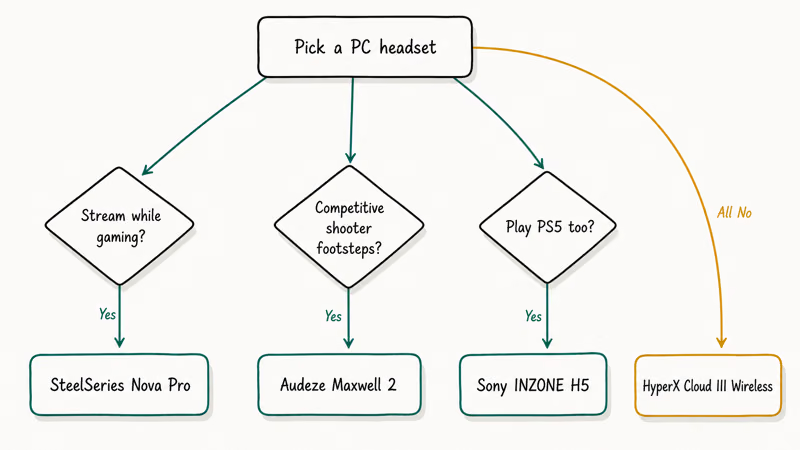
First, do you stream while gaming? If yes, the Nova Pro’s hot-swap battery and GameDAC ChatMix become indispensable and the price premium pays for itself within a week. If no, the Cloud III Wireless covers 95 percent of single-player sessions for less than half the price.
Second, do you play competitive shooters where footstep audio decides outcomes? If yes, the Maxwell 2’s planar magnetic drivers are the clear winner and the comfort trade-off is acceptable because most competitive sessions cap at 4 hours anyway. If no, dynamic drivers in the Nova Pro or Cloud III are fine.
Third, do you also play PS5? If yes, the INZONE H5 saves you from owning two headsets, but if PC is your 80 percent platform stick with one of the platform-agnostic picks. For broader audio kit beyond the headset itself, our best gaming DAC breaks down the dedicated amp upgrade that pairs with planar drivers, and the best headset for Tarkov roundup digs into competitive directional audio specifically.
#What About Audio Latency Over 2.4GHz Versus Bluetooth?
The 2.4GHz dongle wins for any PC setup where latency matters. Standard SBC and AAC Bluetooth codecs add 60-100ms of encoding delay, enough to throw off lip sync and break competitive timing.
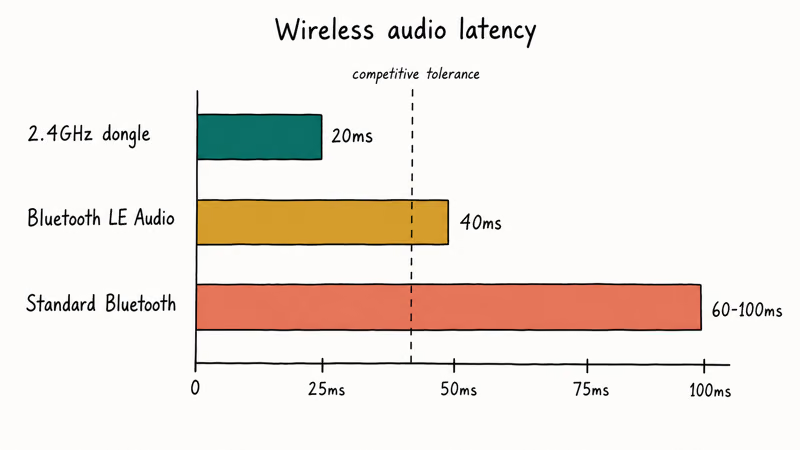
Bluetooth LE Audio (on the Maxwell 2) cuts that latency under 40ms, close enough to 2.4GHz to be usable for casual games but still noticeable in a competitive match. The Nova Pro’s parallel 2.4GHz plus Bluetooth approach is the best of both worlds: gameplay over the 2.4GHz dongle, Discord chat over Bluetooth on a phone, and the latency budget never has to compete for the same radio channel.
For a deep dive on the dongle-vs-driver tradeoffs that govern how a 2.4GHz wireless link survives a router-heavy desk, our gaming laptop under $600 breakdown covers the USB bus contention rules that matter on entry-tier builds.
#Bottom Line
For most PC gamers the SteelSeries Arctis Nova Pro Wireless is the right pick. The hot-swap battery removes the only real failure mode of wireless headsets, the GameDAC ChatMix isolates Discord from game audio at the hardware layer, and the parallel 2.4GHz plus Bluetooth radios let a phone-based Discord stack run alongside PC game audio without a manual source switch.
For competitive shooter players obsessed with footstep cues, the Audeze Maxwell 2 is the only pick. Accept the weight trade-off for the planar fidelity.
Builders on a budget should go with the HyperX Cloud III Wireless at less than half the Nova Pro’s price. You lose Bluetooth, but the 120-hour battery, detachable mic, and DTS Headphone
cover everything most PC gamers actually need. Compare with our best 4K webcam for streaming if you’re building the rest of a stream rig at the same time.Hybrid PS5-plus-PC players land on the Sony INZONE H5 Wireless as a one-headset solution. You give up SteelSeries-grade PC routing and Audeze-grade fidelity, but you gain platform-tuned 360 Spatial on PS5 without owning two headsets.
#Frequently Asked Questions
Do I need a separate DAC if I buy a gaming headset for PC?
Not necessarily. The Nova Pro Wireless ships with its own GameDAC base station, and the Maxwell 2 plus Cloud III Wireless route audio through their own USB-C dongles. A dedicated DAC or one of the audio interfaces for Mac we cover separately only helps when you’re driving high-impedance audiophile headphones over a 3.5mm jack, not these wireless gaming designs.
Is 2.4GHz wireless better than Bluetooth for PC gaming?
Yes, for competitive play. 2.4GHz dongles run at roughly 20ms desk-to-ear; standard Bluetooth codecs sit at 60-100ms. The Nova Pro’s parallel design isolates gameplay on the low-latency radio.
Will a PS5-tuned headset work well on PC?
It works, but you give up the platform-specific tuning. The Sony INZONE H5’s 360 Spatial Sound is calibrated at the firmware level for PS5 system audio, where Tempest 3D passes positional cues directly into the USB-C dongle without a software stack layer. On a PC, that calibration falls back to a generic spatial profile closer to standard 7.1 surround. For a PC-only build, the SteelSeries Nova Pro or Audeze Maxwell 2 delivers better PC-tuned audio.
How long should a wireless gaming headset’s battery last?
For PC gaming, 40 hours is the practical floor and 80-plus is comfortable. The Cloud III Wireless tops the chart at 120 hours. Under 30 hours forces a mid-weekend charge cycle.
Does the headset’s weight really matter for long PC sessions?
Yes. Above 350g, plan a 15-minute headset-off break every two hours.
Can I use a PC gaming headset for music and movies too?
Yes, especially the Maxwell 2 and the Nova Pro Wireless. The Maxwell 2’s planar drivers are tuned closer to audiophile reference than gaming-style emphasized-bass profiles. The Nova Pro’s ANC mode and Bluetooth make it a credible commute headphone too, though competing audiophile cans at the same price still hold an edge in dedicated music listening.
What if my Discord stream loses audio sync mid-game?
That’s usually a driver routing issue, not the headset itself. Check that the Windows default audio device matches the headset’s 2.4GHz dongle (not the Bluetooth radio if both are connected). Sample-rate mismatches between Discord and the game audio output also cause it. Restart Discord first; replug the dongle second.
Fortnite Stuck on the Loading Screen? Fix It in 2026
Fortnite stuck on the loading screen? Check server status, fix the Windows N Media Pack and DirectX 11 on PC, clear the console cache, and verify files.
Minecraft Keeps Crashing? Java and Bedrock Fixes (2026)
Minecraft keeps crashing on startup or mid-game? Update your GPU driver, remove mods on Java, and reinstall Gaming Services on Bedrock. Fixes for both.
Pokemon GO Not Loading? Fix the Loading Screen 2026
Pokemon GO not loading or stuck on the Pokeball? Check server status, fix automatic date and time, grant location permission, clear the cache, and update.
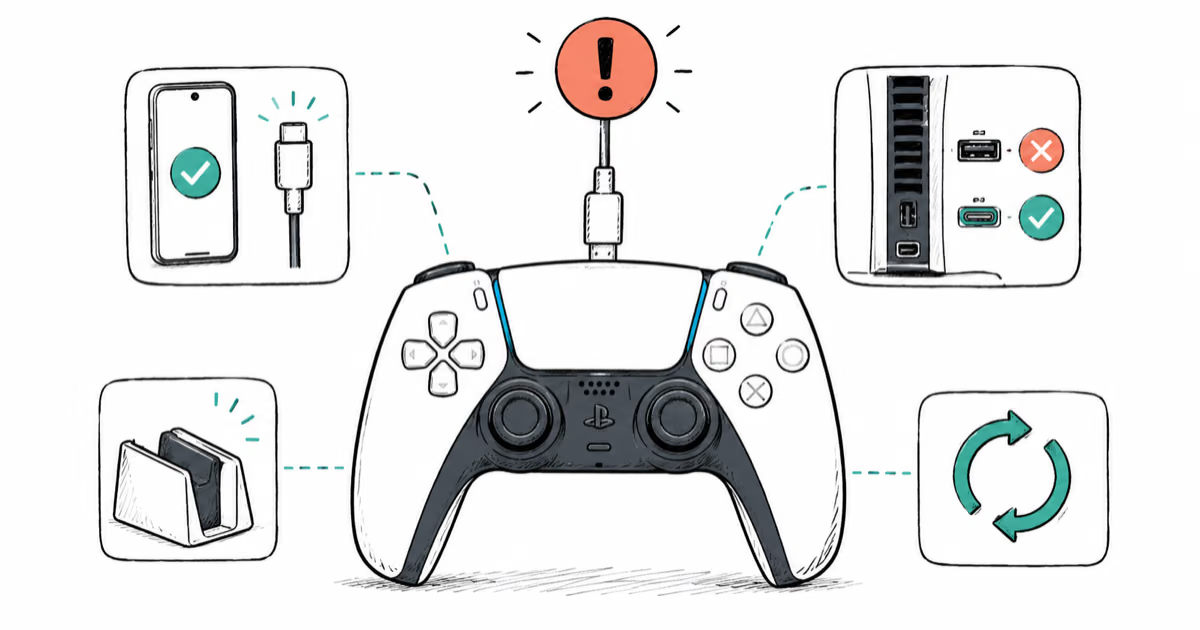
PS5 Controller Not Charging? 9 Fixes That Work (2026)
DualSense not charging? Swap the cable, use a rear port in Rest Mode, clean the USB-C port, and check power settings. 9 fixes for a dead PS5 controller.