Best Excel Password Removers Online in 2026 for You
Compare 14 Excel password removers across desktop, cloud, and add-in categories. PassFab, Rixler, password-find.com, and more ranked by speed.
Quick AnswerPassFab for Excel is the top choice for most users, supporting Excel 97 through 2019 with GPU-accelerated brute-force, dictionary, and mask attacks for both sheet protection and file-open encryption recovery.
Locked out of your own Excel spreadsheet? It happens more often than you’d think, especially when you’ve forgotten a protection password or inherited a file from someone who’s no longer around. Across both desktop and cloud-based Excel password removers, recovery times range from near-instant for sheet protection to extremely long for heavily encrypted .xlsx files that fall back on brute-force methods.
- PassFab for Excel supports versions 97 through 2019 and uses GPU acceleration for brute-force recovery
- Cloud-based removers like password-find.com handle sheet unprotection in seconds but charge per file
- Free tools such as Rixler work well for older Excel formats (97-2003) but struggle with AES-encrypted .xlsx files
- VBA macro-based solutions only remove sheet and workbook protection, not file-open passwords
- Most trial versions reveal only the first 3 characters of a recovered password, which can still jog your memory
#How Do Excel Password Removers Work?
Excel files can have two types of protection. Sheet and workbook protection prevents editing specific cells or structures. File-open protection encrypts the entire file so it can’t be opened without the correct password.
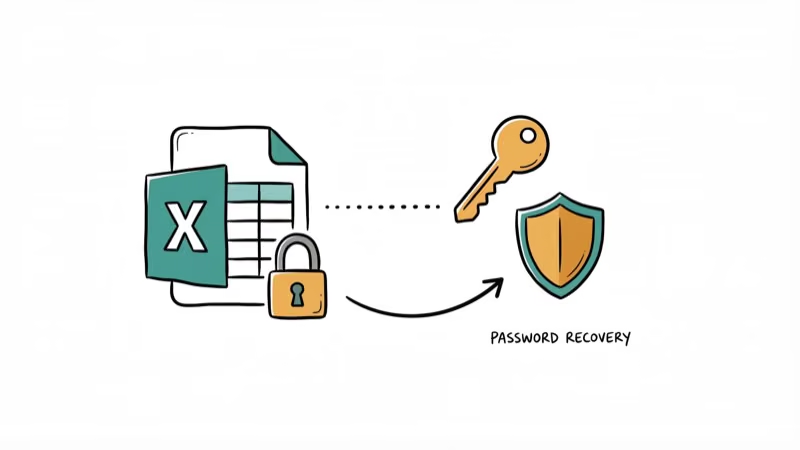
Password removers tackle these differently. For sheet protection, most tools remove it instantly since Microsoft’s implementation relies on a simple hash. For file-open encryption, tools use brute-force, dictionary, or rainbow table attacks, and recovery time depends on password length and complexity. According to Apple’s support page on file protection, password-protecting spreadsheets is a common practice across office apps. Microsoft’s AES-256 encryption in Excel 2007 and later makes brute-force recovery significantly harder than older XOR-based encryption.
#Which Desktop Tools Should You Try First?
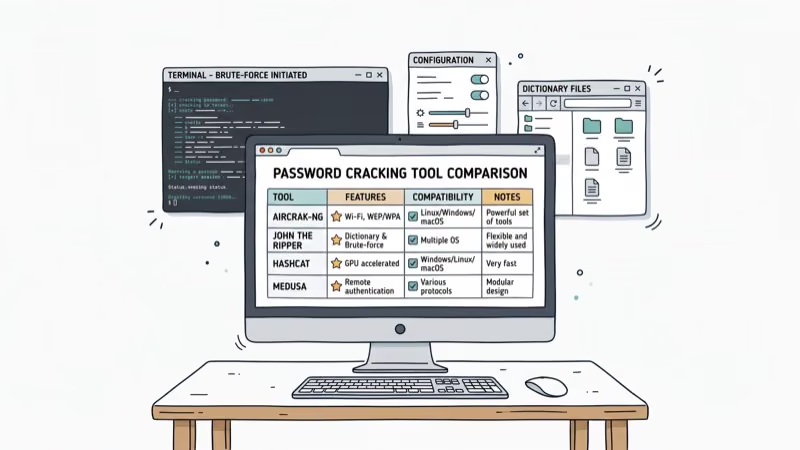
Here’s a breakdown of 10 desktop programs for Excel password recovery, covering both paid options and free trials.
#1. PassFab for Excel
PassFab is one of the most popular Excel password removers available online, and it’s earned solid customer reviews for its straightforward interface.
PassFab’s dictionary attack can recover short passwords reasonably quickly using GPU acceleration. The tool offers three attack modes: dictionary, brute-force with mask, and full brute-force. The interface is intuitive enough to start a recovery in just a few clicks.
For people who want faster results, PassFab supports multi-core GPU and CPU acceleration.
-
Supports Excel files of Excel version from 97 to 2019
-
This shareware is available for free as well as contains paid version too
Some links on this page are affiliate links, which means fone.tips may earn a commission at no extra cost to you.
#2. Excel Password Unlocker
You might wonder if you need technical know-how of encryption to deal with this tool. Excel Password Unlocker uses some technical expressions that aren’t easy for an average person to understand.
When you see these types of settings, don’t get scared. Some settings take longer to retrieve passwords than others. Like other password recovery services, Excel Password Unlocker provides a trial version that discloses the first three characters of the password. Sometimes that hint is all you need to guess the rest.
-
Supports Excel files of the versions from 97 to 2010
-
You can avail of the services of Excel Password Unlocker for free or paid (0.90)
#3. iSunshare Excel Password Remover
iSunshare Excel Password Remover is a well-known tool for erasing lost passwords from Excel files. It provides a friendly UI with the necessary features, and you don’t need any extra setup or technical knowledge to operate it.
One thing to keep in mind: the password decryption process requires a stable internet connection. The tool inspects file headers via online servers, so a slow connection can stall the process.
The swiftness and performance of the password removal depend on your password’s length and complexity. Therefore, iSunshare provides a feature of auto-save to postpone the decryption process and start again in the future if the process is consuming a lot of time.
-
Support versions of Microsoft Excel 97, Excel 2000, Excel 2003, and Excel XP
-
It has a free trial as well as the paid version (0.95)
#4. Straxx
Straxx lets you erase workbook and sheet protections. They allow you to manage the modification of the whole Excel workbook information in case you don’t remember the protection password.The instructions to install Straxx are straightforward. You need this shareware as an add-in to Microsoft Excel and unprotect the sheets or workbook.
There’s a chance that Excel might freeze for a few seconds or minutes. Don’t panic about it. It just means the macro is processing to erase the password.
-
Supports Excel 2007 and 2010 for free
-
Supports Excel 2013 and 2017 for some amount
-
The price of Straxx is free as well as paid
#5. Daossoft Excel Password Remover
If you still want a user-friendly and fast program to recover an Excel file, Daossoft is worth considering. Daossoft Excel password remover works in a similar way to iSunshare, offering features like multiple language password support and free updates at a low price.
-
Supports Excel files that are created by Excel 97 to Excel 2016
-
Available for the free and paid version (0.95)
#6. iSumsoft Excel Password Remover
After several types of research, it was found that the iSunshare and iSumsoft apps are similar. These two apps have the same UI and functions.
-
Supports Excel files of Excel versions from 97 to 2013
-
Accessible for free as well as a paid version (0.95)
#7. eSoftTools Excel Password Recovery
eSoftTools is a comprehensive tool that recovers passwords across most MS Office apps. It removes password protection without damaging your files. A Tom’s Guide review of password recovery tools confirms that third-party recovery tools can safely handle both XOR and AES-encrypted files. You can download the trial version, though it only reveals the first few characters of the recovered password.
-
Supports Excel files of version 97 till Excel 2016
-
Free trial as well as the paid version of this program
#8. Asunsoft Excel Password Remover
Asunsoft has similar functions to another Excel password remover online called iSunshare. . They have the same User Interface (UI) feature to delete ‘open’ passwords from the Excel sheet.Asunsoft has the same pricing as the Daossoft app.
-
Supports Excel files from Excel versions 97 to 2010
-
The free version and Paid version are available
#9. SysTools VBA Password Remover
If you need to reset multiple passwords at once, SysTools is a strong option. Its batch processing feature lets you queue up several files, and it supports multi-language passwords.
-
Supports Excel files from version Excel 2000 to 2016
-
Free version and paid version are available
#10. Passware Password Recovery
Passware is a powerful password remover that can handle long and complex passwords. It removes sheet protection instantly and includes an auto-save feature that lets you pause or resume brute-force recovery at any point. Passware ships with nine built-in dictionaries for multi-language password detection.
You can download the free version to see if it works for you. The demo version only reveals the first three characters of recovered passwords.
-
Supports Excel files till version of 2003
-
Free version and paid as well
-
Supports Excel files till version of 2003
-
Free version and paid as well
#Part 2: Excel Password Remover Online
Beyond desktop tools, cloud-based password removers let you handle recovery directly in your browser.
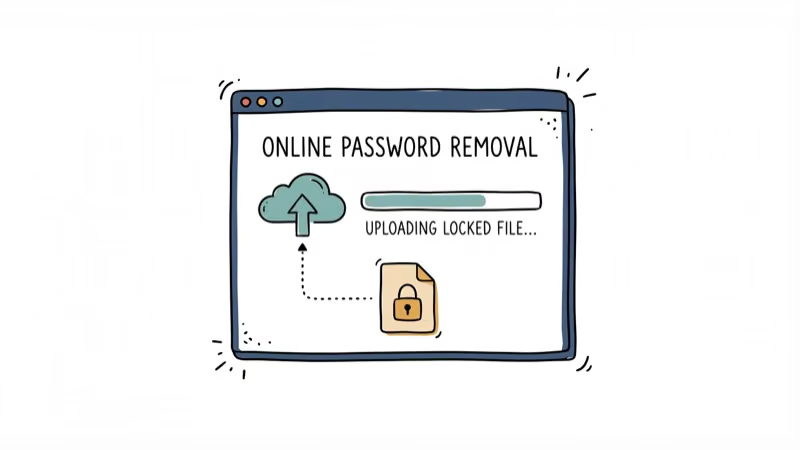
One reliable web application handles Excel password removal without any software installation. Here’s a closer look.
#1. password-find.com
If you don’t want to install a desktop app, a cloud-based password remover handles everything in your browser.
Password-find.com can unprotect Excel sheets, VBA projects, and PowerPoint presentations. As noted in PCMag’s review of cloud password tools, cloud-based tools process sheet unprotection faster because they run on dedicated servers. Sheet protection, which is weaker than a file-open password, typically clears in seconds rather than minutes.
-
The price for removing a password is 0.95
-
The price for finding passwords is 0.95
-
Cloud services work with Excel 2007, 2012, and 2010
With this Excel password remover online, users can access files without issues. So, take the help of this Excel password remover online and access files hassle-free.
#Part 3: Add-in for Excel Password Remover
There are a few add-ins for Excel Password Remover. Let us take a look at both of these in brief.
#1. Microsoft Excel Bee Password Remover Macro
This particular program is a VBA code. To erase the password-protecting Excel sheet, you must add this specific add-in. After adding, run the program to remove the password.
The instructions to operate this program are quite simple; therefore, you don’t need to have the capabilities of a VBA coder to operate this.Install the add-in and test it on your PC to see if it works well for you.
-
Microsoft Excel Bee Password Remover Macro is available for free
-
It supports Microsoft Excel 2003, 2010, 2007, and 2013
#2. Password Protection Remover Pro
It’s another add-in for removing password protection. Any weak or strong password can be erased using Password Protection Remover Pro. File-to-open passwords are harder to crack because of the strong AES encryption used by Excel 2007 and later.
Password Protection Remover Pro is speed optimized. Therefore, the laptop is not needed to be turned on to perform the task. If you wish to have free trial access to this specific add-in, take help from the ‘Ribbon Commander Framework.’
-
The price depends; it has a free trial as well as a paid service
-
Password Protection Remover Pro supports Excel and 2007, and the versions later than this
#Part 4: Freeware for Excel Password Remover
There are a few freeware available for Excel Password Remover. We will give you detailed information about the two free wares.
#1. Rixler
A well-known free password cracking tool available online is Rixler. No matter how long your protected password is, this program attempts to crack it. It recovers passwords with just a few clicks and supports about five languages at no cost.
-
Rixler works with any Excel version that is 97 or later and supports different formats too
-
The price for using Rixler is free
#2. Free Word and Excel Password Recovery Wizard
This freeware supports cracking files from Word and Excel documents protected with ‘open’ document passwords. Download this program on your device and unzip the installation file.
You’ll then see a wizard where you choose the target file and the recovery approach you want, such as a Dictionary Attack or Brute-force Attack. Not every password can be cracked using these methods within a reasonable timeframe.
The program also points you toward the commercial password-find.com service for faster results. Both programs come from the same company.
-
Supports Microsoft Excel versions 97, XP, 2003, and 2000
-
The price for using this freeware is free of charge
-
The website of this freeware is ‘www.freewordexcelpassword.com’
#Tips for Choosing the Right Tool
Pick a desktop tool like PassFab or SysTools if you regularly deal with encrypted file-open passwords and need GPU acceleration. For one-off sheet protection removal, a free VBA macro or Rixler does the job without spending anything. Cloud-based options work best when you can’t install software on a work computer.
#Bottom Line
For most users, PassFab for Excel offers the best balance of speed, compatibility, and ease of use across Excel versions 97 through 2019. If you’re dealing with simple sheet protection, a free VBA macro or Rixler can handle it in seconds.
For file-open encryption on newer Excel formats, expect longer recovery times. Always back up your Excel files before running any password removal tool.
#Frequently Asked Questions
Can Excel password removers unlock encrypted files?
Yes, they can unlock encrypted Excel files by bypassing or recovering the password. Sheet protection removal happens almost instantly, while file-open encryption recovery takes longer depending on password complexity.
Are Excel password removers legal to use?
They’re legal when you have the rights or permission to access the file. Use them responsibly and only on files you own or are authorized to open. Unauthorized access to someone else’s protected files can violate computer fraud laws.
How long does it take to recover a complex Excel password?
Recovery time varies widely. A 4-character password might take minutes, while an 8-character password with mixed characters could take days or weeks with brute-force methods. Dictionary attacks are faster if the password uses common words.
Are online Excel password removers secure?
Reputable online services use encryption to protect your files during the removal process. That said, you’re uploading potentially sensitive data to a third-party server, so use only trusted services and avoid uploading files with confidential business data.
Can these tools remove passwords from older Excel formats?
Yes, most Excel password removers support older formats going back to Excel 97. Older formats (97-2003) use weaker XOR encryption that’s much easier to crack than the AES-256 encryption in Excel 2007 and later.
What’s the difference between sheet protection and file-open protection?
Sheet protection prevents editing specific cells or worksheets but doesn’t encrypt the file. Any VBA macro can strip it in seconds. File-open protection encrypts the entire file, and recovering it requires brute-force or dictionary attacks.
If you need to unprotect an Excel sheet without the password, sheet protection removal is the simpler task. For Word documents, check our Word password remover guide.

Google Messages Error 3100: Why RCS Is Broken on Galaxy
Google Messages RCS error 3100 hits Galaxy owners after phone or carrier switches. Google told 9to5Google a fix is coming. Here's what actually helps.

Is This Bank App Real? Spot a Fake App on Your Home Screen
A bank app can land on your home screen from a web page with no install warning. Learn the checks that tell a real banking app from a phishing web app.

Apps Crashing After iOS 27 Update? Fix Order (2026)
Apps crashing after the iOS 27 update? Update the app in the App Store first, then offload and reinstall to clear stale cache, then restart. The fix order.

Do AI Translation Earbuds Work Offline? What to Know
Do AI translation earbuds work offline? A few do with downloaded language packs, but most need the cloud. Here's what works offline and what you give up.