Avi Twitter: How to Set and Optimize Your X Profile Picture
Learn what avi means on Twitter/X and how to change your profile picture. Covers the right size (400x400px), format tips, and step-by-step guide.
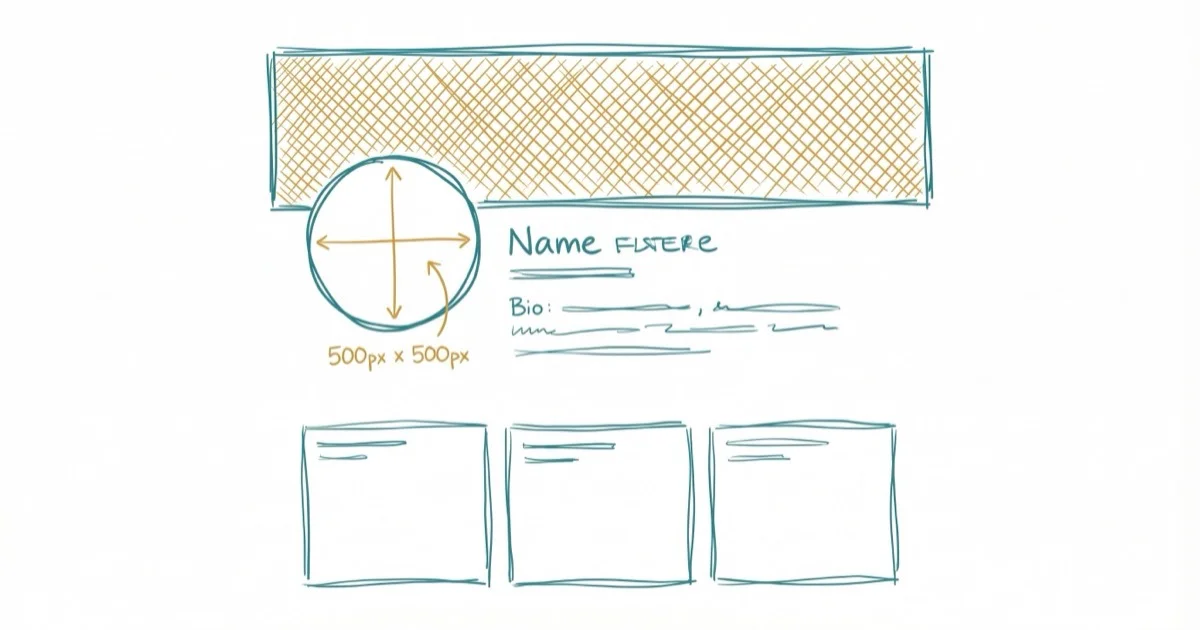
Quick AnswerAvi is Twitter/X slang for avatar, meaning your profile picture. The recommended size is 400x400 pixels in JPG, PNG, or GIF format, under 2MB. X displays it as a circle, so center your subject and leave padding around the edges.
“Avi” is short for avatar on X (formerly Twitter), and it’s just your profile picture. You can change it from the X mobile app or the web version, and the whole process usually takes under 2 minutes.
- X profile pictures (avis) must be 400x400 pixels, under 2MB, in JPG, PNG, or GIF format
- X crops your square upload into a circle, so leave 10-15% padding on all sides
- Your avi displays at 48x48px in the feed and 200x200px on your profile page
- X Premium subscribers can upload animated GIFs as profile pictures
- You can’t revert to the default egg avatar once you upload a profile picture
#What Does Avi Mean on Twitter/X?
Avi is slang that X (formerly Twitter) users created as a shorthand for “avatar.” It refers to the small circular image next to your display name on every post, reply, and DM you send on the platform.
The term caught on around 2010-2012 when Twitter’s user base exploded and people needed a quick way to reference profile pictures in 140 characters or less. According to X’s official profile customization guide, you can update your avi at any time through profile settings.
X/Twitter is still the platform older guides mean when they say “Twitter.” The rebrand changed the labels, but profile-photo, blocking, and account-navigation advice usually maps cleanly from Twitter to X.
Your avi appears at 48x48 pixels in the feed, 200x200 on your profile page, and 400x400 when someone clicks on it. That’s a huge range, and it’s the main reason picking an image that reads well at small sizes matters so much for recognition in a crowded timeline.
If you’re looking to save GIFs from Twitter posts, X doesn’t have a built-in download button for that.
#What Size Should Your X Profile Picture Be?
Upload at 400x400 pixels with a 1
aspect ratio for the sharpest display across all device sizes. Anything smaller than 200x200 pixels gets rejected outright, and X will show an error if you try.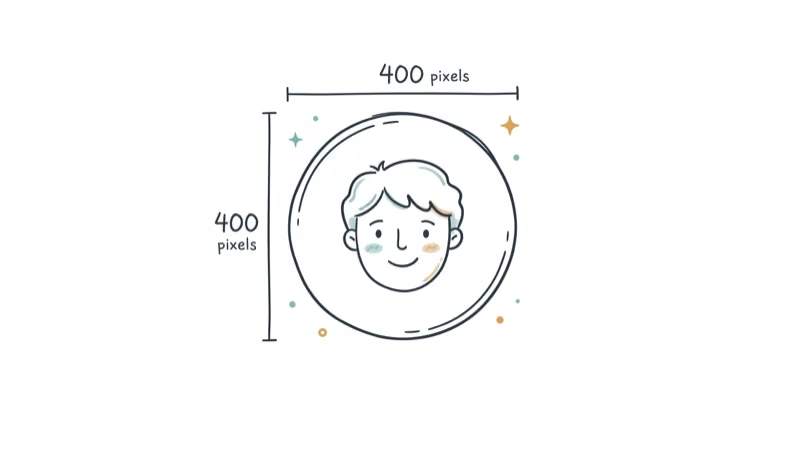
Here are the full specs based on Hootsuite’s social media image size guide:
| Spec | Requirement |
|---|---|
| Dimensions | 400x400px (recommended) |
| Minimum | 200x200px |
| Max file size | 2MB |
| Formats | JPG, PNG, GIF |
| Aspect ratio | 1 (square) |
| Display shape | Circle (corners cropped) |
A 400x400px PNG or JPG is the cleanest target. X compresses larger files anyway, so there’s no quality advantage to oversizing.
Verified Organizations with a gold checkmark display profile pictures as squares instead of circles. Everyone else gets the circular crop.
#How to Change Your Avi on X (Web Version)
Changing your profile picture through the browser takes about 30 seconds and works from the current X web interface.
Go to x.com and sign in to your account. Click your profile picture in the left sidebar, select Profile, and you’ll see your full profile page with your current avi displayed at the top.
Click Edit profile near the top right, hover over your current profile picture, and click the small camera icon that appears. The editor panel slides open from the right side of the screen. Select Upload photo, pick an image from your files, drag to reposition and zoom if needed, then click Apply followed by Save.
Your new avi goes live right away. Old tweets that aren’t loading might briefly show your previous picture until the cache refreshes, but that resolves within a few minutes on its own without you needing to do anything extra.
#How to Change Your Avi on X (Mobile App)
The mobile process is the same on iOS and Android.
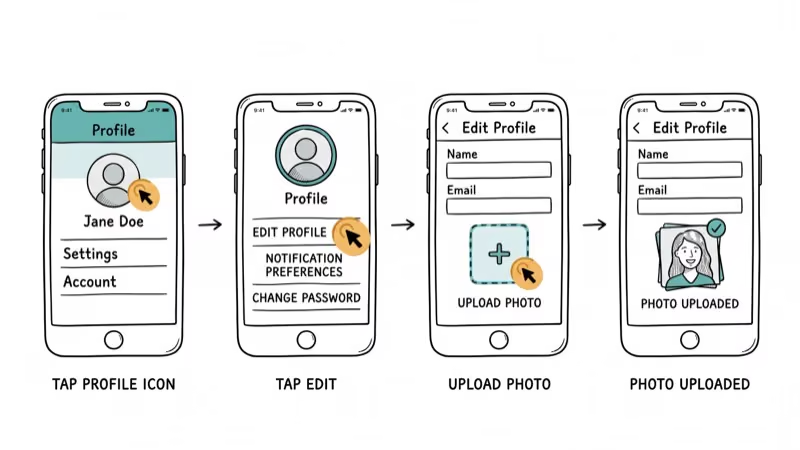
Open the X app and tap your profile picture in the top-left corner, then tap Profile and Edit profile.
Tap the camera icon on your current profile picture, choose a photo from your library (or take a new one), crop and adjust it, then tap Use on iOS or the checkmark on Android. Hit Save in the top-right corner. The change syncs across all your devices within seconds and you don’t need to update each one separately.
#X Header Image Size and Requirements
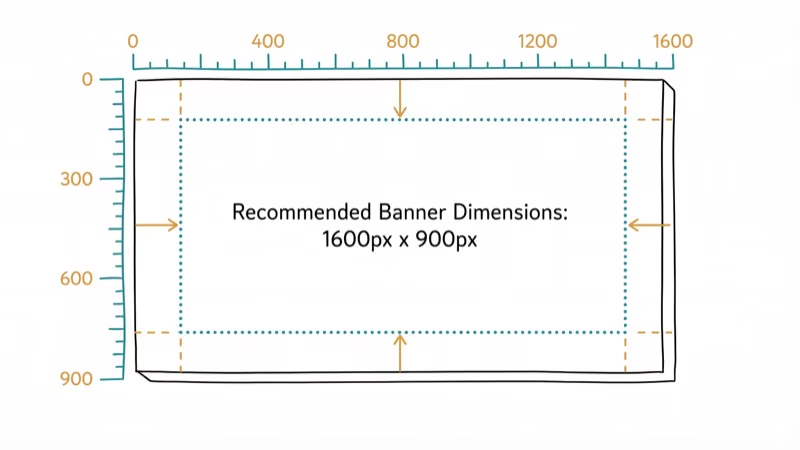
Your header (banner) image sits behind your profile picture at the top of your page. According to Snappa’s X header guide, here are the current specs:
| Spec | Requirement |
|---|---|
| Dimensions | 1500x500px |
| Aspect ratio | 3 |
| Max file size | 5MB |
| Formats | JPG, PNG |
| Safe zone | 1260x420px (center area) |
Your profile picture overlaps the bottom-left corner of the header on desktop, so avoid placing text or key design elements there. Keep important content in the center 1260x420 pixel zone since mobile devices crop the sides heavily.
Header crops vary by device and browser, so push any edge text toward the center.
#Tips for Optimizing Your X Profile Picture
A blurry or poorly cropped avi hurts your credibility. These profile-picture basics work well across personal and brand accounts.
For personal accounts:
- Use a headshot with your face filling about 60-70% of the frame
- Shoot against a solid or uncluttered background
- Natural lighting works better than flash
- Avoid group photos since nobody can tell which person you are at 48px
For brand accounts:
- Use your logo with 10-15% padding so the circle crop doesn’t clip it
- Stick to your brand colors for recognition
- Test how your logo looks at 48x48 pixels before uploading
If your image file is too large, tools like Optimizilla can compress it without visible quality loss. Stay under 2MB, but closer to 500KB is better.
For removing glare from photos before setting them as your avi, your phone’s built-in photo editor usually handles it fine. You can also try flipping the image in Photoshop if the orientation looks off after cropping, which is a common issue when front-camera selfies get mirrored.
#X In-Stream and Card Image Sizes
Besides your profile picture, X uses different image dimensions for posts and link previews:
| Image Type | Dimensions | Max Size | Formats |
|---|---|---|---|
| Post image | 1200x675px | 5MB (photos), 15MB (GIF desktop) | JPG, PNG, GIF |
| Summary card | 144x144px | 5MB | JPG, PNG, WebP, GIF |
| Large summary card | 300x157px | 5MB | JPG, PNG, WebP, GIF |
Post images display at 16
in the feed. According to Buffer’s social media image size guide, uploading at exactly 1200x675 pixels gives the sharpest results since X won’t need to resize your upload at all.GIF posts on mobile max out at 5MB, while desktop supports up to 15MB. Only the first frame shows as a preview before someone taps to play. If you need to add pictures to TikTok posts too, those have completely different size requirements.
#Deleting or Reverting Your X Profile Picture
You can’t revert to the default avatar. X replaced the old egg icon with a generic silhouette years ago, and the “remove” option doesn’t exist anymore.
Here’s what you can do:
- Upload a blank image in a solid color that matches your header
- Replace it with a new photo through Edit Profile
- Contact X support if your picture was changed without permission
X killed the delete option in 2017. Before that, you could click your avi and choose “Remove” to go back to the default. Now the platform treats your profile picture as required.
Privacy-conscious users often upload a solid color square or a generic illustration instead of a real photo. Plenty of accounts with large followings use non-photo avis, and it doesn’t affect how the algorithm treats your posts at all. You can also search for someone’s social media profile by phone number if you’re trying to find a specific account on X or other platforms.
#Bottom Line
Your X avi is a 400x400 pixel square that displays as a circle across the platform. Upload a clear, well-cropped image that looks good at 48px since that’s the size most people see in the feed. The whole process takes under 2 minutes on web or mobile. Start with a JPG or PNG under 2MB, center your subject, and leave padding for the circle crop.
#Frequently Asked Questions
What does avi mean on Twitter?
Avi is slang for avatar, which is your profile picture on X (formerly Twitter). The term became popular around 2010-2012. You’ll still see people use “avi” and “pfp” interchangeably.
What is the best size for an X profile picture?
Upload at 400x400 pixels for the best results. X accepts images as small as 200x200px, but anything below 400px will look blurry on high-resolution screens. Keep the file under 2MB in JPG, PNG, or GIF format. For logos and graphics with sharp lines, PNG gives better quality than JPG since it avoids compression artifacts around edges.
Can you use an animated GIF as your X profile picture?
Only X Premium subscribers can. Free accounts are limited to static JPG, PNG, or non-animated GIF images, and the 2MB file size cap still applies regardless of your subscription tier.
Why does my X profile picture look blurry?
Your source image is probably too small. X compresses everything during upload, so starting with a low-resolution image makes it noticeably worse. Upload at least 400x400 pixels and use PNG format for graphics or logos since JPG compression can blur sharp edges. If you’re cropping a larger photo down to just your face, make sure the cropped area is still at least 400x400.
How do I change my profile picture on X mobile?
Open the X app, tap your profile picture in the top-left corner, select Profile, then tap Edit profile. Tap the camera icon, choose a new photo, crop it, and tap Save. Takes about 30 seconds total.
Does changing my avi affect my followers or posts?
No. Nothing changes except the image itself. Your follower count, posts, and settings stay exactly the same, and the new avi updates retroactively on all your previous posts once the cache refreshes.
What happened to the default Twitter egg avatar?
X replaced the egg with a generic gray silhouette in 2017. The company said the egg had become associated with troll accounts and online harassment campaigns, so they retired it permanently. You can’t get the egg back, and once you upload any profile picture, there’s no way to revert to the silhouette either since X now treats your avi as a required profile element with no delete option.
Can Verified Organizations have square profile pictures?
Yes. Accounts with a gold Verified Organizations checkmark display profile pictures as squares instead of circles. This applies to businesses and organizations that pay for the subscription, which costs $200 per month as of early 2026.

Google Messages Error 3100: Why RCS Is Broken on Galaxy
Google Messages RCS error 3100 hits Galaxy owners after phone or carrier switches. Google told 9to5Google a fix is coming. Here's what actually helps.

Is This Bank App Real? Spot a Fake App on Your Home Screen
A bank app can land on your home screen from a web page with no install warning. Learn the checks that tell a real banking app from a phishing web app.

Apps Crashing After iOS 27 Update? Fix Order (2026)
Apps crashing after the iOS 27 update? Update the app in the App Store first, then offload and reinstall to clear stale cache, then restart. The fix order.

Do AI Translation Earbuds Work Offline? What to Know
Do AI translation earbuds work offline? A few do with downloaded language packs, but most need the cloud. Here's what works offline and what you give up.