Alexa Red Ring: What It Means and 5 Ways to Fix It
Alexa red ring means the mic is muted or there is a connectivity issue. Learn what causes it and 5 proven fixes to get your Echo working again.
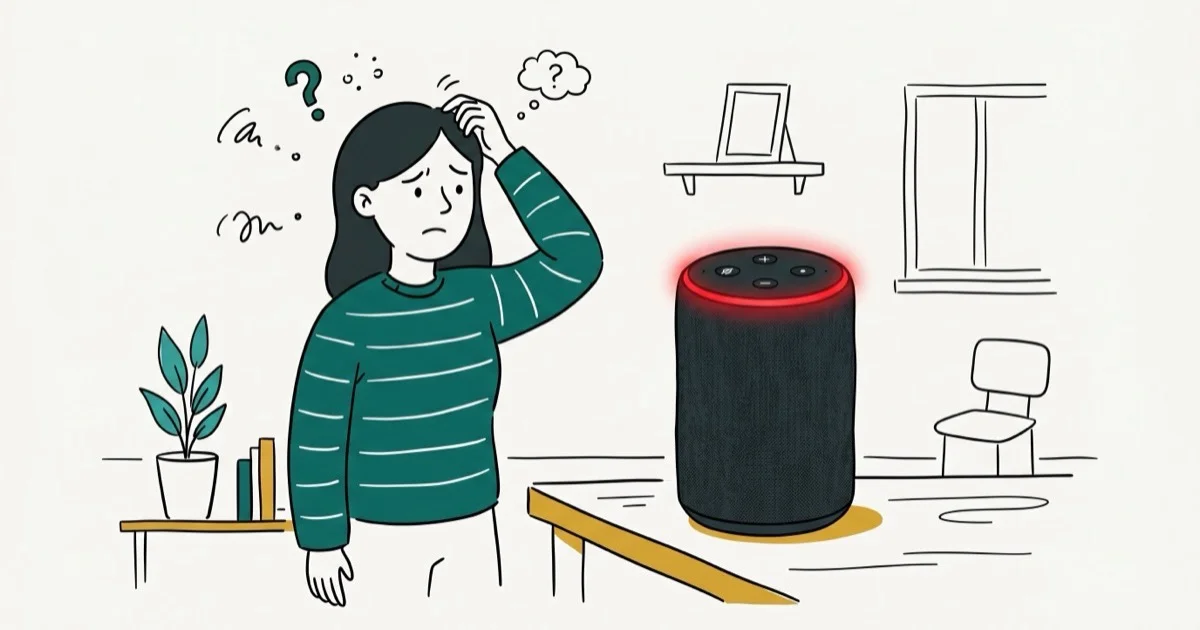
Quick AnswerThe red ring on your Echo means the microphone is muted. Press the microphone button on top of the device to turn it back on, and the red light will disappear.
Your Alexa red ring means the microphone is turned off and the device can’t hear you. A Wi-Fi disconnection or a stuck firmware state can also trigger it. The mic toggle on top of the device clears it almost instantly in the vast majority of cases.
- A solid red ring means the Echo mic is muted and Alexa won’t respond
- Pressing the mic button on top clears the red ring in most cases
- Echo devices with cameras show a red light bar when video is off
- Red ring plus no Wi-Fi needs a router restart before reconnecting
- Factory reset erases device settings but keeps your Amazon account
#What Does the Alexa Red Ring Mean?
The red ring on an Amazon Echo tells you the microphone is disconnected. When you see solid red, Alexa isn’t listening and won’t respond to wake words or commands.
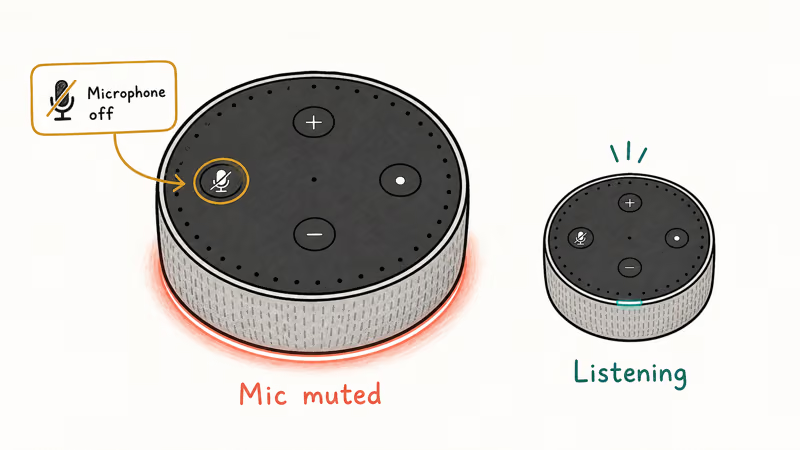
Amazon’s light color guide confirms that the red indicator activates the moment you press the microphone on/off button. See Amazon’s full light guide for the complete list of colors and what each one means. On Echo devices with a built-in camera (like the Echo Show), the red bar along the bottom means your camera feed is also disabled.
There’s a less obvious trigger too. If your Echo loses its internet connection during a firmware update, it can get stuck showing a red ring even after the mic is active. A power outage that knocks out the router mid-update is a common way this happens.
#Why Is Your Echo Stuck on a Red Ring?
Here are the specific reasons your Echo might show a persistent red ring:
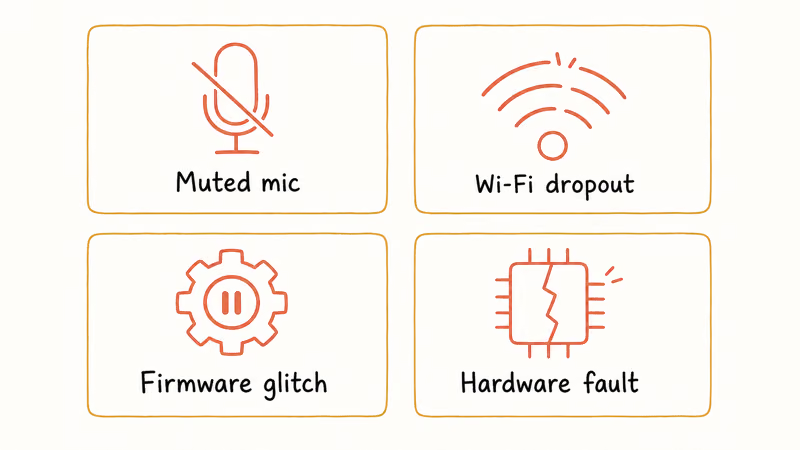
Muted microphone. Someone pressed the mic button, or it was toggled off through the Alexa app. This is by far the most common cause, accounting for nearly every stuck red ring except the ones that follow a failed firmware update.
Wi-Fi dropout. A network drop can show a red ring next to an orange spinning light. Red is the mic state; orange is the connection problem.
Firmware glitch. After a failed software update, the Echo’s light ring can freeze on red. Unplugging the device during an update is a common trigger, and a power cycle usually fixes it. If your Echo is not responding to commands at all, the firmware is the likely culprit.
Hardware issue. Rarely, a faulty microphone array causes a permanent red ring. If none of the software fixes below work, this is likely the cause.
#How to Fix the Alexa Red Ring
Work through these fixes in order. Start with the fastest one.
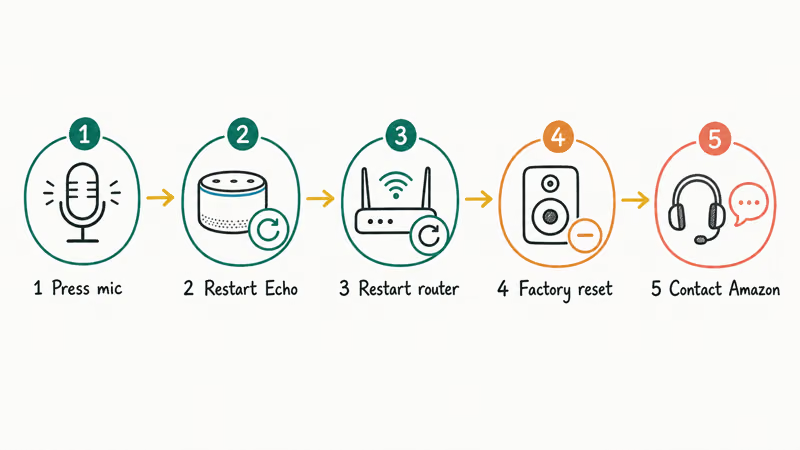
#Press the Microphone Button
Look at the top of your Echo. You’ll see a button with a microphone icon (it may also have a line through it). Press it once. The red ring should turn off immediately and you’ll see a brief blue flash confirming Alexa is listening again.
On an Echo Show, the mic/camera button is on the top edge. Press it to re-enable both the microphone and camera, and the red bar disappears right away.
#Restart Your Echo
If the mic button doesn’t clear the red ring, do a power cycle:
Unplug the power adapter from the Echo and wait 30 seconds for the device to fully discharge. Plug it back in and wait about 45 seconds for the boot sequence to finish.
This process clears temporary firmware glitches. Based on Amazon’s troubleshooting page, restarting is the recommended first step for any unresponsive Echo behavior.
#Restart Your Router
If the red ring came with an orange spinning light, your internet connection is the problem.
Unplug your router and modem from power and wait 60 seconds. Plug the modem in first and wait for the lights to stabilize, then plug the router in and wait 2 minutes. Verify Wi-Fi works on your phone before checking the Echo.
This reliably clears the red ring on Echo devices that lost connection after a router firmware update. The whole process is quick.
#Factory Reset Your Echo
Use this only if the above fixes didn’t work. A factory reset erases all device-level settings, Alexa routines stored on the device, and smart home connections. Your Amazon account, purchase history, and music library stay untouched.
For Echo (3rd/4th/5th Gen) and Echo Dot (3rd/4th/5th Gen):
Amazon’s reset documentation states that 20 seconds is the hold time for this generation. Press and hold the Microphone Off and Volume Down buttons together, then release when the light ring turns orange.
For Echo (1st/2nd Gen) and Echo Dot (1st Gen):
Find the small Reset hole on the bottom of the device. Insert a paperclip and hold for 8 seconds until the light ring turns orange.
After the reset, open the Alexa app on your phone. Go to Devices > Echo & Alexa, and follow the on-screen setup. According to Tom’s Guide’s reset walkthrough, the full re-setup takes about 5 minutes.
#Contact Amazon Support
If the red ring persists after a factory reset, the microphone hardware is likely damaged. Open the Alexa app, tap More > Help & Feedback > Speak with a Representative. Amazon’s support team can run remote diagnostics on your Echo. If your device is under warranty, they’ll typically send a replacement within 3-5 business days.
#Other Echo Light Ring Colors Explained
Your Echo uses different colors to communicate various states. Here’s a quick reference:
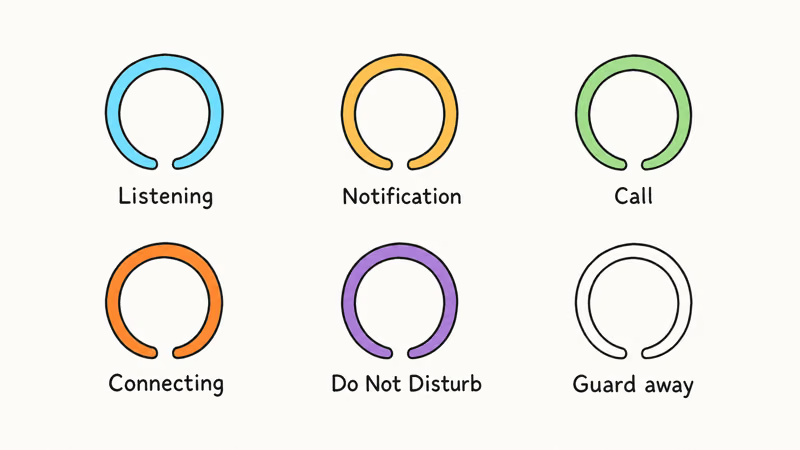
| Color | Meaning |
|---|---|
| Blue with cyan | Alexa is listening or processing your request |
| Pulsing yellow | You have an unread notification or missed reminder |
| Spinning green | Incoming call or active Drop In |
| Spinning orange | Connecting to Wi-Fi or in setup mode |
| Purple flash | You’ve turned on DND mode |
| Spinning white | Alexa Guard is in Away mode |
You can also ask “Alexa, why is your light on?” and the device will explain the current indicator. This works for every color except red (since the mic is off when the ring is red). If your Echo won’t play music but shows no light ring at all, that’s a separate issue from the red ring.
#Red Ring vs. Broken Echo
Not usually. The red ring is working exactly as designed in most cases. It’s telling you the microphone is muted, and the fix takes 1 second.
A hardware problem is only likely if the red ring stays on after a factory reset and the mic button does nothing. Try resetting a second time before assuming the worst.
#Tips for Multi-Echo Households
If you own multiple Echo devices and only one shows a stuck red ring, that narrows it down to a device-specific issue rather than a network problem. Try swapping the power adapter with another Echo to rule out a faulty cable. Wondering how much Alexa costs to replace if yours is beyond repair? Pricing varies by generation.
#Bottom Line
Start by pressing the microphone button on top of your Echo. That single action fixes the Alexa red ring for most people. If it doesn’t work, restart the Echo, then your router, and finally try a factory reset. For persistent red rings after a reset, contact Amazon support since it’s likely a hardware issue covered by warranty.
#Frequently Asked Questions
Why is my Alexa showing a red ring even though I didn’t mute it?
Someone in your household likely pressed the mic button. Check the physical button on top of the device and press it once to toggle the mic back on.
Can I still use my Echo when the red ring is on?
No. Voice control is completely off. Press the mic button to restore it.
Does factory resetting my Echo delete my Alexa skills and routines?
No. A factory reset only removes device-level settings, paired smart home devices, and locally stored routines. Everything tied to your Amazon account stays intact. You’ll need to re-pair devices and reconnect to Wi-Fi after the reset, which takes about 5 minutes.
Why does my Echo Show have a red bar instead of a red ring?
Echo Show devices use a light bar along the bottom of the screen instead of a ring. A red bar means both mic and camera are off. Press the button on the top edge to re-enable them.
Is the Alexa red ring different from the orange ring?
Completely different. Red = mic is muted. Orange = connecting to Wi-Fi or in setup mode.
How do I prevent my Echo from accidentally getting muted?
Put it somewhere it won’t get bumped. Mount it on a shelf if kids or pets keep hitting the mic button.
My Alexa red ring won’t go away after trying everything. What should I do?
At that point, the microphone hardware is likely damaged. Contact Amazon support through the Alexa app by tapping More > Help & Feedback, or visit Amazon’s device support page. If your Echo is still within the 1-year warranty, Amazon will typically ship a free replacement within 3-5 business days. Keep your order confirmation handy since the support agent will ask for it.
Does Alexa record anything when the red ring is on?
No. When the red ring is active, the microphone is electrically disconnected. Amazon’s Echo light guide confirms that no audio is streamed to the cloud when the mic is muted. This is a hardware-level cutoff, not a software toggle.

Google Messages Error 3100: Why RCS Is Broken on Galaxy
Google Messages RCS error 3100 hits Galaxy owners after phone or carrier switches. Google told 9to5Google a fix is coming. Here's what actually helps.

Is This Bank App Real? Spot a Fake App on Your Home Screen
A bank app can land on your home screen from a web page with no install warning. Learn the checks that tell a real banking app from a phishing web app.

Apps Crashing After iOS 27 Update? Fix Order (2026)
Apps crashing after the iOS 27 update? Update the app in the App Store first, then offload and reinstall to clear stale cache, then restart. The fix order.

Do AI Translation Earbuds Work Offline? What to Know
Do AI translation earbuds work offline? A few do with downloaded language packs, but most need the cloud. Here's what works offline and what you give up.