How to Fix Alexa Not Responding to Voice Commands 2026
Fix Alexa not responding by checking Wi-Fi, unmuting the microphone, restarting the Echo, or resetting the device. Covers common causes and solutions.
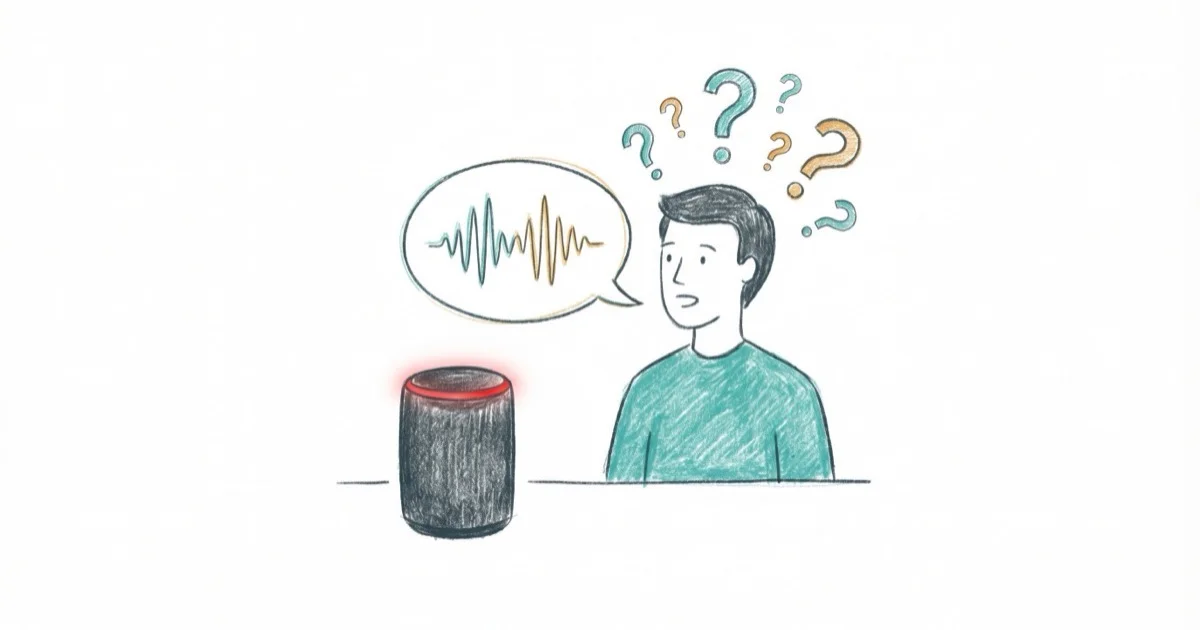
Quick AnswerPress the microphone button to unmute the Echo (no red light), confirm Wi-Fi in the Alexa app, then unplug the device for 30 seconds to restart it.
Alexa stops responding when the Echo device loses Wi-Fi, the microphone is muted, or the device encounters a software glitch. Most issues resolve with a quick restart. Here are the fixes in order of likelihood.
- A solid red light means the mic is muted; press the mic button to restore voice recognition
- Unplugging the Echo for 30 seconds clears software glitches and fixes most unresponsive devices
- An orange spinning light means no Wi-Fi; reconnect through the Alexa app
- Multiple Echo devices can cause the wrong one to respond; assign different wake words
- A factory reset erases device settings but keeps smart home routines in your Amazon account
#Fix 1: Check the Microphone and LED Light
A solid red light on your Echo means the microphone is muted, and Alexa can’t hear a thing while the mic is off. This is the single most common reason an Echo goes silent, so always rule it out first before you touch any other setting.
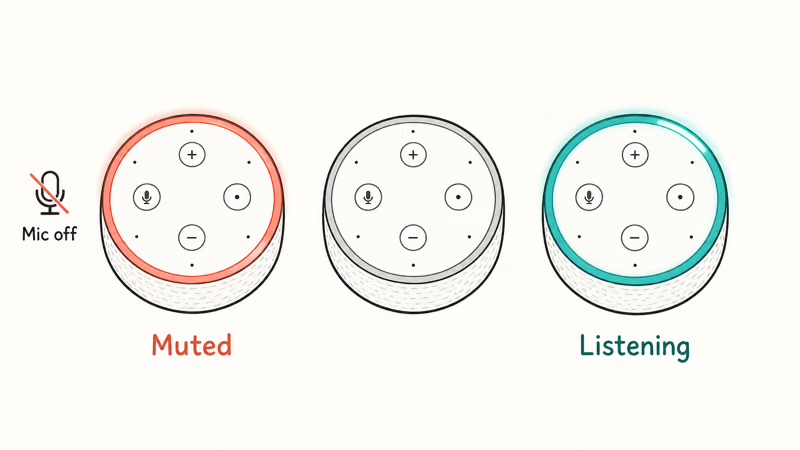
Look at the top for a red ring or bar. Press the microphone button to unmute. The light turns off or flashes blue when listening. Say “Alexa” and check.
According to Amazon’s Echo troubleshooting page, the mic button toggles between muted and active states. The fix takes just a moment.
#Fix 2: Restart Your Echo Device
A simple restart clears temporary software glitches. Unplug the Echo from power, wait 30 seconds, then plug it back in. Wait 1-2 minutes for it to fully boot (the light ring goes blue, then orange, then off). Say “Alexa” to test.
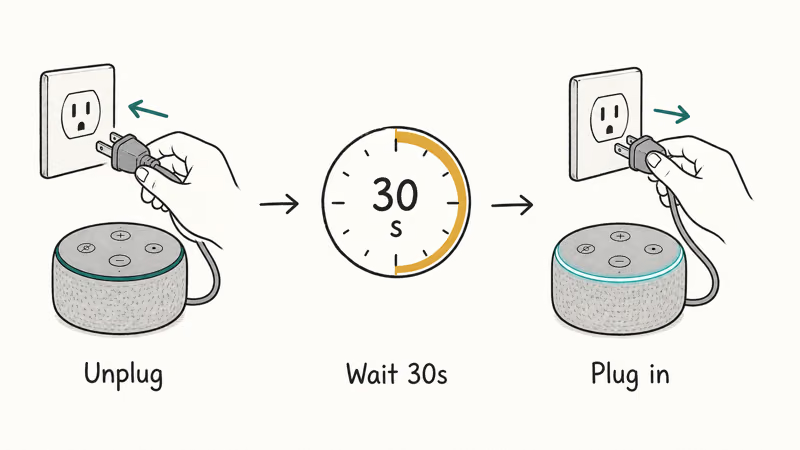
A restart clears temporary memory without touching your settings, routines, or smart home configurations, according to Amazon’s device restart guide. If the Echo stays unresponsive after restarting, check the router next because Wi-Fi problems can look like device failures.
#Fix 3: Check Your Wi-Fi Connection
Alexa needs an active internet connection to process voice commands. An orange light ring means the Echo isn’t connected to Wi-Fi.
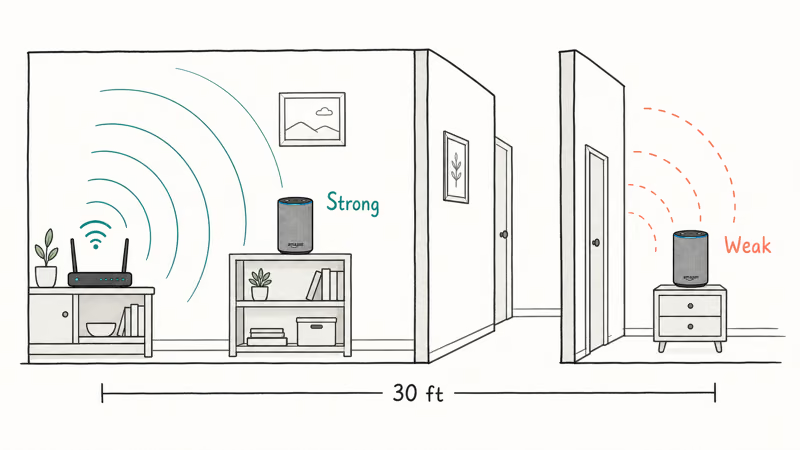
Open the Alexa app, go to Devices > Echo & Alexa, select your device, and check the Wi-Fi status. If disconnected, tap “Change” next to Wi-Fi Network, select your network, and enter the password.
If your router works fine but the Echo won’t connect, move it closer to the router. Distance and obstructions matter more than people expect here. According to Google’s Wi-Fi troubleshooting guide, walls and large metal furniture weaken Wi-Fi signal strength. An Echo placed far from the router or behind several walls is more likely to drop its connection, so use an open shelf closer to the access point when possible.
For Wi-Fi connection issues specifically, check our guide on how to connect Alexa to Wi-Fi.
#Why Does Alexa Respond on the Wrong Device Instead?
If you have multiple Echo devices, the wrong one might respond to your voice. Amazon’s Echo Spatial Perception (ESP) is supposed to route commands to the nearest device, but it doesn’t always work correctly.
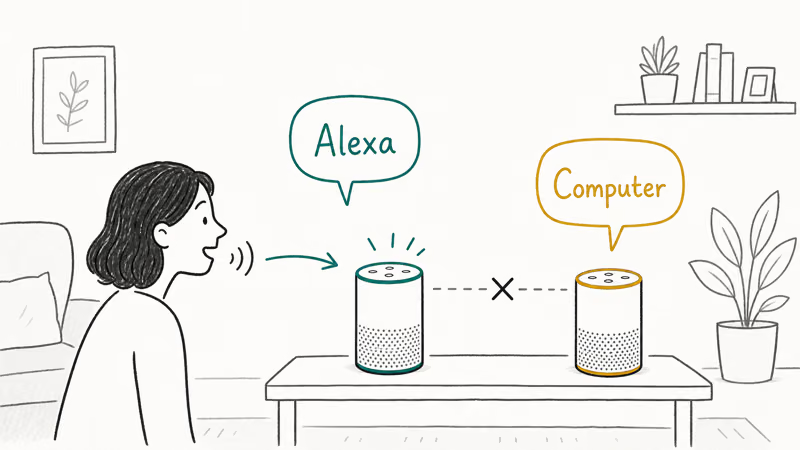
To fix this:
- Move closer to the device you want to respond
- Speak directly toward that device
- If the problem persists, change the wake word on one device (Alexa app > Devices > select device > Wake Word)
Amazon’s wake word settings guide states that 4 wake words are available per device: “Alexa,” “Echo,” “Amazon,” and “Computer.” You can see the full list and change yours in the Alexa app wake word settings. Give each Echo a different one so a single spoken command only ever wakes the device you meant.
#Fix 5: Update Your Echo’s Software
Outdated firmware can make an Echo sluggish or unresponsive. Check your version in the Alexa app under Devices > Echo & Alexa > your device > About.
Amazon’s software update page states that Echo devices download updates automatically when idle and connected to Wi-Fi. You can force the check by saying “Alexa, check for software updates.”
#How Do You Fix Alexa Bluetooth Issues?
If Alexa connects to Bluetooth but doesn’t play audio or respond to commands, start by clearing the Bluetooth pairing list. Open the Alexa app, go to Devices > Echo & Alexa, select your device, tap “Bluetooth Devices,” and tap Clear All Paired Devices. Restart both the Echo and your Bluetooth device, then re-pair by saying “Alexa, pair Bluetooth.”
Keep the Bluetooth device within 30 feet of the Echo and fully charged. Interference from baby monitors, microwaves, and other Bluetooth speakers can also cause connection drops.
For setup and light troubleshooting, see our guides on how to put Echo Dot in setup mode and Alexa red ring meaning.
If streaming or audio apps are the culprit instead of the Echo hardware itself, our walkthroughs on Spotify not responding and Waze not working cover the related app-side fixes you should try before assuming the Echo is faulty, including signing out and back into the app, clearing the cache, and reinstalling on the source phone.
#Bottom Line
Start by checking the microphone button for a red light, then restart the Echo by unplugging it for 30 seconds. If Alexa still doesn’t respond, verify your Wi-Fi connection through the Alexa app. Most issues resolve with these three steps. Factory reset the device as a last resort through Settings > Device Options > Factory Reset in the Alexa app.
#Frequently Asked Questions
Why is my Alexa not responding but lighting up?
The blue light means Alexa heard you but needs internet to process the command. Check your Wi-Fi connection in the Alexa app and make sure the volume isn’t at zero.
What does the orange light on Alexa mean?
A spinning orange light means the Echo is connecting to Wi-Fi or sitting in setup mode. If it stays orange, reconnect in the Alexa app, then restart your router.
Will factory resetting Alexa delete my smart home devices?
No. A factory reset erases settings on the Echo itself, but your smart home devices, routines, and skills live in your Amazon account, not on the speaker. Sign back in with the same Amazon account during setup and everything reappears automatically, usually within a minute or two. You’ll only need to reconnect the Echo to Wi-Fi and re-link any music services, which takes about five minutes total.
Why does Alexa only respond sometimes?
Weak Wi-Fi signal. The Echo connects and disconnects as the signal fluctuates. Move it closer to the router or add a Wi-Fi extender. Background noise, especially from TVs and other speakers, can also prevent Alexa from consistently hearing the wake word at distances beyond 8-10 feet.
Can I use Alexa without Wi-Fi?
Barely. Without Wi-Fi, Alexa can’t process voice commands, play music, control smart home devices, or answer questions. The only offline feature is using the Echo as a Bluetooth speaker if it was already paired.
How do I fix Alexa not playing music?
Check that your music service (Spotify, Amazon Music, Apple Music) is linked in the Alexa app under Settings > Music & Podcasts. Verify your subscription is active. If music plays on other devices but not the Echo, restart the Echo and say “Alexa, volume 5” to make sure it isn’t muted. For persistent music issues, check our guide on Alexa won’t play music.

Google Messages Error 3100: Why RCS Is Broken on Galaxy
Google Messages RCS error 3100 hits Galaxy owners after phone or carrier switches. Google told 9to5Google a fix is coming. Here's what actually helps.

Is This Bank App Real? Spot a Fake App on Your Home Screen
A bank app can land on your home screen from a web page with no install warning. Learn the checks that tell a real banking app from a phishing web app.

Apps Crashing After iOS 27 Update? Fix Order (2026)
Apps crashing after the iOS 27 update? Update the app in the App Store first, then offload and reinstall to clear stale cache, then restart. The fix order.

Do AI Translation Earbuds Work Offline? What to Know
Do AI translation earbuds work offline? A few do with downloaded language packs, but most need the cloud. Here's what works offline and what you give up.