Instagram "We Limit How Often" Error: How to Fix It 2026
Instagram says "we limit how often you can do certain things"? Wait 24-48 hours, slow down likes and follows, then appeal through Help Center.
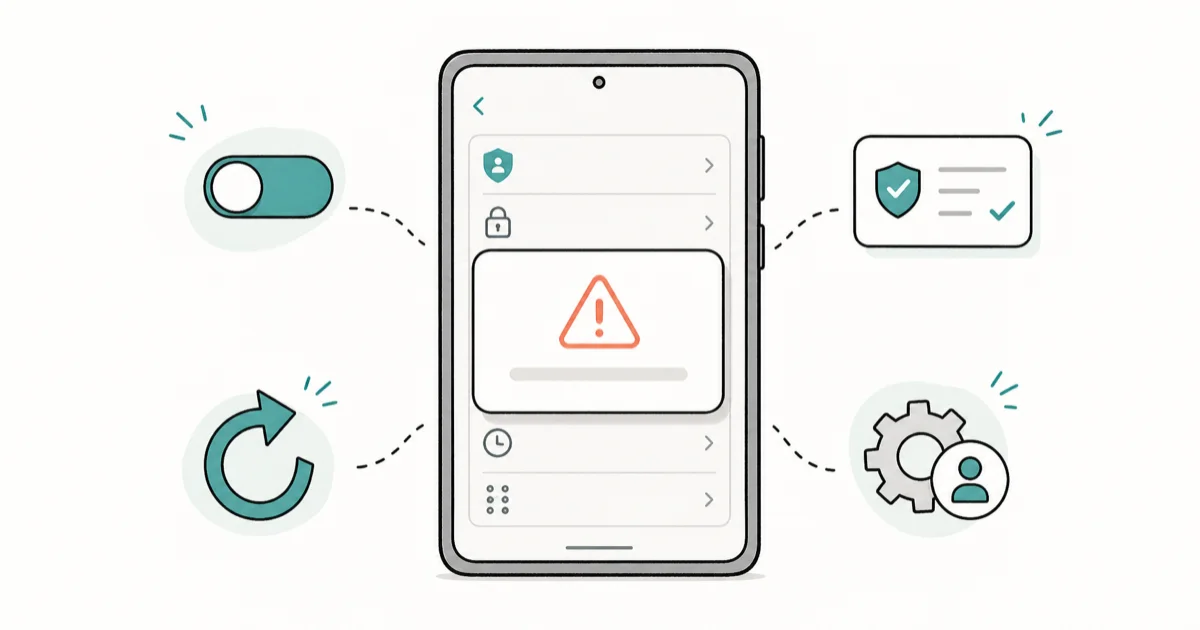
Quick AnswerInstagram shows this message when an account exceeds daily limits on likes, follows, comments, or DMs. Stop the action that triggered it, wait 24 to 48 hours without any further activity, then request a review from inside the app if the block does not lift.
When Instagram tells you “we limit how often you can do certain things,” your own account has hit one of Meta’s anti-spam thresholds. It’s a temporary action block, not a ban, and it almost always lifts on its own within a day or two.
This guide explains what triggered it and the safest way to clear it on your own account without making the block worse.
- The error is a temporary action block, not a permanent ban, and almost always lifts in 24 to 48 hours.
- New accounts and accounts under 30 days old hit limits faster: roughly 150 follows, 200 likes, and 50 DMs per day before triggers fire.
- The single biggest cause is bursty activity: 60 likes in 5 minutes is treated very differently from 60 likes spread across a day.
- Switching networks, clearing cache, or logging out and back in does not shorten the block; only time and reduced activity do.
- If the block does not clear after 48 hours, file a review through
Settings>Help>Reporta Problem with a screenshot.
#Why Does Instagram Say “We Limit How Often”?
Meta runs the message as a soft warning before a harder enforcement step. According to Instagram’s Community Guidelines on spam, automated, bulk, or rapid behavior gets flagged the moment it looks unlike a normal human session. The block is a circuit breaker: it cuts the action you were doing (liking, following, commenting, DMing) so the system can decide whether the pattern continues.
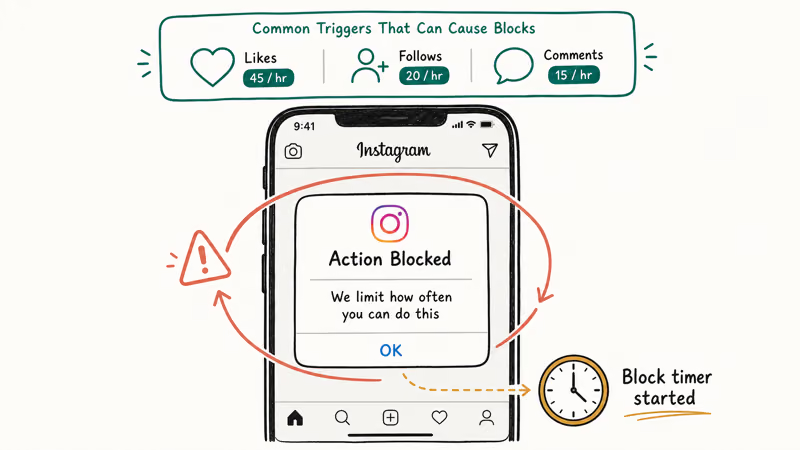
The trigger is not just total volume. It’s the shape of the activity. Instagram’s anti-abuse stack looks at velocity (actions per minute), repetition (same target or same hashtag), device fingerprint, IP reputation, and whether the account has cleared the basic trust signals (verified phone, profile photo, posts older than 14 days).
The pattern matters more than the count. An account that likes dozens of posts in a few minutes is far more likely to hit the block than one that spreads the same number of likes across several hours.
#Instagram’s Daily Action Limits at a Glance
Meta does not publish exact numbers, and the thresholds shift with account age and trust score. The figures below are widely reported practical ceilings, cross-checked against Instagram’s Help Center page on temporary blocks.
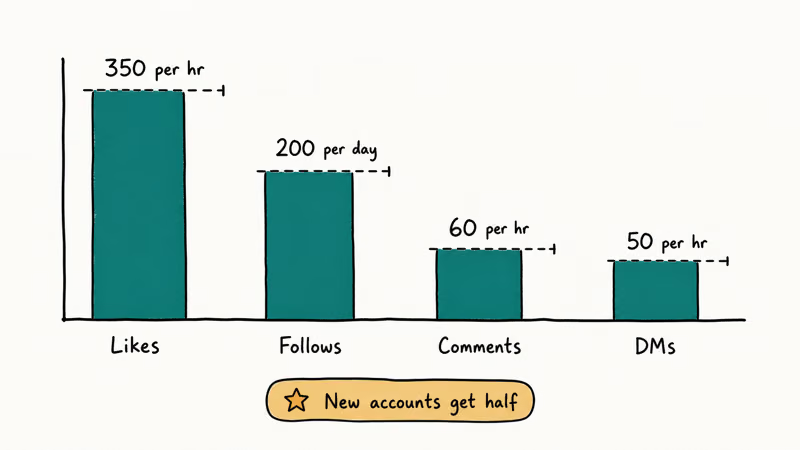
| Action | New account (<30 days) | Established account | Hard ceiling |
|---|---|---|---|
| Likes | 150 / day | 350 / day | ~1,000 / day |
| Follows + unfollows combined | 100 / day | 200 / day | 200 / day |
| Comments | 60 / day | 180 / day | 200 / day |
| Direct messages | 30 / day | 80 / day | 100 / day |
| Story uploads | 20 / day | 100 / day | 100 / day |
| Hashtags per post | 30 | 30 | 30 |
| Tags per post | 20 | 20 | 20 |
Sub-types of the follow ceiling are covered in our why you can’t follow people on Instagram breakdown.
#What Triggers the Action Block Most Often
The single most common trigger is velocity, not volume. Instagram’s spam policy page states that the platform looks for behavior “designed to artificially inflate popularity,” which is a polite way of saying “bursts of identical actions.”
Five patterns reliably trip the block:
- Mass liking: more than 60 likes in under 10 minutes, especially on posts from accounts you don’t follow.
- Follow-unfollow loops: following 30 accounts, then unfollowing them an hour later, is the textbook automation signal.
- Copy-paste comments: dropping the same emoji string or generic compliment on 20+ posts in a row.
- DM blasts: sending the same message to 15 different people inside an hour.
- Hashtag stuffing: using 30 hashtags per post for several posts in a row, especially banned or shadow-banned tags.
A second-tier trigger is device or IP risk. If you log in from a VPN, a brand-new device, or a country your account has never used before, Instagram tightens the thresholds. Our roundup on Instagram suspicious login attempt covers the same anti-fraud system from the login side.
#How to Wait Out the Restriction Safely
When the message appears, the only reliable fix is to stop. Do nothing else on the account for 24 to 48 hours. Meta’s action block help page confirms that the block is time-based and clears automatically; nothing you do in-app speeds it up.
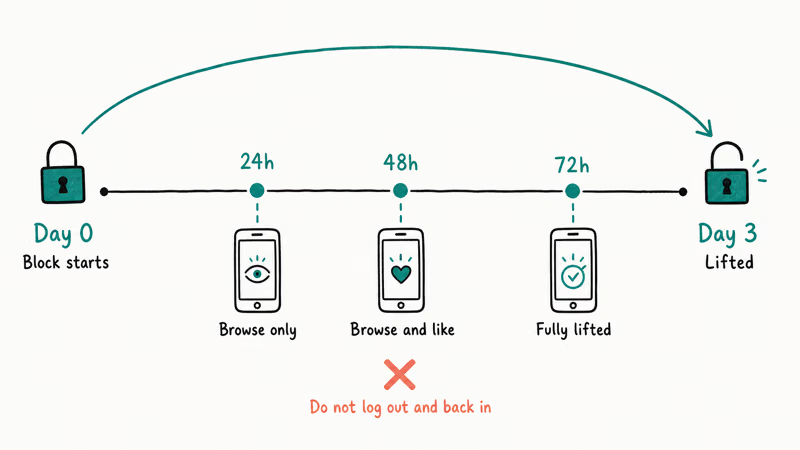
While you wait, avoid these instinctive mistakes:
- Don’t keep trying the action. Every retry resets the timer on some triggers and extends the block.
- Don’t switch accounts on the same device repeatedly. This raises your device-level risk score.
- Don’t log out, clear cache, and log back in on loop. It looks like a session-laundering pattern.
- Don’t change your password unless you suspect a real compromise. Password changes can trigger extra security checks that delay the unblock.
A safe routine: close the app, leave the phone alone, check back the next morning. After the block clears, ease back in. Like 5 to 10 posts in the first hour, not 50.
#When to Use Instagram’s Help Center
If 48 hours pass and you still see the warning, file a formal report. Adam Mosseri’s team announced an expanded appeals flow in 2023 that routes most action-block disputes back to a human reviewer within 1 to 3 days.
Here’s the path inside the app:
- Open Instagram and go to Settings and activity > Help > Report a Problem.
- Choose Something isn’t working.
- Briefly describe the issue (“I see ‘we limit how often you can do certain things’ even though I haven’t taken any unusual action”).
- Attach a screenshot of the error.
- Submit.
Don’t expect an email. Decisions land in Support inside Settings, and a successful appeal lifts the block on the spot; a failed one leaves the original timer in place. The English Wikipedia entry on Meta Platforms has a useful timeline of Meta’s automated-enforcement system if you want background on how the appeal layer evolved out of Facebook’s original moderation stack.
For account-recovery situations that go beyond a temporary block (locked out, password reset loop, login challenges), our forgot Instagram password guide walks through the official reset paths, and challenge required on Instagram covers the security-challenge variant of the same anti-abuse system.
#How to Avoid Triggering the Block Again
The pattern Instagram rewards is slow, varied, organic. Engagement that looks like a real person on a lunch break, not a script. A few habits that keep accounts clear of repeat blocks:
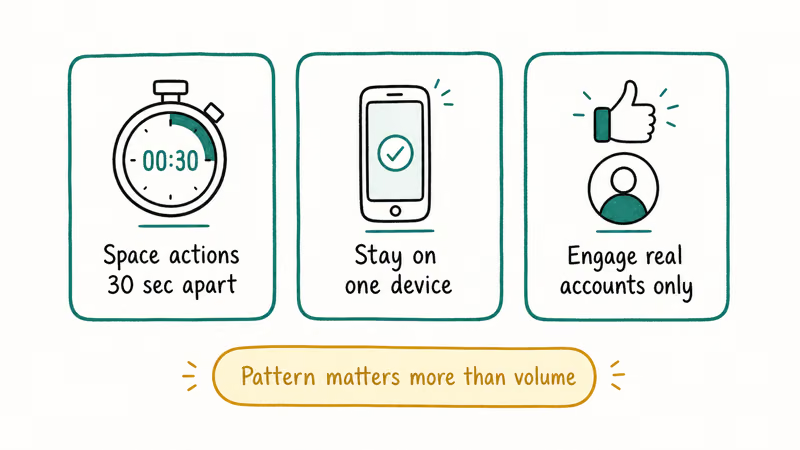
- Spread likes across the day, not in 10-minute sprints.
- Cap follows and unfollows at 30 per hour combined, even when cleaning up your following list.
- Vary comment text. Avoid copy-pasting the same string. Two- to five-word comments with at least one unique word work fine.
- Don’t use bots, growth services, or “auto-engagement” tools. Meta’s terms of use prohibit third-party automation, and the detection systems are very good at it.
- If you’re a creator using a scheduling tool, post directly from Instagram for at least a week after an action block to rebuild trust.
Heavy posters who keep hitting the block should also age their account before scaling up: add a profile photo, post 10 to 15 pieces of content, and stay active for 4 to 6 weeks before any large follow campaign. Our notes on Instagram post stuck on sending cover related upload errors that share the same anti-spam roots.
#Should You Reset Your Password to Speed Things Up?
Short answer: no. The “change your password” tip that’s been floating around since 2018 is folklore. Password changes don’t reset the action-block timer, and they can trigger fresh security checkpoints that lock you out further.
The only time a password reset helps is if your account is actually compromised: you see logins from cities you’ve never visited, posts you didn’t make, or DMs you didn’t send. In that case, reset the password, revoke unknown sessions in Settings > Security > Login Activity, and turn on two-factor authentication.
For everything else, the unblock comes from waiting, not from clicking buttons.
#Bottom Line
The “we limit how often you can do certain things” message is Instagram’s gentlest enforcement tool: a temporary action block that lifts on its own in 24 to 48 hours. Your job is to stop the action that triggered it, leave the account alone, and resist every urge to “fix” it through cache clears, password changes, or repeated retries.
If 48 hours go by and the block is still there, file one Report a Problem ticket from inside the app and wait 1 to 3 days for review. Skip the third-party “unblock” services, browser extensions, and Telegram bots; they violate Meta’s terms and can convert a 48-hour speed bump into a permanent ban. The fastest path back to a clean account is patience plus a slower posting pace next time.
Instagram Tips & Tricks
#Frequently Asked Questions
How long does the “we limit how often” block usually last?
Most blocks clear in 24 to 48 hours. First-time triggers on established accounts often lift in under a day. Repeat offenders or new accounts can stay blocked for the full 48 hours, and a third trigger in 30 days can extend to a 7-day partial block.
Can I still post and DM during the block?
Depends on which action tripped it. A like-velocity block usually leaves posting and DMs alone, while a follow-velocity block touches follows only.
Does logging out and back in remove the block?
No. The block is tied to the account, not the session. Logging out, clearing cache, reinstalling the app, or switching from Wi-Fi to cellular won’t change anything. Instagram’s help page on action blocks recommends waiting, not session resets.
Is using a VPN safe while I’m blocked?
It can make things worse. A VPN changes your apparent IP and country, which Instagram reads as a possible account takeover. That raises your risk score and can extend the block. Use your normal home or cellular network until the action block clears.
What if I keep hitting the block over and over?
You’re almost certainly running into Meta’s repeat-offender rules. Each new trigger inside a 30-day window stacks. Stop using any third-party growth tools, drop your daily activity by half for two weeks, and avoid follow-unfollow campaigns entirely. If you’re stuck in a loop, our notes on Instagram direct messages not working cover the related DM-side block that often appears together.
Will Instagram permanently ban my account for this?
Not from one action block. Per Instagram’s enforcement help page, most cooldowns leave no long-term mark.
Can I appeal the block before 48 hours are up?
Yes, but expect a slow response. The Report a Problem form inside Settings > Help is the only official method for appealing this block. Meta states that reviews can take 1 to 3 business days, so an early appeal doesn’t usually beat the natural 48-hour timer. File once, then wait, because resubmitting the same report multiple times pushes you down the queue.
Why did my account get blocked even though I didn’t do anything unusual?
A few possibilities: someone else logged into your account from a new device, a browser extension or third-party app you authorized triggered the limits, or your IP shares a fingerprint with a previously flagged account (common on shared Wi-Fi or VPNs). Check Settings > Security > Login Activity for unfamiliar sessions, revoke any third-party apps you don’t recognize in Settings > Security > Apps and Websites, and then file an appeal.
Instagram Parental Controls: Family Center Setup (2026)
Set up Instagram Family Center, privacy settings, Hidden Words, content filters, and time limits with your teen's consent on iPhone or Android.
Instagram Notifications Not Working? Quick Fixes (2026)
Instagram notifications not working? Fix push alerts, DMs, likes, and Stories on iPhone and Android in under 5 minutes with proven 2026 steps.
Instagram Name Checker: Find Available Usernames Fast
Check Instagram username availability instantly with free tools like Namechk and KnowEm. Find perfect handles and avoid the frustration of taken names.
Instagram Music Not Working: 10 Proven Fixes (2026)
Instagram Music not working? Fix the missing music sticker, blank library, and Reels audio with 10 proven steps for personal, business, and pro accounts.